

As one of the world's most acclaimed battle royale games, PlayerUnknown's Battlegrounds (PUBG) delivers not only intense gameplay and strategy-driven team modes but also a ranking system that fuels competitive spirit among players. Whether you're a seasoned veteran or a newcomer, understanding PUBG's ranking mechanics is essential for maximizing your gaming experience. This guide covers everything you need to know about PUBG ranks - from system explanations and its ranks in order to proven strategies for increasing the leaderboards.

- ✅ Reduce Lag and High Ping.
- ✅ Boost FPS at the Same Time.
- ✅ Support 2000+ Popular Online Games.
- ✅ Change Server all over the World.
Part 1: PUBG Ranking System Explained
Part 2: 2025 PUBG Ranks in Order
Part 3: How to Increase Ranking in PUBG
Part 4: How to Enhance Gaming Experience in PUBG Ranked Match
Part 5: How to Check PUBG Rank
Part 1: PUBG Ranking System Explained
PUBG's rank system isn't just about surviving – it's a strategic dance of looting, positioning, and tactical combat. Here's what defines the system:
1. Core Mechanics
- Competitive Format: 64-player squad matches with adjusted loot spawns and circle pacing.
- Points-Based Progression: Earn Rank Points (RP) through kills, assists, and placement. Lose RP for poor performance.
- Skill-Based Matchmaking: The system pairs players with similar skill levels, though high KDA can sometimes override rank tiers.
2. Factors Affecting PUBG Rank
In PUBG, RP are directly tied to your match performance, based on these factors:
- Survival Time: The longer you survive in a ranked match, the more RP you earn.
- Kills & Assists: Getting kills and helping teammates get kills increases your RP.
- Damage Dealt: Inflicting high damage on enemies boosts your RP.
- Final Placement: Finishing in the top 10 gives a significant RP reward.
- Region: RP gains may vary slightly depending on the server region.
3. Key Changes Post-F2P Transition
- Battlegrounds Plus Requirement: Post-2022, new players must purchase this upgrade ($12.99) to access ranked modes. Existing owners got it free.
- Survival Mastery Level 80: Mandatory before ranked eligibility.
- 10 Calibration Matches: New seasons require these to determine starting rank.
Part 2: 2025 PUBG Ranks in Order
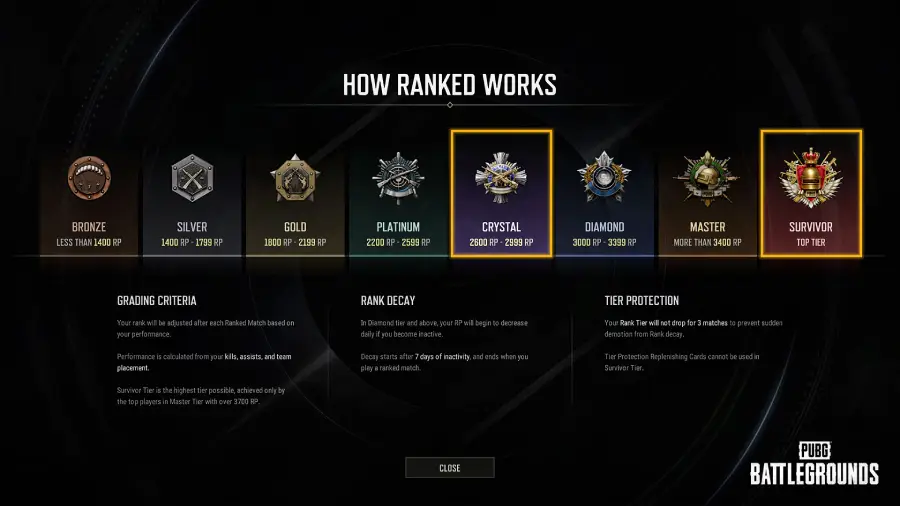
How many ranks in PUBG? This is one of the most frequently asked questions about PUBG ranks. Up till PUBG 's season 36 in 2025, it features 8 distinct tiers with 5 subdivisions each (except ACE/Conqueror). Here's the PUBG ranks in order from lowest to highest:
- Bronze (V-I): 0-1400 RP
- Silver (V-I): 1400-1799 RP
- Gold (V-I): 1800-2199 RP
- Platinum (V-I): 2200-2599 RP
- Crystal (V-I): 2600-2999 RP
- Diamond (V-I): 3000-3399 RP
- Master: 3400+ RP (Top 3% globally)
- Survivor: Top 500 players per region
Only 0.15% of players ever reach Survivor, making it the pinnacle of PUBG achievement.
Part 3: How to Increase Ranking in PUBG
Icreasing PUBG's ranks demands more than luck. Implement these pro strategies:
1. Specialization Over Versatility
Focus on one mode (Solo/Duo/Squad) and one perspective (FPP/TPP). Example: Mastering Squad FPP yields faster progression than splitting attention.
2. Survival > Kills
Placement points dominate RP calculations. Prioritize:
- Reaching top 10 consistently
- Avoiding early engagements
- Using vehicles for safe rotations
3. Squad Synergy
- Play with coordinated teammates using voice comms.
- Stats show squads with premade teams have 40% higher survival rates than randoms.
4. Adaptive Playstyle
- Aggressive: Push fights early if armed with ARs/SMGs.
- Passive: Loot quietly and third-party fights if under-equipped.
5. Activity Consistency
- Play 1-2 ranked matches weekly to avoid decay penalties.
- Gold+ ranks lose 3-7 RP daily after 7 days of inactivity.
Part 4: How to Enhance Gaming Experience in PUBG Ranked Match
In every PUBG ranked match, players must stay vigilant to eliminate opponents they can defeat while guarding against enemy attacks—every second counts! However, issues like lag and high ping from server congestion or unstable connections put players at risk of being eliminated. This is where LagoFast comes in. As a professional game booster, LagoFast uses smart algorithms and multi-path optimization to enhance real-time gameplay smoothness in PUBG, ensuring your operations stay fluid even under challenging network conditions.
Key Highlights of LagoFast:
- Stable Connections: Avoids congested networks to minimize disconnects and maintain connection reliability.
- Ping Reduction: Lowers latency by optimizing data transmission routes and avoiding server congestion.
- Seamless Switching: Dynamically transitions to the lowest-latency connection during gameplay for buttery-smooth controls.
- Multi-Path Optimization: Utilizes advanced routing to ensure optimal connection quality.
- Packet Loss Prevention: Advanced algorithms minimize data loss for smooth gameplay.
How to Boost PUBG PC with LagoFast:
Step 1: Start by clicking the Free Trial button below to download LagoFast.
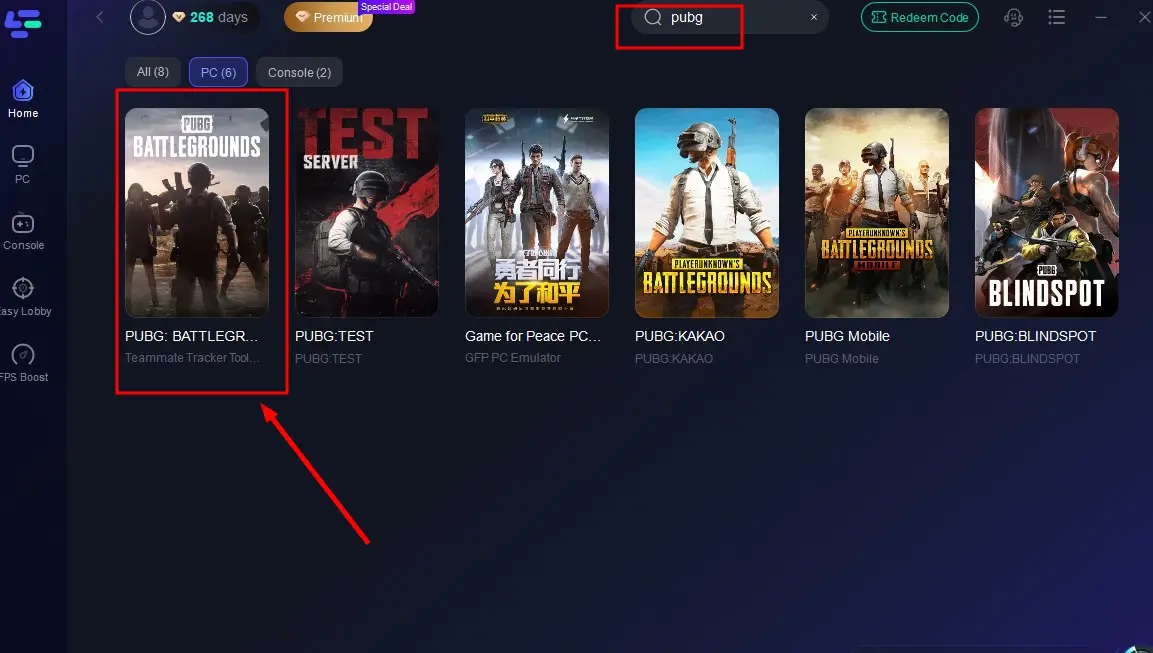
Step 2: Launch LagoFast, then type the game name in the search bar.
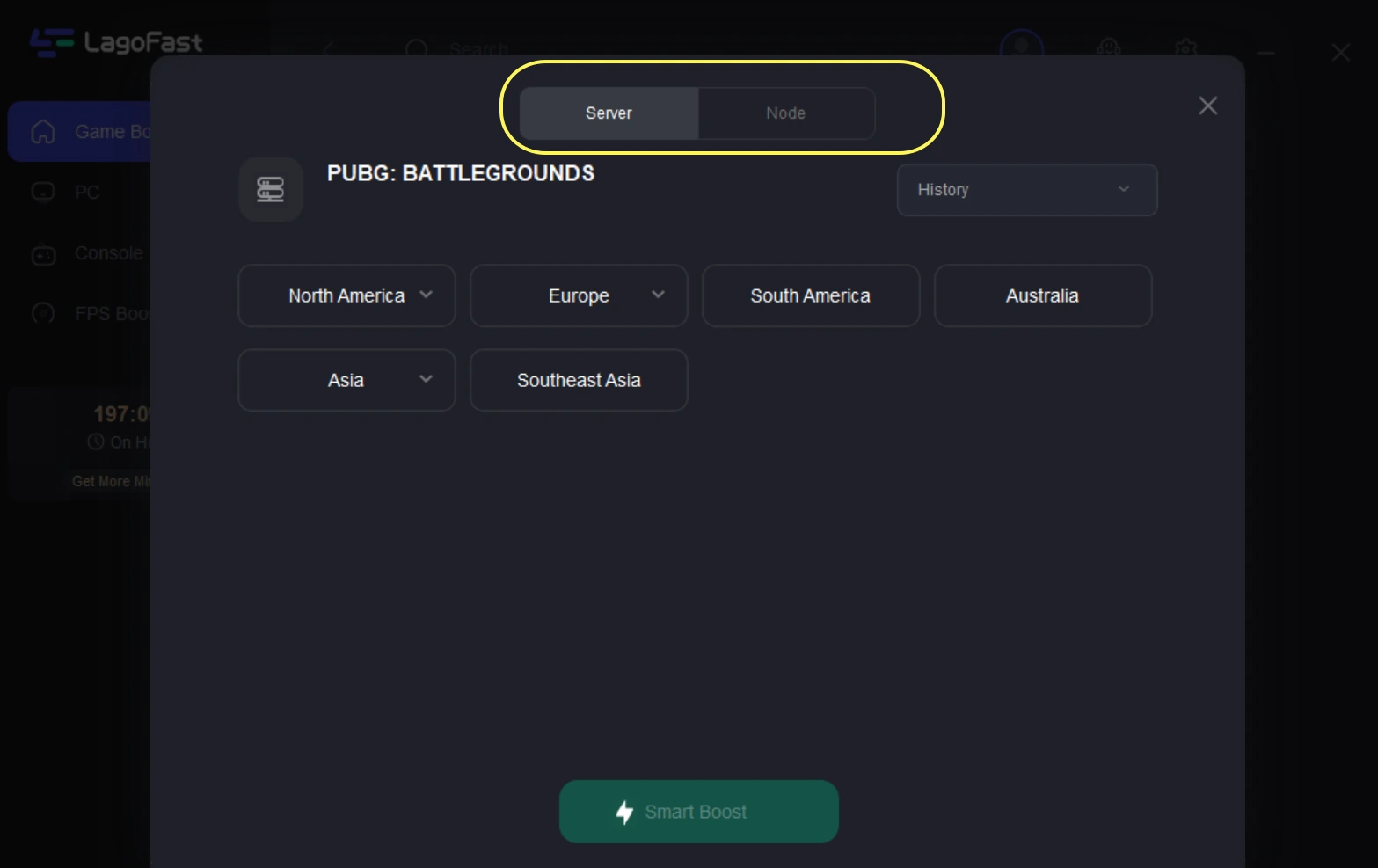
Step 3: Choose a stable server and the best node to optimize connectivity.
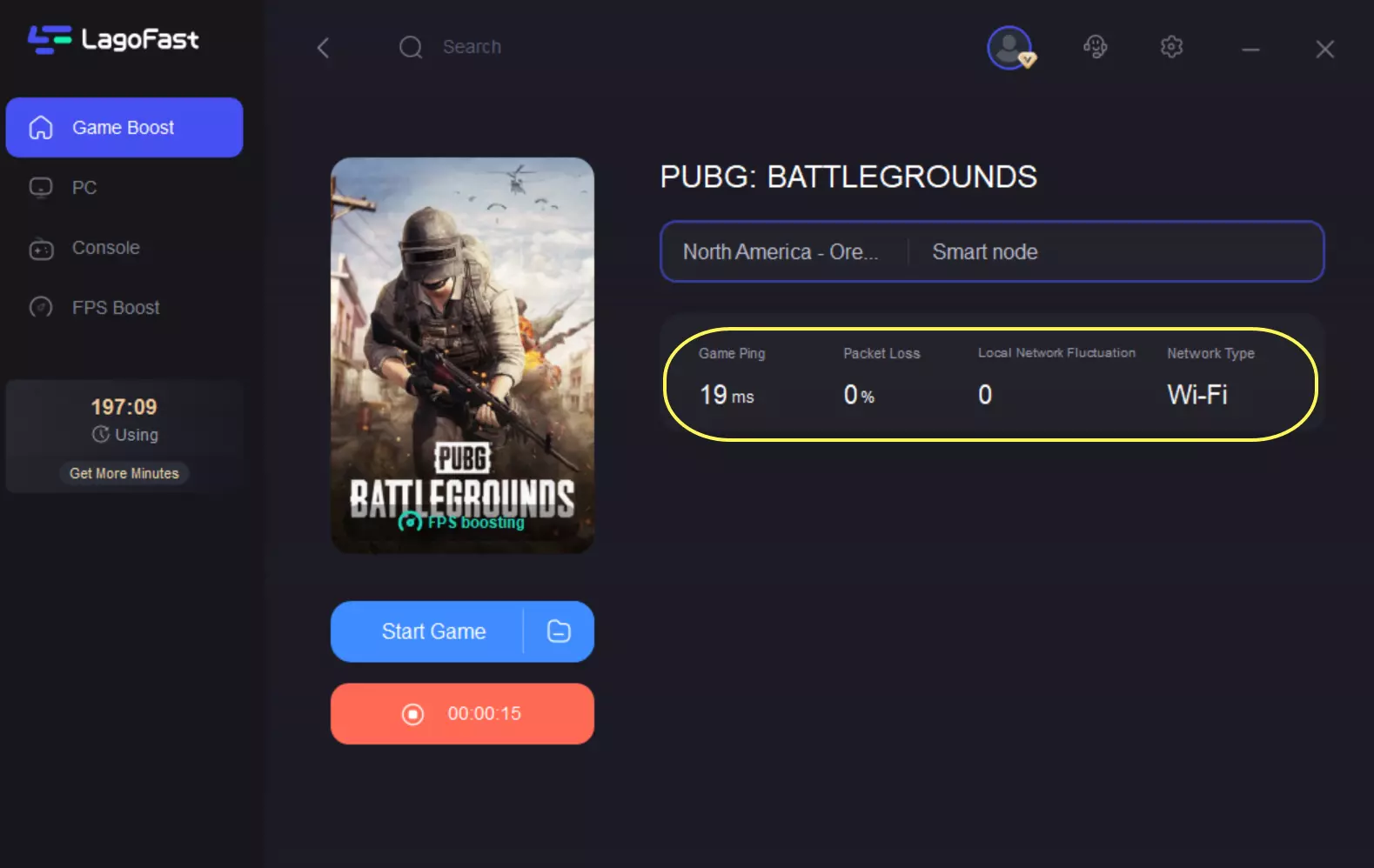
Step 4: Hit “Smart Boost” to monitor game ping, packet loss, and network type in real time.
How to Play PUBG Mobile with LagoFast Mobile:
Step 1: Download LagoFast Mobile through the Google Play Store or App Store, or you can scan the QR code below.

Step 2: Complete downloading and installing LagoFast Mobile on your phone.
Step 3: Open LagoFast Mobile and search PUBG in its search bar((Take the global version for an example; there are also different versions of PUBG, you can choose the preferred version according to your needs).
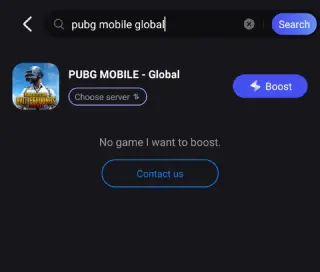
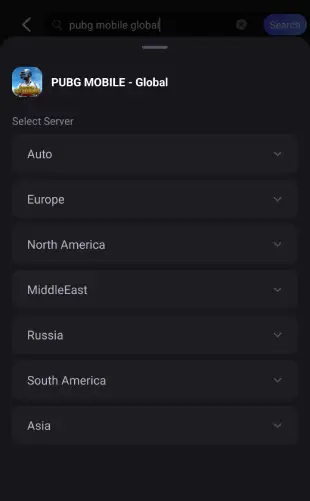
Step 4: Choose a better server for it.
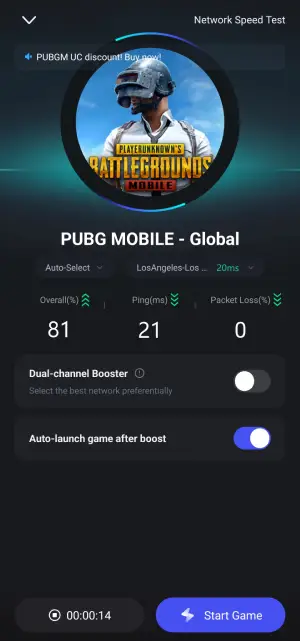
Step 5: Confirm that the real-time game data has been optimized, click the Start Game button to play PUBG.
Part 5: How to Check PUBG Rank
Tracking your ranking progress is very important for your game strategies, and the steps are very simple:
1.Launch PUBG and navigate to the main menu.
2.Select "Career" > "Season" tab.
3.View Stats:
- Current tier (Bronze/Silver etc.)
- RP progression
- Division within tier (e.g., Platinum III)
- Performance metrics (K/D ratio, avg damage)
Conclusion
PUBG's ranking system rewards consistency, adaptability, and teamwork. By mastering survival tactics, focusing on specialization, and maintaining activity, you'll steadily climb from Bronze to Conqueror. Remember: Your PUBG rank depends not only on your game skills, but also on a stable connection. Grab LagoFast now! Combine it with the rank-up tips above and survive to the final circle!

Boost Your Game with LagoFast for Epic Speed
Play harder, faster. LagoFast game booster eliminates stutter and lags on PC, mobile, or Mac—win every match!
Quickly Reduce Game Lag and Ping!
Boost FPS for Smoother Gameplay!