
Quick Answer
The PUBG “failed to authenticate from external provider” error occurs when the game cannot verify your login through services like Steam, usually due to network issues, VPN interference, or temporary server problems. Restarting the game, checking your connection, and verifying files can often fix it; if not, improving routing with tools like LagoFast can help stabilize authentication.
Seeing the “failed to authenticate from external provider” message when launching PUBG on PC or Steam can be frustrating, especially when your credentials are correct. This error is typically related to communication issues between PUBG and external login services rather than an account problem.
In this guide, we’ll explain what the error means, its common causes, and practical steps to fix it, along with how network optimization tools like LagoFast can help improve connection stability when needed.

- ✅ Reduce Lag and High Ping.
✅ Boost FPS at the Same Time.
✅ Support 2000+ Popular Online Games.
✅ Change Server without Latency.
✅ Boost Game Loading Speed.
Part 1: What the PUBG “Failed to Authenticate from External Provider” Error Means
Part 2: Common Reasons PUBG Cannot Authenticate via External Services
Part 3: How LagoFast Helps Improve Authentication Stability and Reduce Failures
Part 4: Step-by-Step Fixes for PUBG Authentication Errors on PC and Steam
Part 1: What the PUBG “Failed to Authenticate from External Provider” Error Means
The PUBG "fail to authenticate from external provider" error indicates that the game is unable to complete the login verification process through a third-party service. PUBG relies on external platforms (such as Steam) to confirm your identity before granting access to the game.
When this communication fails, the authentication request does not go through successfully, resulting in a blocked login attempt. Importantly, this does not usually mean your account credentials are wrong—it means the verification process itself was interrupted or could not be completed.
Part 2: Common Reasons PUBG Cannot Authenticate via External Services
Several factors can prevent PUBG from successfully authenticating your login:
Issues with external platforms like Steam
Since PUBG depends on platforms like Steam for authentication, any temporary outage, delay, or instability on those services can directly affect login success.
Network instability and routing interruptions
Unstable internet connections, packet loss, or inefficient routing paths between your device and game servers can interrupt authentication requests before they complete.
Interference from VPNs, firewalls, or background software
VPNs, proxies, antivirus programs, or firewall settings may block or delay authentication traffic, especially if they alter your connection route or restrict outgoing requests.
Corrupted cache or expired login sessions
Cached data or outdated login sessions can conflict with new authentication attempts, causing repeated failures even if your credentials are correct.
Part 3: How LagoFast Helps Improve Authentication Stability and Reduce Failures
In some cases, authentication failures are caused not by your system or account, but by an unstable network path between you and the authentication servers. Poor routing can lead to delays, packet loss, or incomplete login verification.
LagoFast helps optimize this network path by improving routing stability and reducing connection issues that may interfere with the authentication process. Unlike basic troubleshooting, which focuses on local factors such as cache or software conflicts, it targets the stability of the connection itself.
Key benefits include:
- More stable routing to PUBG and authentication servers
- Lower risk of authentication timeouts
- Lower ping and improved overall connection stability
- Reduced lag and packet loss through optimized routing
- More consistent connections when using external providers
How to Use LagoFast Fix PUBG issues
Step 1: Click the Free Trial button to download and install LagoFast.
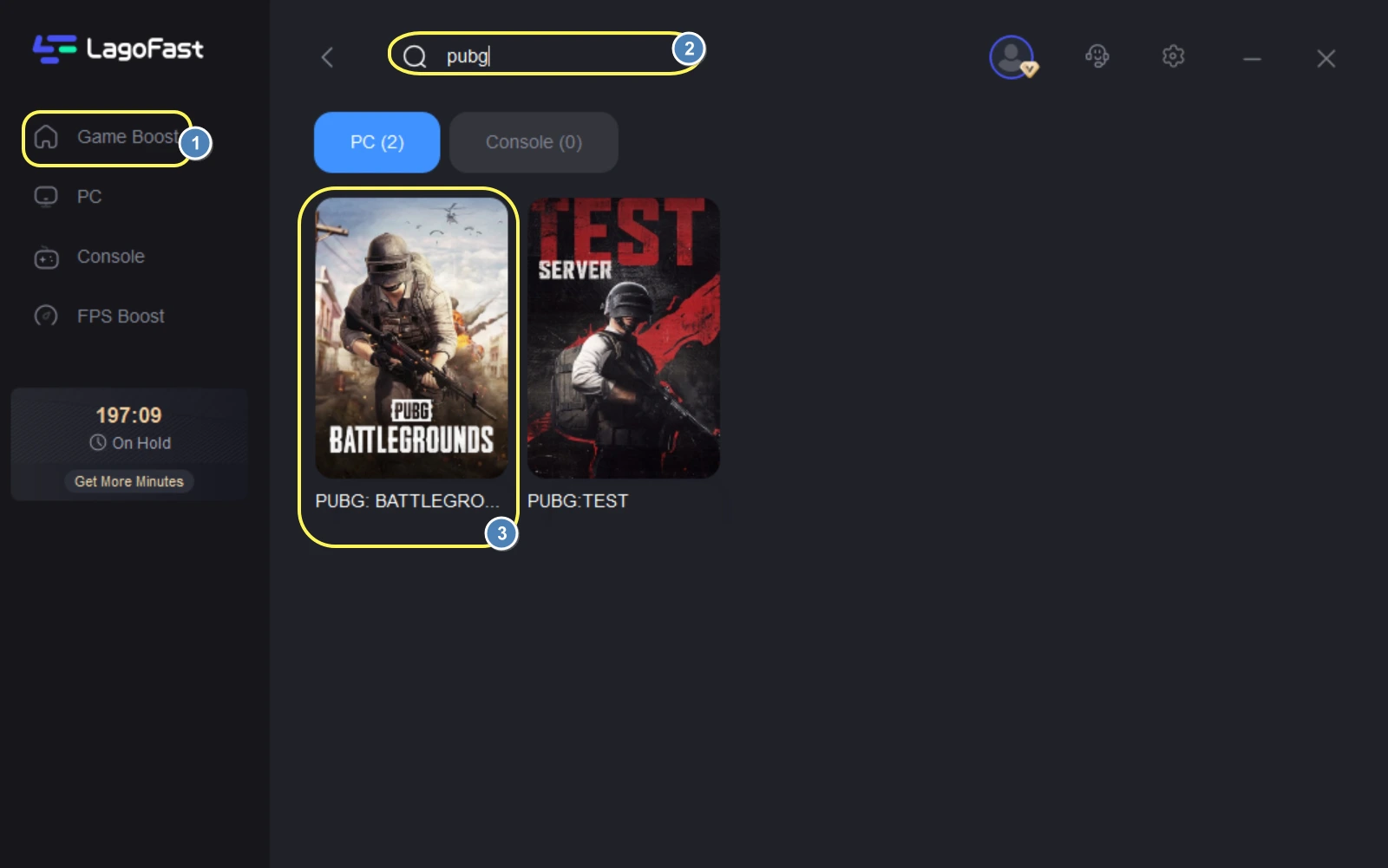
Step 2: After installation, search "PUBG" in the search bar and select the game.
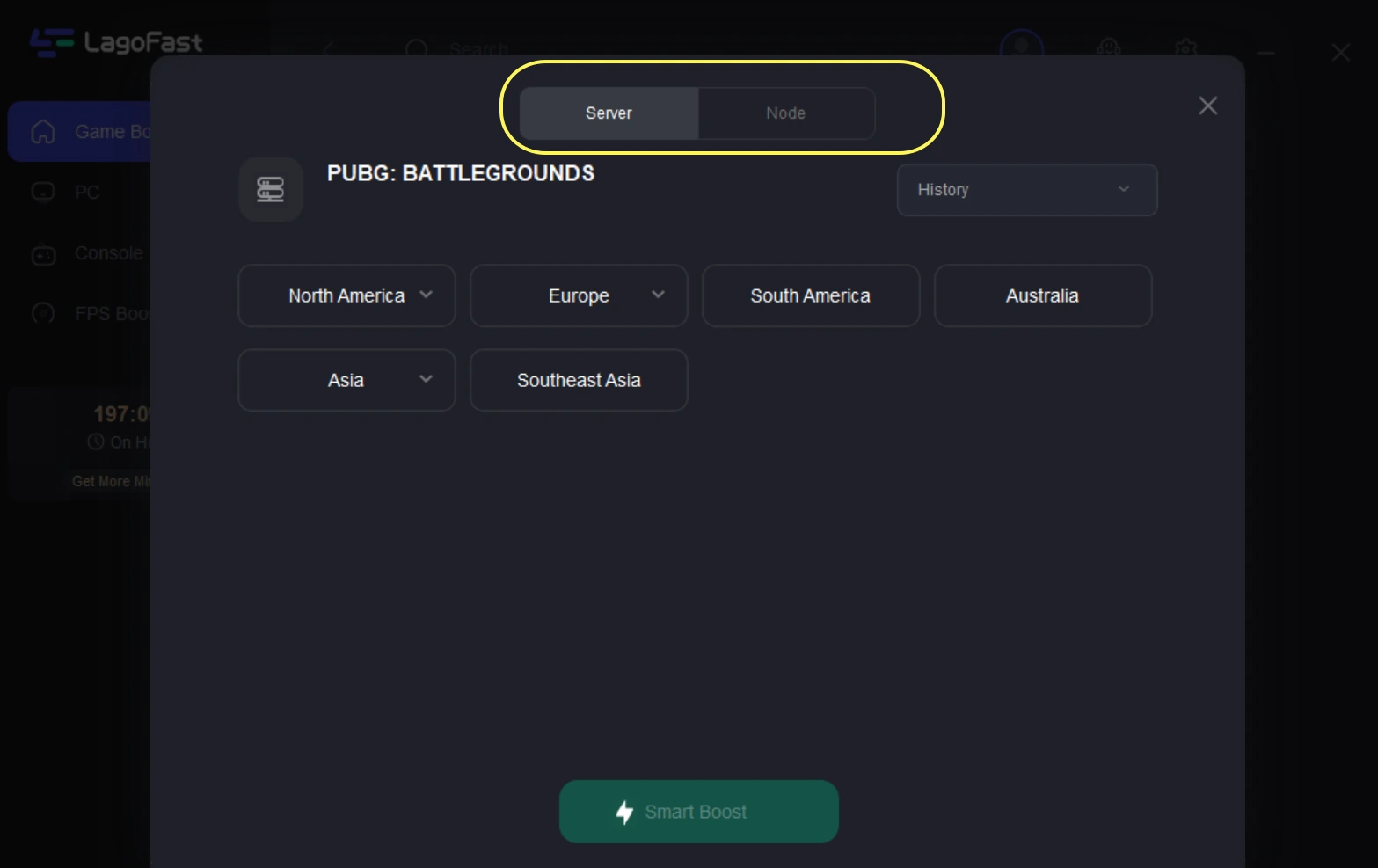
Step 3: Choose your preferred server node and click "Smart Boost" to start optimizing.
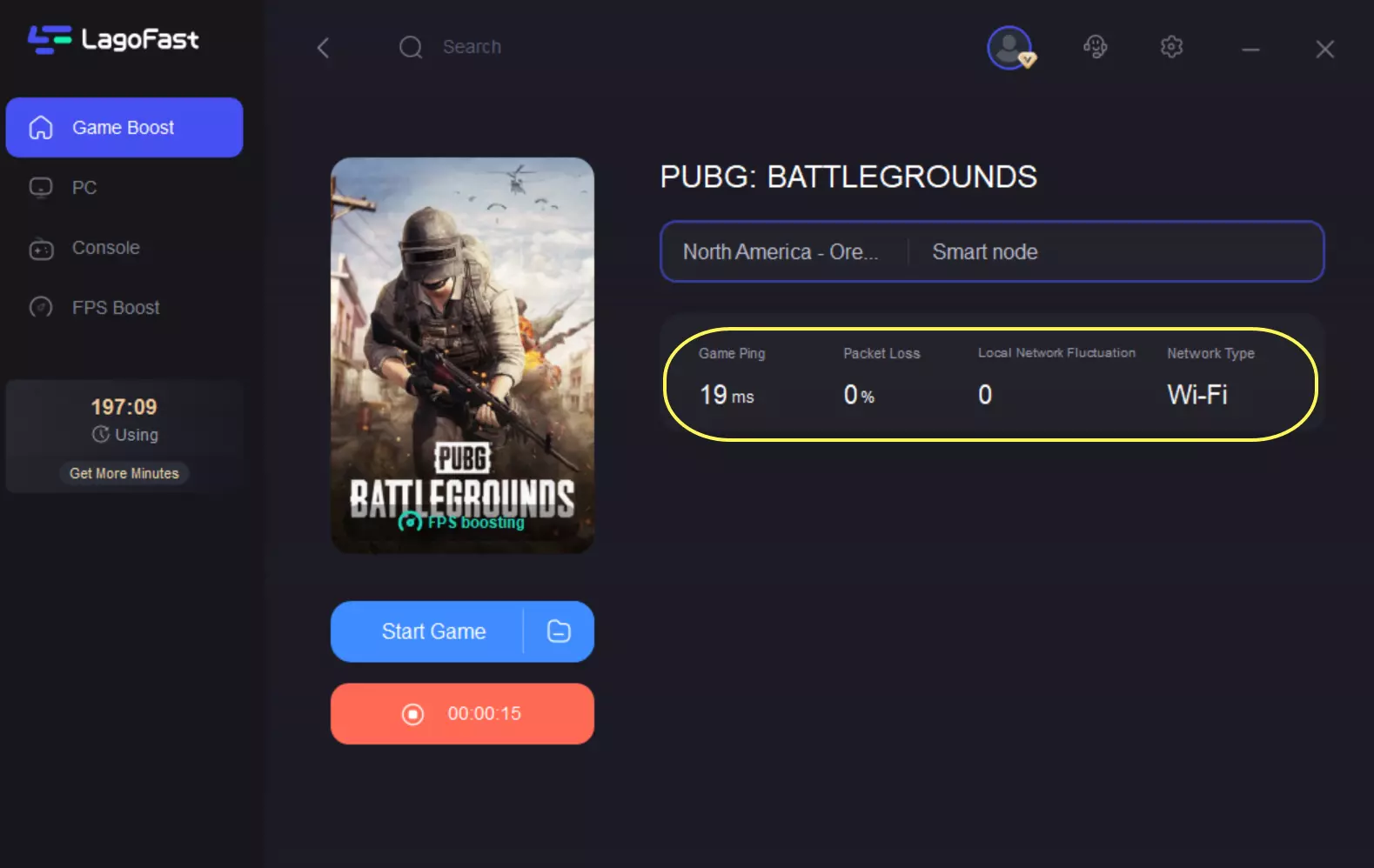
Step 4: Launch your game and enjoy smooth, optimized gameplay with lower ping and no stutter.
Part 4: Step-by-Step Fixes for PUBG Authentication Errors on PC and Steam
Restarting the game and refreshing your session
- Fully close PUBG and your launcher (Steam)
- Restart your PC
- Relaunch the game and attempt login again
This helps refresh any temporary session or connection glitches.
Checking and stabilizing your internet connection
- Use a wired Ethernet connection if possible
- Restart your router
- Avoid unstable or congested networks
A stable connection is critical for successful authentication requests.
Disabling VPNs or proxies
- Turn off any VPN or proxy services
- Connect directly through your ISP
- Retry logging in without rerouting traffic
VPNs often introduce routing delays that interfere with authentication.
Verifying PUBG game files on Steam
- Open Steam
- Go to PUBG in your library
- Select Properties → Installed Files
- Click “Verify integrity of game files”
This ensures no corrupted or missing files are affecting login.
Re-authenticating your linked account
- Log out of your Steam account
- Log back in to refresh authentication tokens
- Relaunch PUBG afterward
This helps reset the external provider session.
Closing conflicting background applications
- Disable overlays (Discord, GPU tools, etc.)
- Temporarily turn off antivirus/firewall if safe
- Close unnecessary background processes
These applications can sometimes interfere with network communication.
Part 5: FAQs
1. Why does PUBG show an authentication error even when my login is correct?
Because the issue is usually caused by a failure in the connection between PUBG and the external authentication service, not your credentials.
2. Is this error related to a wrong password?
No. The problem is not about entering the wrong password, but about the authentication process not completing successfully.
3. Why does PUBG fail to authenticate?
It is typically triggered by unstable connections, routing issues, or interference from VPNs or background software.
4. Can VPNs cause this error?
Yes. VPNs can introduce latency or alter routing paths, which may disrupt the authentication process.
5. What should I check first when this error appears?
Focus on your network stability and ensure no applications are interfering with the game’s connection.
Conclusion
The PUBG “failed to authenticate from external provider” error is usually caused by connection or communication issues between PUBG and external login services rather than account-related problems. In most cases, you can try:
- Checking your network connection
- Restarting the game or device
- Verifying game files
- Removing conflicting software or VPNs
If the issue persists, unstable routing may be the cause, and using a network optimization tool like LagoFast can help improve connection stability and reduce repeated authentication failures.
Boost Your Game with LagoFast for Epic Speed
Play harder, faster. LagoFast game booster eliminates stutter and lags on PC, mobile, or Mac—win every match!
Quickly Reduce Game Lag and Ping!
Boost FPS for Smoother Gameplay!