
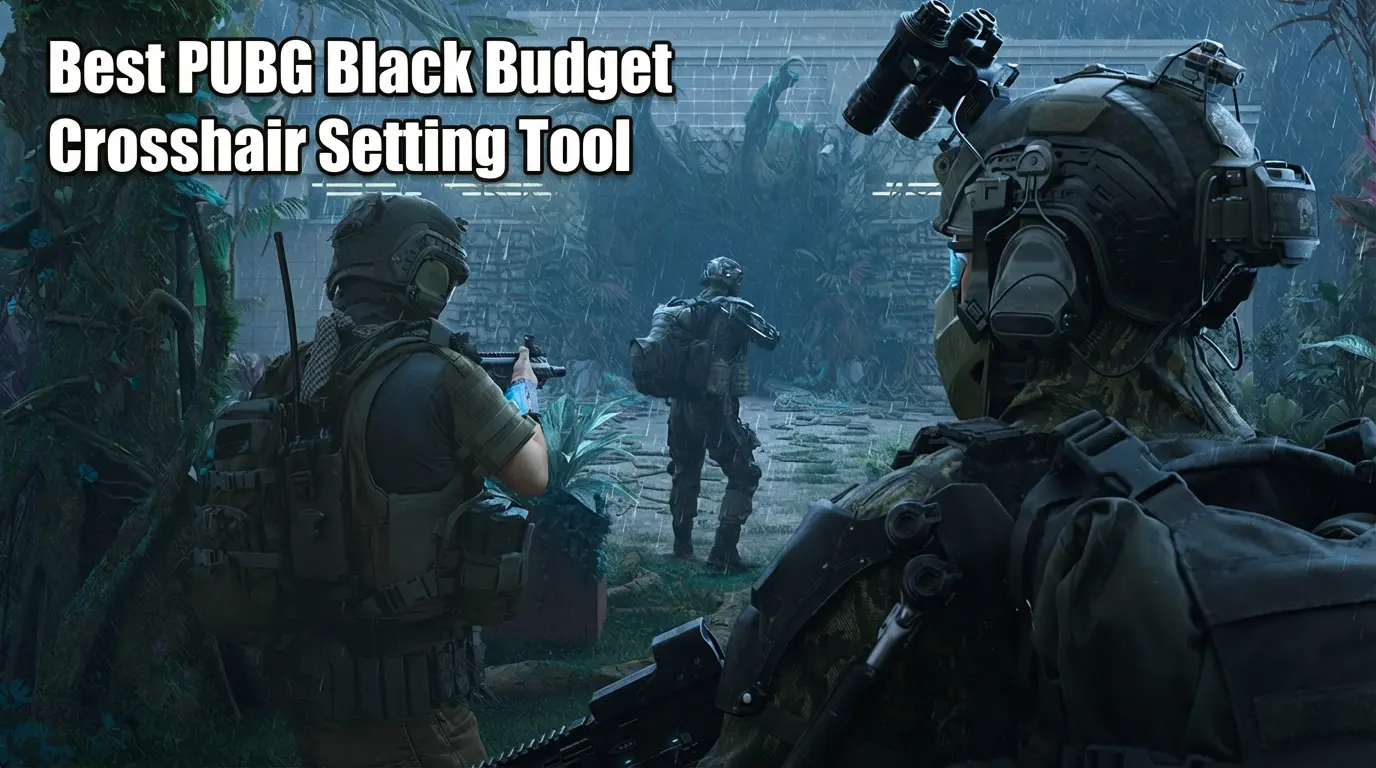
PUBG: Black Budget is an upcoming first-person extraction shooter from PUBG Studios and KRAFTON that blends tense PvPvE combat with survival and extraction mechanics on a large, time-looped island. Players must scavenge, fight, and extract within limited sessions against both AI and other squads in highly unpredictable scenarios.
Because precision aiming is so crucial in this high-stakes environment — and the game currently lacks robust built-in crosshair customization — knowing how to set up or enhance your crosshair can make a big difference in performance and accuracy during combat.

- ✅ Reduce Lag and High Ping.
- ✅ Boost FPS at the Same Time.
- ✅ Support 2000+ Popular Online Games.
- ✅ Get Twitch Drops Easily
- ✅ Stabilize Server Connection
- ✅ Black Budget Translation Tool
Part 1: PUBG: Black Budget Introduction
Part 2: How to Change PUBG: Black Budget Crosshair
Part 3: Part 3: Best PUBG: Black Budget Crosshairs Settings
Part 4: PUBG: Black Budget Crosshair Tool
Part 1: PUBG: Black Budget Introduction
PUBG: Black Budget is an extraction-shooter spinoff from the PUBG franchise, combining intense PvPvE combat, survival mechanics, and strategic extraction gameplay on a dynamic island setting. Unlike classic battle royale formats, Black Budget drops players into a mysterious environment influenced by supernatural phenomena and time loops, where survival, exploration, and tactical combat are essential to success.
At its core, Black Budget demands precise aiming and fast reflexes. Players must navigate dense maps, engage enemies at varying distances, and make split-second decisions to survive and extract with valuable loot. This competitive environment places a high premium on weapon accuracy, sensitivity settings, and especially your crosshair setup — the visual aid that helps you land shots reliably under pressure.
Because of the game’s early development state and the lack of official built-in customization options for crosshairs, many players struggle to find an ideal aiming setup. That’s where understanding crosshair behavior and external enhancement tools becomes crucial for improving overall performance.
Part 2: How to Change PUBG: Black Budget Crosshair
Current Crosshair Customization Status
Currently, PUBG: Black Budget — especially in its closed alpha playtest stage — does not include traditional in-game crosshair customization options like those found in many competitive shooters. Players will not see settings such as crosshair size, style, or color in the main options menu at this stage.
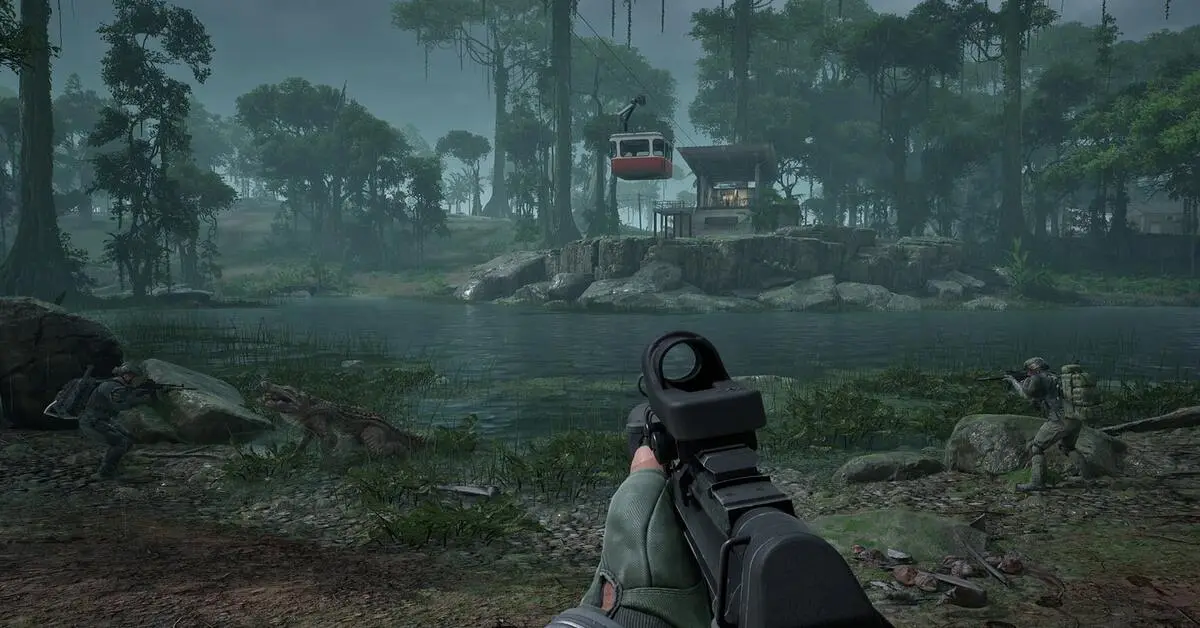
In classic PUBG titles, reticles and aiming visuals are mainly influenced by weapon attachments and optics, such as red dot sights, holographic sights, or scopes. Even there, static crosshair customization is limited, and Black Budget follows a similar — or even more restrictive — approach so far.
Practical Workarounds for Better Aiming
Due to these limitations, players often rely on indirect methods to improve their aiming experience:
- Weapon attachments
Choosing the right optics and scopes can significantly affect reticle clarity and aiming comfort. - Display settings
Adjusting brightness, contrast, and field of view (FOV) can help the default reticle stand out more clearly against complex environments. - Sensitivity tuning
While not a direct crosshair change, refining mouse sensitivity and ADS settings can make aiming feel more controlled and consistent.
Because Black Budget is still in early development, many competitive players turn to external crosshair tools to gain better visual control over their aiming reticle.
Part 3: Best PUBG: Black Budget Crosshairs Settings
Color Visibility Matters
Choosing a crosshair color with strong contrast against the environment is essential. Bright or neon colors such as green, cyan, yellow, or white usually stand out better against grass, buildings, and shadowed interiors, making targets easier to track during fast engagements.
Simplicity Over Complexity
A clean, minimalist crosshair with thin lines and a small center gap is generally preferred. Overly thick or complex reticles can block visibility, especially when engaging distant enemies or aiming through cluttered environments — a common situation in Black Budget.
Static vs Dynamic Reticles
Many experienced FPS players favor dynamic reticles that expand with recoil or movement, as they reflect weapon behavior more accurately. However, until PUBG: Black Budget officially supports dynamic crosshair behavior, simple static overlays remain the most practical option.
Always Test in Real Scenarios
Crosshair preference is highly personal. DPI, sensitivity, and muscle memory all play a role, so it’s important to test different setups in low-risk encounters or practice situations to find what feels most natural for your playstyle.
Part 4: PUBG: Black Budget Crosshair Tool
Why Black Budget Needs a Crosshair Tool
Since PUBG: Black Budget does not currently offer detailed in-game crosshair customization, external crosshair tools have become increasingly popular. These tools allow players to overlay a customizable reticle on top of the game without altering core gameplay mechanics.
One notable option is LagoFast Game Booster, a multifunctional game optimization tool that includes a customizable crosshair overlay designed specifically for shooters like PUBG: Black Budget.
LagoFast Crosshair Features
With LagoFast’s crosshair tool, players can:
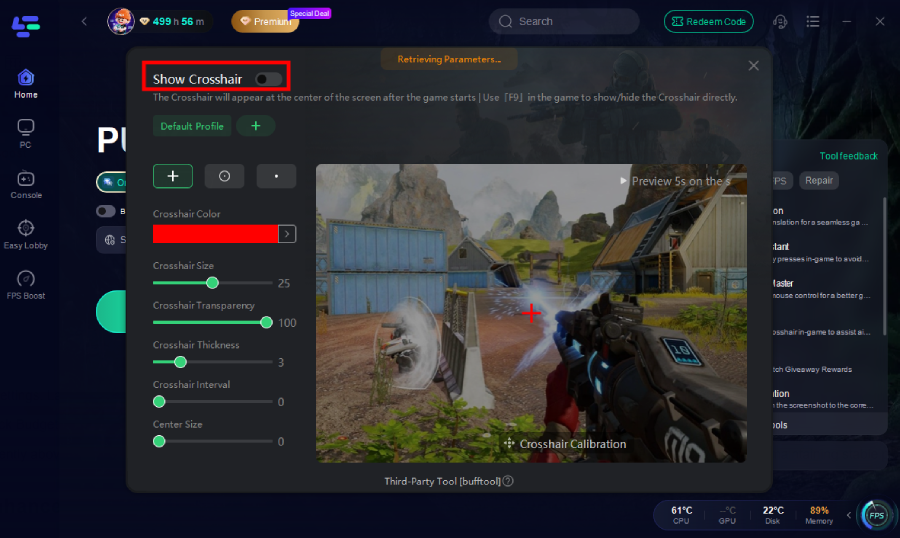
- Choose different crosshair shapes, including dots, lines, circles, or custom styles
- Adjust size and thickness to maintain visibility without blocking targets
- Customize color and contrast for different lighting conditions
- Toggle the crosshair overlay on or off instantly as needed
How to Enable the Crosshair Tool with LagoFast
Step 1: Download and install the LagoFast Free Trial by clicking the Free Trial button.
Step 2: Open LagoFast and search for PUBG: Black Budget using the built-in search bar.

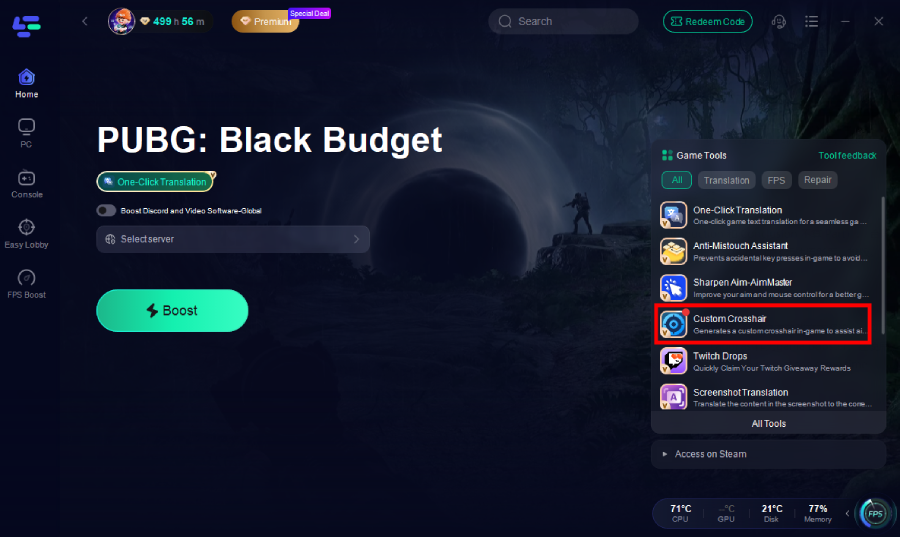
Step 5: Enable the crosshair tool by clicking the tool panel on the right and adjusting the crosshair settings to your preference.
Step 4: Optimize network settings. LagoFast will automatically select the best routing and server configuration to reduce latency and packet loss.

Step 5: Launch PUBG: Black Budget through LagoFast for improved stability and performance.

This overlay runs independently above the game without modifying game files, providing a flexible solution to the lack of native crosshair customization while maintaining stable performance.
More Benefits of LagoFast
LagoFast goes beyond crosshair customization. It is a comprehensive performance optimization suite designed for competitive online shooters.
- Lag and ping reduction through intelligent routing to the most efficient servers
- Frame rate stabilization by optimizing system and graphics performance
- Server control options to avoid sudden latency spikes
This combination is especially valuable in PUBG: Black Budget, where split-second aiming and smooth responsiveness can determine the outcome of firefights and extraction attempts.
Part 5: FAQs
Can I change the crosshair inside PUBG: Black Budget by default?
Currently, Black Budget does not offer built-in options for customizing crosshair shape or overlays. Players must rely on weapon optics or external tools for advanced customization.
Is using an external crosshair tool like LagoFast safe?
LagoFast’s crosshair feature works as an overlay and does not modify game files. It is designed to be safe for PC use when following official guidelines.
Does a custom crosshair affect performance?
No. The LagoFast overlay is lightweight and optimized to avoid performance impact, while also improving network stability.
Will future updates add official crosshair settings?
Because Black Budget is still in early testing, official crosshair customization may be added later. Until then, external tools remain useful.
Can I customize crosshair colors for different environments?
Yes. LagoFast allows players to adjust crosshair color and contrast to match different maps and lighting conditions.
Conclusion
In a competitive extraction shooter like PUBG: Black Budget, precision is everything. From close-quarters combat to long-range engagements, the right crosshair setup can significantly improve accuracy and confidence in every encounter.
Since the game currently lacks extensive native crosshair customization, using a tool like LagoFast Game Booster provides a practical and effective solution. By combining customizable crosshair overlays with network optimization and performance enhancements, players can gain a meaningful edge and enjoy a smoother, more competitive experience in Black Budget’s intense PvPvE gameplay.
Boost Your Game with LagoFast for Epic Speed
Play harder, faster. LagoFast game booster eliminates stutter and lags on PC, mobile, or Mac—win every match!
Quickly Reduce Game Lag and Ping!
Boost FPS for Smoother Gameplay!