
If you’ve recently dived into POPUCOM, the vibrant co-op adventure game from Hypergryph, you know teamwork and timing are key to surviving its colorful pixel-art world . But what if we told you there’s a way to make those split-second color switches and explosive puzzle-solving even smoother? Enter the POPUCOM FPS Unlocker—a game-changer for players craving buttery-smooth visuals and competitive edge. In this guide, we’ll break down why unlocking your frame rate matters, how to do it safely, and how LagoFast Game Booster elevates your gameplay beyond just FPS.

Part 1: POPUCOM Gameplay Features
Part 2: Why You Need a Frame Rate Limit Unlock Tool in POPUCOM
Part 3: How to Get POPUCOM FPS Unlocker
Part 4: How to Optimize Gaming Experience in POPUCOM with LagoFast
Part 1: POPUCOM Gameplay Features
POPUCOM isn’t your average puzzle game. It blends platforming, match-3 mechanics, and chaotic co-op action across story mode (2 players) and party mode (3-4 players) . You’ll swap colors to activate platforms, blast enemies with color-coded projectiles, and wield gadgets like Rollo the Bomb or Captain Kitty to clear obstacles . The game’s fast-paced nature demands precision—miss a jump or mistime a color switch, and you’re toast.
But here’s the catch: POPUCOM’s default 60 FPS cap can hinder your reflexes. In high-stakes moments, like dodging laser grids or coordinating bomb drops, every millisecond counts. A locked frame rate limits your hardware’s potential, especially if you’re rocking a high-refresh-rate monitor . That’s where an FPS unlocker steps in.
Part 2: Why You Need a Frame Rate Limit Unlock Tool in POPUCOM
The 60 FPS Bottleneck
Most modern games, including POPUCOM, cap FPS at 60 to balance performance and prevent screen tearing . But this cap isn’t just a software quirk—it’s a missed opportunity. A 60 FPS game updates your screen 60 times per second, while a 120 FPS game doubles that, making movements feel fluid and inputs more responsive. For competitive players, this translates to faster reaction times and better aim.
Visual Clarity
Higher FPS also enhances visual fidelity. At 60 FPS, fast-moving objects like enemy projectiles can blur, making them harder to track. Unlocking your frame rate sharpens these details, giving you a clearer view of threats and opportunities .
Part 3: How to Get POPUCOM FPS Unlocker
While some FPS unlockers require risky file edits or mods, LagoFast Game Booster offers a safe, one-click solution. Here’s why it’s the go-to choice:
- Seamless Integration: LagoFast’s Unlock Frame Rate Limit Tool bypasses POPUCOM’s 60 FPS cap without tampering with game files. Just install the software, select POPUCOM from the list, and hit “Boost.”
- Extreme FPS Potential: Depending on your hardware, LagoFast can push POPUCOM to 160–200 FPS—ideal for 144Hz or 240Hz monitors. This isn’t just about numbers; it’s about eliminating input lag and ensuring every move feels instantaneous .
- Safety First: It’s virus-free and won’t trigger anti-cheat systems, so you can game worry-free .
How to Use LagoFast to Unlock FPS Limit in POPUCOM:
Click the "Free Trial" button, download LagoFast, and complete the installation.
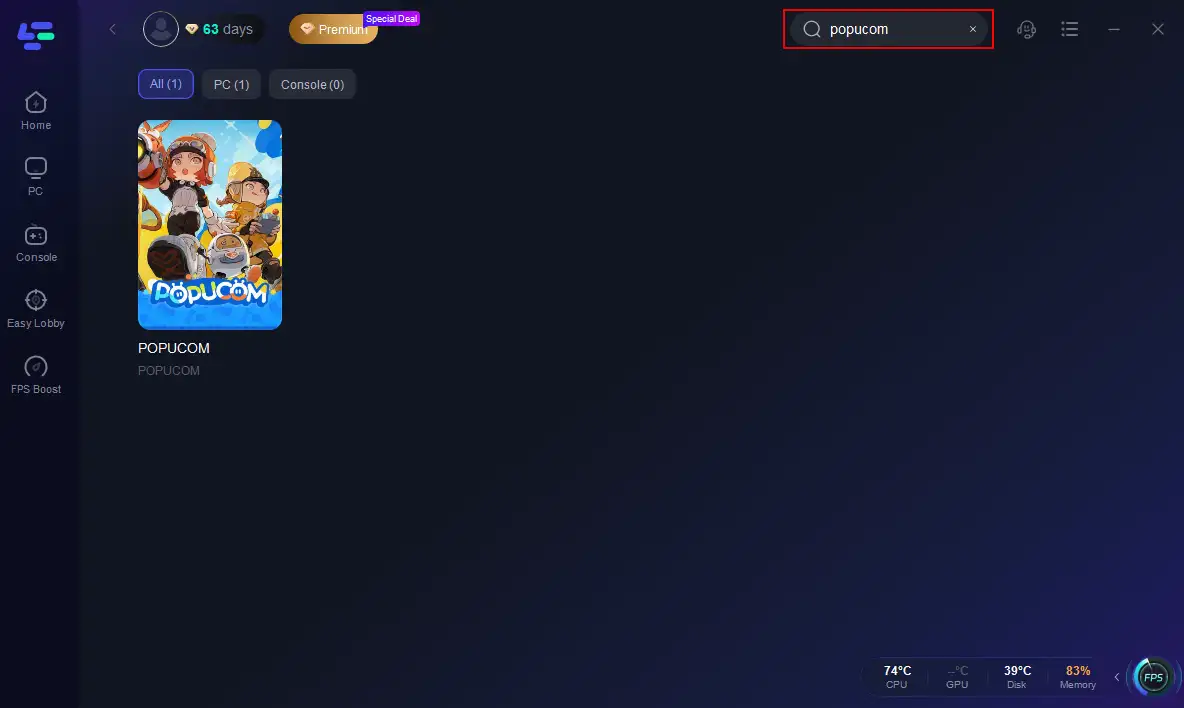
Search for POPUCOM within the LagoFast app.
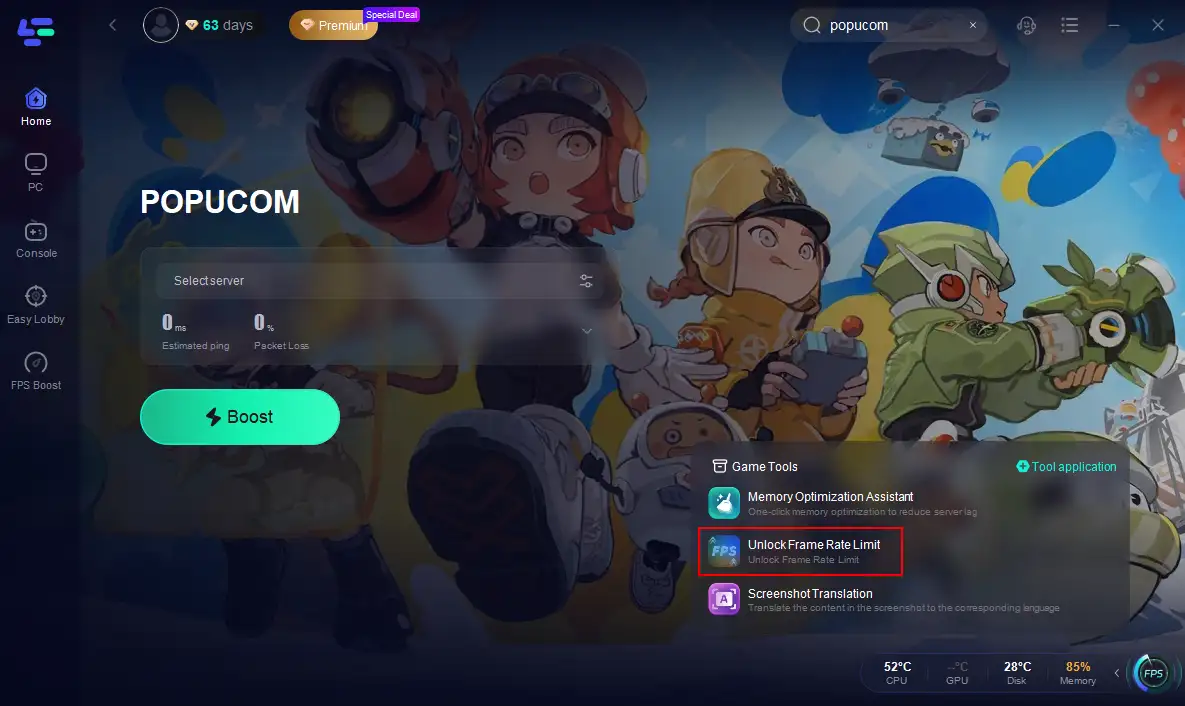
Click the Unlock Frame Rate Limit Tool on the right.
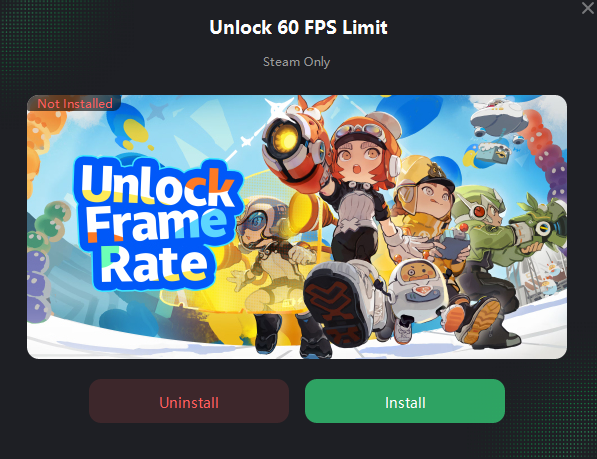
Click install.
Part 4: How to Optimize Gaming Experience in POPUCOM with LagoFast
Unlocking FPS is just the start. LagoFast’s all-in-one toolkit supercharges your entire POPUCOM session:
- Network Optimization: Lag and high ping are POPUCOM’s worst enemies, especially in online co-op. LagoFast routes your connection through its global server network, slashing latency by up to 90% . No more rubber-banding during crucial puzzle solves.
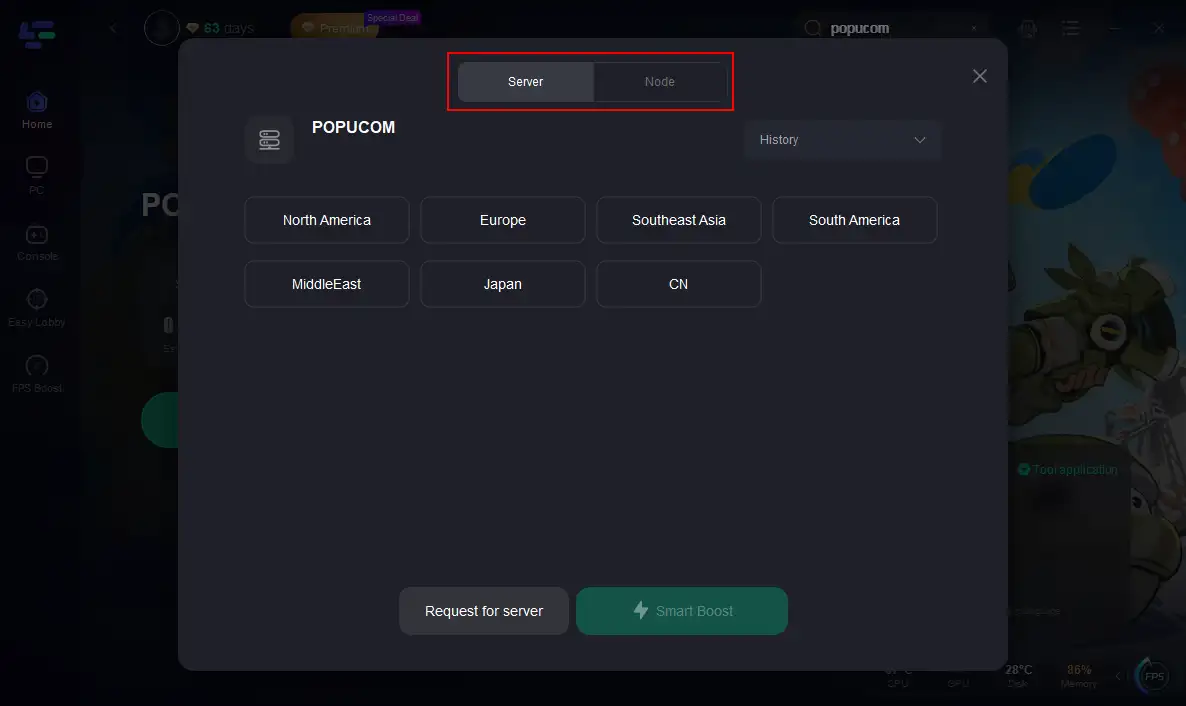
- Smart Server Selection: Struggling to connect to the right server? LagoFast’s “Smart Boost” analyzes your location and recommends the best server node, ensuring stable connections and faster matchmaking .
- Multiplatform Support: Whether you’re on PC, console, or mobile, LagoFast works across devices. Just install it on your primary gaming rig and let it handle the heavy lifting .
How to Use LagoFast to Boost POPUCOM:
Click "Select Server" to choose the optimal server node, then hit "Smart Boost" to start acceleration.
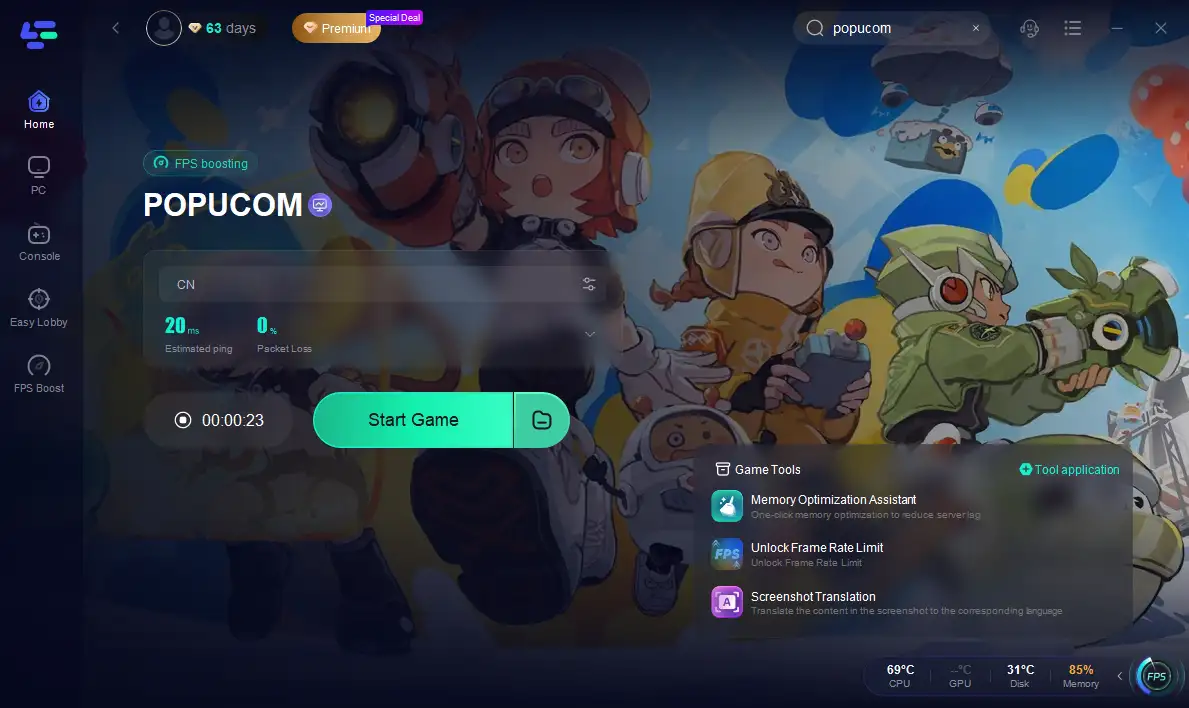
Once real-time acceleration is confirmed, click "Start Game" and dive in!
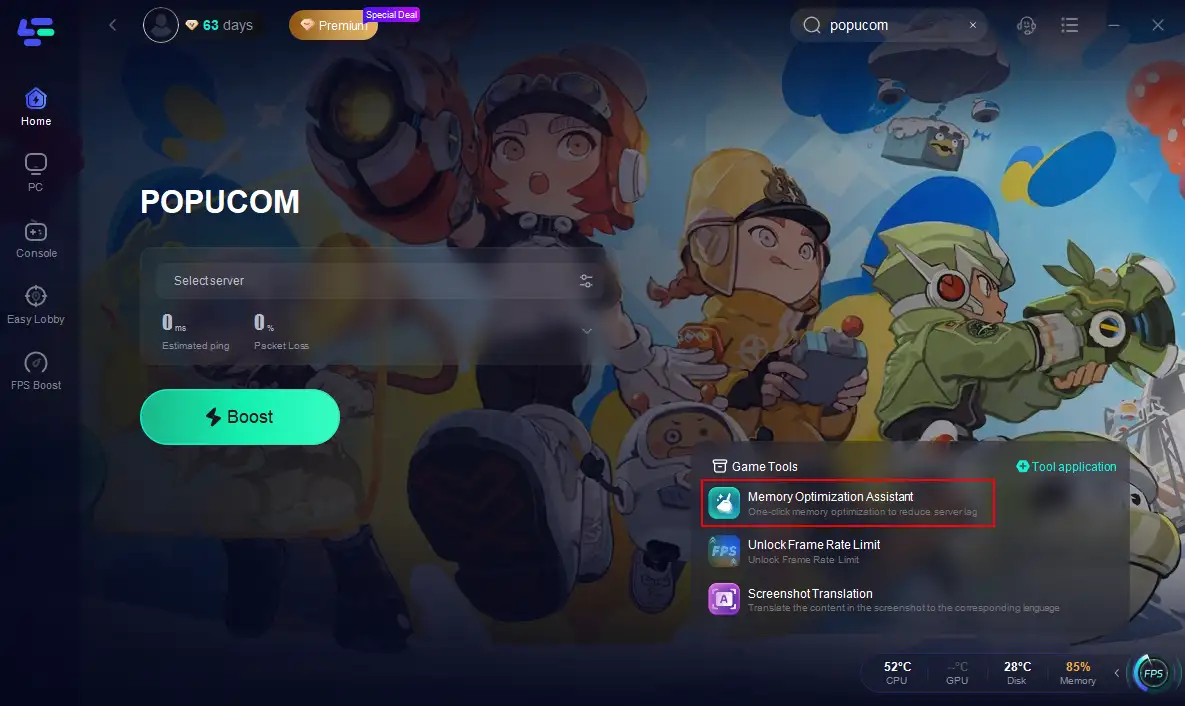
Moreover, LagoFast offers Memory Optimization Assistant for POPUCOM.
As you play, POPUCOM’s cache can bloat, causing stutters. LagoFast’s Memory Optimization Assistant automatically clears unused RAM and background processes, freeing up resources for smoother gameplay .
How to Get Memory Clean Up in POPUCOM with LagoFast
Click the Memory Optimization Assistant Tool on the right.
Conclusion
In POPUCOM, every pixel matters—and so does every frame. By unlocking your FPS with LagoFast, you’re not just improving visuals; you’re gaining a competitive edge in its high-stakes puzzles and battles. Pair this with LagoFast’s network and memory optimizations, and you’ve got a recipe for seamless, frustration-free gameplay.

Boost Your Game with LagoFast for Epic Speed
Play harder, faster. LagoFast game booster eliminates stutter and lags on PC, mobile, or Mac—win every match!
Quickly Reduce Game Lag and Ping!
Boost FPS for Smoother Gameplay!