
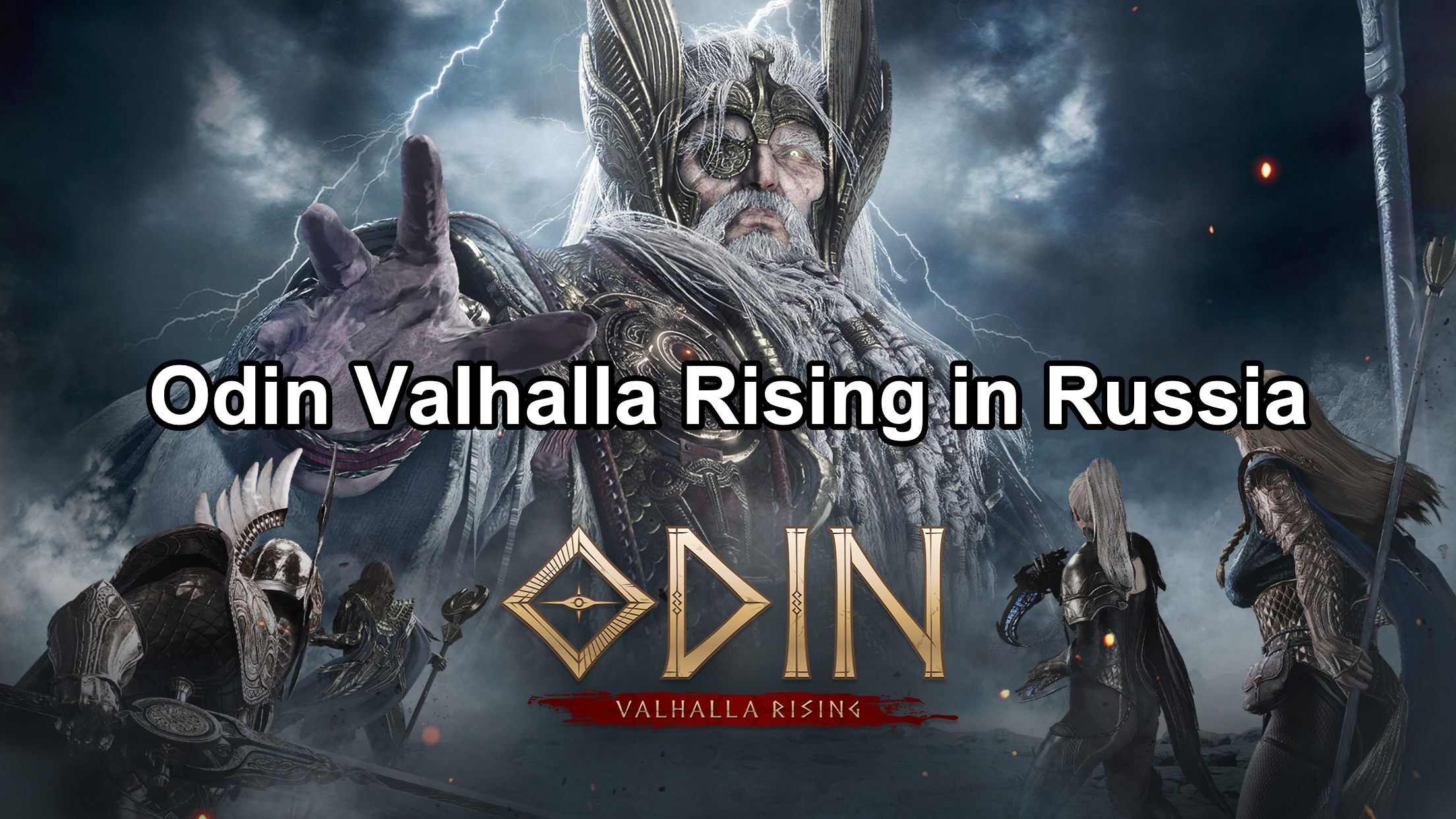
Odin: Valhalla Rising is an upcoming open-world MMORPG set in a Norse mythology-inspired universe, developed by Lionheart Studios and published by Kakao Games. The game offers a vast, interconnected world with seamless gameplay across PC and mobile platforms. In this article, we’ll guide you through the gameplay, release date, language support, and how to play in Russia, Korea, and Japan.

- ✅ Reduce Lag and High Ping.
- ✅ Boost FPS at the Same Time.
- ✅ Support 2000+ Popular Online Games.
- ✅ Change Server without Latency.
1. Odin: Valhalla Rising Gameplay
World Exploration:
- Explore beautifully crafted realms inspired by Norse mythology, such as Midgard, Jotunheim, and Alfheim.
- Enjoy seamless gameplay with no loading screens between most areas.
- Participate in activities like climbing cliffs, swimming, and flying with mounts.
Combat System:
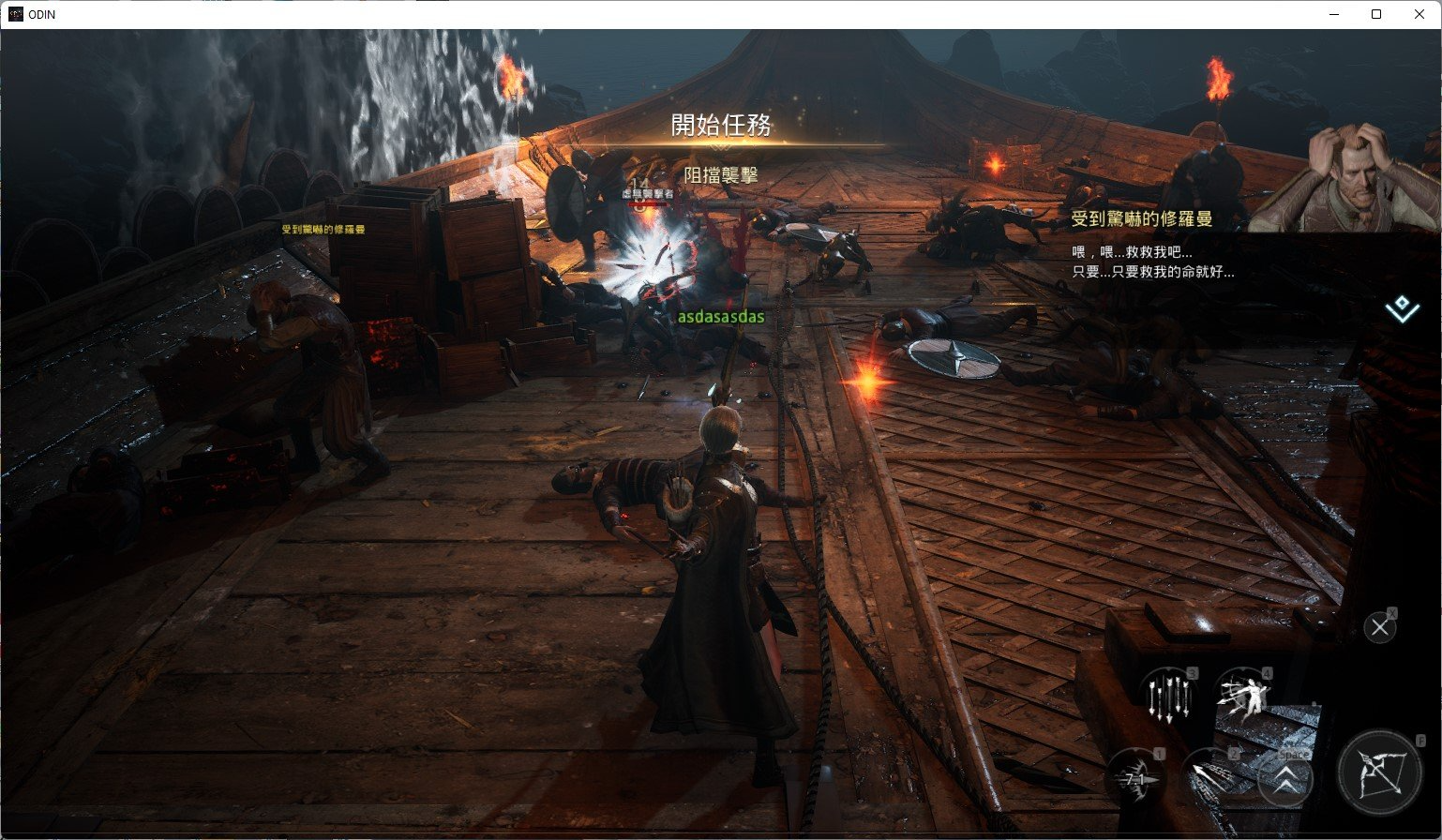
- Action-packed real-time hack-and-slash mechanics.
- Chain combos, dodge attacks, and engage in dynamic battles.
Classes and Specializations:
- Choose from four base classes: Warrior, Sorceress, Priest, and Rogue.
- Each class evolves into specialized roles like Berserker or Necromancer for deep customization.
PvP and PvE Content:
- Large-scale PvP battles, guild sieges, and cooperative raids against massive bosses.
- Cross-platform functionality between PC and mobile devices, ensuring progress is synced across platforms.
2. Odin: Valhalla Rising Release Date in Russia
For Russian players, Odin: Valhalla Rising is scheduled for a April 29, 2025 release. The global launch will coincide with the Russian version, making it accessible to all players in the region. Pre-registration is expected to begin in mid-April 2025, offering exclusive rewards to early sign-ups. Players can also pre-download the game starting from May 28, 2025, ensuring that they’re ready to dive into the action as soon as the servers go live.
3. Does Odin: Valhalla Rising Support Russian Language?
The answer is NO. Currently, the officially supported languages for Odin: Valhalla Rising include: English, Spanish, Thai, Japanese, Simplified Chinese, and Traditional Chinese. Players in Russia may need to rely on community translations or third-party tools until an official Russian localization is announced. However, considering the game’s international appeal, it’s likely that the developers will include more language options in future updates to accommodate a wider audience.
4. Odin: Valhalla Rising How to Play in Russia
For Russian players eager to experience Odin: Valhalla Rising, here’s how you can get started:
- Step 1: Pre-register
Sign up for the game to receive exclusive rewards. Pre-registration is expected to begin in April 2025.
- Step 2: Download the Game
Once the game is released, download it from the official website or the app store on your PC or mobile device.
- Step 3: Install the Game
Follow the on-screen instructions to install Odin: Valhalla Rising on your device.
- Step 4: Play the Game
After installation, launch the game and start your adventure in the world of Odin.
Using LagoFast to Translate into Russian for Odin: Valhalla Rising
If you’re playing Odin: Valhalla Rising and want to enjoy it in Russian, LagoFast makes it easy to translate the game into your preferred language, even if Russian isn’t directly supported by the game. Here’s how you can use LagoFast’s translation tool to enhance your experience:
Step 1: Download LagoFast
- Click the Free Trial button to download LagoFast PC and install it on your device.
Step 2: Search for Odin: Valhalla Rising
- Open LagoFast and input “Odin: Valhalla Rising” in the search bar.
- Click the result to proceed.
Step 3: Activate the One-Click Translation Tool
- On the right side, select the One-Click Translation Tool.
- This tool automatically detects in-game text or prompts in Odin: Valhalla Rising and translates them into Russian, helping you understand the content clearly during both registration and gameplay.
Step 4: Start the Translation
- Click to start the translation process, then select Russian as your preferred language.
- Once you’ve selected Russian, click Apply to enable the translation.
Step 5: Launch the Game
- After the translation is complete, close the translation window.
- Click Boost to optimize your connection for smooth gameplay, then start Odin: Valhalla Rising.
With LagoFast, you don’t have to worry about language barriers in Odin: Valhalla Rising. The translation tool ensures that you can navigate through the game and its registration process in Russian, providing a seamless experience even if the game doesn’t directly support it. Enjoy Odin: Valhalla Rising fully translated into Russian!
5. Odin: Valhalla Rising How to Play in Korea and Japan
Since Odin: Valhalla Rising uses region-locked servers, players outside Korea and Japan may face difficulties accessing these regions. However, by using LagoFast, players can easily connect to the Korean or Japanese servers.
Regular Ways
To play the Korean or Japanese version of Odin: Valhalla Rising, follow these steps:
- Change Region Settings: Adjust your device’s region settings to Korea or Japan.
- Download: Access the respective app store and download the game.
- Install: Install the game on your device.
- Play: Launch the game and enjoy the regional content.
How to play Odin: Valhalla Rising on the Japan server with LagoFast
Step 1: Download and Install LagoFast
Download and install LagoFast for free by clicking the Free Trial button.
Step 2: Switch to the Japanese Server
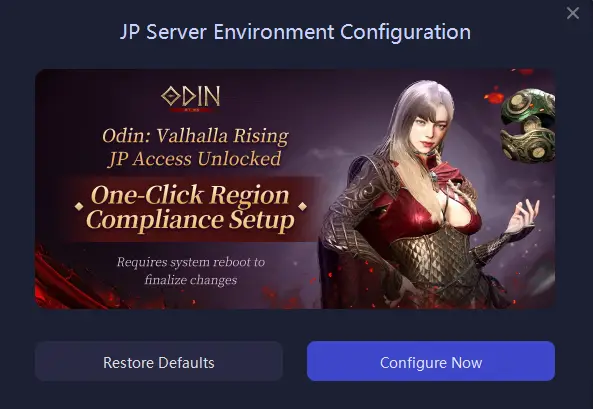
Use LagoFast’s one-click region switching tool to change to the Japanese time zone and region. This will allow you to access the Japanese server, complete with a Japanese font package.
Step 3: Search for the Game
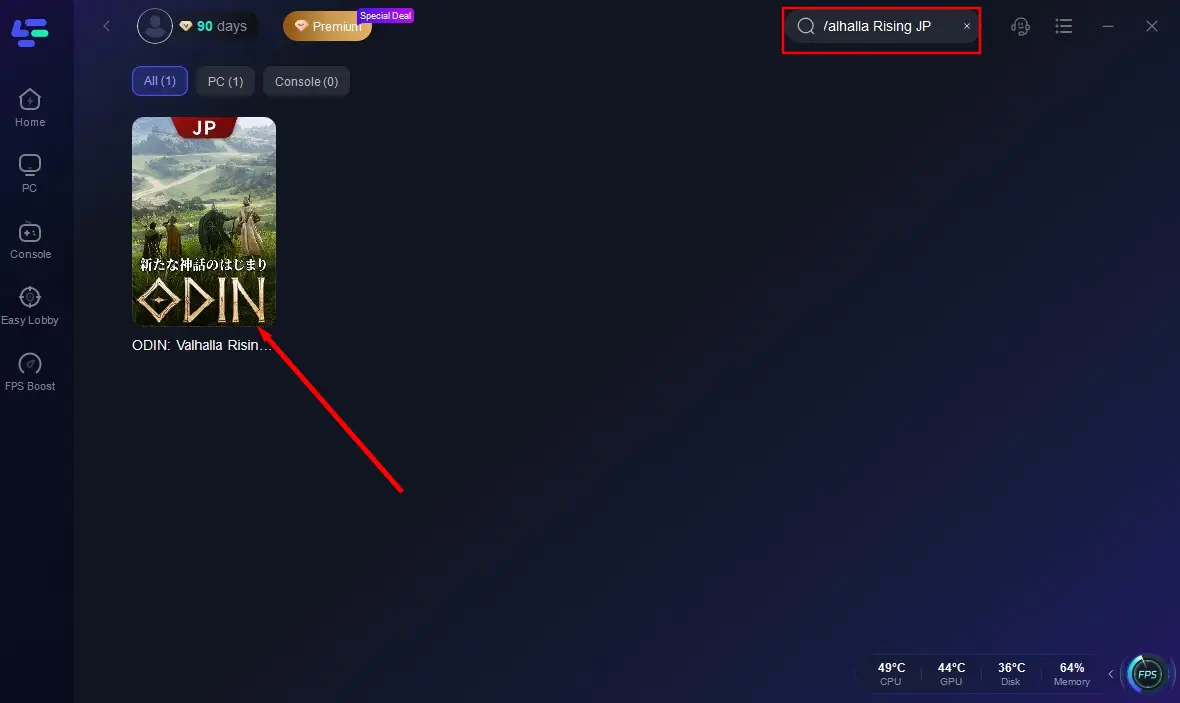
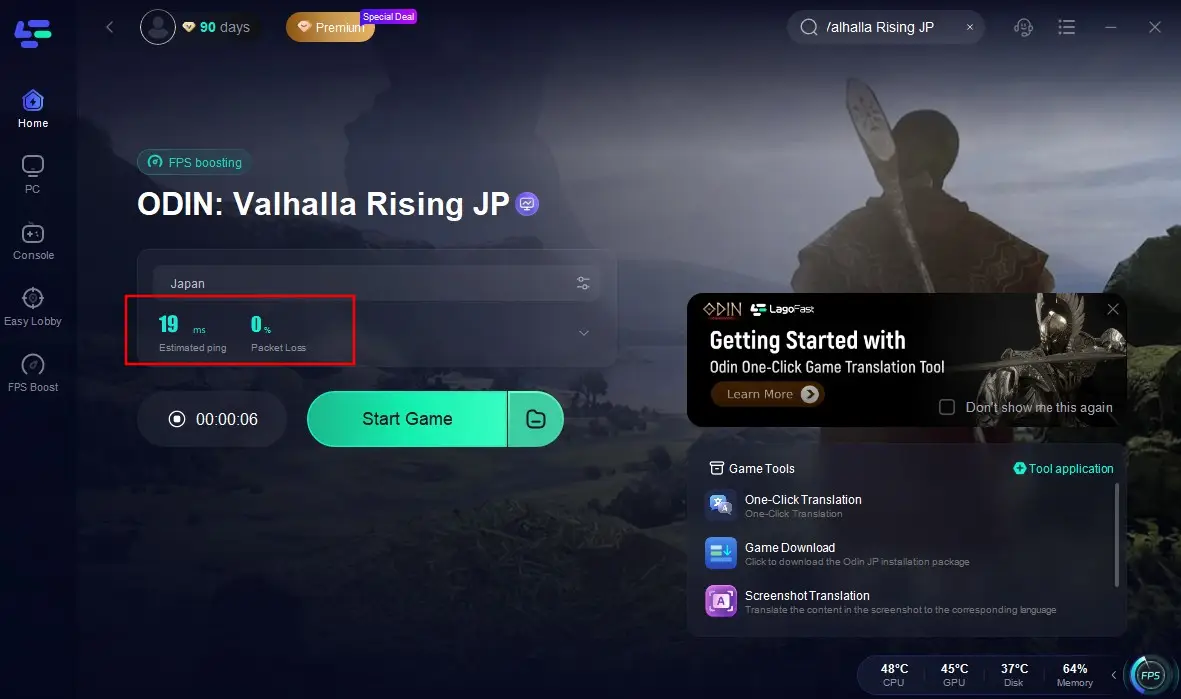
Open LagoFast and search for “Odin: Valhalla Rising JP” in the search bar. Select the Japanese version from the results.
Step 4: Download the Game
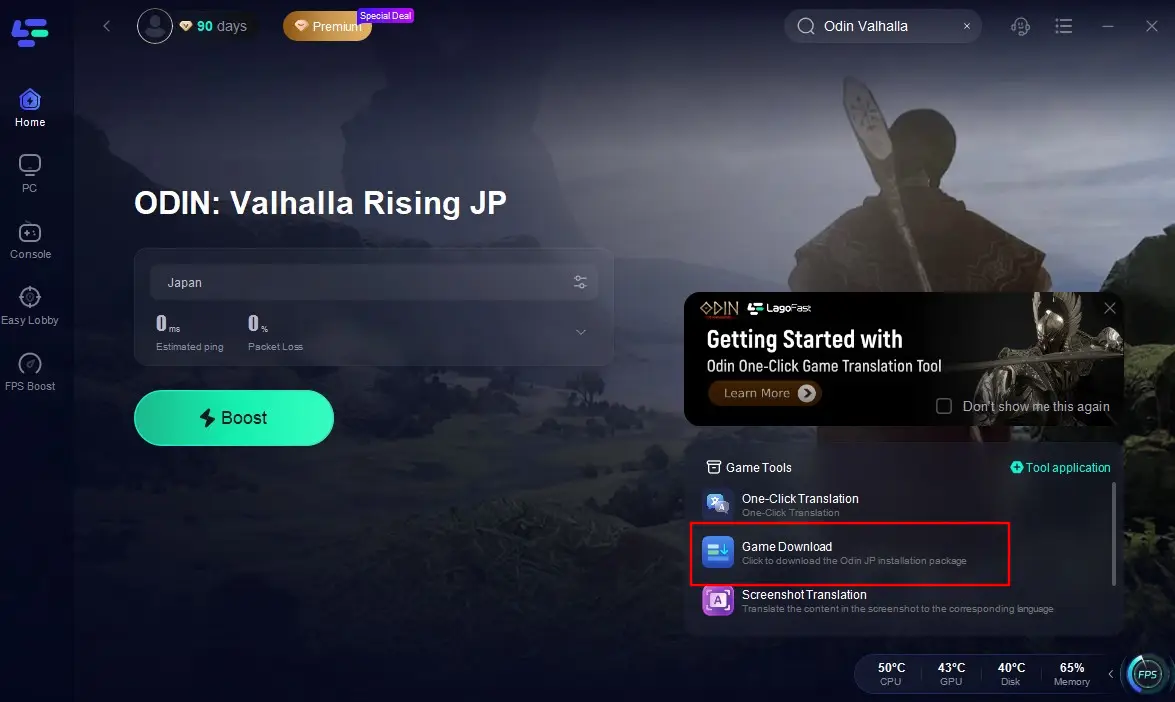
Click the Game Download Tool to start downloading the Japanese version of the game.
Step 5: Install the Game
After the download is complete, install the game on your device.
Step 6: Boost Your Connection
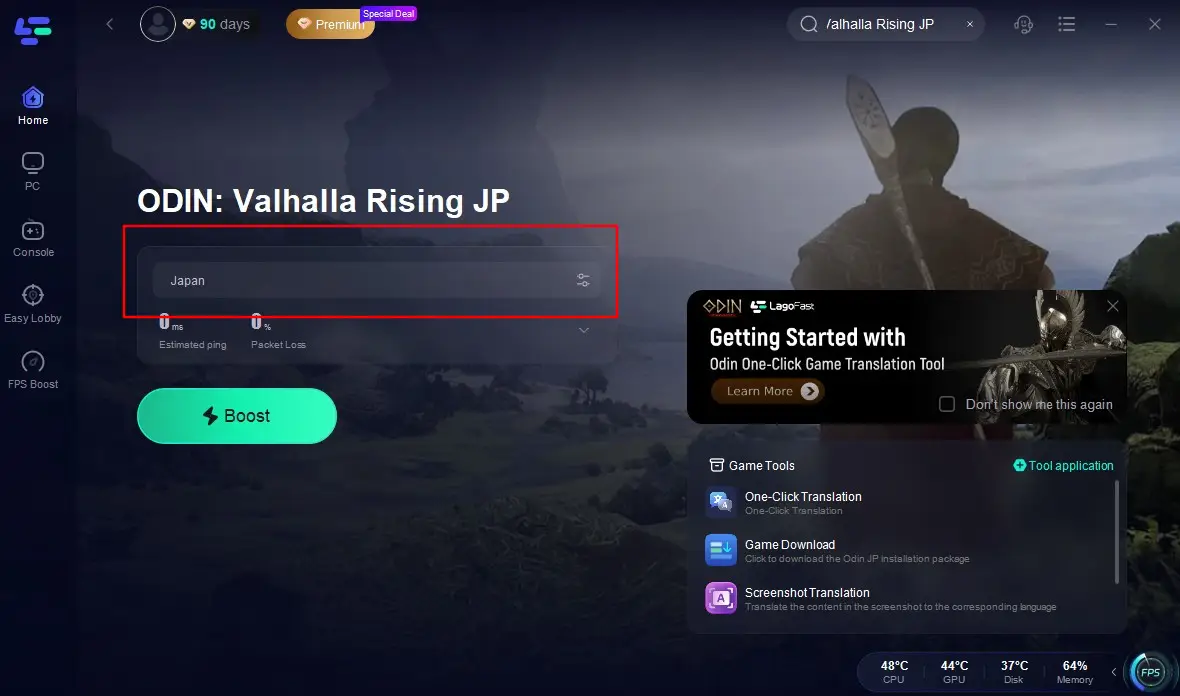
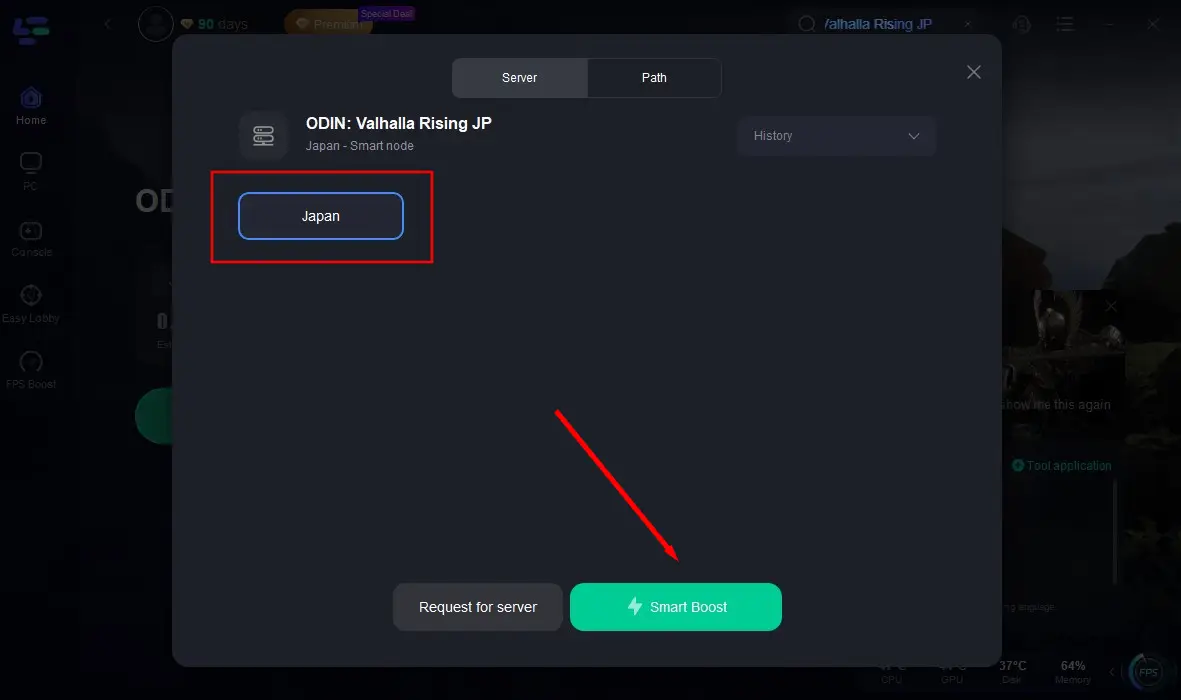
Launch LagoFast, search for “Odin: Valhalla Rising JP”, and select the Japanese server. Keep the time zone and IP region set to Japan.
Click “Start Boost” to optimize your connection and reduce lag.
Step 7: Play the Game
Once everything is set up, enter the Japanese server of Odin: Valhalla Rising and enjoy a smooth, enhanced gaming experience.
For Korean players, the process is similar. Simply change the region settings on LagoFast to Korea, download the game, and start playing.
Conclusion
Odin: Valhalla Rising promises an exciting adventure filled with epic battles, exploration, and rich storytelling. With its global launch coming soon, Russian players will be able to join in on the action. Whether you’re playing in Russia, Korea, or Japan, LagoFast can help optimize your gaming experience and ensure seamless access to the game’s various servers. Stay tuned for updates on language support and other exciting features!
Boost Your Game with LagoFast for Epic Speed
Play harder, faster. LagoFast game booster eliminates stutter and lags on PC, mobile, or Mac—win every match!
Quickly Reduce Game Lag and Ping!
Boost FPS for Smoother Gameplay!