

PEAK is a thrilling cooperative climbing game developed by Aggro Crab and Landfall—where teamwork, stamina management, and quick thinking are key to conquering the mountain. Whether you're playing solo or with up to three friends, reaching the top demands strategy, coordination, and some insider tips.
This guide breaks down the essentials—from what the game offers to advanced strategies, connection optimization via LagoFast Game Booster, and community-developed mods.

- ✅ Reduce Lag and High Ping.
- ✅ Boost FPS at the Same Time.
- ✅ Fix Black Screen Issues.
- ✅ End Stuck & Crashing Issues.
Part 2: How Many Players Can Play PEAK
Part 3: Best Survival Tips for Beginners in PEAK
Part 4: PEAK Game Tips and Tricks
Part 5: Best PEAK Mod Tool and Keep stable connection Tips
Part 1: What is PEAK
Released on June 16, 2025 on Steam, PEAK challenges players to ascend a treacherous, ever-changing mountain as stranded "scouts" using ropes, chains, momentum, and cooperation. With procedural daily layouts, four unique biomes (Shore, Tropics, Alpine, Caldera), and physics-driven platforming, the game delivers high stakes and emergent gameplay with each climb. The Steam community has embraced its punishing—but rewarding—design.
Part 2: How Many Players Can Play PEAK
By default, PEAK supports up to four players in cooperative mode—ideal for small teams. However, modders have expanded this limit. Popular mods like "PEAK Unlimited" or "PEAK Unlimited Mod" unlock support for larger parties—even up to 20 players—creating chaotic, sizable co-op sessions .
Part 3: Best Survival Tips for Beginners in PEAK
Here are nine essential tips every beginner should know:
- Always help your friends - Boost each other on ledges, share items, and revive fallen teammates to maintain cohesion.
- Cook your food - Use campfires to prepare coconuts (or other edible items) to gain extra stamina before climbing.
- Use ropes vs. chains wisely - Ropes are vertical aids; chains create horizontal bridges—adapt to terrain.
- Go down as much as up - Detours can be less strenuous than forcing risky ascents.
- Revive at ancient statues - Found at biome tops, these revive fallen scouts at the cost of a stamina debuff.
- Test food on flat ground - Prevent deadly slips or food-induced debuffs near edges.
- Avoid obvious hazards - Shoddy plants, bees, and unstable surfaces are often visually dangerous.
- Use lunges and jump spam - For clinging to ledges when stamina is low—but it’s risky and costly.
- Play Tenderfoot mode - Easier difficulty to learn routes and mechanics without the full challenge.
These tips address fundamental stamina and resource management, risk assessment, and cooperative strategies crucial for survival.
Part 4: PEAK Game Tips and Tricks
In addition to beginner guidance, advanced strategies include:
- Smart inventory and weight management - Overloading hurts stamina. Prioritize essential items like food, ropes, and healing aids.
- Team roles - Assign a dedicated item carrier to lighten others' load and streamline cooperation.
- Environmental awareness - Watch out for hazards: sea urchins, collapsing bridges, slippery slopes, and fog encroachment.
- Cooking on the go - Whenever you encounter a campfire or portable stove—especially at biome tops—cook food for stamina efficiency.
- Communication - Use in-game pings to highlight loot, dangers, or routes; coordination prevents falls.
- Stamina strategies - Climbing conserves stamina; avoid excessive chain use. Find rest spots to recover.
- Master momentum - Lunges, jump spam, and rope boosts can save climbs—but practice timing to avoid falling.
These tactics will help teams strategize around stamina, weight, hazards, and navigation.
Part 5: Best PEAK Mod Tool and Keep stable connection Tips
If you want to enhance your PEAK experience, using mods is the best way to unlock more fun and creativity. LagoFast makes it simple with its one-click mod installation tool, allowing you to easily apply popular mods. You can also explore countless other mod-supported games directly within LagoFast, enjoying smoother performance and a richer gaming experience—all in one place.
Follow these steps to apply mods using LagoFast
Step 1: Download and install LagoFast using the Free Trial option.
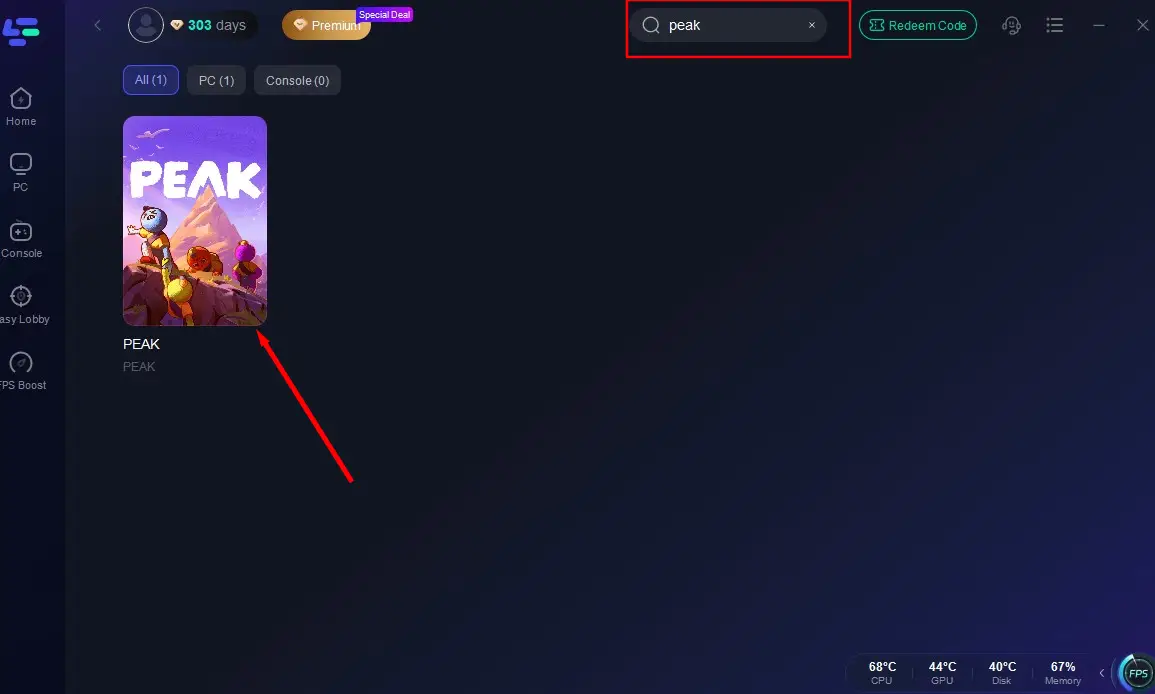
Step 2: Launch LagoFast and search for "PEAK" in the game list.
Step 3: In the bottom-right corner of the interface, click the Mod Tool icon.
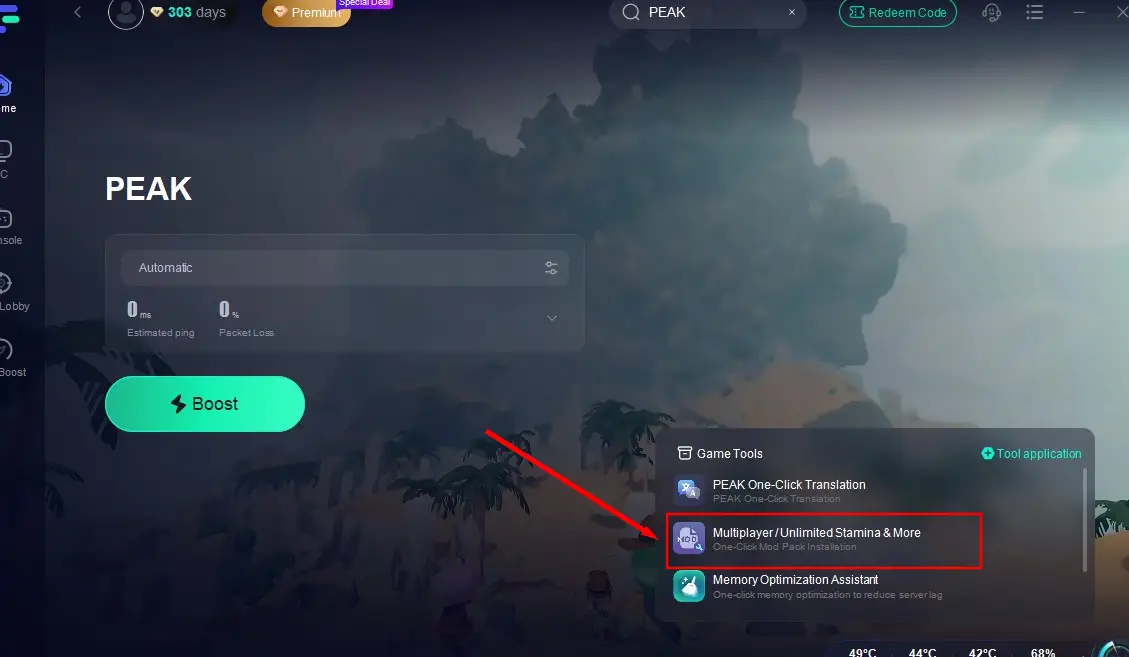
Step 4: Select the mods you want to enable, hit Install, and start the game—your chosen enhancements will be activated automatically.

While mods unlock powerful in-game advantages, poor network performance can still ruin the experience. PEAK’s online multiplayer can be severely affected by lag spikes, high ping, or unstable connections. To address this, LagoFast delivers real-time network optimization through a global infrastructure of smart servers—designed to keep your gameplay smooth and uninterrupted.
Why Choose LagoFast for PEAK?
Worldwide Server Coverage: Access 60+ regions with fast, one-click region switching.
Stable & Smart Routing: Intelligent systems automatically bypass congested routes to maintain optimal connection quality.
Live Optimization: Game data is constantly monitored in the background for uninterrupted performance.
One-Click Game Boosting: Reduce lag and improve frame rate with a single click.
Game Utility Suite: Additional tools for customizing and optimizing gameplay across many popular titles.
Risk-Free Trial: Try all features for 3 days, completely free.
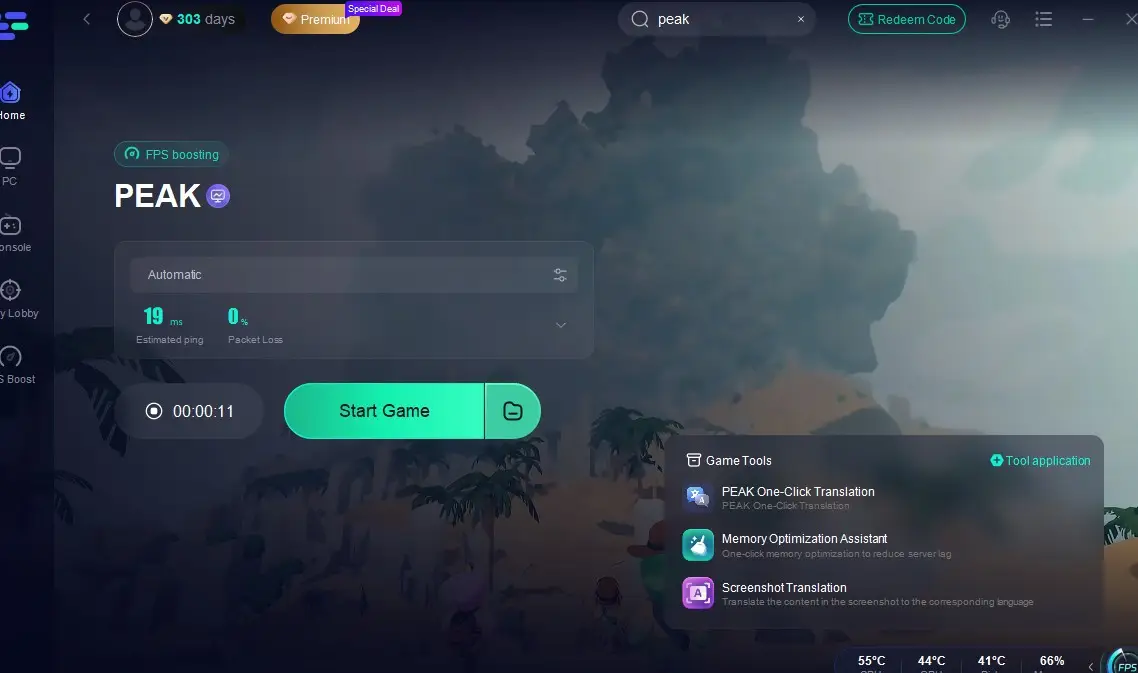
Steps to Use LagoFast for PEAK Optimization on PC
Step 1: Download and install LagoFast with the Free Trial.
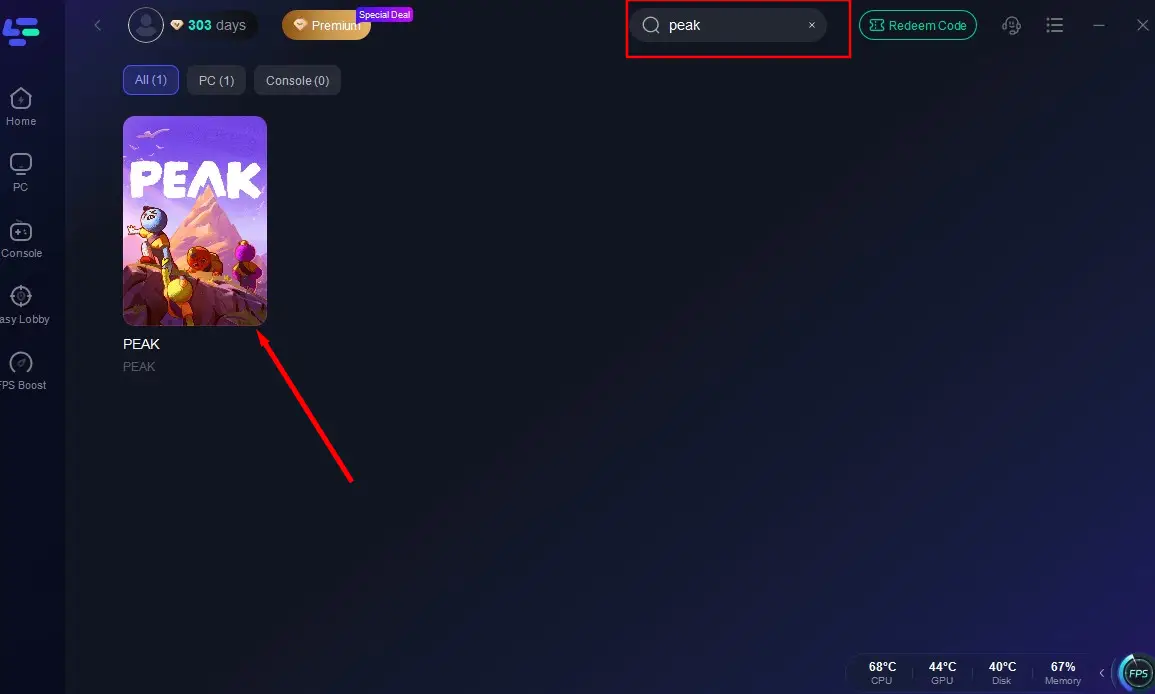
Step 2: Open the app, search "PEAK", and select the game.
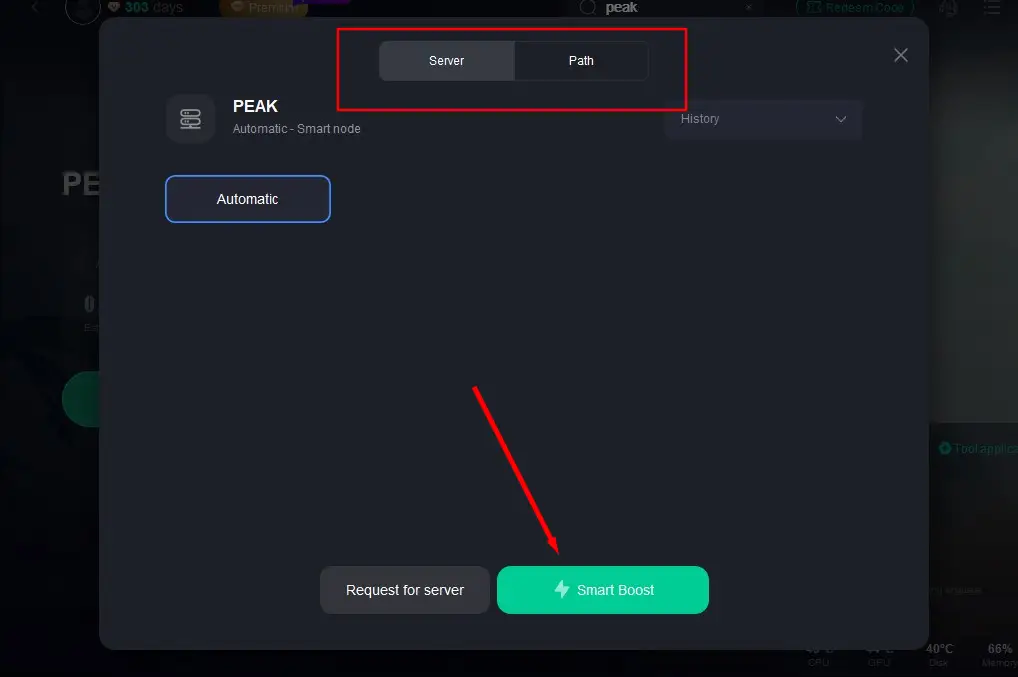
Step 3: Choose your preferred server region and hit Smart Boost to begin network optimization.
Step 4: Monitor live performance stats, then launch PEAK for a smoother, more stable session.
Part 6: PEAK FAQs
Q1: Can I play with more than 4 players
A1: Yes—"PEAK Unlimited" mod via LagoFast or NexusMods enables up to 20-player co-op.
Q2: Does modding break achievements or progression
A2: Some unofficial mods may disable achievements. To earn them, disable mods via LagoFast before playing.
Q3: How often do maps refresh
A3: Daily: biomes rotate every 24 hours, offering new layouts and replay value.
Q4: Does the game include voice chat
A4: The game features proximity-based in-game chat, making communication with teammates intuitive and immersive at close range.
Conclusion
PEAK combines cooperative physics-platforming, resource management, and dynamic terrain in a climbing challenge that rewards teamwork and adaptability. Beginners should focus on stamina, collaboration, and environment awareness. For expanded gameplay—especially if you want more than four players—LagoFast’s mod tools offer seamless installation and performance boosts, ensuring stable connection, enhanced visuals, and an elevated multiplayer experience. Grab your team, suit up, and get ready to climb higher!

Boost Your Game with LagoFast for Epic Speed
Play harder, faster. LagoFast game booster eliminates stutter and lags on PC, mobile, or Mac—win every match!
Quickly Reduce Game Lag and Ping!
Boost FPS for Smoother Gameplay!