
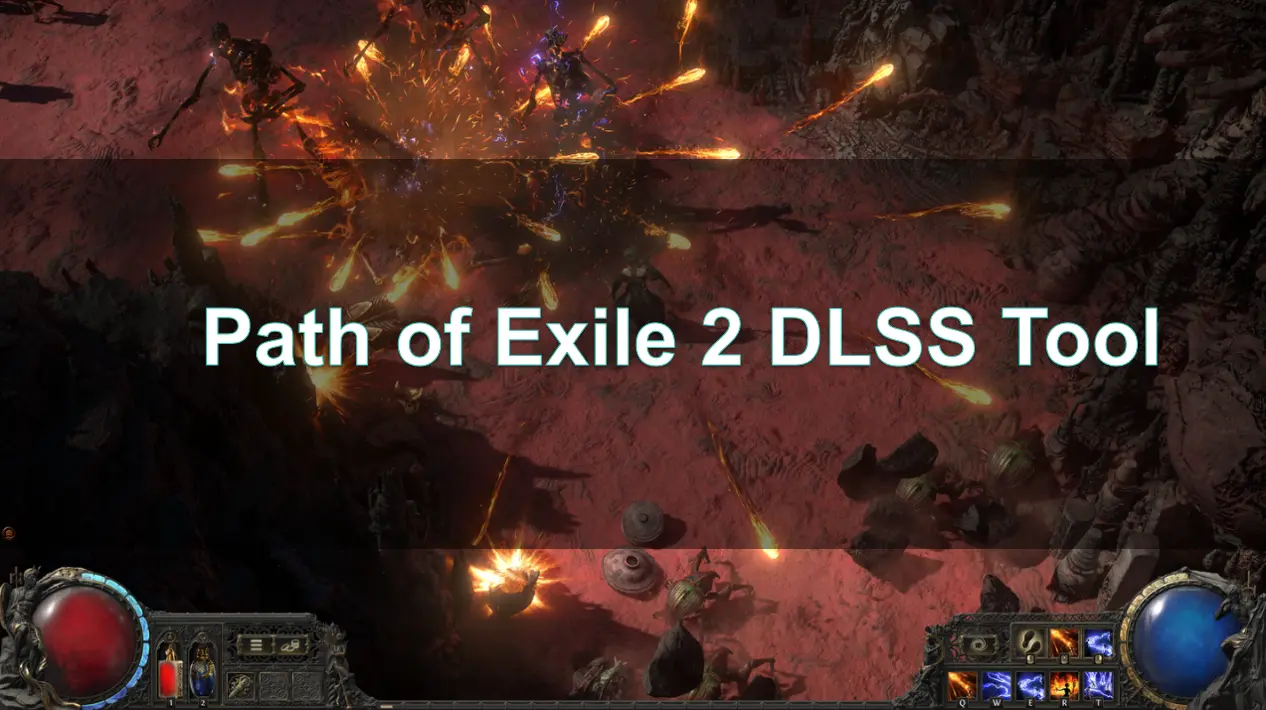
As the highly anticipated sequel to the acclaimed action RPG, Path of Exile 2 promises to deliver an immersive gaming experience filled with intricate storytelling, expansive worlds, and complex character builds. One of the standout features that players are eager to explore is the integration of DLSS (Deep Learning Super Sampling) technology. This cutting-edge graphics enhancement tool, developed by NVIDIA, is designed to boost frame rates and improve visual fidelity, allowing players to enjoy smoother gameplay even in the most demanding scenarios.
In this article, we will delve into how DLSS works in Path of Exile 2, its benefits for players, and what you need to know to optimize your gaming experience. Whether you're a seasoned exile or new to the realm of Wraeclast, understanding DLSS will undoubtedly enhance your adventure.

Part 2: What Is Path of Exile 2 DLSS Tool
Part 3: Will Path of Exile 2 Support DLSS?
Part 4: How to Enable DLSS in Path of Exile 2
Part 5: How to Boost FPS in Path of Exile 2 With LagoFast Game Booster
Part 1: Introduction
Path of Exile 2 (PoE 2), the highly anticipated sequel to Grinding Gear Games' acclaimed action RPG, promises an immersive experience with its expansive world, intricate mechanics, and stunning visuals. Set years after the original, players return to the dark realm of Wraeclast to combat spreading corruption. With support for up to six-player co-op, PoE 2 offers both solo and collaborative gameplay.
To ensure smooth performance and enhanced visual fidelity, especially during intense battles and complex environments, optimizing graphics settings is crucial. One of the key technologies aiding in this optimization is NVIDIA's Deep Learning Super Sampling (DLSS), which boosts frame rates without compromising image quality. Additionally, tools like LagoFast's DLSS integration further enhance the gaming experience by providing easy access to advanced features.
Part 2: What Is Path of Exile 2 DLSS Tool
DLSS is an AI-driven upscaling technology developed by NVIDIA that renders games at a lower resolution and then uses neural networks to upscale the image to the target resolution. This process significantly boosts FPS while maintaining, or even enhancing, visual quality. In PoE 2, DLSS helps players achieve smoother gameplay, especially in graphically intensive scenarios.
LagoFast's DLSS tool integrates seamlessly with PoE 2, offering a user-friendly interface to enable DLSS features. This tool simplifies the process of activating DLSS, ensuring that players can easily benefit from improved performance and visuals without delving into complex settings.
Part 3: Will Path of Exile 2 Support DLSS?
Yes, Path of Exile 2 supports DLSS. The game's developers have recognized the benefits of DLSS in enhancing performance and have integrated it into the game. Players with compatible NVIDIA RTX graphics cards can enable DLSS to experience higher frame rates and improved visual fidelity.
However, it's important to note that while DLSS is supported, the game currently lacks Frame Generation features like those found in DLSS 3 or DLSS 4. This means that while players can benefit from upscaling and improved performance, the specific feature of generating additional frames to further boost FPS is not available at this time.
Part 4: How to Enable DLSS in Path of Exile 2
Follow these steps using LagoFast’s integrated DLSS tool:
1.Download & Install LagoFast
- Click Free Trial on the LagoFast website to install the client.
2.Locate Path of Exile 2
- Launch LagoFast, search for “Path of Exile 2,” and select it from the results.
3.Install Frame Generation Mod
- Scroll to Game Tools, find the Frame Generation Mod button, and click Install.
4.Enable and Configure
- After installation, launch the game via LagoFast. Press F9 to toggle the DLSS/Frame Gen overlay and adjust Strength and Motion Vector options in-game.
5.Verify in NVIDIA Control Panel
- Open NVIDIA Control Panel → Manage 3D settings → Program Settings → select Monster Hunter Wilds → set NVIDIA DLSS and Frame Generation to On.
For players using LagoFast's DLSS tool, the process is even more streamlined. Upon launching the LagoFast client and selecting PoE 2, the tool automatically detects and applies the optimal DLSS settings tailored to your system configuration.
Part 5: How to Boost FPS in Path of Exile 2 With LagoFast Game Booster
Beyond DLSS, LagoFast's Game Booster offers a comprehensive solution to enhance PoE 2's performance:
- Network Optimization: LagoFast fine-tunes your gaming network to reduce latency and prevent packet loss, ensuring a stable connection during online sessions.
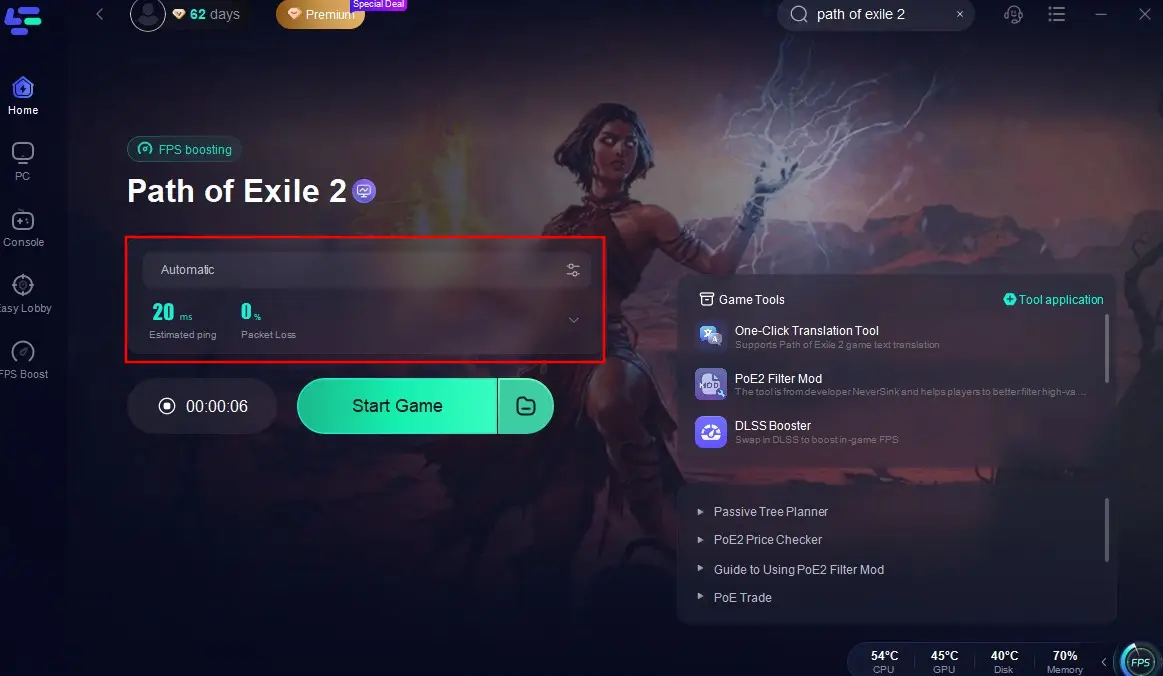
- Smart Boost Feature: By clicking the “Smart Boost” button, LagoFast activates optimization protocols that monitor and adjust your game's ping, packet loss, and network type directly from the interface.
- DLSS Integration: The tool seamlessly integrates DLSS features, allowing players to benefit from enhanced visuals and performance without manual configuration.
- User-Friendly Interface: LagoFast's intuitive design ensures that even players unfamiliar with technical settings can easily optimize their gaming experience.
How to Use LagoFast with Path of Exile 2
Step 1: Begin by clicking the Free Trial button to download and install the LagoFast Free Trial.
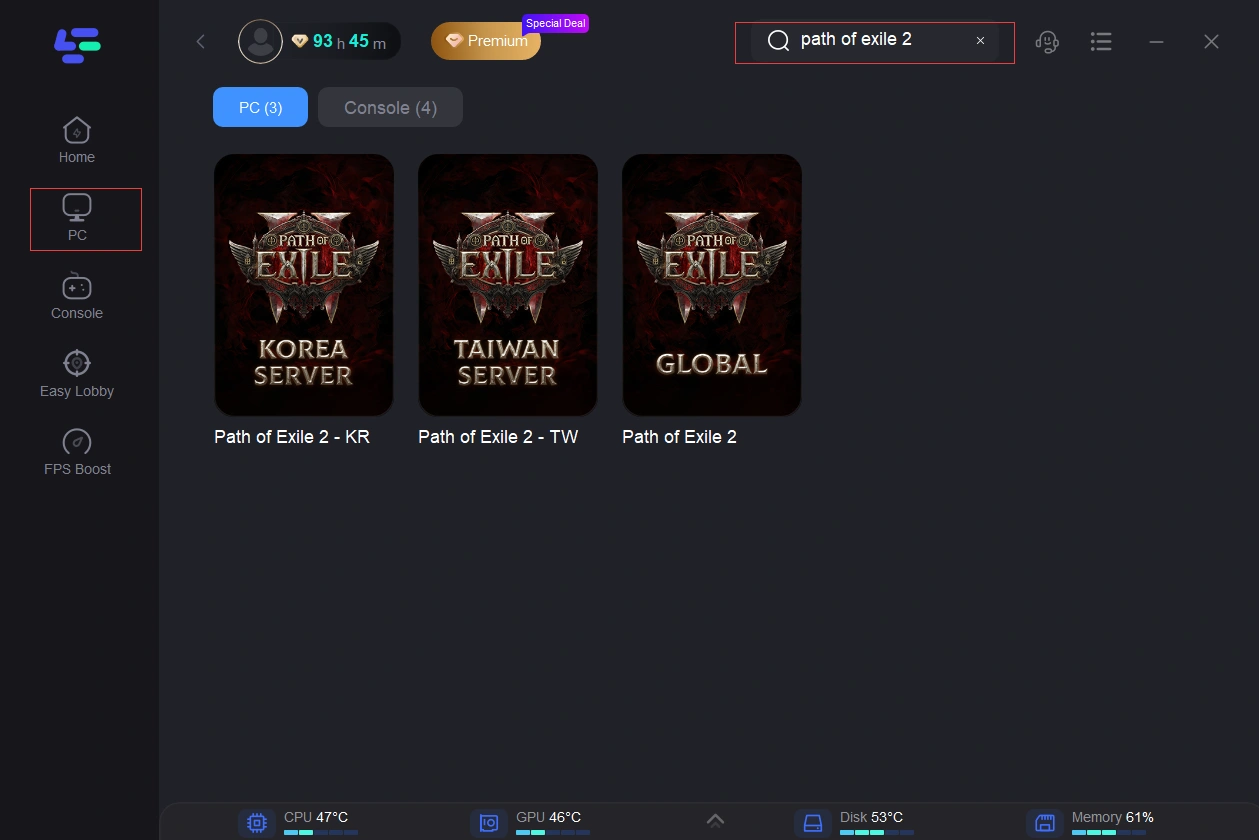
Step 2: Open LagoFast then click the PC button on the left and search Path of Exile 2 in the search bar, click it after appearing.
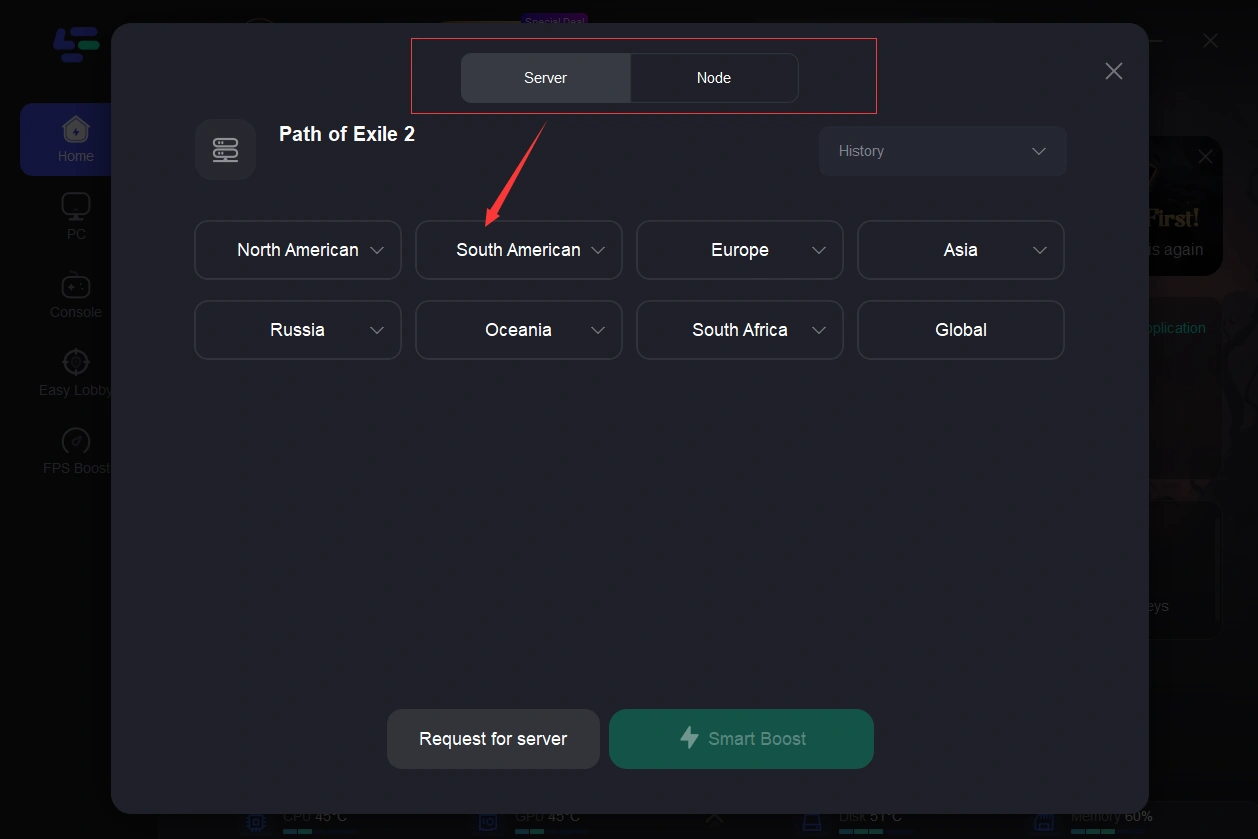
Step 3: Click on “Server” to change to a better server that ensures smooth gaming, then click on “Smart Boost”.
Step 4: Check the specific game ping, packet loss, and multiple path connection on the right side. Finally, click the “Start Game” to play the game.
By leveraging LagoFast's capabilities, players can enjoy smoother gameplay, reduced lag, and improved visual fidelity in Path of Exile 2.
Part 6: FAQs
Q1: What are the system requirements to use DLSS in PoE 2?
A1: To utilize DLSS, players need an NVIDIA RTX graphics card (20 series or newer) and the latest graphics drivers installed.
Q2: Does enabling DLSS affect game visuals?
A2: DLSS enhances performance by upscaling lower-resolution images. While there might be minor differences in visual fidelity compared to native resolution, DLSS often maintains, or even improves, image quality.
Q3: Can I use DLSS with other optimization tools?
A3: Yes, DLSS can be used alongside other optimization tools like LagoFast to further enhance performance and reduce latency.
Q4: Is DLSS available on all platforms?
A4: DLSS is exclusive to NVIDIA RTX graphics cards. Players using other GPUs won't have access to DLSS features.
Q5: How does LagoFast's DLSS tool differ from manual DLSS configuration?
A5: LagoFast simplifies the process by automatically detecting optimal DLSS settings based on your system, eliminating the need for manual adjustments.
Conclusion
Path of Exile 2 offers an expansive and immersive gaming experience. To fully enjoy its rich visuals and intricate mechanics, optimizing performance is essential. By leveraging technologies like NVIDIA's DLSS and tools like LagoFast's Game Booster, players can achieve smoother gameplay, enhanced visuals, and reduced latency. Whether you're battling hordes of enemies or exploring the vast world of Wraeclast, these optimizations ensure a seamless and enjoyable experience.

Boost Your Game with LagoFast for Epic Speed
Play harder, faster. LagoFast game booster eliminates stutter and lags on PC, mobile, or Mac—win every match!
Quickly Reduce Game Lag and Ping!
Boost FPS for Smoother Gameplay!