
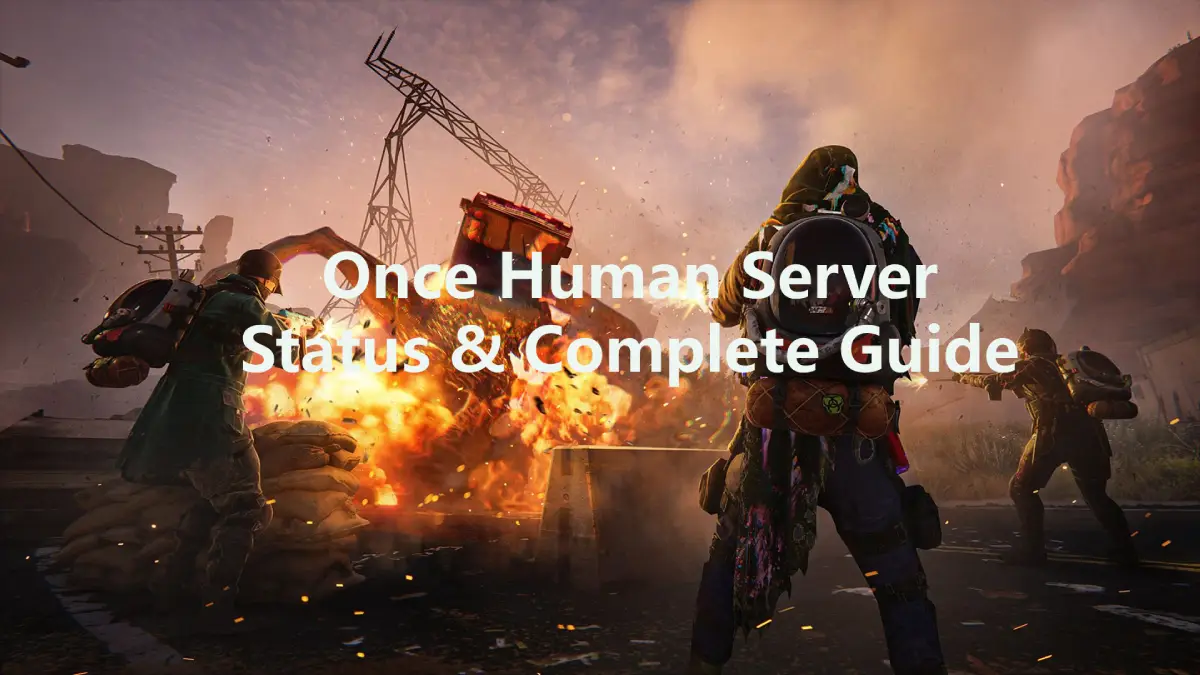
As a post-apocalyptic third-person open-world multiplayer survival game that has captivated players worldwide, Once Human launched its public beta in 2024 to widespread acclaim. According to official announcements, its mobile version will begin rolling out public testing starting April 23, 2025. Game servers, being the most critical component of any online title, directly determine players’ success—whether you’re battling mutated creatures or collaborating with allies, everything hinges on the server’s exceptional stability.
This article will cover all relevant information about Once Human servers, teach you how to check server status, list common server-related issues with proven solutions, and recommend the best strategies to avoid disruptions.

- ✅ Reduce Lag and High Ping.
- ✅ Boost FPS at the Same Time.
- ✅ Support 2000+ Popular Online Games.
- ✅ Change Server without Any Latency.
Part 1: How to Check Once Human Server Status?
Part 2: Common Once Human Server Issues
Part 3: How to Fix Once Human Server Issues?
Part 4: How to Stabilize Once Human Server Connection with LgoFast?
Part 1: How to Check Once Human Server Status?
Before diving into Once Human to showcase your skills, don’t forget to check the game’s server status. Players can monitor the Once Human server status using the following methods:
1. Server Status Dashboard
Players can visit the Once Human Server Status Dashboard to check real-time server health:
- Green: Servers are operational and running smoothly.
- Yellow: Server performance is degraded (e.g., login delays or minor lag).
- Red: Servers are fully down or experiencing critical outages.
2. Official Channels
Once Human shares server-related updates across its official platforms. Stay informed by checking:
- X (Twitter): Follow @Once Human for instant outage notifications.
- Discord Server: Join the Discord Server for live announcements and community discussions.
- Facebook: Visit the verified Once Human Facebook page for maintenance schedules and status reports.
3. Third-Party Tools
Several third-party platforms provide additional insights into server performance:
- Downdetector: Aggregates user reports to identify regional outages or connectivity issues.
- SteamDB: Monitors server load spikes during major updates or Steam sales.
- Discord Bots: The official Discord’s StarchaserBot automatically alerts players if latency exceeds 150ms, ensuring smoother gameplay.
Part 2: Common Once Human Server Issues
When servers experience problems, players often encounter various distinct errors. Below are frequent issues that occur during unstable or crashed Once Human server status:
1. Login Failures
Server instability prevents players from accessing the game entirely, leaving them locked out of gameplay sessions.
2. Deposit Function Crashes Leading to Item Loss
During server outages, players may be unable to save acquired items, with reported cases of permanent inventory disappearance.
3. Territory Module Disappearance
Poor server conditions can cause complete loss of constructed bases and resources during territory migration attempts.
4. Game Frame Stuttering
Unstable server status can disrupt data transmission between players and game servers, resulting in delayed operation execution, frozen screens, or sudden frame rate drops.
Part 3: How to Fix Once Human Server Issues?
When facing server-related issues in Once Human, players should first check official channels to confirm whether the problem stems from the game’s servers. If the developers haven’t announced any server crashes or maintenance, the issue might be on the player’s side. Knowing how to troubleshoot connectivity problems can help you quickly return to battling enemies or reuniting with friends. Below are key solutions to resolve server connection issues:
1. Check Your Network Connection
As a large-scale multiplayer online game, Once Human demands stable internet connectivity. Unstable networks often cause server disconnections or crashes. Try these fixes:
- Disconnect from public Wi-Fi and switch to a more stable private network.
- Replace wireless connections with an Ethernet cable for lower latency.
- Restart your router or device to refresh the connection.
2. Verify Your Device Meets Minimum System Requirements
Once Human requires specific hardware to run smoothly. Outdated or underpowered devices may struggle to load game files properly, leading to crashes. Visit the official website or Steam page to confirm system requirements and upgrade your hardware if necessary.
3. Verify Game File Integrity (Steam Users)
Steam players experiencing frequent server crashes can repair corrupted or missing files:
- Open Steam and navigate to your Library.
- Right-click Once Human > Properties > Installed Files.
- Click Verify Integrity of Game Files to let Steam auto-fix issues.
4. Temporarily Disable Antivirus or Firewall
Overprotective security software may erroneously block Once Human’s data transfers. Temporarily disable your antivirus or firewall (e.g., Windows Defender, Norton) before launching the game. Remember to re-enable them afterward.
5. Use a Gaming VPN or Accelerator
If persistent server lag or disconnections occur, tools like LagoFast can optimize routing, reduce latency, and bypass regional network bottlenecks.
6. Reinstall the Game
If all else fails, perform a clean reinstall:
- Uninstall Once Human via your device’s settings.
- Delete all cached game files (check AppData or Program Files folders).
- Re-download the game from the official platform (Steam/Epic Games Store).
Part 4: How to Stabilize Once Human Server Connection with LgoFast?
Every second of your gaming time is precious! When encountering server status issues in Once Human, pausing or quitting the game to troubleshoot step-by-step will only waste your progress. Is there a permanent solution to Once Human server problems? Absolutely! Let LagoFast armor-plate your server connection! Seasoned gamers are no strangers to this ultimate gaming companion. For years, LagoFast has leveraged its global network of 60+ countries and 150+ city-based server nodes to reduce latency, eliminate lag, and minimize server-related disruptions.
LagoFast’s core advantages:
- Reduced Ping: Minimizes latency for smoother gameplay.
- Stable Connection: Reduces packet loss and connection drops.
- Optimized Routing: Selects the best server routes for optimal performance.
- Reduces Ping and Lag: LagoFast routes your internet connection through optimized servers, minimizing latency.
How to Stabilize Once Human Server Connections on PC Using LagoFast:
Step 1: Click the "Free Trial" button to get LagoFast at no cost.
Step 2: Launch LagoFast, search for Once Human, and select the game.

Step 3: Switch to the optimal server and activate "Smart Boost".

Step 4: Confirm real-time ping and packet loss rate before launching the game.

How to Enhance Your Gaming Experience on Once Human Mobile with LagoFast
Download LagoFast Mobile from the App Store or Google Play, or scan the QR code in the image.

Launch the app, locate Once Human via the game library or search bar.
Choose a high-performance server node and tap the "Boost" button.
Verify live connection stats and dive into Once Human’s world seamlessly!
Conclusion
Players who actively monitor server status report 3.2x longer survival rates according to Starseeker Guild's 2024 meta-analysis. Because they can promptly detect issues with the Once Human server status and effectively resolve them, significantly reducing downtime frustrations. By using LagoFast, players can proactively avoid these problems, seize the gaming advantage in Once Human, and enjoy the ultimate gameplay experience!

Boost Your Game with LagoFast for Epic Speed
Play harder, faster. LagoFast game booster eliminates stutter and lags on PC, mobile, or Mac—win every match!
Quickly Reduce Game Lag and Ping!
Boost FPS for Smoother Gameplay!