

As the gaming world eagerly anticipates the release of Odin: Valhalla Rising, an open-world MMORPG deeply rooted in Nordic mythology, players are curious about what it takes to dive into this epic adventure. Scheduled to launch on April 29, 2025, for PC and mobile platforms, it's essential for players to understand the system requirements to ensure a smooth gaming experience.
This article will provide a comprehensive overview of the minimum and recommended system requirements for both PC and mobile, as well as tips on enhancing your gameplay with a game booster.

- ✅ Reduce Lag and High Ping.
- ✅ Boost FPS at the Same Time.
- ✅ Support 2000+ Popular Online Games.
- ✅ Support Easy Lobby in all Cod Games without Lag
Part 2: Odin: Valhalla Rising System Requirements Overview
Part 3: Odin: Valhalla Rising PC Requirements
Part 4: Odin: Valhalla Rising Mobile Requirements
Part 5: How to Enhance Odin: Valhalla Rising Gaming Experience By Using LagoFast Game Booster
Part 1: Introduction
Odin: Valhalla Rising is an open-world MMORPG that immerses players in the rich tapestry of Norse mythology. Developed by Lionheart Studio and published by Kakao Games, the game offers a vast, visually stunning world powered by Unreal Engine 4. As the official launch approaches on April 29, 2025, for PC via Steam, Android, and iOS platforms, it's crucial for players to ensure their devices meet the necessary system requirements to fully experience the game's epic battles and expansive landscapes.
Part 2: Odin: Valhalla Rising System Requirements Overview
Given its high-quality graphics and expansive open-world design, Odin: Valhalla Rising demands a certain level of hardware performance. Whether you're planning to play on PC or mobile, understanding the minimum and recommended system requirements will help you prepare your device for optimal gameplay.
Part 3: Odin: Valhalla Rising PC Requirements
To fully experience Odin: Valhalla Rising on your PC, it's essential that your system meets the following specifications:
Minimum Requirements:
- Operating System: Windows 10 or Windows 11
- Processor: Intel Core i5-9600K or AMD Ryzen 5 3600
- Memory (RAM): 16GB
- Graphics Card: NVIDIA GeForce RTX 2060 or AMD Radeon RX 5700 XT
- Storage: At least 50GB of free space
Meeting these minimum requirements will allow players to run the game smoothly, providing a solid experience in the vast world of Valhalla. While players may not enjoy the highest settings, they can still immerse themselves in the stunning graphics and engaging gameplay. For those looking to optimize their experience further, consider upgrading your hardware to exceed these specifications for enhanced visuals and performance.
Part 4: Odin: Valhalla Rising Mobile Requirements
For mobile gamers, Odin: Valhalla Rising promises an exciting and immersive experience on both Android and iOS platforms. To ensure your device can handle the game effectively, it should meet the following specifications:
Android Requirements:
- Operating System: Android 6.0 (Marshmallow) or higher
iOS Requirements:
- Operating System: iOS 13.0 or later
Ensuring that your mobile device meets these requirements is crucial for a seamless gaming experience. By having a compatible device, you'll benefit from improved stability, smoother gameplay, and visually appealing graphics, allowing you to fully engage with the rich landscapes and intense battles that the game offers. Whether you're exploring the vast world or participating in epic sieges, meeting these specifications will enhance your overall enjoyment of Odin: Valhalla Rising.
Part 5: How to Enhance Odin: Valhalla Rising Gaming Experience By Using LagoFast Game Booster
To further optimize your gaming experience in Odin: Valhalla Rising, consider using LagoFast Game Booster.
LagoFast is designed to reduce latency, stabilize your network connection, and enhance overall performance, which is especially beneficial for MMORPGs where real-time responsiveness is crucial.
Benefits of Using LagoFast:
- Reduced Ping: Minimizes lag by optimizing your network route.
- Stable Connection: Prevents disconnections during critical gameplay moments.
- Multi platform support: Whether you are playing on PC or mobile, it can provide you with a stable network connection.
How to use LagoFast on PC
Step 1: Click the Free Trial button to download and install LagoFast Free Trial.
Step 2: Open the application and select Odin: Valhalla Rising from the list of supported games.
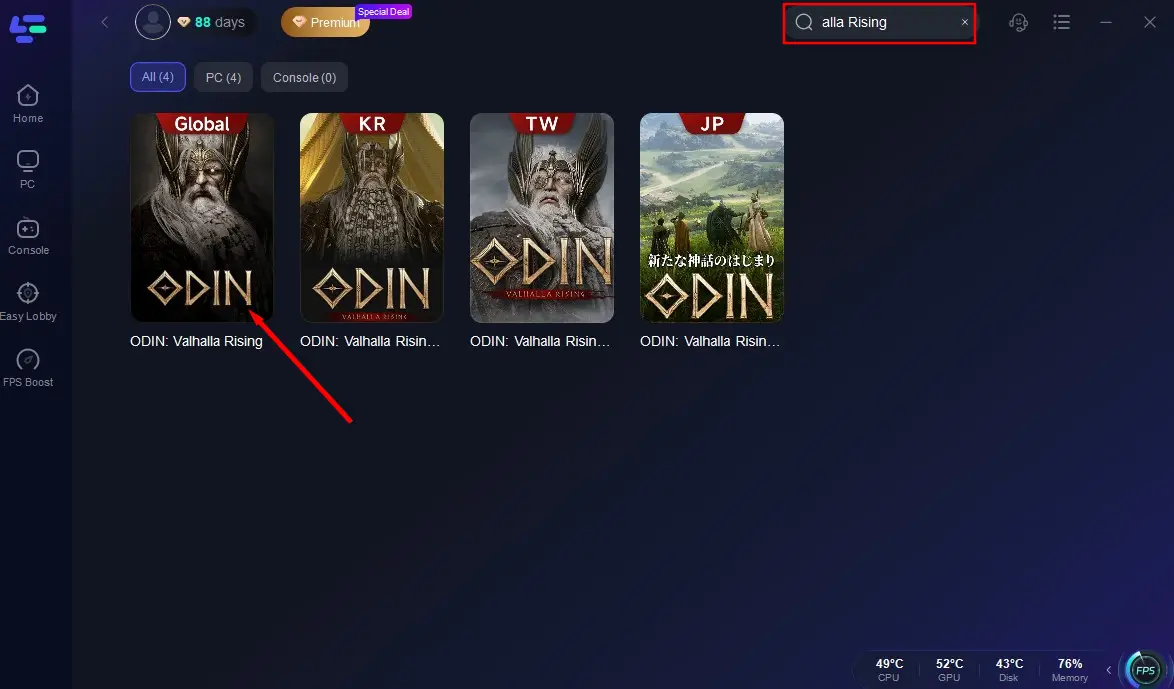
Step 3: Choose the optimal server based on your location and desired performance.
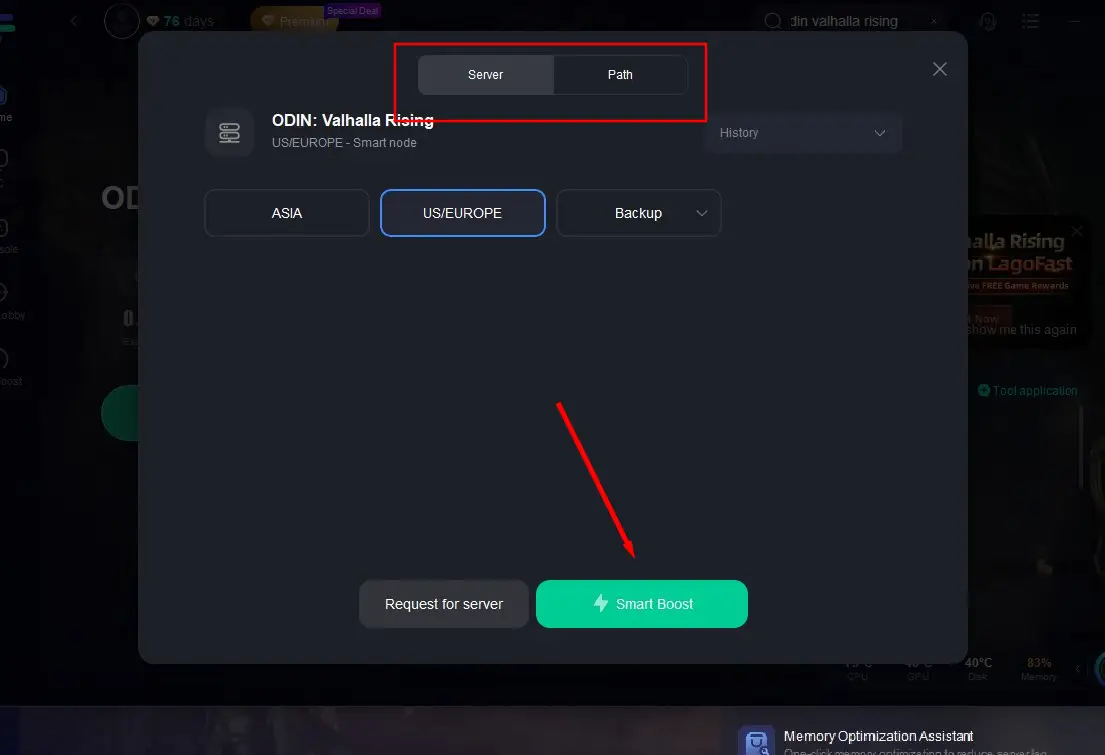
Step 4: Once optimization is complete, launch "Odin: Valhalla Rising" and enjoy an enhanced gaming experience.
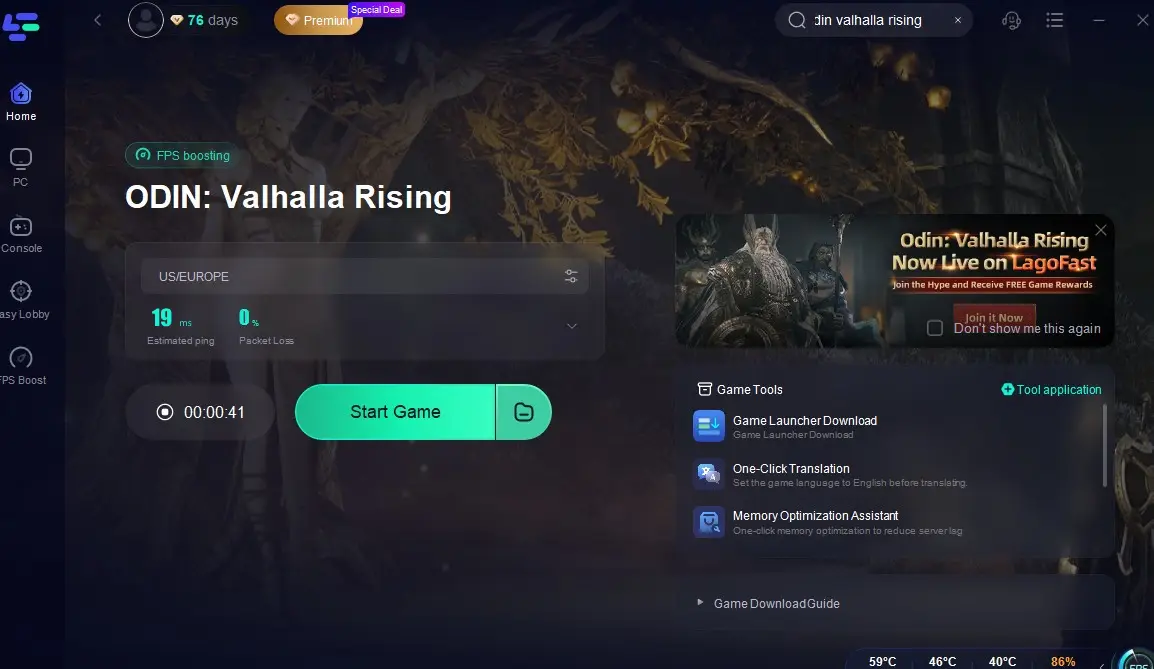
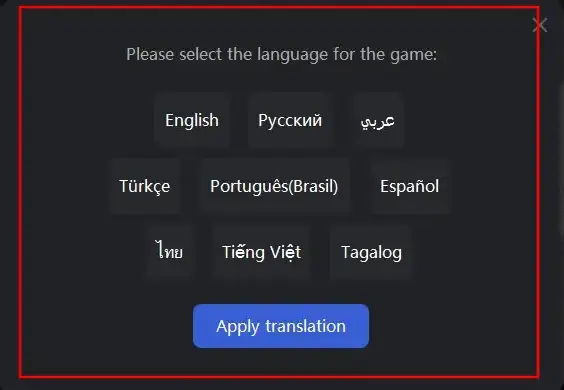
If you want to expand your gaming social circle while playing Odin: Valhalla Rising and explore servers in different languages and regions, you can use LagoFast's one-click translation tool to break through language barriers! Currently, LagoFast supports translating Odin: Valhalla Rising into Russian, French, Portuguese (Brazilian), German, Turkish, and Arabic.
Here's how to use LagoFast's one-click translation tool:
Open LagoFast and search for "Odin: Valhalla Rising Global".
Select a suitable server and active acceleration.
Click the One-Click Translation tool located at the bottom right of the screen, and import the installation path of Odin: Valhalla Rising.
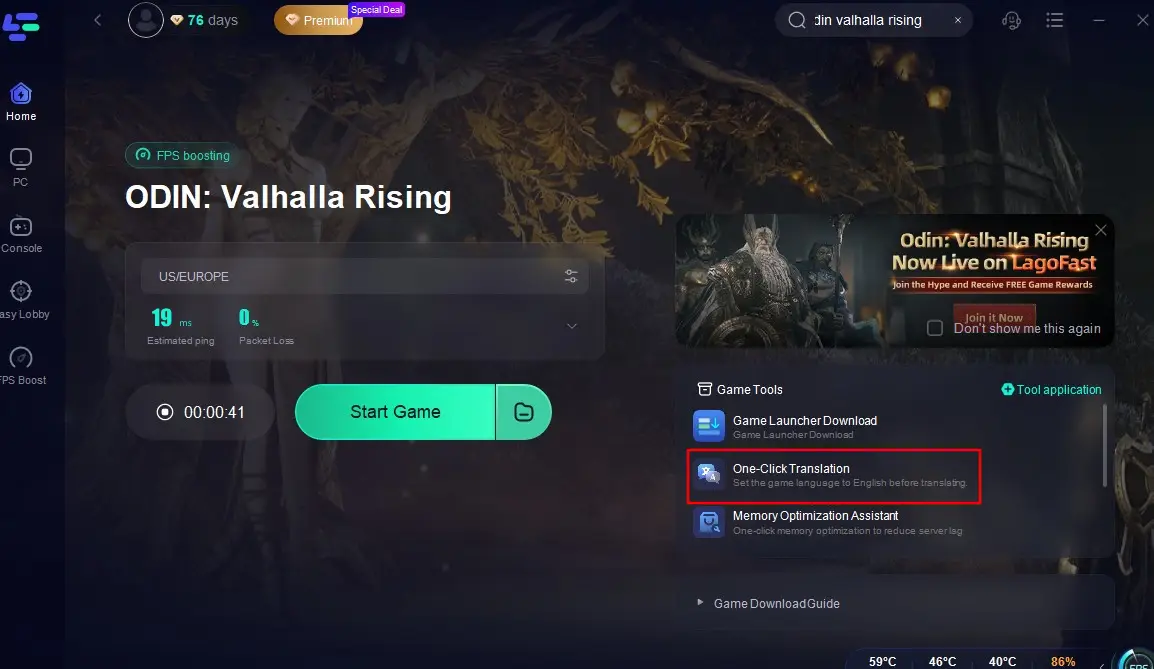
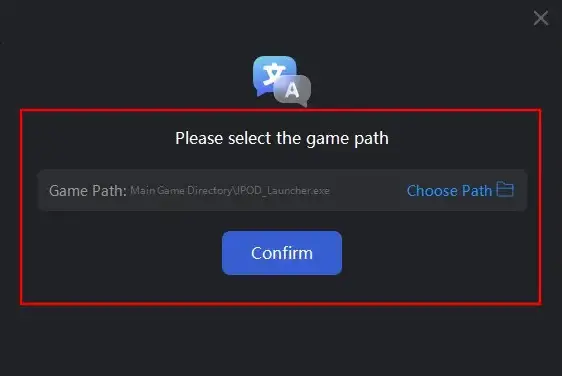
Select your target language for translation and click "Apply Translation".
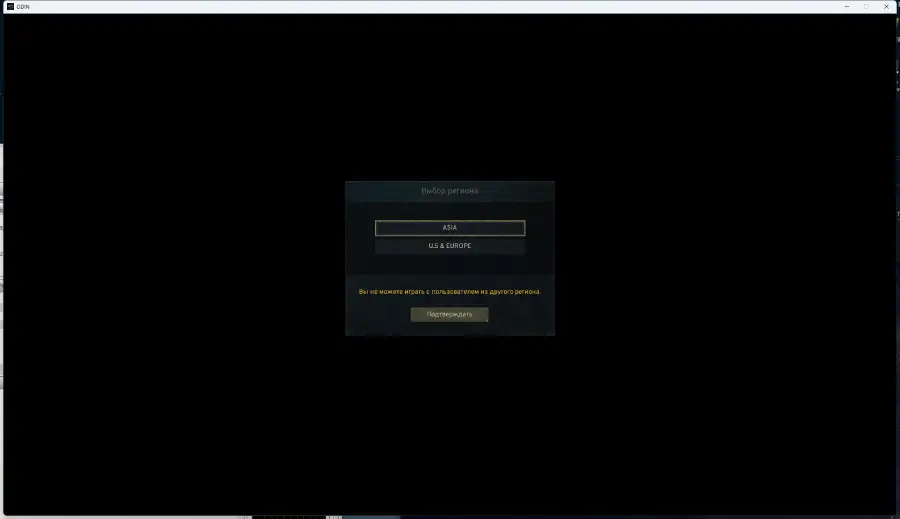
Wait a moment for the translation to complete, and then you can return to the game!
How to use LagoFast Game Booster on Mobile
Step 1: Search and download LagoFast Mobile Booster from the App Store or Google Play. Or scan the QR code below to start a free trial.

Step 2: Search Odin: Valhalla Rising and click the result.
Step 3: Choose the Server you like, then click the Boost button.
Step 4: After completing the above network optimization settings, the FPS drops issue will be easily resolved.
Part 6: FAQs
Q1: Can I play Odin: Valhalla Rising on a PC with specifications below the minimum requirements?
A1: While it may be possible to run the game on a PC that slightly underperforms, you may experience significant lag, reduced graphics quality, and potential crashes. It's recommended to meet at least the minimum requirements for a stable experience.
Q2: Is Odin: Valhalla Rising compatible with gaming consoles?
A2: As of now, Odin: Valhalla Rising is officially available on PC via Steam, Android, and iOS platforms. There has been no official announcement regarding console compatibility.
Q3: How can I check if my mobile device meets the game's requirements?
A3: You can check your device's specifications in the settings menu, usually under "About Phone" or "About Device." Compare your device's processor, RAM, and operating system version with the game's requirements listed above.
Q4: When will Odin: Valhalla Rising be released?
A4: Odin: Valhalla Rising is set to launch on April 29, 2025.
Q5: Is there cross-platform play in Odin: Valhalla Rising?
A5: As of now, details about cross-platform play have not been confirmed. Stay tuned for updates from the developers.
Conclusion
By ensuring your device meets the necessary system requirements and utilizing tools like LagoFast, you can fully immerse yourself in the epic world of Odin: Valhalla Rising, experiencing the grandeur of Norse mythology in all its glory.

Boost Your Game with LagoFast for Epic Speed
Play harder, faster. LagoFast game booster eliminates stutter and lags on PC, mobile, or Mac—win every match!
Quickly Reduce Game Lag and Ping!
Boost FPS for Smoother Gameplay!