

Palyers from all over the world are diving in the Norse mythology-inspired world and immersive gameplay, creating their own hero legend . However, due to regional server restrictions, players often face challenges when trying to join friends or explore content exclusive to specific regions, such as the highly sought-after Japanese server. This guide will walk you through how to change servers in Odin: Valhalla Rising, including practical tools and methods to bypass region locks.

- ✅ Reduce Lag and High Ping.
- ✅ Boost FPS at the Same Time.
- ✅ Support 2000+ Popular Online Games.
- ✅ Support Easy Lobby in all Cod Games without Lag
Part 1: What Are The Reasons for Changing Odin: Valhalla Rising?
Part 2: Server & Region List of Odin: Valhalla Rising
Part 3: How to Change Odin:Valhalla Rising Server with LagoFast?
Part 4: How to Play Odin: Valhalla Rising on JP Server Using LagoFast?
Part 5: Troubleshooting Server Swiching Issues in Odin: Valhalla Rising
Part 1: What Are The Reasons for Changing Odin: Valhalla Rising?
Odin: Valhalla Rising boasts a massive global player base, and server-switching requests are far from uncommon. The motivations behind their server-switching requests are as diverse as the players themselves:
- Exclusive Server Content: Odin: Valhalla Rising updates its in-game content based on the region of each server. Switching servers allows players to experience gameplay styles and cultural diversity beyond their local servers. For example, the Japanese server is highly sought after for its frequent limited-time collaborations and early-access content.
- Reduced Latency and Ping: Players located far from Odin: Valhalla Rising's primary servers may experience lag, stuttering, or frame drops, significantly impacting gameplay. Switching to a geographically closer server helps mitigate these issues, delivering smoother and more responsive gameplay.
- Community Needs: Each server hosts distinct official communities. Switching servers unlocks fresh social experiences, increases opportunities to connect with like-minded players, and lets you team up with friends across regions by bypassing geographical restrictions.
- Language Preferences: Odin: Valhalla Rising's in-game interface language adapts to the server's regional settings. If you're in a region with a less familiar language, switching servers allows you to return to a gaming environment in your preferred language, seamlessly continuing your adventure in a tongue you understand best.
Part 2: Server & Region List of Odin: Valhalla Rising
Odin: Valhalla Rising has launched servers in different regions across multiple phases. Below is a list of its currently operational server regions:
- Korea: The first server region released on June 29, 2021.
- Japan: Launched in the following year after the Korean server.
- Taiwan: Released concurrently with the Japanese server.
According to an official announcement from Kakao Games, the global server for Odin: Valhalla Rising will officially launch on April 29, 2025, allowing players from North America and Europe to access the game through localized servers. Pre-registration will open on April 3, followed by pre-loading availability starting April 28.
Part 3: How to Change Odin:Valhalla Rising Server with LagoFast
Odin: Valhalla Rising players who need to change servers can use LagoFast to access different regional servers with just one click. LagoFast's globally distributed servers offer the widest and most secure server-switching options for players.
Key Advantages of LagoFast:
- Global Servers: Worldwide coverage for seamless region switching.
- Real-Time Optimization: Dynamically adjusts routes for peak performance.
- Reduced Latency & Ping: Ensures smooth gameplay with minimal lag.
- User-Friendly: Intuitive design for effortless navigation.
- Simple Operation: No technical expertise required.
Step-by-Step Guide to Switching Servers with LagoFast:
Step 1: Download and install LagoFast.
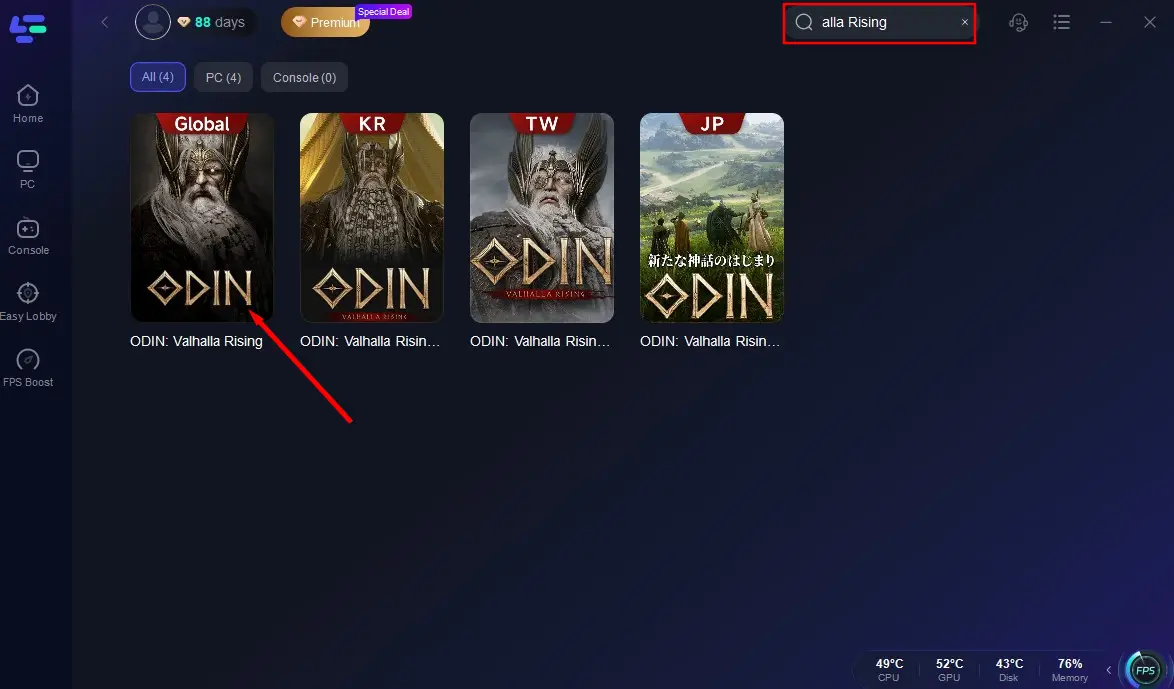
Step 2: Search for Odin: Valhalla Rising Global Server and select it from the results.
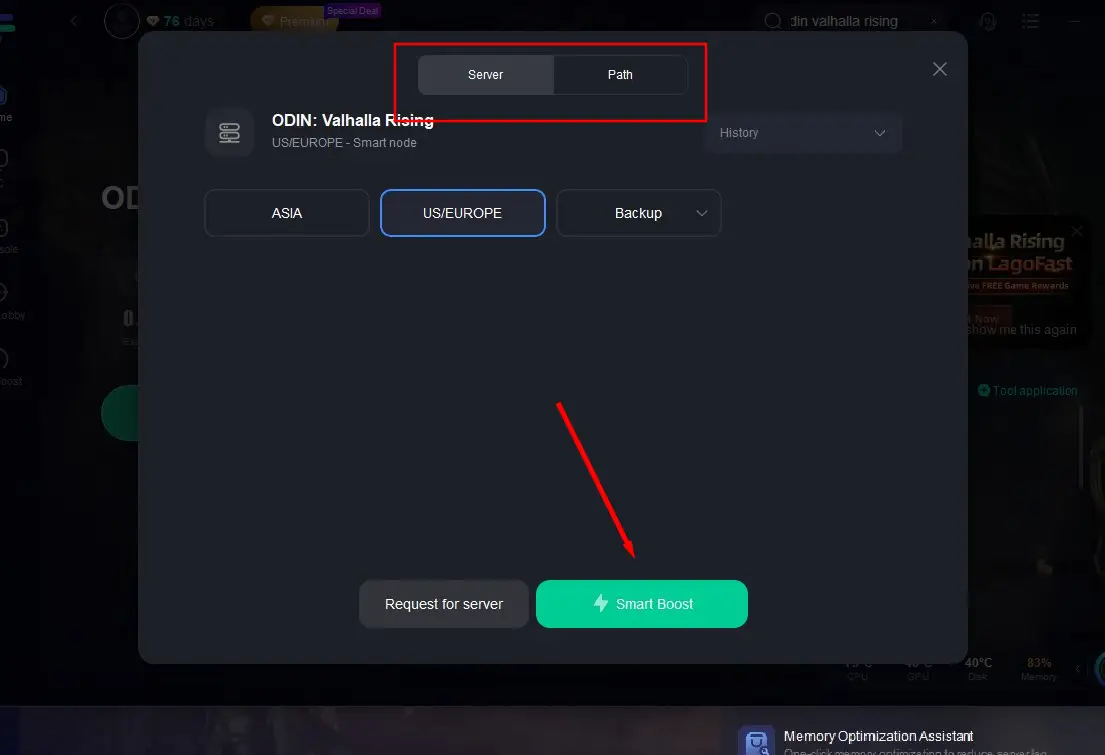
Step 3: Choose your desired server location and activate Smart Boost with one click.
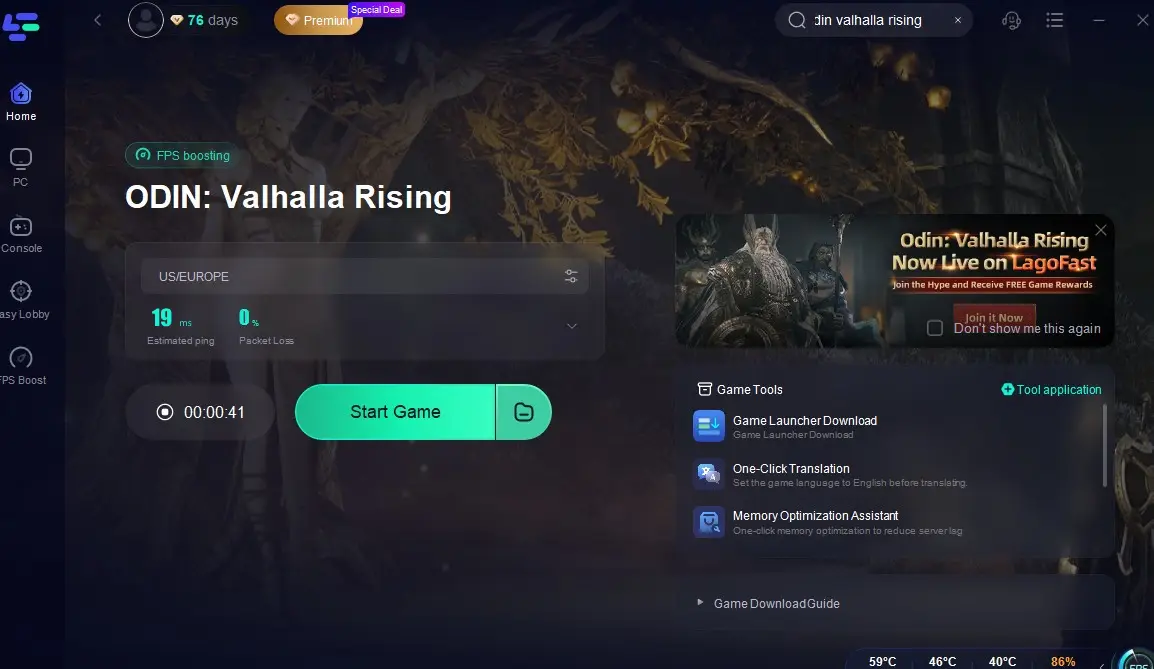
Step 4: Confirm real-time packet loss rates and ping values, then launch Odin: Valhalla Rising and start playing.
Part 4: How to Play Odin: Valhalla Rising on JP Server Using LagoFast?
Odin: Valhalla Rising, launched early and widely popular among players, offers a dedicated Japanese server. Here's how to play on the Japanese server using LagoFast:
Download LagoFast for free on your device.
Bypass Strict Region-Locking: Odin: Valhalla Rising enforces strict region locks. Switch your device's IP address and time zone to Japan, then download Japanese font package. LagoFast simplifies these steps, its one-click switching tool automates all adjustments.
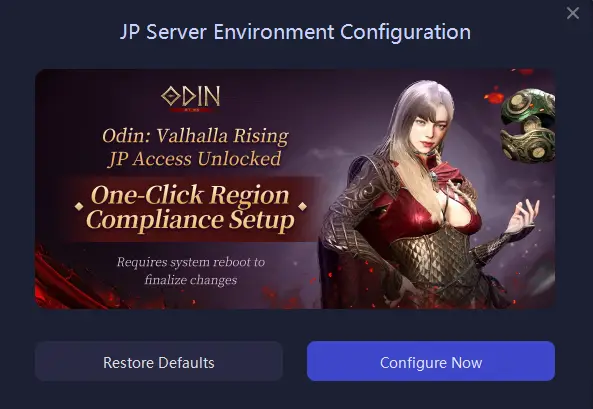
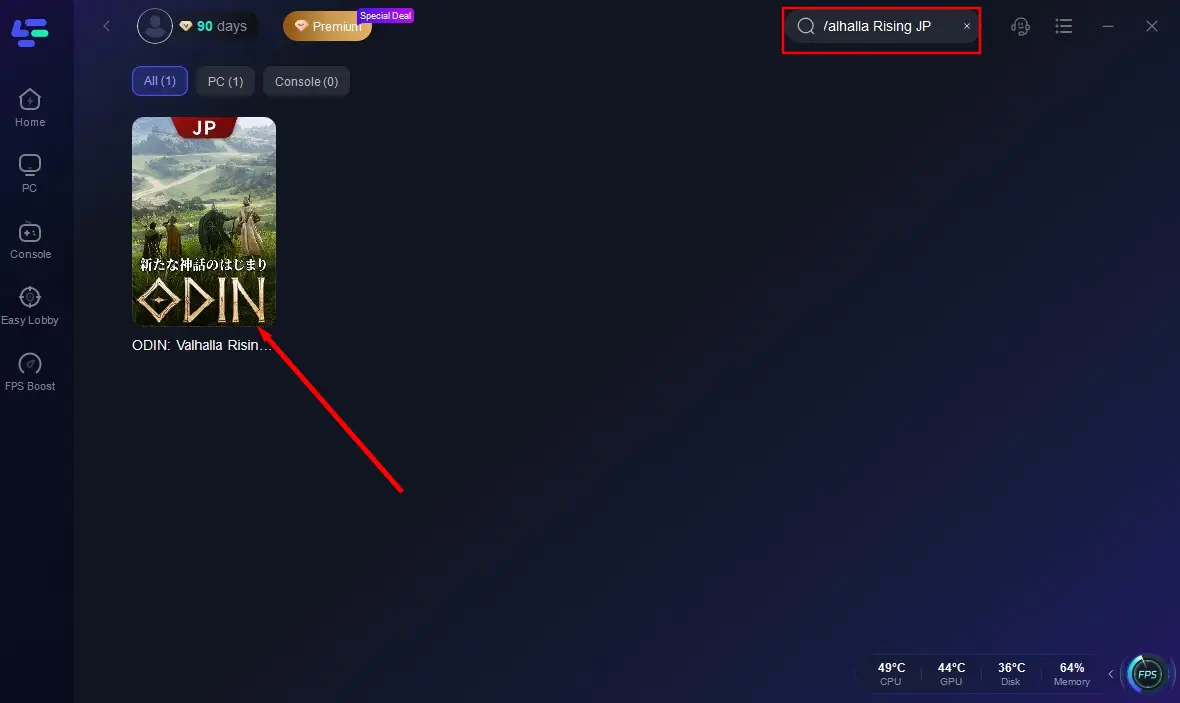
Open LagoFast and search for Odin: Valhalla Rising JP.
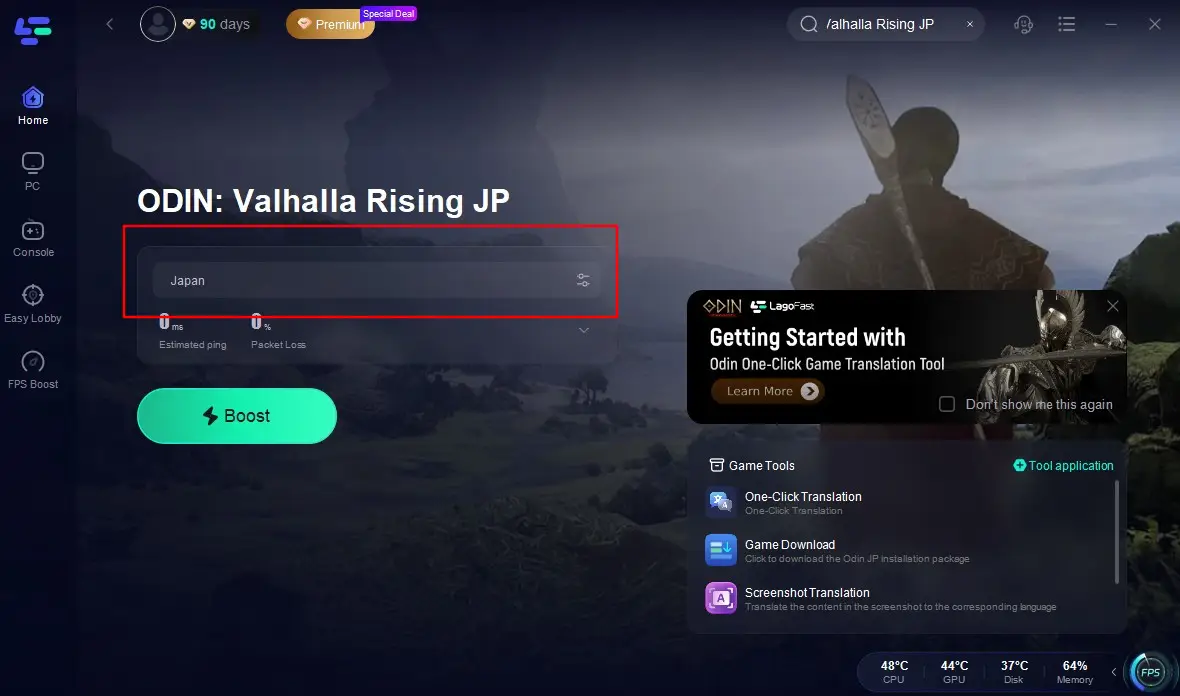
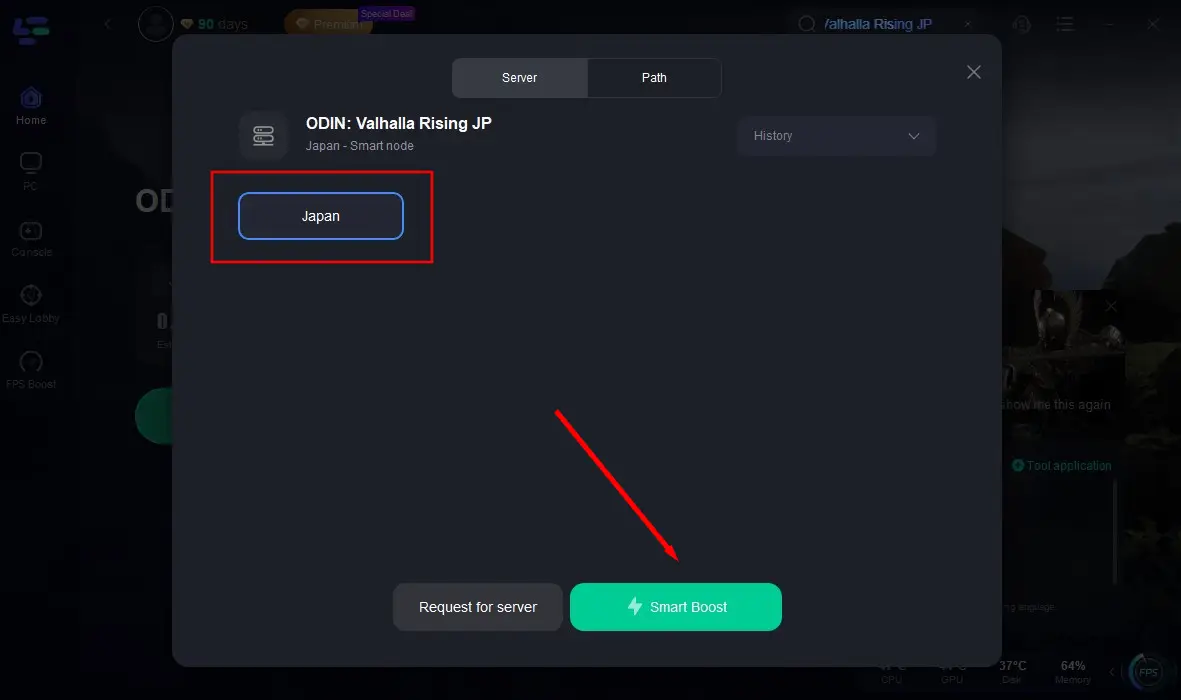
Confirm the Japanese server location. Activate Smart Boost.
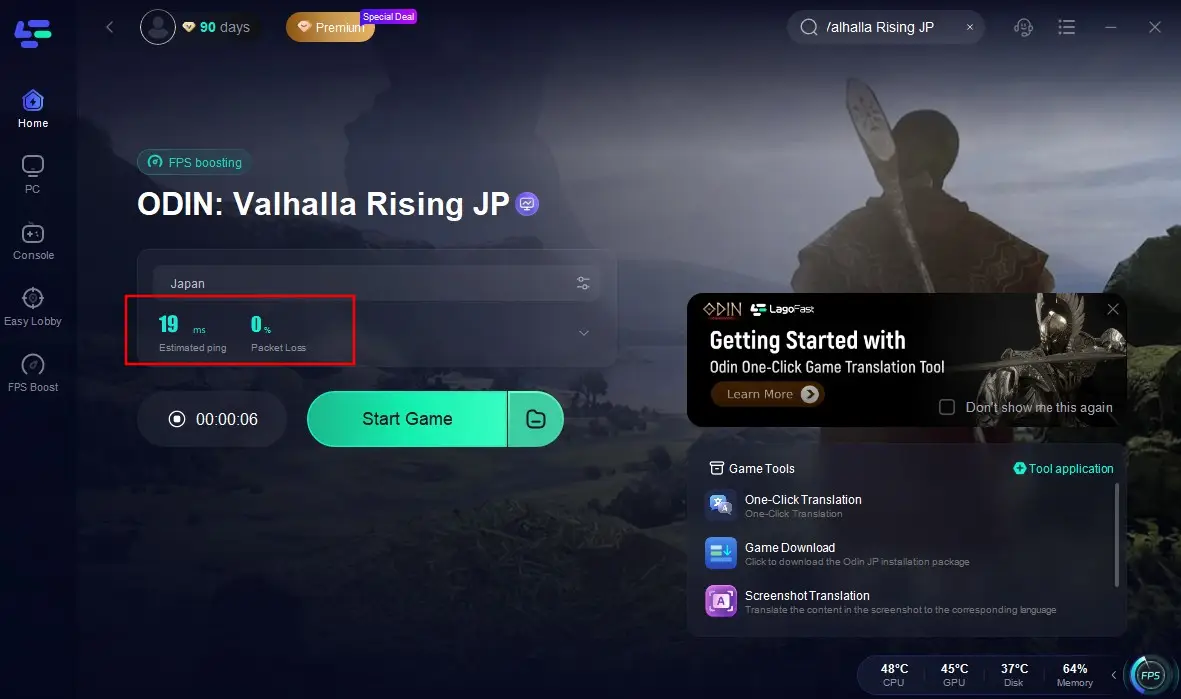
Check real-time ping values and packet loss rates. Then launch the Game!
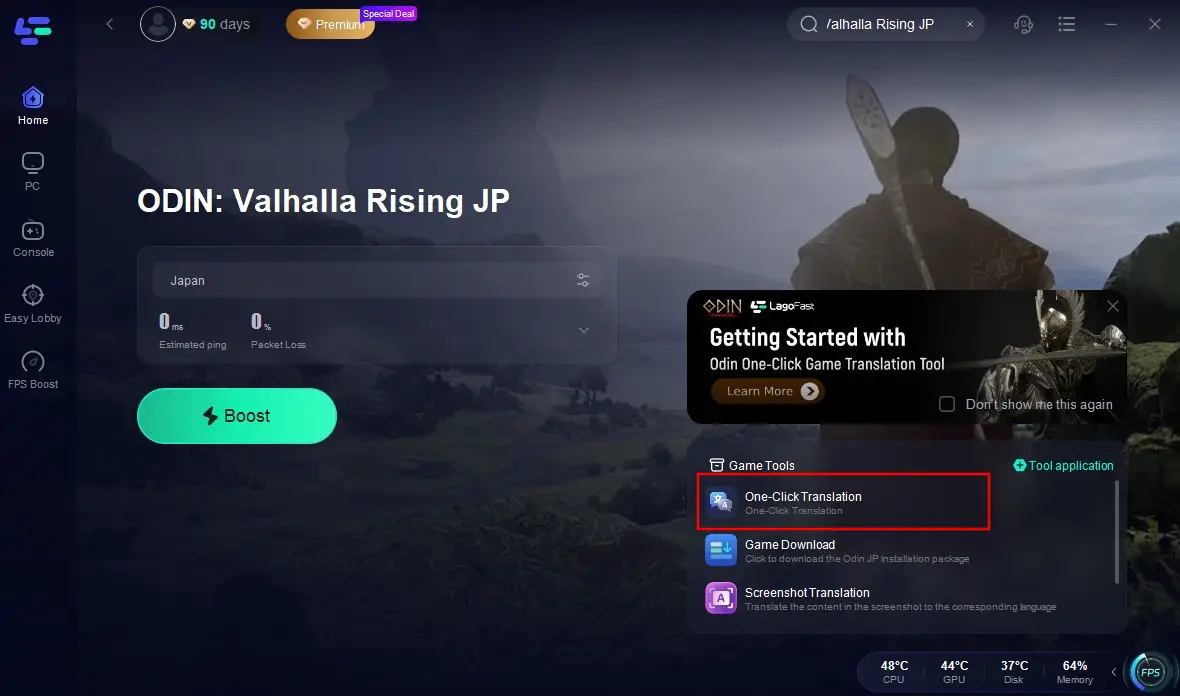
In addition, you can use LagoFast translation tool to help you break the language barrier:
Click the "Game Tools" icon at the bottom-right corner of the screen and select "One-Click Translation".
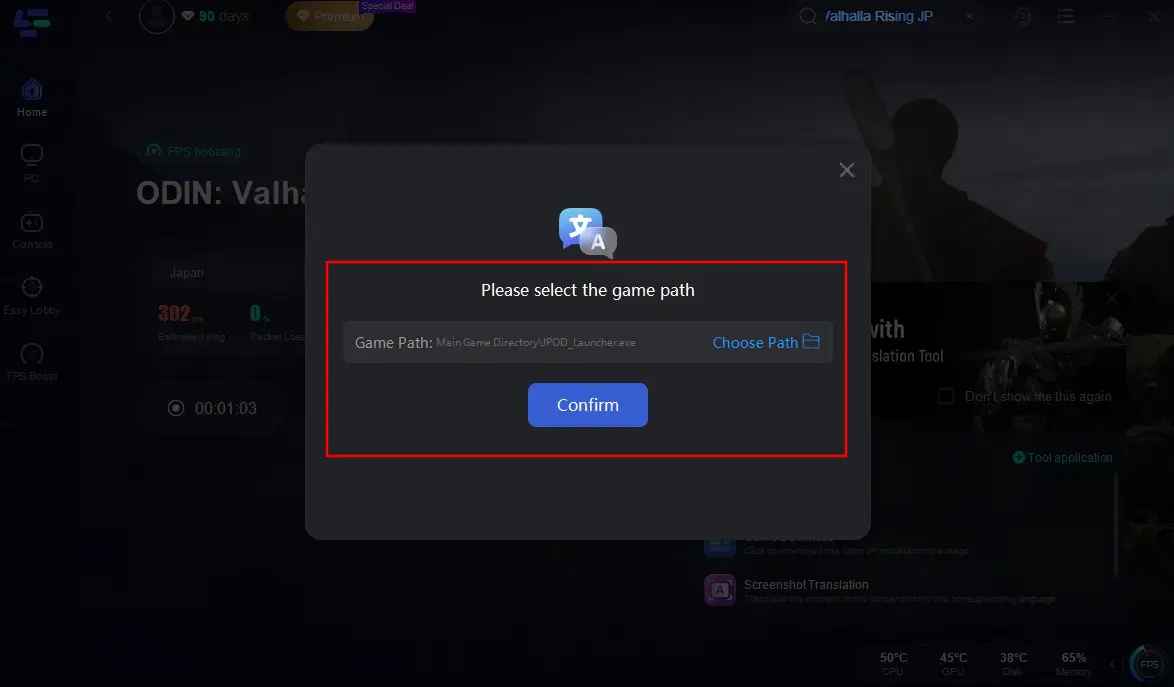
Add the installation package for Odin: Valhalla Rising JP.
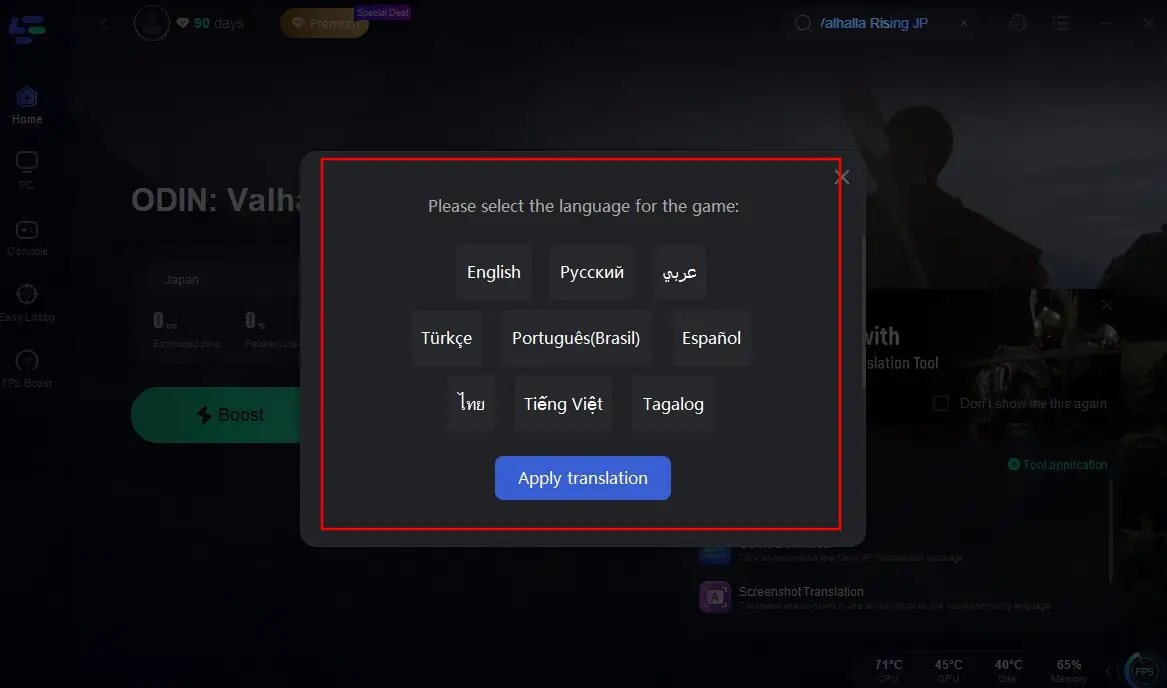
Configure your target language, click "Apply Translation", and wait a moment to go back to the game with translated game interface!

Part 5: Troubleshooting Server Swiching Issues in Odin: Valhalla Rising
In general, there might be several implications after changing Odin:Valhalla Rising server
- Progress Reset: Characters in Odin: Valhalla Rising are server-specific. Changing to a new server might require starting anew unless the game supports character transfers.
- Community Shift: You'll be joining a different community, which can affect your gameplay experience, especially if you've established relationships on your previous server.
- Economic Differences: In-game economies can vary between servers. Prices of items, availability of resources, and market dynamics might differ, influencing your trading and crafting strategies.
Conclusion
Changing servers in Odin: Valhalla Rising opens doors to exclusive content and vibrant communities. While manual methods work, tools like LagoFast's one-click switcher offer a hassle-free solution. Always prioritize connection stability and comply with local regulations when bypassing region locks.
Ready to explore the Japanese server? Follow this guide, gear up, and dive into the mystical world of Odin: Valhalla Rising like never before!

Boost Your Game with LagoFast for Epic Speed
Play harder, faster. LagoFast game booster eliminates stutter and lags on PC, mobile, or Mac—win every match!
Quickly Reduce Game Lag and Ping!
Boost FPS for Smoother Gameplay!