

Nioh 3 is a challenging action RPG with intense combat, deep customization, and massive maps to explore. While fighting enemies and hunting loot is rewarding, moving around those large areas can quickly feel tedious—especially during repeated runs.
That’s where Map Teleport comes in. It helps cut down unnecessary travel by letting you jump between unlocked shrines, keeping your time focused on combat and progression. In this guide, we’ll explain how Nioh 3 Map Teleport works, why it matters, and how LagoFast’s Map Teleport tool can help optimize travel and reduce lag.

- ✅ Reduce Lag and High Ping.
✅ Boost FPS at the Same Time.
✅ Support 2000+ Popular Online Games.
✅ Change Server without Latency.
✅ Boost Game Loading Speed.
Part 1: What is Nioh 3 Map Teleport?
Part 2: Why You Need Map Teleport to Save Time and Boost Efficiency
Part 3: How to Use Nioh 3 Map Teleport Tool with LagoFast to Boost Efficiency
Part 1: What is Nioh 3 Map Teleport?
If you’ve played Nioh 3, you know how massive and detailed its maps are. Running back and forth across the same areas can quickly become exhausting—and it eats up valuable gaming time.
Map Teleport allows you to instantly travel between shrines that you have already unlocked. Once a shrine is activated, it becomes a teleport point accessible directly from the map or menu.
Instead of wasting time walking across the same areas, you can jump straight to key locations, follow more efficient farming routes, complete quests faster, and spend more time on what really matters—battling enemies, collecting loot, and leveling up your character.
Part 2: Why You Need Map Teleport to Save Time and Boost Efficiency
In Nioh 3, walking across the map can be tedious, especially when replaying missions, farming gear, or hunting bosses. That’s why Map Teleport is essential—it saves time, reduces fatigue, and helps you play smarter.
1. Save Time
Teleporting between shrines cuts out long treks across sprawling maps. Instead of running from one side of the level to the other just to reach a boss or quest objective, you can jump straight to your target and start fighting immediately.
2. Reduce Repetition Fatigue
Some areas are packed with enemies or tricky terrain. Map Teleport lets you skip repetitive routes, keeping your runs focused on combat rather than walking.
3. Maximize Farming and Quest Efficiency
Planning routes around teleport points lets you chain quests, farm mobs, and tackle bosses efficiently. Start at a shrine near loot, move to a mid-map quest, and jump to the next boss—all without backtracking.
Part 3: How to Use Nioh 3 Map Teleport Tool with LagoFast to Boost Efficiency
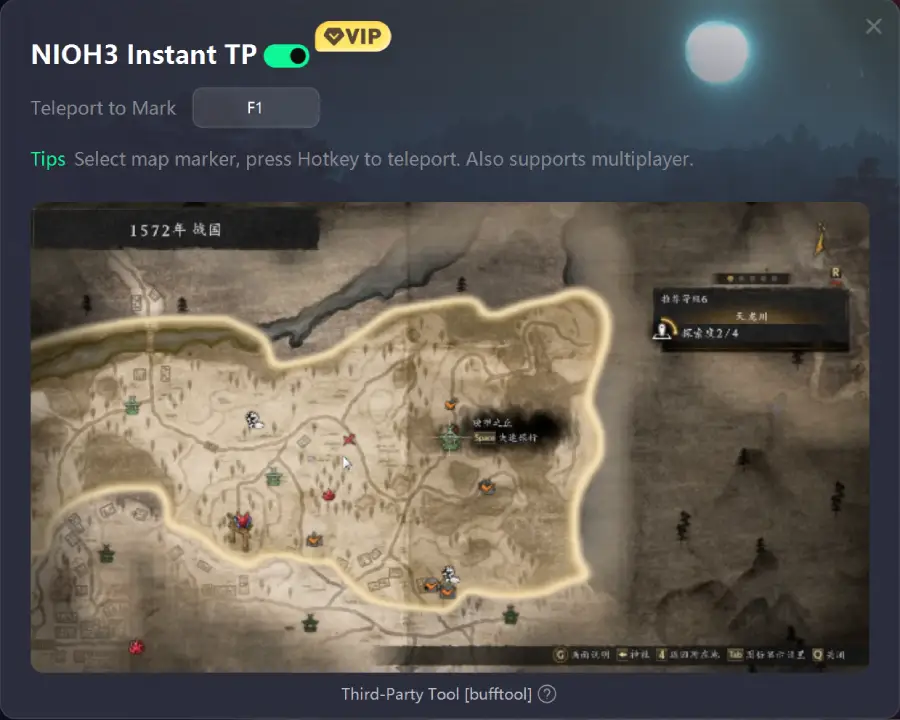
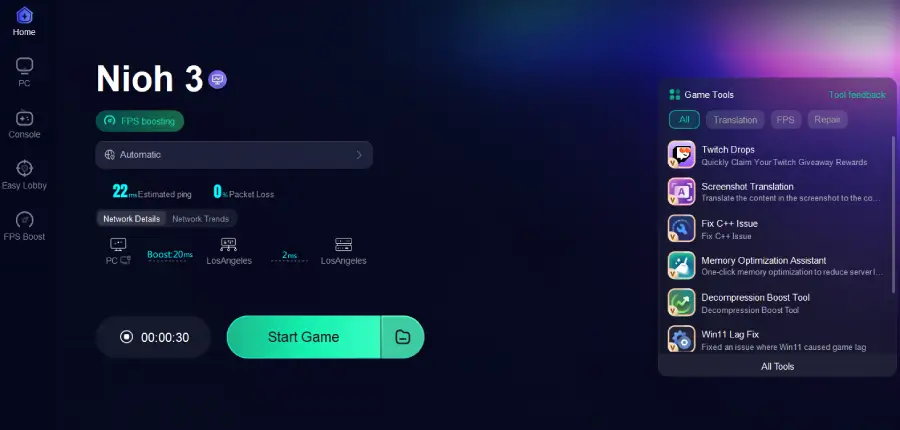
Long runs across Nioh 3’s maps and occasional lag can slow down farming, quests, and boss fights. LagoFast is a great solution. Its Map Teleport tool lets you instantly teleport to any selected location on the map, and a single hotkey lets you jump there immediately. Beyond teleporting, LagoFast also reduces ping, minimizes packet loss, stabilizes your network, optimizes routing, and can improve FPS, along with other practical tools to enhance gameplay. With these features, you can focus fully on combat, farming, and completing quests without worrying about travel or connection issues.
Tutorial: How to Use LagoFast Map Teleport tool
Step 1: Click the Free Trial button to download and install LagoFast.
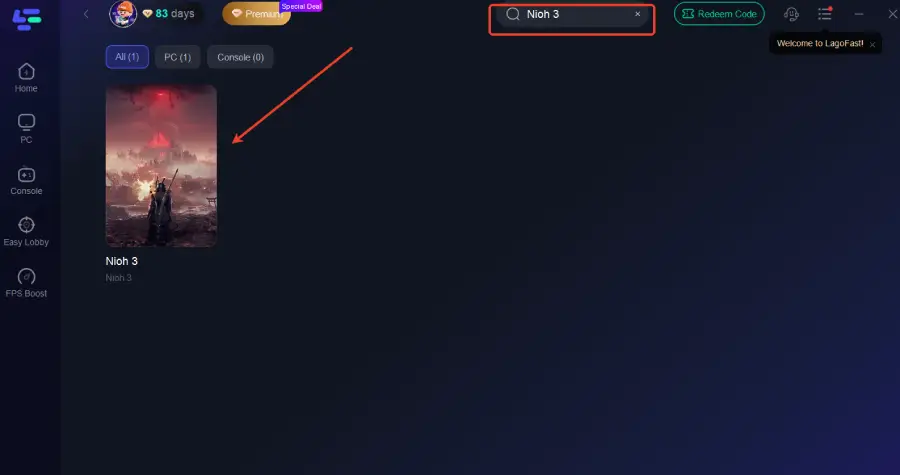
Step 2: After installation, search "Nioh 3" in the search bar and select the game.
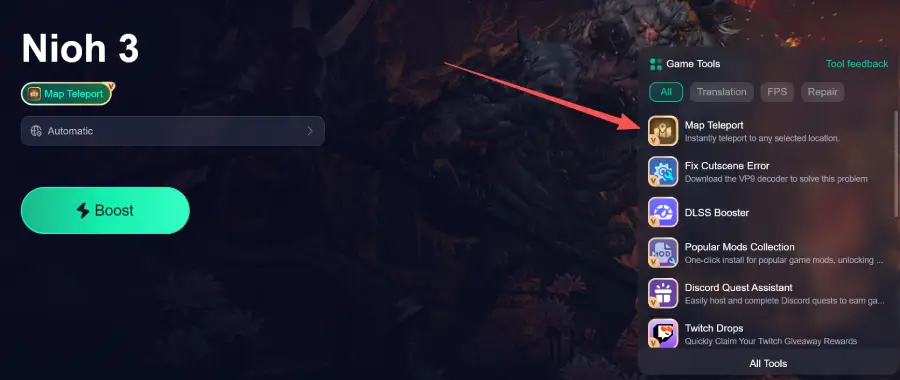
Step 3: Click the Map Teleport tool icon in LagoFast.
Step 4: Use the hotkey to instantly teleport to any selected location on the map
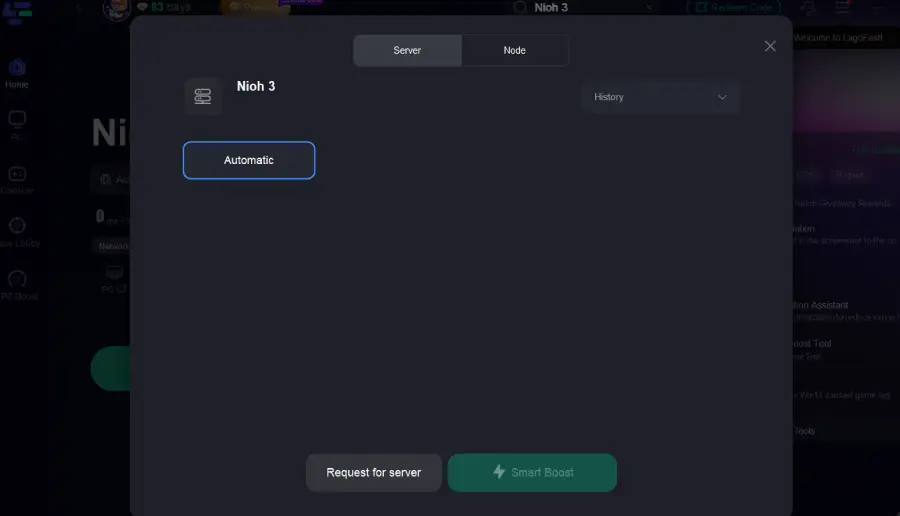
Step 5: Choose your preferred server node and click "Smart Boost" to start optimizing.
Step 6: Launch your game and enjoy smooth, optimized gameplay with lower ping and no stutter.
Part 4: FAQs
Q1: Why can’t I teleport to certain shrine points?
Teleport points only work after you’ve activated the shrine in that area. If a teleport option doesn’t show up, it usually means you haven’t unlocked it yet or need to complete the related mission.
Q2: Can I teleport to areas I haven’t visited yet?
No—Map Teleport only works for shrines you’ve unlocked by exploring the region.
Q3: Will teleporting affect my progress or rewards?
No. Using Map Teleport won’t reset your progress or change the loot you earn. It simply moves you to a location you’ve already unlocked so you can jump straight into the action.
Conclusion
Nioh 3’s combat feels best when nothing breaks your momentum. Map Teleport helps you stay in rhythm by cutting out unnecessary travel across large maps. Using official shrine teleport points keeps gameplay fair, while LagoFast can help improve network performance and streamline shrine teleporting, ensuring smoother runs and less lag.
Whether you’re farming, replaying missions, or fighting bosses, smoother movement leads to a more focused and satisfying Nioh 3 experience.

Boost Your Game with LagoFast for Epic Speed
Play harder, faster. LagoFast game booster eliminates stutter and lags on PC, mobile, or Mac—win every match!
Quickly Reduce Game Lag and Ping!
Boost FPS for Smoother Gameplay!