
Nioh 3 delivers intense samurai combat, fast reactions, and demanding boss fights that leave no room for delays or frame drops. Unfortunately, many players report frustrating technical problems that interrupt the experience, such as lag, stuttering, sudden slow motion, and unstable performance. Whether you are dealing with Nioh 3 lagging on PC or network spikes on PS5, these issues can quickly turn an exciting battle into an unplayable mess. In this guide, we’ll explore why these problems happen and how to fix Nioh 3 lag and stuttering issues effectively using reliable solutions and performance tools.

- ✅ Reduce Lag and High Ping.
✅ Boost FPS at the Same Time.
✅ Support 2000+ Popular Online Games.
✅ Change Server without Latency.
✅ Boost Game Loading Speed.
Part 1: Why Does Nioh 3 Lag and Stuttering Appear?
Part 2: How to Fix Nioh 3 Lag and Stuttering on PC & PS5?
Part 1: Why Does Nioh 3 Lag and Stuttering Appear?
Lag and stuttering in Nioh 3 often come from hardware limitations, unstable network connections, and incorrect system or console settings. Because the game depends on precise timing, even minor performance drops can cause slow motion, delayed input, or sudden freezes. In online modes, high ping and lag spikes further disrupt synchronization between players and servers, making smooth gameplay difficult without proper optimization and performance fixes.
The Causes of Nioh 3 Lag on PC
On PC, performance problems often depend on system configuration and background processes. Common causes include:
- Outdated or incompatible graphics drivers
- CPU or GPU overheating and thermal throttling
- Insufficient RAM or VRAM for high graphic settings
- Background applications consuming system resources
- Unstable Wi-Fi or overloaded network routes
- Incorrect in-game resolution or refresh rate settings
- Missing performance patches or corrupted game files
These issues can lead to Nioh 3 lagging on PC, frequent stuttering, and sudden slow motion issues in Nioh 3, especially during combat-heavy scenes.
The Causes of Nioh 3 Lag on PS5
On PS5, performance problems are often related to network conditions or console configuration. Typical causes include:
- High latency or packet loss from the internet provider
- Congested game servers during peak hours
- Wireless connection instability
- Cache buildup on the console system
- Overheating or poor ventilation
- Running multiple downloads or apps in the background
These factors often trigger high ping, lag spikes, or animation slowdowns that interfere with smooth gameplay.
Part 2: How to Fix Nioh 3 Lag and Stuttering on PC & PS5?
The Ultimate Solution: LagoFast Game Booster
When it comes to a comprehensive Nioh 3 performance fix, LagoFast stands alone as the premier choice. Unlike standard VPNs that can actually increase your latency, LagoFast uses AI-powered multi-path technology to find the fastest, most stable route to the game servers. It is uniquely designed to address Nioh 3 lagging on PC, PS5, and even mobile platforms by optimizing your network at a protocol level. Beyond just fixing ping, LagoFast includes a dedicated FPS boost feature that cleans up background processes and optimizes CPU/GPU allocation, effectively eliminating sudden slow motion issues in Nioh 3. Whether you are a PC veteran or a console enthusiast using the LagoFast Box, it provides a one-click solution that far surpasses manual troubleshooting in both efficiency and results.
Key Features of LagoFast:
- Global Multipath Acceleration: Dynamically switches nodes to ensure the lowest latency routes.
- One-Click FPS Boost: Closes unnecessary background tasks and optimizes system resources for maximum frames.
- Cross-Platform Support: Works seamlessly on PC, PS5 (via LagoFast Box), and mobile devices.
- Real-Time Monitoring: Displays live ping, packet loss, and network stability data while you play.
- Smart Routing: Specifically identifies game traffic to prioritize it over other home network activity.
Tutorial To Use LagoFast To Fix Nioh 3 Lag and Stuttering:
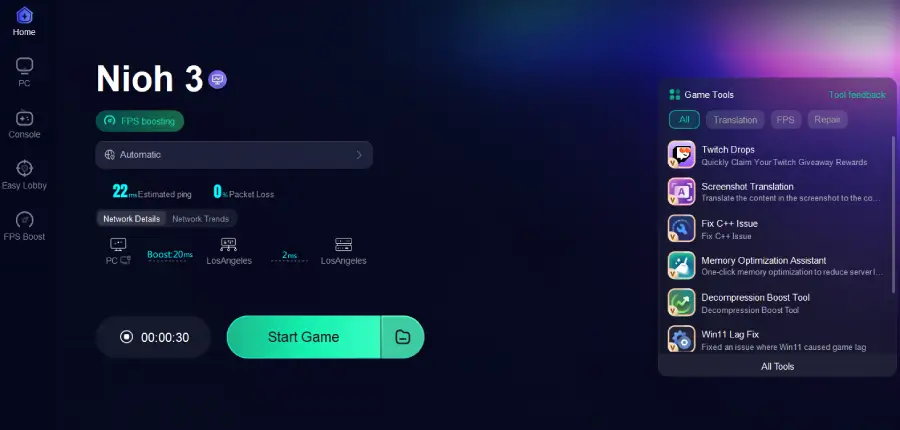
Step 1: Click the Free Trial button to download and install LagoFast.
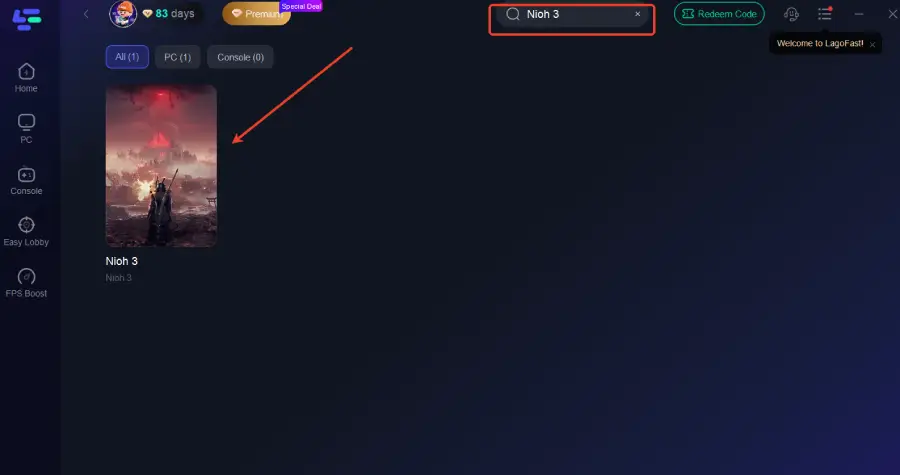
Step 2: After installation, search "Nioh 3" in the search bar and select the game.
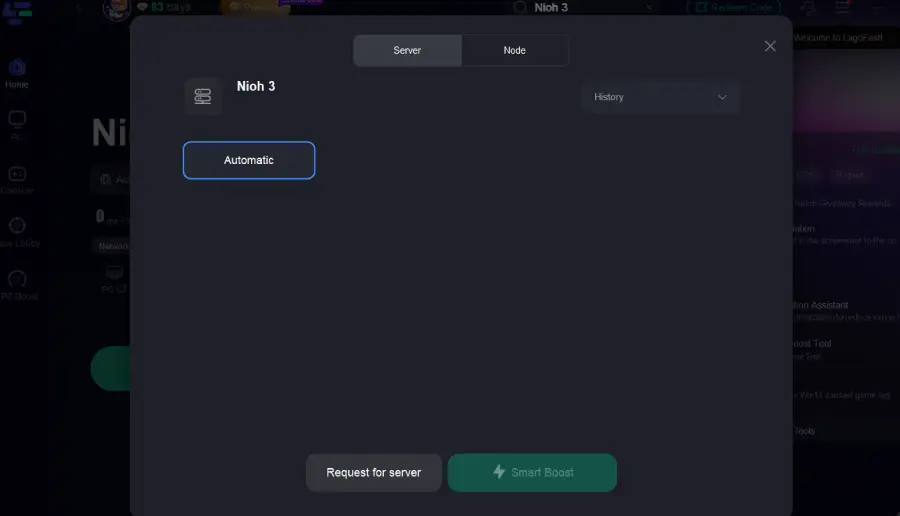
Step 3: Choose your preferred server node and click "Smart Boost" to start optimizing.
Step 4: Launch your game and enjoy smooth, optimized gameplay with lower ping and no stutter.
Tutorial to Use LagoFast Box to Fix Lag and Stuttering on Consoles:
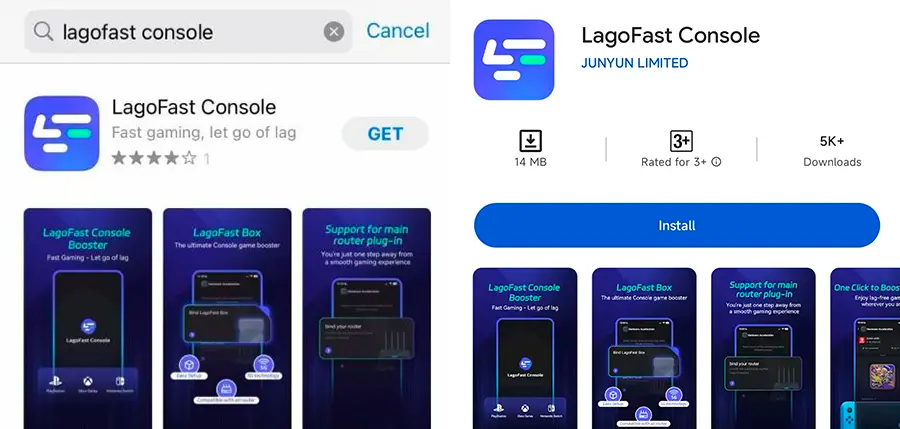
Step 1: Download the LagoFast Console App on your phone to control the LagoFast Box.
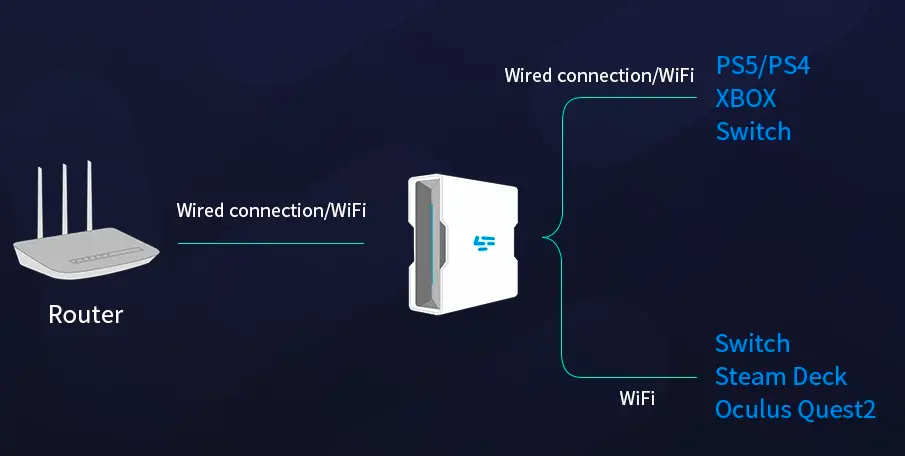
Step 2: Establish a connection between your LagoFast Box, router, and console, choosing between a wired or wireless connection.
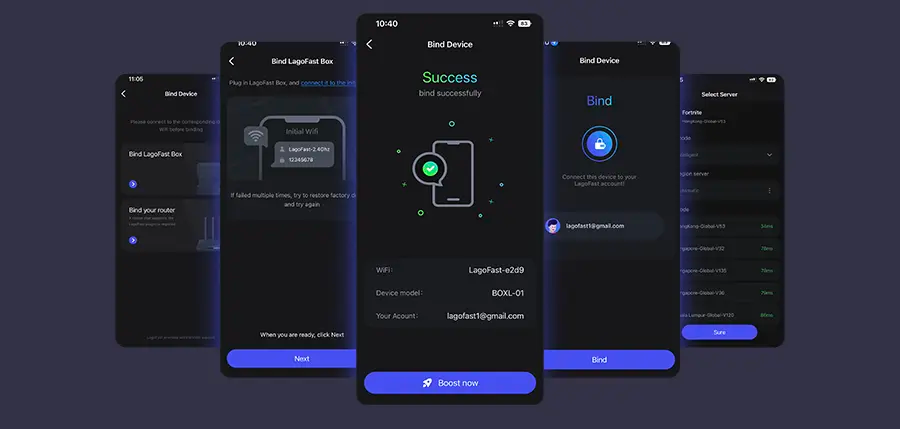
Step 3: Launch the LagoFast Console App and boost Nioh 3. Once you have completed the binding process with the LagoFast Box, proceed to boost this game within the LagoFast Console App.
Below are alternative methods you can try. While helpful, these fixes are not as consistent or powerful as LagoFast, especially for long-term performance stability.
PC Solution 1: Update Graphics Drivers
Outdated GPU drivers are one of the main reasons behind Nioh 3 performance fix failures on PC. New drivers often include optimizations specifically for recent games.
Step 1. Open your GPU control panel (NVIDIA GeForce Experience or AMD Adrenalin).
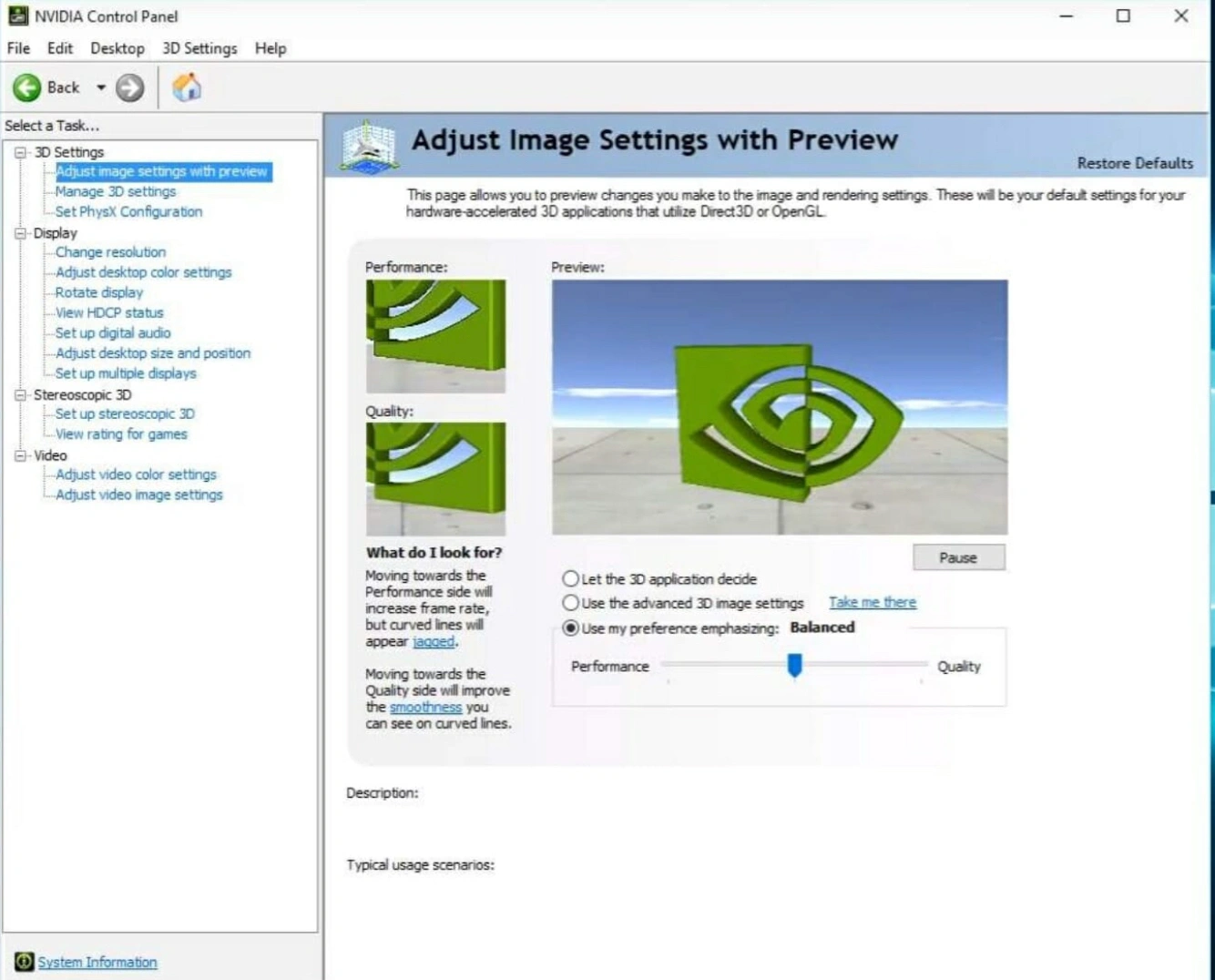
Step 2. Check for the latest available driver update.
Step 3. Update the new driver.
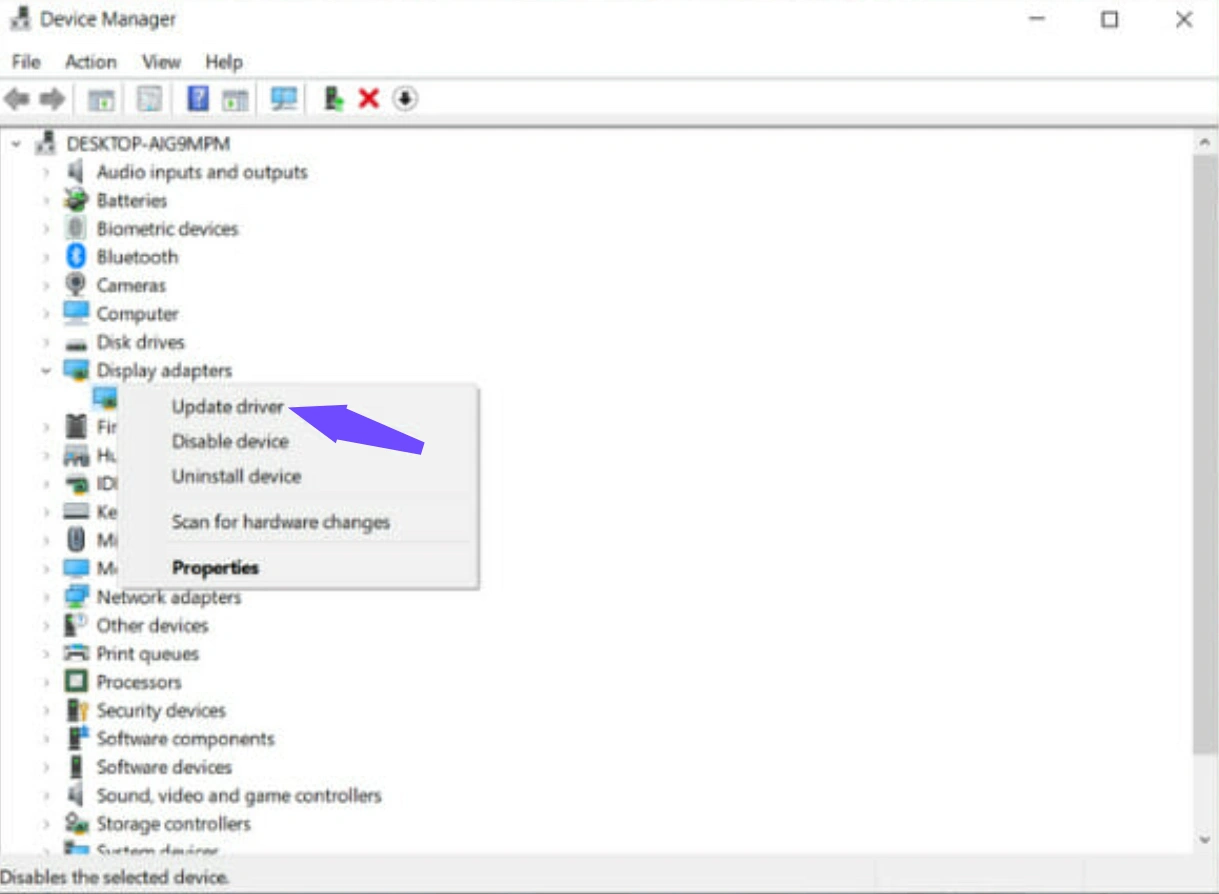
Step 4. Restart your PC after installation.
Step 5. Launch Nioh 3 and test performance.
Note: Driver updates help, but they cannot fix network-related lag or server instability like LagoFast can.
PC Solution 2: Lower In-Game Graphics Settings
High graphics settings may overload your GPU, causing Nioh 3 stuttering and frame drops.
Step 1. Open Nioh 3 and go to Settings and select Graphics.
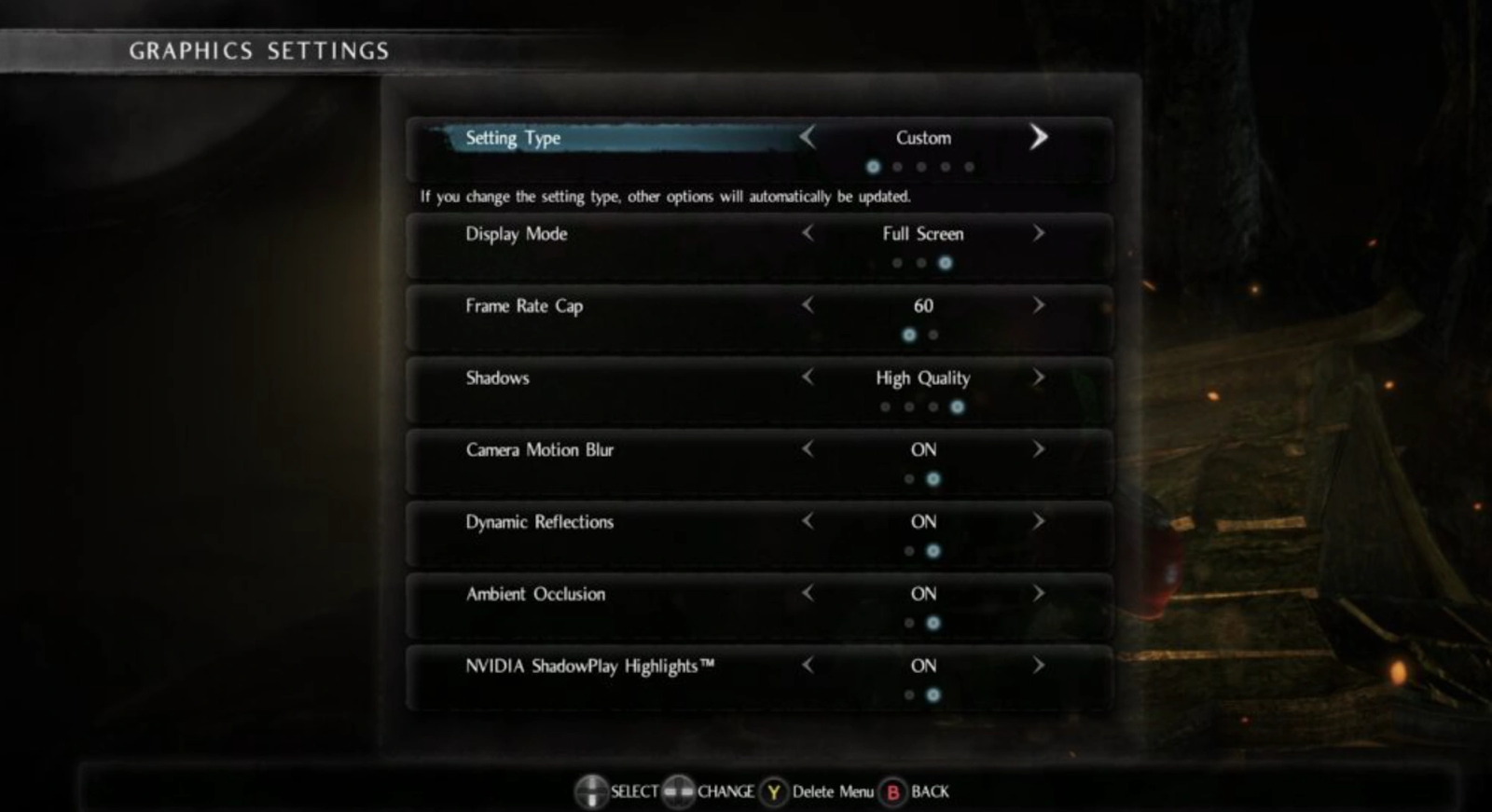
Step 2. Lower resolution scale and shadow quality.
Step 3. Disable motion blur and depth of field.
Step 4. Turn off V-Sync if you have stable FPS.
Step 5. Save changes and restart the game.
PC Solution 3: Use a Nioh 3 Performance Mod
Some players install a Nioh 3 performance mod to remove graphical effects and improve stability.
Step 1. Find a trusted mod from a reliable community source or tool like LagoFast Mod Master.
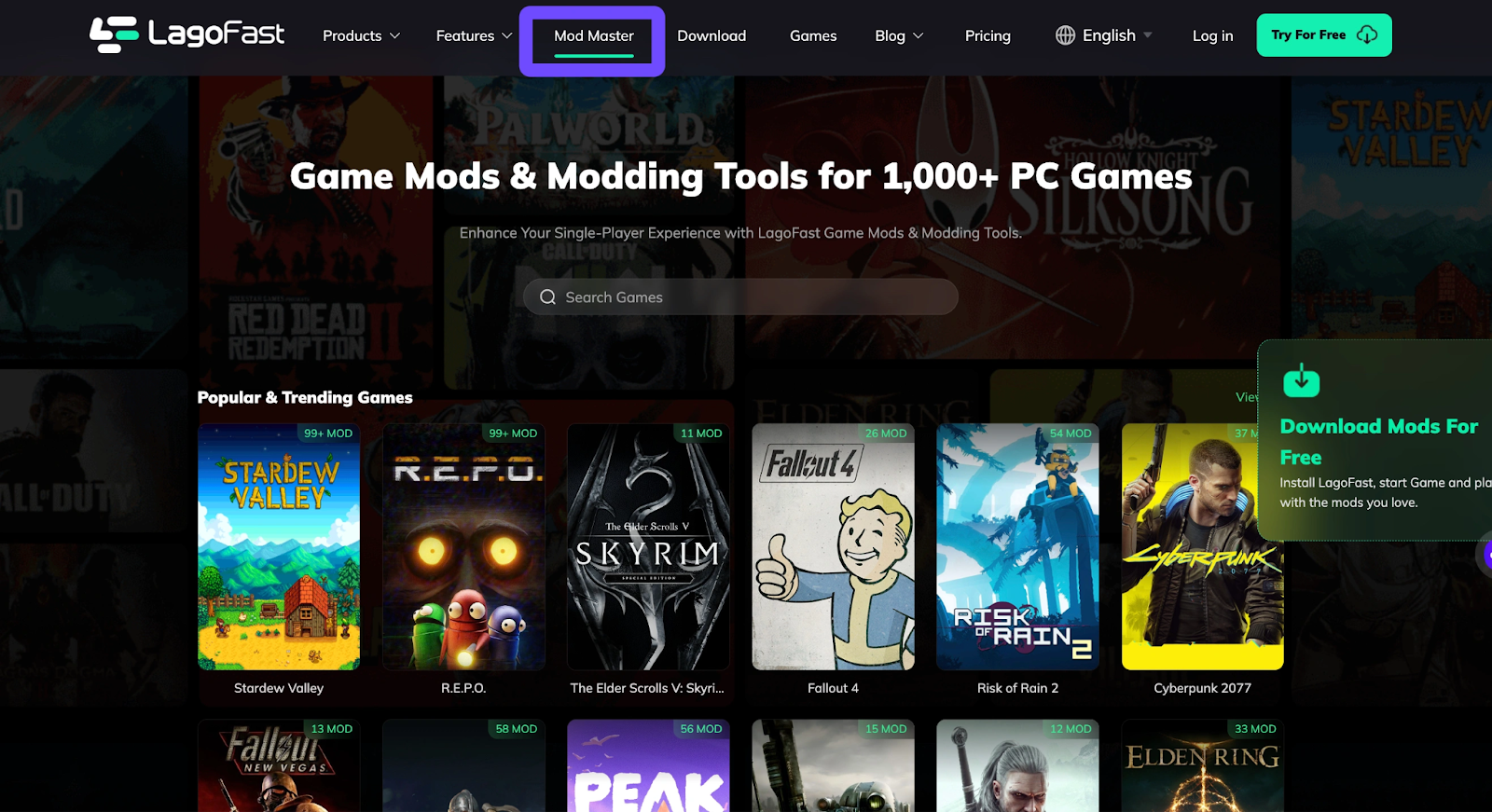
Step 2. Back up your original game files.
Step 3. Install the mod according to instructions.
Step 4. Launch the game and verify stability.
Step 5. Remove the mod if crashes occur.
PS5 Solution 1: Switch to a Wired Connection
Wireless connections often cause unstable latency and sudden lag spikes.
Step 1. Connect your PS5 directly to the router using an Ethernet cable.
Step 2. Open Settings, go to Network and select Settings.
Step 3. Set up a wired LAN connection.
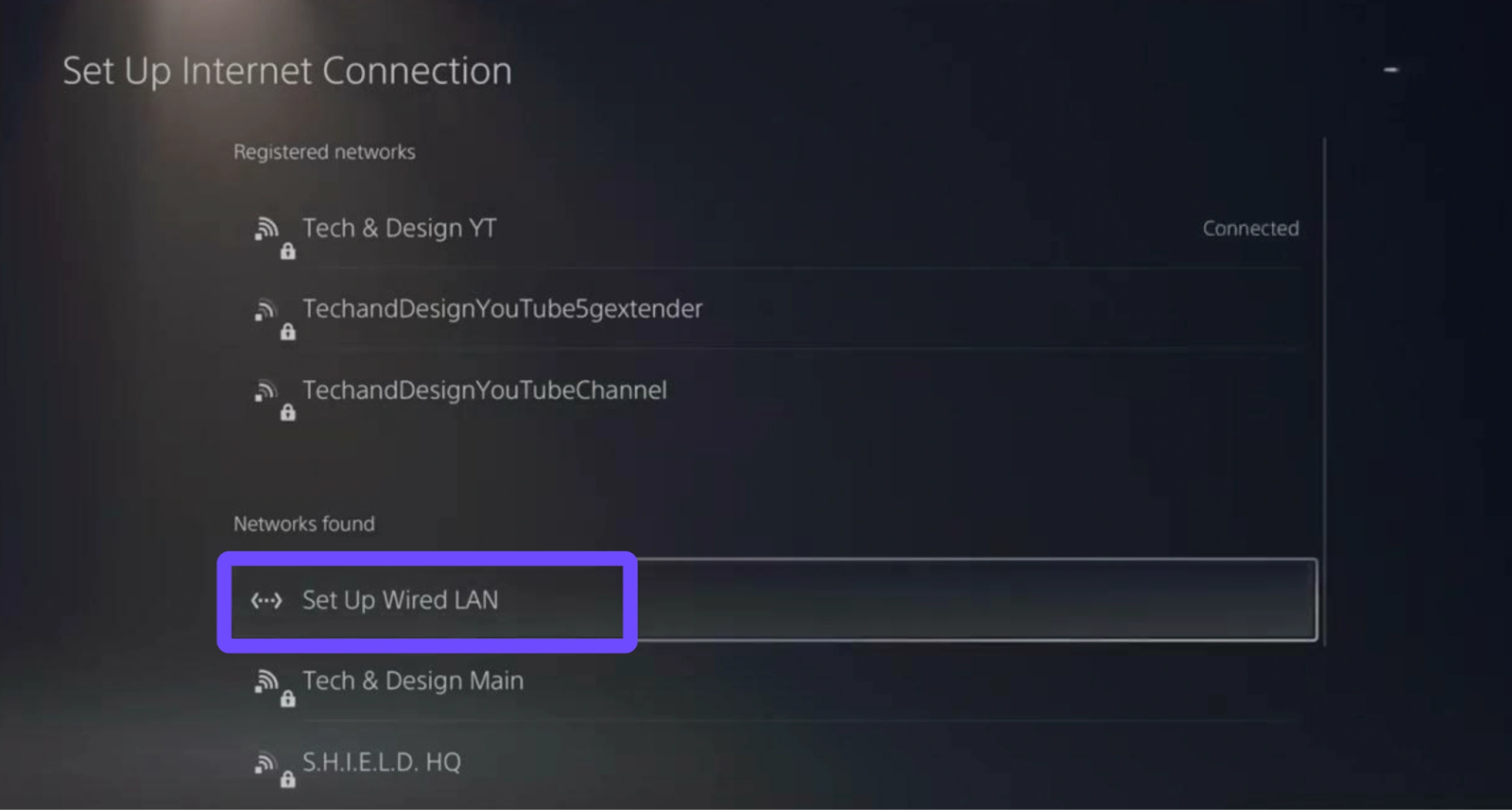
Step 4. Test internet connection speed.
Step 5. Restart the console.
Note: Wired connections help stability, but they cannot bypass congested routes the way LagoFast does.
PS5 Solution 2: Clear PS5 Cache and Rebuild Database
Cache buildup can slow down system performance and cause stuttering.
Step 1. Turn off your PS5 completely.
Step 2. Hold the power button until you hear two beeps.
Step 3. Connect a controller and enter Safe Mode.
Step 4. Select “Clear Cache and Rebuild Database.”
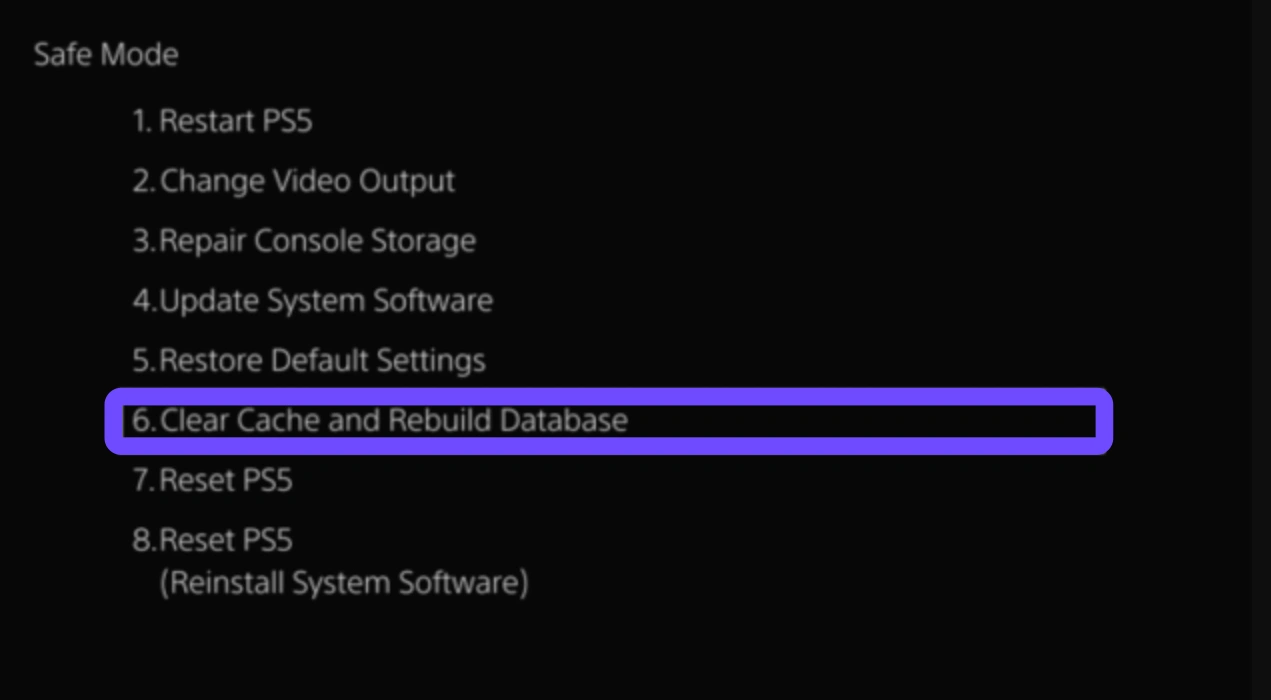
Step 5. Restart the system.
PS5 Solution 3: Change DNS Settings
Changing DNS servers can sometimes reduce latency and improve connection stability.
Step 1. Go to Settings, select Network, and select Settings.
Step 2. Select Set Up Internet Connection manually.
Step 3. Choose Custom and enter DNS manually.
Step 4. Use public DNS like 8.8.8.8 and 8.8.4.4.
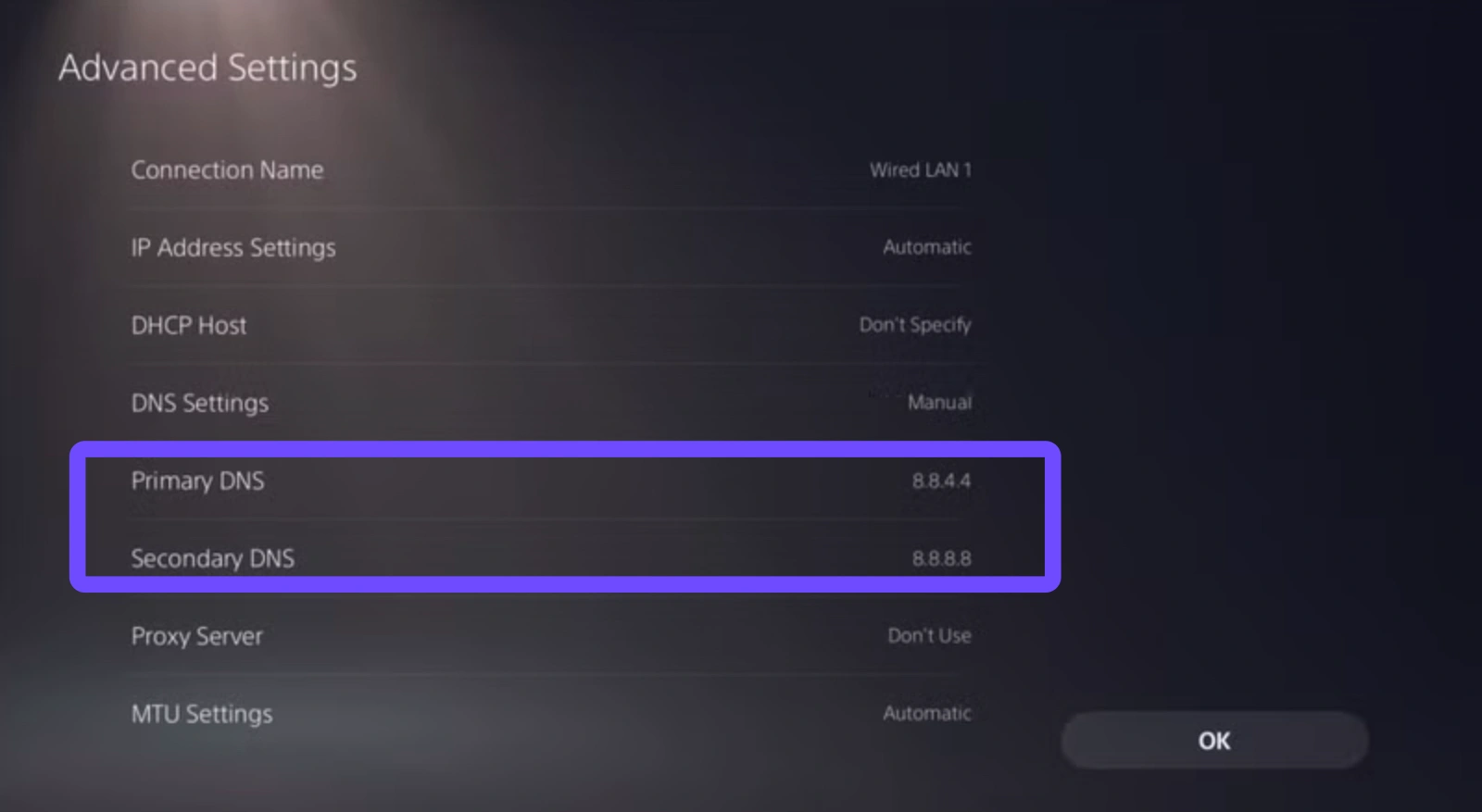
Step 5. Test the connection and launch the game.
Conclusion
Lag, stuttering, and slow motion can seriously damage the intense combat experience that makes Nioh 3 so enjoyable. From hardware limitations to unstable networks, many factors contribute to these frustrating problems. While manual tweaks and system optimizations can help, they rarely solve everything. For players who want the most reliable Nioh 3 slow motion fix, stable connections, and the ultimate Nioh 3 performance fix, LagoFast remains the best solution available. With smart routing, ping reduction, and cross-platform support, LagoFast ensures smooth, responsive gameplay so you can focus on mastering every battle instead of fighting lag.
Boost Your Game with LagoFast for Epic Speed
Play harder, faster. LagoFast game booster eliminates stutter and lags on PC, mobile, or Mac—win every match!
Quickly Reduce Game Lag and Ping!
Boost FPS for Smoother Gameplay!