
Online modes are the lifeblood of NBA 2K26, from MyCAREER and The City to Pro-Am and MyTEAM. But none of that matters if the servers are down or unstable. Players frequently search for NBA 2K26 server status when they face lag, disconnections, or login issues. In this guide, we’ll show you how to check the live server status, troubleshoot common errors, and ensure your connection stays stable.
- Why Server Status Matters in NBA 2K26
- How to Check NBA 2K26 Server Status
- Common NBA 2K26 Server Issues
- Troubleshooting NBA 2K26 Connection Problems
- When Are NBA 2K26 Servers Down?
- Tips to Stay Ahead of Server Issues
- Solve NBA 2K26 Server Issues with LagoFast
1. Why Server Status Matters in NBA 2K26
The performance of NBA 2K26’s online experience depends heavily on server stability. Knowing the server status helps you:
- Avoid wasted time when servers are undergoing maintenance.
- Diagnose whether lag is caused by your internet or the game servers.
- Plan competitive sessions when servers are most stable.
- Stay informed about outages, updates, or patches.
2. How to Check NBA 2K26 Server Status
1. Official NBA 2K Server Status Page
2K Sports provides an official server status tracker that covers NBA 2K26 across platforms:
- Visit: https://www.nba2k.com/status
- Check PlayStation, Xbox, Steam, and Epic Games individually.
- Look for green indicators (online) or red indicators (issues/outages).
2. 2K Support Twitter / X
The @2KSupport account often posts updates about maintenance schedules, outages, or bug fixes. Follow them for real-time alerts.
3. Community Updates (Reddit & Forums)
Sometimes servers may be unstable before 2K officially acknowledges it. Checking community hubs like r/NBA2K can give you early signals from other players.
4. Third-Party Status Trackers
Websites like Downdetector monitor NBA 2K26 outages based on user reports. If you see a spike in complaints, it’s likely a server-side issue.
3. Common NBA 2K26 Server Issues
Even if the servers are “online,” you might still face problems. Here are the most frequent ones:
- Error Code 727e66ac: Connection timeout error.
- Stuck at 99% Loading Screen: Usually server congestion.
- High Ping & Lag: Indicates poor routing or overloaded servers.
- Matchmaking Delays: Server region mismatch or limited player base at the time.
4. Troubleshooting NBA 2K26 Connection Problems
If servers are up but you’re still facing issues, try these fixes:
- Test Your Internet Speed — Aim for at least 25 Mbps download and 5 Mbps upload.
- Switch to Wired Connection — Ethernet is far more stable than Wi-Fi.
- Restart Your Console/PC & Router — Clear cached connections.
- Change DNS Settings — Use Google DNS (8.8.8.8 / 8.8.4.4) or Cloudflare DNS (1.1.1.1).
- Change Servers — If possible, switch to another region with lower ping.
- Use a Game Booster (like LagoFast) — Optimizes routing and reduces packet loss.
5. When Are NBA 2K26 Servers Down?
NBA 2K26 servers typically go down for:
- Scheduled Maintenance: Usually announced via 2K Support.
- Major Patches & Updates: Servers may briefly disconnect during updates.
- Unexpected Outages: Caused by overload, bugs, or technical errors.
Maintenance usually happens late at night (US time) to minimize disruption, but it can vary depending on region.
6. Tips to Stay Ahead of Server Issues
- Follow @NBA2K and @2KSupport on social media.
- Bookmark the official NBA 2K Server Status Page.
- Join community groups to share real-time outage info.
- Use network optimization tools if you consistently face lag despite servers being online.
7. Solve NBA 2K26 Server Issues with LagoFast
If you’re tired of lag, high ping, or unstable connections even when NBA 2K26 servers are online, LagoFast can help. This game booster is designed to optimize your network routing and automatically connect you to the most stable server, giving you a smoother and more reliable experience.
Benefits of LagoFast
- Lower ping and reduced lag
- Connect to the most stable servers worldwide
- Smooth matchmaking and gameplay experience
- Real-time performance monitoring
With LagoFast, you don’t have to worry about sudden lag spikes or unstable servers. It ensures you’re always playing on the most reliable connection, making every NBA 2K26 session smoother and more enjoyable.
How to Use LagoFast on PC
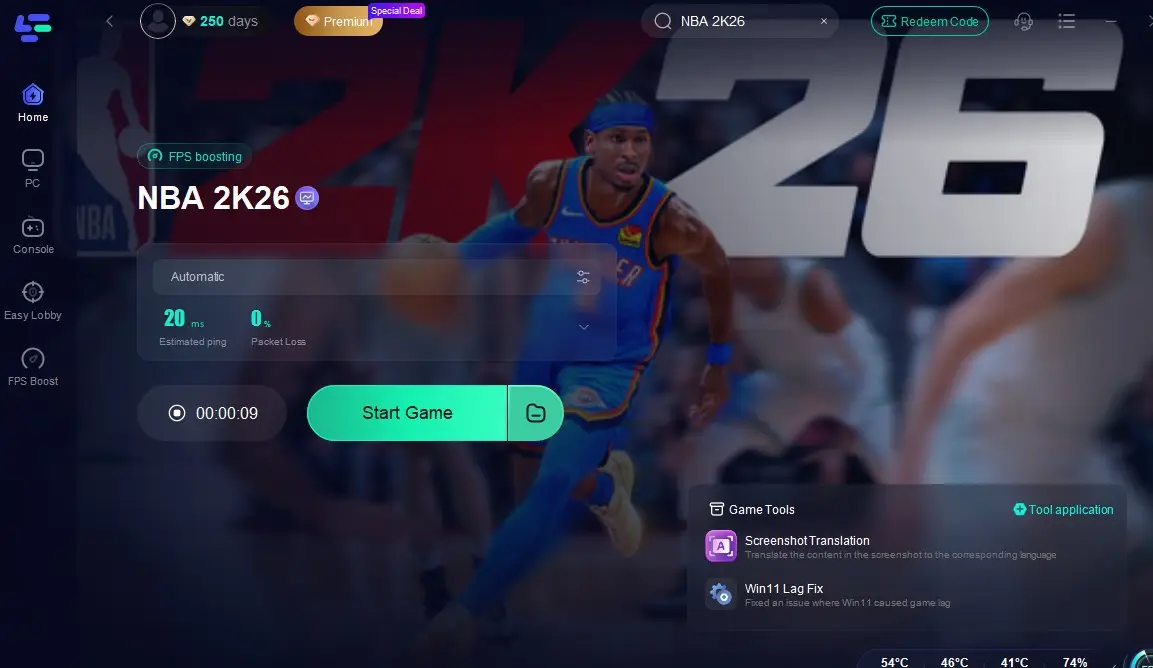
Step 1: Download LagoFast by clicking the Download button below and activate the free trial.
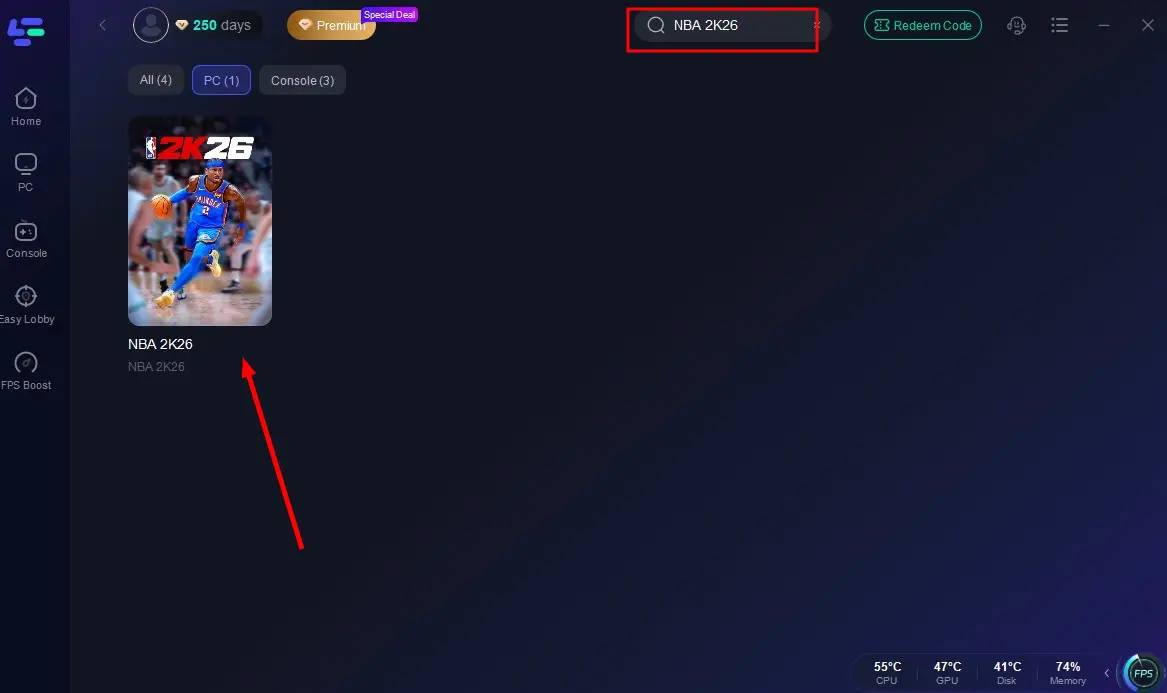
Step 2: Launch LagoFast and search for NBA 2K26 in the search bar.
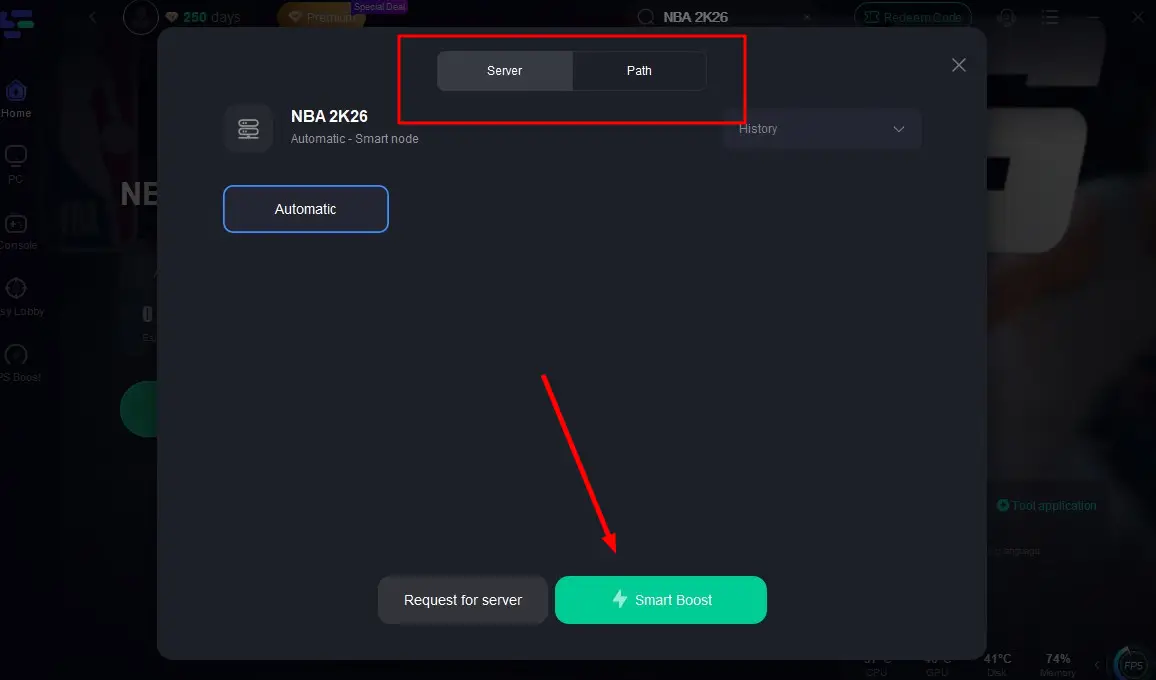
Step 3: Select the server with the best connection and choose the optimal Node. Click "Smart Boost" to start optimizing your connection.
Step 4: Check real-time stats such as ping, packet loss, and network performance, then click the "Start Game" to play NBA 2K26 without any lag!
LagoFast Box: Optimize Console Gaming Performance
For console gamers, lag and unstable connections can turn an exciting match into a frustrating experience. The LagoFast Box is a dedicated hardware solution built to optimize your console’s internet connection, ensuring smoother gameplay and enhanced performance. Managed through a simple smartphone app, it streamlines your network setup so you can focus on playing without interruptions.
How to Set Up the LagoFast Box
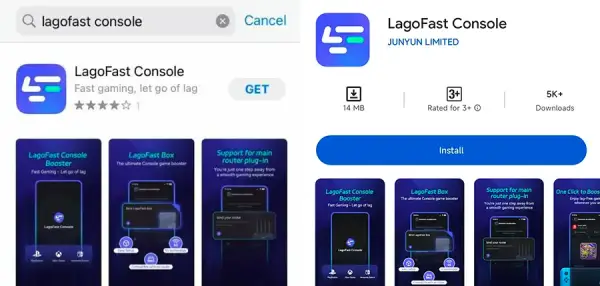
Step 1: Download the LagoFast Console App on your phone to control the LagoFast Box.
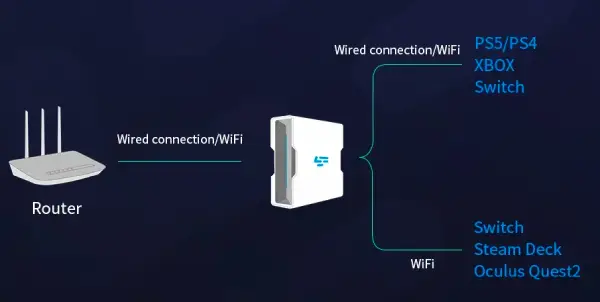
Step 2: Establish a connection between your LagoFast Box, router, and console, choosing between a wired or wireless connection.
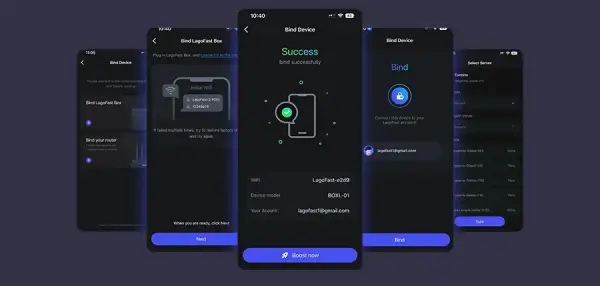
Step 3: Launch the LagoFast Console App and boost NBA 2K26. Once you have completed the binding process with the LagoFast Box, proceed to boost this game within the LagoFast Console App.
The LagoFast Box is engineered to deliver a superior gaming experience by minimizing lag, reducing packet loss, and stabilizing your console’s connection. With a quick setup and powerful optimization features, it ensures your console performs at its best — whether you’re grinding MyCAREER, battling in Pro-Am, or enjoying casual matches with friends.
Conclusion
Keeping track of the NBA 2K26 server status is essential for a smooth gaming experience. Whether you’re grinding MyCAREER, playing Pro-Am with friends, or competing online, knowing if the servers are stable can save you time and frustration. Always check the official status page first, follow community updates, and optimize your connection to ensure the best possible gameplay.

Boost Your Game with LagoFast for Epic Speed
Play harder, faster. LagoFast game booster eliminates stutter and lags on PC, mobile, or Mac—win every match!
Quickly Reduce Game Lag and Ping!
Boost FPS for Smoother Gameplay!