
Monster Hunter Wilds, powered by Capcom’s RE Engine, pushes modern graphics to the limit—resulting in gorgeous environments but also performance challenges such as frame drops, crashes, and texture pop-in on PC. Many players report sub-60 FPS even on RTX 30-series GPUs, especially at 4K and Ultra settings. DLSS and Frame Generation technologies can take the load off your GPU by rendering at a lower internal resolution and using AI to upscale and insert frames, vastly improving frame rates and visual smoothness.
Beyond native in-game DLSS toggles (which require driver tweaks for DLSS 4 support), third-party tools like LagoFast’s Game Booster offer one-click integration of DLSS mods and network acceleration, ensuring consistent high FPS and low latency across regions.
Part 2: What is Monster Hunter Wild DLSS Tool
Part 3: Will MH Wilds Support DLSS?
Part 4: Best Monster Hunter Wilds DLSS Booster
Part 5: How to Ensure Monster Hunter Wilds Gaming Experience
Part 1: Introduction
In the expansive world of Monster Hunter: Wild, players are immersed in thrilling hunts against formidable monsters, navigating breathtaking landscapes and engaging in epic battles. However, to truly enjoy this rich experience, a high and stable frame rate is essential. With advancements in technology, DLSS (Deep Learning Super Sampling) has emerged as a powerful tool to enhance gaming performance. This guide will walk you through what the DLSS tool is, its compatibility with Monster Hunter Wild, and how to enable it using LagoFast Game Booster.
Part 2: What is Monster Hunter Wild DLSS Tool
1. DLSS & Frame Generation Overview
- DLSS (Deep Learning Super Sampling): An AI-driven upscaling feature from NVIDIA that renders the game at a lower resolution and uses neural networks to upscale to your target resolution, boosting FPS without a large visual penalty.
- Frame Generation: New in DLSS 4, this feature uses motion vectors to interpolate extra frames between rendered frames, smoothing motion especially in fast-paced action.
2. The LagoFast DLSS Tool
LagoFast integrates a Frame Generation Mod for Monster Hunter Wilds, pre-configured to work with RTX 20/30/40-series cards. Once installed via the LagoFast client, it automatically patches the game’s executable and injects the DLSS 4+ Frame Generation code—no manual driver hacks required.
Part 3: Will MH Wilds Support DLSS?
1. Official Support Status
Capcom’s implementation of DLSS in Monster Hunter Wilds is currently unofficial: the game lacks an in-game toggle for DLSS 4 or Frame Generation. However, community mods using REFramework and DLSS 4 files from NexusMods have proved successful at activating DLSS and Frame Gen on any RTX GPU.
2. Mod-Based Workarounds
- NexusMods "DLL-version" package: Works on RTX 30-series cards. Requires REFramework as a dependency.
- LagoFast One-Click Mod Installer: Simplifies this process by bundling the necessary files and applying them automatically, bypassing manual REFramework and driver tweaks.
Part 4: Best Monster Hunter Wilds DLSS Booster
LagoFast provides players with a powerful DLSS Booster Tool, allowing you to unlock all the benefits of DLSS with a single click. Follow these steps using LagoFast’s integrated DLSS tool:
1. Download & Install LagoFast: Click "Free Trial" to install the client for free.
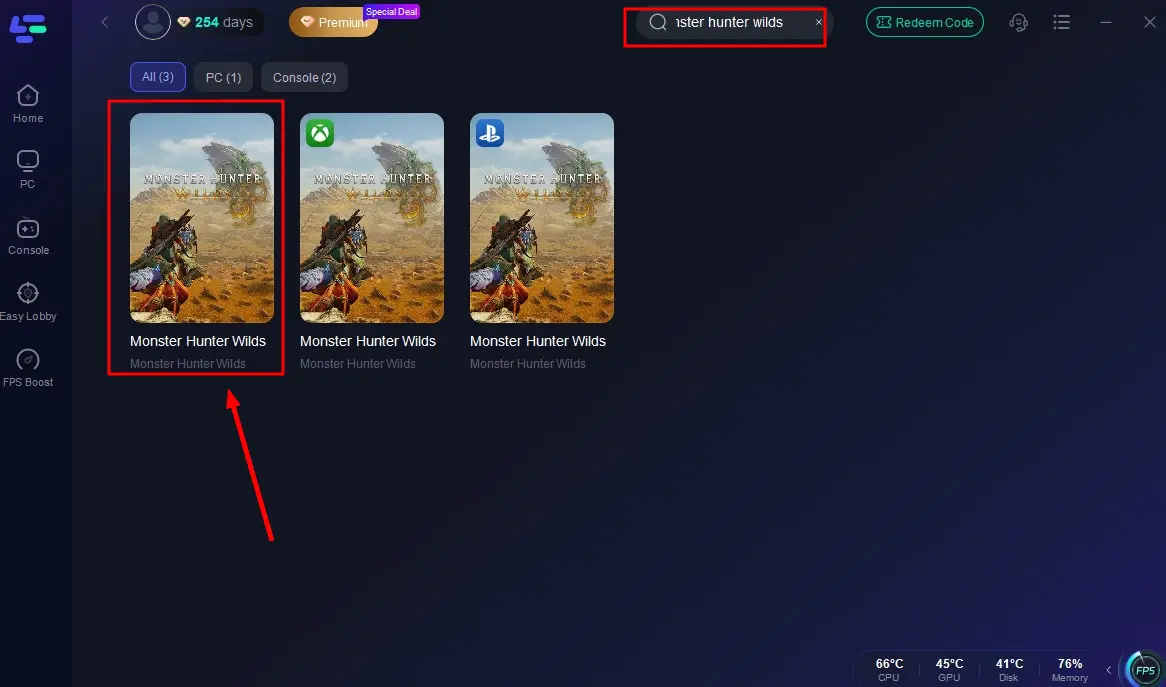
2. Locate Monster Hunter Wilds: Launch LagoFast, search for "Monster Hunter Wilds," and select it from the results.
3. Unlock DLSS Booster: Scroll to Game Tools, find the DLSS Booster, and click Install.
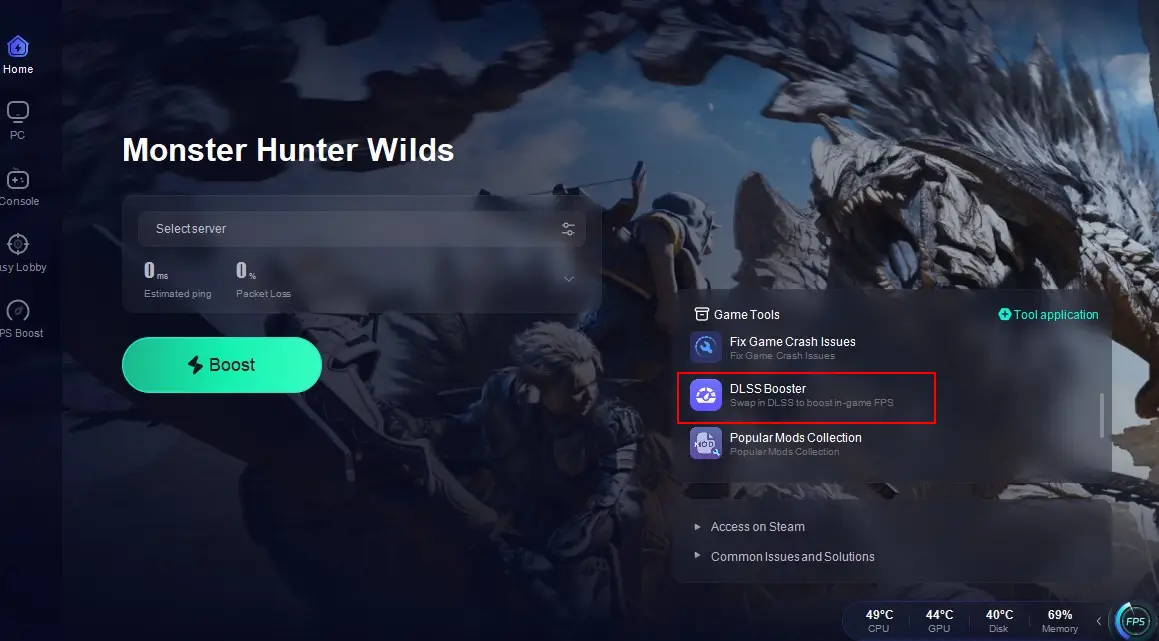
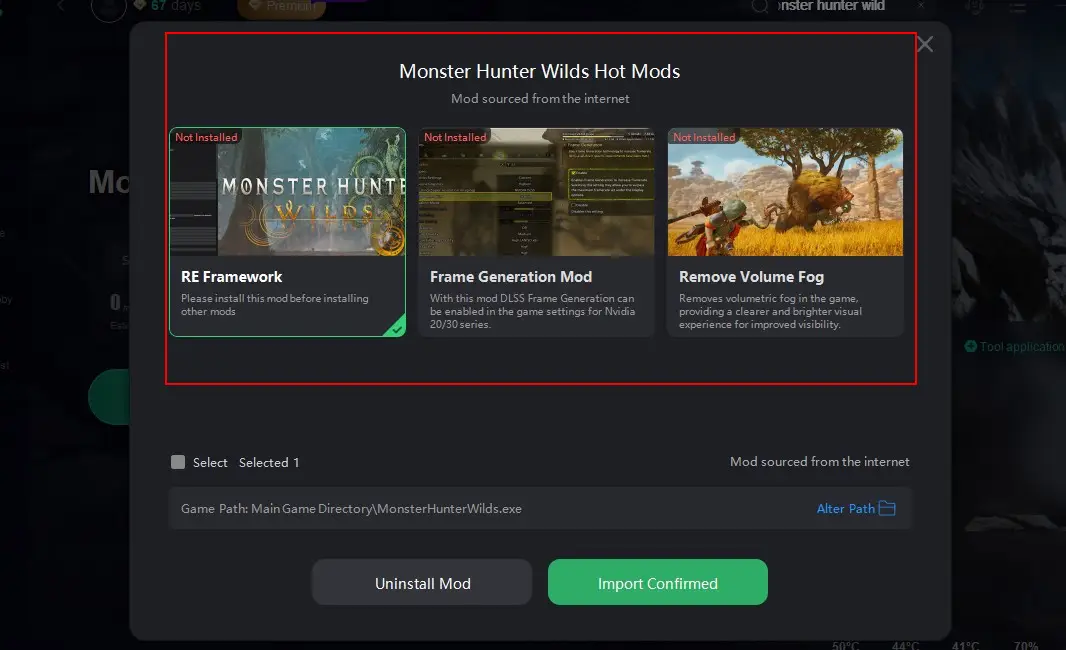
In addition, LagoFast provides for players a lot of game mods that ensure a better and smoother gameplay in Monster Hunter: Wilds. Players can choose this mods according to their needs.
Part 5: How to Ensure Monster Hunter Wilds Gaming Experience
Beyond DLSS and game mods, LagoFast Game Booster offers:
- Network Acceleration: Reduces ping and packet loss by routing traffic through optimized servers, especially helpful for cross-region play or congested ISP routes.
- FPS Stabilizer: Monitors CPU/GPU usage and adjusts process priority to maintain consistent frame rates.
- One-Click Driver Updates: Ensures you always run the latest NVIDIA/AMD drivers directly through the client.
- Background App Blocker: Frees up CPU and memory by pausing non-essential background processes.
How to Use LagoFast to Ensure Gaming Experience in Monster Hunter Wilds
Step 1: Begin by clicking the Free Trial button to download and install the LagoFast Free Trial.
Step 2: Find Monster Hunter Wilds from your library or search it in search bar.
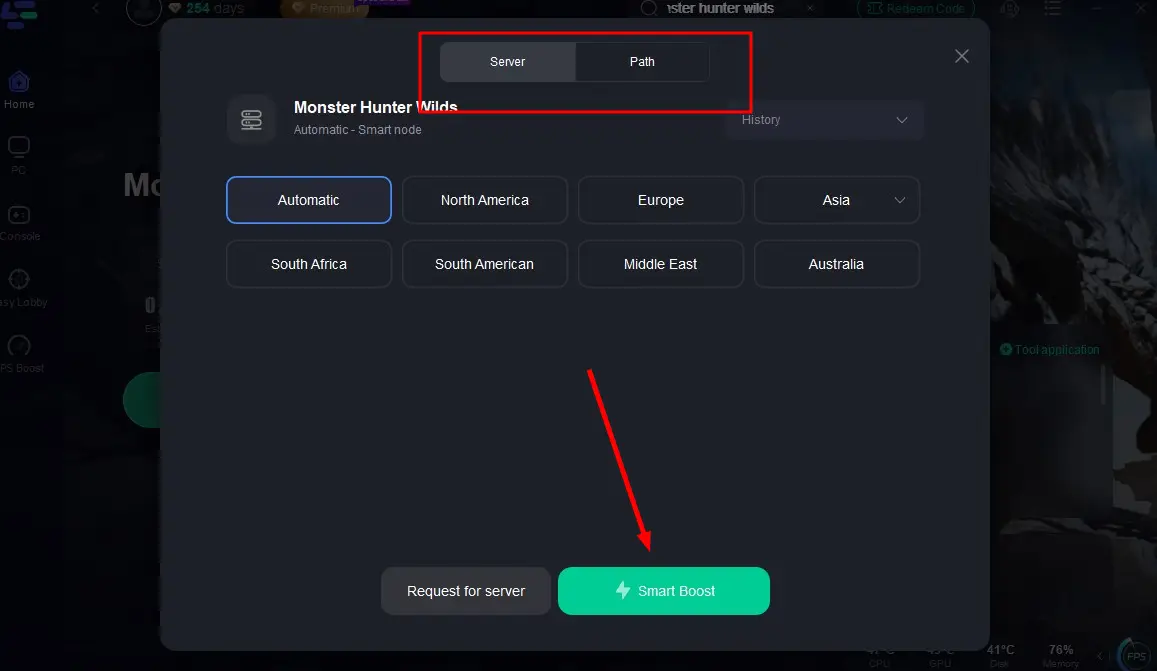
Step 3: Choose a server with better performance based on your situation, then click "Smart Boost".
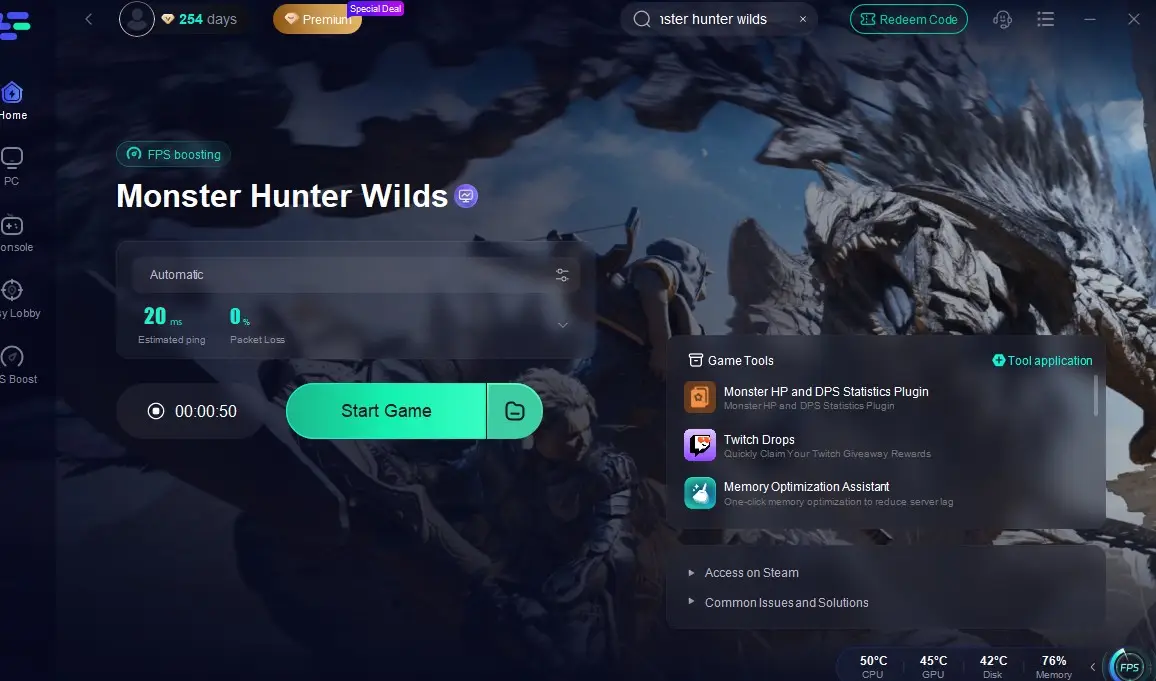
Step 4: Check the Ping and Pocket Loss in game, and go back to fight in Monster Hunter: Wilds without any lag and latency!
Part 6: FAQs
Q1: Is DLSS 4 free to use?
A: Yes—once installed via NexusMods or LagoFast, DLSS 4 and Frame Gen work on any RTX series GPU without additional cost.
Q2: Will AMD GPUs benefit?
A: DLSS is NVIDIA-exclusive, but AMD FSR 3.0 with Frame Generation will likely arrive in a future update. LagoFast supports FSR mods where available.
Q3: Does DLSS impact image quality?
A: At Quality preset, DLSS upscales with minimal loss; Frame Generation may introduce slight ghosting at high speeds, adjustable via strength slider.
Conclusion
By following this guide, you can unlock the full potential of your hardware and network, ensuring that Monster Hunter Wilds runs smoothly and responsively—letting you focus on the hunt, not technical hurdles.
Boost Your Game with LagoFast for Epic Speed
Play harder, faster. LagoFast game booster eliminates stutter and lags on PC, mobile, or Mac—win every match!
Quickly Reduce Game Lag and Ping!
Boost FPS for Smoother Gameplay!