

Recently, some players found that when they played on overseas Mecha BREAK servers, they were matched into non-local and faraway servers due to player counts, KD, and other reasons. This led to higher ping and lag, causing delayed actions, late hit registration, and a noticeable drop in overall responsiveness.

- ✅ Presice Server Lock.
- ✅ Boost FPS at the Same Time.
- ✅ Reduce Lag and High Ping.
Part 1: Better Matches with a Locked Server in Mecha BREAK
Part 2: How to Lock Servers by using LagoFast Game Booster?
Part 3: How Does LagoFast Help with Mecha BREAK Gaming Expriences?
Part 1: Better Matches with a Locked Server in Mecha BREAK
When Mecha BREAK players use a server lock, or GEOFence service, to stick to a serevr they want and keep the connection fixed on that region, the difference is huge. With low ping, your actions respond instantly, shots land exactly when fired, and dodging enemy attacks feels smooth and reliable.
By locking your server, you keep control over your gameplay environment. Matches also tend to be fairer. You're placed with players closer to your own location and often your own skill range, rather than random high-KD lobbies from distant regions. That means fewer surprises, fewer frustrating moments, and more chances to enjoy what Mecha BREAK is really about: tight, intense mech battles decided by skill—not by lag.
Part 2: How to Lock Servers by using LagoFast Game Booster?
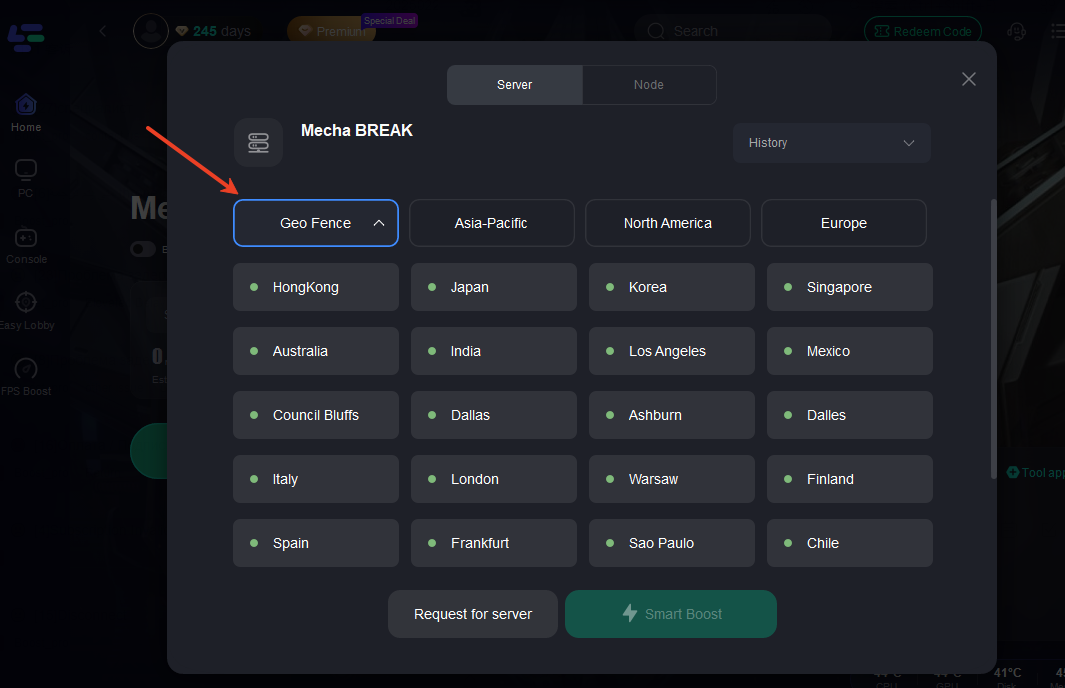
LagoFast offers a GEOFence feature that works like a virtual wall on the map. It keeps your connection strictly inside the area you pick and stops the game from auto-selecting faraway servers with slightly better ping.
For example, when you use LagoFast's server selection page, and choose Japan as your main node with GEOFence on, it makes sure your match stays in Japan. It won't jump to Korea or other regions just because the game thinks it's “close enough.”
This prevents sudden ping spikes and avoids having the matchmaking pool unnecessarily expanded, so you always play with stable latency and predictable opponents.
It's easy to use with a Mecha BREAK GEOFence guide:
Step 1: Download LagoFast and register, remember to get a free trial time.
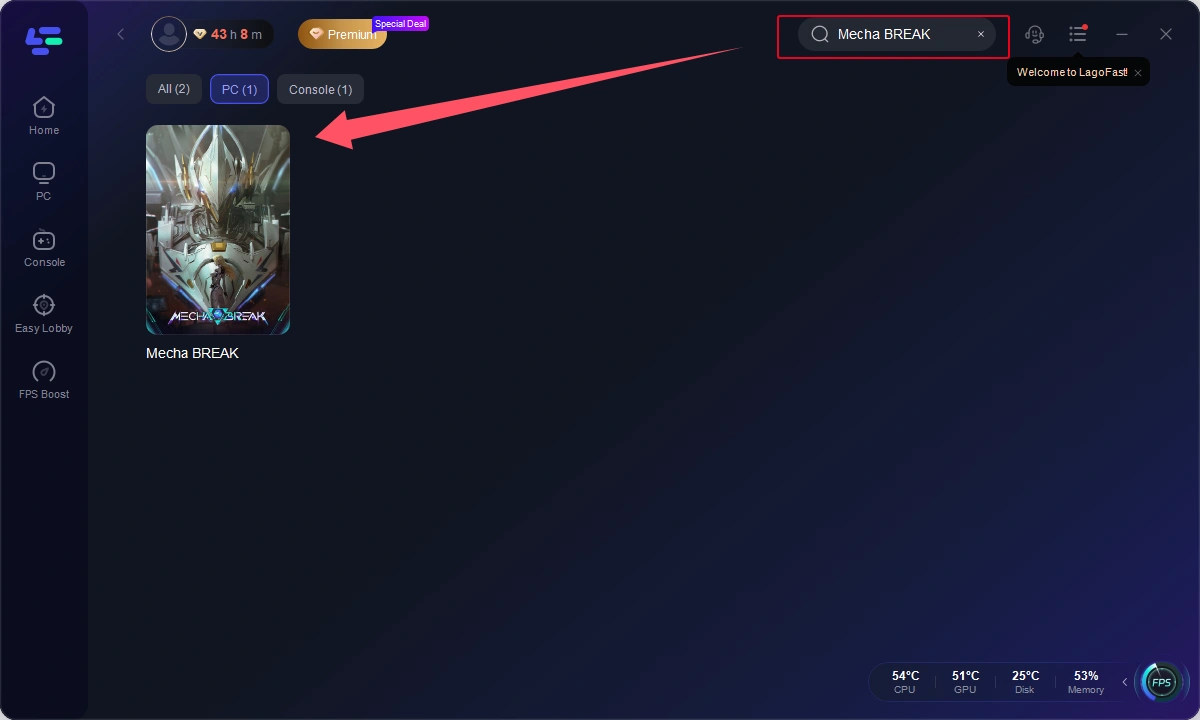
Step 2: After installation, search for "Mecha Break" in LagoFast's search bar, and click "Boost" to start acceleration.
Step 3: Find "Geo Fence" and choose the server you wanted in LagoFast, then pick the same server in the game.
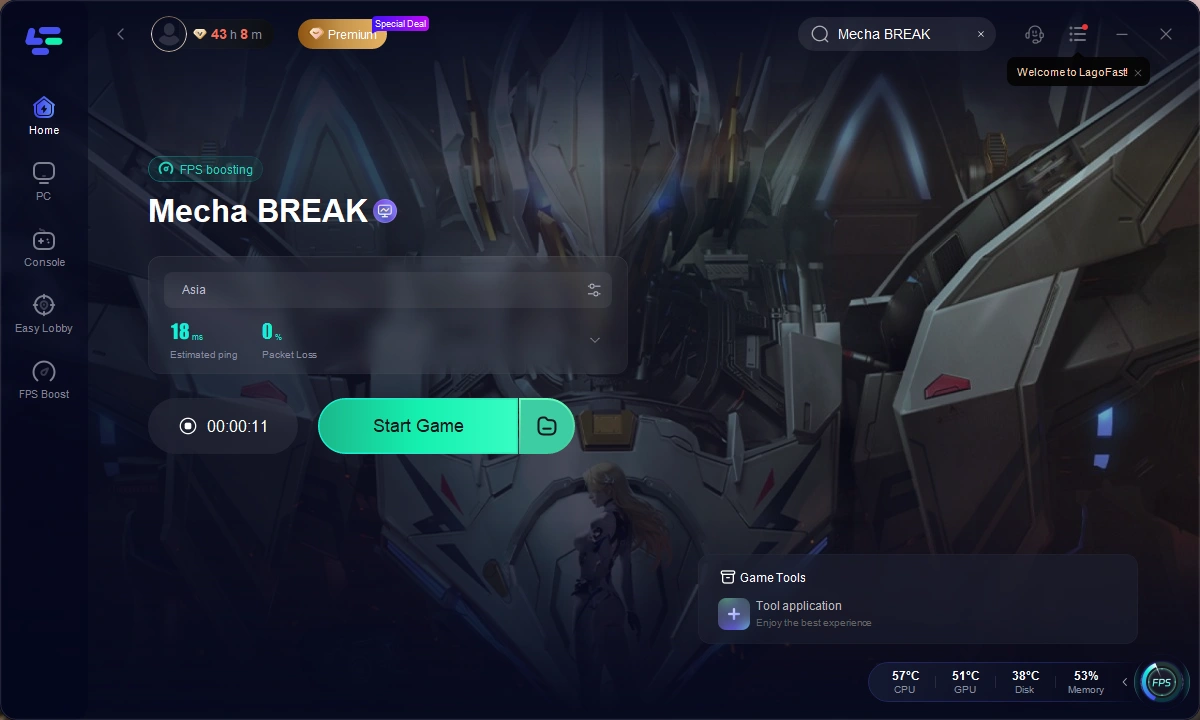
Step 4: Click "Smart Boost" to start acceleration.
Part 3: How Does LagoFast Help with Mecha BREAK Gaming Expriences?
LagoFast also gives you:
- Lower packet loss, with smart route checks.
- Auto-switch to best nodes when your line changes, so you stay smooth.
- Performance boost features that raise FPS, cut stutter, and optimize memory for steadier battles.
- Easy setup that never touches your game files, so updates and accounts stay safe.
- Works on both PC and mobile games, letting you play smoothly no matter the device.
Conclusion
Boost Your Game with LagoFast for Epic Speed
Play harder, faster. LagoFast game booster eliminates stutter and lags on PC, mobile, or Mac—win every match!
Quickly Reduce Game Lag and Ping!
Boost FPS for Smoother Gameplay!