
Three months ago, YouTuBer DisguisedToast flew six pro players all the way test their skills in Mecha BREAK China server. Watching their video, you can feel how fun it can be to play Mecha BREAK in its home turf, China. This article shows how playing Mecha BREAK on Chinese servers brings faster matches, early content, and top players — plus how Lago Fast solves network, account, and language problems so you can enjoy the game fully.

- ✅ Lock the server you wanted.
- ✅ Provide live translation.
- ✅ Support 2000+ Online Games.
- ✅ Support Easy Lobby in all Cod Games without Lag.
a local phone number and real IDyour ping gets high
Step 1: Click the "Free Trial" button to download and install LagoFast.
Step 2: After installation, search for "Mecha Break" in LagoFast's search bar.
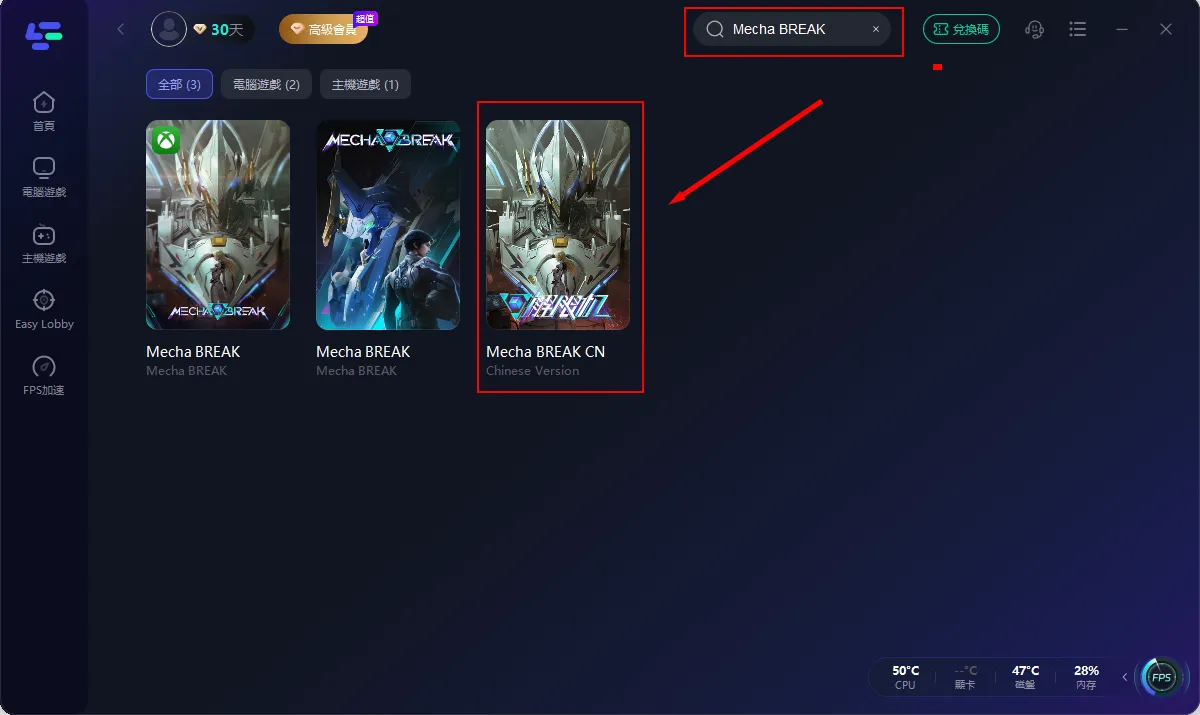
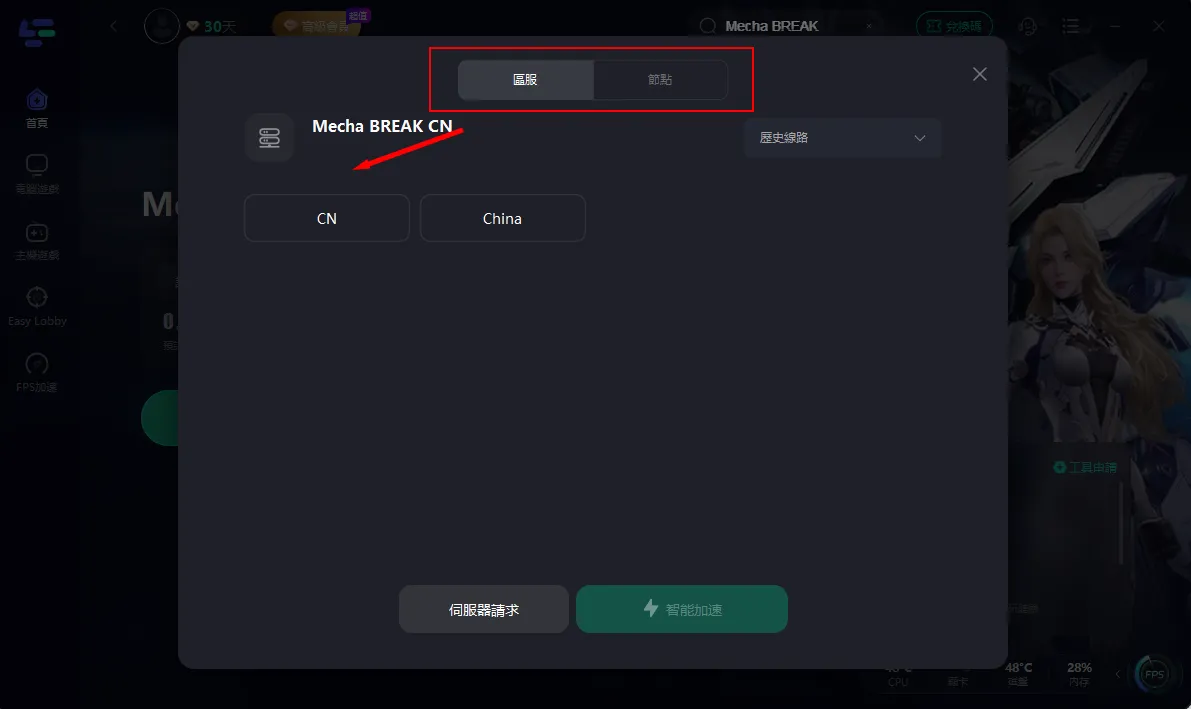
Step 3: Choose the server you wanted, then click "點擊加速" to start acceleration.
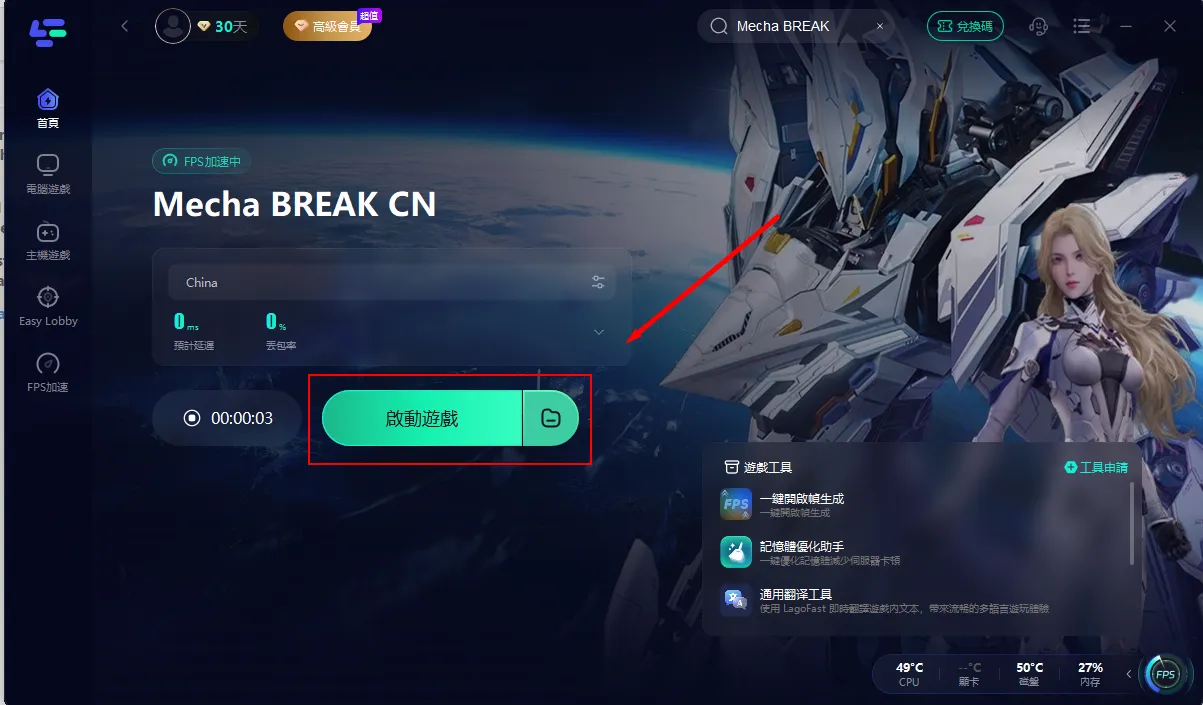
Step 4: Verify that your game's performance is optimized, and click "啟動遊戲" to start playing Mecha Break.
Part 3: How can I use LagoFast to translate and play Mecha BREAK?
For the sharpest visuals and most immersive experience, activate LagoFast's One-Click Frame Generation. Simply set your in-game graphics API to DX12 to optimize mecha dynamic resolution, boost performance, and enjoy stunning visuals.
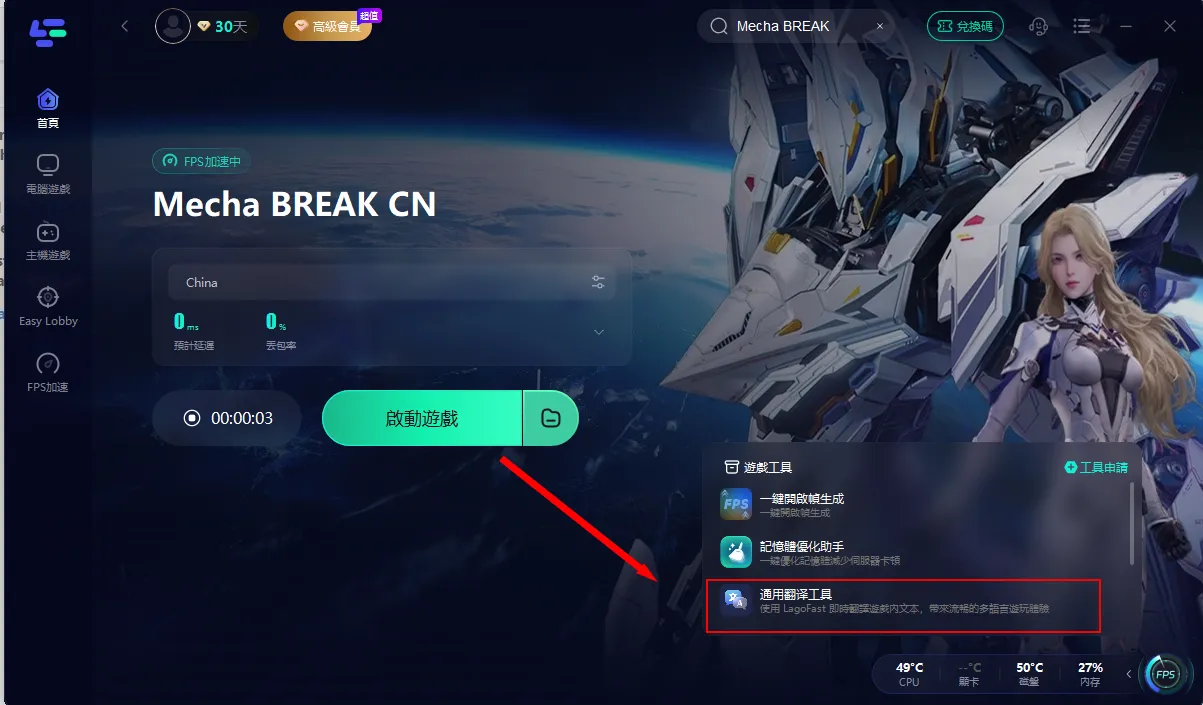
Step 1: Click the One-Click Frame Generation tool “通用翻译工具” in the lower-right corner.
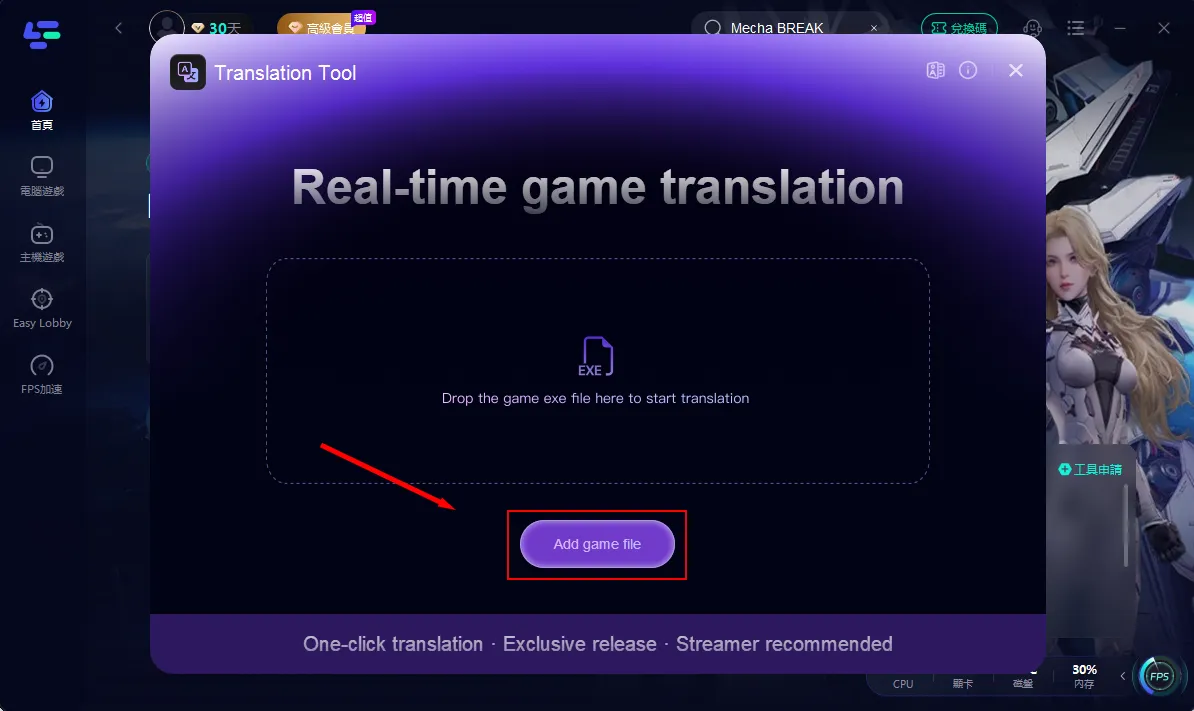
Step 2: Click "Add Game File" to complete setup, then return to Mecha Break for crystal-clear graphics instantly!
Conclusion
Playing Mecha Break on Chinese servers lets you enjoy faster queues, early events, and top-level players. Sure, there are hurdles like accounts, ping, and language. But with Lago Fast handling smart routing, server locks, and in-game translations, it’s easy to jump in and fight without worry. If you want the most exciting Mecha Break experience, there’s no better place to start.
Boost Your Game with LagoFast for Epic Speed
Play harder, faster. LagoFast game booster eliminates stutter and lags on PC, mobile, or Mac—win every match!
Quickly Reduce Game Lag and Ping!
Boost FPS for Smoother Gameplay!