
You install the game, finish the update, and click Play—but Marathon won’t start.
During the current testing phase of Marathon, many players are running into the same issue. The game closes before the main menu loads, gets stuck on server verification, or simply returns to desktop without showing an error.
When Marathon won’t start, it’s usually not a hardware failure. Most cases are linked to authentication timeouts, corrupted startup files, anti-cheat initialization problems, or unstable routing to the servers.
This guide explains why Marathon won’t start and shows you the exact steps to get the game running properly.

- ✅ Reduce Lag and High Ping.
- ✅ Boost FPS at the Same Time.
✅ Support 2000+ Popular Online Games.
✅ Change Server without Latency.
✅ Boost Game Loading Speed.
Part 1: Marathon Won’t Start—What Players Are Seeing
Part 2: Why Marathon Won’t Start
Part 3: How to Use LagoFast Fix to Marathon Won’t Start
Part 4: Step-by-step fixes for Marathon Won’t Start
Part 1: Marathon Won’t Start—What Players Are Seeing
When Marathon won’t start, the pattern is surprisingly consistent.
Players describe it like this:
- “Marathon won’t start after I click Play.”
- “It says running for 5 seconds and then stops.”
- “Black screen and straight back to desktop.”
- “Stuck on checking servers.”
- “No error message. Just closes.”
- “It worked yesterday. Today Marathon won’t start.”
Two things stand out:
- The game fails before reaching the main menu.
- There’s usually no clear error code.
This suggests the issue happens early—during startup verification—not during gameplay performance.
Because Marathon requires online authentication at launch, most failures happen before the client fully initializes.
Part 2: Why Marathon Won’t Start
When Marathon won’t start, the issue usually happens before the main menu loads. During the current testing phase, most launch failures fall into a few clear categories.
1. Startup Authentication Timeout
Marathon verifies your account immediately at launch. If the connection is unstable or packets drop during that handshake, the client closes automatically. In this case, Marathon won’t start because login verification fails.
2. Backend Changes During Testing
Ongoing server-side adjustments can temporarily affect launch stability. After patches or backend updates, some players suddenly find Marathon won’t start even though it worked previously.
3. Corrupted or Incomplete Files
Interrupted downloads or patch errors can damage startup files. When the game attempts to load them, it shuts down instantly.
4. Anti-Cheat Initialization Failure
If the anti-cheat system fails to initialize properly, the game closes silently as a security precaution.
5. Unstable Network Routing
Even with good internet speed, unstable routing to Marathon servers can cause login timeouts before the game window fully appears.
Part 3: How to Use LagoFast Fix to Marathon Won’t Start
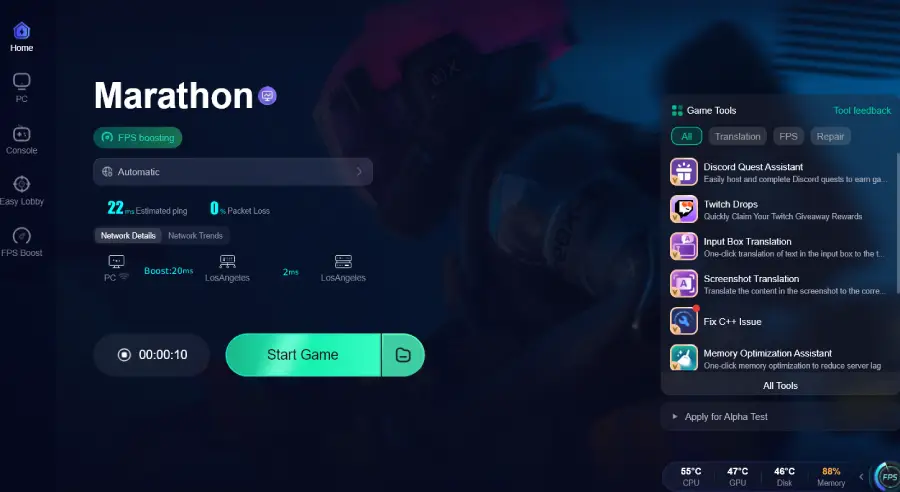
If Marathon won’t start due to login timeouts or unstable routing, the problem is often network-related. The game must complete an online verification at launch, and latency spikes or packet loss can interrupt that process. LagoFast helps by optimizing the connection route to Marathon servers, reducing ping, lowering packet loss, stabilizing network performance, and even helping keep FPS more consistent during online play. For Russian players, it also includes a built-in tool to create a trial Steam account, and paid users can create a Turkish Steam account directly in the app if Marathon isn’t visible in their local store.
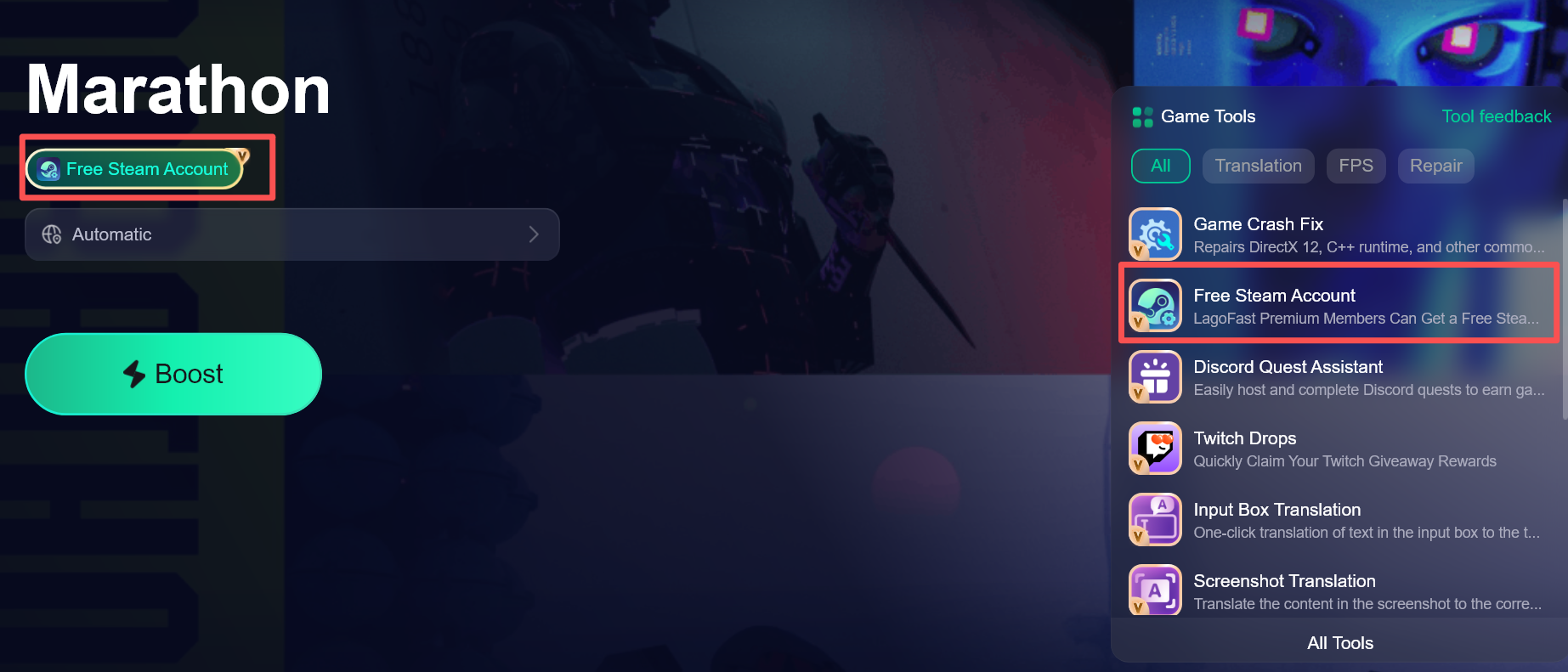
Tutorial to Use LagoFast
Step 1: Click the Free Trial button to download and install LagoFast.
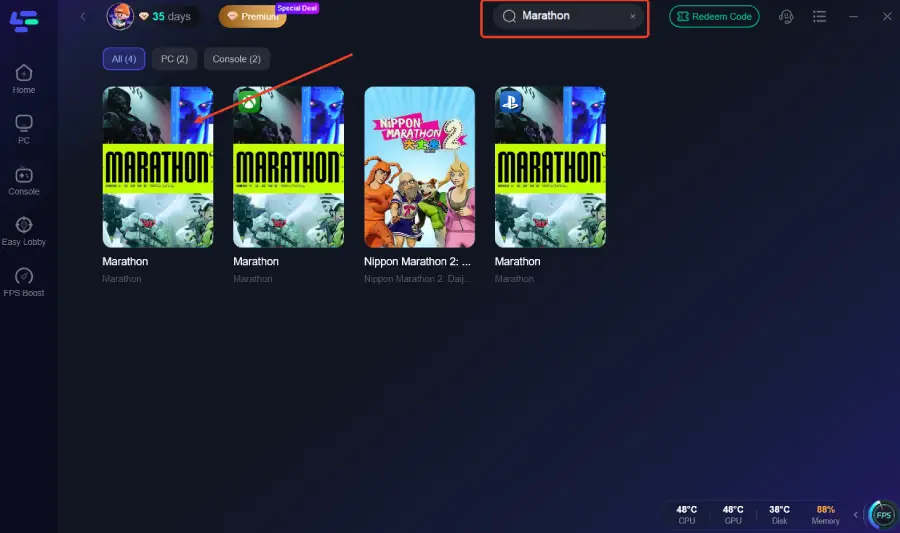
Step 2: After installation, search "Marathon" in the search bar and select the game.
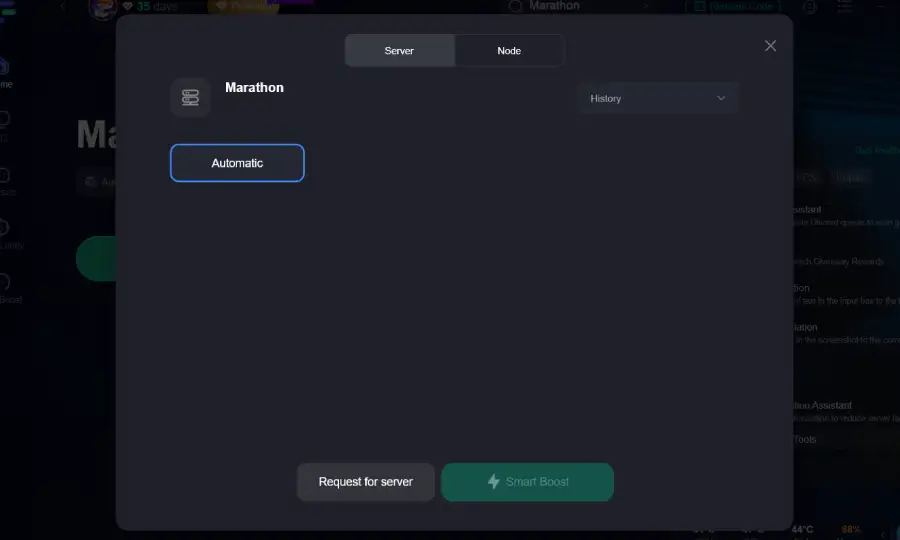
Step 3: Choose your preferred server node and click "Smart Boost" to start optimizing.
Step 4: Launch your game and enjoy smooth, optimized gameplay with lower ping and no stutter.
Part 4: Step-by-step Fixes for Marathon Won’t Start
Try these in order. Each fix targets a different cause.
Fix 1: Verify Game Files
Open your platform launcher and verify integrity.
This replaces damaged or missing startup files automatically.
Fix 2: Run as Administrator
Right-click the Marathon executable → Run as Administrator.
This avoids permission conflicts during anti-cheat loading.
Fix 3: Disable Background Overlays
Turn off:
- Discord overlay
- GPU overlays
- Monitoring tools
Overlay conflicts often interrupt early initialization.
Fix 4: Update to the Latest Stable GPU Driver
Install the newest stable driver version—avoid beta releases.
Black screen crashes are commonly driver-related.
Fix 5: Restart Router and Modem
Power cycle your network equipment and wait 3–5 minutes before reconnecting.
This refreshes routing paths and may resolve handshake instability.
Fix 6: Repair Anti-Cheat
Locate the anti-cheat installer in the Marathon directory and run repair.
Silent shutdown during launch is often tied to anti-cheat failure.
Part 5: Marathon FAQs
1. Is Marathon down if it won’t start?
Not necessarily. If servers were fully down, there would usually be official announcements. Most Marathon won’t start cases are isolated launch issues.
2. Does this mean my PC can’t run the game?
If the game closes before loading the menu, it’s usually not a hardware limitation but a startup or connection issue.
3. Why does it close without an error?
Some failures happen before the reporting system initializes, so the client exits silently.
4. Can background software interfere with launch?
Yes. Overlays, security software, or permission conflicts can occasionally block startup processes.
5. Is this more common during testing?
Yes. Pre-release and testing phases often have less stable launch behavior compared to full release builds.
Conclusion
If Marathon won’t start, the issue usually happens before the game even reaches the main menu. In most cases, it’s tied to authentication timeouts, damaged files, anti-cheat conflicts, or unstable network routing—not your hardware. Work through the fixes step by step, starting with file verification and basic system checks. Once the startup verification completes properly, the game should launch normally again.
Boost Your Game with LagoFast for Epic Speed
Play harder, faster. LagoFast game booster eliminates stutter and lags on PC, mobile, or Mac—win every match!
Quickly Reduce Game Lag and Ping!
Boost FPS for Smoother Gameplay!