

As Bungie’s new extraction shooter Marathon gets closer to public testing, Russian players aren’t just arguing about the art style or gunplay. There’s a much more basic question on everyone’s mind:

- ✅ Reduce Lag and High Ping.
- ✅ Boost FPS at the Same Time.
✅ Support 2000+ Popular Online Games.
✅ Change Server without Latency.
✅ Boost Game Loading Speed.
Part 1: Will Marathon actually work in Russia?
Part 2: Why Marathon Might Not Work in Russia
Part 3: How to Fix Marathon Connection Issues in Russia
Part 4: What About PS5/Xbox Players?
Part 1: Will Marathon actually work in Russia?
Most likely yes, but with potential connection instability—not necessarily a full regional block.
There has been no official announcement of a Russia ban. However, based on Bungie’s history with Destiny 2, Russian players may experience login authentication errors, routing instability, or high latency—especially during peak hours or early testing phases.
Part 2: Why Marathon Might Not Work in Russia
There are three main scenarios players are worried about.
1. Steam Page Unavailable / Cannot Join Playtest
Some players report:
- The Marathon Steam page not appearing in RU accounts
- Inability to join the Playtest
- “Not available in your region” messages
This is a distribution-level decision, not a technical bug. If the publisher limits availability by region, there is no simple “fix” besides waiting for policy changes.
Important: Avoid repeatedly switching your Steam region. That carries account risk.
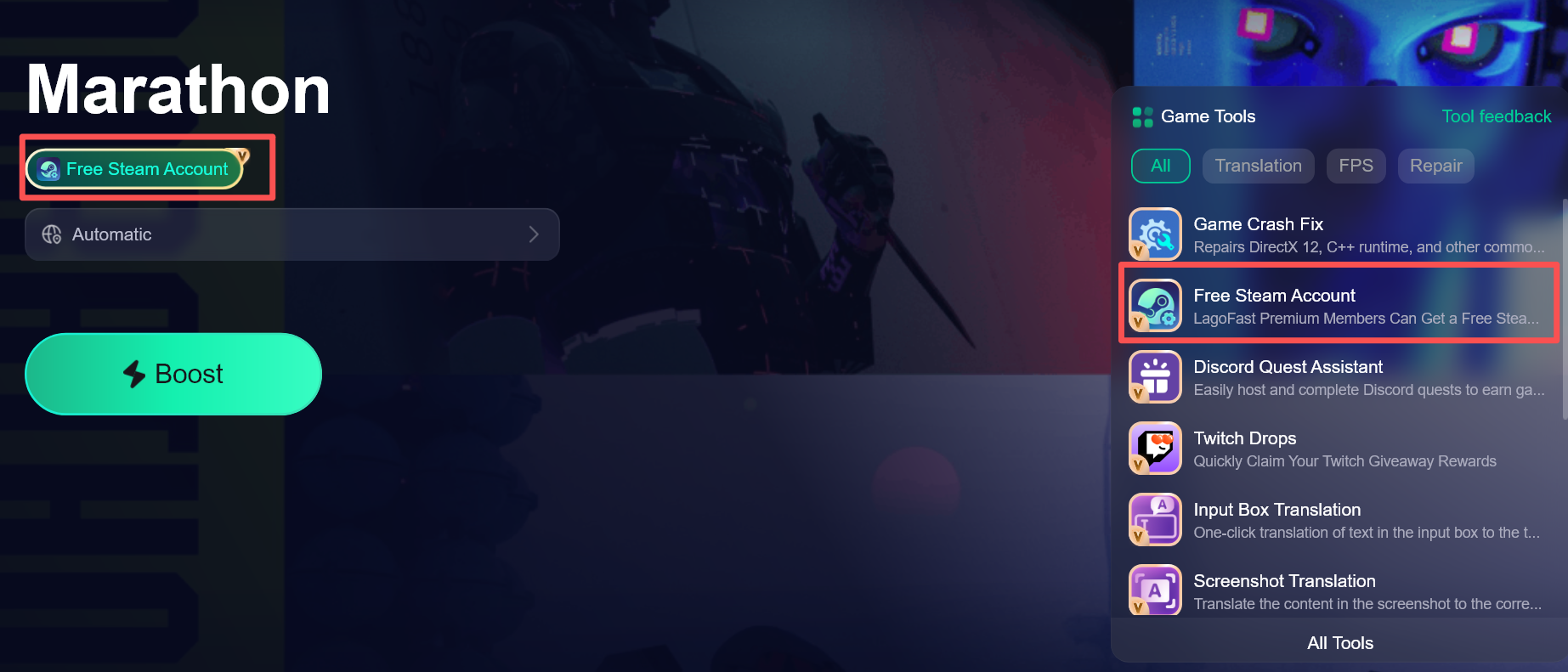
During Marathon’s Free Weekend, LagoFast has added a built-in Steam trial account distribution tool. Paid members can claim a Turkish-region Steam account directly inside LagoFast, which helps if Marathon doesn’t appear on your local Steam account.
2. Connection Errors After Launch (Similar to Destiny’s “Tapir” Issues)
Destiny players in Russia frequently encountered:
- Authentication errors
- Server connection failures
- Matchmaking timeouts
These issues were often blamed on “Tapir,” but in many cases the root cause wasn’t an outright ban—it was unstable routing between local ISPs and Bungie’s servers.
If Marathon uses similar backend infrastructure, Russian players could see:
- Login loops
- External authentication errors
- Being unable to join matches despite owning the game
This type of issue is usually not about account restrictions—it's about network path instability.
3. High Ping, Packet Loss, and Disconnects
Even if login succeeds, performance may suffer:
- Extremely high latency in PvP
- Rubber-banding
- Matchmaking failures during peak hours
This is often caused by inefficient routing paths between Russia and EU/US servers.
In short: you may technically have access—but the experience could be unstable.
Part 3: How to Fix Marathon Connection Issues in Russia
If problems appear during testing, here are the practical steps.
First, Confirm Whether It’s a Store Region Restriction
If the Steam page is unavailable:
- Check your Steam account region
- View the page using a non-RU account
- Wait to see if Bungie provides official website registration access for testing
Important: Do not frequently change your Steam region. This carries account risk.
Step 1: Basic Network Check
Start simple:
- Restart your router
- Switch to Cloudflare (1.1.1.1) or Google DNS (8.8.8.8)
- Disable IPv6 temporarily
- Check firewall or antivirus interference
This won’t fix regional policy restrictions—but it can resolve local configuration issues.
Step 2: Avoid Relying on Standard VPNs
Many players instinctively try VPNs. However:
- VPNs increase latency
- IP changes can trigger authentication issues
- Some game servers flag abnormal routing
VPNs are useful for browsing—not always for competitive online shooters.
If your issue is server authentication timing out, a generic VPN may not solve it.
Step 3: Use a Game-Specific Network Optimizer (More Stable Option)
If the issue is routing-related—which is common in RU region cases—a dedicated game network optimizer is often more stable than a standard VPN.
For example, tools like LagoFast Game Booster don’t simply hide your IP. Instead, they:
- Optimize the routing path between your ISP and the game server
- Reduce packet loss during authentication
- Stabilize server handshakes
- Lower ping variance during PvP
In past Destiny scenarios, many Russian players were able to bypass login errors and reduce disconnects using routing optimization tools rather than VPNs.
The difference is important:
VPN = IP masking
Game booster = route optimization
For PC players, this is often the fastest way to test whether the issue is routing-related rather than account-related.
Step 1: Begin by clicking the Free Trial button to download and install the LagoFast Free Trial.
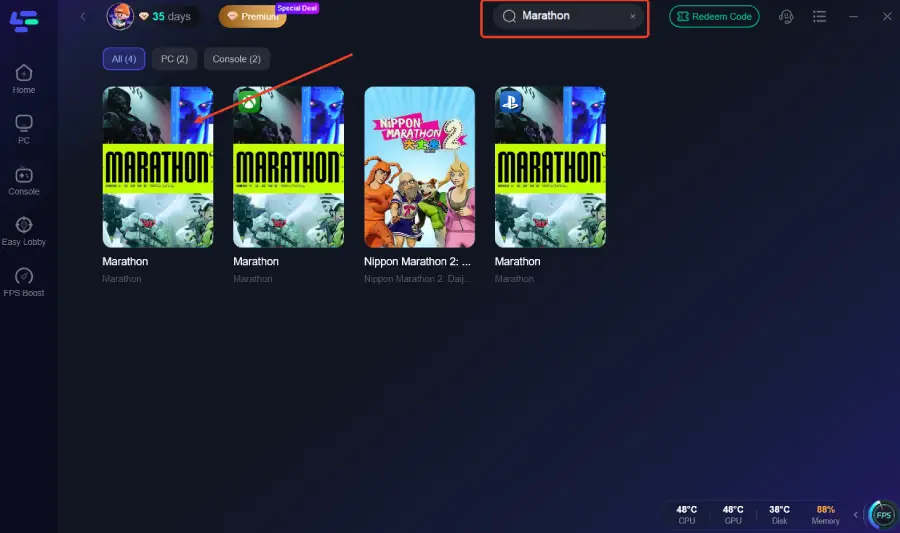
Step 2: Open the booster and add Marathon to your boost list.
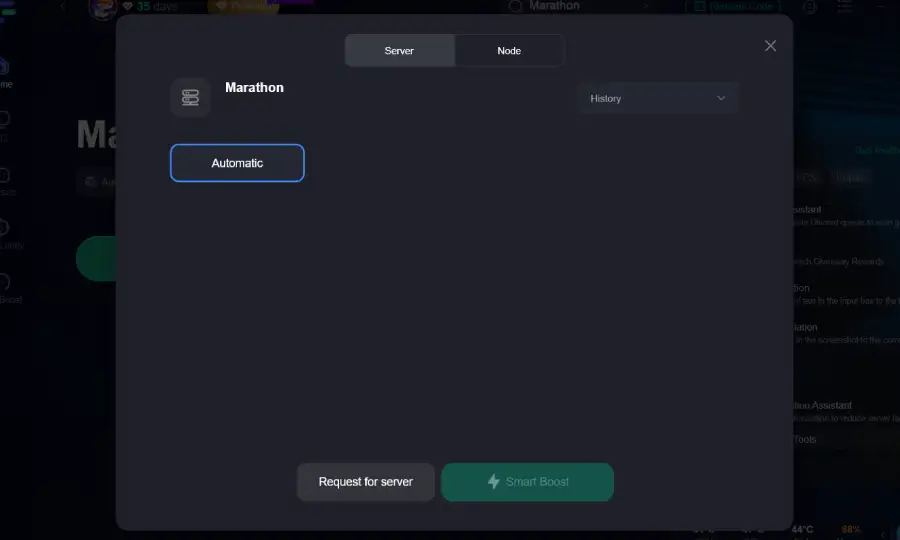
Step 3: Enable Smart Boost—LagoFast optimizes network routing and system resource use, reducing packet loss and stabilizing FPS
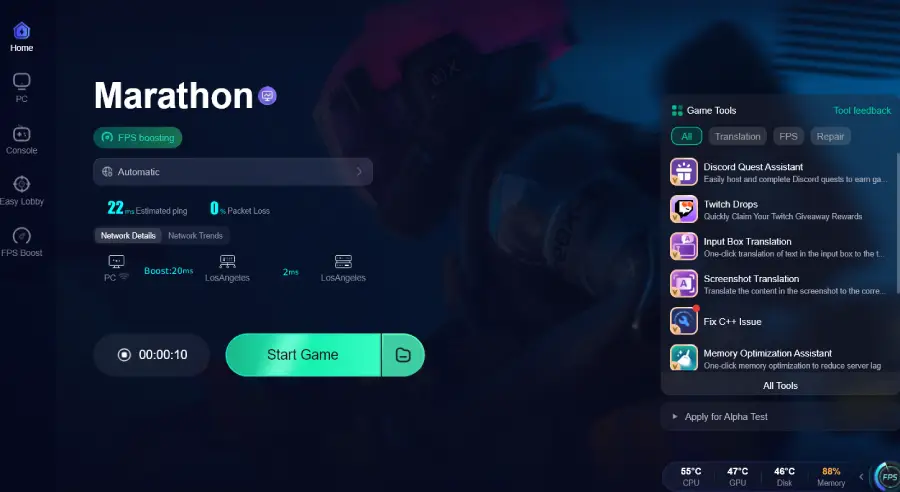
Step 4: Activate the boost and launch the game through LagoFast.
Step 4: DNS and Local Network Troubleshooting
Sometimes the issue is not regional blocking but local configuration.
Potential causes:
- Router cache corruption
- DNS resolution conflicts
- IPv4/IPv6 conflicts
You can try:
- Switching to Cloudflare or Google DNS
- Restarting your router
- Temporarily disabling IPv6
- Ensuring your firewall isn’t blocking the game client
These steps are safe and free to test.
Part 4: What About PS5/Xbox Players?
Console players face more limitations.
If server authentication fails:
- DNS changes often won’t fully resolve it
- Network optimization hardware may help stabilize routing
- Otherwise, waiting for official server policy adjustments may be necessary
Consoles do not offer the same network flexibility as PCs, so routing-level optimization tends to be more stable than basic VPN use.
Should You Wait Before Buying?
Right now, there is no confirmed full ban for Russia.
However, based on Destiny’s history:
- Total access denial is less common
- Connection instability is more likely
- Server routing problems are realistic
If you want zero configuration and guaranteed stability, waiting for early test results is reasonable.
If you are comfortable testing network optimization tools and troubleshooting routing, you may still be able to play even if initial instability appears.

Boost Your Game with LagoFast for Epic Speed
Play harder, faster. LagoFast game booster eliminates stutter and lags on PC, mobile, or Mac—win every match!
Quickly Reduce Game Lag and Ping!
Boost FPS for Smoother Gameplay!