Bungie’s upcoming extraction shooter Marathon has already caught the attention of many FPS players. Set on the mysterious planet Tau Ceti IV, the game mixes exploration, PvP encounters, and survival mechanics. As players explore dangerous zones and search for valuable resources, knowing where to go can make a huge difference.
That’s where a Marathon interactive map becomes useful. Instead of wandering blindly across the map, players can track loot locations, hostile enemies, contracts, and extraction points in advance. A good map tool can save time, reduce risk, and help you plan safer routes during raids.
In this guide, we’ll explain how the Marathon map system works and why an interactive map is one of the most useful tools for both new and experienced players.

- ✅ Reduce Lag and High Ping.
- ✅ Boost FPS at the Same Time.
✅ Support 2000+ Popular Online Games.
✅ Change Server without Latency.
✅ Boost Game Loading Speed.
Part 1: Marathon Game Overview
Part 2: Why Do Marathon Need an Interactive Map
Part 3: Best Interactive Map Tool – LagoFast
Part 1: Marathon Game Overview
Marathon is a team-based extraction shooter developed by Bungie. Players take on the role of cybernetic mercenaries called Runners who explore abandoned colonies on Tau Ceti IV. Each match involves entering a dangerous zone, gathering valuable resources, completing contracts, and successfully extracting before other players eliminate you.
The game combines several gameplay elements:
- PvPvE combat against other players and hostile enemies
- Exploration of large sci-fi environments
- Loot collection and gear progression
- Tactical extraction mechanics
Unlike traditional shooters where you simply fight to win rounds, Marathon focuses heavily on risk and reward. Every run requires players to make decisions about where to explore, which loot to collect, and when to leave the area.
Because maps contain many different resources and threats, learning the layout becomes an important part of the game.
Part 2: Why Do Marathon Need an Interactive Map
Marathon maps are expected to contain many dynamic elements, including loot zones, hostile encounters, contract objectives, and extraction points. Without a clear reference, it can be difficult for players to remember all these locations.
A Marathon interactive map helps solve this problem by presenting the entire game world in a structured way.
First, it helps players locate valuable resources quickly. Items such as Storage Drive, Predictive Framework, Neural Insulation, Fractal Circuit, Paradox Circuit, and Amygdala Drive are important salvage materials that players often search for during runs.
Second, interactive maps allow players to track contracts. Missions like Survival Directive, Introducing: NuCaloric, and Welcome to Tau Ceti can be easier to complete when you already know where the objectives are located.
Third, the map helps identify threats and hazards. Hostile enemies and environmental dangers such as Turrets, Toxin Explosive Hazard zones, Skrac Flock creatures, Priority Hostiles, and Ticks can be marked so players can avoid or prepare for them.
Finally, extraction points are critical in an extraction shooter. Knowing where Guarded Exfil or standard Exfil locations are located helps players escape safely once they secure valuable loot.
Instead of memorizing every location manually, an interactive map lets players visualize everything in one place.
Part 3: Best Interactive Map Tool – LagoFast
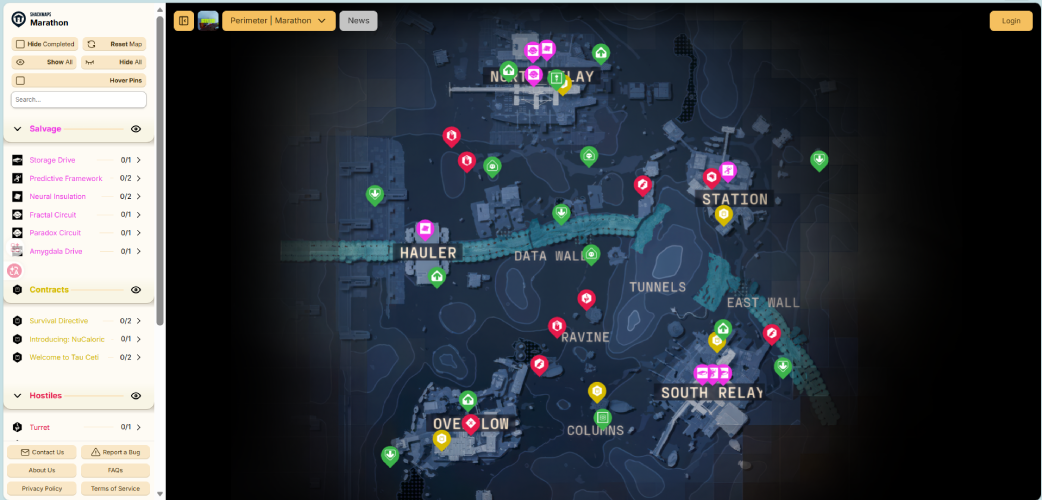
One of the most convenient tools currently available is the LagoFast interactive map for Marathon. This map allows players to view different types of in-game information and customize what appears on the screen.
Players can easily control the display using several options:
- Hide Completed
- Reset Map
- Show All
- Hide All
- Hover Pins
- Search
These options allow users to track progress and filter the map according to their needs.
The map includes several categories.
Salvage items such as Storage Drive, Predictive Framework, Neural Insulation, Fractal Circuit, Paradox Circuit, and Amygdala Drive can be displayed on the map so players know exactly where to search.
Contracts like Survival Directive, Introducing: NuCaloric, and Welcome to Tau Ceti can also be shown or hidden.
Hostile threats are clearly marked, including Turret locations, Toxin Explosive Hazards, Skrac Flock groups, Priority Hostiles, and Ticks.
Points of interest are also included. These cover important locations such as TAD areas, Player Spawn locations, Treasure points, Guarded Exfil spots, and standard Exfil points.
Players can freely toggle these elements on or off depending on what they want to focus on during a run.
How to Use LagoFast Interactive Map for Marathon:
Step 1: Click the Free Trial button to download and install LagoFast.
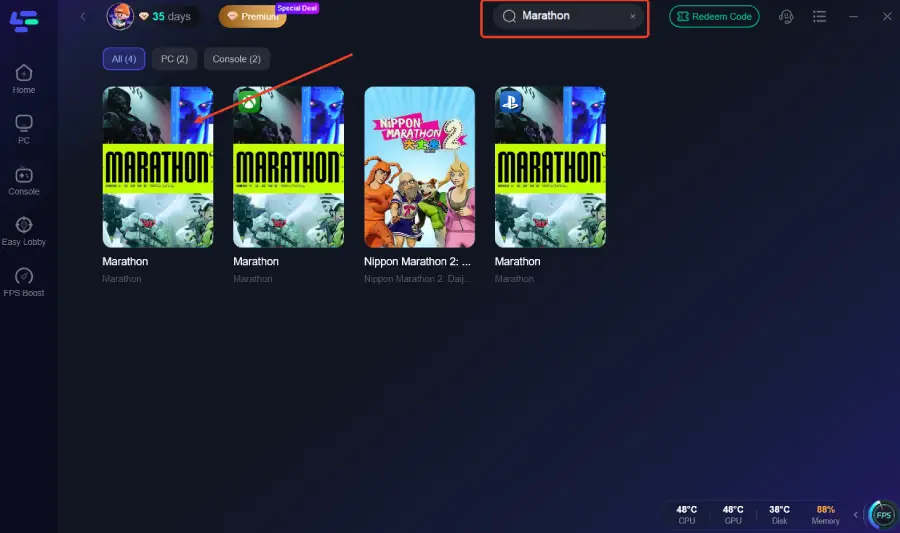
Step 2: Open LagoFast, then click the PC button on the left and search for Marathon in the search bar, and click it after it appears.
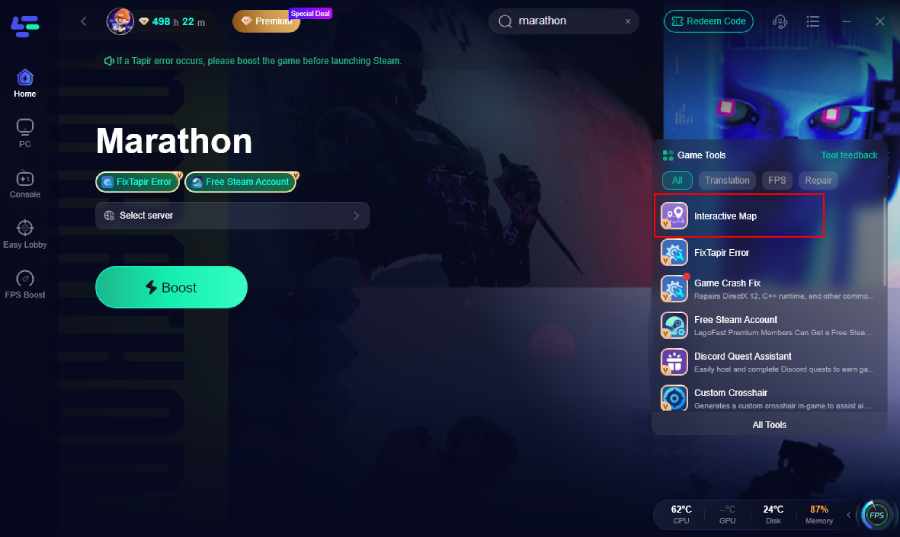
Step 3: Click the Interactive Map on the right.
The interactive map preview is shown below.
Step 4: Click on “Server” to change to a better server that ensures a better gaming experience, then click on “Smart Boost” to fix lag & high ping issue.
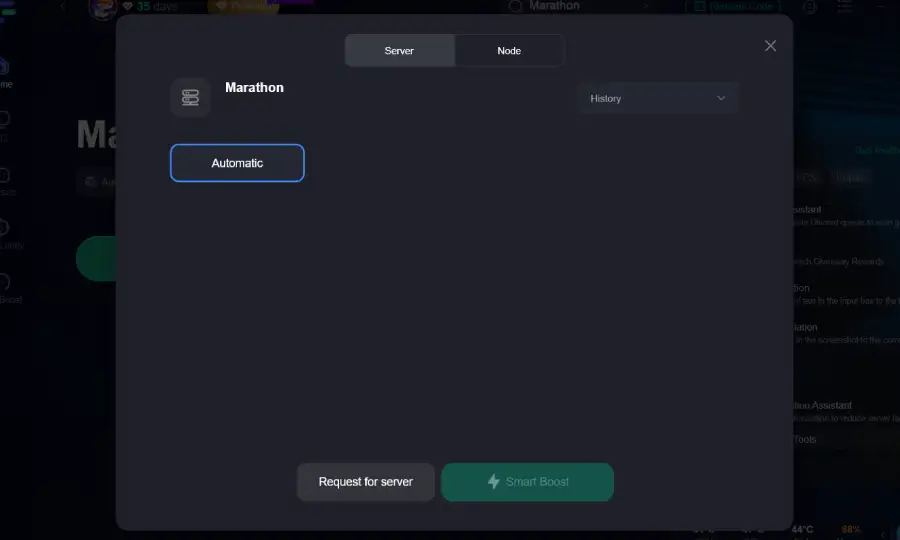
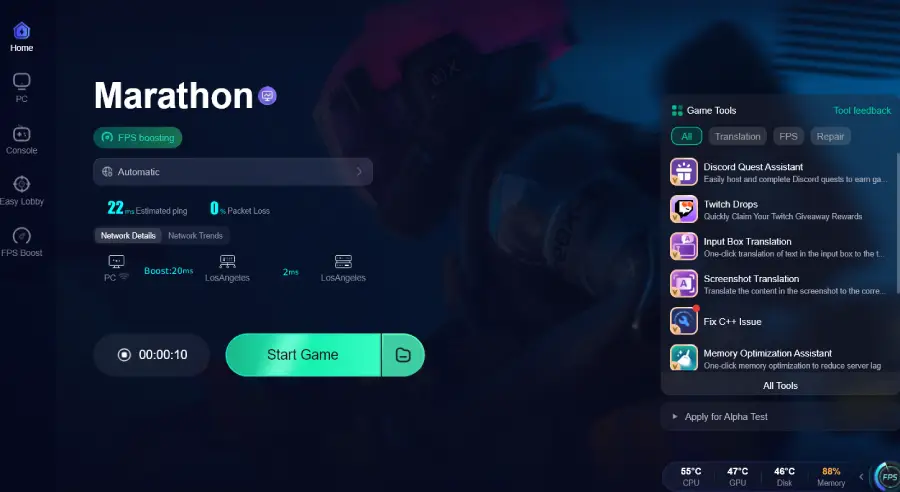
Step 5: Check the specific game ping, packet loss, and multiple path connections on the right side. Finally, click the “Start Game” to play the game.
More Benefits of LagoFast
Besides providing a Marathon interactive map, LagoFast also offers several tools that help improve the overall gameplay experience.
1. Reduce lag and stabilize network connection
LagoFast helps minimize common network problems such as Marathon lag, high ping, and packet loss. Its optimized routing system selects better network paths, helping players maintain a more stable connection during online matches.
2. Fix common technical issues
Players sometimes encounter technical problems while launching or playing the game. LagoFast provides solutions for issues such as connection errors, the game getting stuck at the loading screen, crashes, freezes, or situations where Marathon fails to launch.
3. Solutions for specific errors and bugs
The platform also offers troubleshooting guides for specific in-game errors. Examples include Tapir error, Currant error code, mouse input detection problems during server tests, and cases where the game simply won’t start.
4. Helpful guides and updates for players
LagoFast regularly publishes guides related to Marathon gameplay, characters, test events like Free Weekend or Server Slam, and performance optimization tips that help players improve their experience.
5. PC and console platform support
In addition to PC optimization, LagoFast also supports console players, allowing both PC and console users to improve network stability and enjoy smoother gameplay.
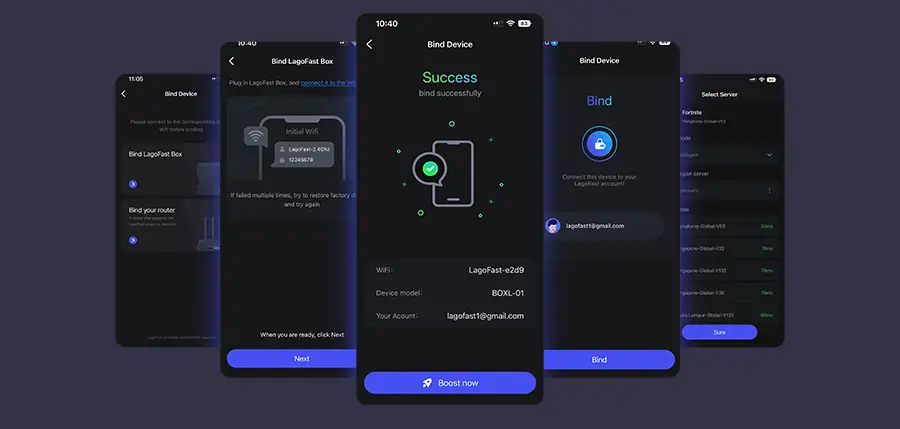
Tutorial to Use LagoFast Box to Ensure Your Marathon Gaming Experience on Consoles:
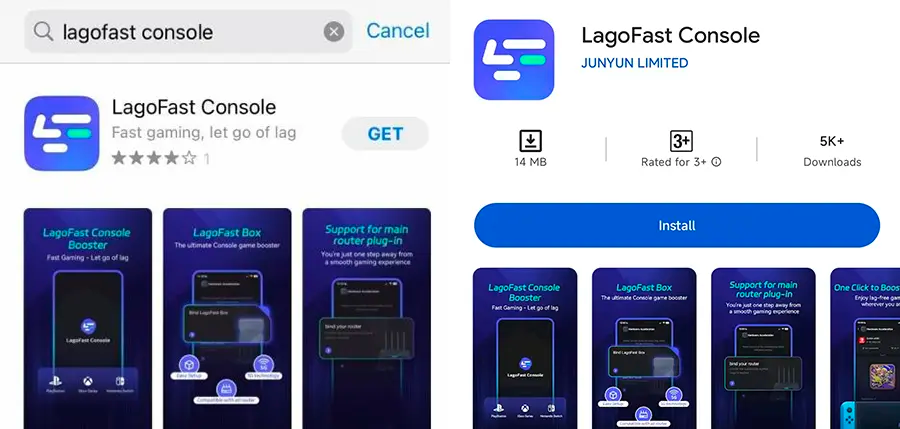
Step 1: Get the LagoFast Console App on your phone to manage the LagoFast Box.
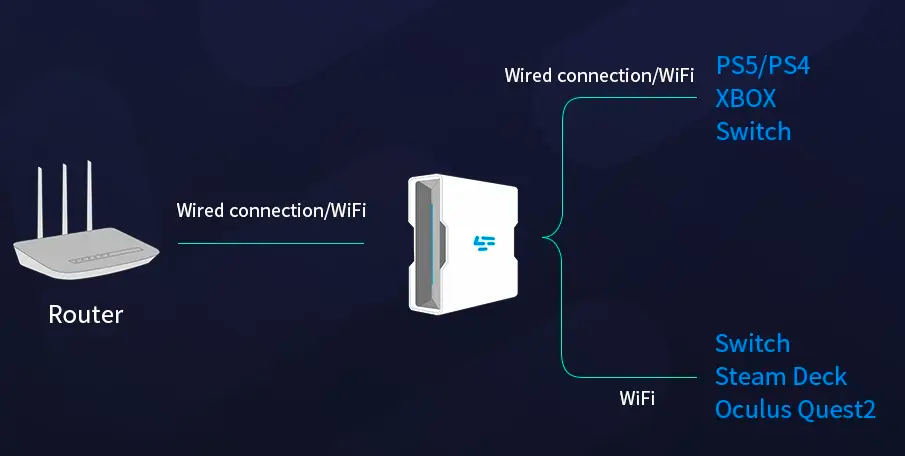
Step 2: Connect your LagoFast Box to your router and console, selecting either a wired or wireless connection.
Step 3: Open the LagoFast Console App. After completing the binding process with the LagoFast Box, proceed to boost Marathon within the app.
Part 4: FAQs
What is a Marathon interactive map?
A Marathon interactive map is a tool that shows important in-game locations such as loot, hostiles, contracts, and extraction points. Players can interact with the map and filter what information they want to see.
Why should players use an interactive map?
Interactive maps help players plan routes, find resources faster, and avoid dangerous areas. This can significantly improve survival rates during extraction runs.
Can I hide certain map elements?
Yes. Most interactive map tools allow players to toggle different categories on or off so they can focus on specific objectives.
Does LagoFast only provide maps?
No. LagoFast also offers network optimization tools, troubleshooting guides, and performance fixes for issues like lag, high ping, and connection errors.
Conclusion
Marathon’s large environments and extraction-based gameplay make map knowledge extremely valuable. Understanding where loot, contracts, hostiles, and extraction points are located can make every run safer and more efficient.
Using a Marathon interactive map allows players to visualize the entire battlefield and prepare better strategies before entering a match. With customizable filters, searchable locations, and progress tracking, tools like the LagoFast map make exploration far easier.
For players who want to improve their runs on Tau Ceti IV, combining a reliable interactive map with network optimization tools can provide a noticeable advantage in Marathon.