
League of Legends is a widely popular multiplayer online battle arena (MOBA) game that has captivated millions of players worldwide. However, despite its popularity and engaging gameplay, many users encounter various issues that prevent them from enjoying the game. These problems can stem from a range of factors, including network issues, software conflicts, and system compatibility. Understanding why League of Legends may not be working is crucial for players looking to troubleshoot effectively.
In this article, we will explore common problems users face, including login issues, connection problems, client errors, and more. We will also provide solutions to help you get back into the game.
Vietnamese Version: Các vấn đề thường gặp trong League of Legends và cách khắc phục

- ✅ Reduce Lag and High Ping.
- ✅ Boost FPS at the Same Time.
- ✅ Support 2000+ Popular Online Games.
- ✅ Support Easy Lobby in all Cod Games without Lag
Part 1: Why is League of Legends not working?
Part 2: League of Legends Problems
Part 4: How to Use LagoFast Enhance your Game Experience
Part 1: Why is League of Legends not working?
League of Legends (LoL) is a globally popular MOBA, but players often encounter issues that disrupt gameplay. These problems can stem from various sources, including server outages, network instability, software conflicts, or outdated hardware. Understanding the root causes is essential for effective troubleshooting.
Part 2: League of Legends Problems
League of Legends Login Problems
Players often report issues such as:
- Receiving error messages during login attempts.
- Being stuck on the login screen indefinitely.
- Experiencing "You may be offline" notifications despite having an active internet connection.
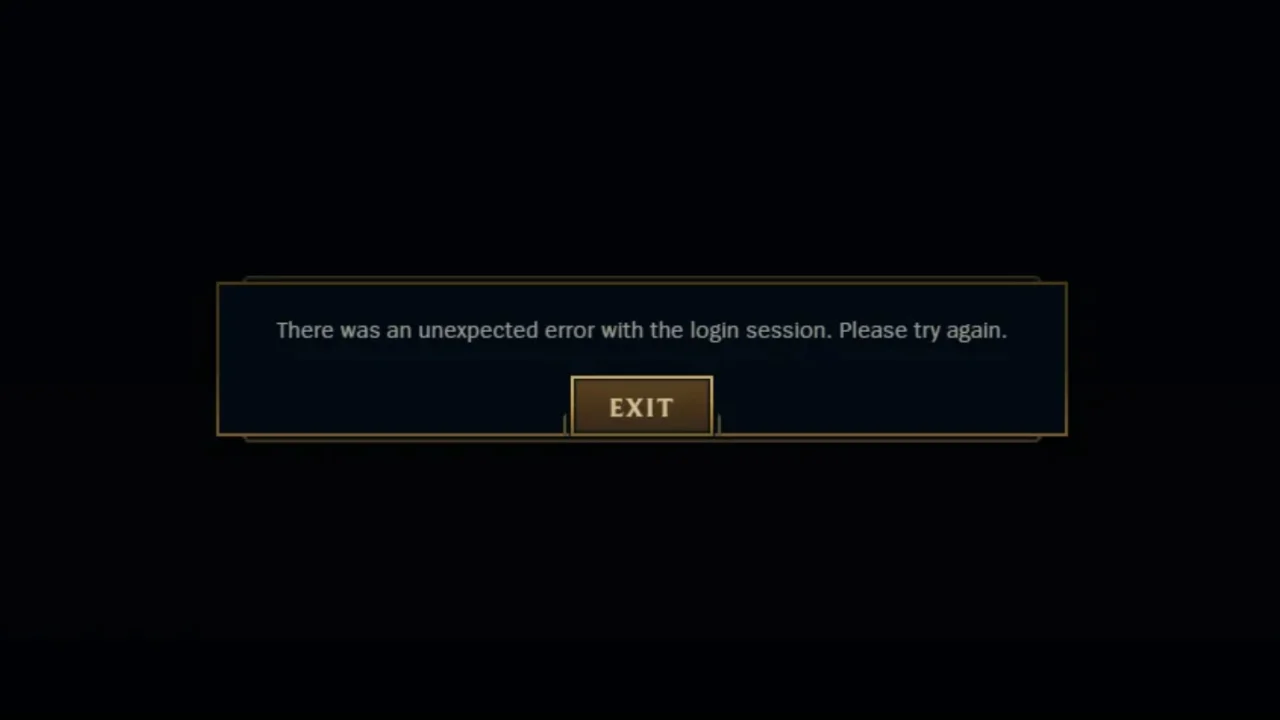
Unable to Connect to League of Legends
Connectivity issues manifest as:
- Failure to join matches or connect to the game server.
- Persistent "Unable to connect to the server" errors.
- Sudden disconnections during gameplay.
League of Legends Client Problems
- The game client may exhibit:
- Unresponsiveness or freezing upon launch.
- Crashes during champion selection or loading screens.
- Inability to update or patch the game.
League of Legends Vanguard Problems
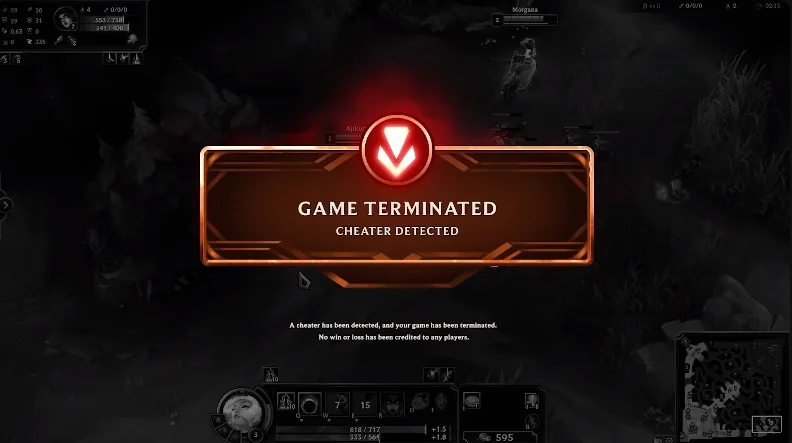
With the integration of Vanguard, Riot's anti-cheat system, players might face:
- Conflicts with existing software or drivers.
- Errors preventing the game from launching.
- Compatibility issues, especially on systems with strict security settings.
League of Legends Ping Problems
High latency can result in:
- Delayed responses to player inputs.
- Rubberbanding or teleporting characters.
- Frequent lag spikes disrupting gameplay.
League of Legends Is Not Available
This message typically appears when:
- Servers are undergoing maintenance.
- The game is temporarily unavailable in certain regions.
League of Legends "Something Unusual Happened"
A vague error indicating:
- Unexpected issues preventing the game from functioning correctly.
- Potential problems with the game client or system configurations.
Part 3: How to Fix it
Restart Your Computer
A simple reboot can resolve temporary glitches or conflicts causing the game to malfunction.
Update Network Drivers
Outdated or corrupted network drivers can impede connectivity. Updating them ensures optimal communication between your system and the game servers.
Change DNS Settings
Switching to public DNS servers, like Google's (8.8.8.8 and 8.8.4.4), can enhance connection stability and reduce latency.
Disable Firewall Temporarily
Firewalls might block LoL's connection. Temporarily disabling them can help identify if they're the cause. Remember to re-enable them after testing.
Use LagoFast
LagoFast is a game booster that optimizes your connection to LoL servers, reducing latency and improving stability. It offers real-time optimization and is compatible across multiple platforms.
Run Hextech Repair Tool
This official Riot tool scans and repairs corrupted game files. Running it can resolve various client-related issues.
Reinstall League of Legends
If all else fails, uninstalling and reinstalling the game can resolve persistent issues by providing a fresh installation.
Part 4: How to Use LagoFast Enhance your Game Experience
Using LagoFast is straightforward and can significantly enhance your gaming experience in League of Legends. LagoFast(LagoFast Game Booster - Get No Lag and Lower Ping) can optimize your gaming experience and address issues like lag, FPS drops, or long loading times.
How LagoFast Improves League of Legends Gameplay
- Reduces Ping and Lag: LagoFast routes your internet connection through optimized servers, minimizing latency.
- Stabilizes Connections: If disconnections are a frequent issue, LagoFast ensures a smoother and more stable connection.
How to Use LagoFast with League of Legends
Step 1: Begin by clicking the Free Trial button to download and install the LagoFast Free Trial.
Step 2: Launch LagoFast: Select League of Legends from the supported games list.
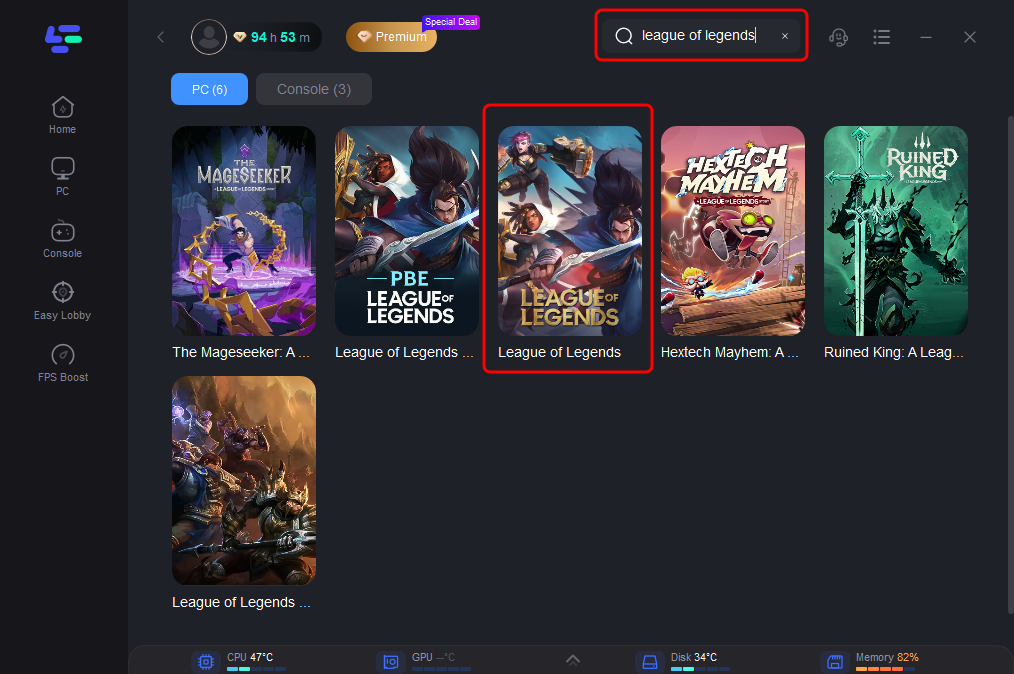
Step 3: Choose the Optimal Server: Select the best server location to minimize lag and improve connectivity.
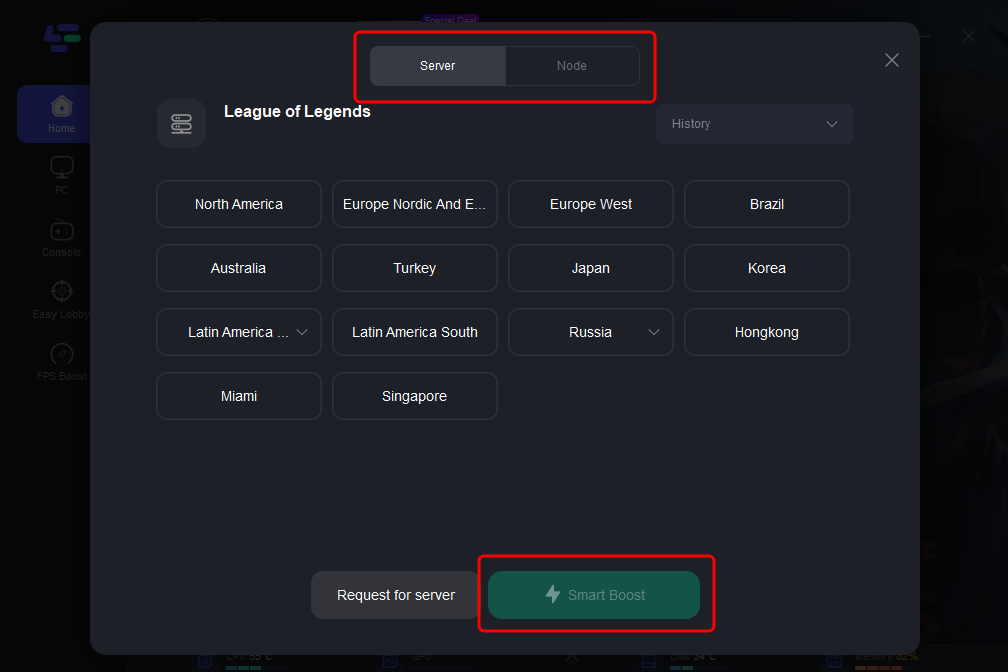
Step 4: After optimization, launch League of Legends through LagoFast. You should notice improved connection quality and reduced latency during gameplay.
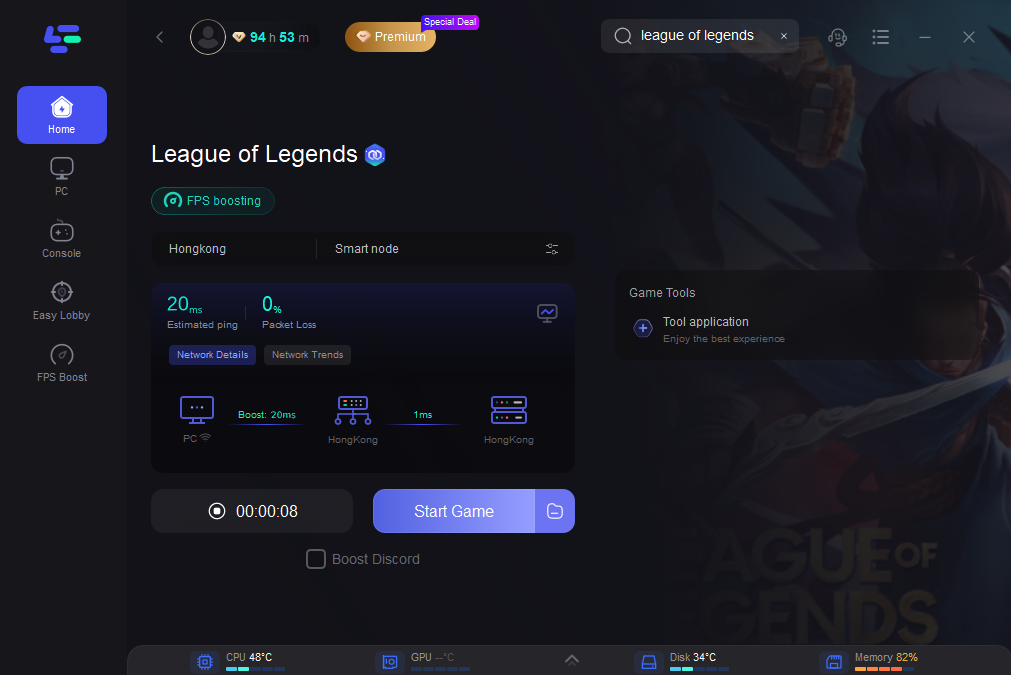
By following these steps, players can leverage LagoFast’s capabilities to enhance their overall gaming experience, making matches more enjoyable and competitive.
Part 5: FAQs
1. What should I do if I can't log into League of Legends?
Ensure you are using the correct username and password. Check the server status and try restarting the client.
2. How can I fix connection issues in League of Legends?
Consider using LagoFast to optimize your connection. Additionally, check your internet settings and ensure no applications are interfering with the game.
3. Why is my ping so high in League of Legends?
High ping can be caused by network congestion, poor internet service, or distance from the game servers. Using a connection optimizer like LagoFast can help.
4. What does it mean when League of Legends says it’s not available?
This message often indicates server maintenance, ongoing updates, or geographical restrictions. Check the official League of Legends website for server status updates.
5. How can I resolve Vanguard-related issues?
Ensure that Vanguard is installed correctly. If you encounter errors, try reinstalling the game or checking for updates.
Conclusion
Understanding the ranking system in League of Legends is essential for any player looking to improve and succeed in the game. From the structure of ranks to the intricacies of LP gain and loss, being informed about how the system works can significantly enhance your gameplay experience. As you set your sights on climbing the ranks, remember to utilize tools like LagoFast to optimize your performance. With dedication, practice, and the right strategies, you can navigate the competitive landscape and achieve your desired rank in this iconic game.

Boost Your Game with LagoFast for Epic Speed
Play harder, faster. LagoFast game booster eliminates stutter and lags on PC, mobile, or Mac—win every match!
Quickly Reduce Game Lag and Ping!
Boost FPS for Smoother Gameplay!