
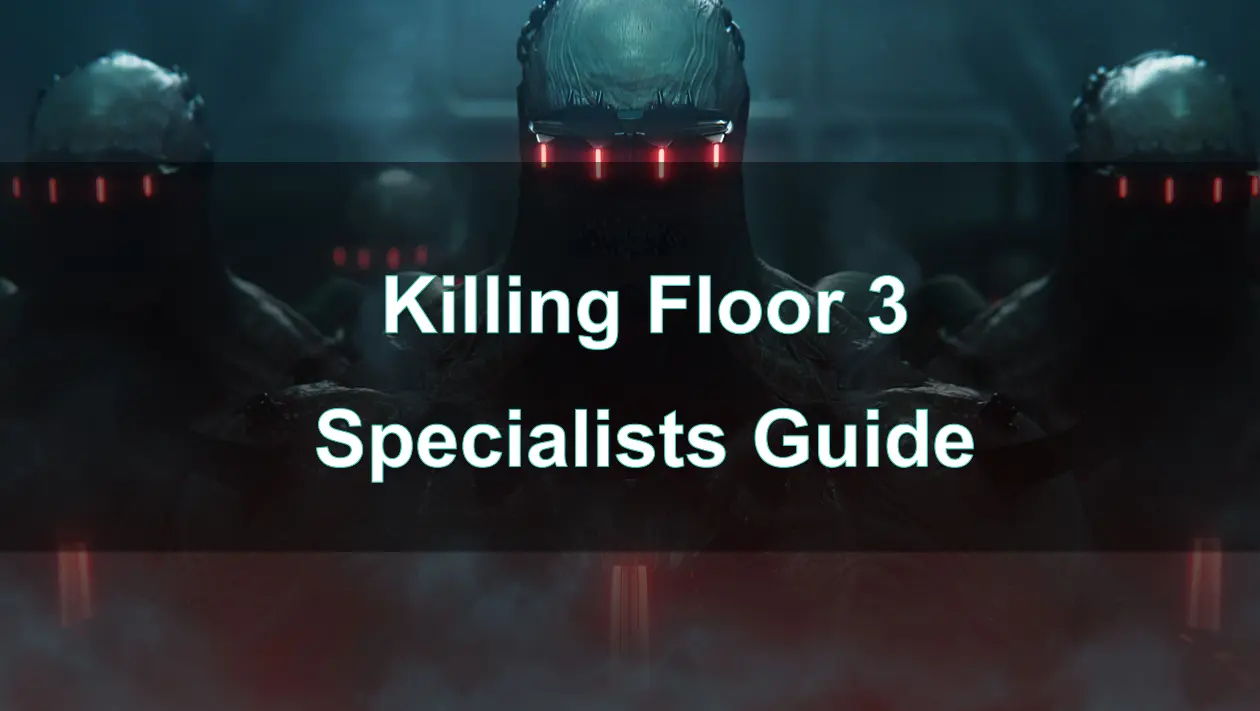
Killing Floor 3 redefines the classic zombie-slaying franchise by introducing Specialists—unique character–perk hybrids that bring personality, purpose, and power to the battlefield. Whether you’re stepping back onto the Nightfall stronghold with friends or going solo, mastering Specialists is key to crushing waves of Zeds in this new era of gore-fueled mayhem.

- ✅ Reduce Lag and High Ping.
- ✅ Boost FPS at the Same Time.
- ✅ Support 2000+ Popular Online Games.
- ✅ Change Server without Latency.
- ✅ End Connection Issues.
Part 1. What is Killing Floor 3
Part 2. Overview of the Specialists System for Killing Floor 3
Part 3. Killing Floor 3 Characters Classes
Part 4. Killing Floor 3 Special Characters and Community Trend Recommendations
Part 5. How to Enhance Killing Floor 3 Game Experience with LagoFast
Part 1: What is Killing Floor 3
Killing Floor 3 is the next-gen sequel from Tripwire Interactive, launching July 24, 2025, on PC, PS5, and Xbox Series X/S. Rooted in the survival-horror tradition, the game expands on iconic KF2 elements: intense co-op, brutal gore, and visceral melee and ranged combat. Zed Time, persistent dismemberment via the MEAT system, and vertical map designs are all back—refined by Unreal Engine 5’s graphical power. Now, progression and roles are embodied by Specialists—heroes with distinct perks, tools, gadgets, and pronounced personalities.
Part 2: Overview of the Specialists System for Killing Floor 3
What defines a Specialist?
- A character–perk combination: e.g., Foster = Commando, Devlin = Firebug, Imran = Engineer.
- Each has unique sidearms, tools, gadgets, and cosmetic flair—though weapon choices remain flexible.
- A deep progression tree: 30 levels, 30+ editable skills, and proficiency earned via gameplay.
- As you level, an operational budget grows, allowing pre-match weapon upgrades.
- Expect new specialists, perks, maps, and weapons added via free updates.
This evolution merges hero-shooter clarity with deep RPG-style customization.
Part 3: Killing Floor 3 Characters Classes
At launch, six Specialists cover a broad spectrum of team roles:
- Foster - Commando: Bullets and drones; assault-focused with high DPS.
- Devlin - Firebug: Area control via flamethrowers and incendiary rings.
- Imran - Engineer: Support and demolition hybrid; equipped with sentry turret and gadgets.
- Luna - Sharpshooter: High-precision long-range support.
- Obi - Medic: Team healer, sustaining allies through waves.
- Nakata – Ninja: Agile melee specialist, fast movement and close-quarter dominance.
Each Specialist offers:
- Unique gadgets (“oh–crap” abilities): e.g., Foster’s acid-drone, Devlin’s fiery burst, Imran’s Sonic Storm cannon.
- Tools tailored to role, though inter-specialist flexibility is permitted.
- Personality-driven voice lines and cosmetics per Specialist.
- Sidearms unique to each perk, yet swappable via trader pod.
The system encourages teamwork and specialized loadouts, while letting players adjust according to mission needs.
Part 4: Killing Floor 3 Special Characters and Community Trend Recommendations
The Specialist overhaul has stirred debate, but community feedback highlights clear frontrunners:
S‑Tier
- Gunslinger: Exceptional at mid- to close-range combat with burst DPS and a headshot build that scales well with multi-kills plus a 20% speed boost—a community favorite.
- Field Medic: Outstanding for sustainability and team support. High-level Medics become virtually irreplaceable in longer waves thanks to their healing output and damage resistance.
- Berserker: Combines high movement speed, durability, and melee dominance against Big Zeds—able to tank and control hordes effectively.
A‑Tier
- Commando: Excellent crowd control with Zed Time extensions and stealth detection tools—highly versatile in skilled hands.
- Support: Brings ammo resupply and powerful shotgun fire; vital for mid- to small-Zed management and boosting team efficiency.
B‑Tier
- Sharpshooter: High precision and headshot capabilities against tough enemies, though less effective dealing with swarms of weaker Zeds.
- Demolitionist: Strong explosive damage ideal for large Zeds, but expensive ammo costs and oblivious to crowd control make it situational.
C‑Tier
- Firebug: Excellent at area denial and burning trash, but struggles to dispatch Scrakes and Fleshpounds quickly; best used in tight chokepoint.
- Survivalist: Very flexible but lacks defining strengths; doesn't excel in healing, tanking, or damage, making it a jack-of-all-trades but master of none.
- Community insight: many arose concerned about tying perks directly to characters—limiting cosmetic options and build flexibility. Still, testers see benefits in readability and role clarity.
Part 5: How to Enhance Killing Floor 3 Game Experience with LagoFast
To elevate your Killing Floor 3 sessions—especially when facing high-intensity waves or online matches—network reliability and consistent performance are vital. LagoFast Game Booster can significantly help by optimizing your internet connection and system resources in real-time. Here's how it enhances the gameplay experience:
- Smart Routing: Automatically connects you to the fastest game servers in SEA, reducing ping and lag during intense firefights.
- One-Click Optimization: Select Crossfire: Legends in LagoFast and hit Boost for instant performance improvements.
- Live Metrics: Monitor ping, packet loss, and frame rate in real-time to ensure a smooth session.
- Global Server Support: Ideal for players traveling within SEA or joining friends across the region.
- Free Trial: Test performance boosts for three days at no cost.
How to use LagoFast Game Booster
Step 1: Click the Free Trial button to download and install LagoFast Free Trial.
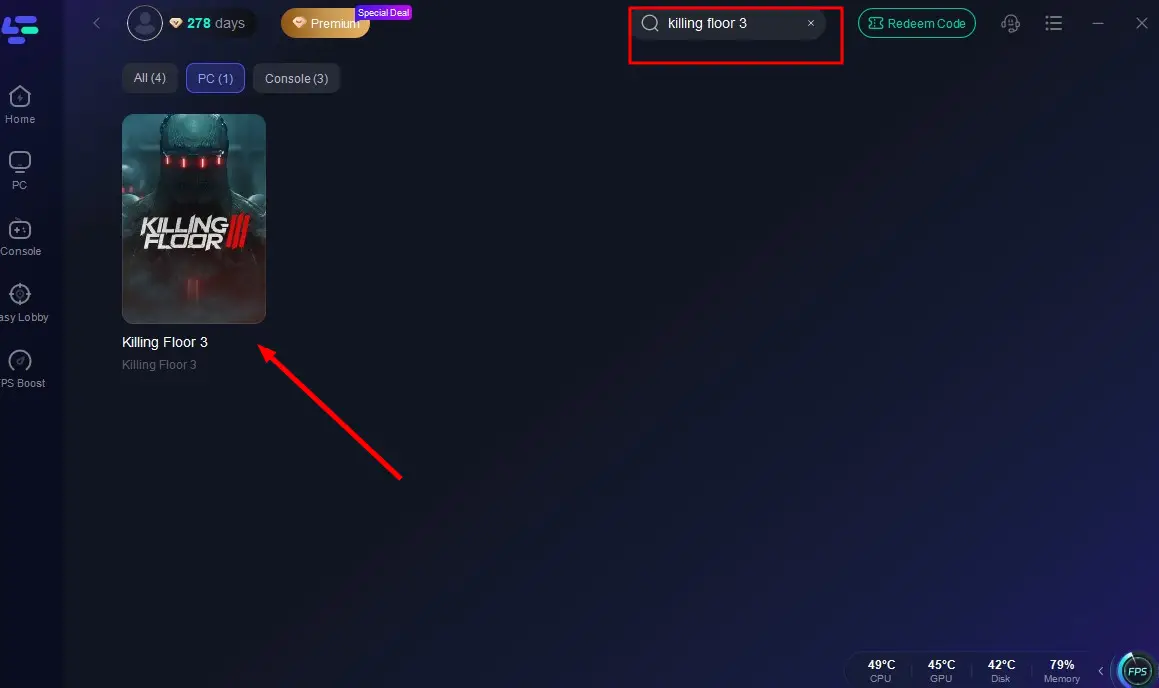
Step 2: Launch the app, select Killing Floor 3 from the auto-detect game library.
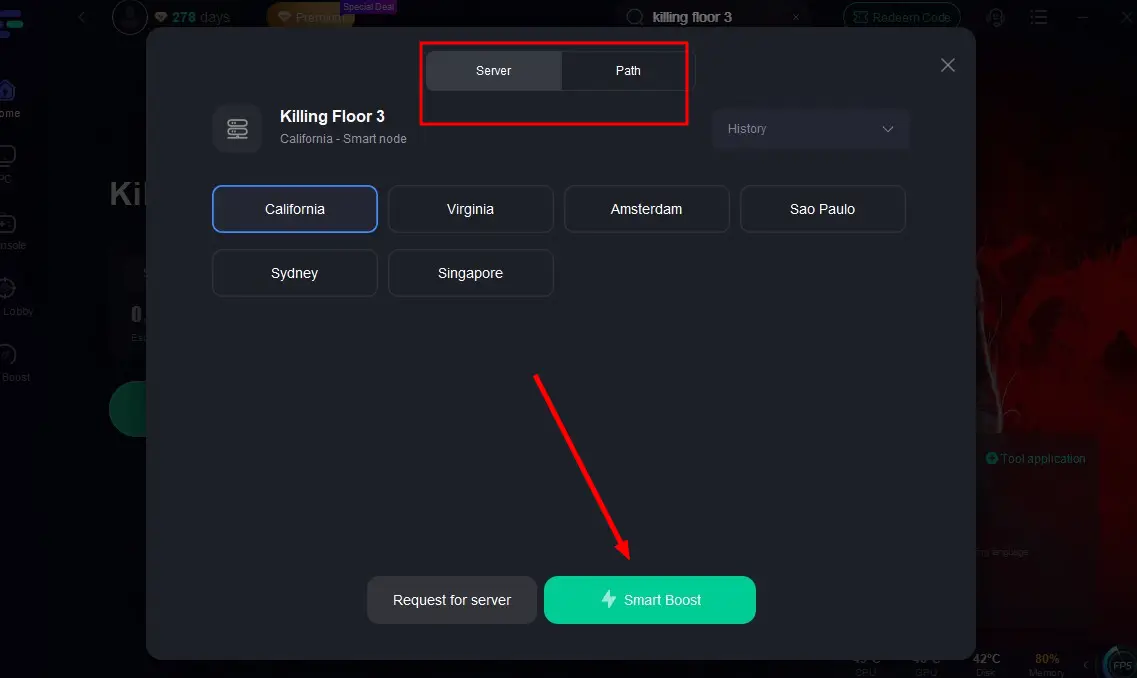
Step 3: Choose the Server you like, then click the Boost button.
Step 4: After completing the above network optimization settings, the FPS drops issue will be easily resolved.
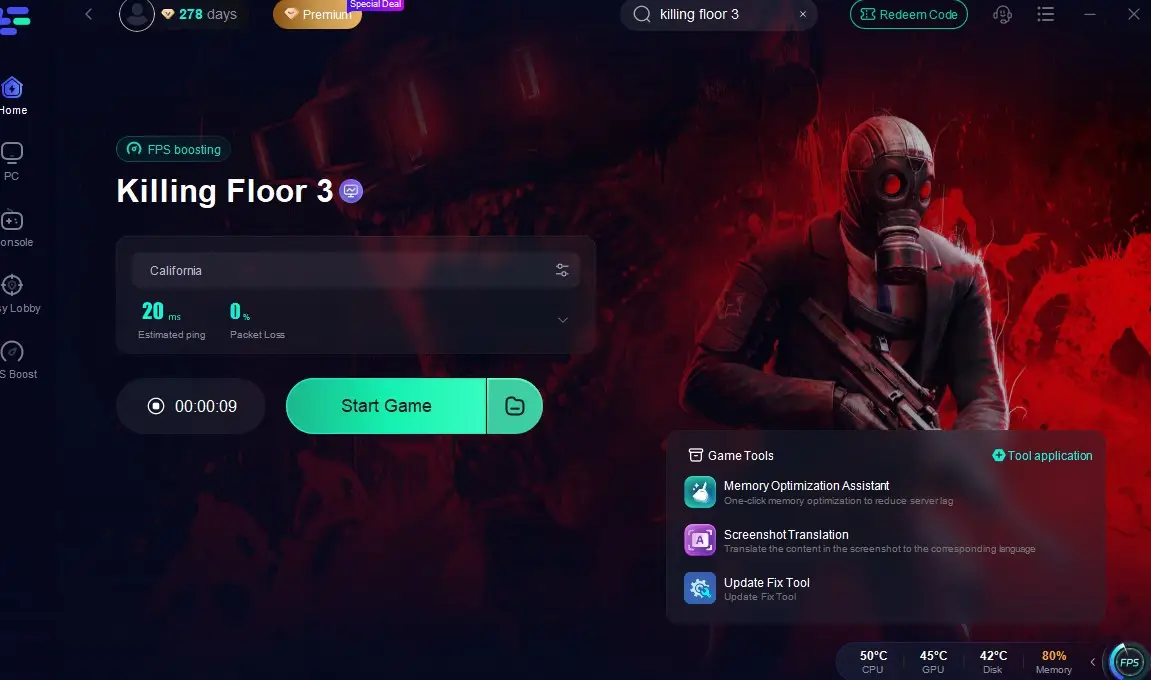
Once active, you can monitor your ping and packet loss in real time and know exactly when your connection is stable enough for flawless combat.
Part 6: FAQs
1. Can multiple players pick the same Specialist
Yes — the game supports duplicate Specialists in a team.
2. Can you mix weapons between Specialists
Yes — while Specialists come with unique sidearms and tools, weapon options can be swapped at trader pods.
3. How deep is the skill tree
Each Specialist has 30 levels, unlocking skill tiers every two levels. Skills can be upgraded up to three times using proficiency points earned via kills, revives, waves, and tool usage.
4. What role do gadgets play
Gadgets are signature, high-impact abilities exclusive to each Specialist—ranging from sonic cannons and firestorm rings to corrosive drones.
5. Will more Specialists arrive post-launch
Yes — Tripwire plans to add new Specialists, perks, and maps through free updates, allowing the hero-shooter system to expand.
Conclusion
Killing Floor 3’s Specialist system brings a strategic evolution to the series—melding class identity with character-driven gameplay. With six Specialists at launch, deep skill customization, and unique gadgets, the game rewards specialized team composition. Top picks like Commando, Medic, and Ninja shine in both casual and competitive settings. While community concerns remain about built-in rigidness, beta feedback is helping shape the path forward. Embrace your Specialist, build your build, and prepare to wage war in this brutal, reimagined world of Nightfall.

Boost Your Game with LagoFast for Epic Speed
Play harder, faster. LagoFast game booster eliminates stutter and lags on PC, mobile, or Mac—win every match!
Quickly Reduce Game Lag and Ping!
Boost FPS for Smoother Gameplay!