
The question of whether Monster Hunter Wilds supports cross-play has been a topic of considerable discussion among gamers recently. If you’re excited for the upcoming Monster Hunter Wilds Open Beta, but want to find out which platforms you can play it on and across, here’s everything we know about Monster Hunter Wilds crossplay.
Korean Version: 몬스터 헌터 월드 크로스플레이 가능한가요? 몬스터 헌터 월드 크로스 플랫폼 지원 예정인가요?

- ✅ Reduce Lag and High Ping.
✅ Boost FPS at the Same Time.
✅ Support 2000+ Online Games
✅ Change Server Without Latency.
✅ Multiplatform: PC, Console, Mobile.
✅ End Stuck, Connection & Crashing Issues
Part 2. Monster Hunter Wilds Open Beta Release Dates on Each Platform
Part 3. Monster Hunter Wilds System Requirements on PC
Part 4. Enhance Your Monster Hunter Wilds Gaming Experience with LagoFast
Part 5. FAQs about Monster Hunter Wilds
Part 1. Is Monster Hunter Wilds Crossplay?
Yes, Monster Hunter Wilds crossplay has been confirmed by Capcom for all platforms:on PC, PS5, and Xbox Series X|S. Capcom has announced an open beta for Monster Hunter Wilds on PC, PS5, and Xbox Series X|S. PS Plus subscribers will be first to access the beta on October 28, and it will roll out to PC and Xbox Series X|S players on October 31 // Rolling out to PC and Xbox Series X|S players, as well as non-PS Plus subscribers on PS5. All platforms will also support cross-platform play.
Cross-play will also be supported across all platforms. And Capcom says that players can check out the complete character creation tool--character creation data will be transferable to the full game upon release--a Story Trial, and the free-roaming Doshaguma Hunt.
Hot Related: Monster Hunter Wilds Early Access & Open Beta Release Date
Part 2. Monster Hunter Wilds Open Beta Release Dates on Each Platform
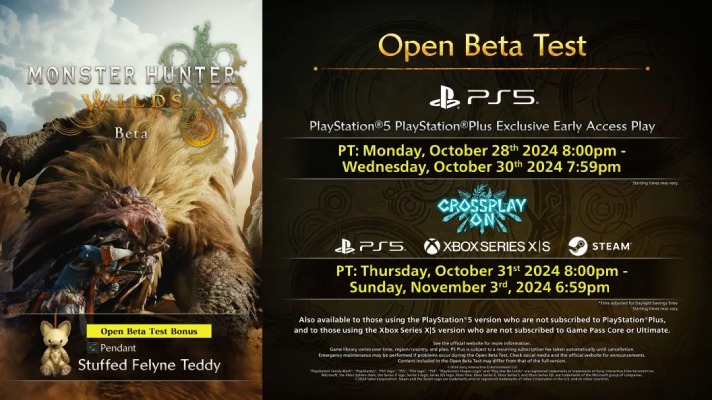
Here's a closer look at the exact times for when the open beta begins:
PS5
- Early access for PS Plus subscribers: October 28 at 8 PM PT / 11 PM ET
- Non PS Plus subscribers: October 31 at 8 PM PT / 11 PM ET
Xbox Series X|S
- October 31 at 8 PM PT / 11 PM ET
PC via Steam
- October 31 at 8 PM PT / 11 PM ET
And the open beta will conclude on November 3 at 6:59 PM PT / 9:59 PM ET.
How to Pre-order Monster Hunter Wilds Early Access - PlayStation Plus
Preloading will be available for everyone taking part in the Monster Hunter Wilds beta, but PlayStation Plus members--who will get early access to the beta--can begin downloading it now. However, doing so isn't especially straightforward. If you're on PS5 and looking to preload the early access, you'll need to find it hidden within the list of versions of Wilds that are available.
- Go to the PlayStation Store on your PS5
- Search for Monster Hunter Wilds
- On the main page select the ellipsis--or three dots--icon on the right side of the Monster Hunter Wilds wishlist option
- Select the Monster Hunter Wilds beta option
Part 3. Monster Hunter Wilds System Requirements on PC
Monster Hunter Wilds Minimum System Requirements
- CPU: Intel® Core™ i5-10600 or Intel® Core™ i3-12100F or AMD Ryzen™ 5 3600
- RAM: 16 GB
- VIDEO CARD: NVIDIA® GeForce® GTX 1660 Super(VRAM 6GB) or AMD Radeon™ RX 5600 XT(VRAM 6GB)
- DEDICATED VIDEO RAM: 6144 MB
- PIXEL SHADER: 6.0
- VERTEX SHADER: 6.0
- OS: Windows®10 (64-bit Required)
- FREE DISK SPACE: 140 GB
Monster Hunter Wilds Recommended System Requirements
- CPU: Intel® Core™ i5-11600K or Intel® Core™ i5-12400 or AMD Ryzen™ 5 3600X or AMD Ryzen™ 5 5500
- RAM: 16 GB
- VIDEO CARD: NVIDIA® GeForce® RTX 2070 Super(VRAM 8GB) or NVIDIA® GeForce® RTX 4060(VRAM 8GB) or AMD Radeon™ RX 6700XT(VRAM 12GB)
- DEDICATED VIDEO RAM: 8 GB (AMD 12GB)
- PIXEL SHADER: 6.0
- VERTEX SHADER: 6.0
- OS: Windows®10 (64-bit Required)
- FREE DISK SPACE: 140 GB
Part 4. Enhance Your Monster Hunter Wilds Gaming Experience with LagoFast
Enhance your Monster Hunter Wilds experience with LagoFast—not only does it reduce lag, boost FPS, and ensure smooth gameplay, but you can also use mods to customize your adventure further. LagoFast supports many other games with mod features, letting you enjoy endless possibilities.
With global server options and a user-friendly interface, LagoFast optimizes your connection on PC, console, or mobile, making every hunt faster, smoother, and more immersive.
Here’s How to Use LagoFast to Boost FPS in Monster Hunter Wilds on PC:
Step 1. Click Free Trial to download LagoFast.
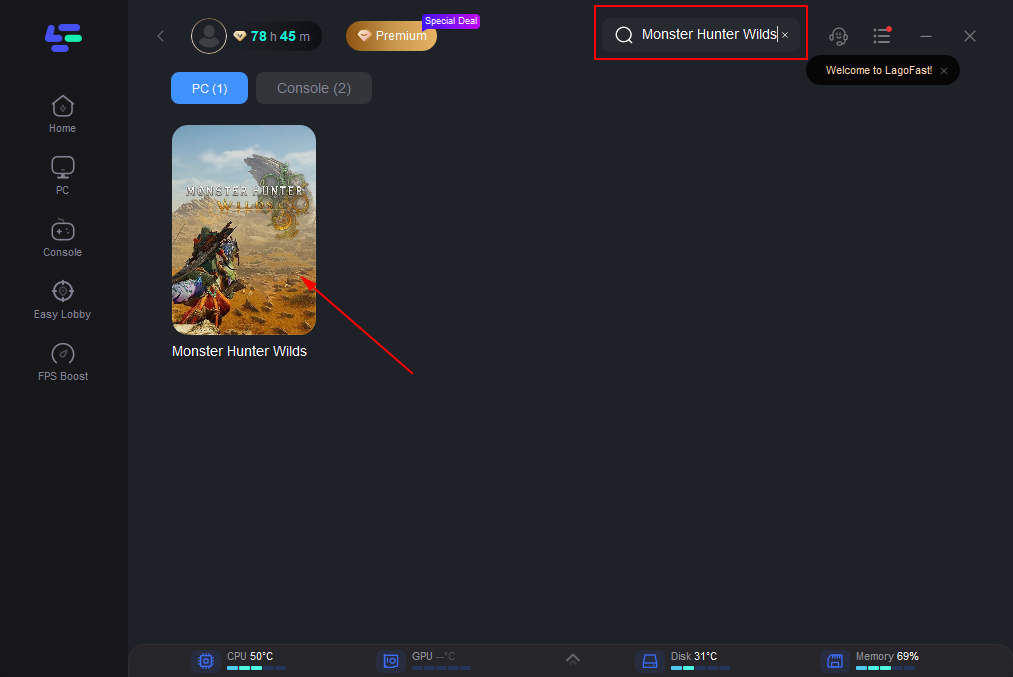
Step 2. Search “Monster Hunter Wilds” and click the result.
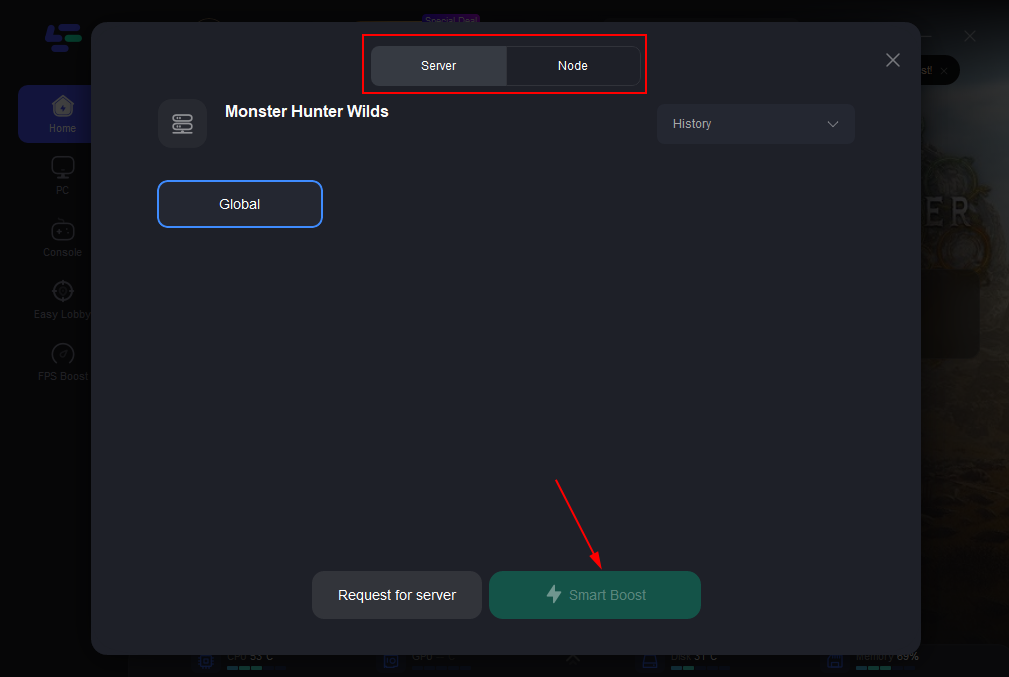
Step 3: Choose the server you need.
Step 4: Click boost, and it will show you real-time ping & packet loss rate.
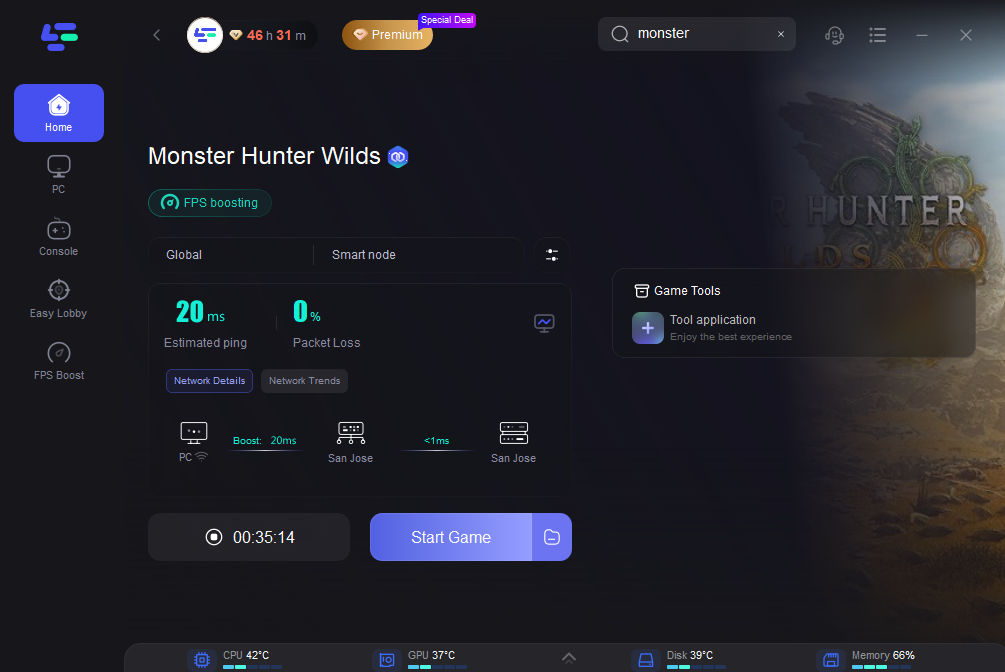
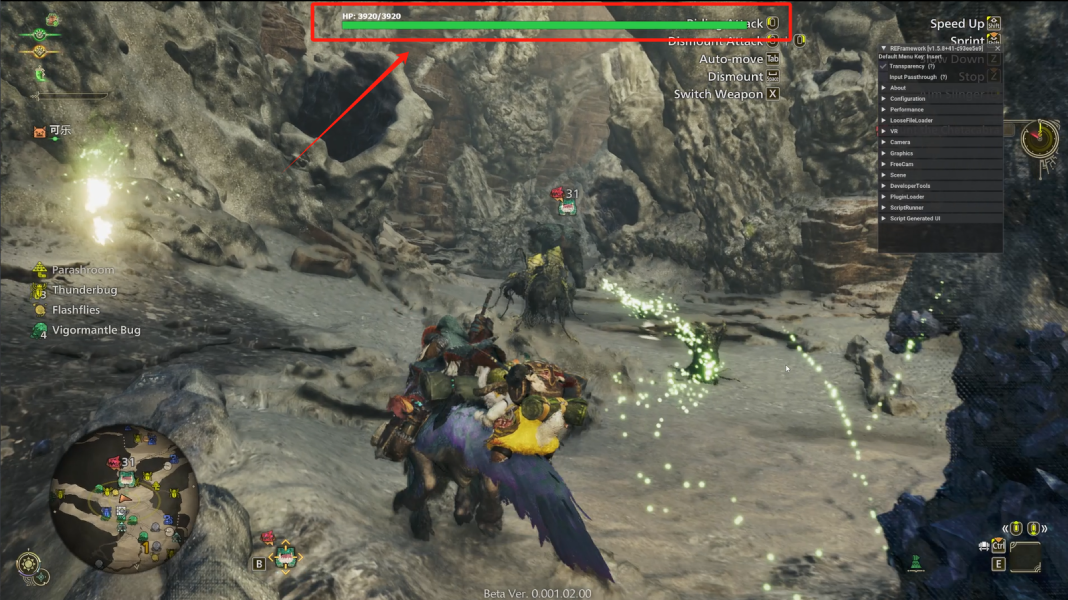
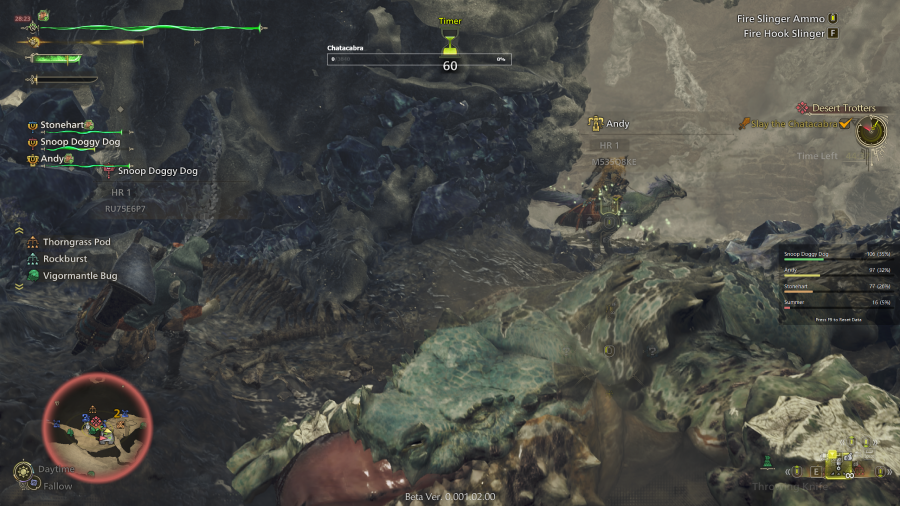
Moreover, LagoFast offers Monster HP and DPS Statistics Plugin, which allows you to view monster health bars and team member DPS in real time.
How to Get Visible Health Bar in Monster Hunter Wild:
1. Click the Monster HP and DPS Statistics Plugin Tool on the Right. Then adjust your settings.
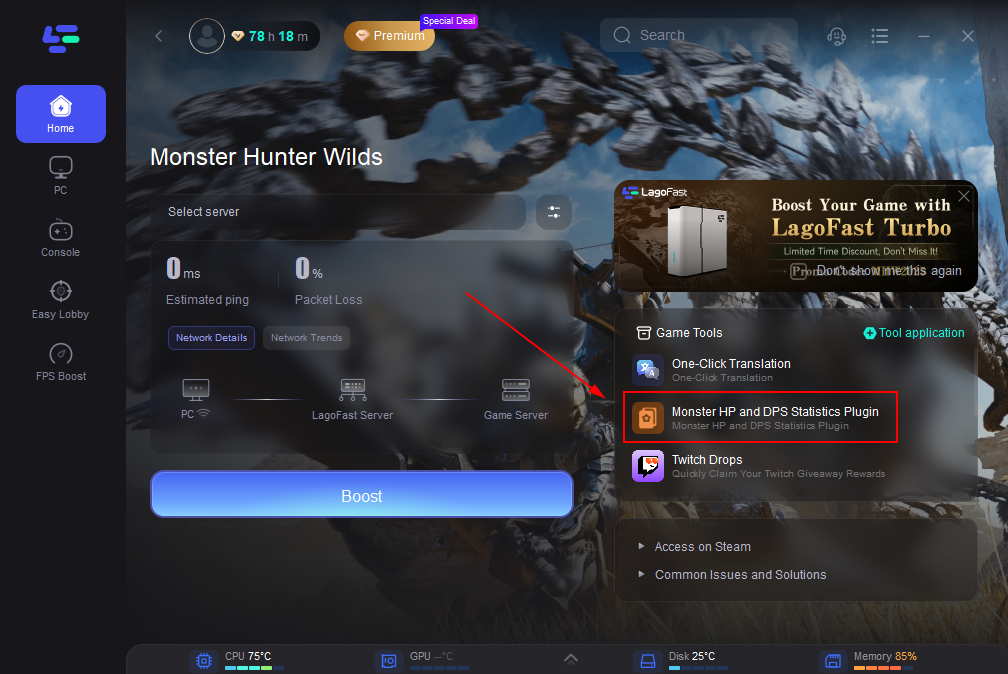
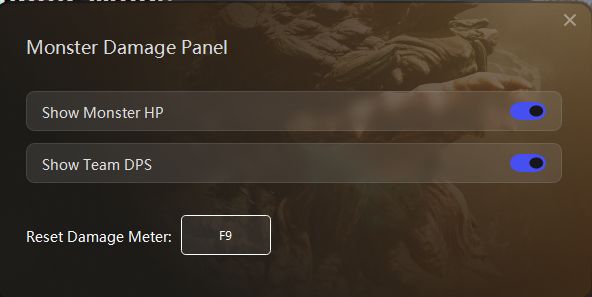
2. Then open the game and start the battle, you can find that you have obtained the boss's visual health bar.
And for Console Players, LagoFast offers LagoFast Box as your best Choice.
Tutorial to Use LagoFast Box to Ensure Monster Hunter Wilds Gaming on PS4/5 & Xbox:
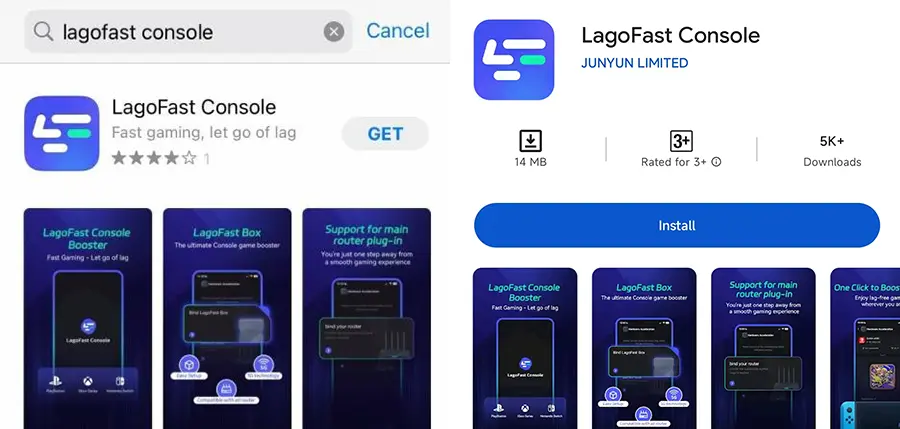
Step 1: Download the LagoFast Console App on your phone to control the LagoFast Box.
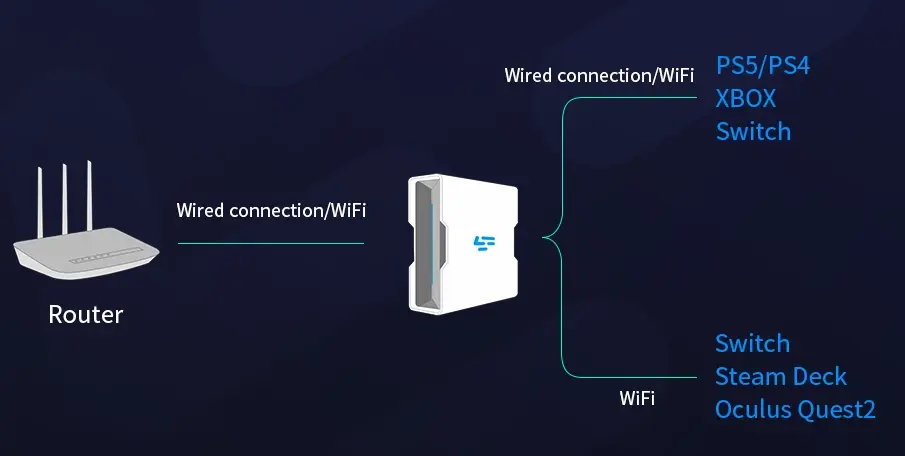
Step 2: Establish a connection between your LagoFast Box, router, and console, choosing between a wired or wireless connection.
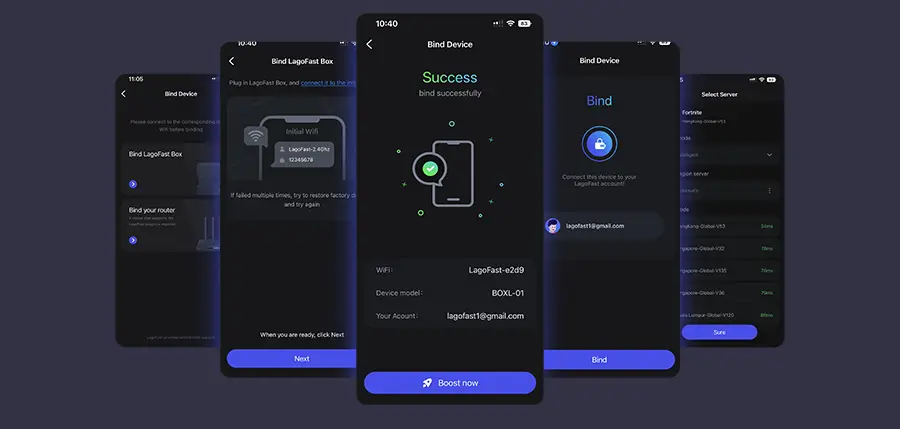
Step 3: Launch the LagoFast Console App and boost Valorant. Once you have completed the binding process with the LagoFast Box, proceed to boost this game within the LagoFast Console App.
Part 5. FAQs about Monster Hunter Wilds
Can I transfer my data from the beta test to the full game?
If you start the main game while online and using the same account you used to play the beta test, you can transfer edited character data for both your hunter and Palico from the online beta test to the main game.
Can I edit my hunter and Palico again after I've finalized them?
During the online beta test, you can customize your hunter and Palico at any time by going to Start Game > Select Save Data > Edit Character.
However, note that an edit voucher will be required to edit your hunter and Palico for the main game.
Does it cost anything to take part in the beta test?
It is completely free to participate in the test itself. However, in order to play the test, an internet connection is required. Any costs associated with utilities or hardware used to take part in the test are the participant's responsibility.
Conclusion
Now you know that Monster Hunter Wilds has crossplay, that’s great news if you fancy dipping into the upcoming game with friends. If you want to have smooth operation on all the platform, choose LagoFast! And if you want to get cheats and trainers for Monster Hunter Wilds, choose Xmod.
Boost Your Game with LagoFast for Epic Speed
Play harder, faster. LagoFast game booster eliminates stutter and lags on PC, mobile, or Mac—win every match!
Quickly Reduce Game Lag and Ping!
Boost FPS for Smoother Gameplay!