

Little Nightmares III brings a new twist to the haunting world of the series by introducing online co-op for the first time. Fans hope to explore the dark Spiral with friends, but cross-play and cross-progression support remain a hot topic. Will you be able to team up across platforms, carry your progress between systems, or be limited by your console brand? This article dives into the details of cross-play and cross-progression, which platforms are supported, how to enable any cross-play features, and how tools like LagoFast may help your gaming experience.

- ✅Reduce Lag and High Ping.
✅ Boost FPS at the Same Time.
✅ Ensure a Stable Server Connection.
✅ Change Server without Latency.
✅ Fix Crashing and Stuck Errors.
✅ 0% Packet Loss Rate
Part 1: Does Little Nightmares III have cross-play?
Part 2: Does Little Nightmares III have cross-progression?
Part 3: Which Platforms Support Cross-play In Little Nightmares 3
Part 4: How to Enable Crossplay in Little Nightmares 3
Part 5: Enhance Your Gaming Experience with LagoFast Best Gaming Booster
Part 1: Does Little Nightmares III have cross-play?
The short answer is limited cross-play, but with substantial restrictions.
According to the official Little Nightmares III Q&A, co-op is supported online, and the game includes a Friend’s Pass, which allows two players to play together even if only one owns the game. However, the Q&A also states that cross-platform play between different console ecosystems will not be supported at launch.
Instead, Little Nightmares III supports cross-generation play within the same family. For example:
- PlayStation 4 can play with PlayStation 5
- Xbox One can play with Xbox Series X|S
- Nintendo Switch and Switch 2 may also get support within their family (though details are still pending)
GameSpot’s coverage confirms this: PC players can only play with other PC players, while cross-play is allowed within each console family but not across consoles.
Thus, Little Nightmares III’s cross-play is restricted to same-family devices rather than true, ecosystem-wide crossplay.
Part 2: Does Little Nightmares III have cross-progression?
Unfortunately, no, Little Nightmares III does not support cross-progression or cross-saves. As GameSpot notes, which platform you play on is where your save will remain. You cannot carry your progress from one platform to another.
So if you start on, say, a PlayStation, your save file stays there; switching to PC or Xbox will not allow you to continue from the same point. This limitation is common in games that do not use a unified account save system across platforms.
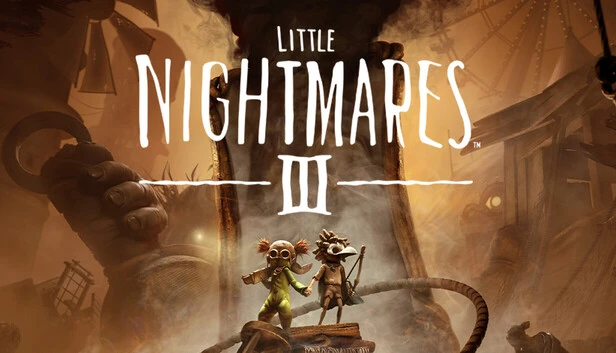
Part 3: Which Platforms Support Cross-play In Little Nightmares 3
Here’s a breakdown of what is currently supported and what isn’t, based on official statements and multiple reports:
- PlayStation family: PS4 ↔ PS5 can play co-op together.
- Xbox family: Xbox One ↔ Xbox Series X|S can play together.
- Nintendo family: It is indicated that Switch ↔ Switch 2 players can play together (i.e., intra-family).
- PC: PC players can only play with other PC players. No console crossplay with PC.
- Across console ecosystems: Not supported. PS cannot play with Xbox; the console cannot play with PC.
So while not universal crossplay, you do get the benefit of playing with friends who upgraded to newer hardware—provided they stayed within the same console brand.
Part 4: How to Enable Crossplay in Little Nightmares 3
Because crossplay in Little Nightmares III is limited and controlled by ecosystem, “enabling crossplay” is more a matter of ensuring you are on compatible devices. Here’s how to make sure you can play with your friend:
1. Verify platform family compatibility
If your friend is on PS4 and you’re on PS5, you’re good. But if your friend is on Xbox and you’re on PlayStation, crossplay won’t work.
2. Use the Friend’s Pass
Even though both players don’t need to own the game, only one needs to have it. The owner sends an invite to a friend to join co-op via the Friend’s Pass feature.
- Both players must be on the same platform family to join
- The invite and play must be done on compatible hardware
- The save file must be completed in co-op mode; you can’t switch between solo and co-op in the same save
3. Network requirements & online co-op
Co-op is online only (no local split-screen). You need stable internet.
4. Ensure platform services and subscriptions
For consoles, you may need active subscriptions (PlayStation Plus, Xbox Live) for online play. The PlayStation page mentions that both players need PS Plus to play co-op.
5. Start the game in co-op mode and stay co-op
When co-op is used in a save, that save generally remains tied to co-op with those two players; you can’t revert to solo in that save slot.
There is no universal “crossplay switch” to turn on or off; it’s baked into the platform compatibility and the Friend’s Pass system.
Part 5: Enhance Your Gaming Experience with LagoFast Best Gaming Booster
While crossplay support is limited by platform, your online co-op experience can still suffer from lag, packet loss, or routing inefficiencies—especially in a co-op title with atmospheric timing and sync. That’s where a tool like LagoFast Game Booster can help.
How LagoFast Boosts Performance & Stability
- Optimized routing: It selects lower-latency, more stable network paths to the game servers, helping reduce ping and jitter.
- Packet loss mitigation: By smoothing packets and rerouting when necessary, it can reduce stuttering or disconnects.
- Stable co-op synchronization: In a co-op game, lag in sync can lead to misalignment between players. A stable connection helps keep your actions in sync with your partner
Step 1: Begin by clicking the Free Trial button to download and install the LagoFast Free Trial.
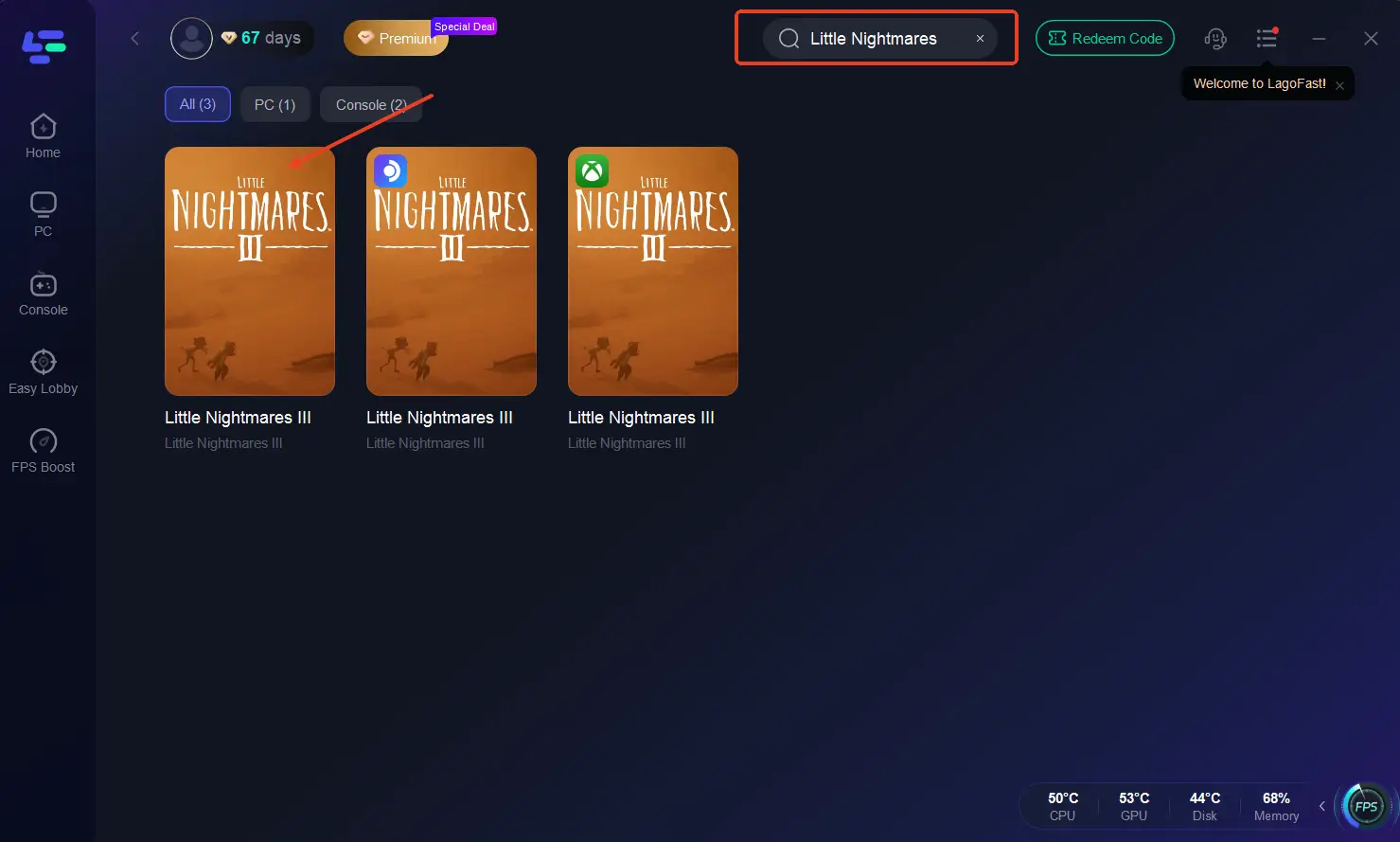
Step 2: After installation, launch LagoFast and click the PC icon on the left side of the interface. In the search bar, type Little Nightmares III and select it from the list of results.
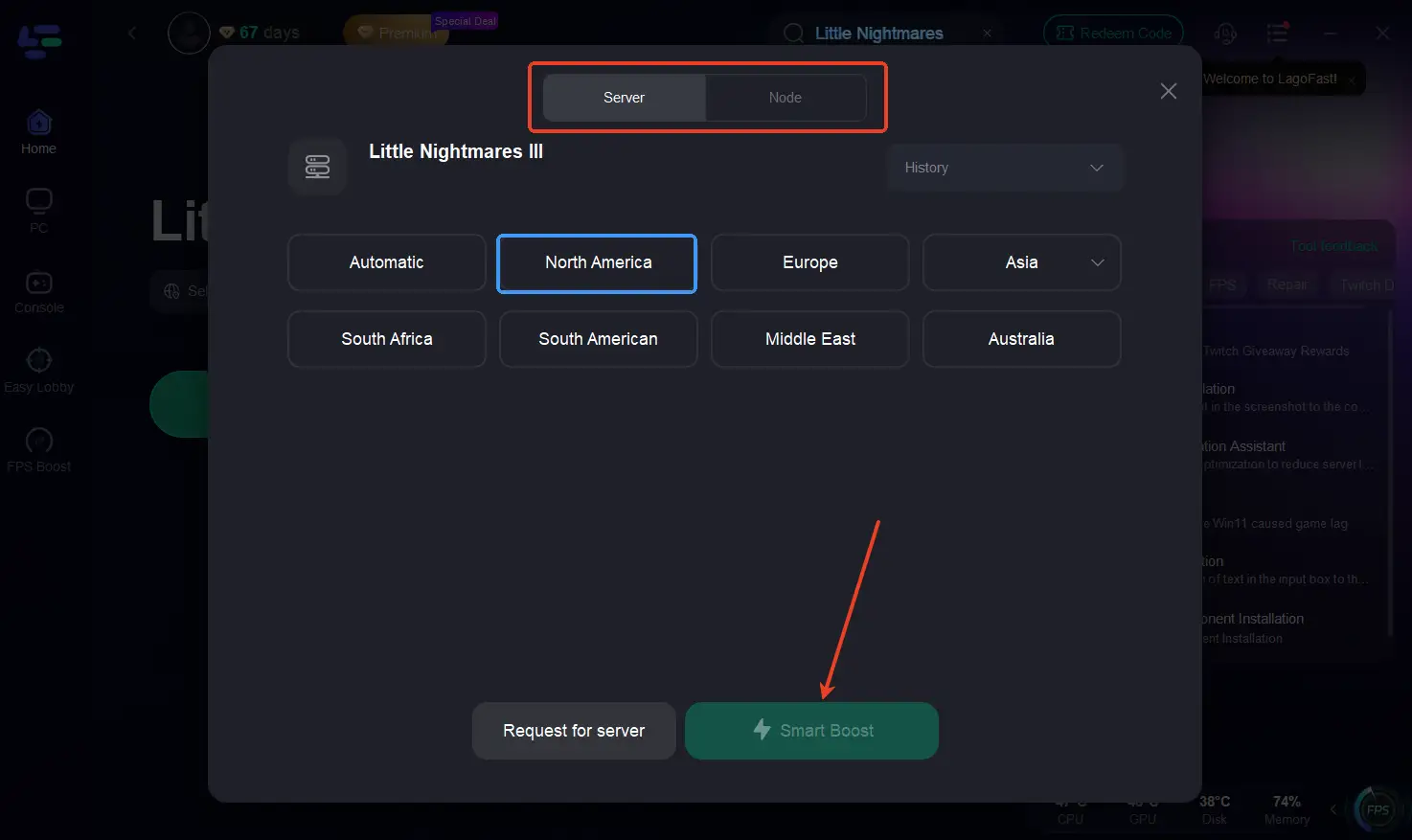
Step 3: Select a server that is closest to your location or offers the lowest latency for optimal performance.
Step 4: Once LagoFast has completed its network optimization, return to the game and enjoy an enhanced gaming experience.
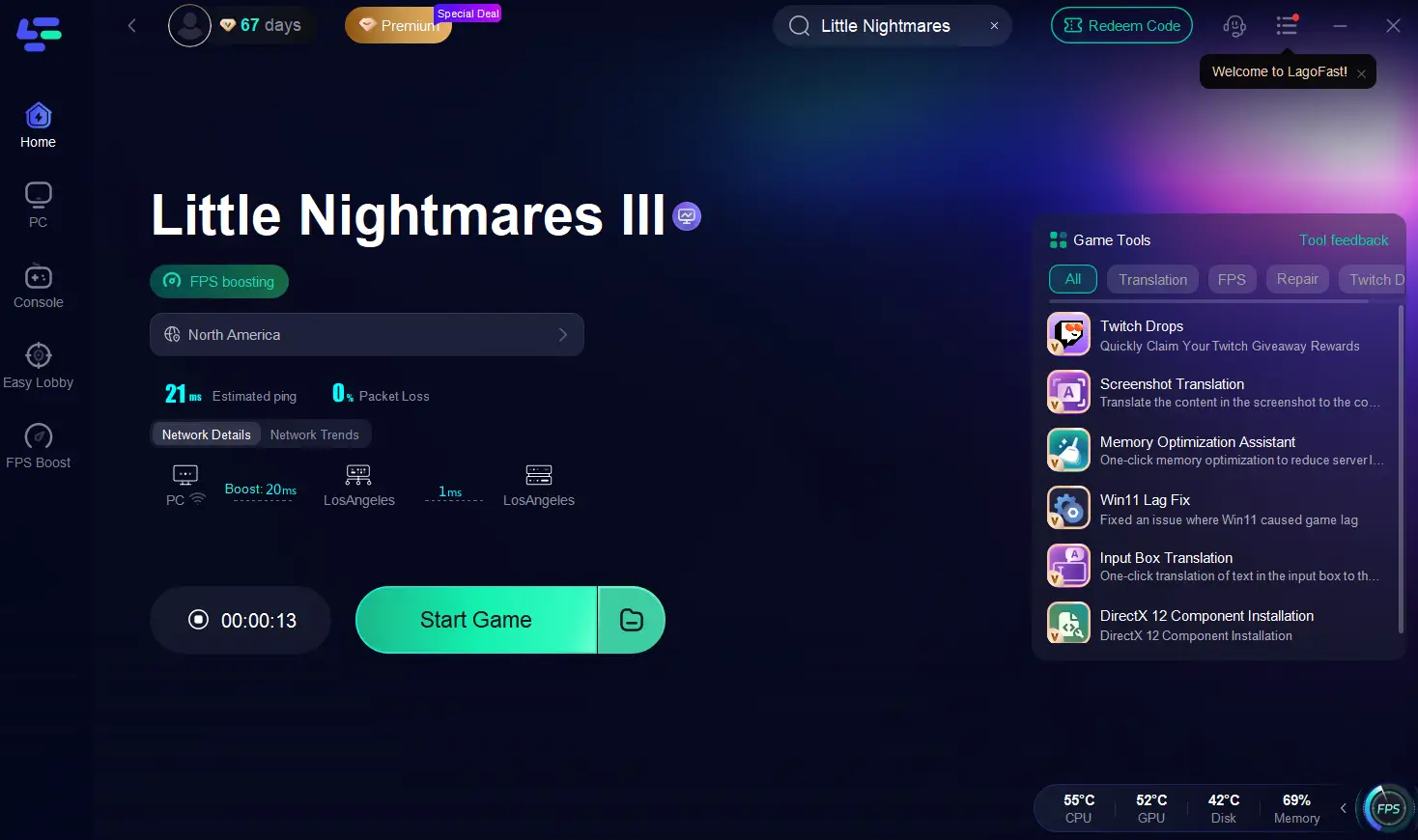
By reducing network hiccups, your co-op experience will feel smoother and more reliable.
Conclusion
Little Nightmares III breaks new ground in the franchise by introducing online co-op, but with significant crossplay restrictions. You will be able to play with friends on newer hardware within the same console family but not across console ecosystems or between console and PC. Cross-progression is not supported, so your save stays tied to the system you play on.
To team up, you’ll need to use the Friend’s Pass, ensure you’re within the same platform family, and have the appropriate online services active. Even then, co-op must stay consistent in that save file.

Boost Your Game with LagoFast for Epic Speed
Play harder, faster. LagoFast game booster eliminates stutter and lags on PC, mobile, or Mac—win every match!
Quickly Reduce Game Lag and Ping!
Boost FPS for Smoother Gameplay!