

After a nearly four-month delay, the cooperative horror first-person shooter game Killing Floor 3 will officially launch on July 24, 2025, gearing up to once again reignite the passion of global players with its thrilling zombie-slaying action. Among the many discussions surrounding Killing Floor 3, the debate over crossplay support has been particularly heated. This article will explore Killing Floor 3’s crossplay compatibility, supported platforms and release edition, along with tips to help you discover the best ways to elevate your gaming experience.

- ✅ Reduce Lag and High Ping.
- ✅ Boost FPS at the Same Time.
- ✅ Support 2000+ Popular Online Games.
- ✅ Change Server without Latency.
Part 1: Killing Floor 3 Platform Overview
Part 2: Is Killing Floor 3 Crossplay
Part 3: Killing Floor 3 Release Edictions
Part 4: How to Enhance Gaming Experience in Killing Floor 3
Part 1: Killing Floor 3 Platform Overview
Killing Floor 3 will launch simultaneously across three platforms: PC (via Steam and Epic Games Store), PlayStation 5, and Xbox Series X|S, offering players diverse gaming options across different devices, supporting cross-platform gameplay and keeping the in-game progression on different devices. Pre-orders are now available on all three platforms:
- PC: Pre-purchase via Steam or the Epic Games Store
- PlayStation 5: Pre-order through the PlayStation Store
- Xbox Series X|S: Purchase in advance in the Xbox Store
Additionally, PC players should note the system requirements for optimal performance on their platform.
Minimum:
- Requires a 64-bit processor and operating system
- OS: Windows 10
- Processor: AMD Ryzen 5 2600 or Intel Core i7-4790
- Memory: 16 GB RAM
- Graphics: NVIDIA GeForce GTX 1060 or AMD Radeon RX 480
- DirectX: Version 12
- Network: Broadband Internet connection
- Storage: 20 GB available space
- Additional Notes: SSD Required
Recommended:
- Requires a 64-bit processor and operating system
- OS: Windows 11
- Processor: AMD Ryzen 7 7700X or Intel Core i9700k
- Memory: 16 GB RAM
- Graphics: AMD Radeon RX 6750 XT or GeForce RTX 3060
- DirectX: Version 12
- Network: Broadband Internet connection
- Storage: 20 GB available space
- Additional Notes: SSD Required
Part 2: Is Killing Floor 3 Crossplay
Yes, Killing Floor 3 fully supports crossplay across all launch platforms. Players on PC, PlayStation 5, and Xbox Series X|S can team up seamlessly. Whether you’re battling hordes of Zeds with friends or joining random squads, crossplay ensures a unified experience.
Key Details About Crossplay:
- Crossplay is enabled by default. Use platform-specific friend lists or in-game lobbies to join sessions.
- Solo players can still enjoy the game with AI teammates.
Requirements:
- PS5: PlayStation Plus subscription for online multiplayer.
- Xbox: Xbox Live Gold subscription for online features.
- PC: No additional subscriptions required beyond game purchase.
Part 3: Killing Floor 3 Editions & Prices on Differient Platforms
Killing Floor 3 will launch in different editions across major platforms, with prices varying depending on the edition.
- Standard Edition ($39.99): Base game + choice of Clamefield Patrol Skins or Flatline Tactical Bundle (pre-order bonus)(North America only).
- Day 1 Edition ($39.99): Base game + Flatline Tactical Bundle + Clamefield Patrol Skins(Global).
- Deluxe Edition ($59.99): Shadow Agent Skins/Weapon Sets + Launch Nightfall Supply Pass + 1000 Creds.
- Elite Nightfall Edition ($79.99): Deluxe content + Year 1 Premium Pass (4 Supply Passes) + 3000 Creds.
Part 4: How to Enhance Gaming Experience in Killing Floor 3
Regardless of the platform you play Killing Floor 3 on, you may encounter unstable server connections or game data transmission delays. These issues can significantly disrupt combat and counterattacks, undermining the smoothness of your gaming experience. This is where LagoFast becomes essential. As a seasoned game booster, LagoFast uses smart algorithms and a global network of server nodes to optimize your connection to game servers, effectively reducing in-game lag and high ping. Its key features include:
- Reduced Lag: Minimizes latency issues, ensuring real-time responsiveness during combat.
- Stable Connection: Provides a consistent network connection, preventing disconnections during crucial moments.
- Optimized Game Performance: Enhances system performance, allowing for smoother graphics and faster load times.
How to use LagoFast to enhance Killing Floor 3 experience:
Step 1: Click the "Free Trial" button below to download and install LagoFast on your PC.
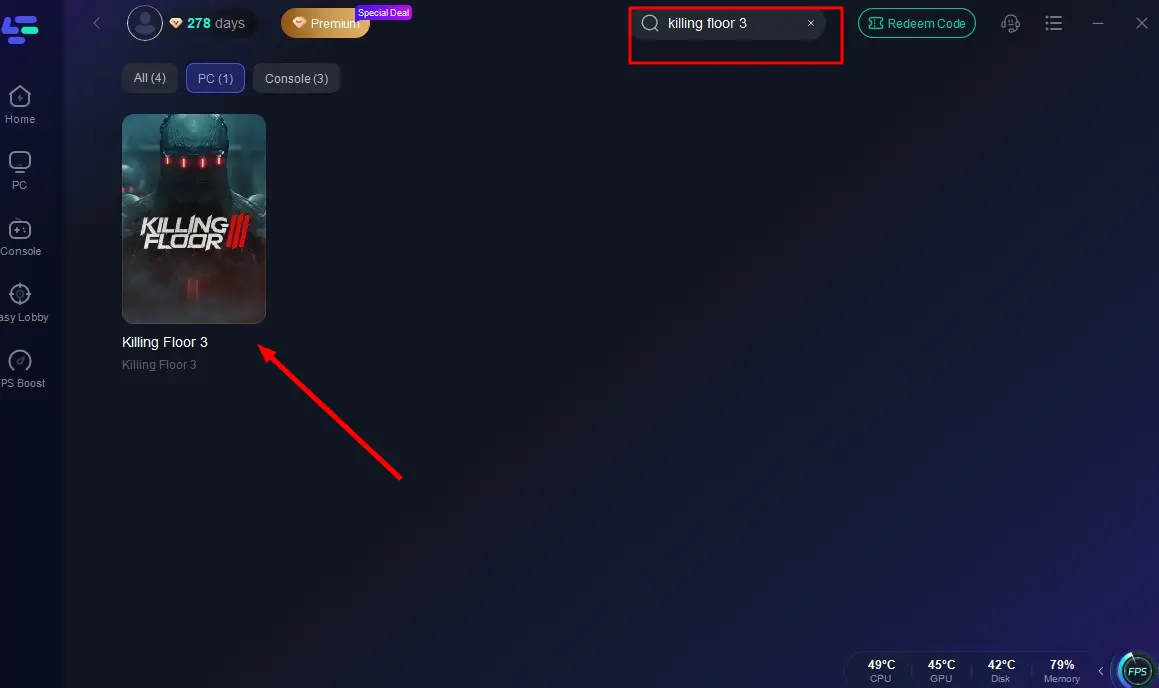
Step 2: After installation, search for "Killing Floor 3" in the search bar and select the game from the results.
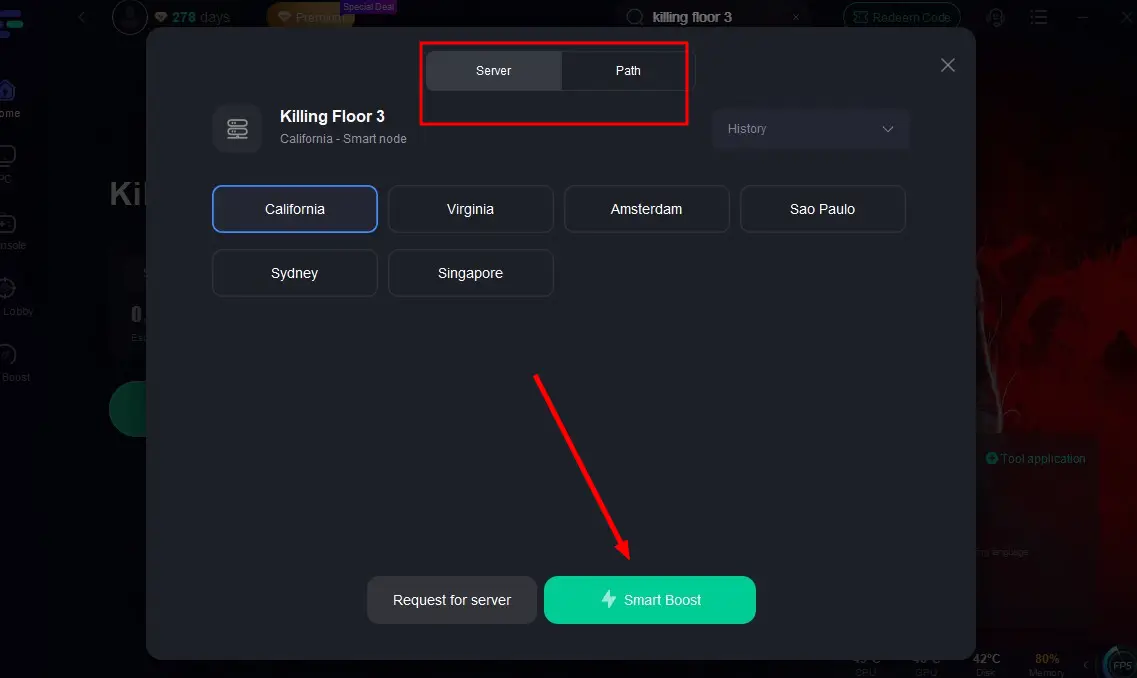
Step 3: Choose the best-performing server node for Killing Floor 3 and click "Smart Boost" to activate real-time optimization.
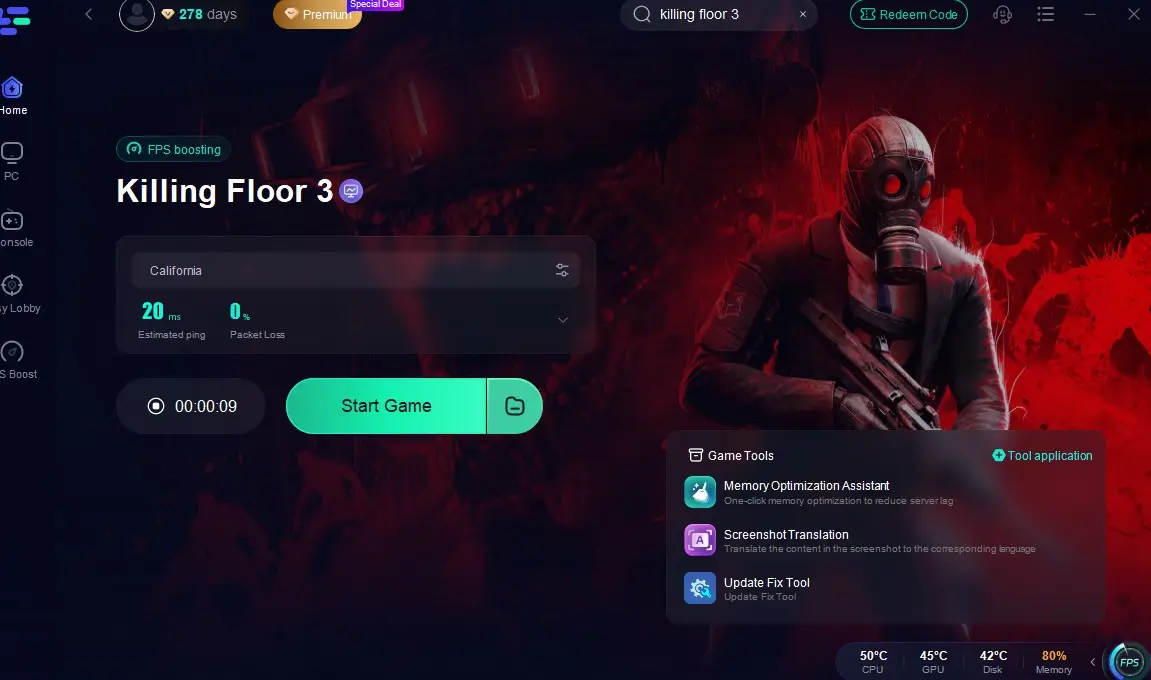
Step 4: Check the optimized game ping and packet loss rate, then click "Start Game" to dive into the survival battle against the zombie horde!
How to optimize Killing Floor 3 on Console platforms:
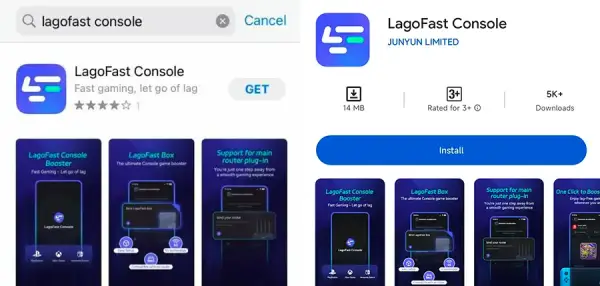
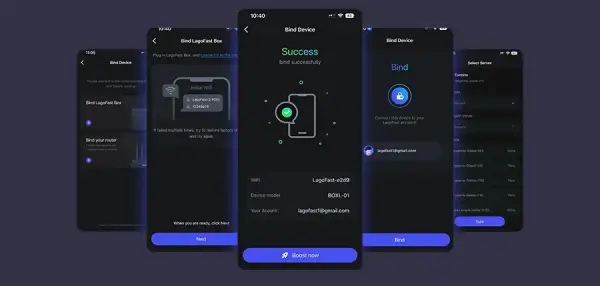
Step 1: Download the LagoFast Console App on your phone to control the LagoFast Box.
Step 2: Establish a connection between your LagoFast Box, router, and console, choosing between a wired or wireless connection.
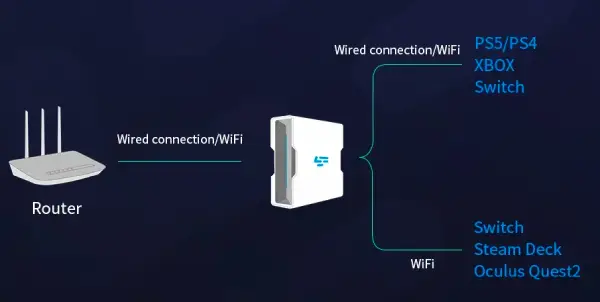
Step 3: Launch the LagoFast Console App and boost Killing Floor 3. Once you have completed the binding process with the LagoFast Box, proceed to boost this game within the LagoFast Console App.
Conclusion
Killing Floor 3 delivers a visceral, cooperative experience with full crossplay support, ensuring you can team up with friends across PC, PS5, and Xbox. Head to your preferred platform now to download Killing Floor 3 and pair it with LagoFast for an adrenaline-fueled escape!

Boost Your Game with LagoFast for Epic Speed
Play harder, faster. LagoFast game booster eliminates stutter and lags on PC, mobile, or Mac—win every match!
Quickly Reduce Game Lag and Ping!
Boost FPS for Smoother Gameplay!