
If you want to team up with friends across platforms in Grounded 2, understanding crossplay, cross‑progression, and how to optimize multiplayer connectivity is essential. Grounded 2 fully supports crossplay between Steam (PC) and Xbox, but requires account setup and optional multiplayer world types. Plus, tools like LagoFast Game Booster can help eliminate lag and connection drops in peer‑to‑peer host sessions. This guide walks you through every detail—from supported platforms to enabling crossplay, sharing world saves, and improving your gaming experience.

Part 1: Is Grounded 2 Crossplay
Part 2: Which Platforms Support Cross-play In Grounded 2
Part 3: Can you crossplay between Xbox and PC
Part 4: How to Enable Crossplay in Grounded 2
Part 5: Does Grounded 2 Have Cross-Platform Progression?
Part 6: Enhance Your Gaming Experience with LagoFast Best Gaming Booster
Part 1: Is Grounded 2 Crossplay
Yes. Grounded 2 fully supports cross-platform multiplayer between Xbox (including Game Pass) and Steam PC builds. However, crossplay does not work automatically on Steam and must be explicitly enabled at least once per player by linking a Microsoft/Xbox account and toggling the crossplay option in-game. Alternatively, Steam users can opt for a “Steam‑Native” multiplayer state that avoids Xbox account linkage—but that limits you to Steam‑only multiplayer with your Steam friends.
Part 2: Which Platforms Support Cross-play In Grounded 2
These platforms support crossplay:
Xbox Series X|S (Game Preview launch July 29, 2025).
Windows PC via:
- Microsoft Store / Xbox PC Game Pass
- Steam (Early Access / retail)
Steam players need to opt into a Linked Microsoft account or Shared World mode to unlock crossplay. Xbox platforms already come integrated via Xbox Live Gamertag.
Part 3: Can you crossplay between Xbox and PC
As long as you meet two conditions:
- Link a valid Microsoft (Xbox) account from within Grounded 2.
- Enable the Crossplay toggle in the Options menu.
Once that’s done, a player using Xbox Game Pass (or Xbox retail) and a friend on Steam can freely join each other’s sessions—even if they used different stores to buy the game. Steam players who skip this step will be isolated to “Steam‑native multiplayer,” unable to see or join Xbox-hosted games.
Part 4: How to Enable Crossplay in Grounded 2
Step-by-Step Instructions
On Xbox (Game Pass / Microsoft Store):
- Launch the game. Your Gamertag appears in the top-right corner automatically.
- Open Options → scroll down → Enable Crossplay → Follow prompts to confirm connection. You’re now play-ready across platforms.
On Steam (First-time setup):
- Start the game. Look for a pop-up prompt asking to link your Microsoft account (essential for crossplay).
- Follow the prompt—open Xbox login and confirm the account linkage.
- If you skipped, go to Options → Enable Crossplay to redo the prompt.
- After linking, the game may restart. You'll then see your Gamertag in the main menu.
- Make sure both you and your friend are in the same crossplay state—either “Steam‑Native” or “Crossplay Enabled.” If in doubt, repeat the steps.
Choosing a Multiplayer World Type
Grounded 2 offers two save types:
- Standard World: Hosted by a single player; host must be online to play. You can use Steam-native mode here—but with crossplay on, Xbox users can join.
- Shared World: Cloud-save mode; anybody in the crossplay group can host and invite others even when the original creator is offline. Best for groups. Once a world is created under one type, you cannot convert it.
Part 5: Does Grounded 2 Have Cross-Platform Progression?
Yes—but only if you’re on Microsoft-based platforms (Game Pass or Store). This feature is powered by Xbox Play Anywhere, which lets you roam between Xbox and PC with cross‑save via cloud. However:
- Your Steam-only purchase lacks true cross‑save—even if crossplay is enabled. A Reddit report confirms Steam builds treat saves separately from Xbox/cloud.
- If you’re on Game Pass or Store, your progress—including world saves—is synchronized via your Xbox profile across devices.
So: Xbox/Store = yes cross progression | Steam = crossplay only, no synced progress.
Part 6: Enhance Your Gaming Experience with LagoFast
Grounded 2 relies on a peer-to-peer (P2P) system, where one player hosts the world and others connect directly. Common issues in this structure include:
- High latency if host geographically distant
- NAT type mismatches (Xbox NAT restrictions)
- Packet loss or jitter causing teleporting bugs and desyncs
LagoFast Game Booster, with over 60 global acceleration nodes, optimizes your network in real time for smoother peer connections and more stable online play.
Its key benefits:
- Reduces ping and packet loss between host and players
- Maintains lower jitter so desyncs are minimized
- Offers Smart Boost: autoselects best server path dynamically
If you’ve linked crossplay and still face issues like “Unable to join host,” or periodic lag spikes, this tool can make the difference.
Step 1: Click the button below to download LagoFast for free and install it on your PC.
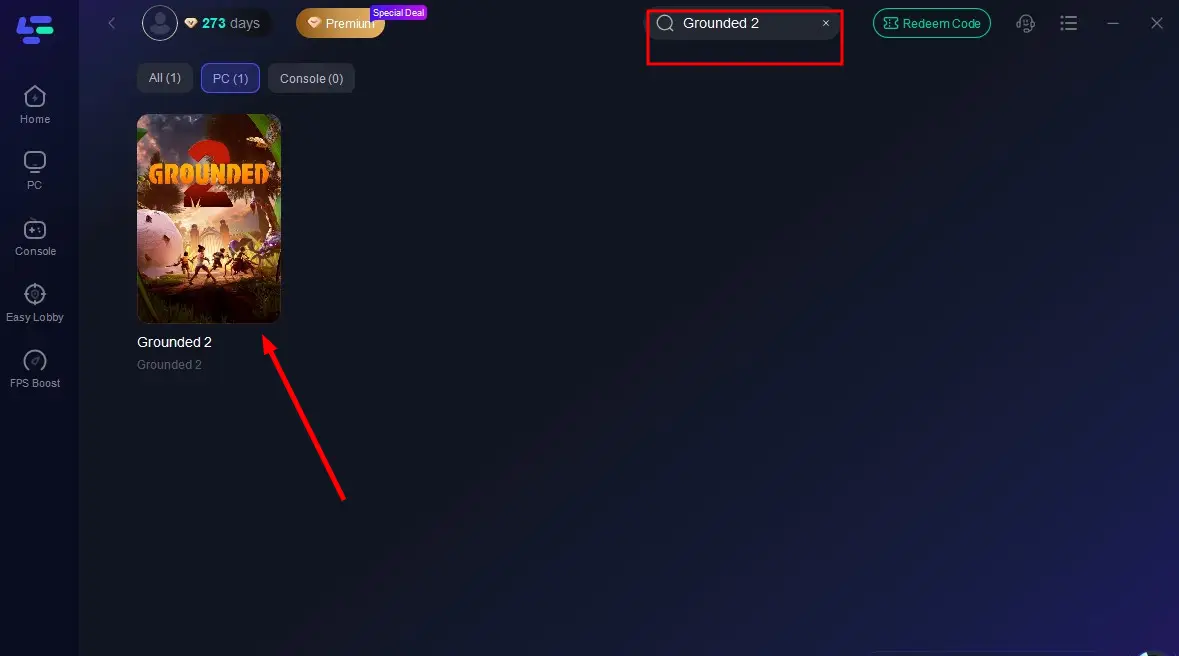
Step 2: Launch the LagoFast client after installation, then type "Grounded 2" into its search bar and click the result.
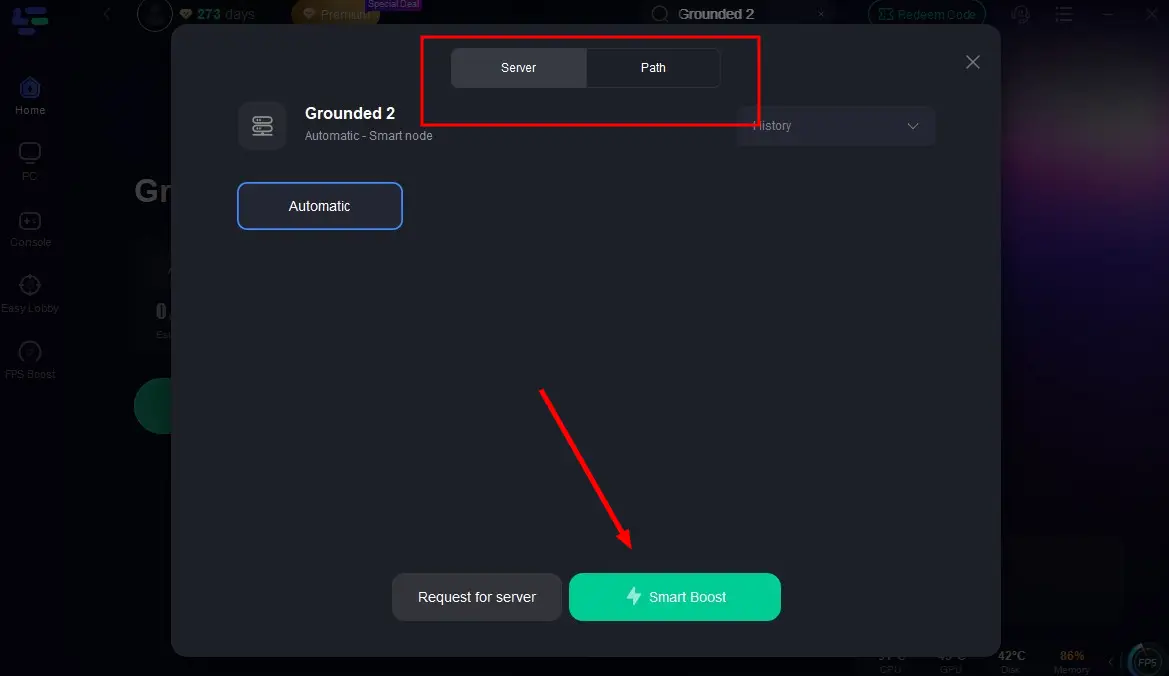
Step 3: Click "Select Server" to choose the closest or lowest-latency server node, then click "Smart Boost" to activate real-time optimization.
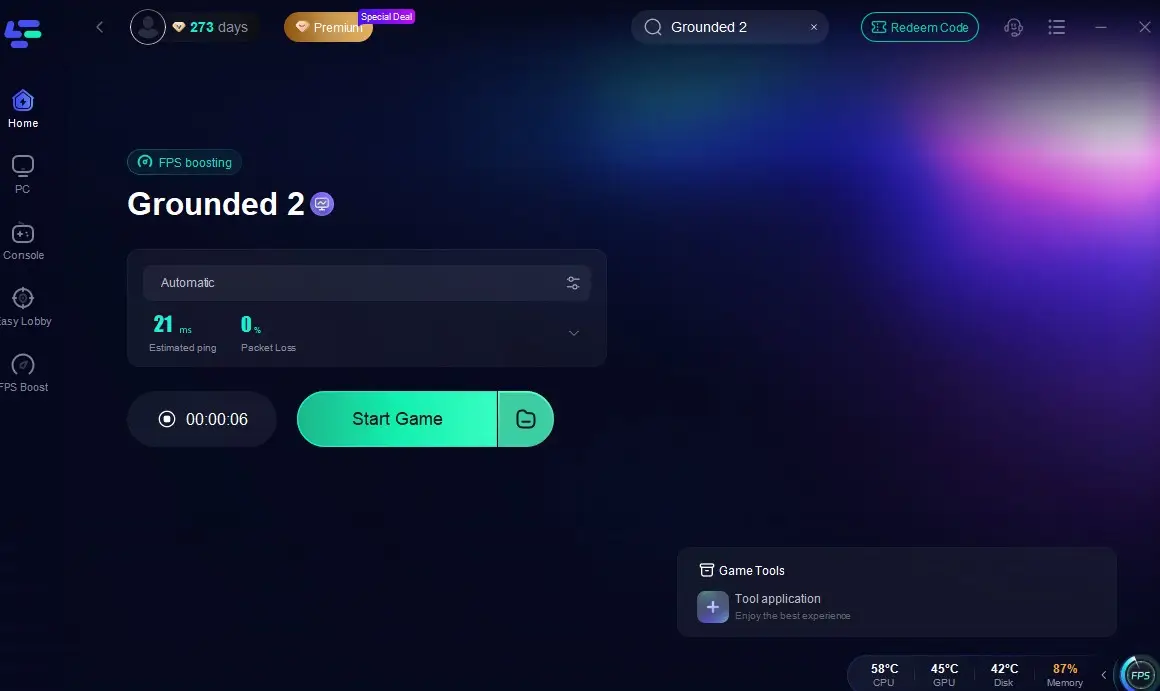
Step 4: Once optimization starts, you'll see reduced packet loss and ping in-game. Click "Start Game" to return to Grounded 2 and enjoy lag-free gameplay!
Conclusion
Grounded 2 offers full crossplay between Xbox and Steam, but only if you properly link your Microsoft account and enable crossplay in-game. While Steam players don’t get cross‑save, they can still join Xbox friends for multiplayer sessions. Choosing a Shared World adds flexibility for joint hosting.
Network issues are common due to the P2P architecture, but tools like LagoFast Game Booster provide real-time routing optimization, reducing latency, jitter, and connection drops—ideal for smoother co‑op play. Whether diving solo or teaming up, these steps ensure fewer technical interruptions and more time dealing with oversized bugs instead of server errors.
Shrink down, link your accounts, boost your network—and get ready to recreate the backyard survival adventure with your friends.

Boost Your Game with LagoFast for Epic Speed
Play harder, faster. LagoFast game booster eliminates stutter and lags on PC, mobile, or Mac—win every match!
Quickly Reduce Game Lag and Ping!
Boost FPS for Smoother Gameplay!