

Crimson Desert is a massive open world full of combat, exploration, and constant loot rewards. But one problem quickly slows players down—inventory fills up too fast. There’s no clear “expand” option early on, and without a proper storage system, you’re forced to constantly manage space. Understanding how the inventory expander works—and what it actually means in the current version of the game—is key. This guide explains it clearly and shows practical ways to get more inventory space without interruptions.

- ✅ Reduce Lag and High Ping.
✅ Boost FPS at the Same Time.
✅ Support 2000+ Popular Online Games.
✅ Change Server without Latency.
✅ Boost Game Loading Speed.
Part 1: What is Inventory Expander in Crimson Desert
Part 2: Why Your Inventory Gets Full So Quickly
Part 3: Quickest Way to Expand Inventory in Crimson Desert—LagoFast
Part 1: What is Inventory Expander in Crimson Desert
In Crimson Desert, the term “inventory expander” can be misleading. There’s no direct feature you can access or upgrade. You won’t find a menu option or instant way to increase space, and the system isn’t clearly explained.
What players usually mean is how inventory grows gradually through side quests, story progression, or rewards. You might gain a few extra slots over time, but it happens in small increments rather than a single large upgrade.
Many players only realize how it works after repeatedly picking up loot, hitting the inventory limit, and wondering why there’s no obvious way to expand it.
Part 2: Why Your Inventory Gets Full So Quickly
Many players get frustrated here—not just because the inventory is small but because of how loot and storage are handled:
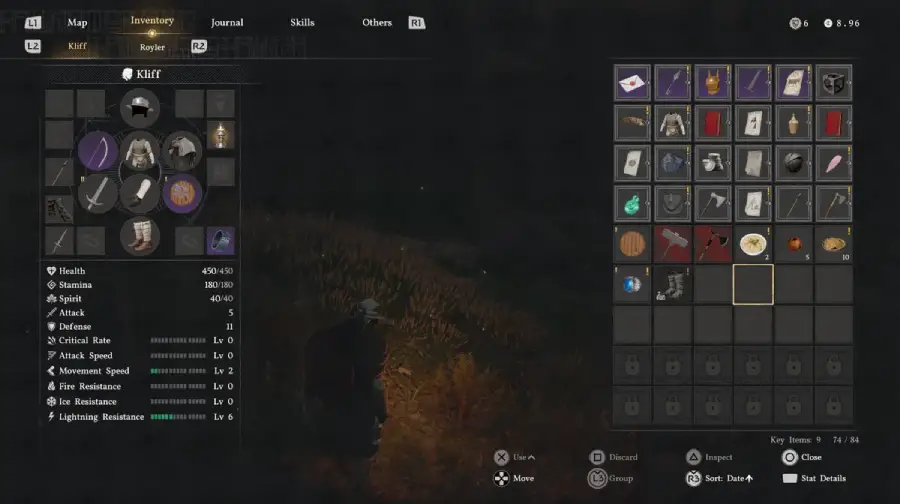
- Too much loot, too early: Enemies drop gear constantly, chests appear everywhere, and crafting materials stack quickly. This makes it easy to hit your inventory limit before you even realize it.
- No real storage system: There’s no stash, shared storage, or usable house storage—everything stays in your inventory.
- All items compete for space: Gear, crafting materials, consumables, and quest items share the same slots.
- “Just in case” habit: Players often keep items they think might be useful later, which quickly fills the inventory.
In short, the game encourages you to collect everything but doesn’t provide a clean way to manage it, so your bag fills up faster than expected.
Part 3: Quickest Way to Expand Inventory Space in Crimson Desert—LagoFast
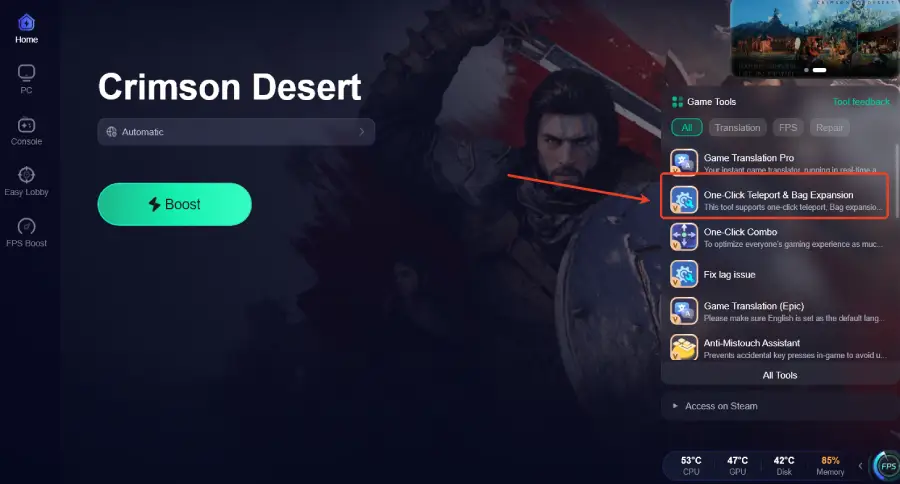
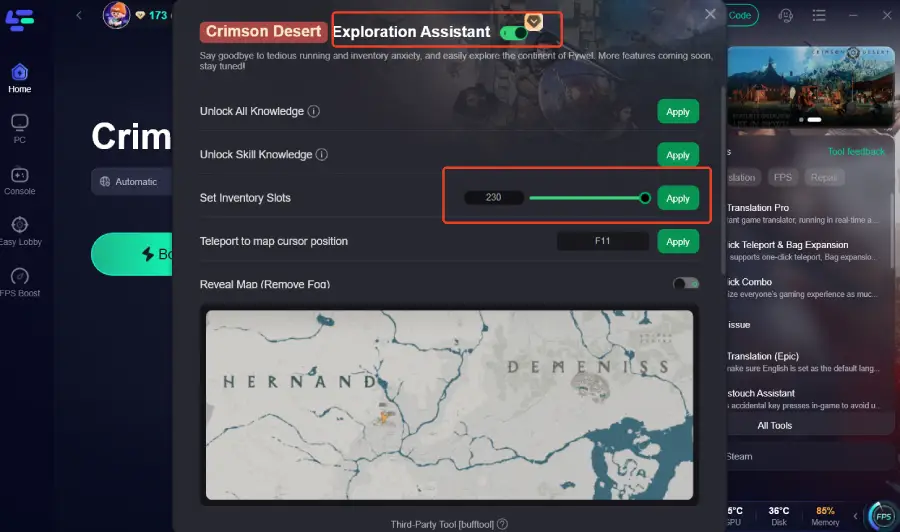
If you’re finding inventory expansion too slow in Crimson Desert, the LagoFast One-Click Teleport & Bag Expansion lets you set inventory slots, increasing the number of available spaces up to 230 (current game limit). This allows you to carry more items and explore Pywel without constantly managing your bag.
The Explore Assistant also offers a range of additional features to make exploration and progression much easier:
- Unlock All Knowledge—instantly reveals all in-game knowledge, so you can plan exploration efficiently without missing key resources.
- Unlock Skill Knowledge – unlocks skill-related knowledge to improve your character’s abilities
- Teleport to Map Cursor Position—quickly move to any location on the map (shortcut: F11)
- Reveal Map (Remove Fog)—removes the fog of war on the map for easier navigation and planning
With these tools, LagoFast helps you expand your inventory, explore efficiently, and progress faster in Crimson Desert, making your gameplay smoother and more enjoyable.
How to Expand Inventory Space in Crimson Desert
Step 1: Click the Free Trial button to download and install LagoFast.
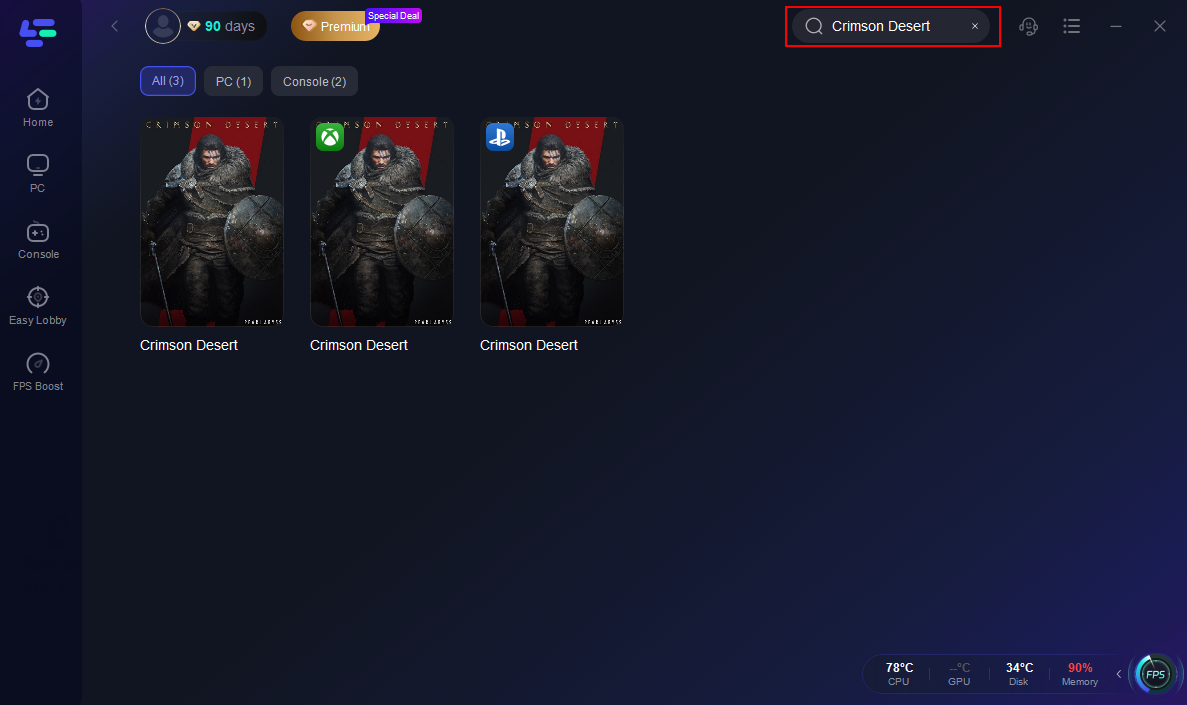
Step 2: After installation, search "Crimson Desert" in the search bar and select the game.
Step 3: Click the One-Click Teleport & Bag Expansion Tool on the right.
Step 4: Click "Exploration Assistant" and select "Set Inventory Slots" to adjust your available inventory space.
Step 5: Choose your preferred server node and click "Smart Boost" to start optimizing.

Step 6: Launch your game and enjoy smooth, optimized gameplay with lower ping and packet loss.
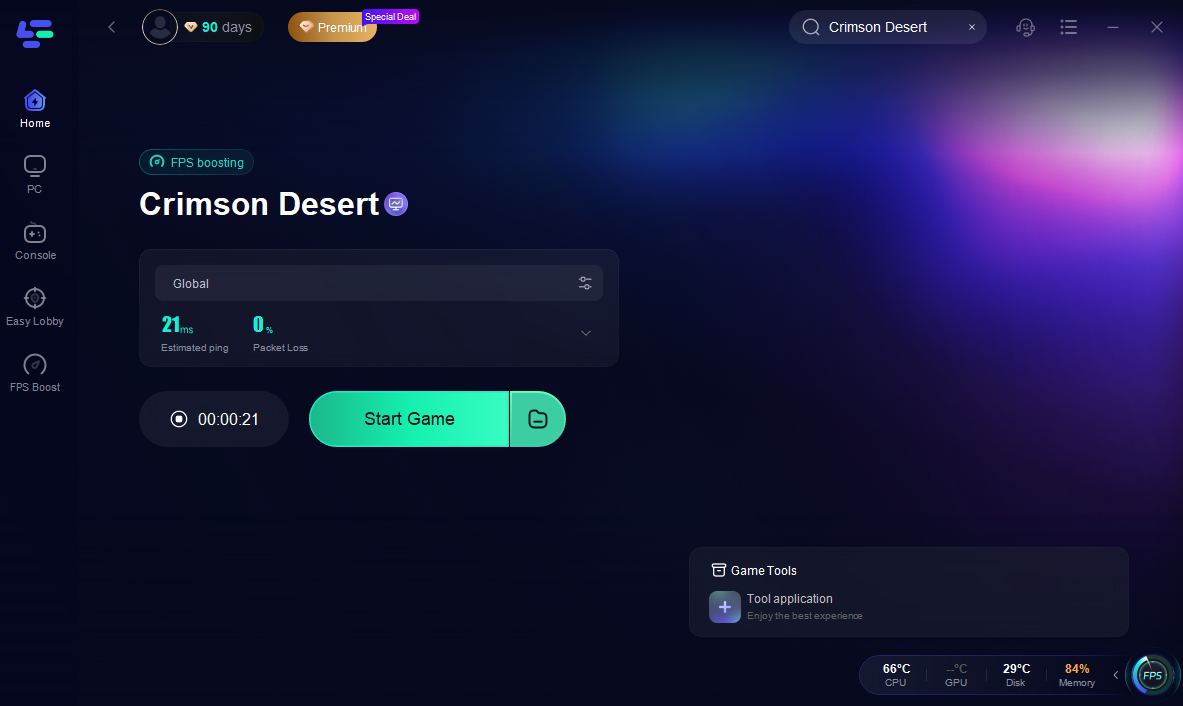
Beyond the One-Click Teleport & Bag Expansion tool, LagoFast offers a range of features to improve your overall gameplay:
- Stable Connection & Network Optimization: Reduces ping, fixes packet loss, stabilizes your connection, and optimizes routing and FPS for smoother performance.
- Auto Skill Combo & Quick Cast: The combat system in Crimson Desert is complex and timing-heavy. LagoFast’s One-Click Combo tool automates skill sequences, letting you focus on dodging and movement while executing combos flawlessly.
- Real-Time Translation: Pywel is a global community. The translation tool allows you to instantly understand in-game text and menus on international servers.
- Interactive Map & Other Tools: Simplifies navigation, exploration, and planning, enhancing your overall experience in the game.
With LagoFast, expanding inventory and optimizing gameplay becomes much easier, letting you spend more time exploring Pywel and less time worrying about limited slots or technical difficulties.
Part 4: FAQs
Q1: Can I store items anywhere in Crimson Desert?
Currently, there’s no proper storage system. Everything stays in your inventory until future updates add stash or house storage.
Q2: Why do some items fill inventory faster than others?
Certain items, like crafting or quest items, either don’t stack or have lower stack limits, which quickly fills your bag.
Q3: Does inventory reset when switching characters or servers?
No. Each character has its own inventory. Switching servers or characters doesn’t transfer items.
Q4: Are there ways to see which items take up the most space?
Yes. You can sort by type or weight, which helps identify large stacks or rarely used items.
Q5: Are some items restricted from being picked up when inventory is full?
Yes. Quest-related items or rare loot may be blocked if your inventory is full, so freeing space is necessary to avoid missing rewards.
Conclusion
Managing inventory in Crimson Desert can be frustrating, but understanding how it works is the first step. While the game gradually increases slots through progression, tools like LagoFast let you expand your inventory faster, improve gameplay, and explore Pywel without constant interruptions. By using available resources wisely, you can focus on fighting, looting, and enjoying the world without worrying about full bags.

Boost Your Game with LagoFast for Epic Speed
Play harder, faster. LagoFast game booster eliminates stutter and lags on PC, mobile, or Mac—win every match!
Quickly Reduce Game Lag and Ping!
Boost FPS for Smoother Gameplay!