
Hytale has been one of the most anticipated sandbox adventure games, drawing attention from players around the world. With its mix of creative building, exploration, and multiplayer action, fans are eager to dive in as soon as Early Access becomes available. This guide will cover the release date, available platforms, key gameplay features, and tips to ensure a smooth experience.

- ✅ Reduce Lag and High Ping.
✅ Boost FPS at the Same Time.
✅ Support 2000+ Popular Online Games.
✅ Change Server without Latency.
✅ Boost Game Loading Speed.
Part 1: Hytale Release Date and Platforms
Part 2: Hytale Gameplay Features
Part 3: How to Ensure a Smooth Gaming Experience in Hytale
Part 1: Hytale Release Date and Platforms
Hytale Early Access is set to launch on January 13, 2026, giving players their first chance to explore its expansive sandbox worlds, embark on quests, and experiment with building and combat mechanics. Currently, Early Access is available on PC, making it the perfect platform for players to jump in early and experience the game before console support becomes available.
Related Article: How to Download Hytale on PC & Fix Launcher Issues?
Part 2: Hytale Gameplay Features
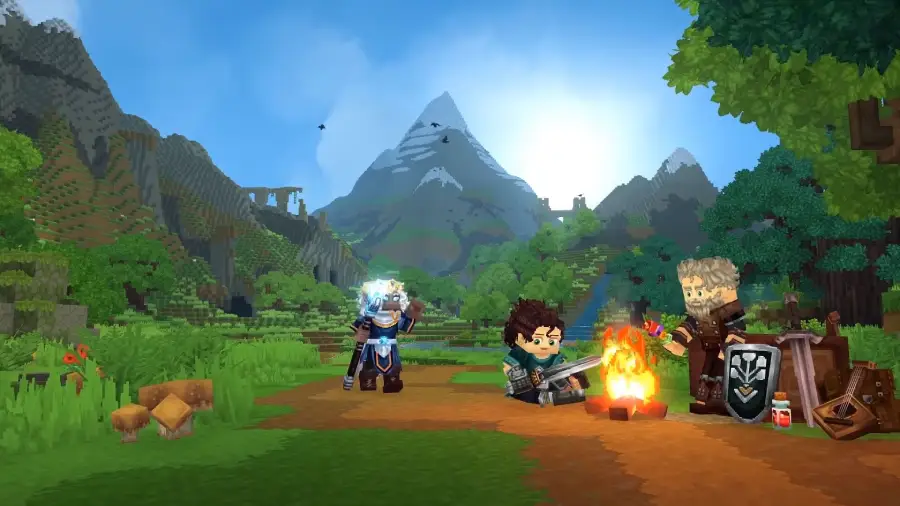
Even in Early Access, Hytale delivers a rich blend of creative and adventure gameplay:
- Creative Building: Use Hytale’s powerful tools to construct everything from cozy cabins to sprawling cities, edit terrain, and design your world.
- Exploration & Survival: Traverse procedurally generated biomes, survive environmental challenges, fight creatures, and uncover hidden discoveries.
- Multiplayer Support: Play with friends or join community servers from day one. Hytale supports collaboration and joint building.
- Official Modding Tools: Hytale includes official scripting APIs, content creation tools, and community sharing options, letting you customize your experience from the start.
Hytale successfully blends sandbox creativity with survival exploration and community-driven content, appealing to both builders and adventurers alike.
Part 3: How to Ensure a Smooth Gaming Experience in Hytale
Launching Hytale smoothly can be tricky, especially on busy days when server congestion and lag are common. Long queues or unstable connections can ruin the experience before you even start exploring or building. The best way to avoid this is to prepare the official launcher in advance.
Lagofast’s Download Game Launcher is designed to solve this problem. With this tool, you can download Hytale’s official launcher ahead of time, ensuring that you are ready to log in as soon as Early Access opens. Beyond just downloading, Lagofast optimizes your connection, reduces ping, stabilizes your network, and even provides features like instant translation, making it easier to connect and play with other players around the world, helping improve your overall Hytale gaming experience.
Tutorial to Use LagoFast to Get the Best Hytale Experience on PC:
Step 1: Click the Free Trial button to download and install LagoFast.
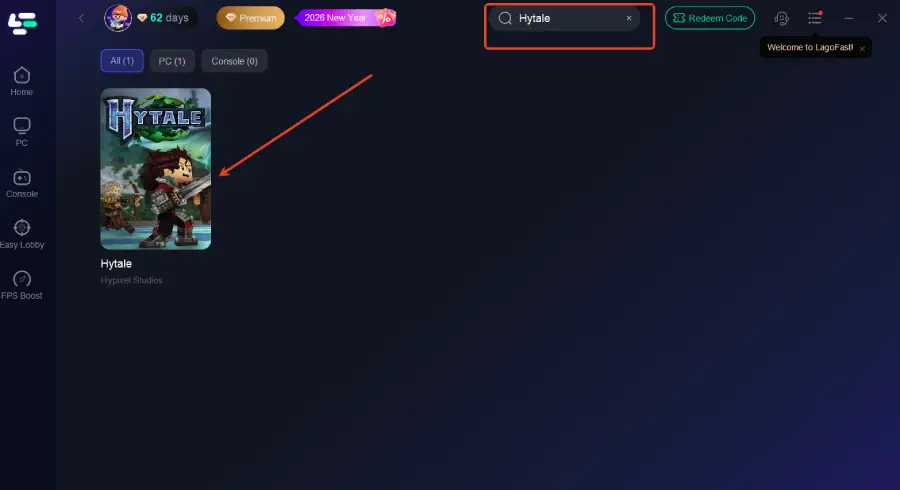
Step 2: After installation, search "Hytale" in the search bar and select the game.
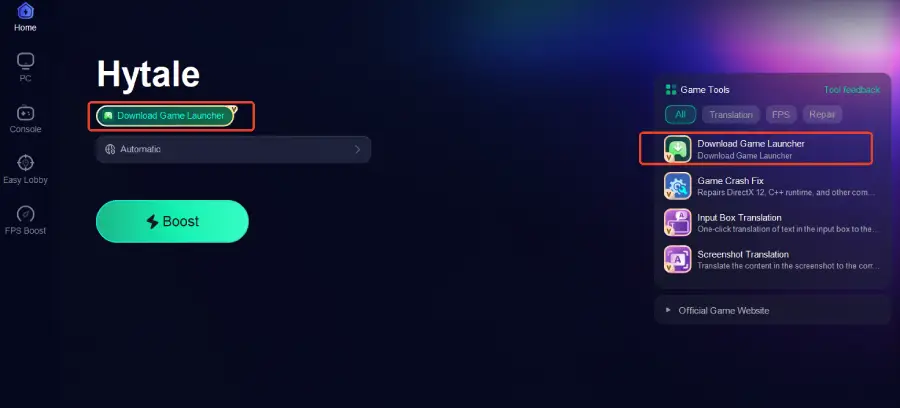
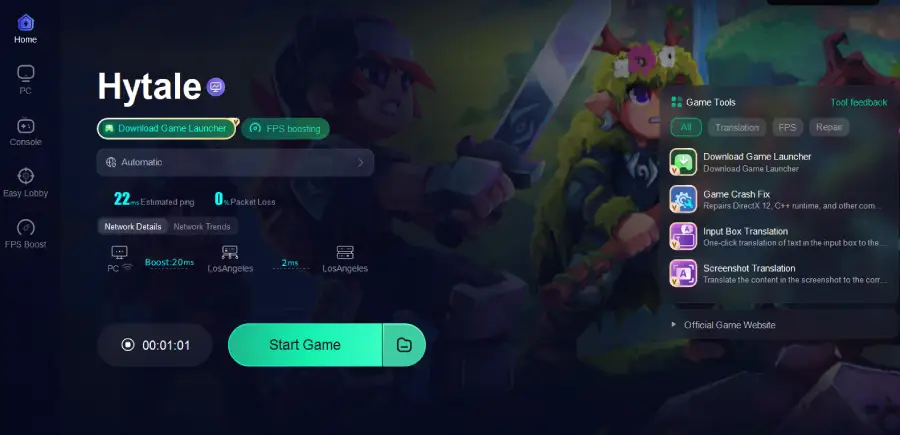
Step 3: Click the Download Game Launcher tool on the right to start downloading
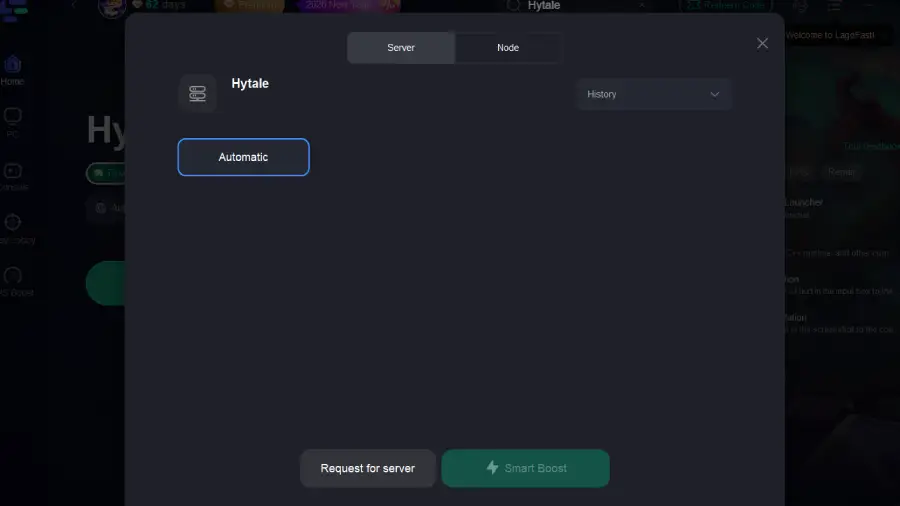
Step 4: Choose your preferred server node and click "Smart Boost" to start optimizing.
Step 5: Launch your game and enjoy smooth, optimized gameplay with lower ping and no stutter.
Part 4: Hytale FAQs
Can I play Hytale before the official full release?
Yes, Early Access lets you play the game before the full release.
Do I need a powerful PC to run Hytale?
Hytale is optimized for many modern PCs, but checking the system requirements will help ensure a smooth experience.
Can I play with friends in Early Access?
Yes, multiplayer support is available so you can join friends or community servers.
Is modding available during Early Access?
Yes, official modding tools and support are available from day one.
Can the Hytale release time vary by region?
Yes, the exact Hytale release hour may differ slightly depending on your time zone, so check local launch details for the exact play time.
Conclusion
Hytale Early Access is finally here, giving players the chance to dive into rich sandbox worlds, creative building, and exciting adventures ahead of the full release. By knowing the release date, exploring its gameplay features, and preparing in advance with tools like Lagofast’s Download Game Launcher, you can enjoy a smooth, optimized experience with lower ping and seamless multiplayer connectivity.
Whether you’re building, exploring, or creating mods, getting ready early ensures that your Hytale journey starts off without interruptions.

Boost Your Game with LagoFast for Epic Speed
Play harder, faster. LagoFast game booster eliminates stutter and lags on PC, mobile, or Mac—win every match!
Quickly Reduce Game Lag and Ping!
Boost FPS for Smoother Gameplay!