

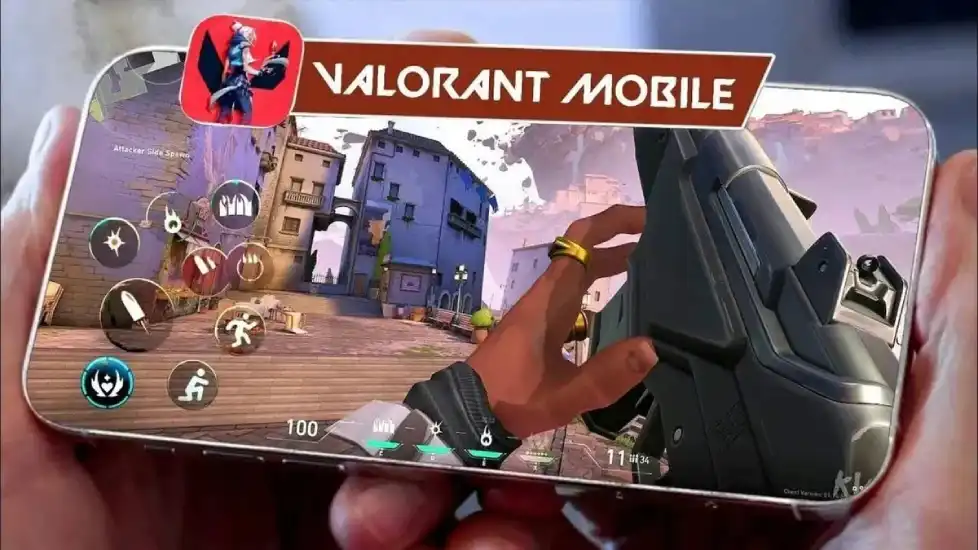
Hey Indian gamers! If you’ve been itching to get your hands on Valorant Mobile Beta before its worldwide release, you’re in the right spot. Riot Games’ tactical shooter on mobile is currently in a closed beta—but only in China. Don’t let that stop you! This guide breaks down exactly how to play Valorant Mobile Beta in India, from sneaking past region locks to nailing the download and boosting your gameplay. No tech jargon, just straightforward steps to get you into the action. Let’s jump right in!
Part 1. Valorant Mobile Beta Test Details
Part 2: How to Download and Play Valorant Mobile CN in India
Part 3: How To Get Access To Valorant Mobile Beta in India
Part 4: Enhance Your Valorant Mobile CN Gaming Experience with LagoFast
Part 1: Valorant Mobile Beta Test Details
The Valorant Mobile Beta is a limited-time testing phase for the game’s mobile version, currently exclusive to China. Here’s what you need to know:
- Availability: The beta is live in China, with servers going live on June 12, 2025 (6:30 AM IST) .
- Platforms: Android only
- Requirements: WeChat/QQ account for registration.
- Content: Players can test core gameplay mechanics, agents, and maps optimized for mobile, though features like cross-platform play are still under development.
Part 2: How to Download and Play Valorant Mobile CN in India
Since the current closed beta of Valorant Mobile is mainly for the Chinese market, players outside of China can download and play Valorant Mobile through LagoFast. The following are the detailed steps to download Valorant CN efficiently and safely through LagoFast:
Step 1: Visit the official website of LagoFast, download the LagoFast Mobile APK file, and follow the prompts to complete the installation.

Step 2: Open the LagoFast Mobile APP, search for "Valorant - CN," wait for the search results to appear, and then click the download button.
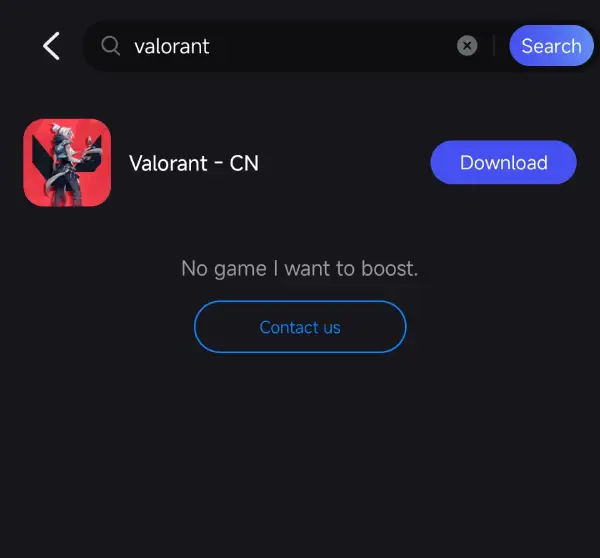
Step 3: Once the download is complete, you can enter the beta test of Valorant Mobile enven though you are outside China.
Part 3: How to Get Access to Valorant Mobile Beta in India
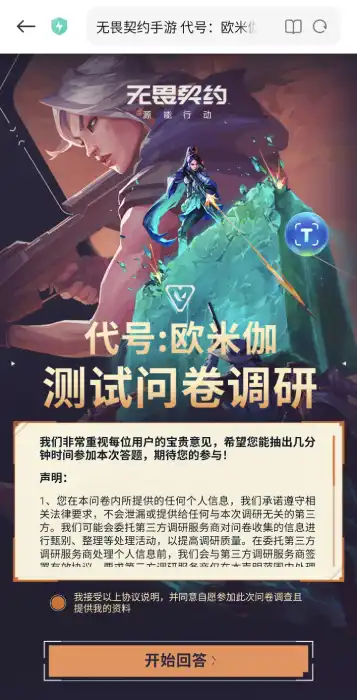
To qualify for the Valorant Mobile Beta test, you need to fill out a Chinese questionnaire, which is a big obstacle for Indian players. Don't worry, players can use the translation tool of LagoFast Game Booster Mobile to translate the entire process of filling out the questionnaire. Here are the detailed steps:
Preparations:
1. Install WeChat or QQ, and create an account (non-Chinese number is accepted)
2. Use LagoFast to boost Valorant CN, then you are connected to China
3. Use LagoFast's translation tool to translate Chinese text throughout the process.
Pre-registration:
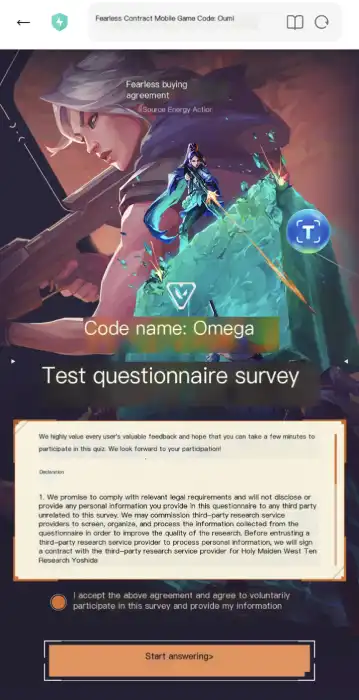
- Finish this survey: https://valm.qq.com/act/a20250425subscribe/survey.html?e_code=
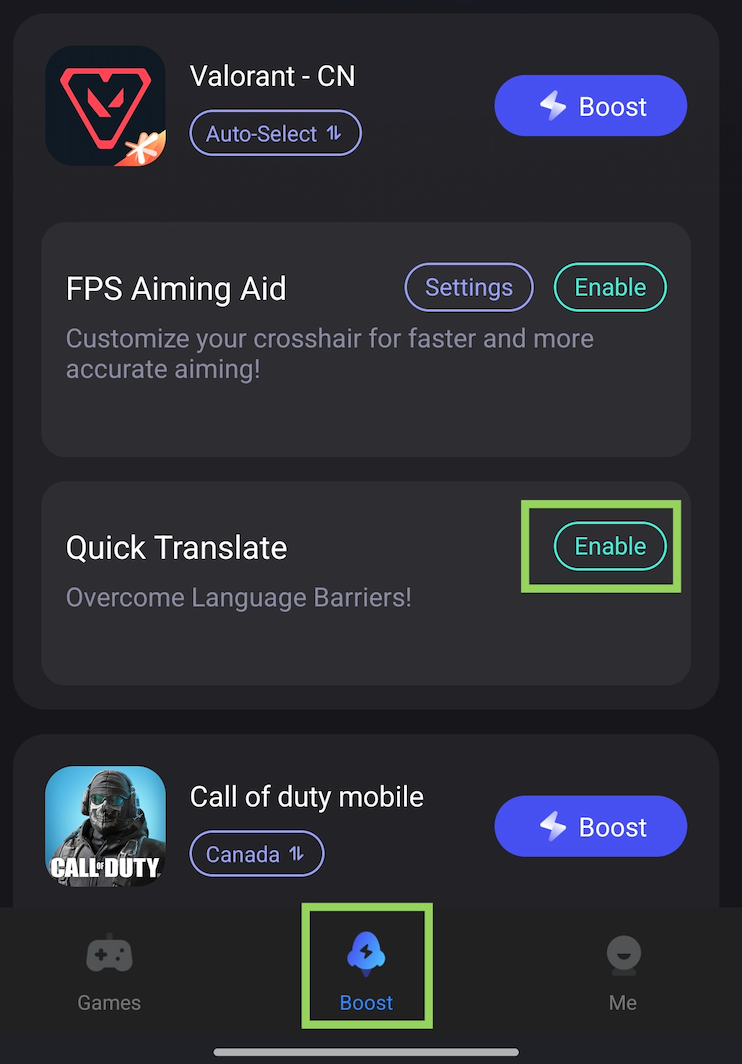
If you need help understanding Chinese, you can use the translation tool in LagoFast. You can find the translation tool below the Valorant CN game in the Boost tab once you've installed the game
Download LagoFast Mobile Booster APK file from its official website.
Before:
After:
Check Your Qualification:
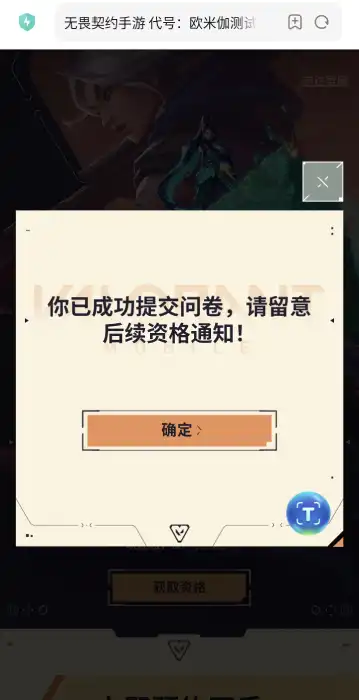
1. Enter the website and log in to the Wechat or QQ account you used
https://valm.qq.com/act/a20250425subscribe/index.html?e_code=547409
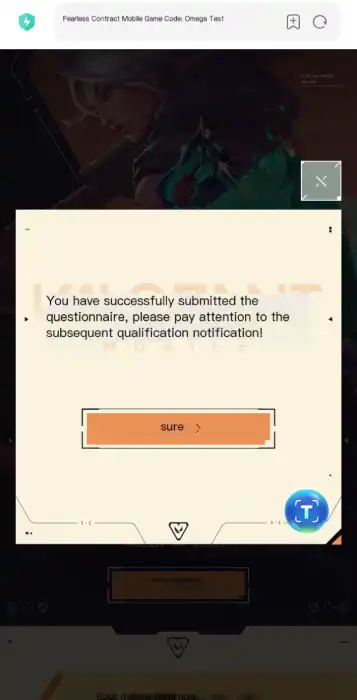
2. Then use the translation tool to check if you get the test qualification.
Before:
After:
This guide will be updated as new access methods emerge. Bookmark for updates!
Part 4: Enhance Your Valorant Mobile CN Gaming Experience with LagoFast
Even with a VPN, Indian players may face high latency or connection issues due to server distance. Here’s how LagoFast can help:
- Ping Optimization: Reduces lag by connecting to the fastest Chinese servers.
- Stable Connections: Minimizes packet loss and disconnects during matches.
- Easy Setup: Download LagoFast, search for “Valorant Mobile,” and click “Boost” to optimize your connection instantly .
- Additional Features: Real-time ping monitoring and server switching for seamless gameplay.
How to Boost Valorant Mobile with LagoFast
Step 1: Download LagoFast Mobile Booster APK file from its official website.
Step 2: Search Valorant Mobile and click the result.
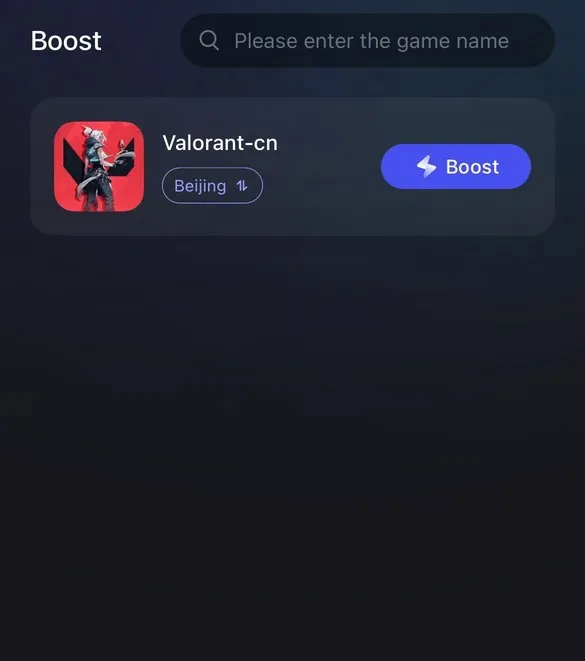
Step 3: Choose the server you need.
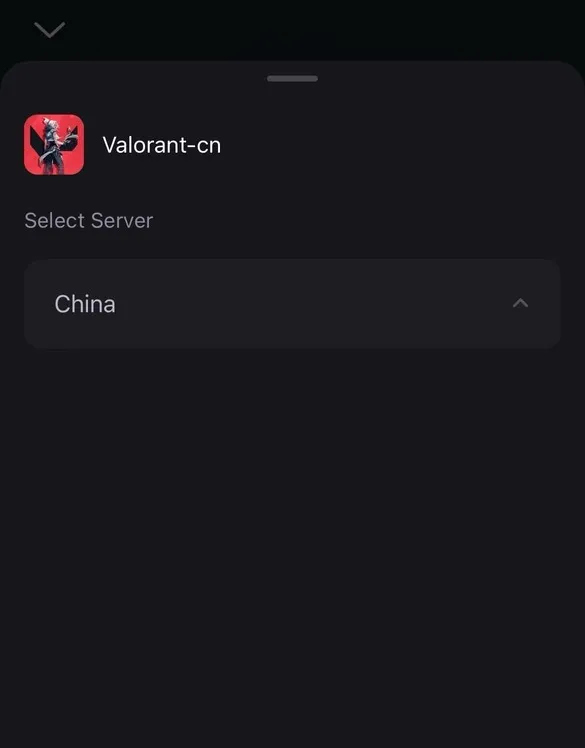
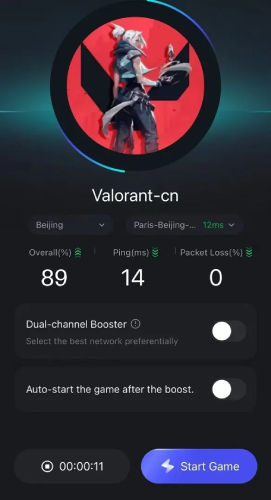
Step 4: Click boost, and it will show you real-time ping & packet loss rate.
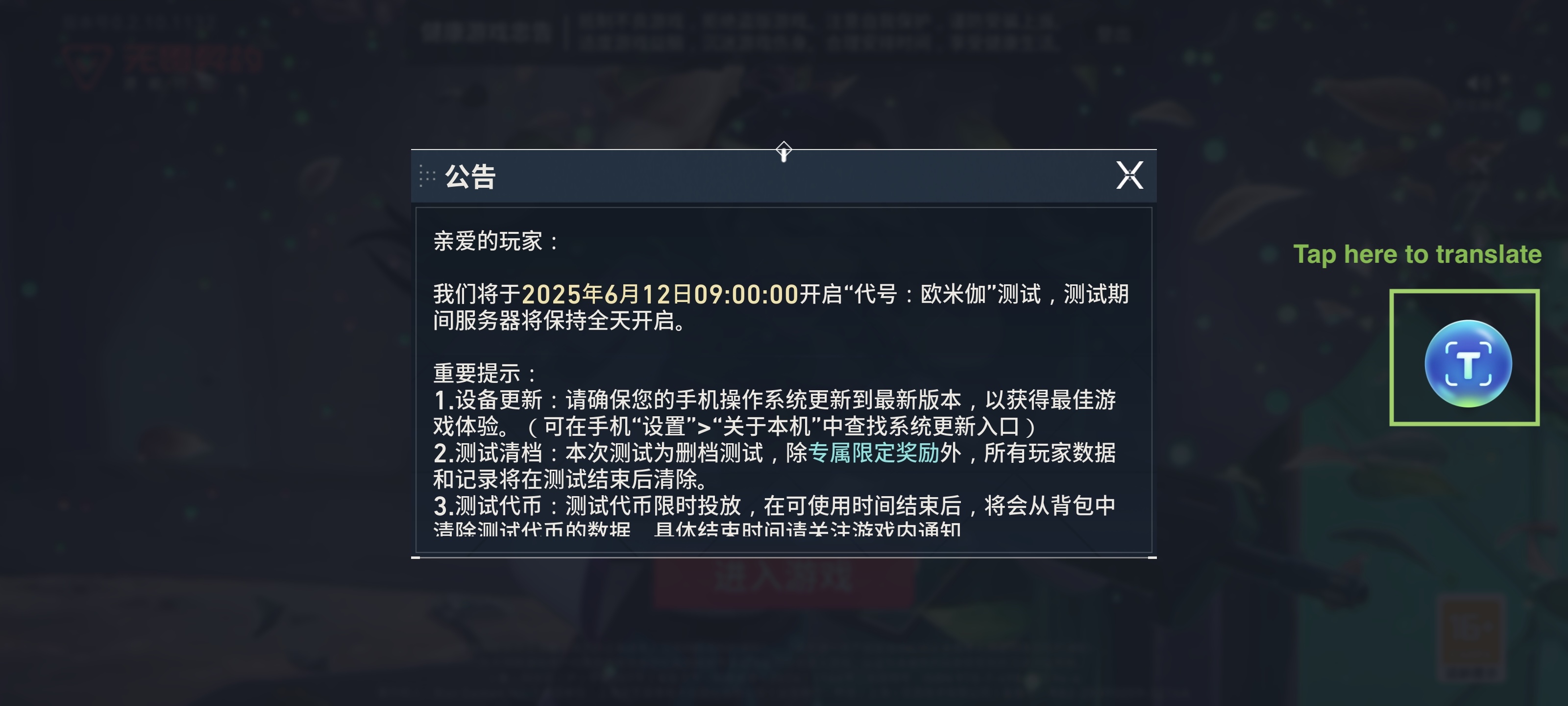
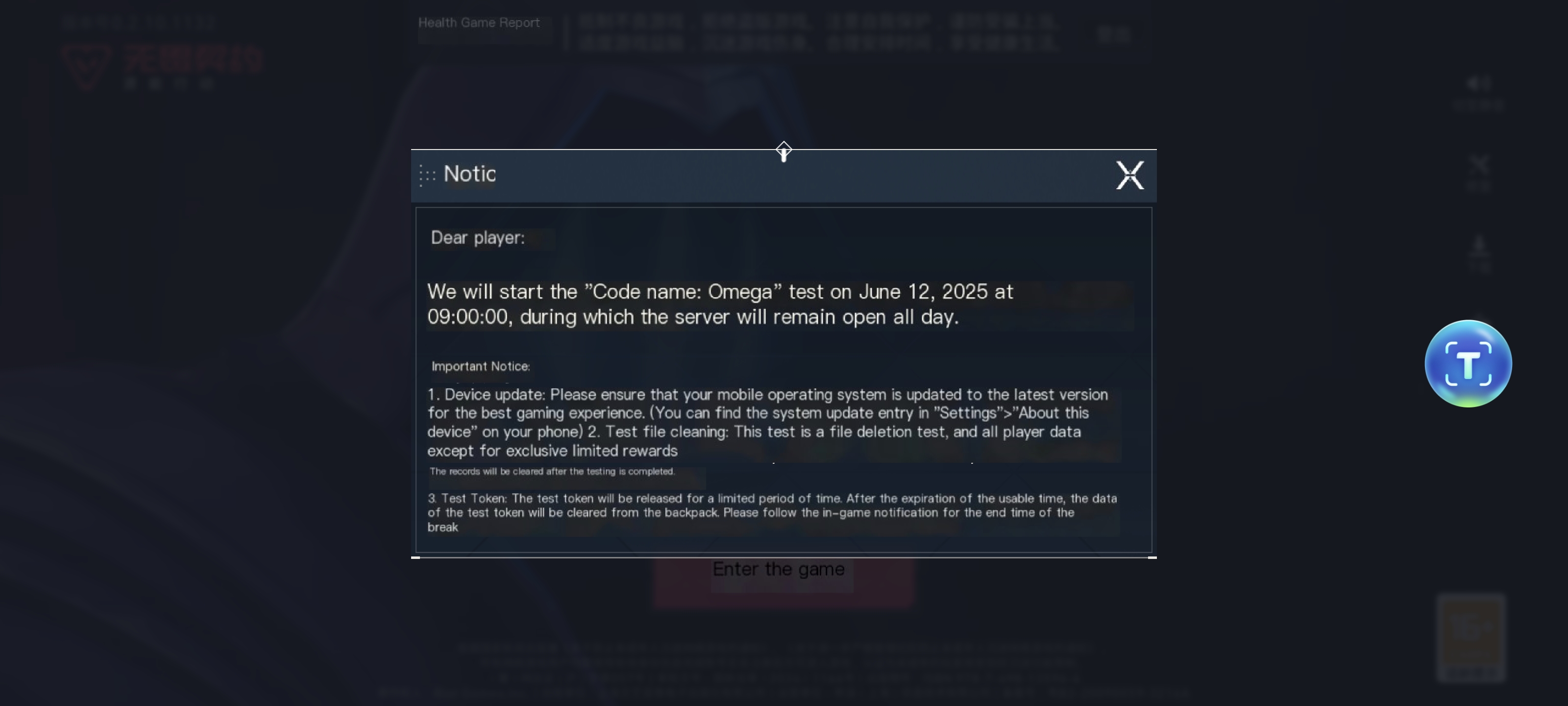
Moreover, LagoFast’s translation feature is not only helpful for the registration process. It auto-translates critical in-game text—like agent skill descriptions, match notifications, and HUD elements—into your preferred language - Indian .
Note: Set app language to your target language first!
Setup Steps:
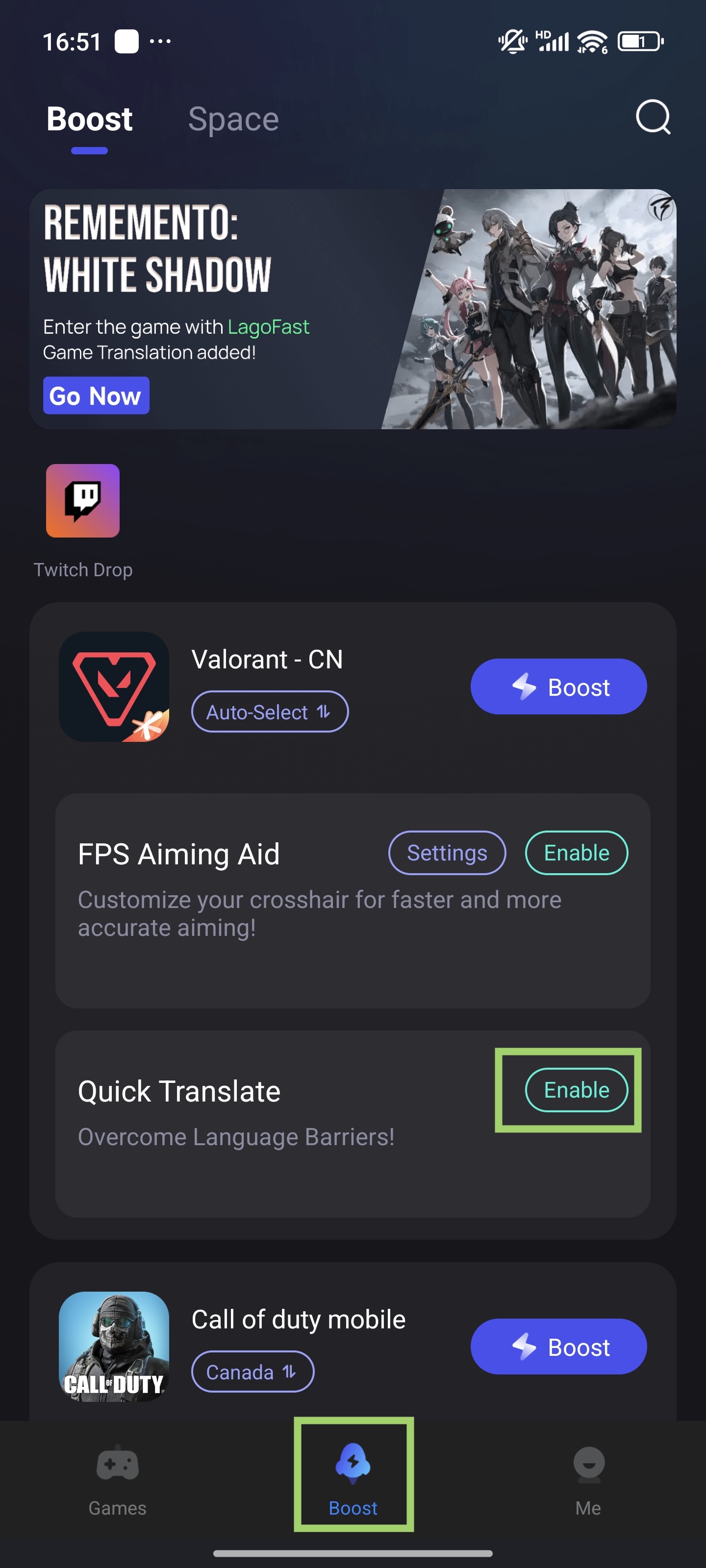
1. Enable Tool
- In the Boost tab, find "Valorant - CN" > tap "Quick Translate" > "Enable"
2. Set permissions
- Set popup window permission > Allow "Display over apps"
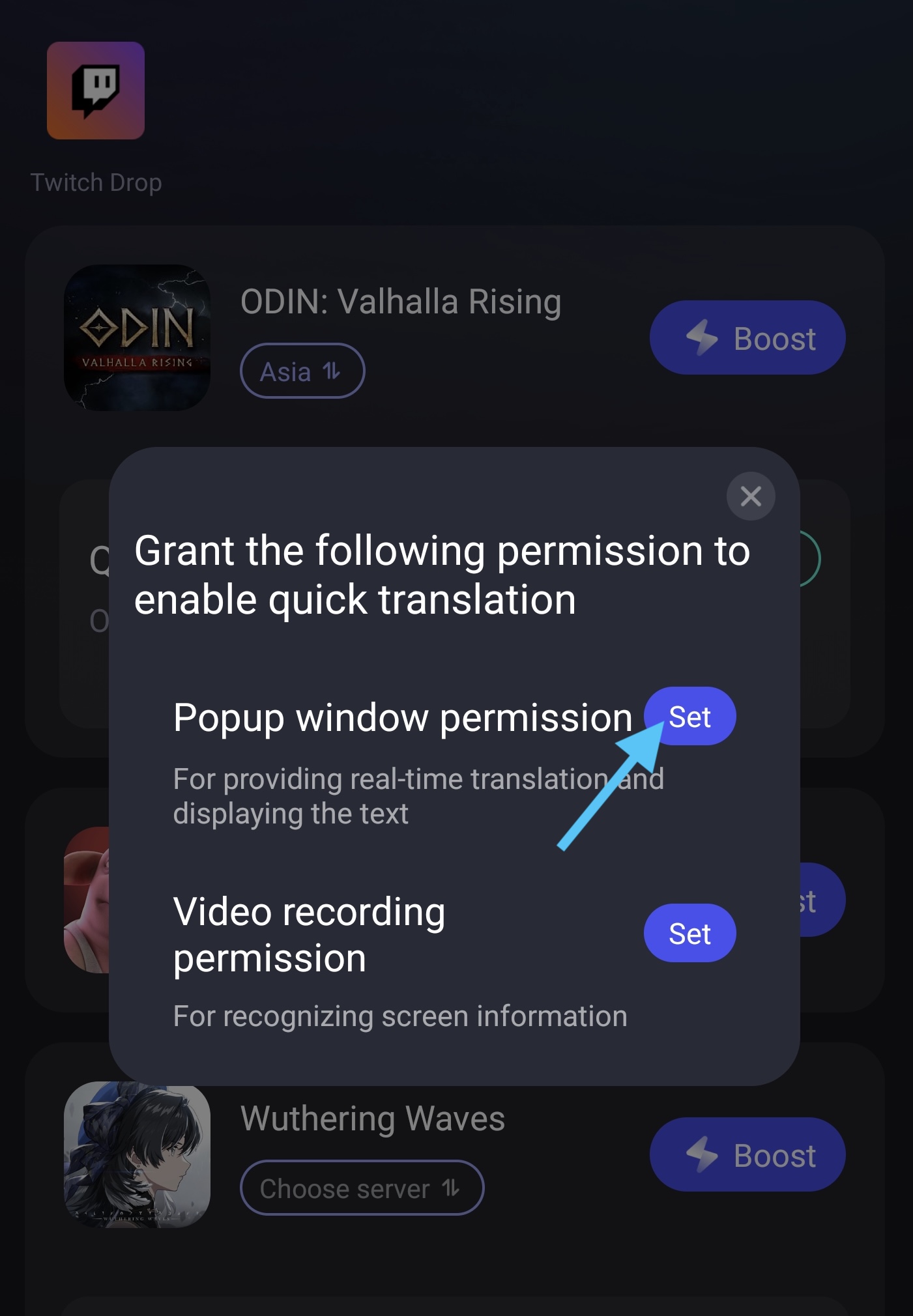
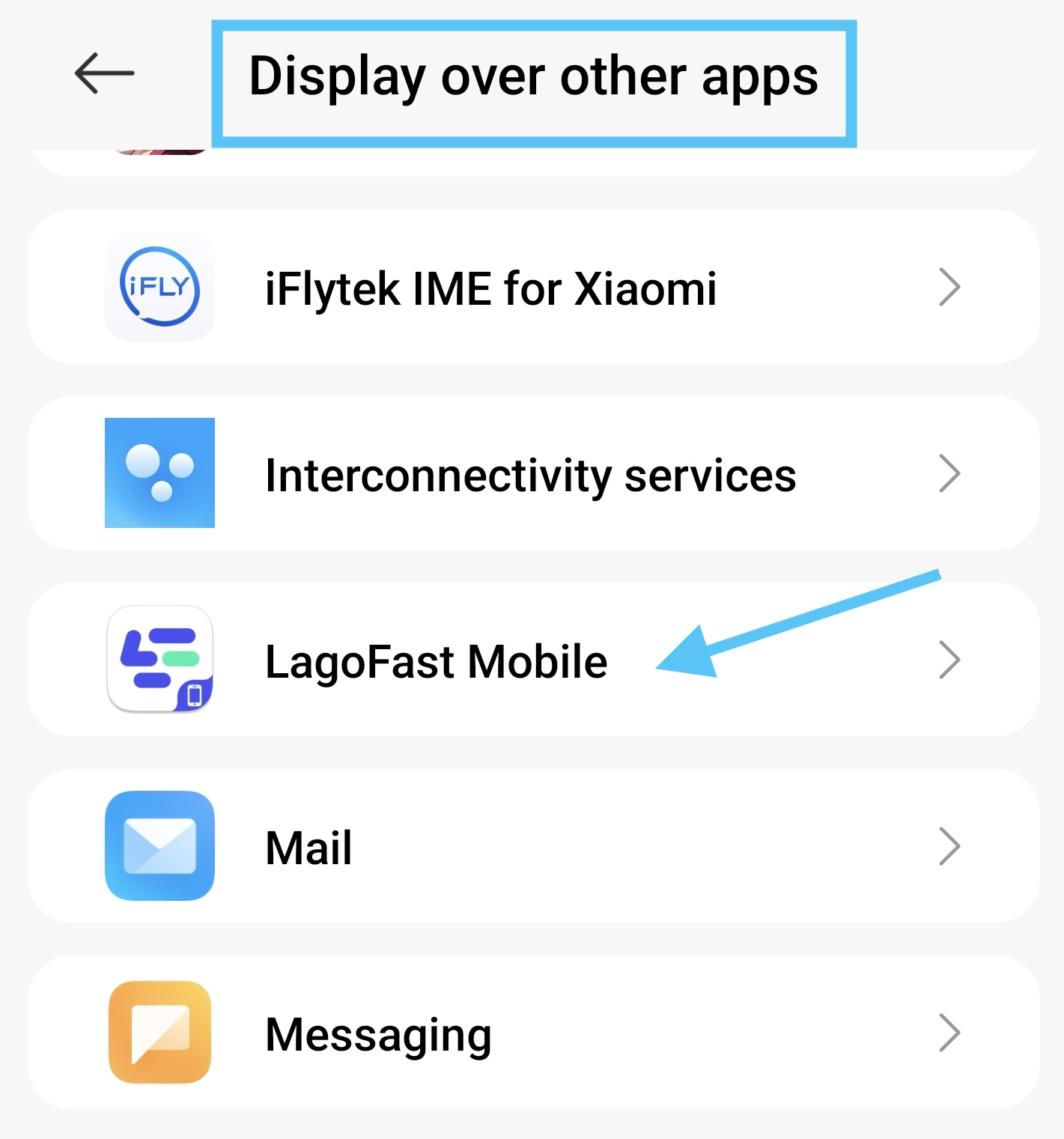
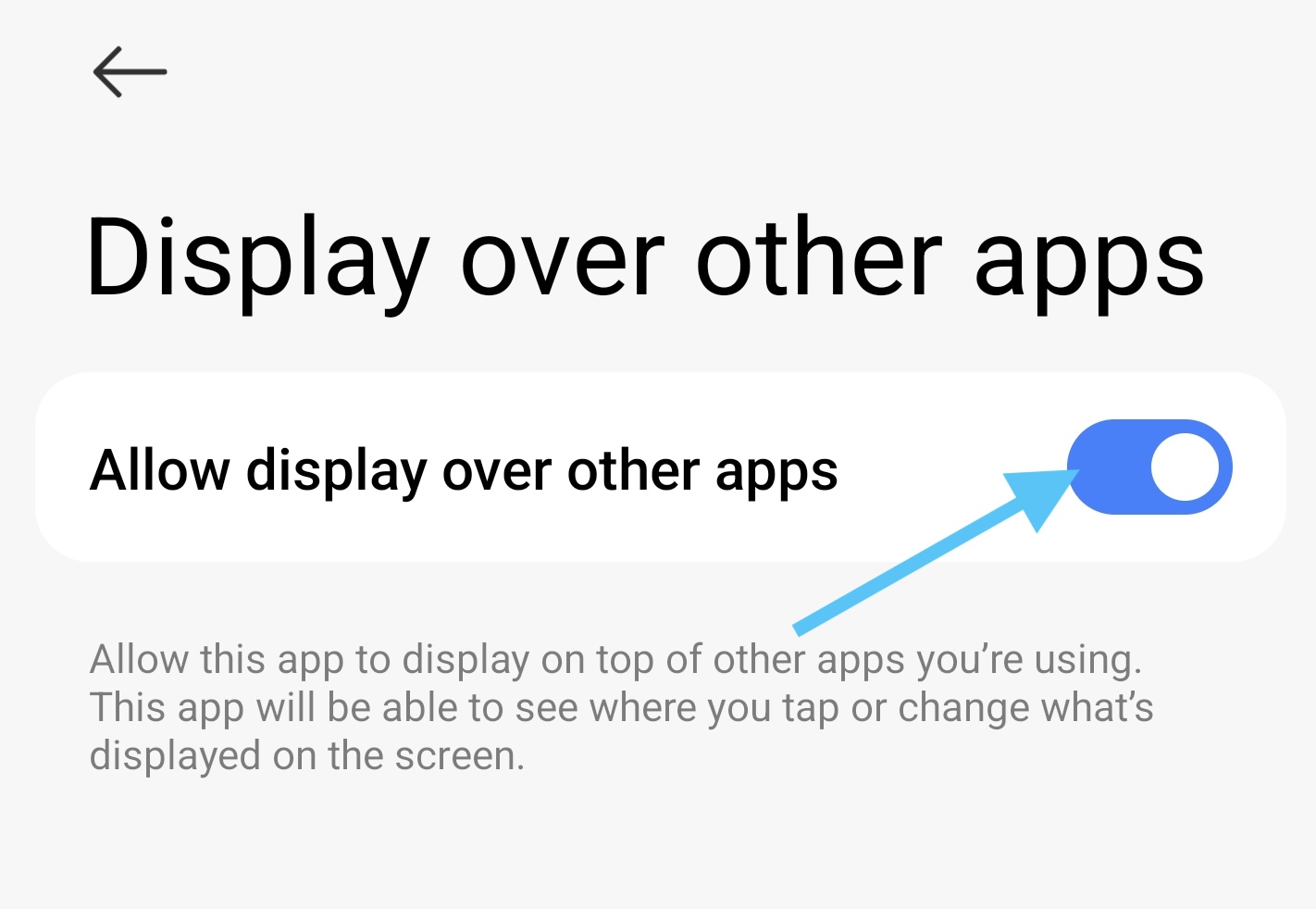
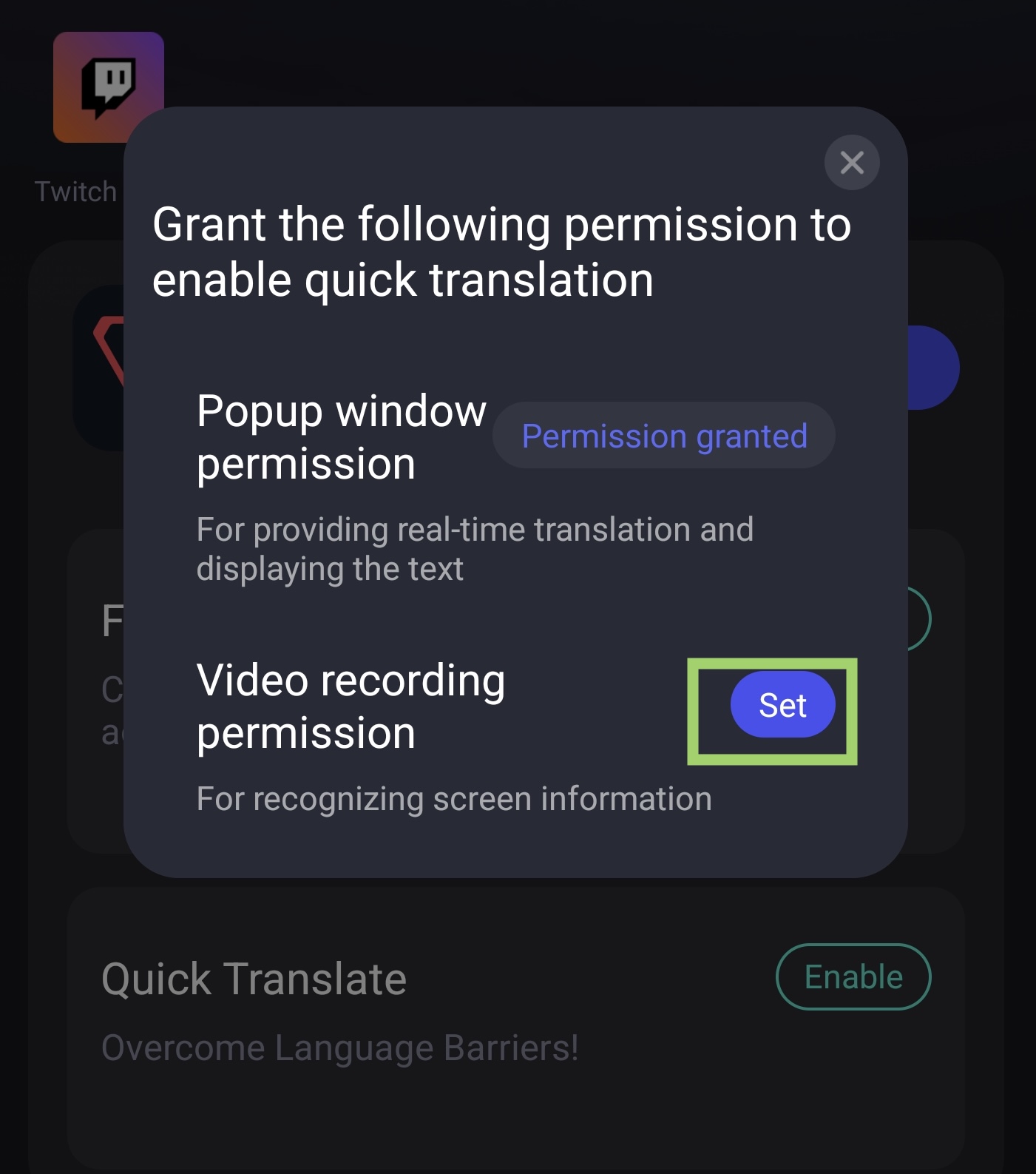
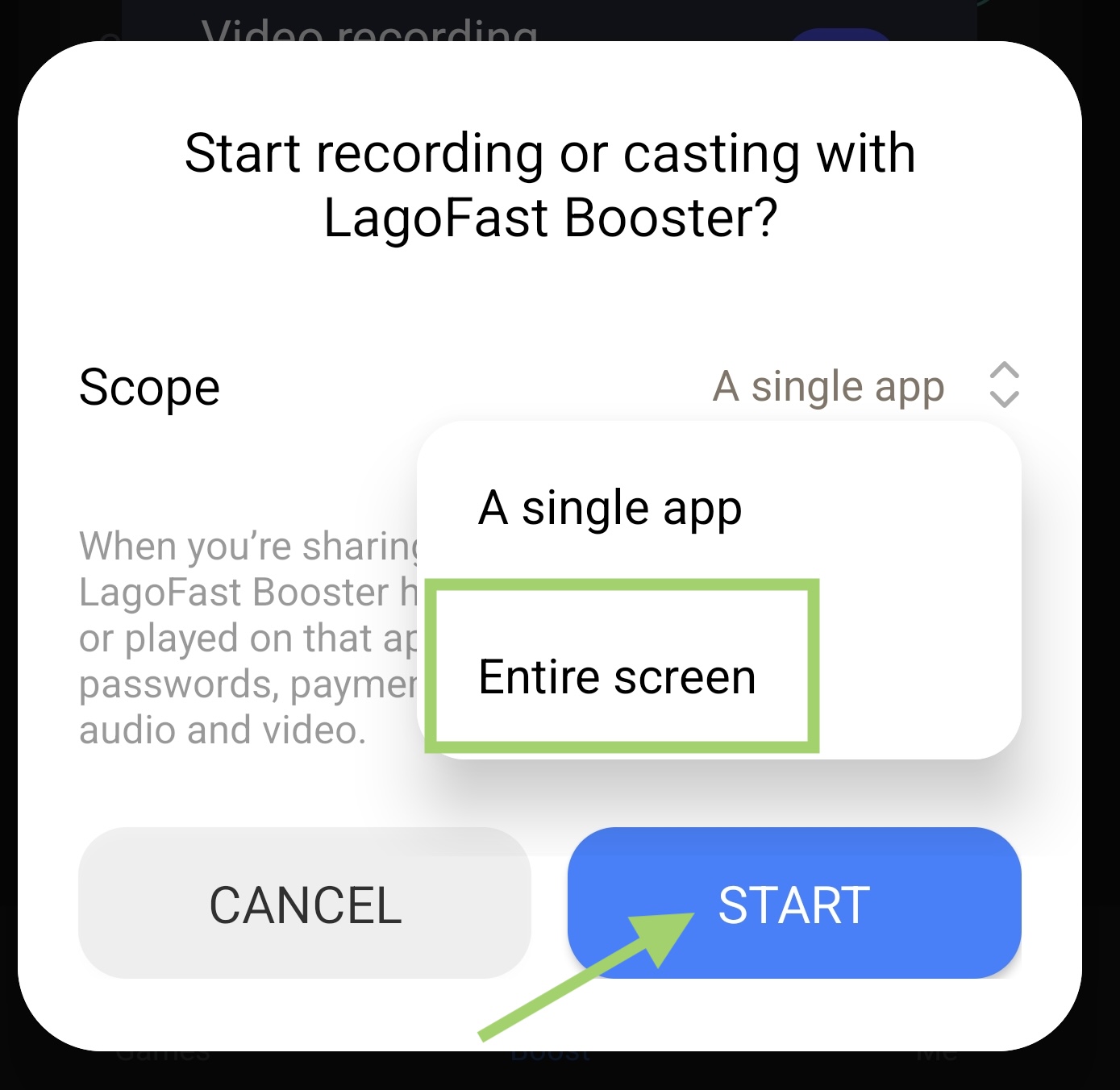
- Set Video Recording Permission
Tap set button, then select the whole screen, then start the translation tool
3. Translate In-Game
Enter Valorant CN game, use the translation tool to help you know the Chinese characters! Just tap the translation tool logo to turn it on
Original text:
English version:
FPS Aiming Aid Tool
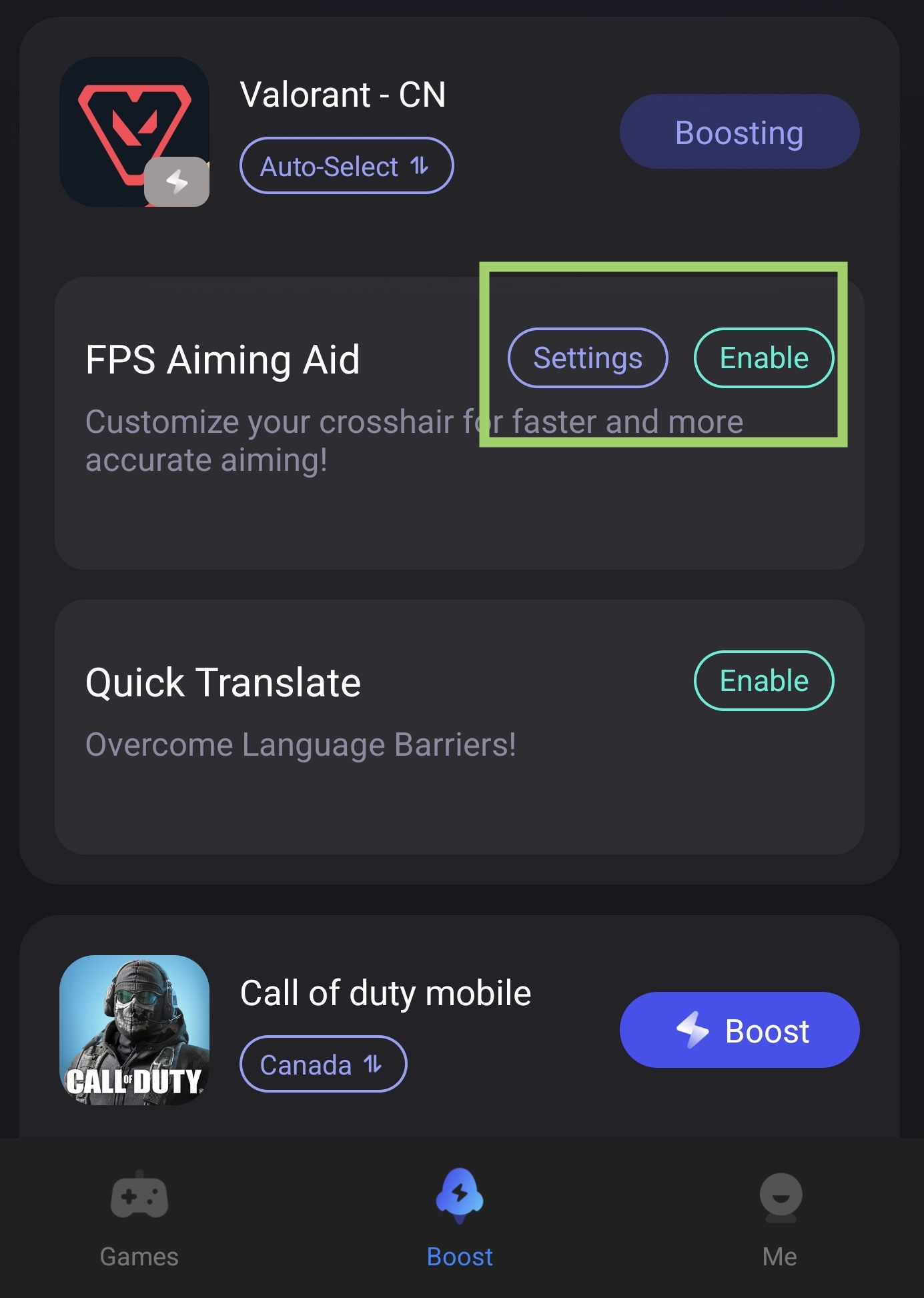
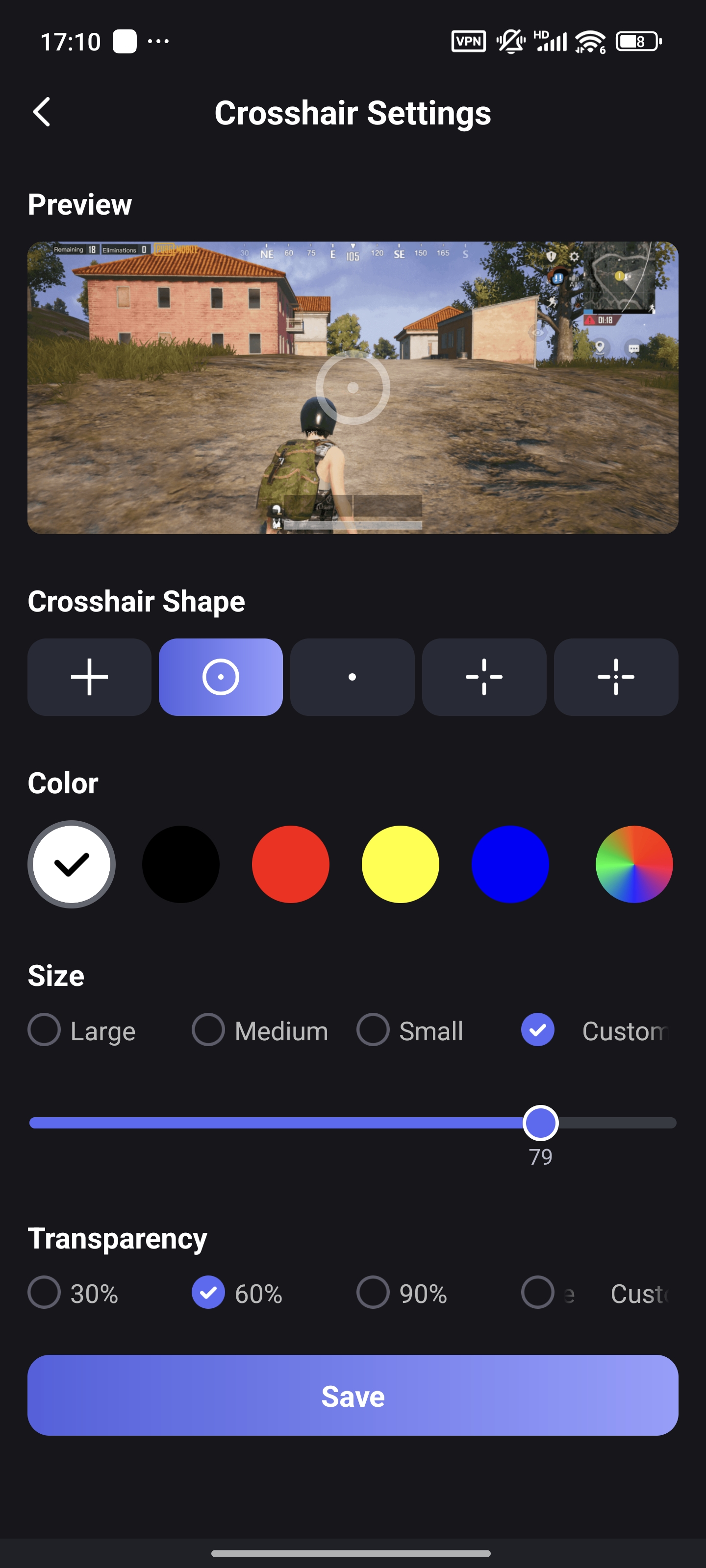
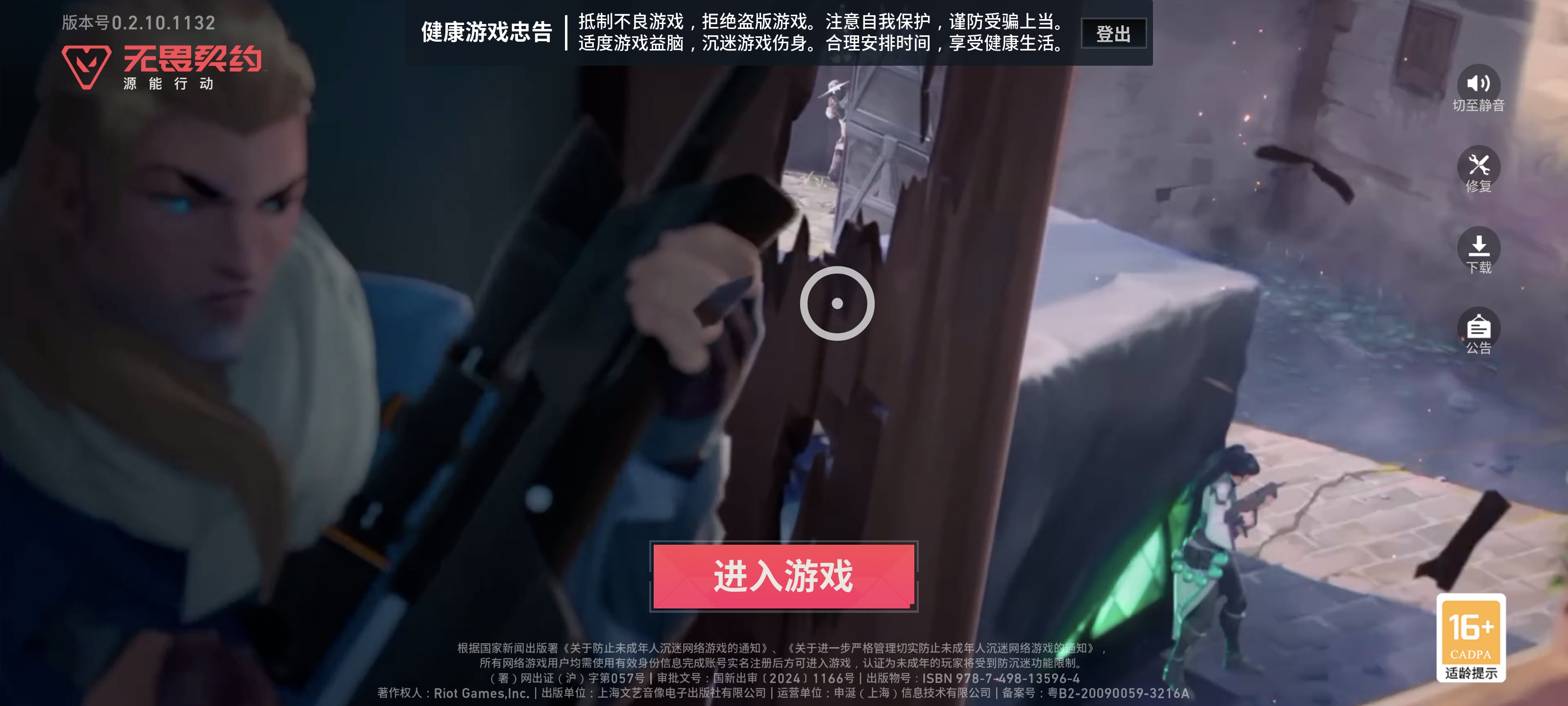
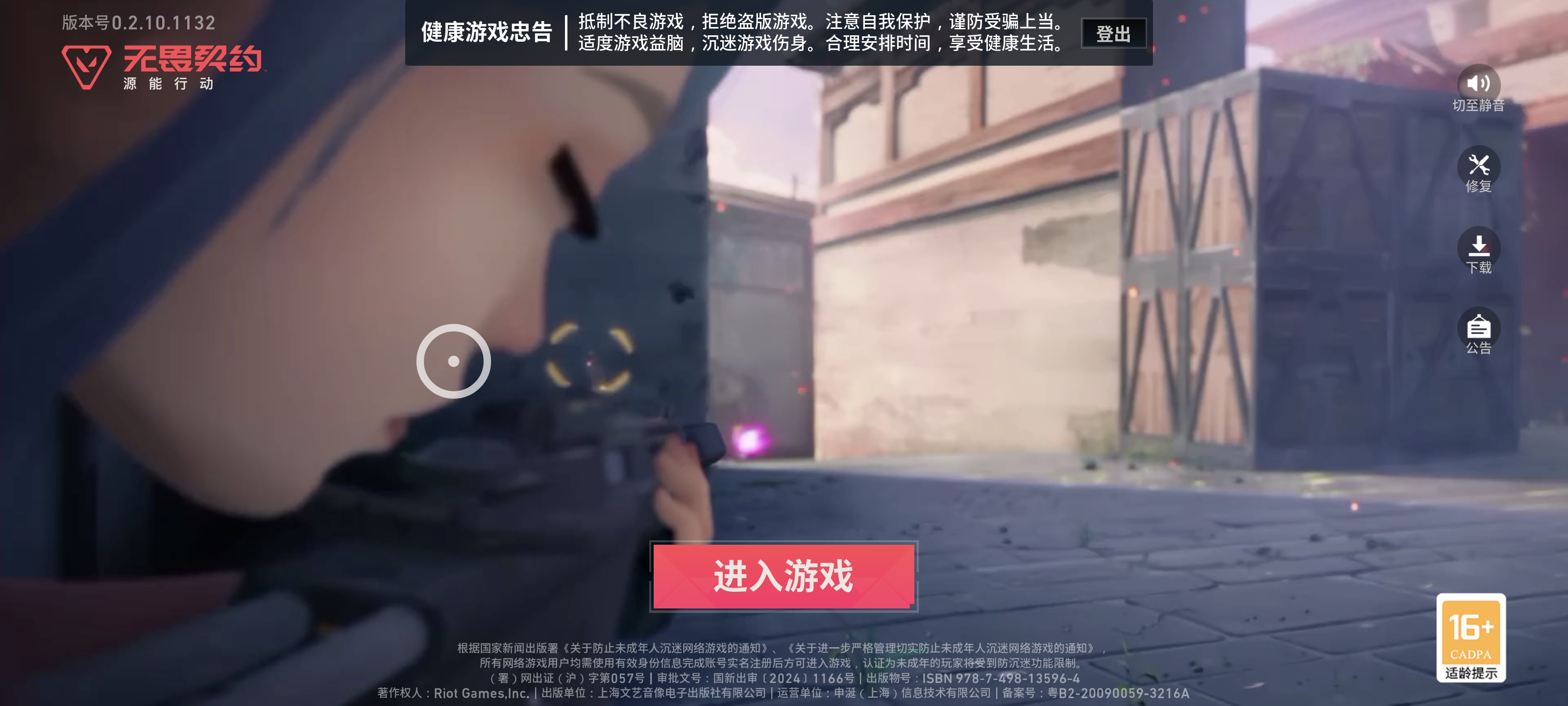
The Crosshair Tool in LagoFast allows users to change size, shape, color, and other aspects of their crosshair.
- In the Boost tab, find "FPS Aiming Aid" under Valorant CN. Tap enable to turn on the crosshair
- Tap Settings to customize the size and color of the crosshair
- You can drag the crosshair on your screen to adjust the position of it
Before:
After:
Conclusion
So there you have it—your playbook to conquer Valorant Mobile Beta in India. From grabbing a VPN to setting up a Chinese account and nailing that lag-free gameplay with LagoFast, the steps might feel tricky, but they’re totally doable. Remember: stay safe with trusted tools, be patient with beta access hurdles, and keep an eye on official channels for updates. Whether you’re testing agents or mastering maps, the key is to dive in and have fun. Now fire up that booster, gear up, and show the beta servers what Indian players are made of! Game on!

Boost Your Game with LagoFast for Epic Speed
Play harder, faster. LagoFast game booster eliminates stutter and lags on PC, mobile, or Mac—win every match!
Quickly Reduce Game Lag and Ping!
Boost FPS for Smoother Gameplay!