

Bungie’s Marathon is making a comeback as a modern extraction shooter, blending classic sci-fi vibes with fast-paced PvP action. If you’re eager to dive into the game’s alpha testing phase, this guide will walk you through everything you need to know, from securing a marathon alpha key to mastering the gameplay mechanics. Let’s jump in!
Part 1. What's Marathon - Game Overview
Part 2. Marathon Release Date & Platforms
Part 3. How To Get Marathon Early Access & Play Marathon Alpha
Part 4. Enhance Your Marathon Gaming Experience with LagoFast
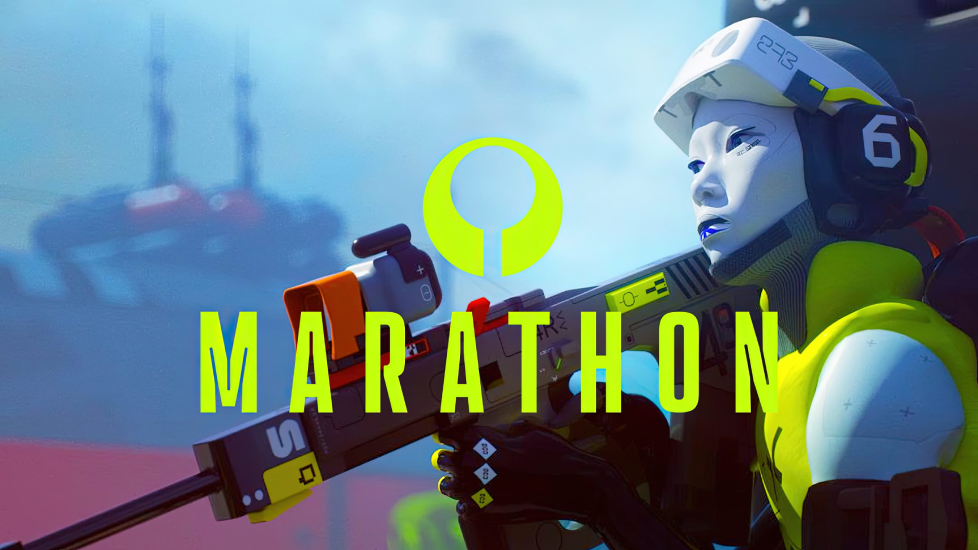
Part 1: What’s Marathon? Game Overview
Marathon is a reimagined take on Bungie’s 1990s franchise, now focusing on intense player-versus-player extraction gameplay. Set on the mysterious planet Tau Ceti IV, players assume the role of cybernetic mercenaries called "runners" tasked with scavenging loot, completing objectives, and escaping alive. The game features persistent worlds, evolving narratives, and a focus on tactical decision-making—lose your gear if you die, so every move counts.
Key gameplay elements include:
- Extraction Shooter Mechanics: Survive against AI enemies and other players while extracting valuable resources.
- Runner Abilities: Unique skills like cloaking or hacking to gain an edge.
- Procedural Maps: Dynamic environments that change with each playthrough.
- Loot and Progression: Customize your loadout with weapons and gear, but risk losing it all if you fail to extract.
For a deeper dive, check out Bungie’s official gameplay reveal and developer insights .
Part 2: Marathon Release Date & Platforms
The full game is scheduled for release on September 23, 2025, on PC (Steam), PlayStation 5, and Xbox Series X/S . While Bungie hasn’t confirmed the exact price, rumors suggest it will be priced around $40—lower than typical AAA titles but higher than free-to-play games .
If you can’t wait until September, the closed alpha test is your chance to play early. Running from April 23 to May 4, 2025, the alpha is limited to North American players on PC and consoles, with PlayStation 5 restricted to North and South America .
Part 3: How to Get Marathon Early Access & Play Marathon Alpha
How to Sign Up for the Marathon Alpha
To participate in the alpha, follow these steps:
- Join the Official Discord Server: Head to Marathon’s Discord and verify your account.
- Use the /alpha Command: In the #alpha_access channel, type /alpha to generate a unique sign-up link.
- Complete the Registration: Link your Bungie.net account, select your platform (PC, PS5, Xbox), and agree to the NDA (though Bungie recently lifted restrictions on sharing gameplay ).
- Fill Out the Survey: Answer questions about your gaming experience to increase your chances of selection.
Note: Alpha keys are distributed via email, so whitelist (email protected) to avoid spam filters . While the alpha is primarily for North American players, PC and Xbox users outside the region can still join but may experience slower matchmaking .
How to Play Marathon Alpha
Once you receive your marathon alpha key, follow these steps to start playing:
Download the Game: Follow the instructions in your confirmation email to install the alpha build (approximately 6GB on PC ).
System Requirements: Ensure your PC meets the minimum specs:
- OS: Windows 10/11
- CPU: Intel Core i5-6600 or AMD Ryzen 5 2600
- GPU: NVIDIA GTX 1050 Ti, AMD RX 5500 XT, or Intel Arc A580
- RAM: 8GB
- Storage: 60GB SSD recommended .
Part 4: Enhance Your Marathon Gaming Experience with LagoFast
To optimize your alpha experience, consider using LagoFast, a game accelerator designed to reduce lag and boost FPS. Here’s how it helps:
- Low Ping: Choose the best server routes to minimize latency.
- FPS Boost: Optimize CPU/GPU settings for smoother gameplay.
- Multiplatform Support: Works on PC, PlayStation, and Xbox.
How to Use LagoFast for Marathon for PC:
Step 1: Click the "Free Trial" button to download LagoFast on your device.
Step 2: Open LagoFast and search Marathon in the search bar, then click the PC button on the left, click it after appearing.

Step 3: Click on "Server" to change to a better server that ensures the gaming experience(our system has selected automaticly the best server and nodes for Marathon), then click on "Smart Boost".

Step 4: Check the specific game ping, packet loss, and multiple path connection on the right side. Finally, click the "Start Game" to play the game.

Tutorial to use LagoFast Box to reduce ping and enhance your console gaming experience:
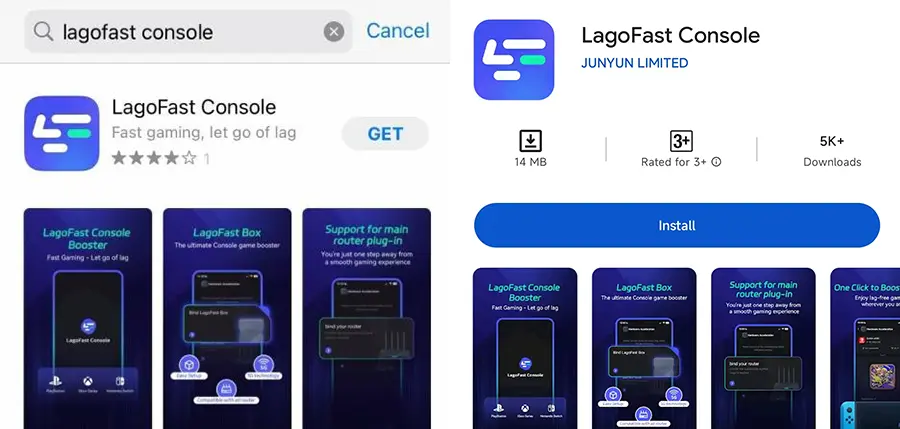
Step 1: Download the LagoFast Console App on your phone to control the LagoFast Box.
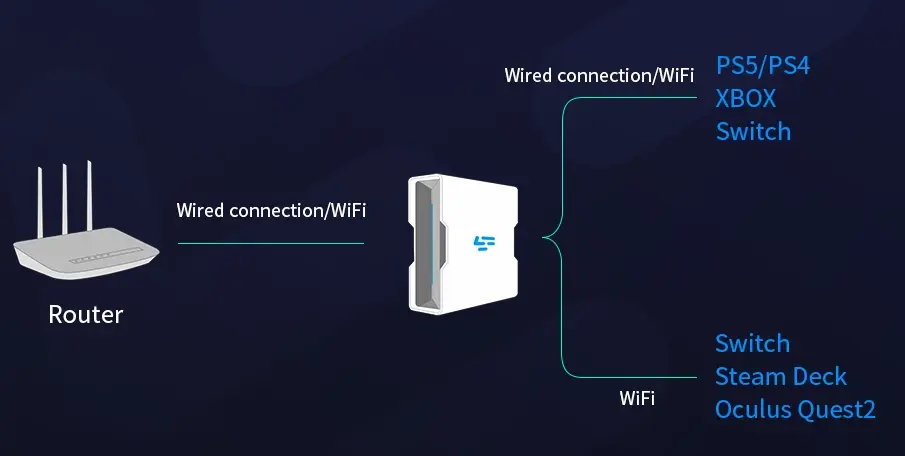
Step 2: Establish a connection between your LagoFast Box, router, and console, choosing between a wired or wireless connection.
Step 3: Launch the LagoFast Console App and boost Valorant. Once you have completed the binding process with the LagoFast Box, proceed to boost this game within the LagoFast Console App.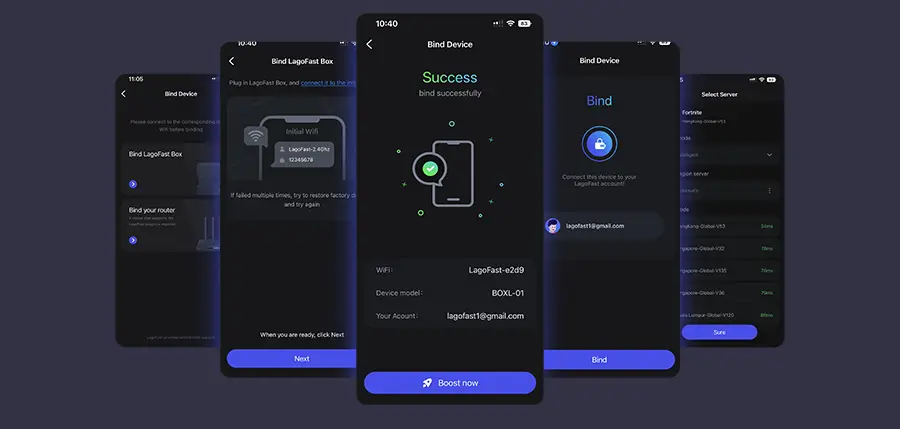
Download LagoFast for free and enjoy Marathon’s alpha without interruptions .
Part 5: Marathon FAQs
Is the alpha free?
Yes, but you need a marathon alpha key to participate.
Can I stream alpha gameplay?
Yes, Bungie lifted the NDA, allowing content creation .
What’s next after the alpha?
Bungie plans more playtests in 2025, potentially leading to a beta phase .
Will marathon be free-to-play?
No, it will be a premium title with a one-time purchase .
Conclusion
The Marathon alpha offers a thrilling sneak peek at Bungie’s latest shooter. By following this guide, you’ll secure marathon alpha access, navigate the gameplay, and optimize your experience with LagoFast. Stay tuned for updates on the beta and full release—see you on Tau Ceti IV!
For real-time updates, follow Bungie’s official channels and join the Discord community.
Boost Your Game with LagoFast for Epic Speed
Play harder, faster. LagoFast game booster eliminates stutter and lags on PC, mobile, or Mac—win every match!
Quickly Reduce Game Lag and Ping!
Boost FPS for Smoother Gameplay!