
Hytale has been one of the most anticipated sandbox RPGs in recent years, especially for players who love creative freedom mixed with structured adventure. Developed with both exploration and modding in mind, the game offers procedurally generated worlds, deep building mechanics, and creator-first tools that allow communities to grow naturally around custom servers and content. As Early Access approaches, many players are searching for reliable answers on how to download and play Hytale, where to download Hytale safely, and what to do when the Hytale launcher does not work as expected. This guide walks through the official process, practical alternatives, and real solutions so you can start playing smoothly without unnecessary frustration.

- ✅ Reduce Lag and High Ping.
✅ Boost FPS at the Same Time.
✅ Support 2000+ Popular Online Games.
✅ Change Server without Latency.
✅ Boost Game Loading Speed.
Part 1: How to Download and Play Hytale?
Part 2: How to Fix Hytale Launcher Not Working
Part 1: How to Download and Play Hytale?
Hytale has been one of the most anticipated sandbox RPGs in recent years, especially for players who love creative freedom mixed with structured adventure. Developed with both exploration and modding in mind, the game offers procedurally generated worlds, deep building mechanics, and creator-first tools that allow communities to grow naturally around custom servers and content. As Early Access approaches, many players are searching for reliable answers on how to download and play Hytale, where to download Hytale safely, and what to do when the Hytale launcher does not work as expected. This guide walks through the official process, practical alternatives, and real solutions so you can start playing smoothly without unnecessary frustration.
Download and Play Hytale via the Official Hytale Launcher
The standard and recommended way to access Early Access is through the official Hytale launcher. This method ensures account security, proper updates, and full compatibility with future patches. Most players can download the launcher directly from Hytale’s official website, which automatically detects the correct operating system. Once installed, the launcher handles the game files, updates, and profile selection in one place.
Steps to download and play Hytale using the launcher:
Step 1. Visit the official Hytale website and log in to your Hytale account
Step 2. Navigate to the download page and select your operating system
Step 3. Download the Hytale launcher installer
Step 4. Install the launcher following on-screen instructions
Step 5. Open the launcher and click “Install” to download the game
Step 6. Launch Hytale once installation is complete
Download Hytale Using LagoFast — Quick Method
While the official launcher works for most users, some players struggle to download it due to regional restrictions, unstable network routes, or verification failures. In these cases, LagoFast offers a practical alternative that simplifies the process without adding complexity. LagoFast’s One-Click Download Tool allows players to download the Hytale launcher or installation package directly, bypassing unnecessary verification steps that often cause interruptions. This is especially helpful for those encountering repeated download failures or extremely slow speeds. Beyond downloading, LagoFast also optimizes network routing during gameplay, reducing latency and improving connection stability once you start playing.
Steps to download and play Hytale using LagoFast:
Step 1: Click the Free Trial button to download and install LagoFast.
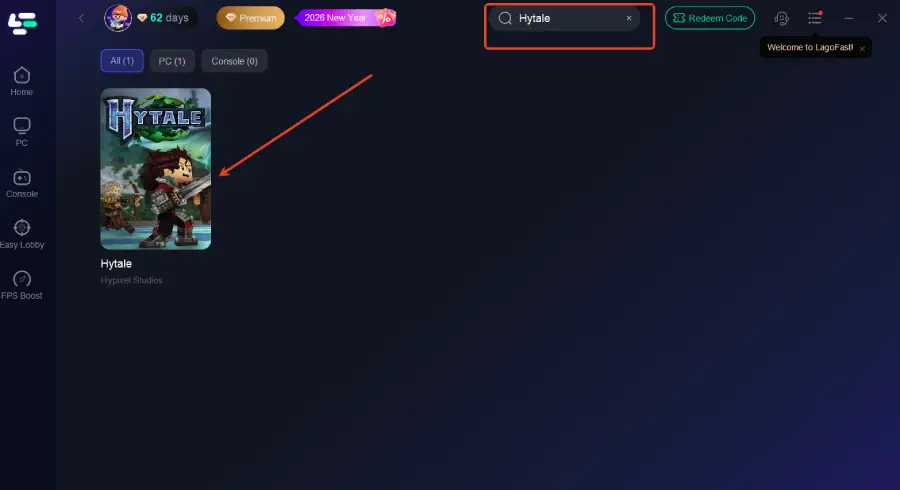
Step 2: After installation, search "Hytale" in the search bar and select the game.
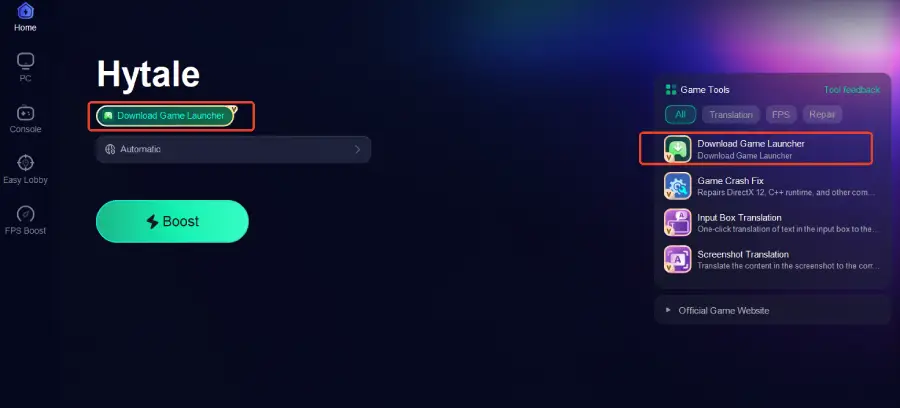
Step 3: Click the Download Game Launcher tool on the right to start downloading
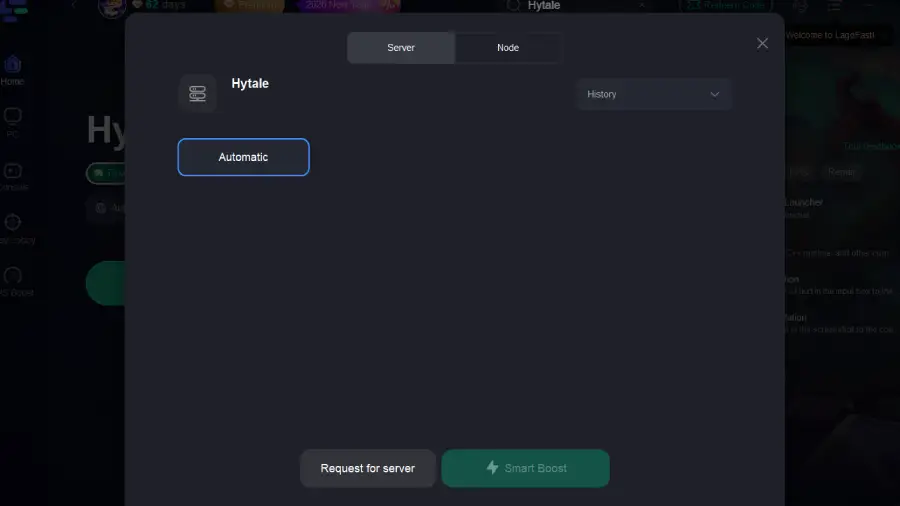
Step 4: Choose your preferred server node and click "Smart Boost" to start optimizing.
Step 5: Launch your game and enjoy smooth, optimized gameplay with lower ping and no stutter.
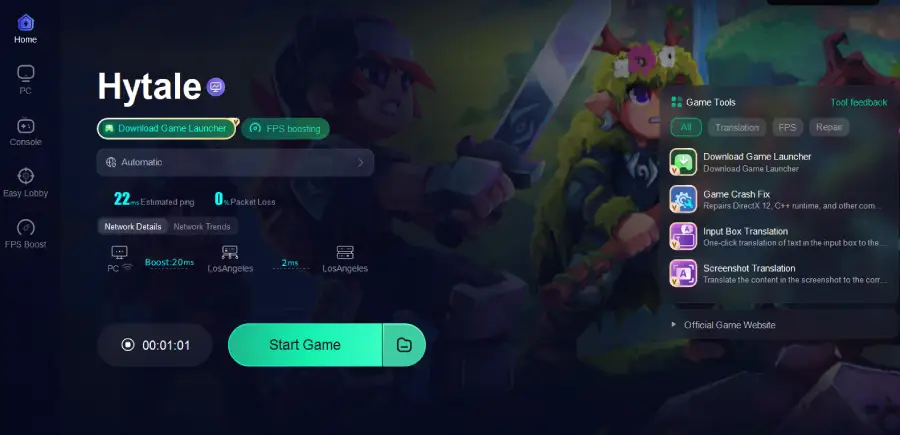
This method is ideal for players who want to start Early Access without dealing with launcher errors or slow connections.
Part 2: How to Fix Hytale Launcher Not Working
The Hytale launcher not working is one of the most common issues reported by players, especially around Early Access releases. Problems can range from the launcher failing to open, freezing during download, crashing after login, or showing network-related error messages. In most cases, these issues are caused by unstable network routing, permission conflicts, or corrupted cache files rather than hardware limitations.
Proven solutions to fix Hytale launcher issues:
- Run the launcher as administrator to avoid permission conflicts
- Disable antivirus or firewall temporarily during installation
- Clear launcher cache files and restart the application
- Ensure your system date, time, and region are set correctly
- Update your graphics drivers and operating system
- Switch to a stable wired internet connection if possible
- Use LagoFast to optimize network routing and prevent connection timeouts
For players facing persistent launcher failures, LagoFast often resolves the issue by rerouting unstable connections that interfere with launcher authentication and download servers.
Part 3: FAQs
What is Hytale?
Hytale is a sandbox RPG that blends creative building with structured exploration and combat. Players can explore procedurally generated worlds, fight creatures, build structures block by block, and create custom content using built-in modding tools.
Where to download Hytale safely?
Hytale should always be downloaded from the official Hytale website or through trusted tools like LagoFast that assist with downloading the official launcher. Avoid third-party websites that offer modified installers.
How to download Hytale launcher on PC?
You can download the Hytale launcher directly from the official website. If the download fails or the launcher does not install properly, LagoFast can help download the launcher more reliably.
Is Hytale available on Steam?
No. Hytale is not launching on Steam during Early Access. The developers prefer to work closely with the existing community before expanding to other platforms.
Can I play Hytale on console or mobile?
Early Access is PC-only. Console and mobile versions may be considered later, but they are not part of the current release plan.
Conclusion
Getting started with Hytale Early Access should be an exciting experience, not a technical struggle. Whether you choose the official launcher or need an alternative way to download and play Hytale, understanding your options makes a big difference. From knowing where to download Hytale safely to fixing cases where the Hytale launcher is not working, preparation saves time and frustration. For players dealing with slow downloads, connection drops, or unstable gameplay, LagoFast offers a practical solution by simplifying downloads and optimizing network performance. With the right setup, you can focus on exploring Hytale’s world, creating your own adventures, and becoming part of a growing community from day one.
Boost Your Game with LagoFast for Epic Speed
Play harder, faster. LagoFast game booster eliminates stutter and lags on PC, mobile, or Mac—win every match!
Quickly Reduce Game Lag and Ping!
Boost FPS for Smoother Gameplay!