

PEAK is a physics-based co-op climbing game where players take on the role of lost nature scouts on a treacherous mountain.
It's all about teamwork. Players and their friends have to conquer some brutal challenges to reach the summit and light a signal fire for rescue. The gameplay is all about realistic climbing, which means they'll need to work in perfect sync with teammates—using tools like ropes, pitons, and axes to create a safe path up the mountain. And the stakes are sky-high: every single grip and leap matters, because one person's slip-up can send the entire team plummeting back to the start.
For a game that emphasizes teamwork so heavily, one of the first questions on every player's mind is, "How many players can play peak?"
If you're getting ready to form your own expedition team, you've come to the right place. This guide will detail PEAK's official player count and reveal a community-created method that allows you to bring even more friends along for the climb. Let's get geared up and started!

Part 1: Does PEAK Support Multiplayer?
Part 2: Is PEAK Cross-Platform?
Part 3: How Many Players Can Play PEAK? The Official Max Player Count
Part 4: How to Play With More Than 4 Players Using the PEAK Unlimited Mod
Part 5: How to Use LagoFast to Support Large Modded Lobbies
Does PEAK Support Multiplayer?
As a team-based game, the most pressing question for players is: Does Peak support multiplayer?
To be clear, yes, it absolutely does. PEAK is fundamentally a co-op multiplayer game, designed from the ground up to be played with friends. So, the whole game drops you and your friends into the boots of some lost nature scouts. Your mission is to survive a brutal environment and work together to signal for rescue.
But here's a big heads-up: the online mode is "friends-only." That means there's no matchmaking at random. You have to invite up to three buddies from your Steam friends list to form your climbing crew.
Of course, you can try to climb the mountain alone, but trust me, the game truly comes alive with friends. It's all about scrambling to coordinate ropes, arguing over who gets the last medkit, and pulling off those insane, last-second grabs to save a friend from falling. Now that's the real PEAK experience.
Is PEAK Crossplay?
As of now, the answer is No.
This means if you're a Steam player, you can only squad up with other Steam players. No mixing between different stores or consoles just yet.
But here's the thing: even if you're all on Steam, playing with friends who live far away can cause some serious lag. We've all been there—a teammate starts teleporting, your actions are delayed, and a perfect climb is ruined. That's where a game booster like LagoFast Game Booster comes in clutch. It helps smooth out your connection, so you and your crew can have a stable, lag-free session no matter where you are in the world.
How Many Max Players on PEAK? The Official Max Player Count
So, if you're playing the game straight out of the box with no mods, the answer is pretty simple.
Officially, PEAK is built for up to 4 players in a co-op session.
And honestly, that feels like the sweet spot. The whole game—from the puzzles to the gear you find—is perfectly balanced for a four-person squad. It keeps the action tight and coordinated without the map feeling too chaotic, and it makes sure the challenge is tough but fair.
But what if your group has more than four members? Thanks to the amazing modding community, there's a way to expand your team.
Hot Related: Peak Beginner's Tips | Need to Know Before Starting
How to Play With More Than 4 Players? Using the PEAK Unlimited Mod
If you want to play with more than 4 players, the solution to your large-group problem is an excellent mod called "PEAK Unlimited," created by a fellow Peak player. This mod is specifically designed to allow more players to join a single game session.
Here's what the mod can do:
- Raises the player count limit, breaking the default cap of 4.
- Adds extra marshmallows for all the new climbers (a critical feature!).
- It's configurable, allowing the host to set the desired player cap.
Here are answers to some key questions from the mod's official page:
- Does only the host need to install it? Yes, only the host of the game lobby needs to install and run the mod. Your friends can join without installing it themselves.
- Can you still unlock achievements? Yes, players can still earn Steam achievements while using this mod.
- Is it safe? Yes. The creator has made the code open-source, and anyone can review it on GitHub.
To get Player Unlimited mod, you can use LagoFast Game Booster.
How to Use LagoFast to Support Large Modded Lobbies
Playing with more than 4 players is an absolute blast, and if you want to enhance your PEAK experience even further, you can use mods—LagoFast gives you access to a variety of PEAK mods and many other game mods to enjoy. But bigger lobbies put a lot of stress on your internet connection and the host. More players means more data flying around, which can cause teammates to teleport, actions to lag, and frustrating packet loss. That’s where LagoFast Game Booster becomes essential, stabilizing your connection and ensuring smooth gameplay even in large, modded sessions.
- Reduces Latency & Packet Loss: This is crucial for keeping a large group of 5, 6, or even 8+ players in perfect sync. LagoFast finds the optimal route for your game data, effectively reducing lag.
- No More Disconnects: You know what kills a modded lobby? Random disconnects. LagoFast puts a stop to that, stabilizing your connection, so your entire crew stays in the game when it matters most.
- A Nice FPS Boost: More players means more stress on your PC. LagoFast helps by optimizing your system and shutting down background junk, freeing up power, so your PC can handle all those extra players on screen without chugging.
Don't let lag crash your mega co-op party! Getting LagoFast set up is super easy, and it'll make your game experience way better. Just follow these simple steps.
For PC Players:
Step 1: Click the "Free Trial" button to download and install LagoFast on your PC at no cost.
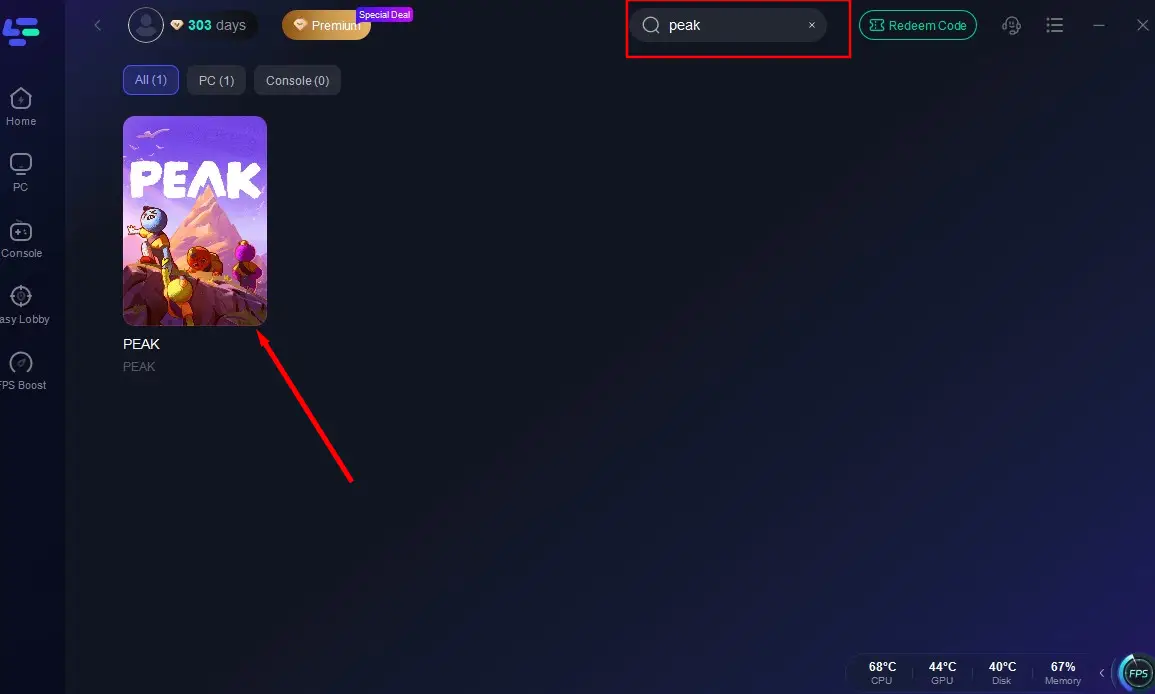
Step 2: After installation, search for "PEAK" in LagoFast's search bar.
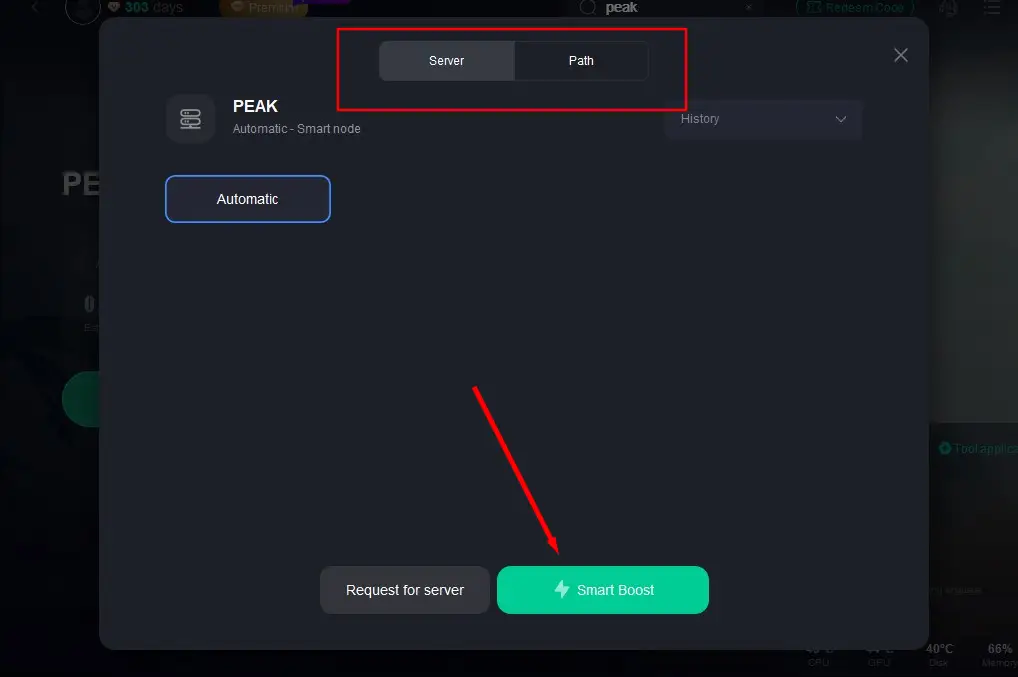
Step 3: Select the server with the best performance for PEAK and click "Smart Boost" to initiate acceleration.
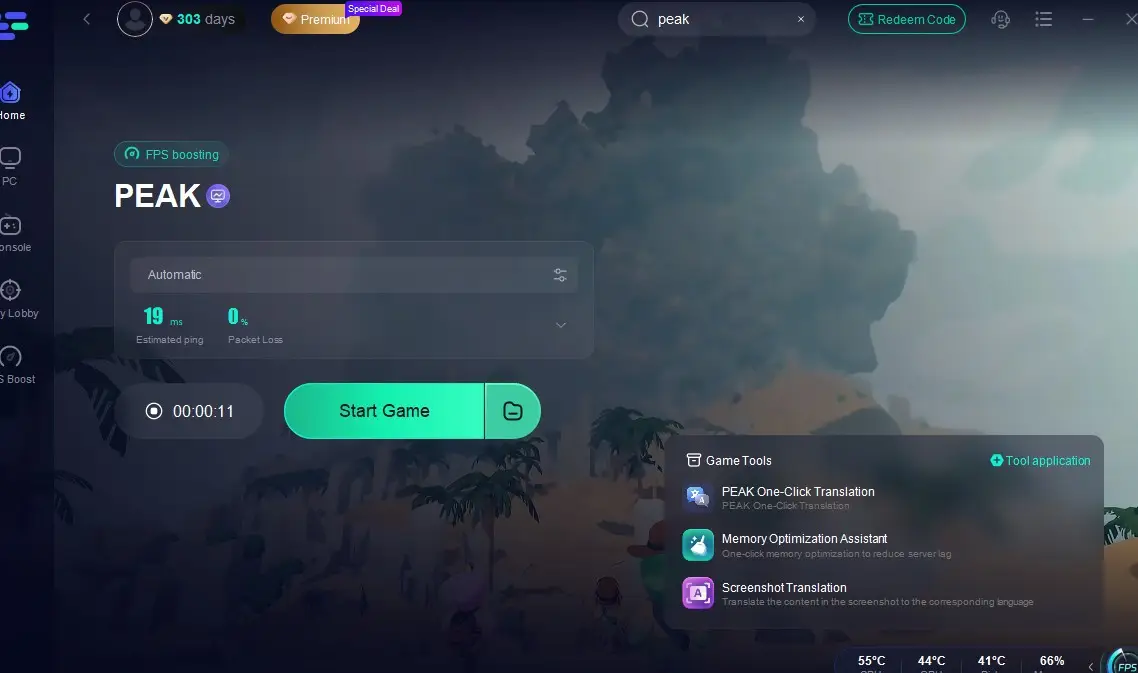
Step 4: Once acceleration is confirmed, click "Start Game" to launch PEAK.
Additionally, LagoFast offers a variety of PEAK mods, such as the PEAK 25 Player Mod, No Fall Damage Mod, and Easy Backpack Mod, enhancing multiplayer experiences (supporting over 4 players), reducing fall damage, and boosting in-game survivability. Installation Guide:
After searching for PEAK, click the "Multiplayer/Unlimited Stamina & More" tool in the lower-right corner.

Choose your desired mods based on gameplay needs and complete the installation.

It's worth mentioning that selecting a server far from your physical location can result in high ping. To avoid this, try connecting to a server that is closer to you. This should help lower your ping and improve your overall gaming experience.
Conclusion
So, let's wrap this all up. Out of the box, PEAK is a fantastic 4-player co-op game. But if your climbing crew is bigger than that, the PEAK Unlimited mod is your ticket to breaking the limit and bringing everyone along.
Just remember, bigger lobbies can get seriously laggy. To make sure your huge co-op sessions actually run smoothly, using a tool like LagoFast isn't just a nice idea—it's pretty much a must-have.

Boost Your Game with LagoFast for Epic Speed
Play harder, faster. LagoFast game booster eliminates stutter and lags on PC, mobile, or Mac—win every match!
Quickly Reduce Game Lag and Ping!
Boost FPS for Smoother Gameplay!