

When Hogwarts Legacy became the Epic Games Store’s free game on December 12th, a massive wave of new players flooded into the wizarding world. For many, it was their first time exploring Hogwarts on PC. For others, it was the perfect excuse to replay the game, this time with mods. That’s where the real magic begins. From performance fixes to quality-of-life upgrades and visual tweaks, Hogwarts Legacy mods have completely reshaped how the game is played.

- ✅ Reduce Lag and High Ping.
- ✅ Boost FPS at the Same Time.
- ✅ Support 2000+ Online Games
- ✅ Change Server Without Latency.
Part 1: Why Hogwarts Legacy Mods Are So Popular?
Part 2: MUST-HAVE Mods for Hogwarts Legacy
Part 3: How LagoFast Mods Make Hogwarts Legacy Smoother?
Part 1: Why Hogwarts Legacy Mods Are So Popular?
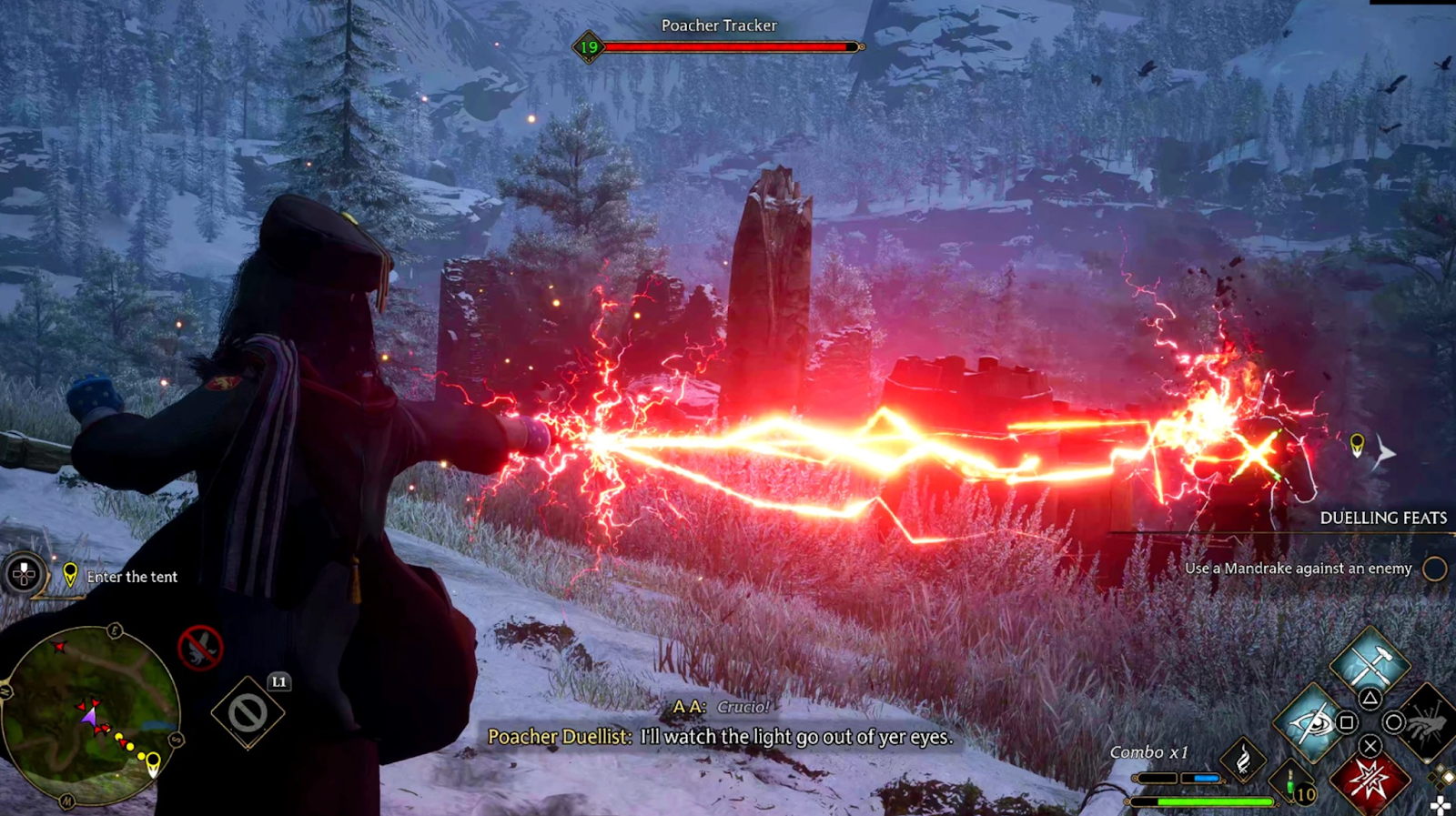
Hogwarts Legacy was already an ambitious open-world RPG, but PC players quickly realized that mods could push it even further. Whether you’re chasing smoother performance, deeper immersion, or simple convenience, mods offer solutions the base game never included.
Key reasons players love Hogwarts Legacy mods:
- The game runs on Unreal Engine, making it highly moddable
- Performance issues on PC encouraged FPS and optimization mods
- Strong single-player focus allows creative freedom
- Large modding community with frequent updates
- Mods dramatically improve replay value
So, does Hogwarts Legacy allow mods? Officially, there’s no built-in mod support, but in practice, the PC version fully embraces them through community tools. That’s why Hogwarts Legacy has built one of the most active mod scenes in recent years.
Part 2: MUST-HAVE Mods for Hogwarts Legacy
If you’re wondering what the best mod for Hogwarts Legacy is, the answer depends on what you want to improve. Below are five must-have Hogwarts Legacy mods that consistently rank among the most downloaded and are fully supported by LagoFast Mod Master.
Ascendio III: FPS Hotfix and Engine Tweaks
Ascendio III is widely considered the gold standard for performance mods. It applies advanced Unreal Engine parameters to reduce stuttering, improve frame pacing, and stabilize FPS without sacrificing visual quality.
For players experiencing frame drops in Hogsmeade or during spell-heavy combat, Ascendio often feels like a night-and-day upgrade. It’s no surprise this mod alone has nearly 900K downloads.
Why it’s a must-have:
- Massive FPS improvement
- Reduces traversal stutter
- Works on low-end and high-end PCs
Blueprint Apparate Modloader
As your mod list grows, compatibility becomes a challenge. Blueprint Apparate Modloader solves this by allowing blueprint mods to load without DLL hooks, preventing logic mods from overwriting each other.
This mod quietly sits in the background, but it’s essential if you plan to run multiple gameplay or AI mods at once.
Why it’s a must-have:
- Prevents mod conflicts
- Improves stability
- Essential for advanced mod setups

Hogwarts Mod Merger
Some of the best Hogwarts Legacy mods to download simply won’t work together without help. Hogwarts Mod Merger allows you to combine and edit mods that modify the same game files, such as localization strings or PhoenixShipData.
For players who love customization, this tool unlocks endless combinations that would otherwise be impossible.
Why it’s a must-have:
- Enables incompatible mods to coexist
- Essential for heavy modding
- User-friendly interface
Character Editor
Role-playing fans adore the Character Editor mod. It allows you to tweak your character’s appearance, and even your wand, on the fly. Whether you want a subtle refinement or a full redesign, this mod gives you control that the base game never offered.
It’s fully compatible with the latest updates, making it a long-term staple.
Why it’s a must-have:
- Edit character anytime
- Perfect for immersion lovers
- Works seamlessly with visual mods
Autohomora: Auto Skip Alohomora Minigame
Let’s be honest: the Alohomora lockpicking minigame loses its charm after the tenth door. Autohomora instantly completes the puzzle at any difficulty, saving time without breaking progression. It’s one of those quality-of-life mods that feels small until you can’t imagine playing without it.
Why it’s a must-have:
- Skips repetitive minigames
- Saves time during exploration
- Lightweight and stable
Part 3: How LagoFast Mods Make Hogwarts Legacy Smoother?
Installing mods manually can be confusing, especially for new players who picked up Hogwarts Legacy during the Epic Games free giveaway. That’s where LagoFast Mod Master steps in.
LagoFast isn’t just known for network optimization. It also provides a dedicated mod management system designed for popular PC games, including Hogwarts Legacy. Through LagoFast Mod Master, players can easily discover, install, and manage mods like Ascendio III, Autohomora, and many others without digging through folders or worrying about file conflicts.
A standout feature is the Giveaway section inside the LagoFast app. Players who claimed Hogwarts Legacy during the Epic Games Store free giveaway can also find the game and supported mods directly in LagoFast, making the entire setup process faster, safer, and more convenient.

When combined with LagoFast’s game optimization features, these mods deliver:
- Smoother FPS
- Reduced stutter in dense areas
- Faster loading and traversal
- A more stable overall experience
In short, LagoFast doesn’t just help you mod Hogwarts Legacy. It helps those mods perform at their best.
Tutorial: How to Use LagoFast Mod Master
Step 1. Download & Launch LagoFast: Install LagoFast on your PC, open it, and log in to your account.
Step 2. Open Mod Master: Search Hogwarts Legacy from the supported games list. Then navigate to the Popular Mods Collection section.
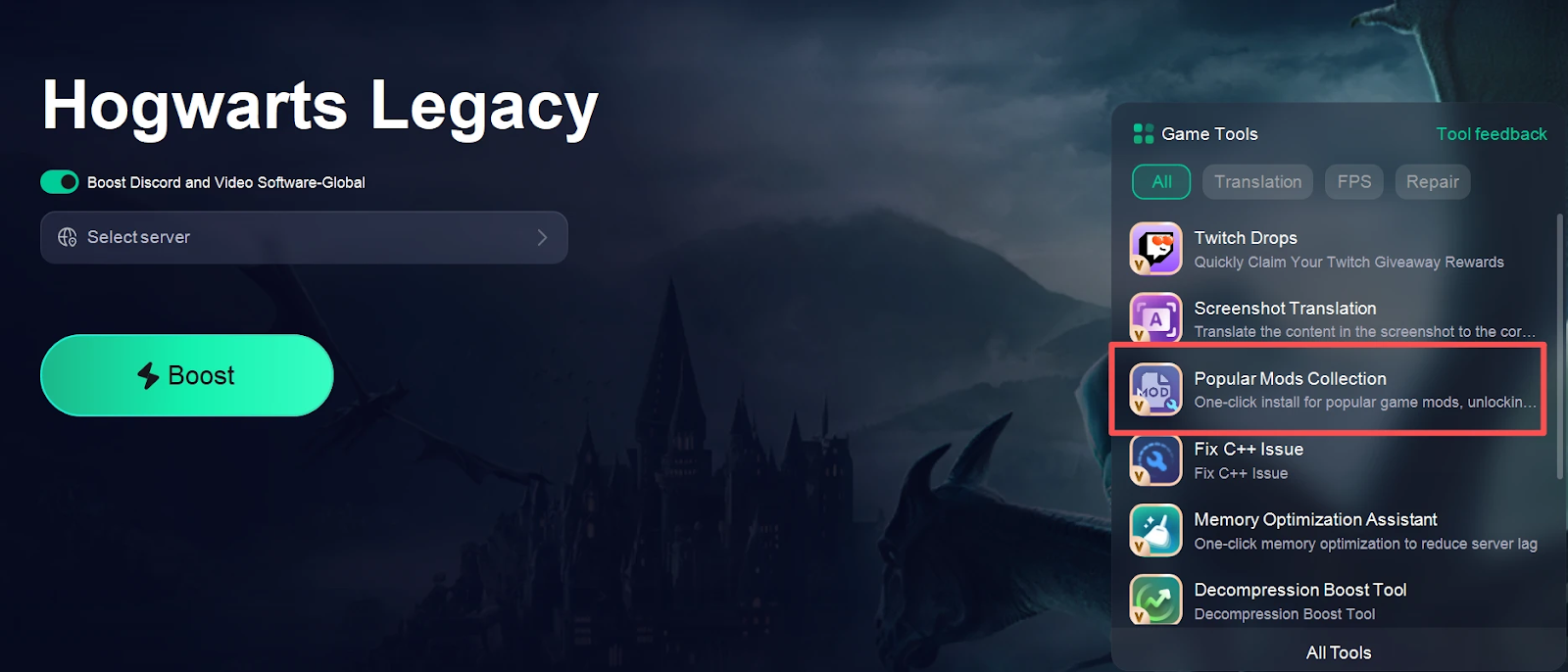
Step 3. Select and Install Mods: Browse available mods, then install them with one click.

Step 4. Activate & Play: Enable the installed mods, click boost to launch Hogwarts Legacy through LagoFast, and enjoy smoother gameplay with mods applied.
Part 4: FAQs
Does Hogwarts Legacy allow mods?
Yes, on PC. While there’s no official mod menu, the PC version fully supports community mods through external tools.
What is the best mod for Hogwarts Legacy performance?
Ascendio III is widely considered the best performance mod for improving FPS and reducing stuttering.
Are Hogwarts Legacy mods safe to use?
Mods are generally safe if downloaded from trusted sources or managed through platforms like LagoFast Mod Master.
Can mods break my save file?
Most mods won’t, but using tools like Hogwarts Mod Merger greatly reduces compatibility risks.
Does LagoFast support more than just Hogwarts Legacy mods?
Yes. LagoFast supports multiple games, performance tools, and mod management features beyond Hogwarts Legacy.
Conclusion
The popularity of Hogwarts Legacy mods continues to grow, especially after the Epic Games Store giveaway brought in many new players, and with performance boosters like Ascendio III, quality-of-life mods like Autohomora, and easy access through LagoFast Mod Master’s Giveaway section, modding the game has never been simpler or more rewarding, making LagoFast the ideal choice for anyone who wants smoother performance, better visuals, and a more immersive Hogwarts experience.

Boost Your Game with LagoFast for Epic Speed
Play harder, faster. LagoFast game booster eliminates stutter and lags on PC, mobile, or Mac—win every match!
Quickly Reduce Game Lag and Ping!
Boost FPS for Smoother Gameplay!