

Since its release, Hogwarts Legacy has captured the attention of gamers worldwide. With its rich storylines, diverse quests, and an open magical world, it offers a truly immersive experience.
However, many players face language barriers. Without understanding dialogue or quest prompts, it’s easy to miss important parts of the game.
This article will guide you through the release date, supported languages, and the best translation tools to help you fully enjoy Hogwarts Legacy.

- ✅ Reduce Lag and High Ping.
- ✅ Boost FPS at the Same Time.
- ✅ Support 2000+ Online Games
- ✅ Change Server Without Latency.
Part 1: Hogwarts Legacy Release Date
Part 2: What Languages Does Hogwarts Legacy Support?
Part 3: The Best Translation Tool to Play Hogwarts Legacy Smoothly
Part 1: Hogwarts Legacy Release Date
Hogwarts Legacy officially launched on February 10, 2023, for PC and all major consoles. It immediately attracted players worldwide with its detailed magical world and engaging storylines.
Recently, Epic Games Store offered Hogwarts Legacy for free from December 11 to December 19, 2025 (Taipei time, 0:00 AM). Anyone who claimed it during that period could keep the game permanently. The promotion has ended, but you can still watch Epic Games Store for future free game events.
Even if you already own the game, understanding the text is essential to fully enjoy quests and dialogues.
Part 2: What Languages Does Hogwarts Legacy Support?
Hogwarts Legacy officially supports a wide range of languages, making it accessible to players around the world. Here’s a detailed breakdown based on Steam’s language support:
|
Language |
Interface |
Full Audio |
Subtitles |
|
Simplified Chinese |
✔ |
✔ |
|
|
Traditional Chinese |
✔ |
✔ |
|
|
English |
✔ |
✔ |
✔ |
|
French |
✔ |
✔ |
✔ |
|
Italian |
✔ |
✔ |
✔ |
|
German |
✔ |
✔ |
✔ |
|
Spanish – Spain |
✔ |
✔ |
✔ |
|
Spanish – Latin America |
✔ |
✔ |
✔ |
|
Portuguese – Brazil |
✔ |
✔ |
✔ |
|
Japanese |
✔ |
✔ |
✔ |
|
Korean |
✔ |
✔ |
|
|
Arabic |
✔ |
✔ |
|
|
Polish |
✔ |
✔ |
|
|
Russian |
✔ |
✔ |
Even with all these options, some translations may feel awkward. Players using unsupported languages, such as Thai or Turkish, may need translation tools to fully understand quests and dialogues.
Part 3: The Best Translation Tool to Play Hogwarts Legacy Smoothly
For players navigating Hogwarts Legacy in less common languages, such as Thai or Turkish, it can be tricky to follow every quest, dialogue, and spell. This is where LagoFast’s One-Click Translation comes in. It translates the game in real time, so you won’t miss any important details.
Beyond translation, LagoFast also optimizes your network connection, reduces ping, and stabilizes gameplay. Even players using unsupported languages can enjoy Hogwarts Legacy without losing track of the story.
How to Use the LagoFast Hogwarts Legacy Translation Tool
Step 1: Begin by clicking the Free Trial button to download and install the LagoFast Free Trial.
Step 2: Open LagoFast and use the search bar to find Hogwarts Legacy.
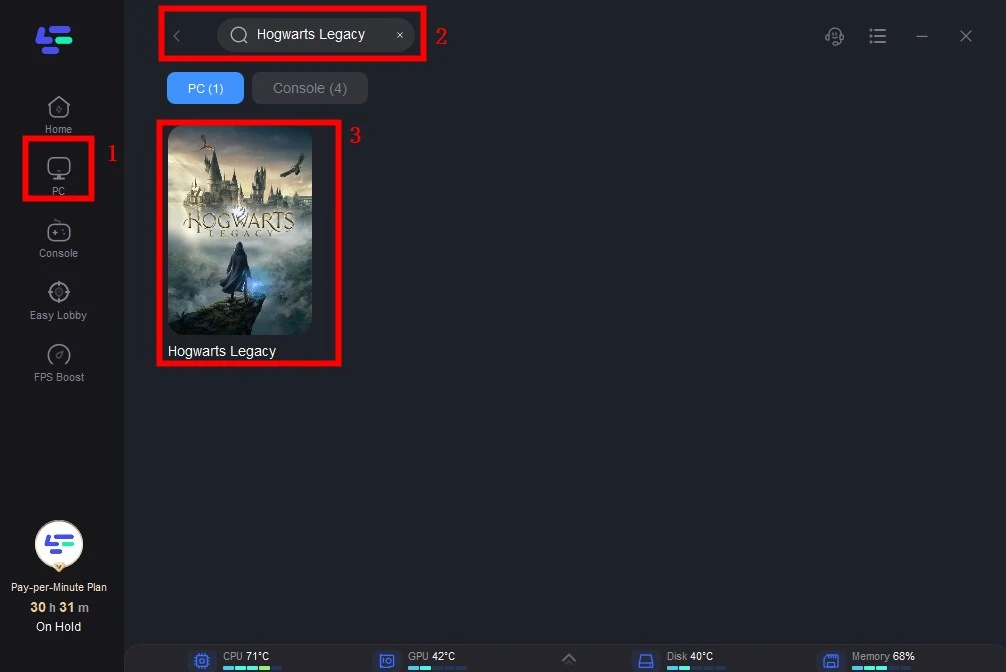
Step 3: Click the One-Click Translation button on the right side of the screen.
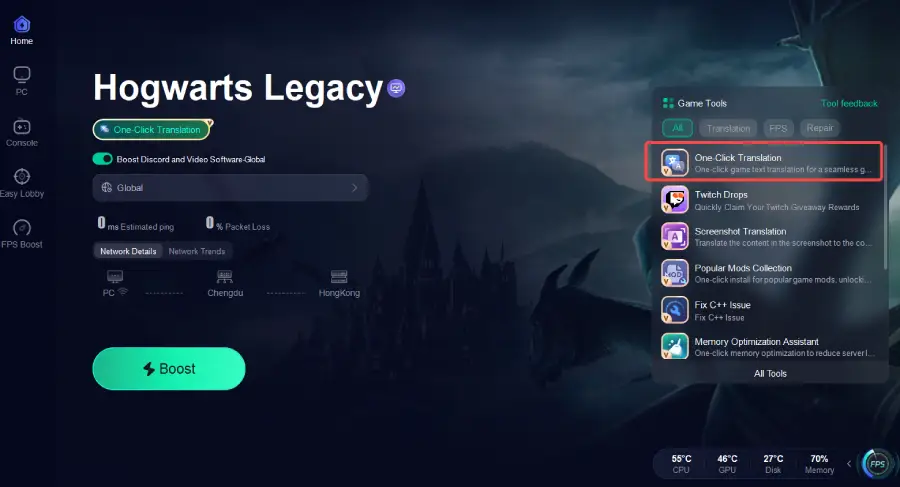
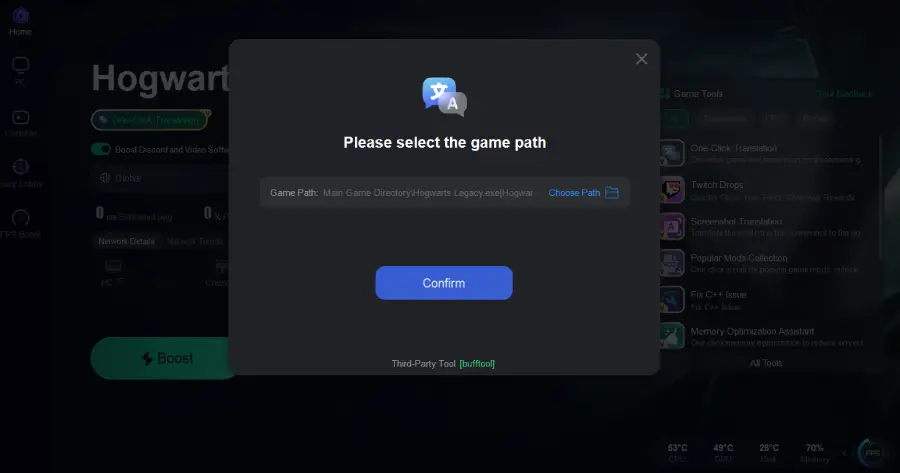
Step 4: Choose your target language and set up your hotkeys for instant translation.
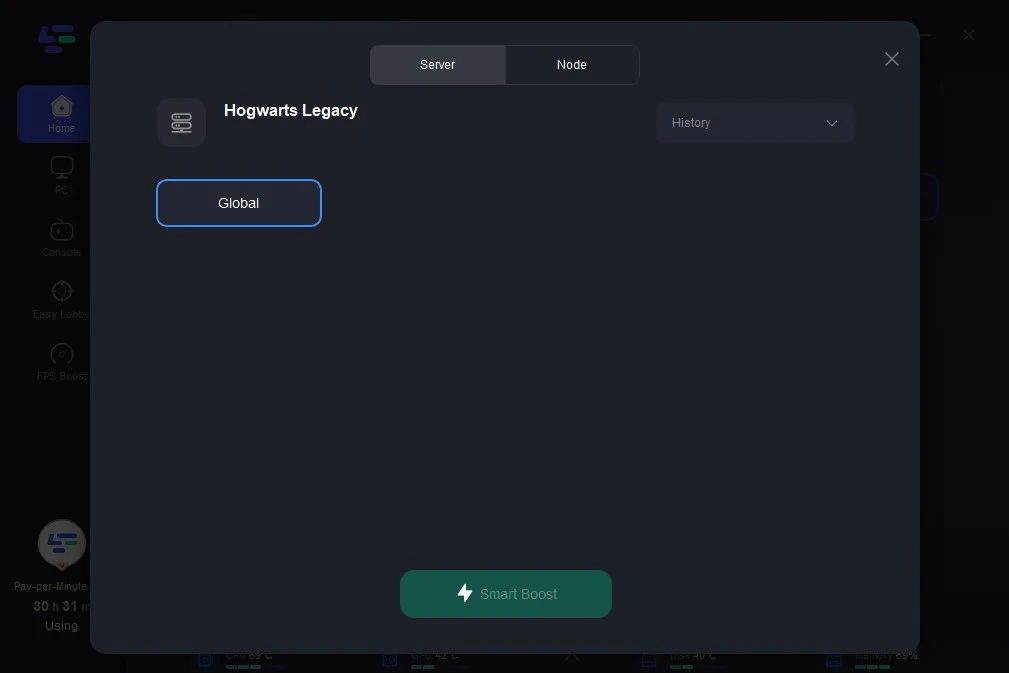
Step 5: Select the best server route automatically based on your location.
Step 6: Launch Hogwarts Legacy through LagoFast and enjoy smooth gameplay.
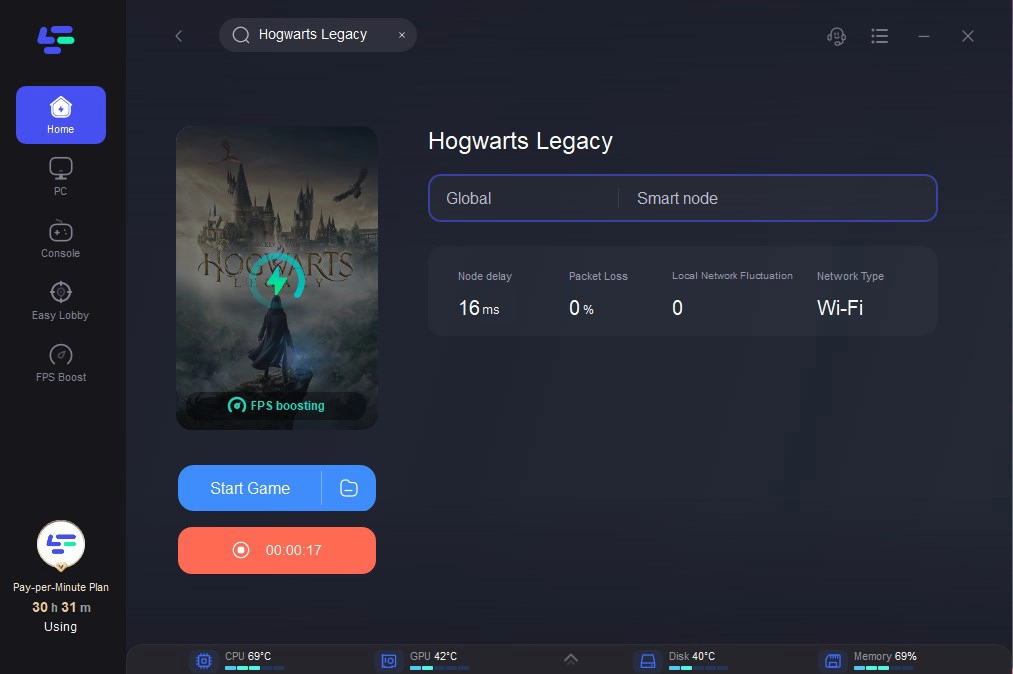
The translation effect is shown as follows:


Conclusion
Hogwarts Legacy offers a rich, immersive experience, but language can be a barrier for many players. Understanding quests, dialogues, and spells is key to fully enjoying the game.
Translation tools and network optimization make gameplay smoother, stabilize connections, and reduce lag. With tools like LagoFast, players worldwide can explore the magical world of Hogwarts Legacy without missing any magical moments.

Boost Your Game with LagoFast for Epic Speed
Play harder, faster. LagoFast game booster eliminates stutter and lags on PC, mobile, or Mac—win every match!
Quickly Reduce Game Lag and Ping!
Boost FPS for Smoother Gameplay!