
Helldivers 2 has taken the gaming world by storm with its intense co-op action and challenging battles. In this fast-paced third - person shooter, having the right aim assist and crosshair settings can make a world of difference between victory and defeat. Whether you're a seasoned player or just starting your journey in the Helldivers universe, understanding how to optimize these aspects of the game is crucial. In this article, we'll explore everything you need to know about Helldivers 2 aim assist, from different modes to the best settings, as well as how to customize your crosshair for a more personalized and effective gaming experience.
Part 1. Helldivers 2 Aim Assist Mode
Part 2. How to Get Best Setting for Aim Assist Helldivers 2
Part 3. Enhance Your Gaming Experience with LagoFast
Part 1. Helldivers 2 Aim Assist Mode
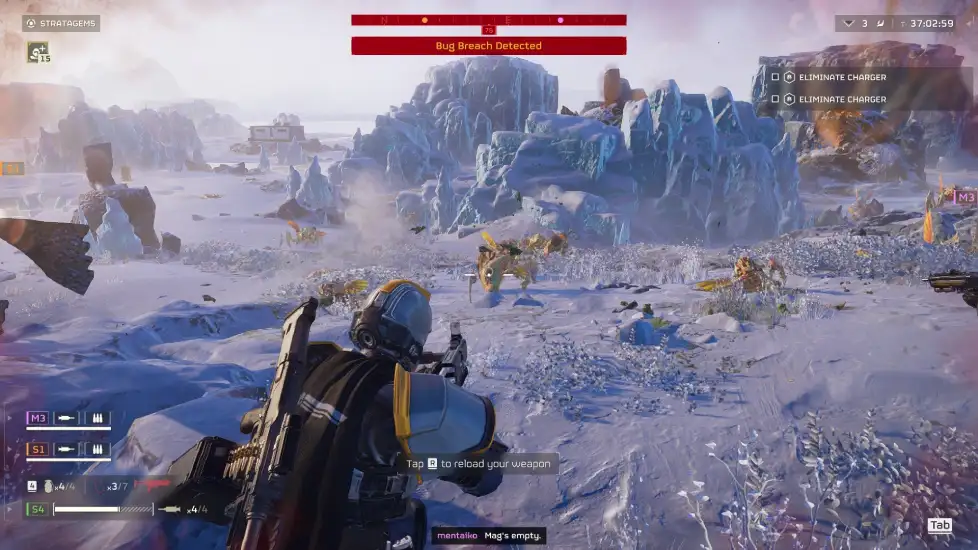
Aim assist in Helldivers 2 can seriously level up your shooting accuracy, especially in heated battles. For PC players using keyboard and mouse, understanding aim assist is crucial. The game offers different aim assist modes. Dynamic aim mode, for instance, enables smoother transitions between aiming styles.
If you're using a controller, there's "controller sticky aim" as an aim assist option. You can adjust its value to control how much the aim "sticks" to enemies. Remember, aim assist behavior varies depending on the weapon you use.
Part 2. How to Get Best Setting for Aim Assist Helldivers 2
LagoFast Game Booster's Helldivers 2 Sharpen Aim - AimMatser Tool
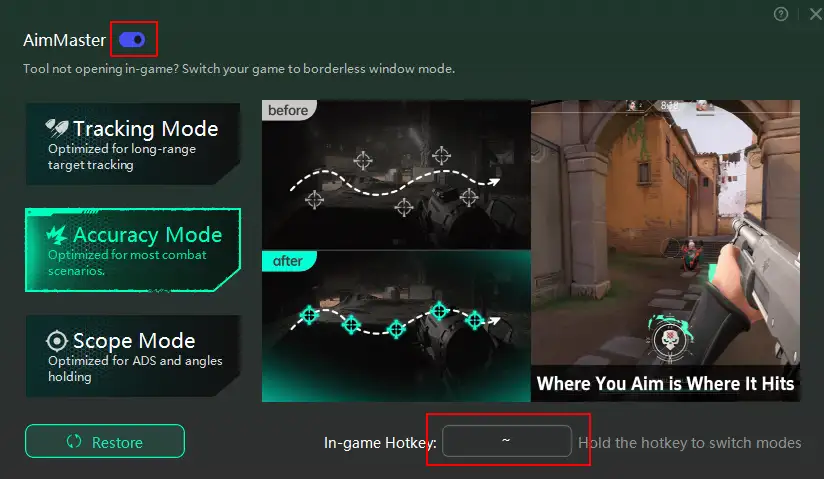
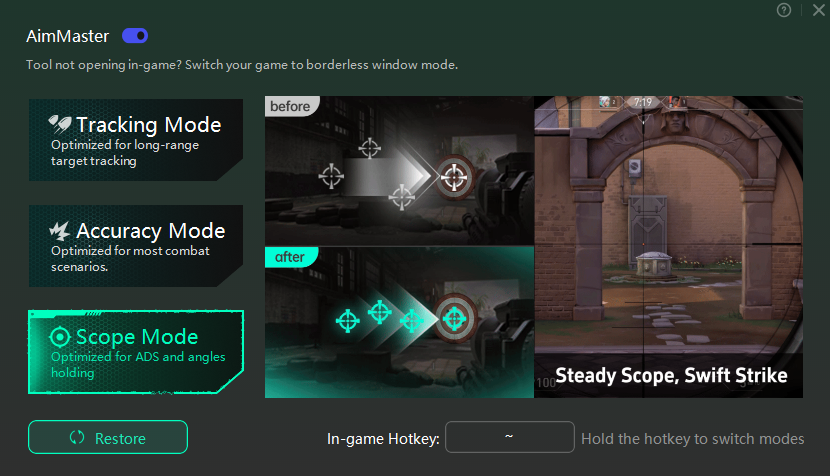
If you're looking to take your aim in Helldivers 2 to the next level, the LagoFast Game Booster's Helldivers 2 Sharpen Aim - AimMatser tool is a great option. This mod provides three distinct modes to help you shoot more precisely.
- Tracking Mode: This mode is optimized for long - distance target tracking. When you're dealing with enemies at a far - off distance, Tracking Mode can help you zero in on them more accurately. It adjusts the aim assist in a way that makes it easier to follow and hit those distant foes.
- Accuracy Mode: As the name suggests, Accuracy Mode is suitable for most combat scenarios. It provides a balanced aim assist that helps you land your shots more consistently in the midst of the chaotic battles that Helldivers 2 is known for.
- Scope Mode: Scope Mode is designed with ADS and angle - holding in mind. When you're using weapons with scopes and need to hold your aim at specific angles for a more accurate shot, this mode comes in handy. It fine-tunes the aim assist to work in harmony with the scoped view, allowing for more precise aiming.
To use these modes, you simply need to set up a hotkey within the LagoFast tool. Once you've done that, you can easily switch between the three modes while in the game. This means you can adapt your aim assist to different situations on the fly, whether you're suddenly ambushed by a horde of enemies up close or need to take out a sniper from afar.
How to Get Aim Master Tool with LagoFast:
Step 1: Click on the Free Trial button.
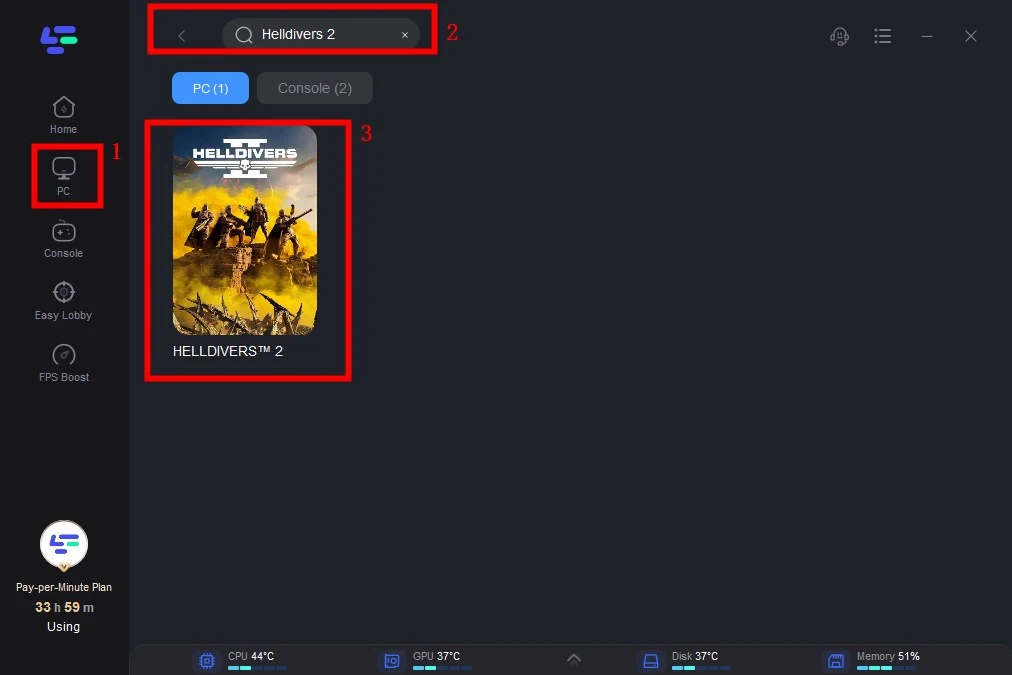
Step 2: Click the Game Boost Button on the left and search Helldivers 2 in the top search bar.
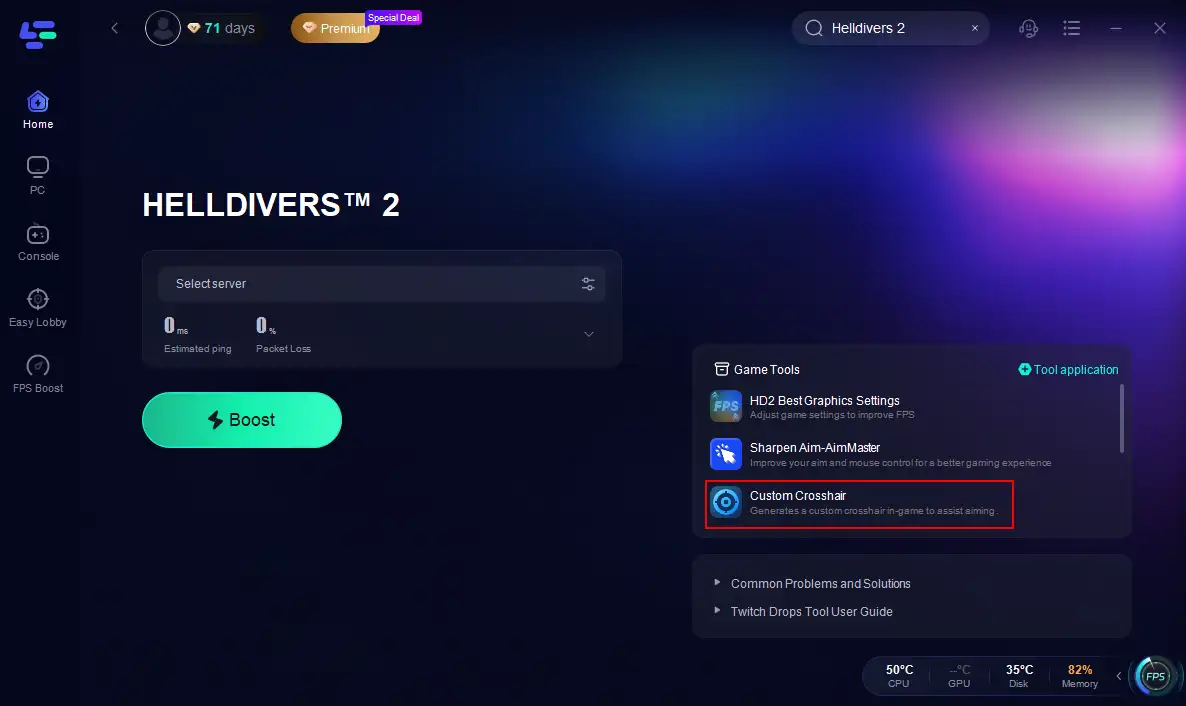
Step 3. Click the Aim Master tool on the right.
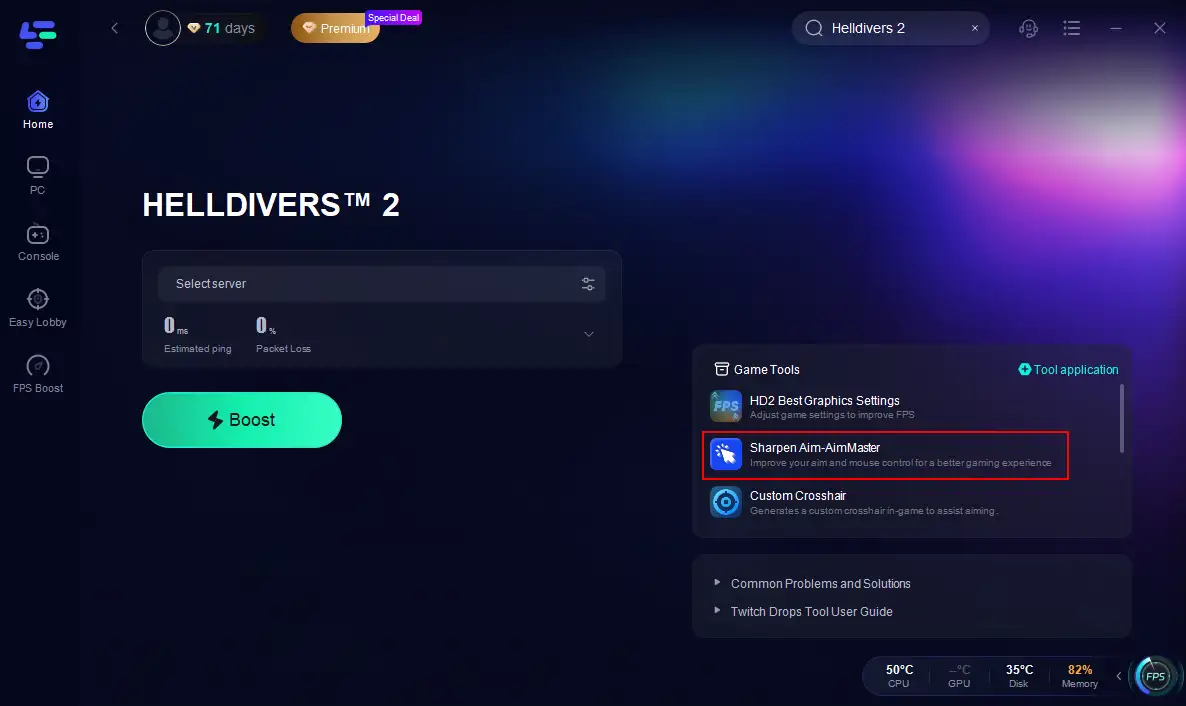
Step 4. Choose your hotkey, turn on the tool.
LagoFast's Helldivers 2 Custom Crosshair Tool
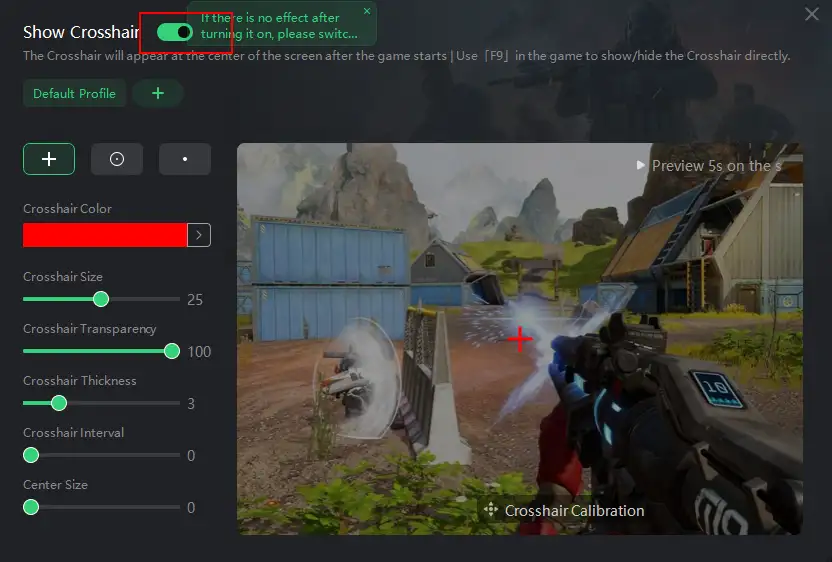
Another useful tool from LagoFast is the Helldivers 2 Custom Crosshair tool. The crosshair is an essential element in any shooter, as it helps you aim accurately. In Helldivers 2, being able to customize your crosshair can have a significant impact on your gameplay. With this tool, you can change the color, shape, and size of your crosshair.
Different players have different preferences when it comes to crosshair styles, and this tool allows you to experiment until you find the perfect one for you. A more suitable crosshair can not only improve your shooting accuracy but also enhance your overall gaming experience.
How to Customize Crosshair in Helldivers 2:
Step 1. Click the Custom Crosshair tool on the right.
Step 2. Adjust the settings according to your preferences.
Part 3. Enhance Your Gaming Experience with LagoFast
LagoFast offers more than just the Sharpen Aim - AimMatser and Custom Crosshair tools for Helldivers 2. One of its key features is the ability to reduce lag and boost FPS. In a game as action - packed as Helldivers 2, where split - second decisions can mean the difference between life and death, having a smooth and lag - free gaming experience is essential. LagoFast optimizes your network connection and system resources, ensuring that you can play the game without any frustrating slowdowns.
During intense battles with numerous enemies on the screen, maintaining a stable network connection is crucial. LagoFast's technology works to keep your connection stable, preventing disconnections and minimizing latency. This means you can focus on the action at hand, such as coordinating with your team, calling in stratagems, and taking out enemies, without having to worry about network issues.
How to Use LagoFast to Boost Helldivers 2:
Step 1: Click on the Free Trial button.
Step 2: Click the Game Boost Button on the left and search Helldivers 2 in the top search bar.
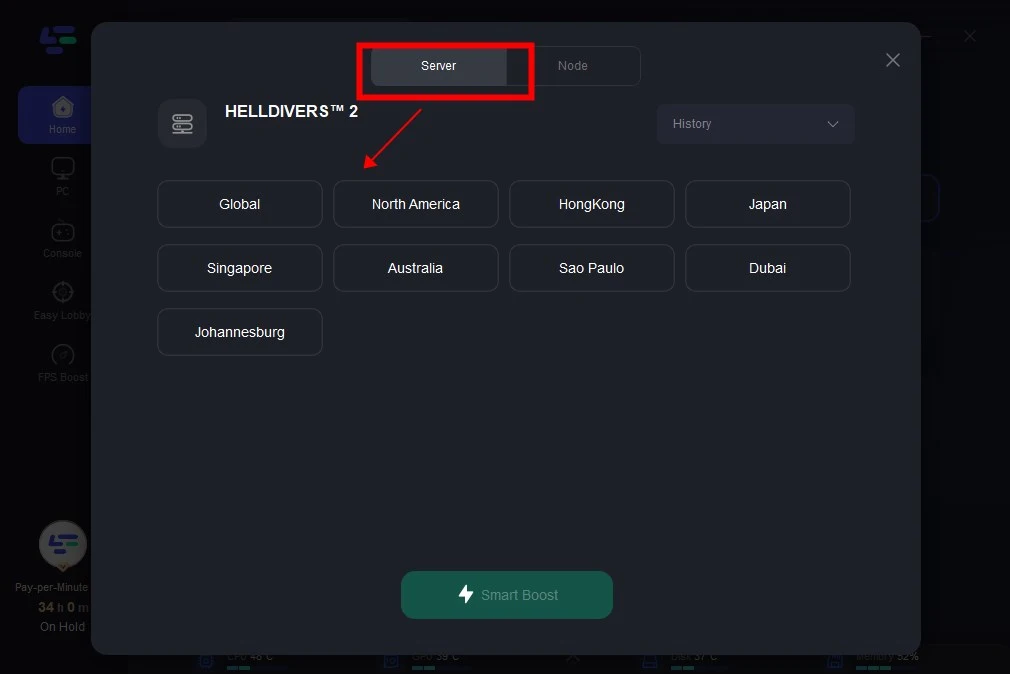
Step 3: Click on Select Server to change server, then click on the Node on the right, select a good Node, and then click the Smart Boost button.
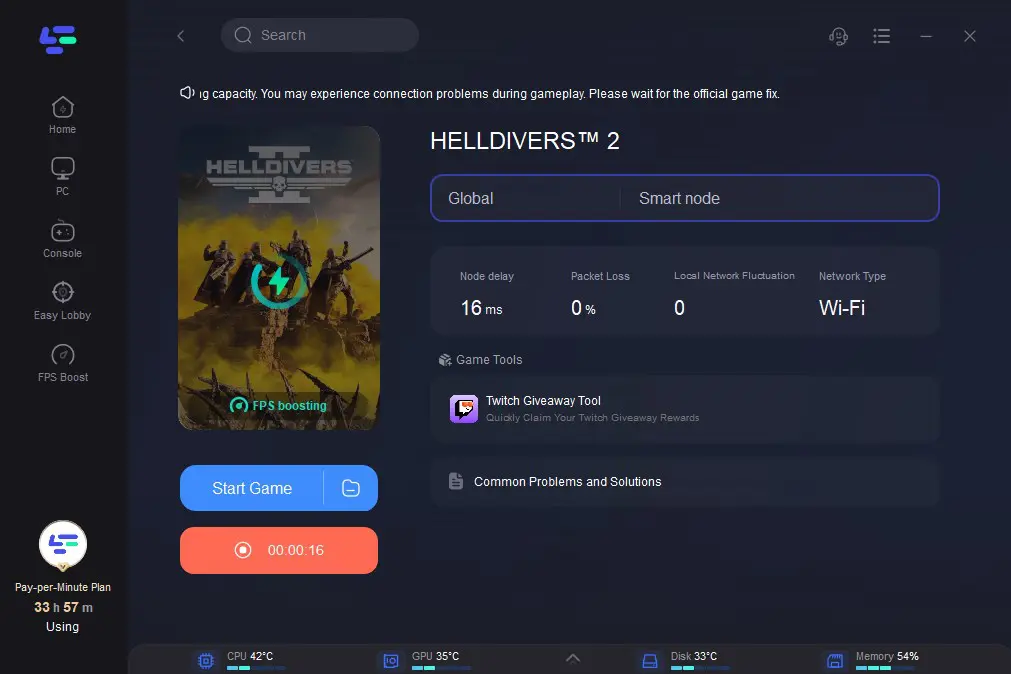
Step 4: By clicking the Smart Boost button, specific game ping, packet Loss, and network type are shown on the right side. Finally, click the Start Game button to play the game.
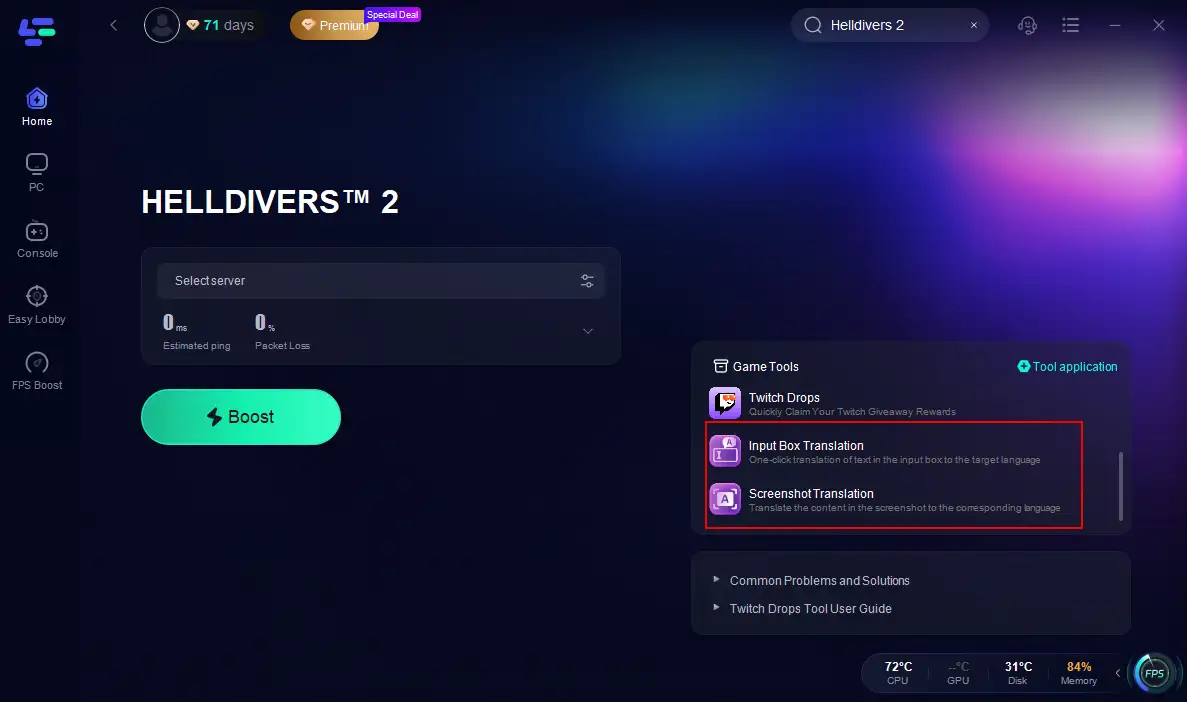
In addition, LagoFast provides a Helldivers 2 translation tool, includes input box translation and screenshot translation. Screenshot translation tool supports a wide range of languages, including English, Russian, Arabic, Turkish, Portuguese (Portugal), Portuguese (Brazil), Thai, Vietnamese, Indonesian, French, Spanish, Japanese, German, Italian, Korean, Simplified Chinese, Traditional Chinese, Polish, Persian, and Dutch. This is extremely useful for players from different regions who want to communicate with each other. Whether you're sharing strategies, calling for backup, or just chatting with your teammates, the translation tool makes it easier to understand and be understood.
Conclusion
In conclusion, optimizing your aim assist and crosshair settings in Helldivers 2 can greatly enhance your gaming experience. By understanding the different aim assist modes available in the game and utilizing tools like LagoFast's Sharpen Aim - AimMatser and Custom Crosshair tools, you can improve your shooting accuracy and gain an edge in battles. Additionally, LagoFast's other features, such as lag reduction, FPS boosting, and translation tools, contribute to a more seamless and enjoyable gaming experience.
Boost Your Game with LagoFast for Epic Speed
Play harder, faster. LagoFast game booster eliminates stutter and lags on PC, mobile, or Mac—win every match!
Quickly Reduce Game Lag and Ping!
Boost FPS for Smoother Gameplay!