

Guild Wars Reforged was officially released on December 3, 2025, bringing a refreshed experience to fans of the classic MMORPG. Yet, despite the excitement, many players face a frustrating issue: you click “Play”... nothing happens, or the game sits on the loading screen forever, or it launches for a second and then disappears. You’re definitely not alone. This guide will help you understand the common causes of launch problems and show you how to fix them so the game runs smoothly.

- ✅ Reduce Lag and Boost FPS
✅ Ensure Stable Server Connection.
✅ Change Server without Latency.
✅Fix Crashing and Stuck Errors.
✅ 0% Packet Loss Rate
Part 1: Why Guild Wars Reforged won't launch
Part 2: Best Way to Guild Wars Reforged won't launch
Part 3: Other Ways Guild Wars Reforged
Part 1: Why Guild Wars Reforged Won’t Launch
If your game won’t start, common causes may include:
- Corrupted or incomplete files – Bad updates or partial downloads can block the game.
- Network verification issues – Unstable or restricted connections may prevent login.
- Permissions – Not running as administrator or Windows security blocks.
- Outdated GPU drivers – Old or incompatible graphics drivers.
- Background software – Overlays, RGB tools, antivirus programs, or hardware monitors.
- Non-Steam or alternative clients – Installing outside the official platform may affect startup.
These are the main reasons that can prevent Guild Wars Reforged from launching.
Part 2: Best Way to Fix Guild Wars Reforged Won’t Launch
If you want the fastest and most reliable fix for Guild Wars Reforged not launching, LagoFast is one effective solution. It resolves startup issues, stabilizes your connection, reduces ping, optimizes routing, and provides real-time translation, helping you enjoy the game more smoothly.
Many launch failures are caused by network instability during server verification, not your PC. LagoFast automatically addresses these issues, preventing the “click Play → nothing happens” problem, and ensures a stable, lag-free connection. You don’t need to adjust any settings—everything is handled automatically.
How to Use LagoFast to Guild Wars Reforged
Step 1: Begin by clicking the Free Trial button to download and install the LagoFast Free Trial.
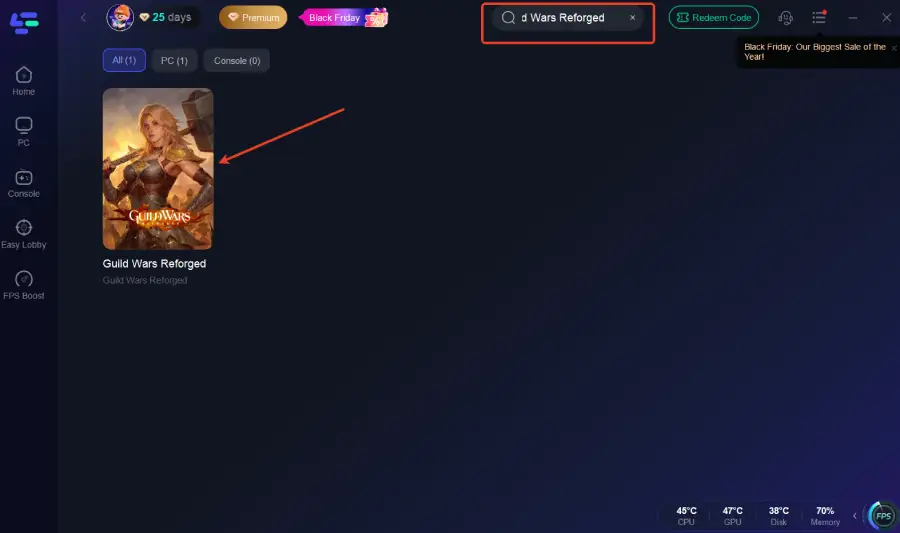
Step 2: Open LagoFast, and use the search bar to find Guild Wars Reforged.
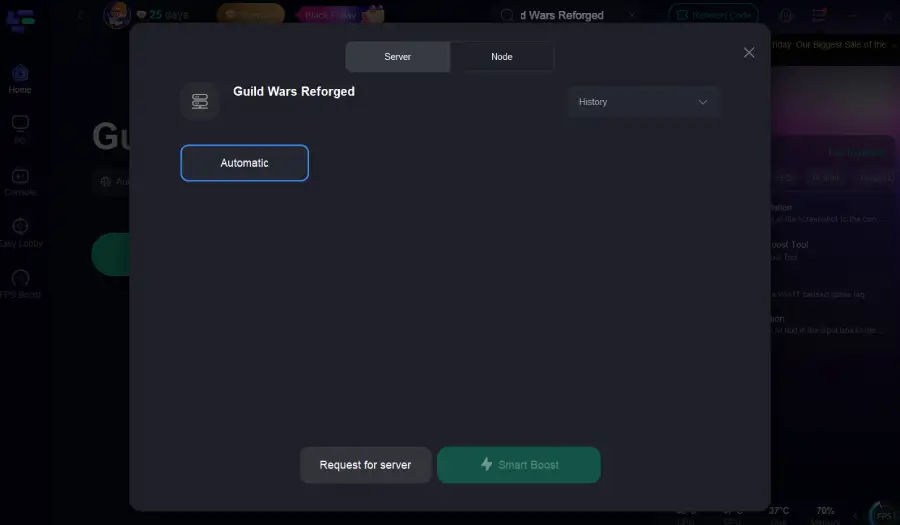
Step 3: Select the best server or route for your region to ensure optimal stability.
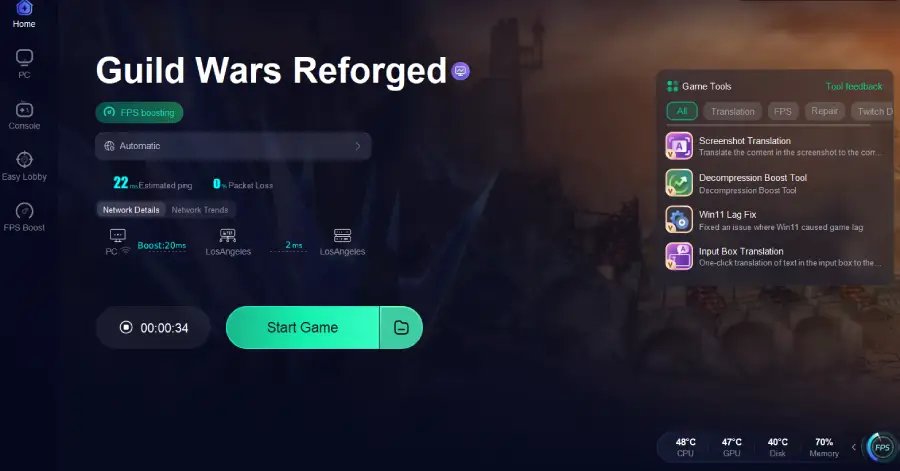
Step 4: Optimize network settings—LagoFast will automatically select the best connection path to minimize lag, packet loss, and high latency for smoother gameplay.
Part 3: Other Ways to Fix Guild Wars Reforged Launch Problems
If you prefer manual or backup solutions, try the following:
- Verify game files—Let your platform (Steam or client) check and repair corrupted or missing files.
- Run as Administrator—Right-click the game → Run as administrator to fix permission issues.
- Update graphics drivers—Ensure NVIDIA, AMD, or Intel drivers are up to date. Download from the official website.
- Disable overlays and background apps – Close programs like Steam Overlay, Discord Overlay, Razer Synapse, MSI Afterburner, RGB software, screen recording apps, or unnecessary background apps.
- Temporarily disable antivirus—Some antivirus programs can block game files or prevent launching.
- Clear cache folders—Deleting old or corrupted cache files can help, e.g., C:\Users\YourName\AppData\Local\GuildWarsReforged\Cache.
- Reinstall the game – Last resort if all else fails, but it can resolve persistent issues.
Part 4: FAQs
Why won’t Guild Wars Reforged launch at all?
Usually due to corrupted files, network verification issues, or permission problems.
Why does the game get stuck on the loading or splash screen?
Often caused by connection problems or broken files.
Can background programs or overlays prevent the game from starting?
Yes. Discord Overlay, Steam Overlay, Razer Synapse, antivirus, and other apps can interfere.
Will reinstalling fix the issue?
Only if your files are damaged. It won’t solve network or routing issues.
How can I make the game start more reliably?
Run as administrator, update drivers, disable unnecessary apps, or use LagoFast.
Conclusion
Guild Wars Reforged not launching can be frustrating, but most issues have simple fixes. LagoFast provides one of the fastest solutions—stabilizing your connection, reducing ping, and ensuring smooth startup. Alternatively, verifying files, running as administrator, updating drivers, or disabling conflicting apps can also help. Follow these steps to get back into the game smoothly.
Boost Your Game with LagoFast for Epic Speed
Play harder, faster. LagoFast game booster eliminates stutter and lags on PC, mobile, or Mac—win every match!
Quickly Reduce Game Lag and Ping!
Boost FPS for Smoother Gameplay!