

Guild Wars Reforged is returning with modern visuals and smoother performance, attracting both longtime fans and new players. However, the game’s limited language support can create challenges for many players around the world.
When quests, menus, or NPC dialogue appear in a language you don’t understand, the experience can quickly become frustrating. Fortunately, this guide shows you how to overcome those language barriers using translation tools, so you can enjoy Guild Wars Reforged smoothly no matter where you play from.

- ✅ Reduce Lag and Boost FPS
✅ Ensure Stable Server Connection.
✅ Change Server without Latency.
✅Fix Crashing and Stuck Errors.
✅ 0% Packet Loss Rate
Part 1: Guild Wars Reforged Release Date
Part 2: What Languages Does Guild Wars Reforged Support?
Part 3: The Best Translation Tool to Play Guild Wars Reforged Smoothly
Part 1: Guild Wars Reforged Release Date
Guild Wars Reforged is officially scheduled to launch on December 3, 2025, marking the return of one of the most iconic MMORPGs in a fully refreshed form. This version brings upgraded visuals, smoother performance, and modern enhancements designed to make the classic experience more accessible to today’s players.
While developers have improved environments, UI elements, and overall stability, one limitation remains: the game still supports only a handful of languages. For many international players, quests, menus, and in-game prompts may remain difficult to understand. Finding an effective translation tool is therefore essential for enjoying the game from day one.
Part 2: What Languages Does Guild Wars Reforged Support?
Here’s a clear breakdown of the official language support:
|
Language |
Text |
Voice |
|
English |
✅ |
✅ |
|
Korean |
✅ |
✅ |
|
French |
✅ |
✅ |
|
German |
✅ |
✅ |
|
Italian |
✅ |
✅ |
|
Spanish |
✅ |
✅ |
|
Japanese |
✅ |
❌ |
|
Polish |
✅ |
❌ |
|
Russian |
✅ |
❌ |
Although several common languages are covered, many players fall outside this list. This can lead to unclear objectives or confusing dialogue. For players whose languages are not supported, using a reliable translation tool is the easiest way to make the game fully understandable.
Part 3: The Best Translation Tool to Play Guild Wars Reforged Smoothly
With Guild Wars Reforged offering only a limited set of languages, many players rely on external tools to fully understand quests and dialogue. LagoFast makes this effortless with its screenshot translation, allowing you to translate any on-screen text—quests, story dialogue, menus, or system prompts—in seconds without interrupting gameplay.
Beyond translation, LagoFast also enhances your overall experience by providing lower ping, more stable connections, reduced lag spikes, and smoother FPS performance, ensuring both clearer understanding and smoother gameplay in one simple solution.
How to Use the LagoFast Guild Wars Reforged Translation Tool
Step 1: Begin by clicking the Free Trial button to download and install the LagoFast Free Trial.
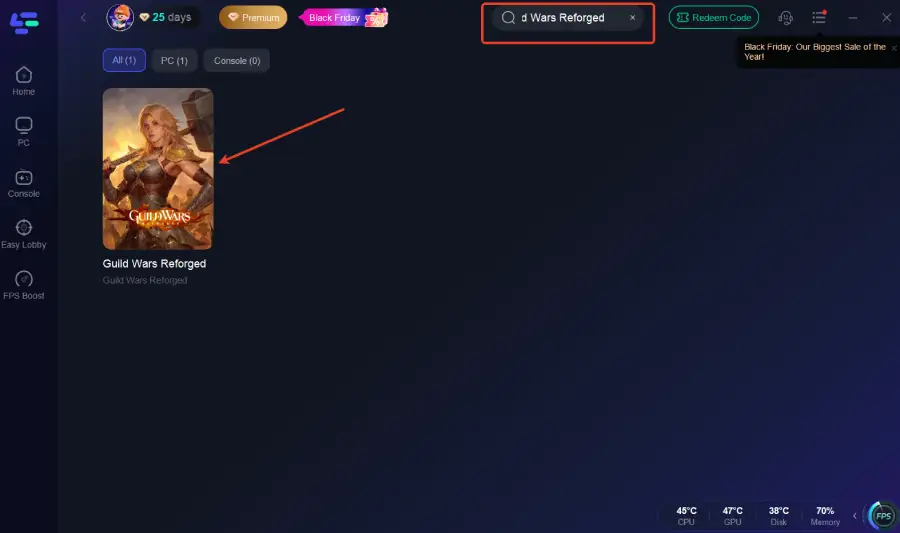
Step 2: Open LagoFast and use the search bar to find Guild Wars Reforged.
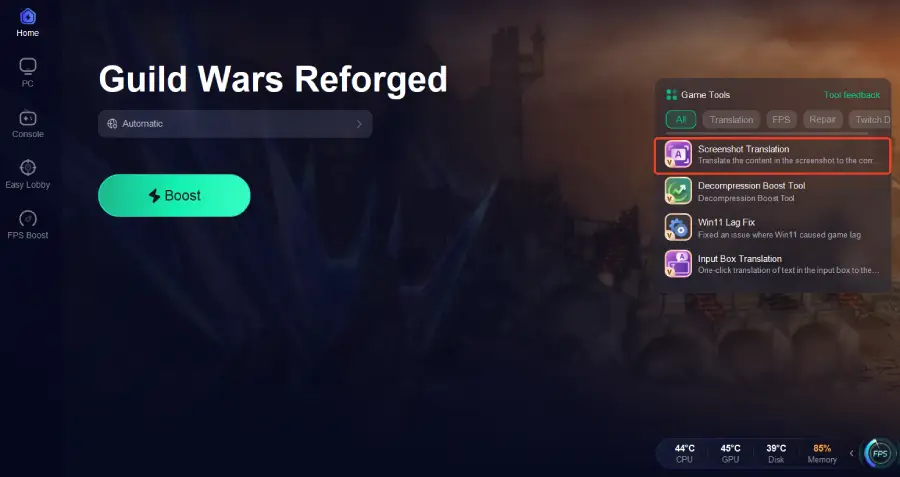
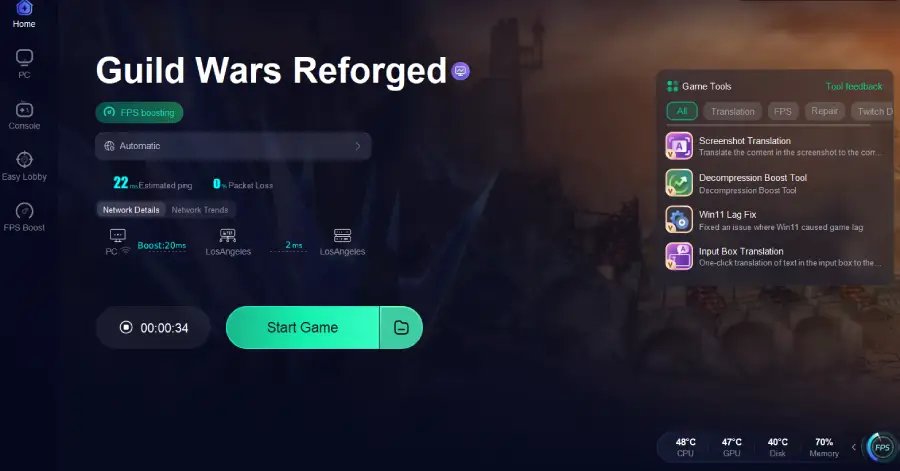
Step 3: Click the Screenshot Translation button on the right side of the screen.
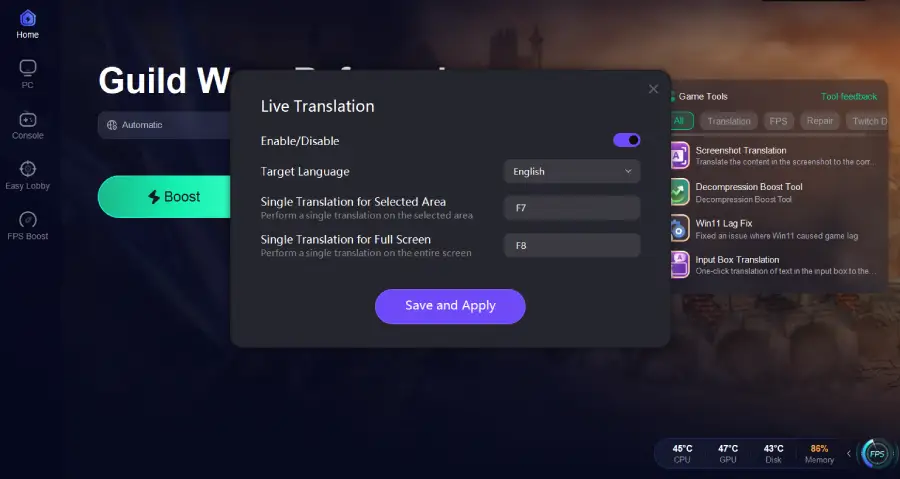
Step 4: Choose your target language and set up your hotkeys for instant translation.
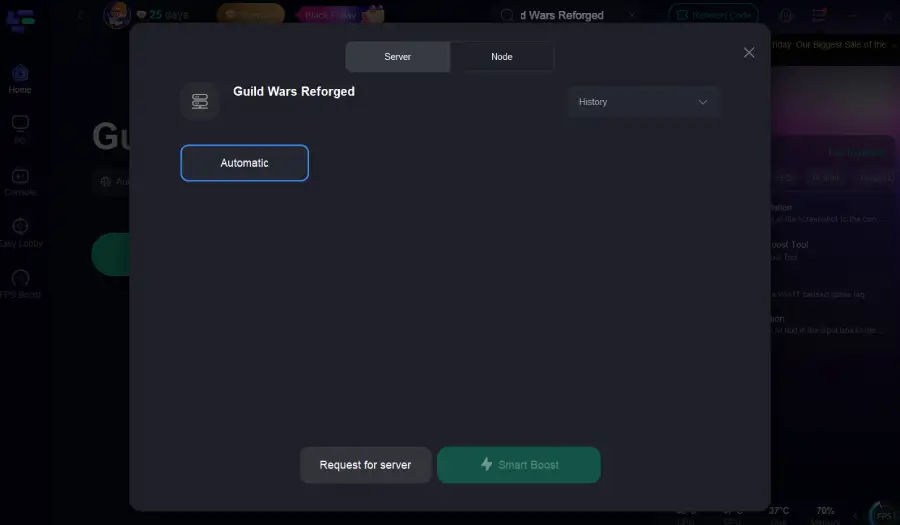
Step 5: Select the best server route automatically based on your location.
Step 6: Launch Guild Wars Reforged through LagoFast and enjoy smooth gameplay.
Conclusion
Guild Wars Reforged may come with modern upgrades, but its limited language support can still challenge many global players. With a reliable translation tool like LagoFast, you can instantly understand in-game text and enjoy smoother gameplay.
By breaking down language barriers and improving performance, tools like LagoFast ensure that players worldwide can fully enjoy their adventure in Tyria. Language shouldn’t stop anyone from experiencing the game as intended.

Boost Your Game with LagoFast for Epic Speed
Play harder, faster. LagoFast game booster eliminates stutter and lags on PC, mobile, or Mac—win every match!
Quickly Reduce Game Lag and Ping!
Boost FPS for Smoother Gameplay!