
The renewed excitement around Guild Wars Reforged has brought both veteran heroes and curious newcomers back to Tyria. With refreshed assets, smoother performance, and better compatibility on modern systems, the remastered version feels like the perfect moment to jump in or return after years away. But for many players, the first challenge is understanding where and how to download the game, especially with different platforms, access keys, and client versions available. This guide walks you step-by-step through downloading and installing Guild Wars Reforged, fixing slow download speeds, and activating keys from ArenaNet or Steam.

- ✅ Reduce Lag and Boost FPS
✅ Ensure Stable Server Connection.
✅ Change Server without Latency.
✅Fix Crashing and Stuck Errors.
✅ 0% Packet Loss Rate
Part 1: How to Download Guild Wars Reforged?
Part 2: How to Fix Slow Guild Wars Reforged Downloads?
Part 1: How to Download Guild Wars Reforged?
Unlike many MMOs, the Guild Wars franchise uses access keys and client-based authentication rather than requiring a subscription. Whether you're playing for the first time or reinstalling the game years later, the download process is straightforward as long as you know which version you need.
Step 1: Purchase or Locate Your Access Key
If you’re a new player, you’ll need to buy one of the Guild Wars products from the official store. These include:
Guild Wars® Complete Collection
Guild Wars® Game of the Year Edition
Guild Wars Factions®
Guild Wars Nightfall®
Guild Wars Eye of the North®
Buying any of these gives you an Access Key, which links the game to your account. If you previously purchased Guild Wars but lost the physical discs, you don’t need them. Your account remains valid, and you can re-download the client anytime.
Step 2: Download the Official Client
Players can download the Guild Wars Reforged client from the following sources:
- Official ArenaNet website
- Original purchase page
- Steam (if purchased through Steam)
The download is typically a small launcher. Running GwSetup.exe begins downloading the full game automatically. Since Guild Wars streams assets, you can log in and start playing early while the rest downloads in the background.
Step 3: Install and Launch the Client
After installing, open the launcher. Before logging in, look for:
Create Account or Add Access Key
New players enter their purchased key here. Existing players can add expansion or cosmetic keys using the same option.
Step 4: Register or Log In
If this is your first ArenaNet account, the system guides you through registration, email verification, password setup, and key activation. Returning players simply log in with their existing credentials. The client will then prepare the necessary game files.
Step 5: Start Playing
Once core assets are downloaded, you can begin your adventure. Additional files may continue downloading quietly in the background. Most players complete this process without issues, but slow downloads sometimes occur—covered in the next section.
Part 2: How to Fix Slow Guild Wars Reforged Downloads
Some players experience slower-than-expected download speeds, especially during large updates. The launcher can be affected by congestion, routing issues, or ISP throttling. When patching stalls or speeds drop, a game-optimization tool can help. LagoFast stabilizes routing, reduces packet loss, and improves download efficiency, which is especially helpful given the larger, updated assets included in Reforged.
LagoFast Key Features
- Faster client download acceleration
- Optimized routing to avoid congested network paths
- Packet-loss reduction for more stable connectivity
- FPS and lag-spike stabilization during gameplay
- Multi-game support with smart server selection
Tutorial: Use LagoFast to Fix Slow Downloads
Step 1. Download and install LagoFast.
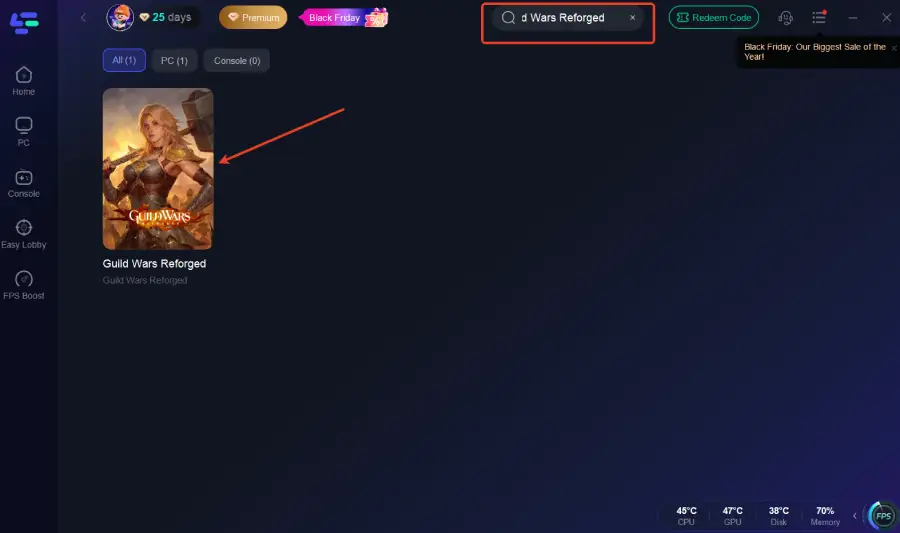
Step 2: Open LagoFast, and use the search bar to find Guild Wars Reforged.
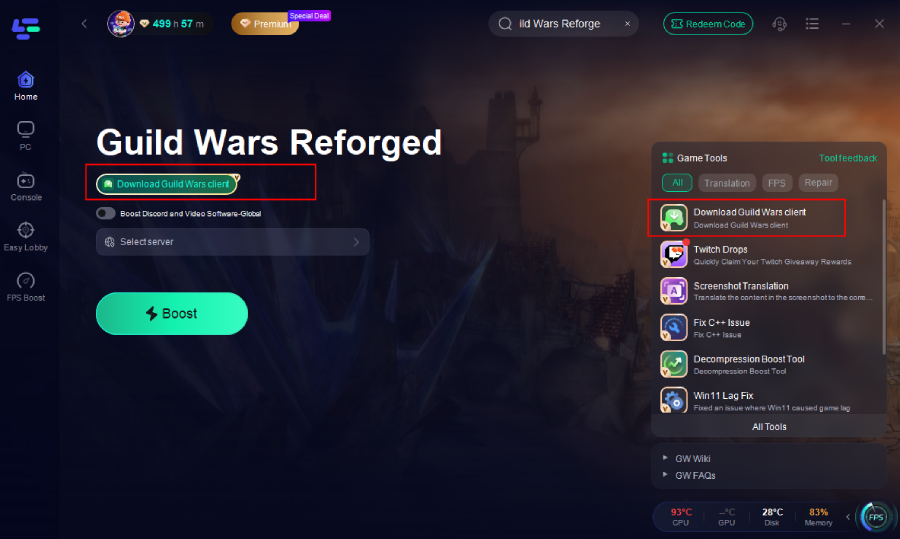
Step 3. Select the Download Guild Wars Client on the right side.
Step 4: Select the best server or route for your region to ensure optimal stability.
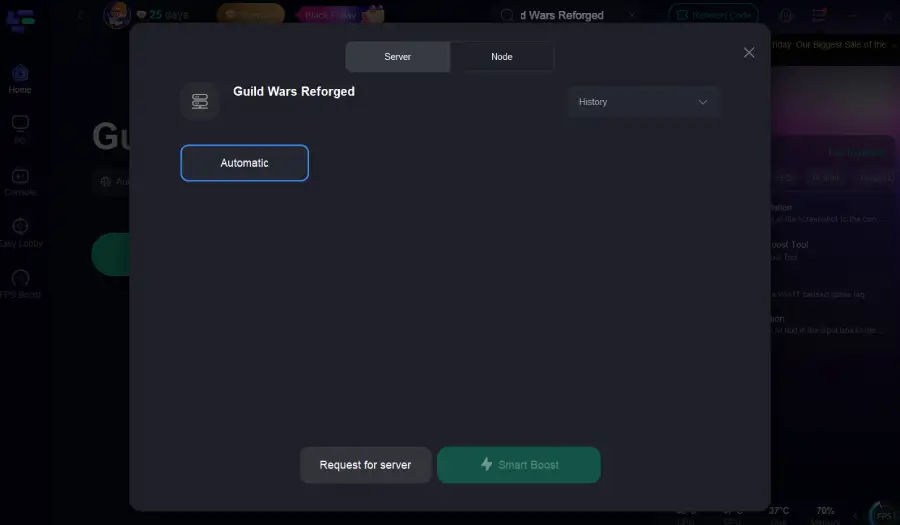
Step 5: Click Boost to improve the download and patching experience.
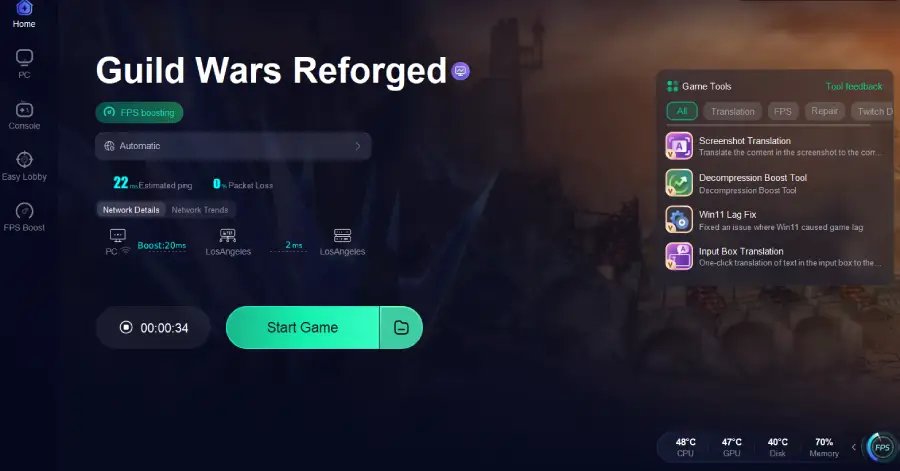
Play Guild Wars Reforged with LagoFast
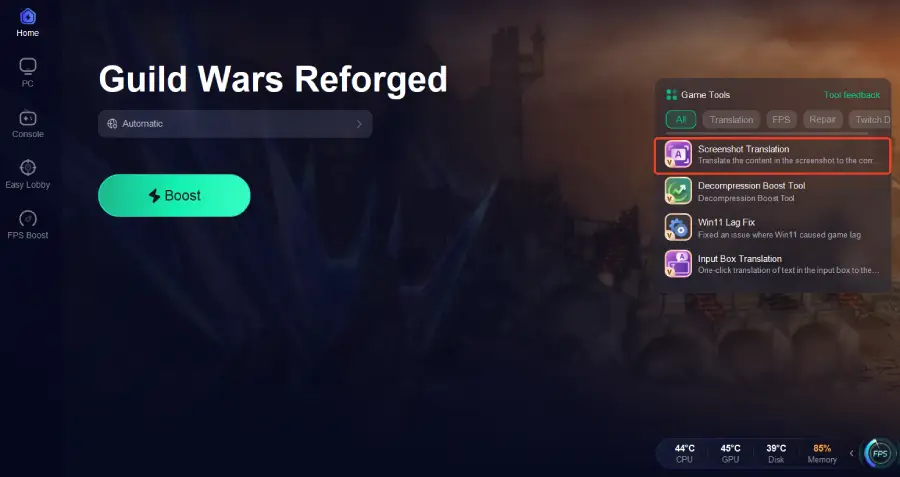
LagoFast not only speeds up downloads but also improves in-game performance by reducing lag, stabilizing routing, and lowering latency. It also includes a lightweight translation tool that supports over twenty languages, helping players better understand UI text, quests, and instructions in Guild Wars Reforged.
Step 1: Click the Screenshot Translation button on the right side of the screen.
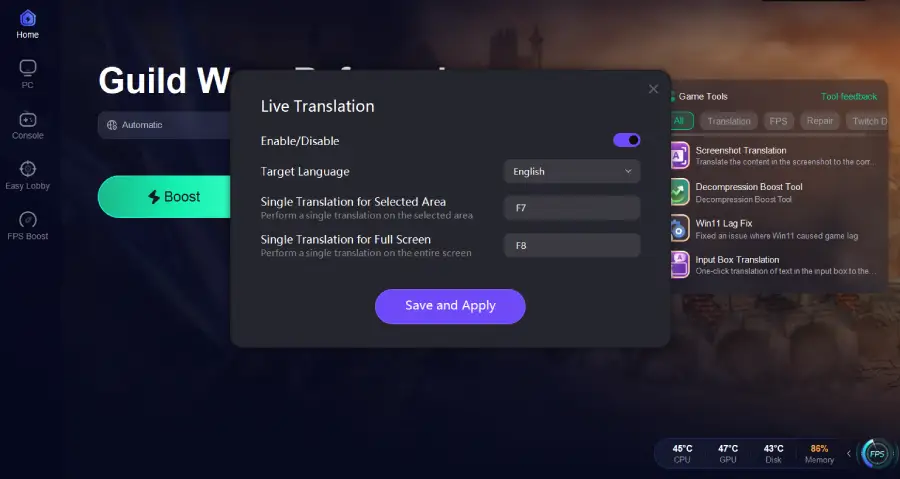
Step 2: Choose your target language and set up your hotkeys for instant translation.
Part 3: FAQs
How do I download the game after purchasing a key from ArenaNet?
When you purchase Guild Wars from the official store, ArenaNet emails you an Access Key. The key is what unlocks the game, not the installation media. Simply download the client from the official site, launch the setup, choose Create Account or Add Access Key, enter your key, and register if needed. The game unlocks automatically—no repurchase required.
What’s the difference between a Steam account and an ArenaNet account? Are they compatible?
A Steam version of Guild Wars is tied exclusively to your Steam account, while the original version uses an ArenaNet login.
- Steam purchases must always be launched via Steam.
- ArenaNet purchases must be launched using your ArenaNet credentials.
The two systems are not compatible. Keys cannot be shared, merged, or transferred between platforms.
I already have the original Guild Wars installed. Do I need to reinstall to play Reforged?
Usually no. The Reforged update is applied through the standard patching process. If your installation is extremely outdated or corrupted, a clean reinstall may be helpful, but it’s not strictly required. The launcher will update your existing files automatically.
Can I use my old characters in Guild Wars Reforged?
Yes. All previously created characters remain available. Guild Wars has used the same account database since launch, so any hero you made years ago will still be there as long as you remember your login.
Why is my download stuck at 0% or 1%?
The client downloads thousands of tiny files, so the progress bar may appear frozen. However, routing issues, ISP throttling, or packet loss can also cause stalls. A routing optimizer like LagoFast typically resolves this by stabilizing the connection and improving asset retrieval.
Conclusion
Guild Wars Reforged breathes new life into a beloved classic, and downloading it is simpler than it may seem—whether you're activating a new key or returning after many years. With the correct client and account type, you can be back in Tyria within minutes. If slow downloads occur, tools like LagoFast can significantly reduce waiting time and provide a smoother, more stable experience. Once everything is ready, all that’s left is to create your character and step into one of the most iconic online RPG worlds ever made.
Boost Your Game with LagoFast for Epic Speed
Play harder, faster. LagoFast game booster eliminates stutter and lags on PC, mobile, or Mac—win every match!
Quickly Reduce Game Lag and Ping!
Boost FPS for Smoother Gameplay!