
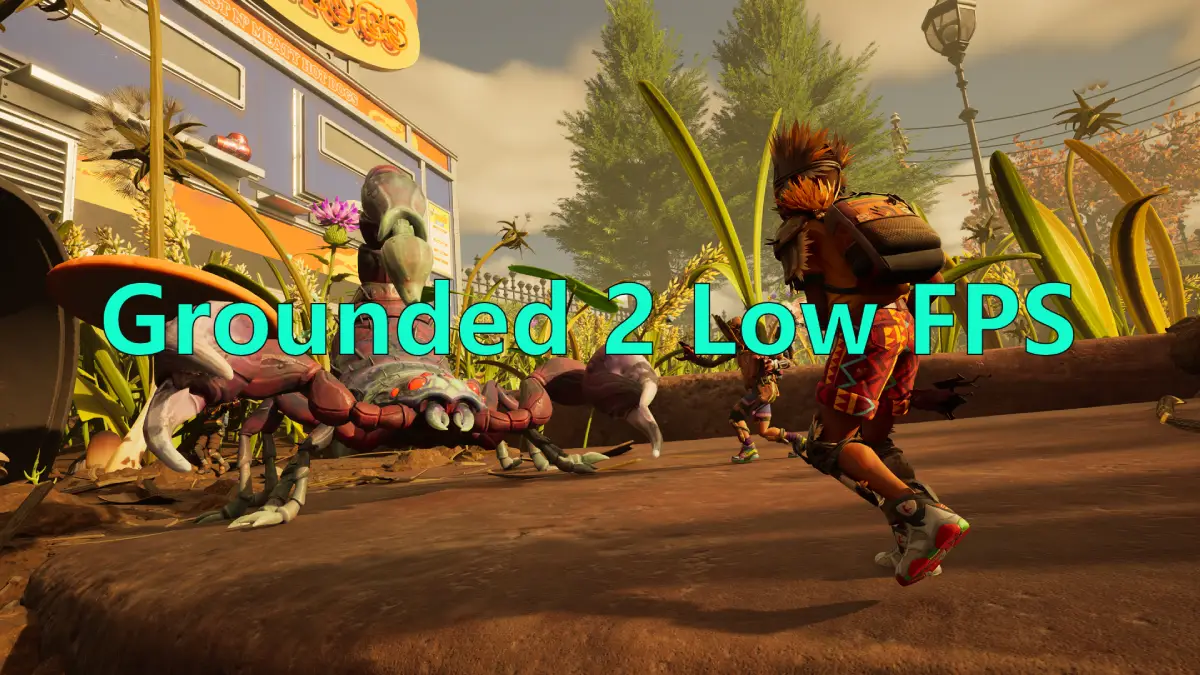
Starting July 29, the large-scale micro-world adventure online RPG Grounded 2 officially entered Early Access. Players dive into brand-new environments, riding Buggies through Brookhollow Park. However, at the same time, players on Reddit and the Grounded 2 Steam community have been reporting low FPS issues—even on high-end systems. In this article, we’ll explore the possible causes of Grounded 2 low FPS issues and how to fix them!

- ✅ Reduce Lag and High Ping.
- ✅ Boost FPS at the Same Time.
- ✅ Support 2000+ Popular Online Games.
- ✅ Ensure Stable Connections.
- ✅ End Stuck & Choppy Gameplay.
Part 1: Existing Grounded 2 Low FPS Issues
Part 2: Why Do Facing Low FPS in Grounded 2
Part 3: How to Fix Grounded 2 Low FPS
Part 1: Existing Grounded 2 Low FPS Issues
Based on player feedback from Reddit and the Steam forums, the current Grounded 2 low FPS issues include:
- On PC, running at a 3440x1440 resolution yields only around 60–70 FPS, and players facing sudden frame drops in some game scene.
- On Xbox, the frame rate struggles to stay stable, averaging around 20 FPS.
- On Epic settings (9600x/9070XT), FPS fluctuates heavily between 45–120, putting excessive strain on the CPU, making the gameplay very choppy.
- DLSS upscaling is unavailable, making it impossible to boost FPS through AI rendering.
Part 2: Why Do Facing Low FPS in Grounded 2
The reasons behind these widely reported issues can be grouped as follows:
Developer-side causes:
- Obsidian Entertainment has yet to optimize the graphics performance of Grounded 2.
- Grounded 2 currently lacks support for FSR and DLSS plugins that could help improve FPS.
Player-side causes:
1. Insufficient Hardware: To run the game smoothly, a capable CPU, GPU, and sufficient RAM are essential. Older or low-end systems may have difficulty keeping up with the game's demands.
2. High Graphics Settings: Playing on ultra or maxed-out graphics settings can overwhelm your hardware, leading to significant FPS drops and performance issues.
3. Background Applications: Apps running in the background—such as Chrome, Discord, or even automatic system updates—can eat up valuable CPU and RAM, impacting game performance.
4. Outdated Drivers: Graphics drivers are vital for smooth gameplay. If your GPU drivers are outdated, you may experience FPS stutters, frame drops, or other performance hiccups.
5. Overheating Issues: Excessive heat in your CPU or GPU can trigger thermal throttling, which slows down performance to prevent hardware damage.
6. Unoptimized Game Files: Corrupted, missing, or improperly installed game files can lead to instability and performance issues during gameplay.
7. Internet Connection Issues: While Grounded 2 is primarily an online game, unstable connections, high ping, or latency can cause lag—especially in co-op sessions.
Part 3: How to Fix Grounded 2 Low FPS
1. LagoFast - Best Grounded 2 FPS Optimization Tool
LagoFast is a professional FPS optimization tool designed to help improve performance in Grounded 2. With multi-route acceleration and access to global servers, it uses intelligent algorithms to optimize gameplay—even on high graphics settings. Most importantly, it compensates for Grounded 2’s lack of DLSS support by providing a built-in FPS optimization solution that boosts frame rates and enhances visual performance. Here’s how to use it:
Step 1: Click the Free Trial button to download and install LagoFast.
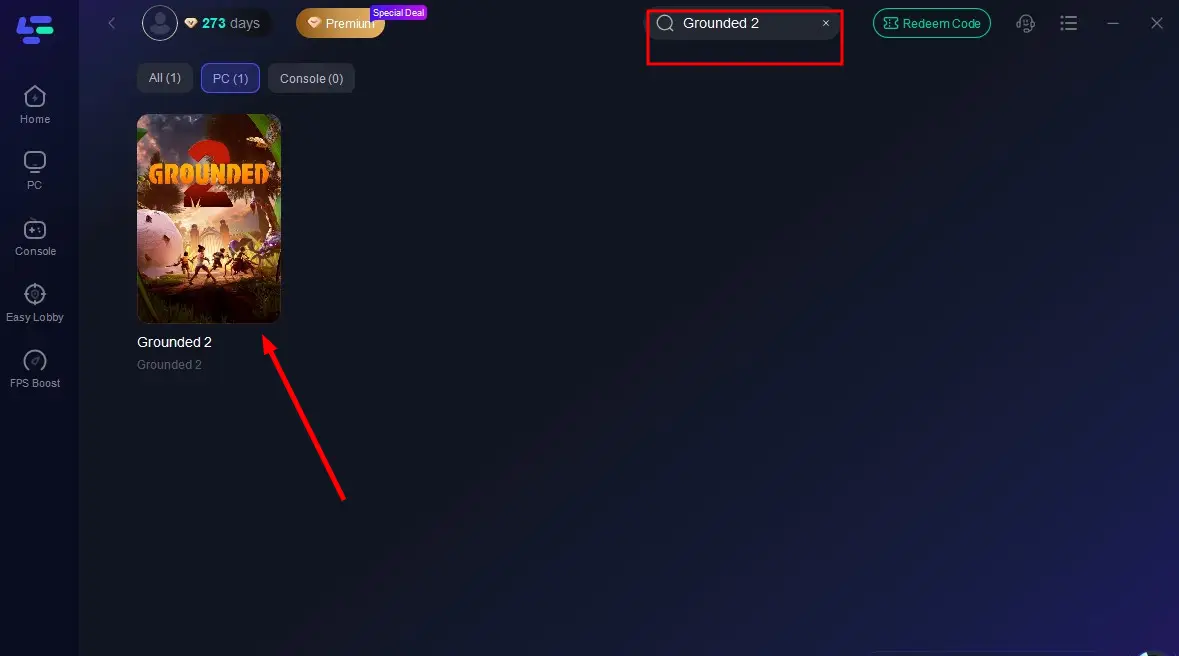
Step 2: Open LagoFast, type Grounded 2 into the search bar, and click the result.
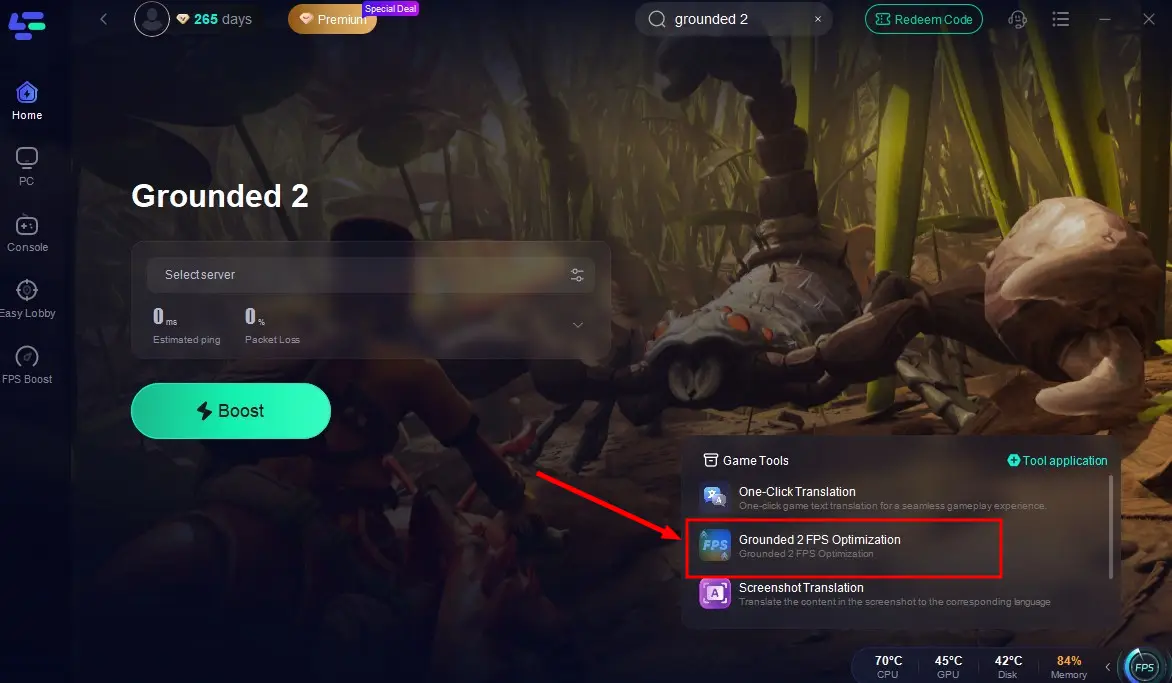
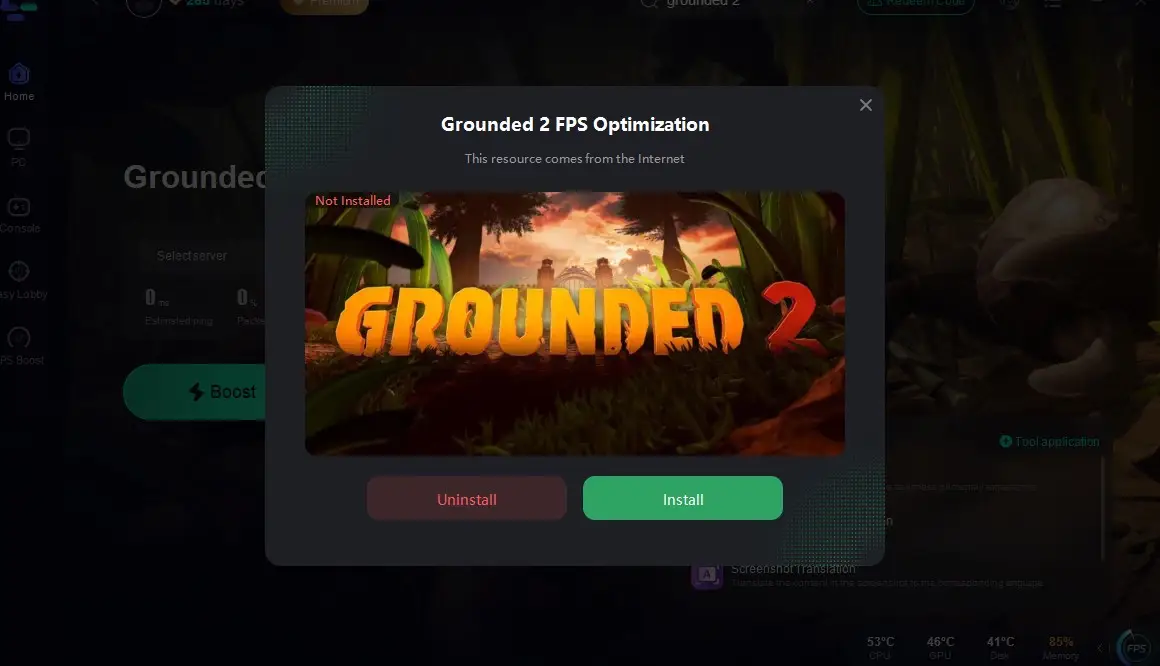
Step 3: Click the FPS Optimization tool in the bottom-right corner and complete the installation.
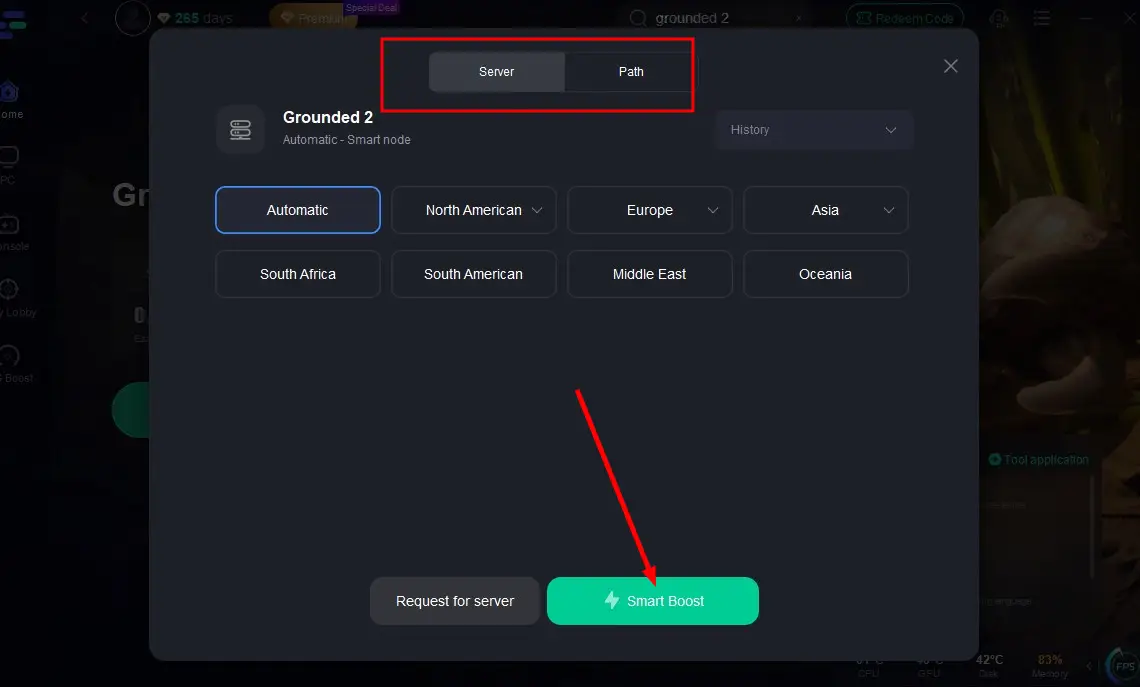
Step 4: Select the most stable server via the Select Server option, then click Smart Boost to connect.
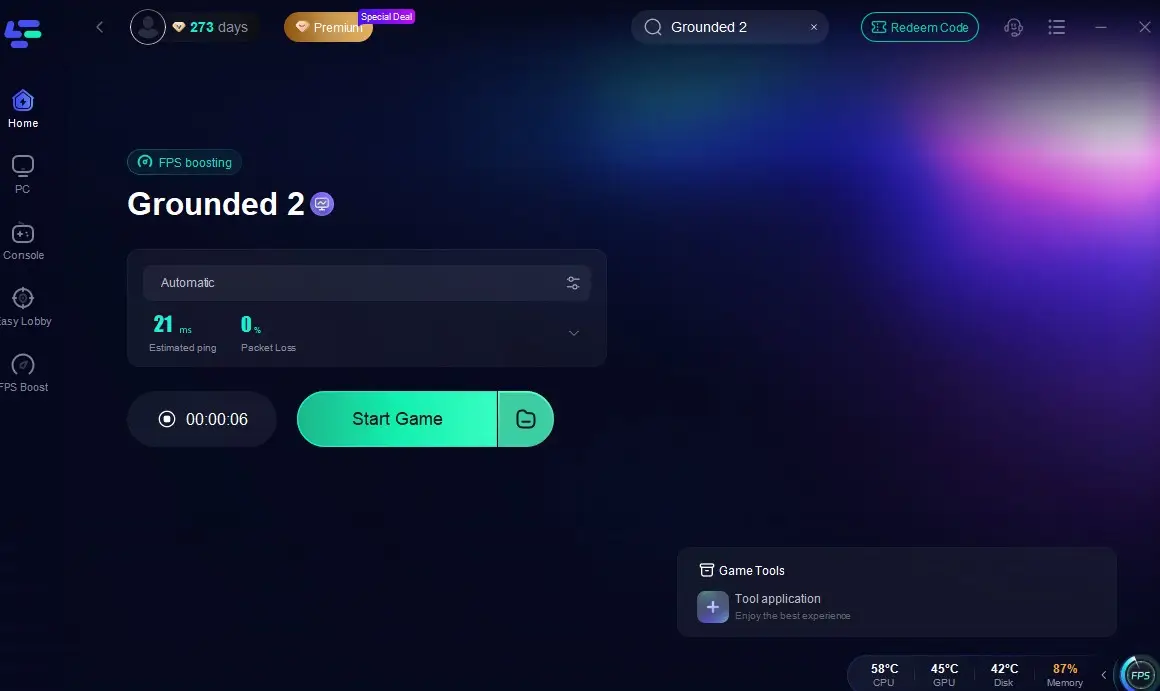
Step 5: Hit Start Game on the screen and enjoy a smooth, high-quality Grounded 2 experience with zero lag!
2. Lower In-Game Graphics Settings
Launch Grounded 2, navigate to Options > Display, and apply these tweaks:
| Setting | Recommended Value | Reason |
| Resolution | 1920x1080 (or lower) | Higher resolutions stress GPU. |
| Dynamic Resolution | Off | Causes inconsistent frame pacing. |
| Lumen Lighting | Off | Ray tracing is a major FPS killer. |
| Population Density | Low | Reduces insect spawns in crowded areas. |
| Shadow Quality | Medium | High shadows tank GPU performance. |
| V-Sync | Off | Introduces input lag. Use G-Sync/FreeSync instead. |
3. Update Graphics Drivers
- Open Device Manager (Press Win + X and select Device Manager).
- Expand Display Adapters and right-click your GPU.
- Select Update Driver and choose Search automatically for drivers.
- If an update is available, install it and restart your PC.
- Alternatively, download the latest drivers from NVIDIA, AMD, or Intel's official website.
- Restart your PC after the installation.
4. Close Background Applications
- Shut down unnecessary apps like Chrome, Discord, or video editing tools that consume CPU and RAM.
- Use Task Manager (Ctrl+Shift+Esc) to identify and end non-essential processes.
5. Enable Game Mode (Windows)
- Go to Settings > Gaming > Game Mode and make sure it’s turned on.
- Game Mode helps prioritize system resources for better gaming performance.
6. Adjust Power Settings
- On laptops or desktops, set your Power Plan to "High Performance" or "Ultimate Performance".
- Go to Control Panel > Power Options and select the appropriate plan.
7. Fix and Optimize Game Files
- Open Steam and go to Library.
- Right-click It Takes Two and select Properties.
- Navigate to the Installed Files tab.
- Click Verify integrity of game files.
- Wait for Steam to check and repair missing or corrupted files.
- Restart your PC and test the game.
Conclusion
Grounded 2’s low FPS issues are primarily due to early access optimization gaps. By tweaking settings, closing background apps, and applying advanced fixes, most players can achieve stable 50-60 FPS on mid-tier systems. Stay patient—Obsidian’s track record suggests rapid improvements as the game nears full release.
Boost Your Game with LagoFast for Epic Speed
Play harder, faster. LagoFast game booster eliminates stutter and lags on PC, mobile, or Mac—win every match!
Quickly Reduce Game Lag and Ping!
Boost FPS for Smoother Gameplay!