

With Grounded 2 entering public spotlight, many survival fans are wondering whether cheats and developer tools are returning. This guide outlines how to enable grounded 2 console commands, offers a helpful list based on the original Grounded, and explains whether these features work in multiplayer.

Part 1: How to Enable Grounded 2 Console Commands
Part 2: Console Commands List (From Grounded)
Part 3: Do Grounded 2 Console Commands Work in Multiplayer Mode?
Part 4: How to Solve Grounded 2 Multiplayer Lag Issues by Using LagoFast
Part 1: How to Enable Grounded 2 Console Commands
Based on the first game, enabling console commands in Grounded 2 likely requires adding developer mode at launch.
According to ProGameGuides, you can do this by:
- In Steam, right-click the game → Properties
- In "Launch Options," type: -console -dev
- Start the game and press the ~ or Tab key to open the console
- opening Steam, accessing the game's properties, and adding -console -dev to the launch options. Once in-game, press ~ or Tab to open the console.
If the console doesn’t respond, it could be due to multiplayer restrictions or missing admin privileges—covered in the next section.
Part 2: Console Commands List (From Grounded)
The full command list for Grounded 2 isn't officially published yet, but we can expect many commands to follow the same pattern as in the original. As detailed in the Steam Community Guide, here are commonly used commands:
Survival and Resources
To quickly access crafting items or gear:
- AddResources sprig 10 - gives you 10 sprigs instantly
- GiveEquipment antclub - spawns the weapon directly
- GodMode - prevents all damage
Creatures and Time Control
As reported by CheatCC, these commands help modify your surroundings:
- Spawn aphid - creates an aphid near you
- KillAll - clears all nearby threats
- SetTime 18 - changes the in-game hour to 6 PM
Debug and Testing
- Teleport 100 200 300 - moves your character to those coordinates
- Fly - allows vertical movement
- Stat FPS - toggles real-time performance data
These commands were crucial for both casual builders and hardcore testers in the first game.
Bonus Tips: When Console Commands Don't Work
Many players report issues with cheats not activating. According to GameRevolution, the most common causes are multiplayer restrictions or missing launch flags.
Try these fixes:
- Use single-player mode, where most commands are enabled
- Double-check that "-console -dev" is added correctly
- Run the game as administrator If the issue persists, restarting the game after changes often solves the problem.
Hot Related: Download & Play ROM: Golden Age: Embark on the Epic Journey in Calderas
Part 3: Do Grounded 2 Console Commands Work in Multiplayer Mode?
IGN confirms that Grounded 2 console commands multiplayer access is limited, especially for non-host players.
In multiplayer, commands like item spawning or flying are usually blocked to keep the game fair.
If you're the host, some admin tools like teleporting or time control may still work, but guests can't use the console.
Community users report that basic commands like "Stat FPS" or "SetTime" may still function. For full access, play in single-player or private sessions.
Part 4: How to Solve Grounded 2 Multiplayer Lag Issues by Using LagoFast
Lag and high latency can ruin your Grounded 2 multiplayer experience. When network delays occur, LagoFast can help by optimizing your connection. Its main advantages include:
- Smart routing that dynamically finds the fastest data paths between players
- Reduces jitter, packet loss, and ping spikes in real time
- Automatically selects the best server region, even for peer-to-peer (P2P) host sessions
- Improves connection stability, leading to smoother and more responsive gameplay
Using LagoFast makes cooperating with friends easier by minimizing network disruptions, allowing you to focus on surviving and exploring.
Here’s how to use it:
Step 1: Click the Free Trial button to download and install LagoFast.
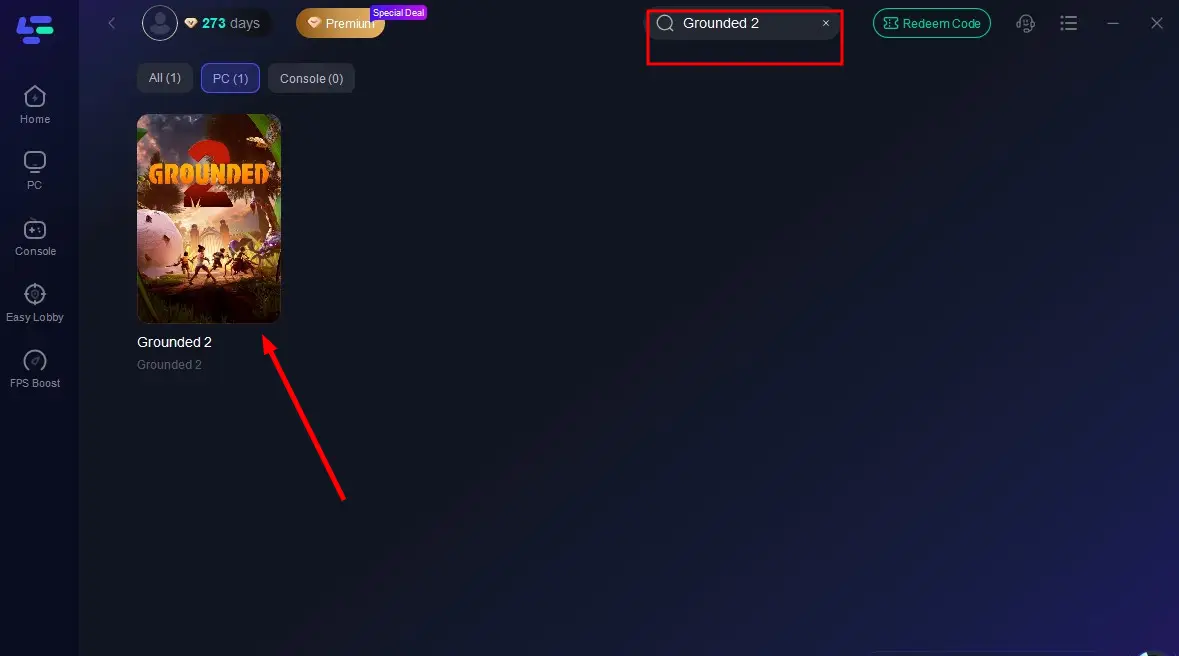
Step 2: Open LagoFast, type Grounded 2 into the search bar, and click the result.
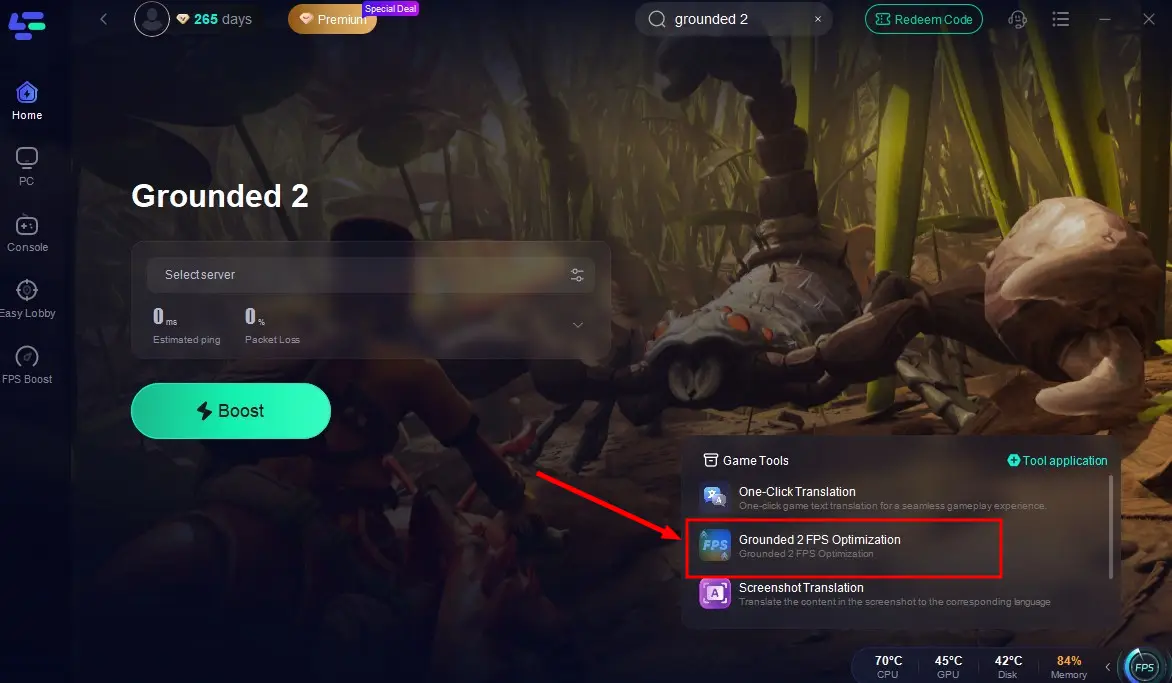
Step 3: Click the FPS Optimization tool in the bottom-right corner and complete the installation.

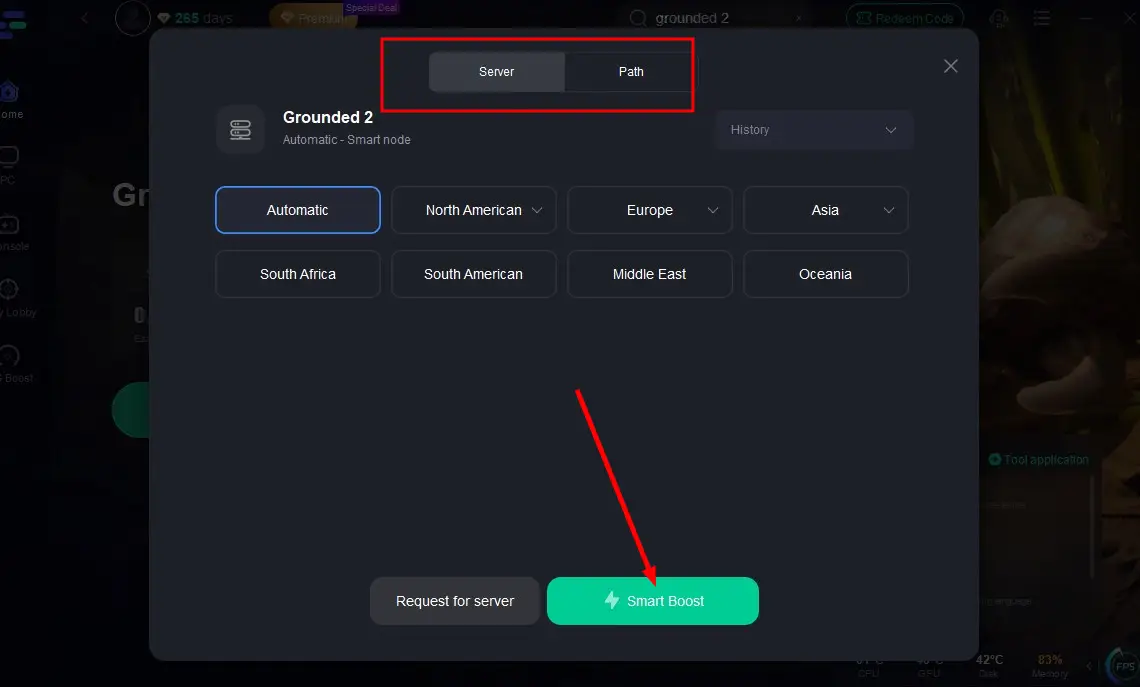
Step 4: Select the most stable server via the Select Server option, then click Smart Boost to connect.
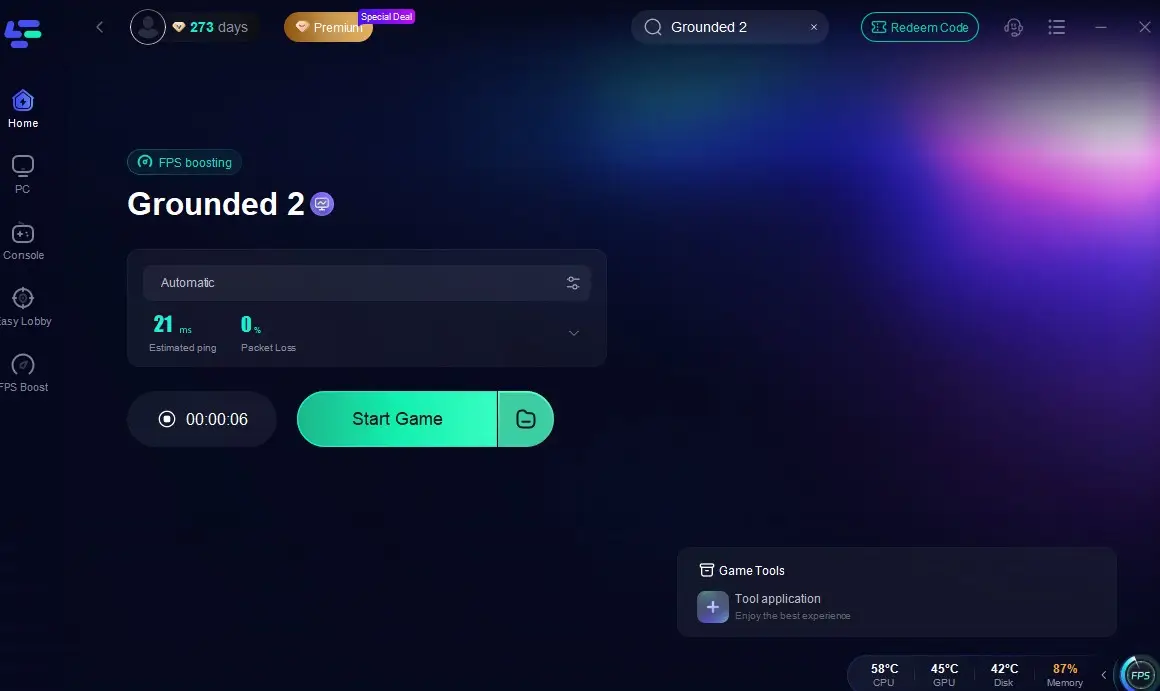
Step 5: Hit Start Game on the screen and enjoy a smooth, high-quality Grounded 2 experience with zero lag!
Conclusion
The use of console commands in Grounded 2 remains a powerful tool for testing, debugging, and creative gameplay—especially when building or exploring. While multiplayer limits some functions, single-player sessions allow near-complete access. Stay tuned to Steam discussions and official patches for updated command lists once the game launches.

Boost Your Game with LagoFast for Epic Speed
Play harder, faster. LagoFast game booster eliminates stutter and lags on PC, mobile, or Mac—win every match!
Quickly Reduce Game Lag and Ping!
Boost FPS for Smoother Gameplay!