
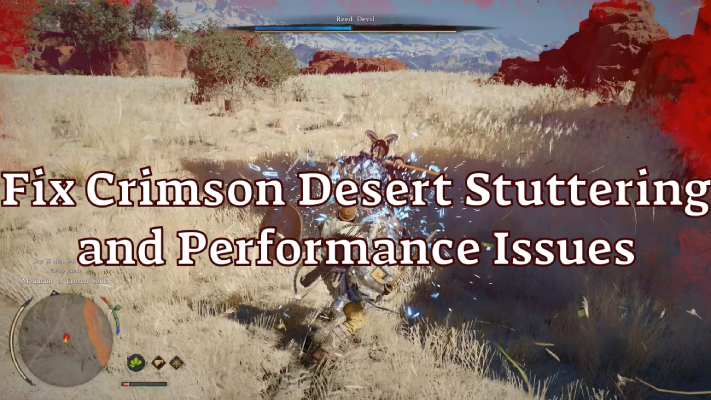
As Crimson Desert prepares for release, many players are already concerned about performance problems due to its large-scale open world and heavy graphical load. Most Crimson Desert performance issues—including stuttering, lag, and crashes—are caused by hardware bottlenecks or poor optimization, but the best solution combines automated optimization tools with a few manual tweaks to stabilize performance and reduce issues.

- ✅ Reduce Lag and High Ping.
- ✅ Boost FPS at the Same Time.
✅ Support 2000+ Popular Online Games.
✅ Popular Mods Supported.
✅ Boost Game Loading Speed.
Part 1: Causes of Crimson Desert Performance Issues
Part 2: LagoFast – Best Solution for Crimson Desert Stuttering Fix
Part 3: Common Fixes for Crimson Desert Stuttering or Lag
Part 4: Bonus Tips: Max Performance Requirements & Benchmarks
Part 1: Causes of Crimson Desert Performance Issues
Before jumping into fixes, it’s important to understand why stuttering and lag happen in the first place. Most Crimson Desert performance issues come from a mix of hardware limits, early optimization problems, and system configuration.
Hardware Bottlenecks
Crimson Desert is a demanding AAA game with large open-world rendering and complex physics. If your CPU, GPU, or RAM is below recommended specs, you may experience FPS drops and stuttering.
For example, a weak CPU can cause frame pacing issues, while an underpowered GPU may struggle with high graphics settings. Low RAM (or high usage) can also lead to sudden lag spikes. In some cases, overheating can cause hardware throttling, further reducing performance during gameplay.
Poor Game Optimization (Launch Phase)
At launch, many games are not fully optimized. Crimson Desert may have issues like unstable FPS, sudden drops, or inconsistent performance even on good PCs.
Shader compilation stutter is also common, where the game loads assets in real time and causes brief freezes. Some early versions may also have memory leaks or inefficient resource usage, leading to performance getting worse over time.
Background Processes
Too many background apps can eat up CPU and RAM, affecting game performance.
Programs like browsers, recording tools, or antivirus scans can reduce available resources. Overlays (Steam, Discord, etc.) may also cause micro-stuttering or input delay in some cases.
Storage Speed Limitations
If the game is installed on an HDD, loading speeds will be much slower compared to an SSD.
This can cause texture pop-in, delayed loading, and stuttering when moving around the map. Even on SSDs, low space or slower SATA drives can still impact performance slightly.
Driver or System Issues
Outdated GPU drivers are a common cause of lag and crashes. New games often require the latest drivers for proper optimization.
System issues like missing updates, incorrect settings, or driver conflicts can also affect stability. In some cases, power settings or outdated BIOS can prevent your hardware from running at full performance.
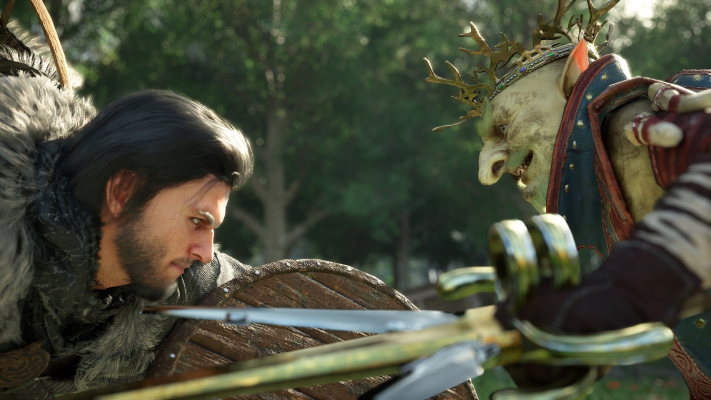
Part 2: LagoFast – Best Solution for Crimson Desert Stuttering Fix
When it comes to a fast and reliable solution, using a dedicated optimization tool is often the easiest and most effective approach.
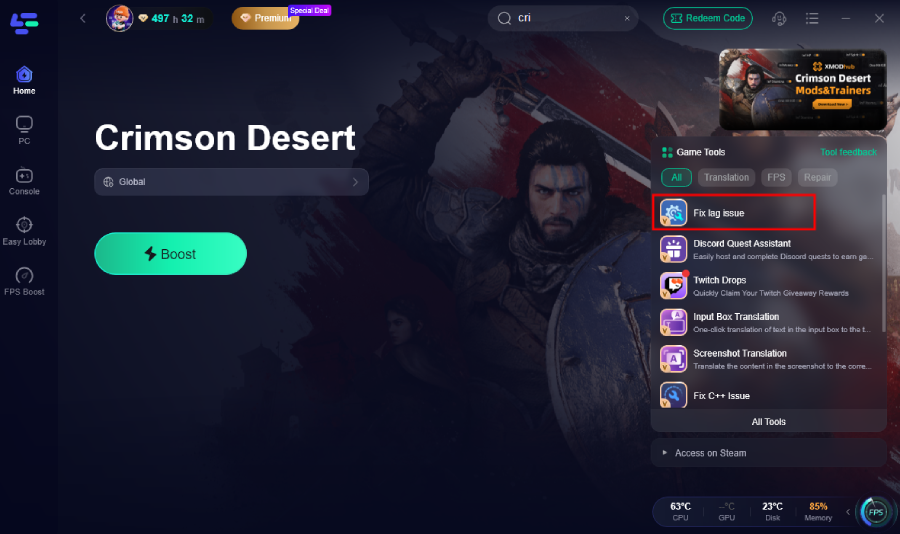
Fix Lag Issue Tool – Crimson Desert Stuttering Fix & FPS Boost
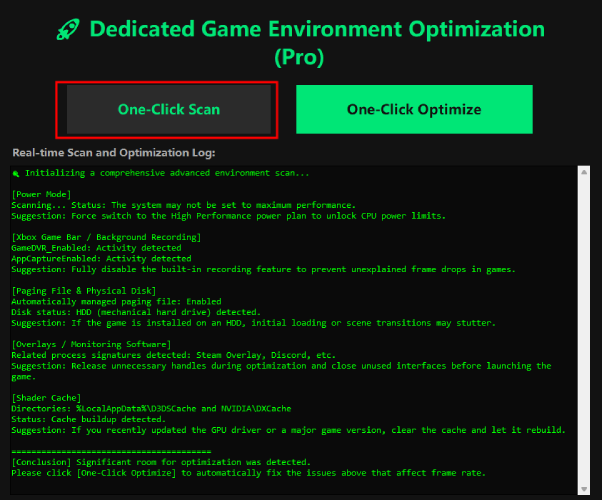
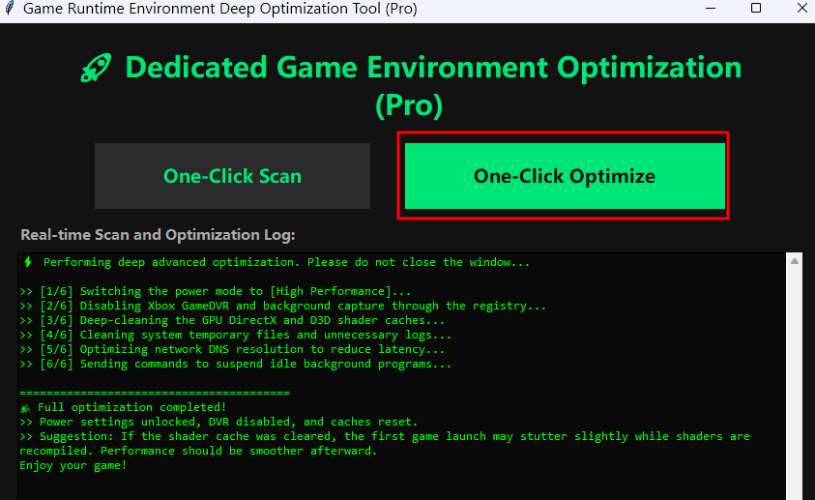
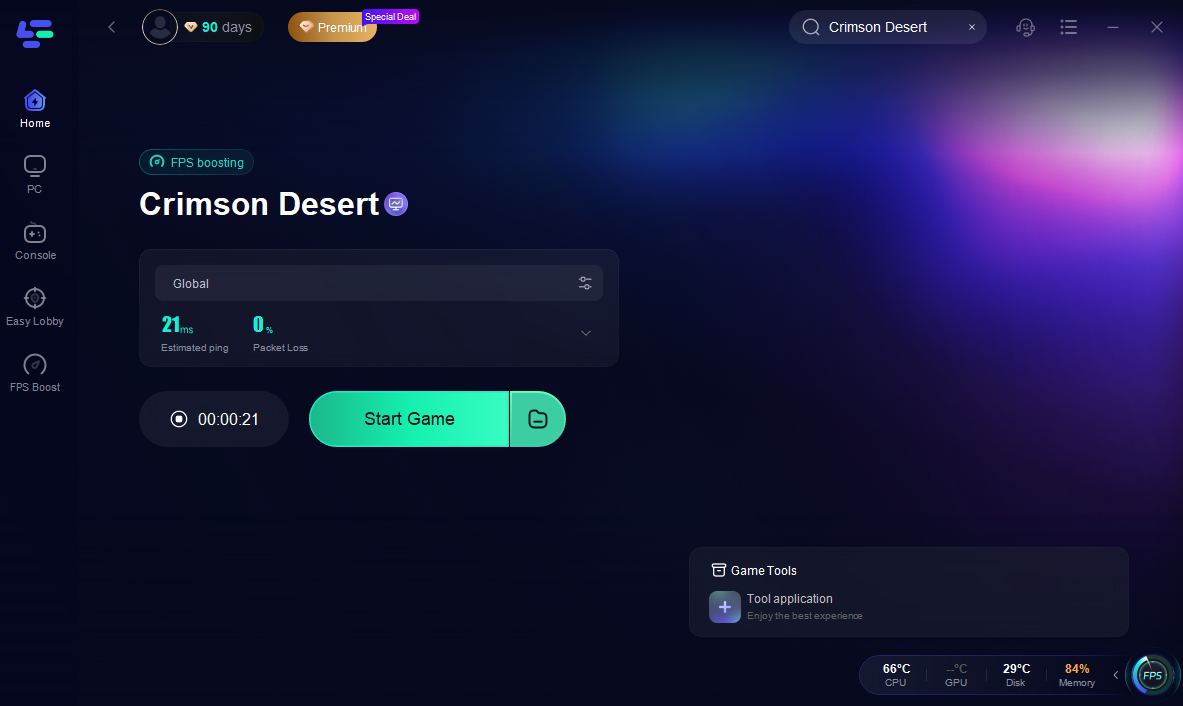
LagoFast Game Booster provides a dedicated Fix Lag Issue feature specifically designed to handle problems like Crimson Desert Stuttering or Lag Fix scenarios.
This tool works by scanning your system in real time, identifying performance bottlenecks, and automatically applying optimizations. Instead of manually tweaking multiple settings, players can use a one-click solution to:
- Detect CPU, GPU, and memory issues
- Optimize network and system performance
- Reduce the chances of stuttering, lag spikes, and crashes
- Stabilize frame rates for smoother gameplay
For players who want a quick Crimson Desert Stuttering Fix, this approach significantly reduces trial-and-error troubleshooting.
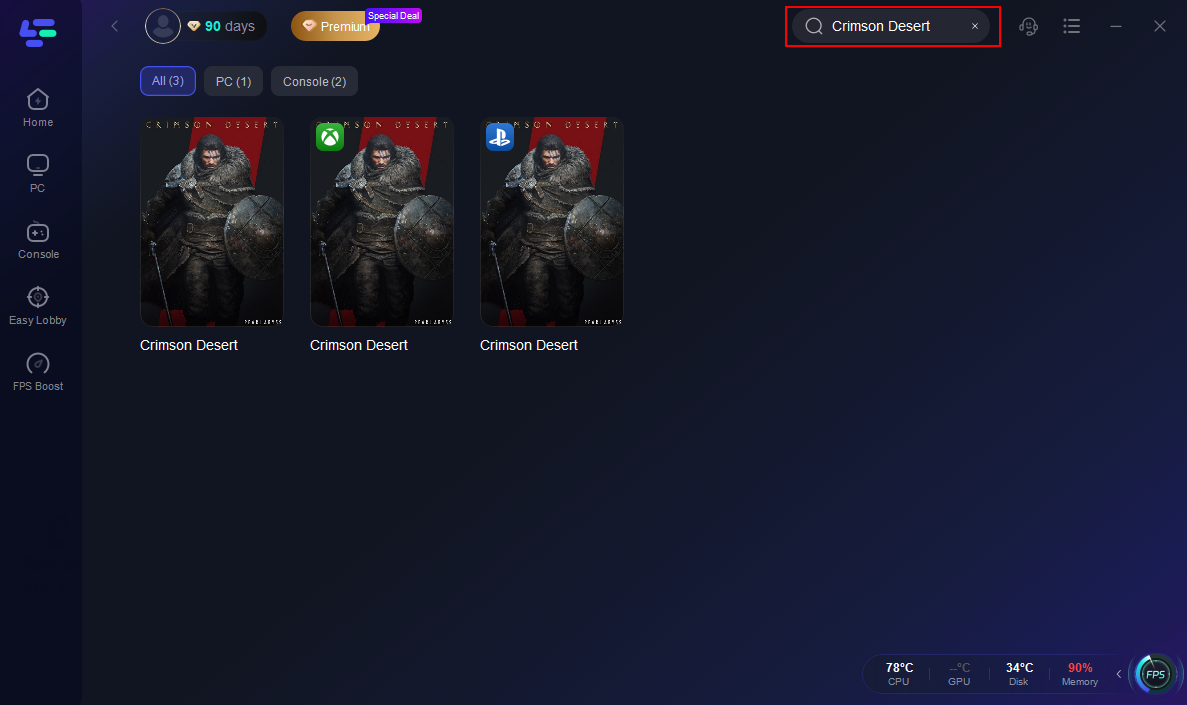

Increase FPS & Max Performance with LagoFast Game Booster
As a full-featured game booster, LagoFast also enhances overall performance beyond just fixing lag.
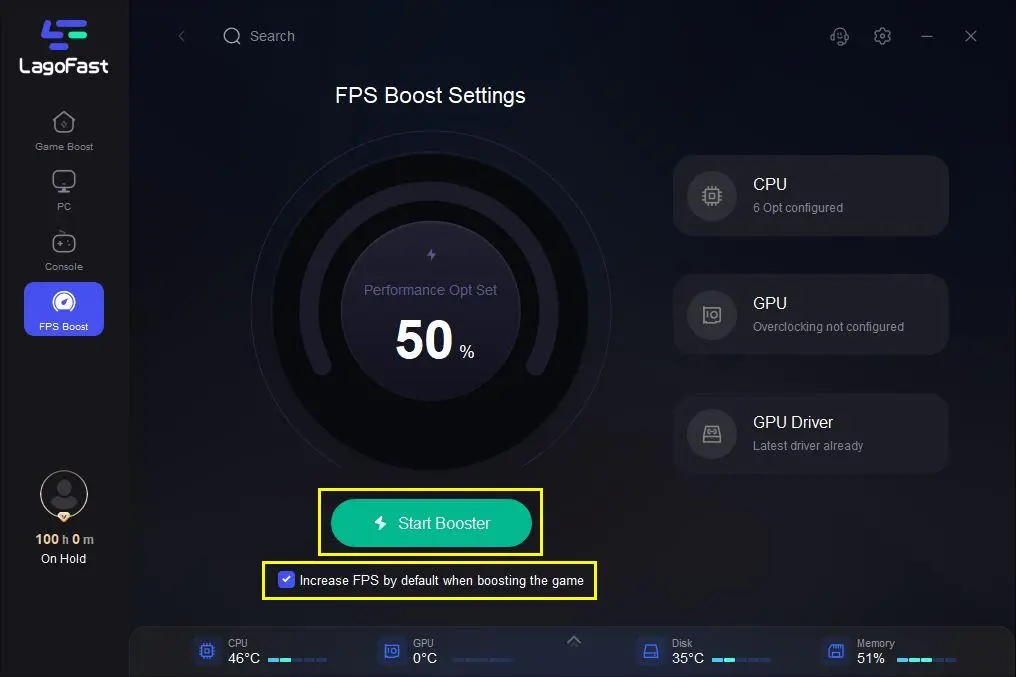
LagoFast provides a dedicated FPS Boost tool that helps increase frame rates and maintain stability by optimizing system resources, reducing background load, and ensuring smoother, more consistent gameplay.
Smart Resource Allocation
LagoFast prioritizes system resources for the game, ensuring CPU and RAM are focused on gameplay instead of background tasks.
Network Optimization
Online components benefit from reduced latency and more stable connections, which helps avoid lag spikes during gameplay.
Real-Time Performance Monitoring
Players can track FPS, latency, and system load in real time, making it easier to identify issues.
Automatic System Tuning
The software adjusts system settings dynamically, improving performance without requiring technical knowledge.
Reduced Input Lag
By optimizing system response time, players can enjoy smoother and more responsive controls.
Part 3: Common Fixes for Crimson Desert Stuttering or Lag
If you prefer manual adjustments or want to combine them with tools, here are some proven methods to handle Crimson Desert Stuttering or Lag Fix scenarios, including crashes and startup issues.
Update Graphics Drivers (Clean Install Recommended)
Always install the latest GPU drivers from NVIDIA or AMD, as new releases often include game-ready optimizations.
For best results, perform a clean installation instead of a simple update. Old driver remnants can conflict with the game engine and cause crashes or stuttering. Using tools like DDU to fully remove previous drivers can help avoid these issues.
Verify Game Files (Fix Startup Crashes)
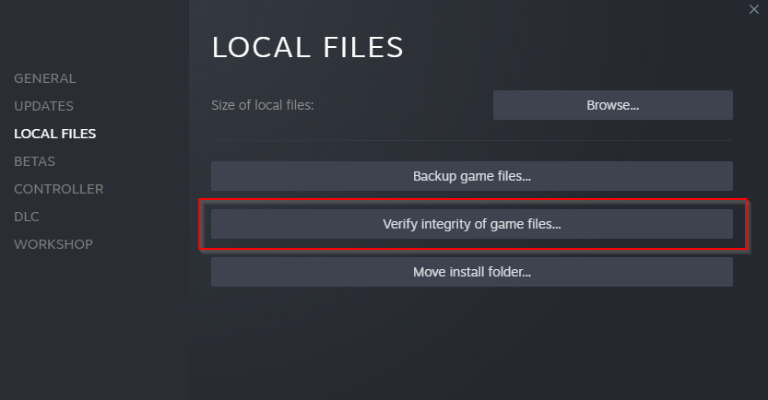
If the game crashes on launch or fails to start, verifying game files is one of the most effective fixes.
Corrupted or incomplete files—especially from preloads or day-one patches—can cause startup failures. Verifying files will automatically detect and redownload any missing or broken data.
Fix DRM & Antivirus Conflicts
Crimson Desert may include DRM systems that check your system during launch. If blocked, the game may crash instantly.
To prevent this:
- Add the game executable to your antivirus or firewall whitelist
- Temporarily disable third-party antivirus during first launch
- Ensure no background security tools are interfering
This is a common but often overlooked cause of launch crashes.
Let Shader Compilation Finish
Shader compilation is a major cause of stuttering, especially during the first launch.
When you start the game for the first time, stay in the main menu for a few minutes to let shaders fully compile. Skipping this step can lead to heavy stuttering during gameplay, even on high-end PCs.
If stuttering persists:
- Clear your GPU shader cache
- Restart the game and allow recompilation
- Avoid loading into the game too early
Lower In-Game Graphics Settings
Reducing settings like shadows, volumetric effects, and draw distance can significantly improve FPS.
Start by lowering the most demanding options first, as they have the biggest impact on performance while keeping visual quality acceptable.
Enable DLSS or FSR
Upscaling technologies like DLSS (NVIDIA) or FSR (AMD) can greatly improve FPS with minimal visual loss.
These features are especially useful for stabilizing frame rates in large open-world areas.
Close Background Applications
Shut down unnecessary apps such as browsers, recording software, or overlays.
Even small background tasks can affect CPU and RAM usage, leading to micro-stuttering or inconsistent performance.
Install on SSD
Move the game to an SSD (preferably NVMe) to improve loading speed and reduce stuttering.
Open-world streaming relies heavily on fast storage, and slower drives can cause texture pop-in and lag spikes.
Adjust Power Settings
Set your system to High Performance mode to ensure your hardware runs at full capacity.
Laptops in particular may throttle CPU/GPU performance under balanced or power-saving modes.
Disable Overlays
Turn off overlays from platforms like Steam, Discord, or GeForce Experience.
These overlays can sometimes conflict with rendering and cause FPS drops or input lag.
Advanced: Optimize Shader & Config Settings
Advanced users can tweak configuration files to improve performance.
- Enable asynchronous compute (if supported)
- Allow better shader preloading
- Rebuild shader cache after major updates
Keep in mind that shader cache resets after driver updates, so you may need to repeat compilation steps.

Part 4: Bonus Tips – Max Performance Requirements & Benchmarks
Expected System Requirements
While official specs may vary, based on early Crimson Desert Benchmarks & PC Performance Analysis, here’s a realistic estimate:
Minimum Requirements:
- CPU: Intel i5 / Ryzen 5
- GPU: GTX 1060 / RX 580
- RAM: 16GB
- Storage: SSD recommended
Recommended Requirements:
- CPU: Intel i7 / Ryzen 7
- GPU: RTX 3060 or higher
- RAM: 16–32GB
- Storage: NVMe SSD
Benchmark Insights
Early performance analysis suggests:
- 1080p High: 60 FPS achievable on mid-range GPUs
- 1440p Ultra: Requires RTX 3070 or above
- 4K Ultra: High-end GPUs like RTX 4080 recommended
However, due to the game’s scale, occasional stutters may still occur without optimization.
Best Graphics Settings for FPS Boost
Based on testing and player feedback, some settings have a much bigger impact on performance than others:
- Volumetric Clouds: Set to Medium → can save around 10–15 FPS
- Shadow Quality: Set to Medium → improves performance significantly
- Upscaling (DLSS/FSR): Use Quality Mode → can boost 20+ FPS
- Screen Space Reflections: Set to Low or Medium → reduces GPU load
- Texture Quality: Keep High only if you have enough VRAM (8GB+)
The key takeaway is that not all settings affect performance equally. Adjusting just a few heavy options can result in a noticeable FPS improvement without heavily impacting visuals.
Performance Tips Based on Benchmarks
- Lower shadow and volumetric effects first for quick FPS gains
- Enable DLSS or FSR for smoother and more stable frame rates
- Monitor VRAM usage to avoid sudden FPS drops or stuttering
Part 5: FAQs
What is the recommended spec for Crimson Desert?
The recommended setup includes a modern CPU like Ryzen 7 or Intel i7, paired with an RTX 3060 or better, along with at least 16GB of RAM and SSD storage. This setup ensures stable performance at high settings.
How to fix high FPS but stuttering?
High FPS with stuttering usually indicates frame inconsistency rather than low performance. To fix this:
- Enable V-Sync or frame limiting
- Reduce background processes
- Install the game on an SSD
- Use a tool like LagoFast for system optimization
Will Crimson Desert run at 60FPS?
Yes, most mid-to-high-end systems should achieve 60FPS at 1080p or 1440p with optimized settings. However, without proper tweaks, players may still experience occasional stuttering.
Why is Crimson Desert stuttering even on a high-end PC?
Even high-end PCs can experience stuttering due to shader compilation, poor game optimization, or background processes. In many cases, the issue is not hardware performance but frame pacing instability or incomplete shader caching.
Should I wait for patches to fix performance issues?
Yes, early versions of large games often have optimization problems. Developers usually release patches to improve performance, fix memory leaks, and stabilize FPS over time.
Is stuttering caused by internet connection?
Not always. Most stuttering in Crimson Desert is related to hardware or system performance. However, if you are playing online content, poor network conditions can cause lag or delays.
How to get the best FPS in Crimson Desert?
To maximize FPS:
- Lower demanding settings like shadows and effects
- Enable DLSS or FSR
- Close background apps
- Use optimization tools like LagoFast
Conclusion
Crimson Desert is shaping up to be a visually impressive and content-rich game, but that also means higher demands on your system. Issues like lag, crashes, and stuttering are common in large-scale releases, especially at launch.
The most effective way to handle Crimson Desert performance issues is to combine automated tools like LagoFast with basic system optimization. Whether you’re looking for a quick Crimson Desert Stuttering Fix or a deeper performance boost, applying the methods above will help you achieve smoother gameplay and a more stable experience.

Boost Your Game with LagoFast for Epic Speed
Play harder, faster. LagoFast game booster eliminates stutter and lags on PC, mobile, or Mac—win every match!
Quickly Reduce Game Lag and Ping!
Boost FPS for Smoother Gameplay!