
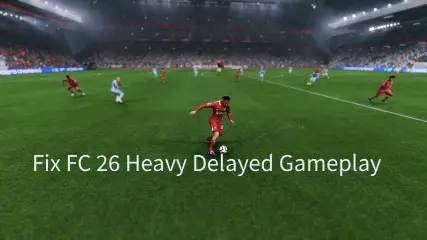
Nothing feels worse in EA Sports FC 26 than loading into a match and realizing your players move like they’re stuck in mud. Passes are delayed, dribbles feel heavy, and even 99-pace attackers crawl across the pitch. This frustrating issue is known as heavy delayed gameplay, and it can ruin FUT Champs, Rivals, and casual matches alike.
In this guide, we’ll break down what heavy gameplay is, why it happens, the symptoms to watch for, and most importantly—how to fix it faster with Lagofast Heavy Gameplay Optimization so you can finally enjoy smooth, responsive football again

- ✅ Less ping and crashes.
✅ Higher FPS and better PC performance.
✅ Support for 3000+ games.
✅ Stable connection and region switching.
Part 1:What is FC 26 Heavy gameplay?
Part 2: What are the smptones about Heavy Delayed Gameplay
Part 3: Why is this happening?
Part 4: How to Fix It Faster with Lagofast Heavy Gameplay Optimization
What Is FC 26 Heavy Gameplay?
“Heavy gameplay” in EA Sports FC 26 describes matches that feel unnaturally slow, delayed, and inconsistent compared to how the game should run. Even if you have a new-gen console, a 500 Mbps wired connection, and perfect ping, players may feel sluggish and unresponsive while your opponent seems to have smooth, snappy gameplay.
Heavy gameplay isn’t just minor lag—it completely changes how the game feels. Your players move like they’re on ice or in mud, button inputs take an extra second to register, and even the fastest dribblers feel like bronze-level cards.
This problem has been around for years, and in FC 26 it continues to frustrate casual fans and Weekend League grinders alike.
What Are the Symptoms of Heavy Delayed Gameplay?
From real player reports across EA forums and Reddit, here are the common signs you’re experiencing heavy gameplay in FC 26:
- Input Delay—Commands (passes, tackles, shots) register half a second late or not at all.
- Sluggish Players – Cards with 99 pace, agility, or dribbling feel like slow tanks.
- Heavy Touches—Every first touch feels like a power shot, often leading to easy interceptions.
- Defensive Chaos—Backlines scramble out of position or stand still while attackers run through.
- Bouncing Balls & RNG Goals – You lose tackles to weird rebounds and watch goals happen you can’t stop.
- Match-to-Match Inconsistency – game feels smooth, the next feels broken—without any changes on your end.
- Peak-Time Pain – Gameplay is noticeably worse during Weekend League or evening hours, but sometimes smooth late at night.
- If your FUT Champions or Rivals matches feel like this, you’re not imagining it—thousands of players report the same symptoms every year.
Why Does Heavy Gameplay Happen?
Unfortunately, heavy gameplay isn’t usually your fault. Community evidence points to a mix of server and netcode issues that EA has never fully fixed.
- EA Server Load—At peak times (Weekend League, promos, evenings), servers struggle to handle demand, creating input delay.
- Cross-Play & Resource Allocation—Many players believe EA reduced server capacity after rolling out cross-play, making gameplay heavier under load.
- Lag Compensation / Netcode – EA’s system tries to “equalize” differences in player connections, often punishing those with stronger, faster internet.
- Data Center & Peering Issues – If your ISP routes poorly to EA’s servers, you’ll experience more delay regardless of your local connection.
- Patch Side Effects – Many players report gameplay feels heavier immediately after title updates or tuning patches.
In short, heavy gameplay is a server-side and architecture issue. That’s why your connection tests, ISP visits, and router resets show no problems—because the bottleneck is EA’s system.
How To Fix It Faster with Lagofast Heavy Gameplay Optimization
While you can’t force EA to upgrade their servers, you can take steps to minimize the impact of heavy gameplay on your own matches. The most effective solution is using the Lagofast Heavy Gameplay Optimization tool:
- Faster input response—commands register instantly.
- Quicker player movement—eliminates sluggish dribbling and heavy turns.
- Stable match flow—reduces random slowdowns during play.
- Stronger defense control—keeps defenders responsive and in position.
- Peak-time optimization—smooths gameplay even during Weekend League load.
How To Use Lagofast Heavy Gameplay Optimization for FC 26
1.Download and install LagoFast on your PC or console.
2.Search for “EA Sports FC 26.”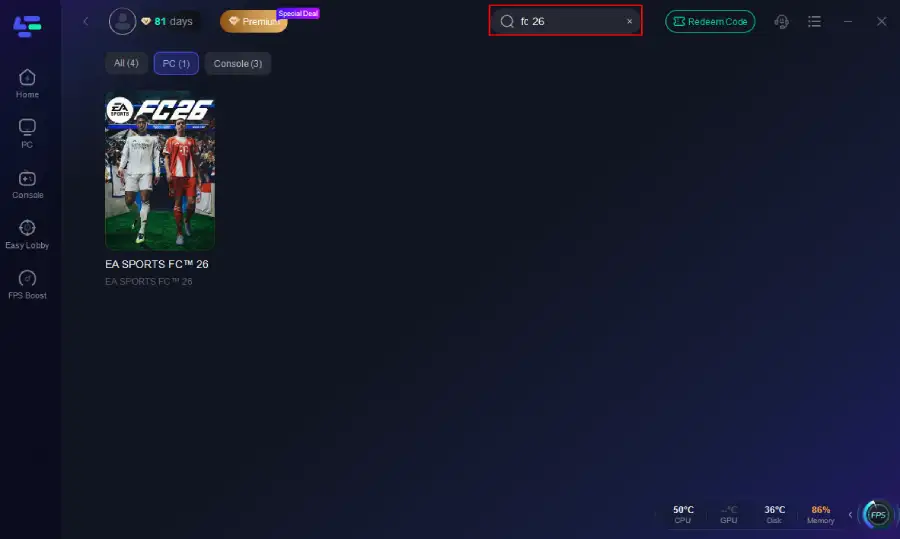
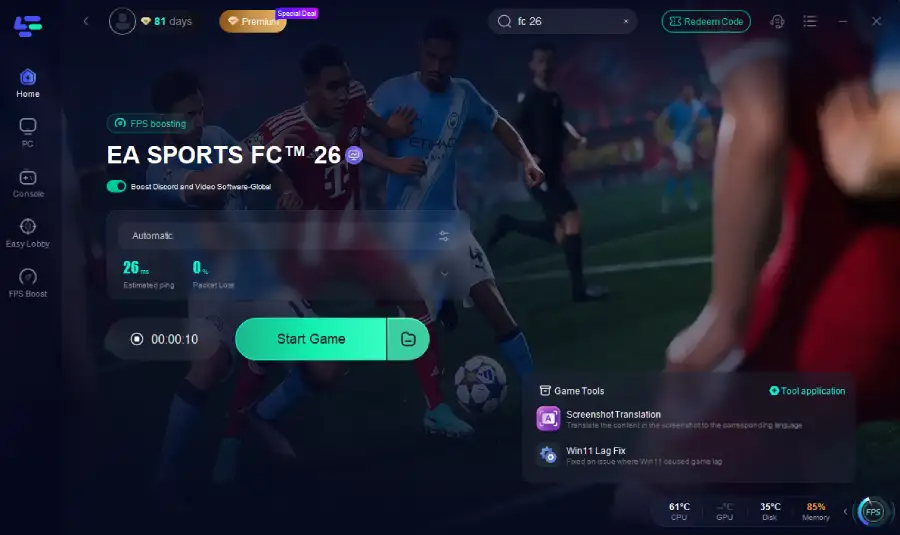
3.Click the Heavy Gameplay Optimization tool.

4.Then launch FC 26 as usual.
Conclusion
Heavy delayed gameplay is one of the biggest frustrations in EA Sports FC 26. Symptoms like input delay, sluggish players, and random rebounds aren’t just in your imagination—they are the result of server load, connection routing, and the game’s netcode.
The fastest way to minimize these problems is to optimize your connection with Lagofast, schedule matches outside of peak hours, and monitor your delay with EA’s in-game input overlay.
Boost Your Game with LagoFast for Epic Speed
Play harder, faster. LagoFast game booster eliminates stutter and lags on PC, mobile, or Mac—win every match!
Quickly Reduce Game Lag and Ping!
Boost FPS for Smoother Gameplay!