
Every new release in the FC series brings improved realism, refined animations, and more detailed stadium environments. With FC 26, Electronic Arts has pushed visuals even further, delivering advanced lighting, smoother player movements, and upgraded crowd immersion. While all these features enhance the experience, they also demand more from your hardware. Whether you’re running a high-end rig or a modest setup, fine-tuning your settings is essential to balance performance and visual quality. This FC 26 graphic settings guide on PC will help you achieve the right mix of smooth gameplay and stunning visuals.

- ✅ Reduce Lag and High Ping.
- ✅ Boost FPS at the Same Time.
- ✅ Support 2000+ Popular Online Games.
- ✅ Change Server without Latency.
- ✅ End Stuck & Crashing Issues.
Part 1: Best FC 26 Graphic Settings on PC
Part 2: FC 26 Graphic Settings for Low-End PC
Part 3: How to Ensure a Smooth Gaming Experience Even on a Low-End PC
Part 4: Tips for Extra Performance Boost
Part 1: Best FC 26 Graphic Settings on PC
If you’re running a mid-range to high-end system, you’ll want to find a balance that maximizes both FPS and image clarity. Below are the key graphic settings explained, along with recommendations for the best experience.
Display Resolution
Recommendation: 1920x1080 for most players; 2560x1440 or 4K for powerful GPUs.
Why: Higher resolution improves sharpness but demands more GPU power. Stick with Full HD if your FPS dips below 60.
Frame Rate
Recommendation: Unlocked or capped at 60–120 FPS depending on monitor refresh rate.
Why: A higher FPS ensures smoother animations and more responsive gameplay, especially crucial in competitive matches.
Rendering Quality
Recommendation: High for balanced rigs, Ultra for high-end PCs.
Why: Rendering quality controls texture detail, shadows, and object complexity. A drop to Medium may help low-end systems stabilize FPS.
Anti-Aliasing
Recommendation: TAA (Temporal Anti-Aliasing).
Why: Reduces jagged edges without heavily impacting performance. FXAA is lighter but blurrier.
Texture Quality
Recommendation: High or Ultra on GPUs with 6GB+ VRAM; Medium for mid-range.
Why: Higher textures make kits, pitches, and crowds more detailed.
Shadow Quality
Recommendation: Medium or High.
Why: Shadows improve realism but can be demanding. Lower them slightly if you experience FPS dips.
Post-Processing Effects
Recommendation: Low to Medium.
Why: Bloom, depth of field, and motion blur are visually appealing but add minimal gameplay value. Turn these down for extra FPS.
Crowd Detail
Recommendation: Medium.
Why: High crowd density looks great but eats resources. Medium retains atmosphere while boosting FPS.
Grass Detail & Pitch Quality
Recommendation: High.
Why: Essential for immersion. Dropping it too low makes the pitch look flat.
Dynamic Resolution Scaling
Recommendation: Enabled for low to mid-tier systems.
Why: Adjusts resolution dynamically to maintain smooth frame rates during intensive moments.
With these settings, most mid- to high-end systems should achieve 60–120 FPS consistently while maintaining crisp visuals.
Part 2: FC 26 Graphic Settings for Low-End PC
Not everyone has the latest GPU or CPU, but that doesn’t mean you can’t enjoy FC 26 smoothly. If you’re playing on older hardware, here are the recommended settings:
- Resolution: 1280x720 or 1600x900 for a balance between visuals and performance.
- Frame Rate: Lock to 60 FPS to avoid stuttering.
- Rendering Quality: Low to Medium.
- Anti-Aliasing: FXAA or Off (if you need maximum performance).
- Texture Quality: Medium (or Low if your GPU has under 4GB VRAM).
- Shadow Quality: Low.
- Crowd Detail: Low – helps stabilize FPS during intense moments.
- Grass & Pitch Quality: Medium – keeps the field looking decent without too much GPU demand.
- Post-Processing: Off – disables bloom, motion blur, and other extras.
These settings allow players with budget laptops or desktops to maintain 40–60 FPS in most matches. Lowering crowd detail and post-processing gives the biggest boost.
Part 3: How to Ensure a Smooth Gaming Experience Even on a Low-End PC
Even after adjusting the settings, some players may face stutters, lag, or inconsistent frame rates due to system limitations or unstable networks. This is where LagoFast, a dedicated game optimizer, comes into play.
LagoFast isn’t just a ping reducer; it also works as a game performance booster. It helps stabilize FPS, reduces input lag, and improves network stability. This ensures that your FC 26 matches run smoothly even when your hardware or internet connection isn’t ideal.
Key Features of LagoFast:
- FPS Booster: Allocates system resources efficiently to maximize frame rates.
- Ping Reducer: Optimizes network routing for lower latency in online matches.
- Real-Time Optimization: Dynamically adjusts system settings for smoother gameplay.
- One-Click Boost: User-friendly interface that applies optimization instantly.
- Global Server Coverage: Reduces lag across regions, making cross-region play smoother.
- Cross-Devices Boost: LagoFast can boost multiple platforms including PC, consoles & mobile.
Tutorial to use LagoFast on PC:
Step 1. Download LagoFast by clicking the "Free Trial" button.
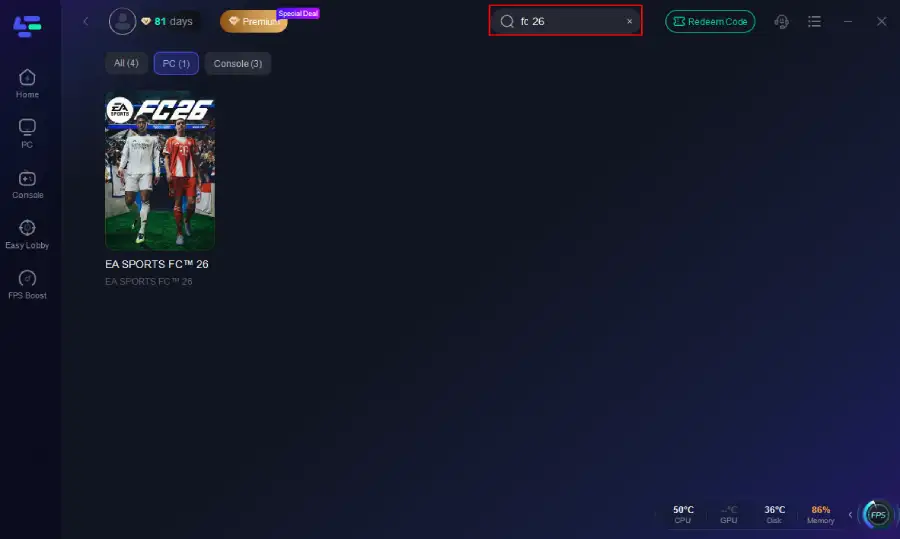
Step 2. Before you start your game, search for it within the LagoFast application to ensure it's supported.
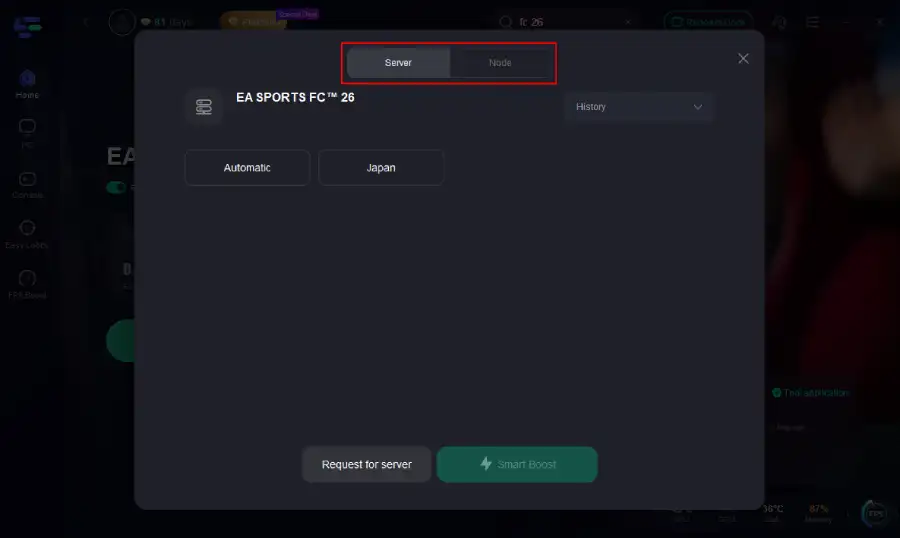
Step 3. Navigate to "Select Server" to choose the most stable server. Follow up by selecting the best Node available on the right to optimize your connection.
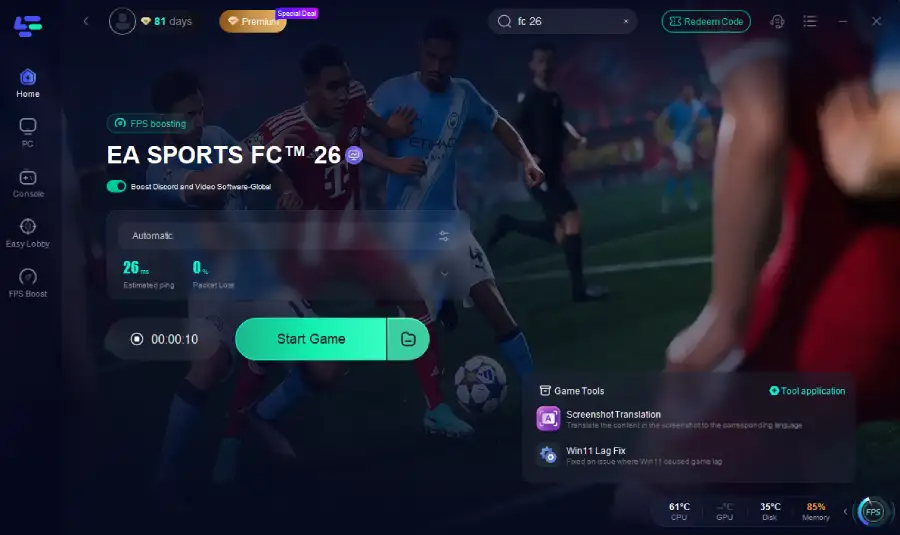
Step 4.Click the "Smart Boost" button to get real-time data on your game's ping, packet loss, and network type, which helps in monitoring and adjusting for optimal performance.
After optimizing FC 26 on PC, console players can also benefit from LagoFast’s dedicated solution — LagoFast Box.
Tutorial on using LagoFast Box for consoles:
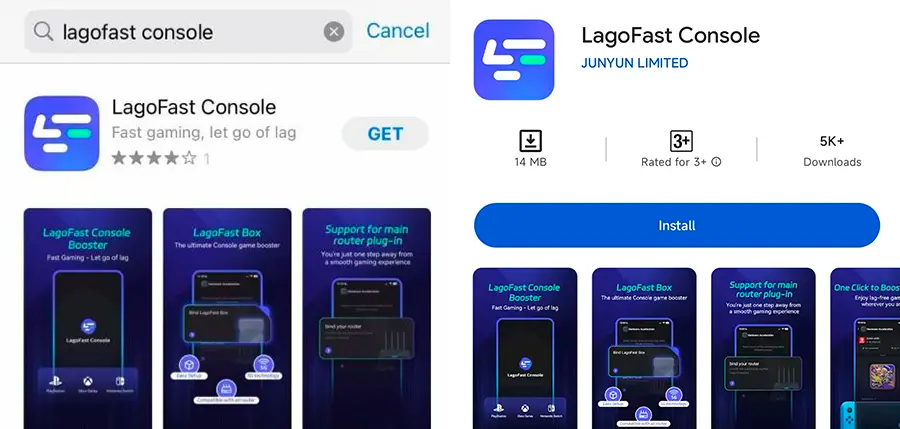
Step 1: Download the LagoFast Console App on your phone to control the LagoFast Box.
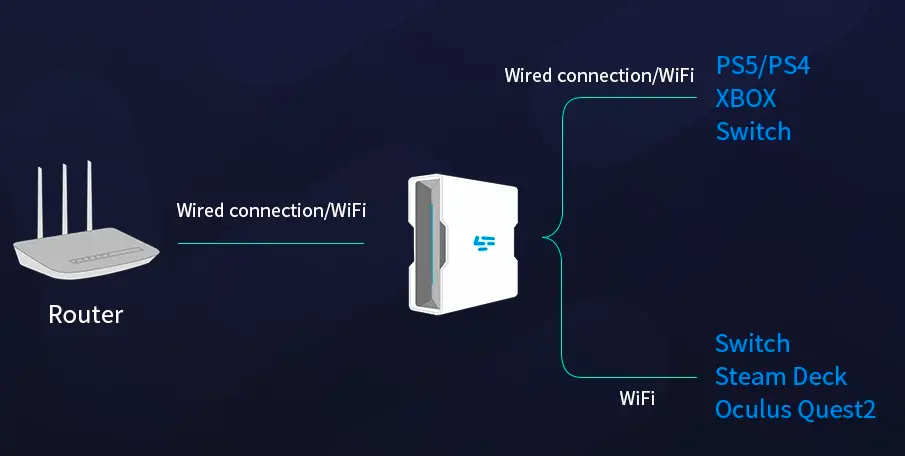
Step 2: Establish a connection between your LagoFast Box, router, and console, choosing between a wired or wireless connection.
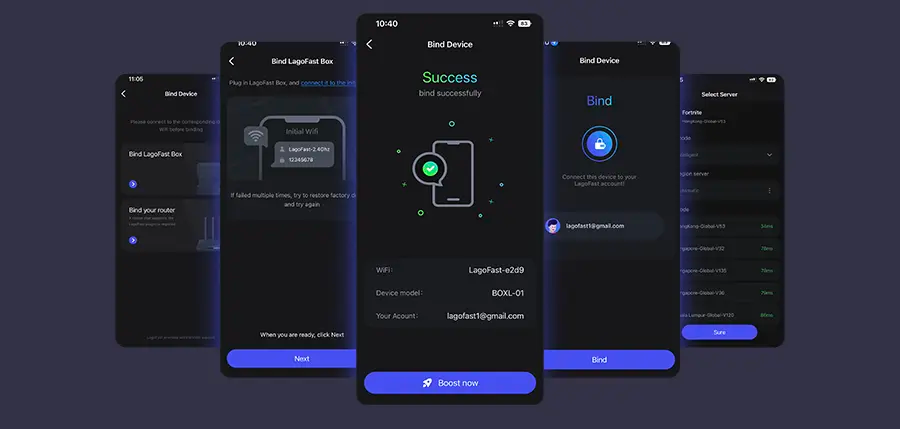
Step 3: Launch the LagoFast Console App and boost FC 26. Once you have completed the binding process with the LagoFast Box, proceed to boost this game within the LagoFast Console App.
For gamers who prefer mobile play, LagoFast also offers a dedicated mobile booster app to ensure lag-free matches anywhere.
Tutorial on using LagoFast Mobile:
- Installing the LagoFast Mobile Booster from the App Store or Google Play.
- Searching for FC 26 and selecting the closest stable server.
- Tapping Boost to minimize disconnects and view real-time network stats.
By combining optimized in-game settings with LagoFast, even players on weaker systems can enjoy fluid FC 26 gameplay with minimal stutters and latency issues.
Part 4: Tips for Extra Performance Boost
Optimizing FC 26 isn’t just about tweaking in-game sliders. There are several outside-the-game adjustments you can make to squeeze extra frames and stabilize performance. Here are some detailed tips that every PC player should try:
Keep Your GPU Drivers Update
Both NVIDIA and AMD frequently release driver updates that include optimizations for the newest titles like FC 26. These updates often resolve stuttering, improve frame pacing, and can even deliver 5–10% extra performance.
- NVIDIA users: Install the latest Game Ready Drivers via GeForce Experience.
- AMD users: Use the Radeon Software Adrenalin suite for quick updates.
Enable Resizable BAR / Smart Access Memory
Modern motherboards and GPUs support technologies like Resizable BAR (NVIDIA) and Smart Access Memory (AMD). Enabling them allows your CPU to access the entire GPU memory buffer at once, reducing bottlenecks and improving data flow. Gains may be modest (2–5% FPS boost), but it contributes to smoother gameplay.
Turn Off Background Apps
Overlays and background processes can hog resources.
- Disable Discord overlay.
- Close browsers and apps like Chrome or Spotify.
- Switch off Xbox Game Bar to prevent stuttering.
Conclusion
Optimizing FC 26 graphic settings on PC is essential for both competitive performance and immersive visuals. High-end systems can push Ultra settings at high frame rates, while low-end machines still achieve smooth gameplay by carefully balancing resolution, textures, and crowd details. To further improve stability and responsiveness, tools like LagoFast provide additional performance enhancements, reducing lag and boosting FPS. With the right tweaks, you can fully enjoy FC 26’s realism and excitement without worrying about drops in performance.
Boost Your Game with LagoFast for Epic Speed
Play harder, faster. LagoFast game booster eliminates stutter and lags on PC, mobile, or Mac—win every match!
Quickly Reduce Game Lag and Ping!
Boost FPS for Smoother Gameplay!