
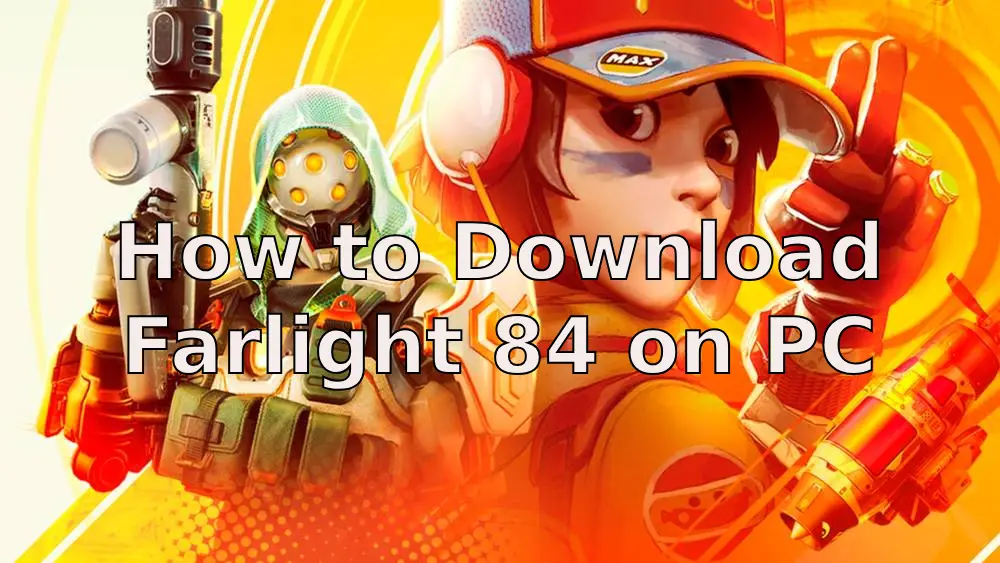
Farlight 84, developed by Lilith Games, has emerged as a standout title in the battle royale genre, blending fast-paced hero-based combat with innovative pet companions ("Bardi") and dynamic map mechanics. And on August 7, 2025, Farlight 84 CN will open its global test! This article will unveil the methods to download Farlight 84 on PC, covering both the global and Chinese servers, and provide you with the best ways to enhance your gaming experience!

- ✅ Reduce Lag and High Ping.
- ✅ Boost FPS at the Same Time.
- ✅ Support 2000+ Popular Online Games.
- ✅ Change Server without Latency.
- ✅ End Stuck & Crashing Issues.
Part 2: Farlight 84 CN Global Test Overview
Part 3: Farlight 84 PC System Requirements
Part 4: How to Download Farlight 84 on PC
Part 5: How to Enhance Gaming Experience in Farlight 84
Part 1: What is Farlight 84
Farlight 84 is a free-to-play, fast-paced hero-based battle royale game set in a futuristic post-apocalyptic world. Developed by Lilith Games, it merges traditional battle royale elements with innovative mechanics. Key features include:
- Hero System: Choose from dozens of unique heroes across four roles (Attack, Defense, Recon, Support), each with specialized skills to outmaneuver enemies.
- Buddy System: Adorable yet powerful pet companions assist in combat—rescue allies, redefine safe zones, or escape danger.
- Buddy Orb: A tactical tool to store and deploy vehicles, bunkers, or Buddies during critical moments.
- Portable Bunkers: Deployable shelters stored in Buddy Orbs, providing cover in open areas.
- Jetslide: Use jetpack-assisted slopes to confuse enemies and gain movement advantages.
- Skill Tree: Level up mid-match to unlock unique abilities, enhancing your hero’s power as the game progresses.
- Weapons: Realistic 3D-modeled firearms, including rare airdrop-exclusive gear for intense combat.
By blending hero-driven strategy, pet companions, and futuristic mobility, Farlight 84 offers accessible yet deep gameplay for battle royale fans.
Part 2: Farlight 84 CN Global Test Overview
Farlight 84 CN Test will globally open on August 7, 2025, at 10: 00 (GMT+8). This test introduces the Mobile and PC versiond for players and is open to everyone all over the world. Players can download it anytime on their preferred platform from the official website!
Plus, you can log in Farlight 84 on PC and Mobile anytime, anywhere. Your progress syncs across platforms, so you can play without interruptions.
Click here to get the most comprehensive guide to download Farlight 84 CN global test>>Farlight 84 Mobile Test Server: Download & Play Guide for Players
Part 3: Farlight 84 PC System Requirements
To download Farlight 84 on PC, the first step is to ensure your system meets the game's system requirements:
| Component | Minimum Requirements | Recommended Requirements |
| OS | 64-bit Windows 10 | 64-bit Windows 10 |
| Processor | Intel Core i3 6300 or Equivalent | Ryzen 5 CPU or Equivalent |
| Memory | 6 GB RAM | 8 GB RAM |
| Graphics | NVIDIA GeForce® GT 640 | AMD Radeon™ R9 290 / NVIDIA GeForce® GTX 970 |
| DirectX | Version 11 | Version 11 |
| Network | Broadband Internet connection | Broadband Internet connection |
| Storage | 10 GB available space | 10 GB available space |
Part 4: How to Download Farlight 84 on PC
Downloading Farlight 84 on PC delivers an immersive, high-resolution gaming experience for the ultimate gameplay!
You can download Farlight 84 on PC through these platforms:
Steam: https://store.steampowered.com/app/1928420/Farlight_84/
Epic Games Store: https://store.epicgames.com/en-US/p/farlight-84-8e689a
Official Website: https://farlight84.farlightgames.com/
For Farlight 84 CN (Chinese version), visit its official Chinese website directly: https://84.lilith.com/
Choose your preferred platform, click "Download", and start playing immediately after installation!
Part 5: How to Enhance Gaming Experience in Farlight 84
Whether you're playing the global version or Farlight 84 CN, unstable network connections and crowded servers can disrupt your gameplay. LagoFast helps reduce lag and connection issues. Its key benefits include:
- Packet Loss Prevention: Advanced algorithms minimize data loss for smooth gameplay.
- Smart Routing Optimization: Dynamically selects the fastest path to game servers.
- FPS Enhancement: Optimizes system resources to reduce frame drops.
- User-Friendly Interface: One-click solutions for gamers of all skill levels.
For Farlight 84 global
Click "Free Trial" to download and install LagoFast
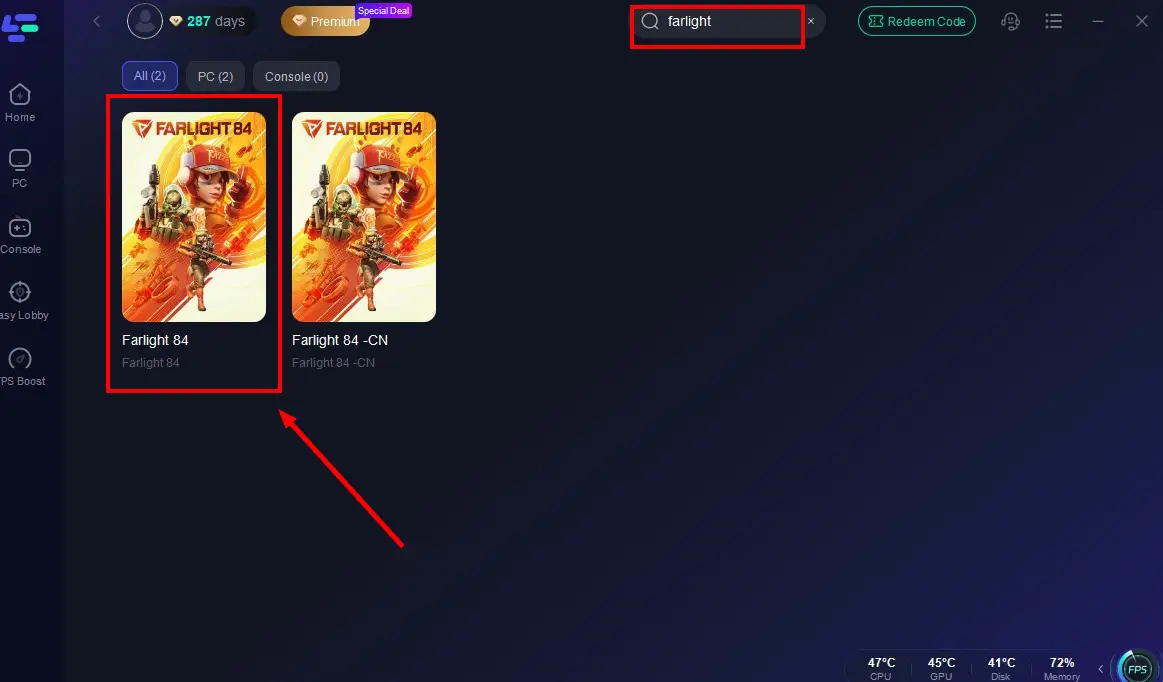
Open the app, search "Farlight 84" in the box, and select the result
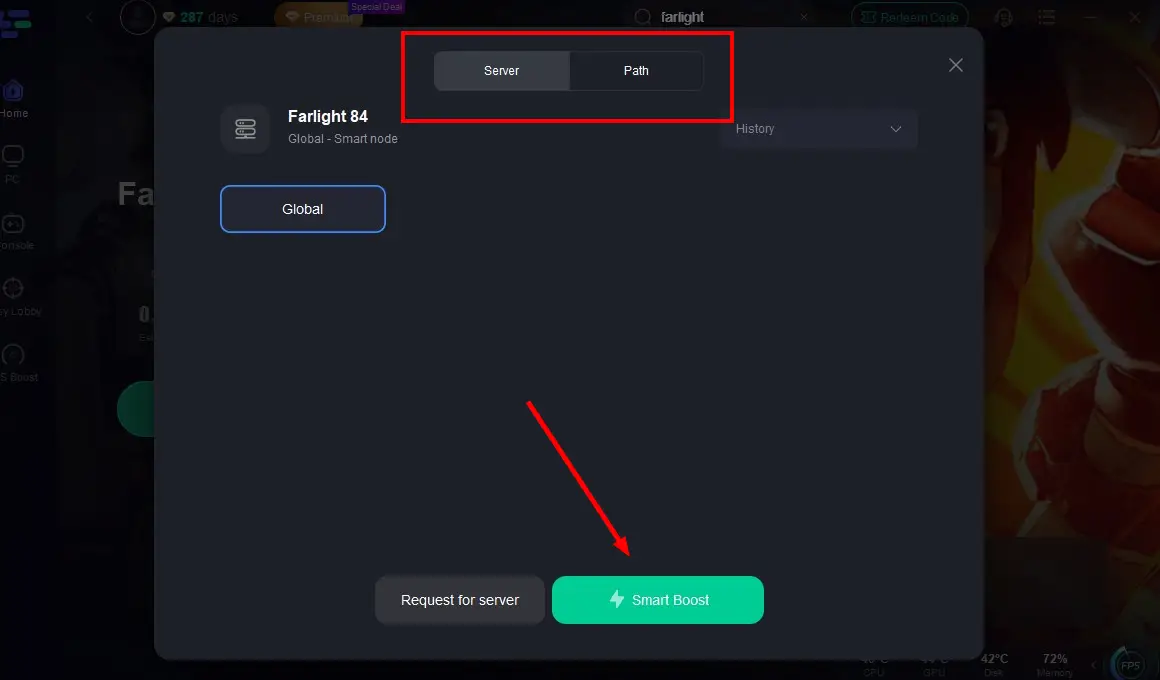
Click "Select Server" and choose the best node for your needs
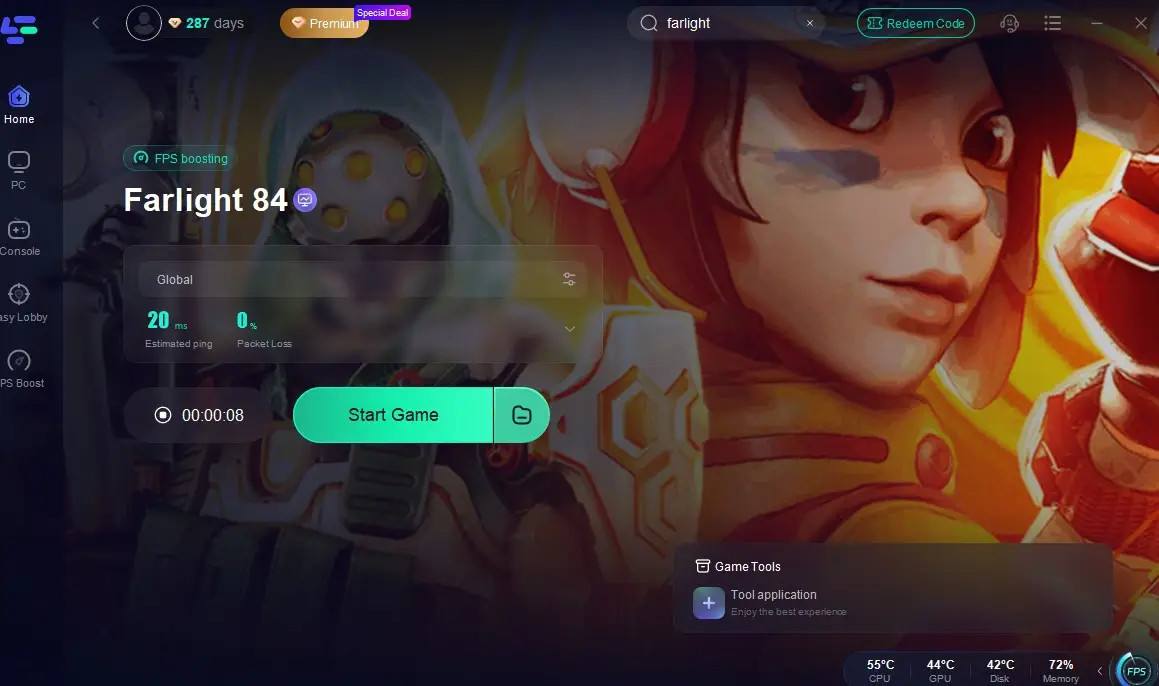
Activate real-time optimization and click "Start Game"
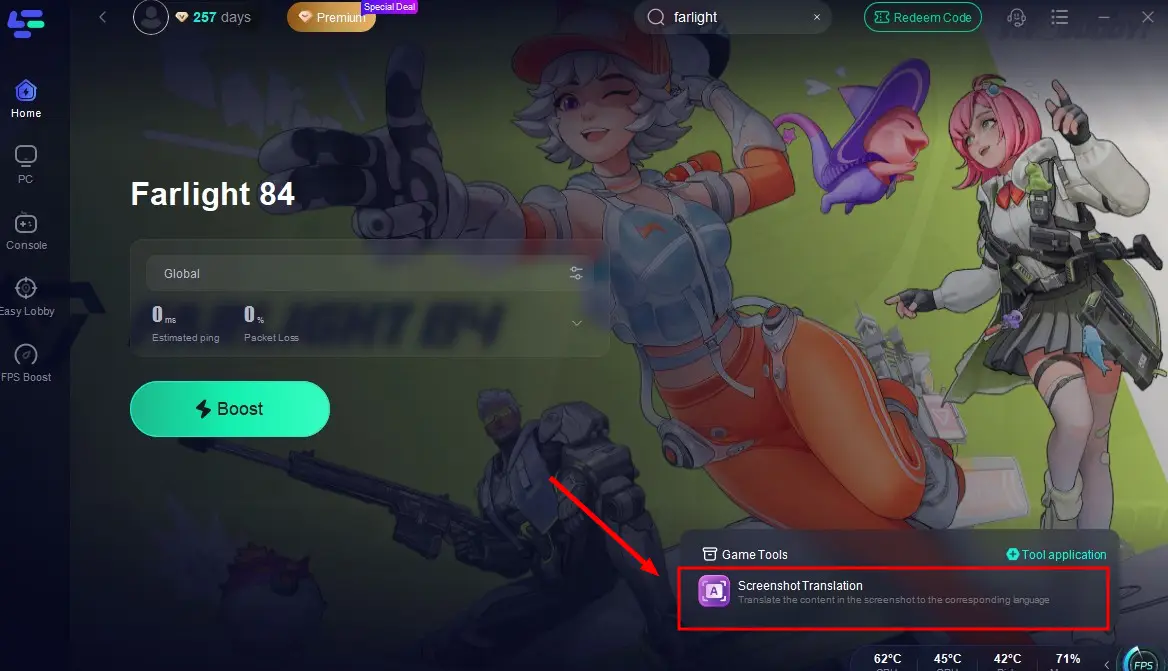
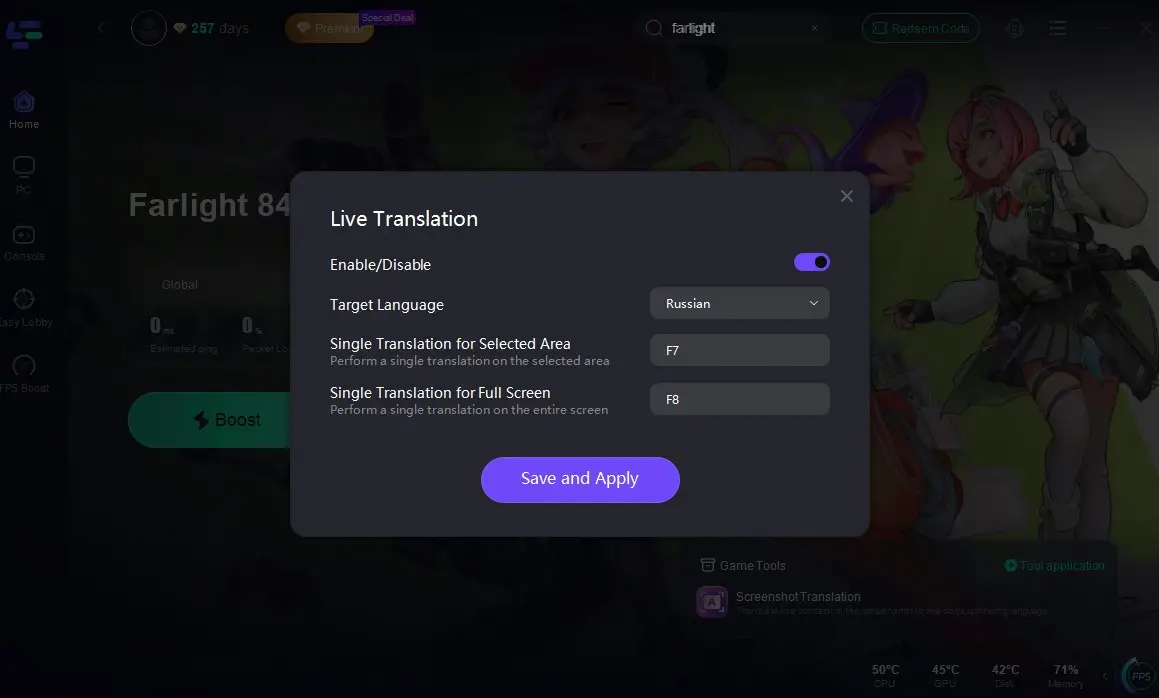
In addition, LagoFast's screenshot translation tool can help you to break language barriers! Just click the tool and select your target language and in-game hotkeys, then you can translation the game interface into your preferred language!
For Farlight 84 CN
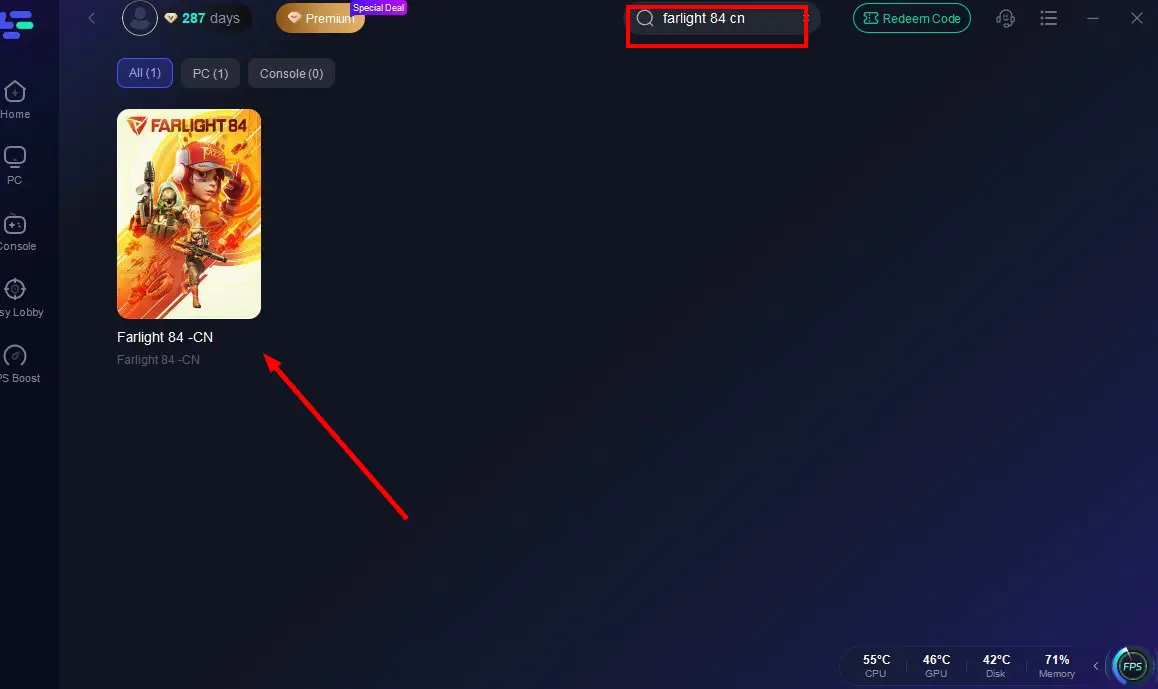
Open LagoFast and search "Farlight 84 CN"
Select the best server from the list
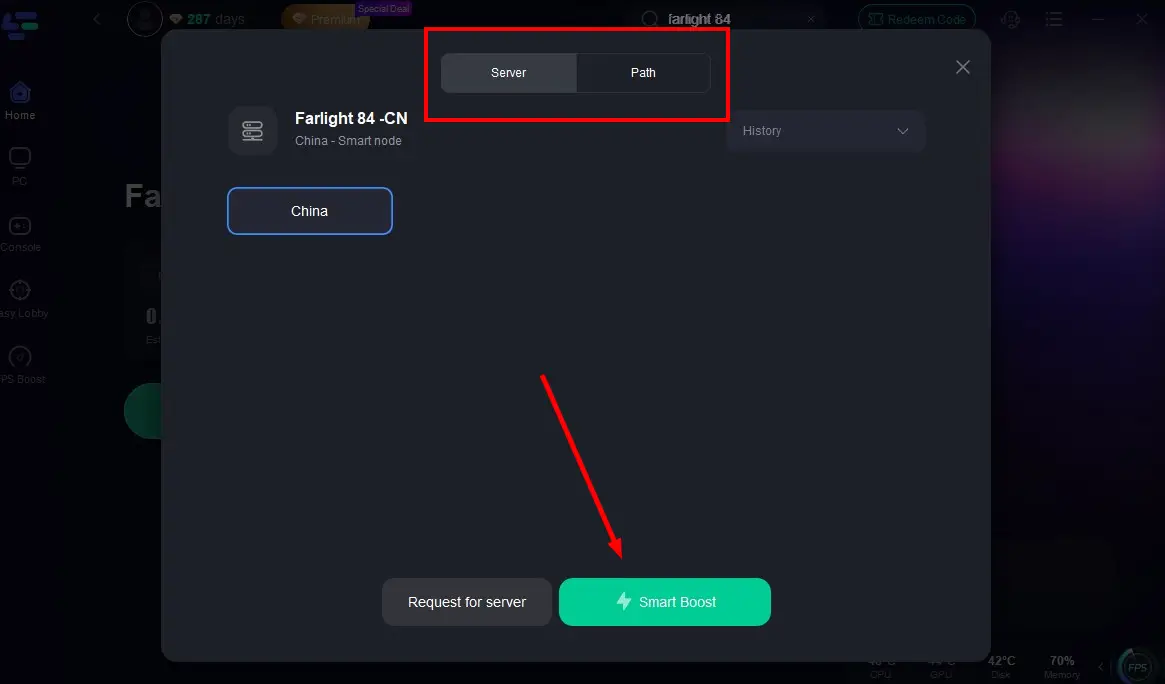
Ensure optimization is active and click "Start Game"
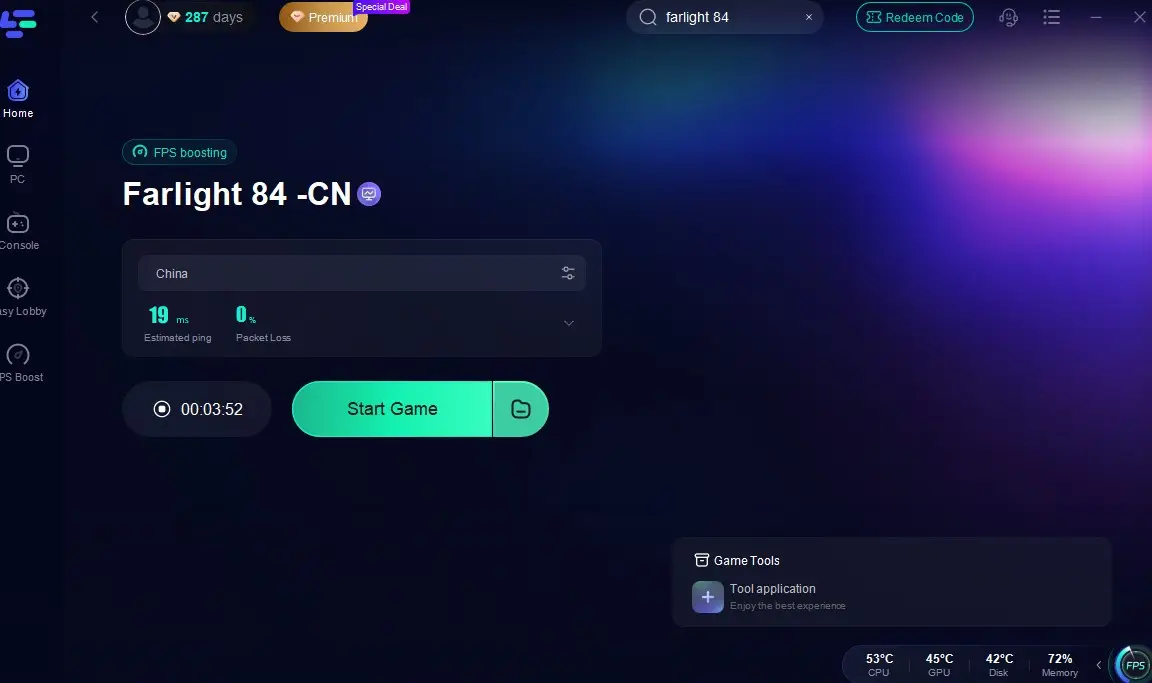
And enjoy the game without language barrier with LagoFast's screenshot translation tool!
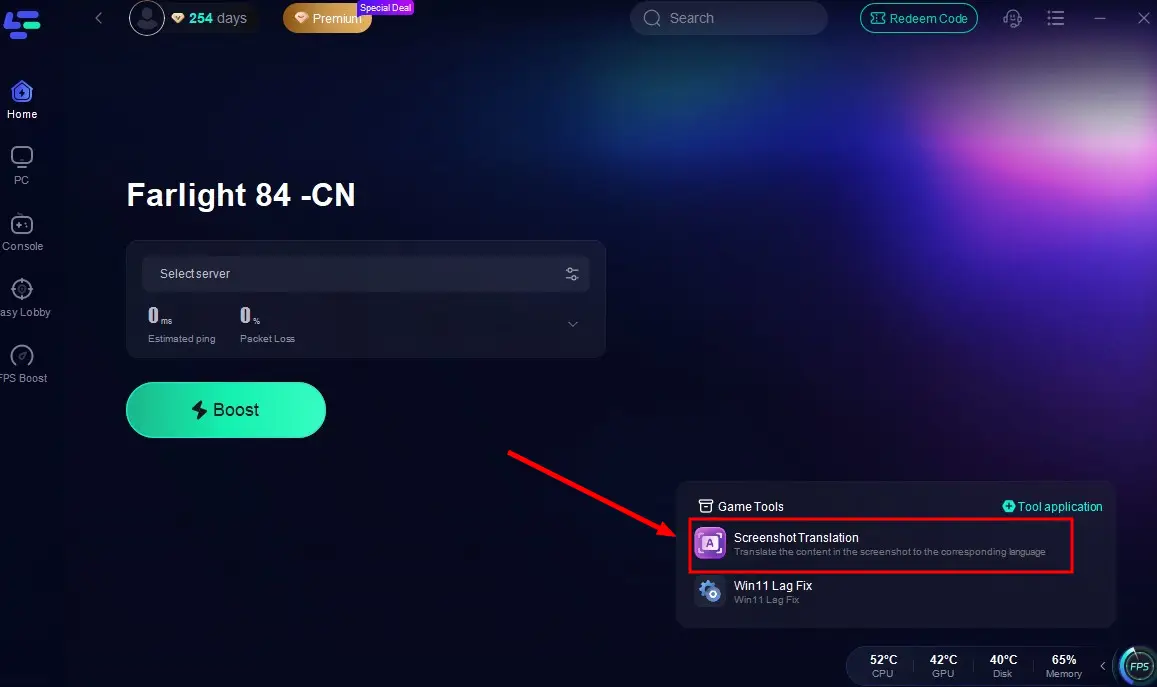
By following these simple steps, you can enjoy more stable gameplay with fewer disconnects and smoother action after downloading Farlight 84.
What's more, here is a guide for downloading Farlight 84 CN from anywhere:
Step 1: Visit the official website of LagoFast, download the LagoFast Mobile APK file, and follow the prompts to complete the installation.

Step 2. Search for Farlight 84: Open LagoFast, type the game’s name in the search bar, and select the first one.
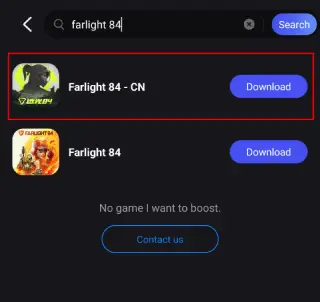
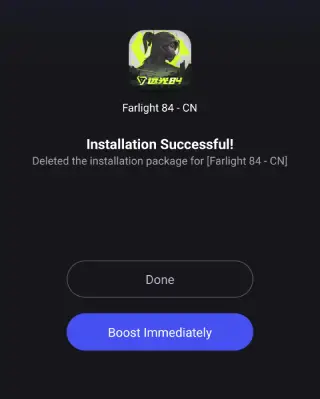
Step 3. One-Click Download: LagoFast will handle the APK download and installation, ensuring compatibility with your device.
Once installed, launch the game through LagoFast to enjoy optimized performance and reduced lag.
Conclusion
For the best immersive gaming experience, downloading and playing Farlight 84 on PC is the perfect choice. Whether you want to join the global version or download the Chinese version of Farlight 84, don’t forget to use LagoFast to keep your gameplay smooth!

Boost Your Game with LagoFast for Epic Speed
Play harder, faster. LagoFast game booster eliminates stutter and lags on PC, mobile, or Mac—win every match!
Quickly Reduce Game Lag and Ping!
Boost FPS for Smoother Gameplay!