
Farlight 84 is set to relaunch globally on August 7, bringing updates to gameplay and systems. Both returning players and newcomers will have a fresh chance to enjoy this multiplayer shooter. This article summarizes the latest on Farlight 84’s global relaunch timeline, language support, and LagoFast’s translation tools for PC and mobile.
Part 1: Farlight 84 Global Relaunch Timelines
Part 2: How Many Languages Does Farlight 84 Support?
Part 3: Best Farlight 84 Game Translation Tool - LagoFast
Part 1: Farlight 84 Global Relaunch Timelines
Farlight 84’s global relaunch went live on August 7, 2025, introducing a new map, rebalanced weapons, and enhanced social features to make matches faster and fairer.
From August 2 to 5, a four-day Global Beta allowed players to test new modes and mechanics. Feedback from these sessions helped developers fine-tune performance and balance before the full launch.
Part 2: How Many Languages Does Farlight 84 Support?
After global relaunch, the game supports only English and Simplified Chinese for both interface and voice. Players using other languages may need external translation tools for menus, quest text, and system messages.
In earlier versions, Farlight 84 included multiple languages such as Spanish, French, and German. The updated edition focuses on optimizing English and Chinese to ensure smoother updates and better stability.
Part 3: Best Farlight 84 Game Translation Tool – LagoFast
To overcome language barriers, LagoFast is a reliable and widely used game booster. Here’s how LagoFast helps Farlight 84 players:
- Screen Translation for PC & Translation Ball for Mobile: Capture any part of the screen during gameplay for instant translations without switching screens
- Lower Ping & Stable Connection: It reduces latency and optimizes data flow for a smoother, more stable gaming experience.
- Stable Connections: Avoids congested networks to minimize disconnects and maintain connection reliability.
- Global Server Coverage: LagoFast offers server nodes in 60+ countries and 150+ cities, letting players switch to high-performance servers with ease.
How to Translate Farlight 84 on PC with LagoFast
Click the "Free Trial" button to download and install LagoFast.
Launch LagoFast after installation, and search for "Farlight 84" in the search bar (LagoFast also supports accessing Chinese servers from other regions).
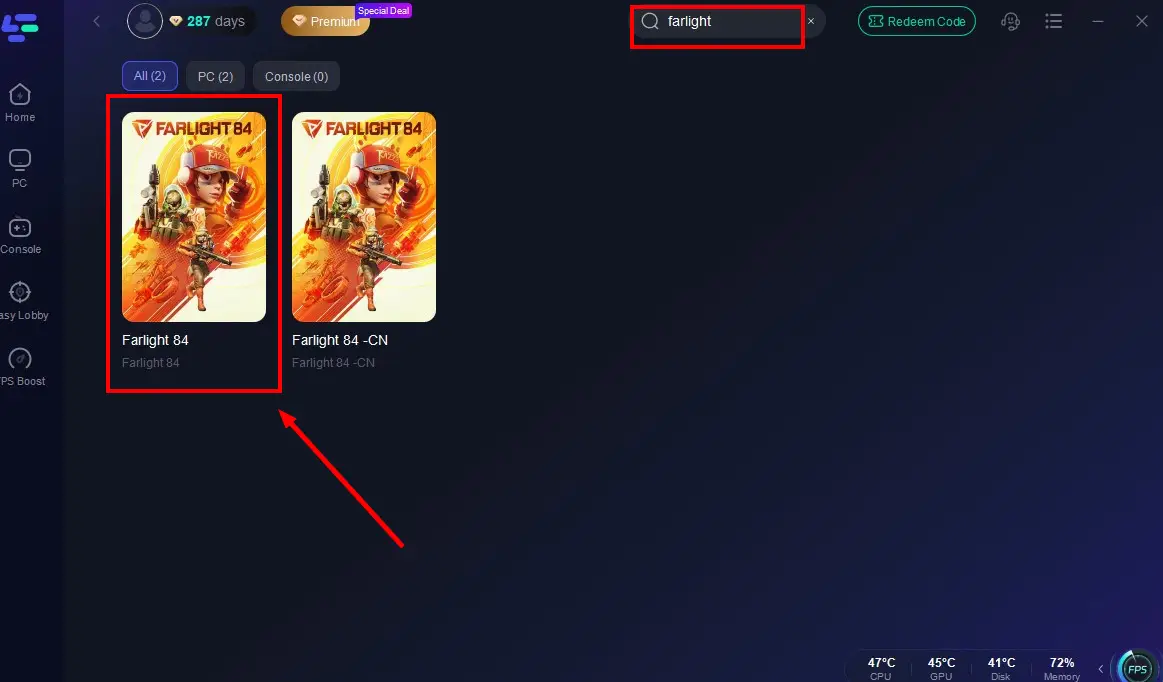
Select the optimal server to connect.

Once real-time game data optimization is confirmed, click "Start Game" to enjoy lag-free Farlight 84!

How to Translate Farlight 84 Mobile with LagoFast
Step 1: Visit the official website of LagoFast, download the LagoFast Mobile APK file, and follow the prompts to complete the installation.

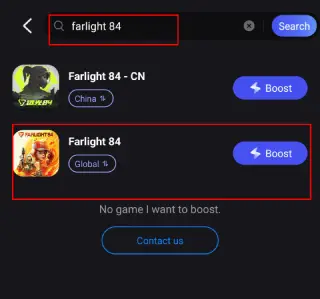
Step 2. Search for Farlight 84: Open LagoFast, type the game’s name in the search bar, and select the first one.
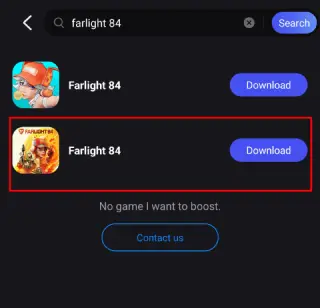
Step 3. One-Click Download: LagoFast will handle the APK download and installation, ensuring compatibility with your device.
Once installed, launch the game through LagoFast to enjoy optimized performance and reduced lag.
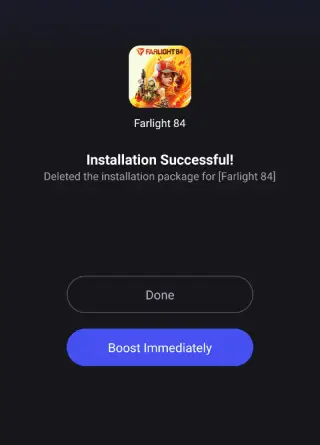
After successfully downloading Farlight 84 on Mobile, don't forget to activate LagoFast's optimization feature.
Search Farlight 84 in LagoFast Mobile's search bar.
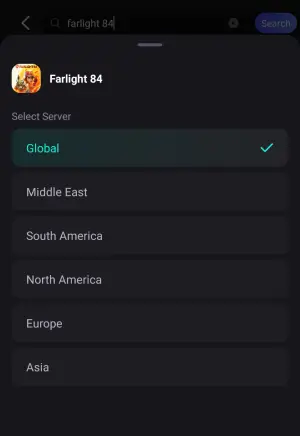
Choose a better server according to your location.
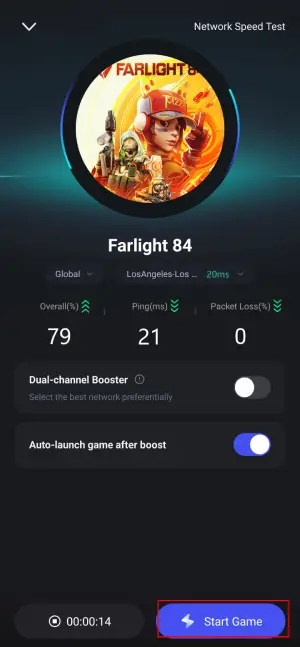
Check the game data in real-time and click the "Start Gane" button.
While playing Farlight 84 CN Mobile test server, the most difficult problem for international players is the language barrier, LagoFast can help to them to play Farlight 84 in native languages. Here are steps:
Step 1: Find Farlight 84 CN in the Boost tab of LagoFast Mobile, locate the Quick Translate tool below.
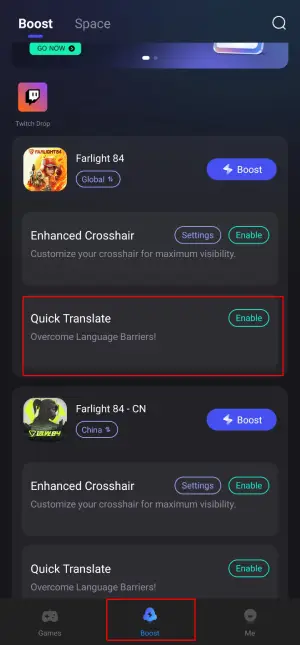
Step 2: Complete two settings:
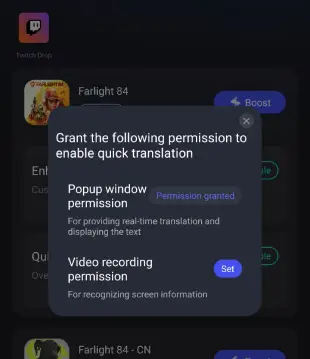
- Set popup window permissions: Enable "Display over apps.


- Set video recording permissions: Tap the Set button, select Full Screen, then start the translation tool.

Step 3: Return to the game and use the floating translation ball provided by the tool to translate the Farlight 84 CN into your target language.
Conclusion
With Farlight 84’s global relaunch, language barriers and lag no longer need to stand in the way. LagoFast provides practical translation and acceleration tools for both PC and mobile, keeping players focused on the action.
Boost Your Game with LagoFast for Epic Speed
Play harder, faster. LagoFast game booster eliminates stutter and lags on PC, mobile, or Mac—win every match!
Quickly Reduce Game Lag and Ping!
Boost FPS for Smoother Gameplay!