

Farever is an anime-style open-world multiplayer RPG that’s quickly gaining attention from global players for its visuals and exploration-driven gameplay. But if you’ve tried jumping in early, you’ll likely notice one issue right away—language barriers. From menus and quests to item descriptions, not everything is easy to understand depending on your region. That’s why many players start looking for a Farever game translation tool to make things easier. In this guide, we’ll go over the game’s language support and how to improve the experience.

- ✅ Reduce Lag and High Ping.
✅ Boost FPS at the Same Time.
✅ Support 2000+ Popular Online Games.
✅ Change Server without Latency.
✅ Boost Game Loading Speed.
Part 1: Farever Release Date and Game Features
Part 2: What Languages Does Farever Support
Part 3: How to Play Farever in Any Language — Best Game Translator LagoFast
Part 1: Farever Release Date and Game Features
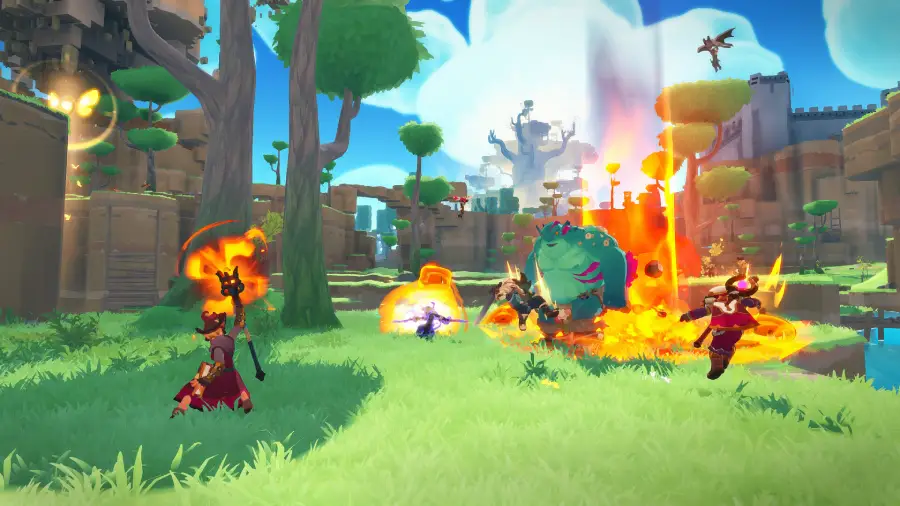
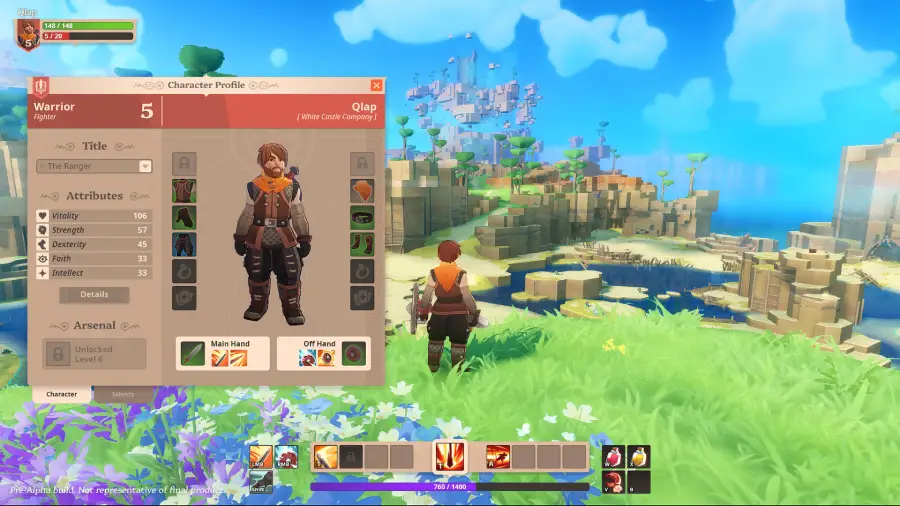
Farever is an anime-style online RPG that officially launched on May 6, 2026 on PC (Steam). It combines open-world exploration, multiplayer interaction, and action-based combat with story-driven progression and cooperative gameplay. Players explore a shared fantasy world, complete quests, fight enemies, and develop their characters through solo or team-based activities. The gameplay focuses on exploration, character growth, and real-time multiplayer cooperation rather than linear missions.
Game Features
- Large open-world environments to explore freely
- Anime-inspired character and world design
- Multiplayer co-op exploration and combat
- Story-driven quests and narrative progression
- Deep character progression and customization systems
- Real-time online interaction with other players
Part 2: What Languages Does Farever Support
Farever currently includes multiple major languages for interface and subtitles.
|
Language |
Interface |
Full Audio |
Subtitles |
|
English |
✔ |
✔ |
|
|
French |
✔ |
✔ |
|
|
German |
✔ |
✔ |
|
|
Spanish - Spain |
✔ |
✔ |
|
|
Japanese |
✔ |
✔ |
|
|
Korean |
✔ |
✔ |
|
|
Portuguese - Brazil |
✔ |
✔ |
|
|
Polish |
✔ |
✔ |
These languages are available for interface and subtitles only, with no full voice-over support.
Although Farever already supports multiple major languages, players using unsupported languages such as Thai or Turkish may still face noticeable barriers during gameplay, especially since they can’t experience the game in their native language, particularly in key areas such as:
- Unclear quest instructions that block progression
- Hard-to-read menus and system interfaces
- Item and equipment descriptions that are difficult to understand
- Story content that becomes confusing or incomplete
- Language gaps in multiplayer communication
Since Farever is heavily built around text-driven progression, these language gaps don’t just make things harder to understand—they can slow down progress and disrupt the overall gameplay flow.
That’s why more players are turning to a Farever game translation tool, using real-time on-screen translation to understand quests, menus, and item details without constantly stopping to figure things out.
Part 3: How to Play Farever in Any Language — Best Game Translator LagoFast
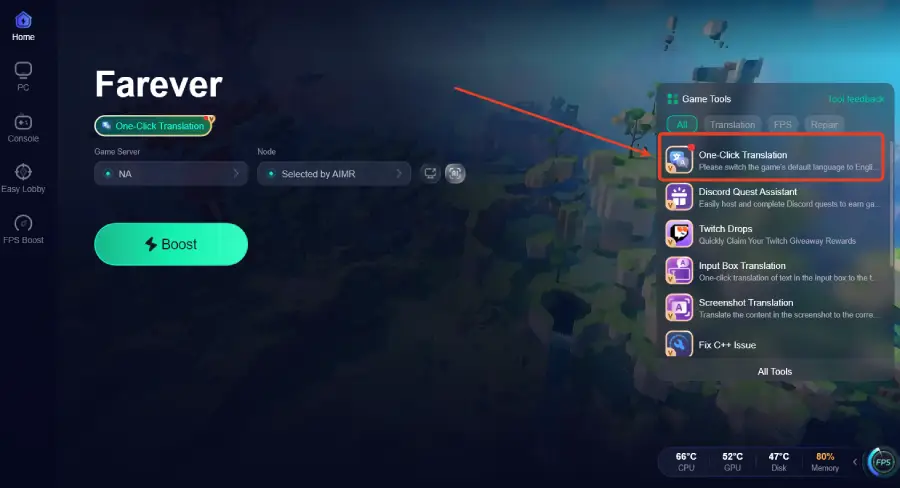
If you want to play Farever in languages like Thai, Turkish, or other unsupported regions, LagoFast is a practical solution. The LagoFast Game Translation tool provides real-time translation, allowing you to instantly understand in-game text, menus, and quests. Its built-in One-Click Translation feature can translate on-screen content instantly, helping you grasp gameplay information faster and more conveniently, and it already supports languages such as Thai and Turkish.
In addition, its built-in Screenshot Translation tool can translate the content in screenshots into your selected language, making it easier to quickly grasp what’s happening in-game.
Beyond translation, LagoFast also improves network optimization. It helps reduce ping, fix packet loss, and optimize network routing for more stable online multiplayer connections. Combined with tools like the Memory Optimization Assistant, it helps reduce lag and deliver a smoother and more stable Farever experience.
How to Use LagoFast for Farever Translation tool
Step 1: Click the Free Trial button to download and install LagoFast.
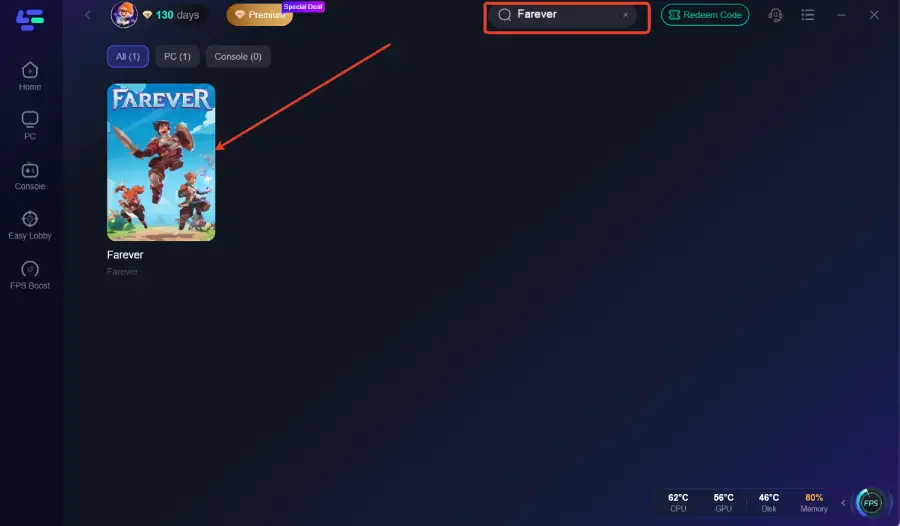
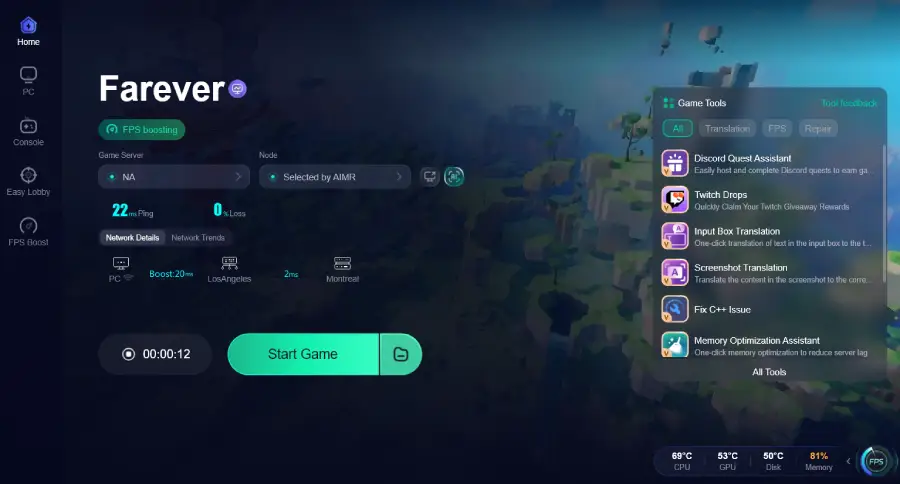
Step 2: After installation, search "Farever" in the search bar and select the game.
Step 3: Click the One-Click Translation Tool on the right side of the screen.
Step 4: Select game file path and install the translated text file.
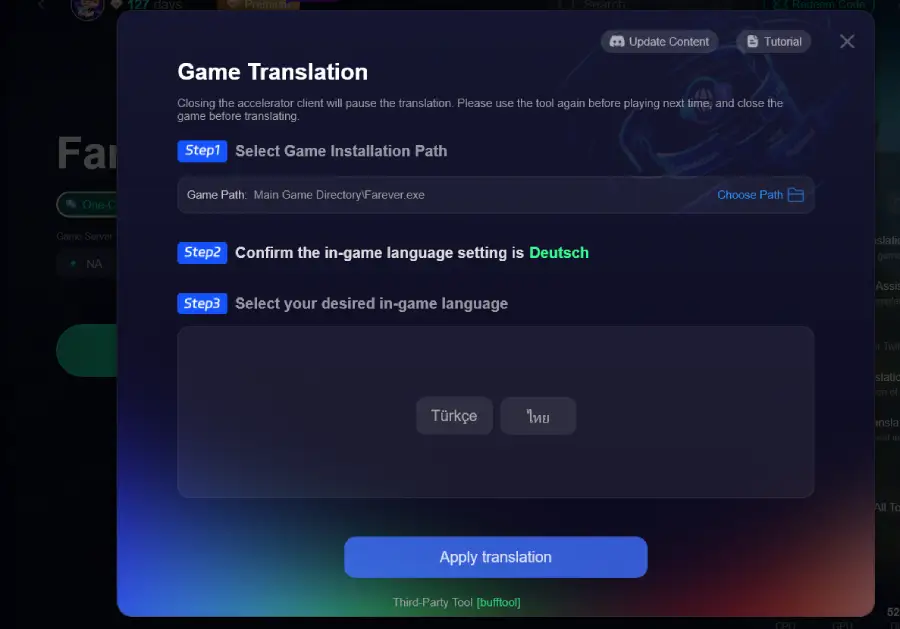
Step 5: Choose your preferred server node and click "Smart Boost" to start optimizing.
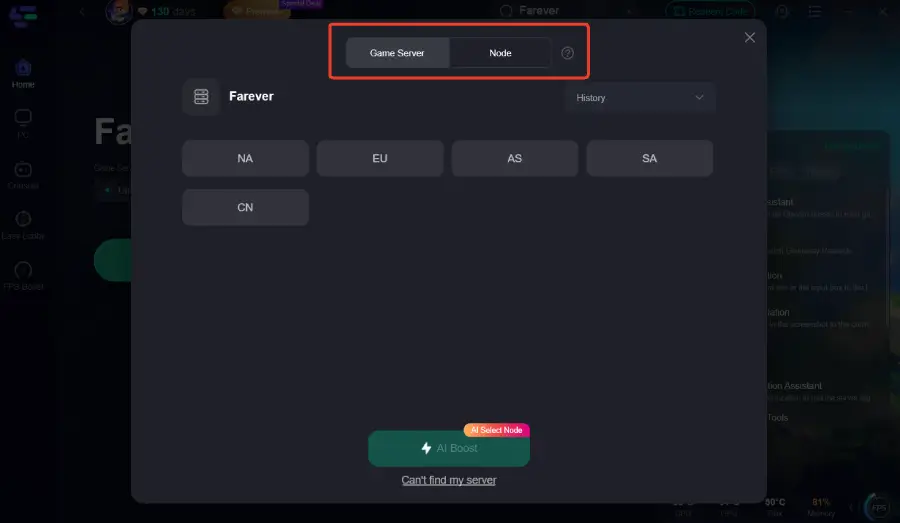
Step 6: Launch your game and enjoy smooth, optimized gameplay with lower ping and packet loss.
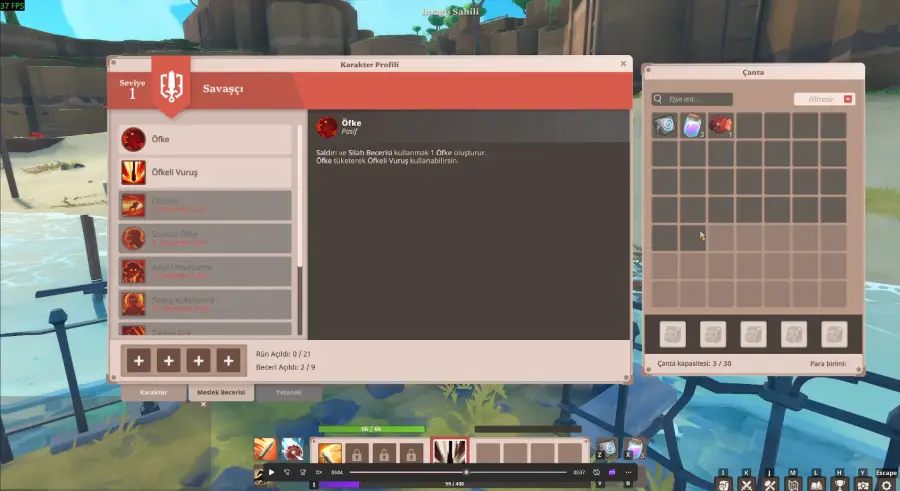
The translation effect is as follows:
Thai
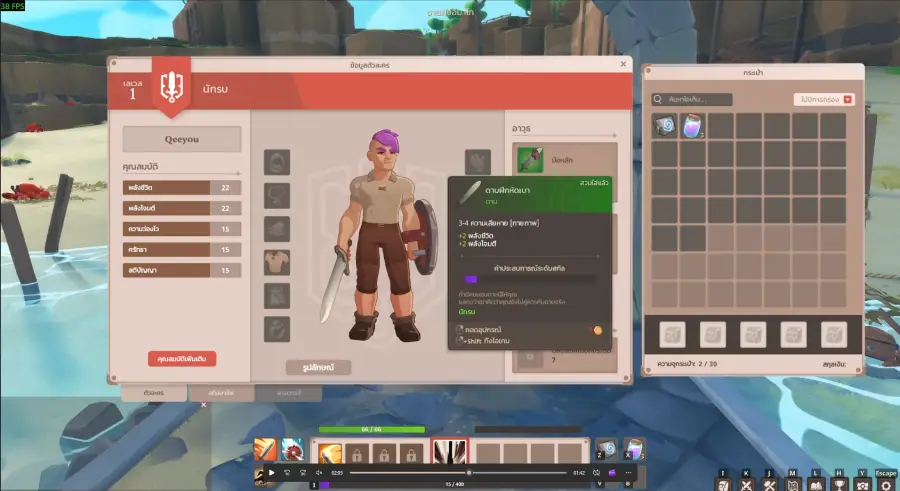
Turkish
Conclusion
Farever offers an exciting anime-style open-world experience, but language barriers can still limit how smoothly players progress through the game. A reliable Farever game translation tool helps remove that friction by making quests, menus, and items easier to understand in real time. Combined with LagoFast’s translation and network optimization features, players can enjoy a more stable and accessible gameplay experience. With the right tools, playing Farever in any language becomes much more straightforward.
Boost Your Game with LagoFast for Epic Speed
Play harder, faster. LagoFast game booster eliminates stutter and lags on PC, mobile, or Mac—win every match!
Quickly Reduce Game Lag and Ping!
Boost FPS for Smoother Gameplay!