
EA SPORTS FC 26 is the latest installment in EA’s football franchise, launching worldwide on September 26, 2025. With new animations, smarter AI, and enhanced crossplay support, fans everywhere are asking: “Can my device run FC 26?” To help you prepare, we’ve outlined the minimum and recommended PC system requirements, as well as what to expect for mobile and console players.

- ✅ Reduce Lag and High Ping.
- ✅ Boost FPS at the Same Time.
- ✅ Support 2000+ Popular Online Games.
- ✅ Change Server without Latency.
- ✅ End Stuck & Crashing Issues.
- EA SPORTS FC 26 Minimum & Recommended PC Specs
- EA SPORTS FC 26 Mobile Requirements
- EA SPORTS FC 26 Console Requirements
- Performance Tips for Smoother Gameplay
- How LagoFast Helps EA FC 26 on PC, Mobile, and Console
1. EA SPORTS FC 26 Minimum & Recommended PC Specs
The good news? FC 26 doesn’t demand cutting-edge hardware. If you ran FC 25, your PC should handle FC 26 just fine.
Minimum Requirements (PC)
- OS: Windows 10/11 (64-bit)
- CPU: Intel Core i5-6600K or AMD Ryzen 5 1600
- RAM: 8 GB
- GPU: NVIDIA GTX 1050 Ti or AMD Radeon RX 570 (4 GB VRAM)
- DirectX: 12 (feature level 12_0)
- Storage: 100 GB free space
- Network: Broadband Internet
Recommended Requirements (PC)
- OS: Windows 10/11 (64-bit)
- CPU: Intel Core i7-6700 or AMD Ryzen 7 2700X
- RAM: 12 GB
- GPU: NVIDIA GTX 1660 or AMD Radeon RX 5600 XT (6 GB VRAM)
- DirectX: 12
- Storage: 100 GB free space
- Network: Broadband Internet
If your setup meets the minimum, you’ll be able to play. To enjoy higher FPS, smoother animations, and faster load times, aim for the recommended specs.
2. EA SPORTS FC 26 Mobile Requirements
EA also delivers EA SPORTS FC Mobile, designed for iOS and Android. While not identical to the PC/console version, it still requires decent hardware:
- OS (iOS): iOS 12.0 or later (iPhone 8 or newer recommended)
- OS (Android): Android 7.0 or later
- RAM: 3 GB minimum (4 GB recommended)
- Storage: ~2–5 GB depending on updates
- Network: Stable Wi-Fi or 4G/5G connection
If you’re using an older device, expect reduced graphics and longer load times.
3. EA SPORTS FC 26 Console Requirements
On consoles, you don’t need to worry about specs—just the right platform.
- PlayStation 5 & Xbox Series X|S: Optimized performance (up to 4K/60 FPS) and full feature support.
- PlayStation 4 & Xbox One: Playable but with reduced visuals and slower performance.
- Nintendo Switch: Receives a “Legacy Edition,” which means gameplay updates but fewer technical upgrades compared to PC and next-gen consoles.
4. Performance Tips for Smoother Gameplay
Even if your system meets requirements, here are ways to maximize performance:
- Install on an SSD – Reduces stutters and load times.
- Lower in-game graphics settings – Shadows, crowd detail, and textures are the biggest FPS hogs.
- Keep drivers updated – GPU and network drivers improve stability.
- Close background apps – Free up RAM, CPU, and bandwidth.
5. How LagoFast Helps EA FC 26 on PC, Mobile, and Console
Few things are more frustrating than logging into EA Sports FC 26 only to be met with error messages or disconnections. Sometimes it’s a true server outage—but other times, the problem lies in unstable routing or packet loss that makes it look like the servers are down. LagoFast helps solve these issues by optimizing your connection path, stabilizing gameplay, and reducing false disconnects so you can stay in the match.
Key Benefits of Using LagoFast When FC 26 Servers Seem Down
- Avoid False Disconnects – Stay connected even when traffic is heavy.
- Lower Ping & Stable Routing – Smooth gameplay during FUT or Clubs.
- Real-Time Monitoring – Check ping, packet loss, and network stability.
- Smart Server Selection – Always connect through the most reliable path.
- Cross-Platform Support – Works seamlessly on PC, mobile, and console.
How to stabilize server connection in FC26 with LagoFast on PC:
If you think the servers are down but it’s really a routing issue, LagoFast can stabilize your PC connection in a few simple steps:
Step 1. Download LagoFast by clicking the "Free Trial" button.
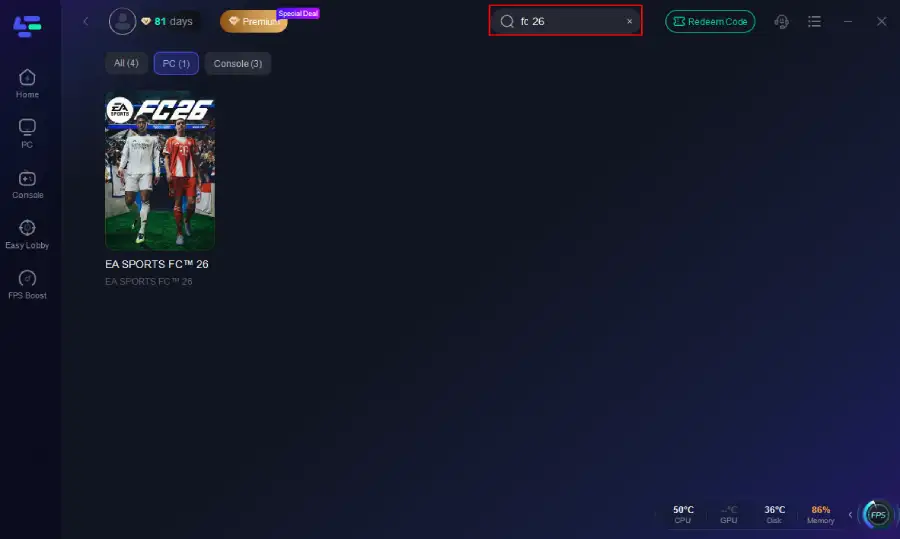
Step 2. Before you start your game, search for it within the LagoFast application to ensure it's supported.
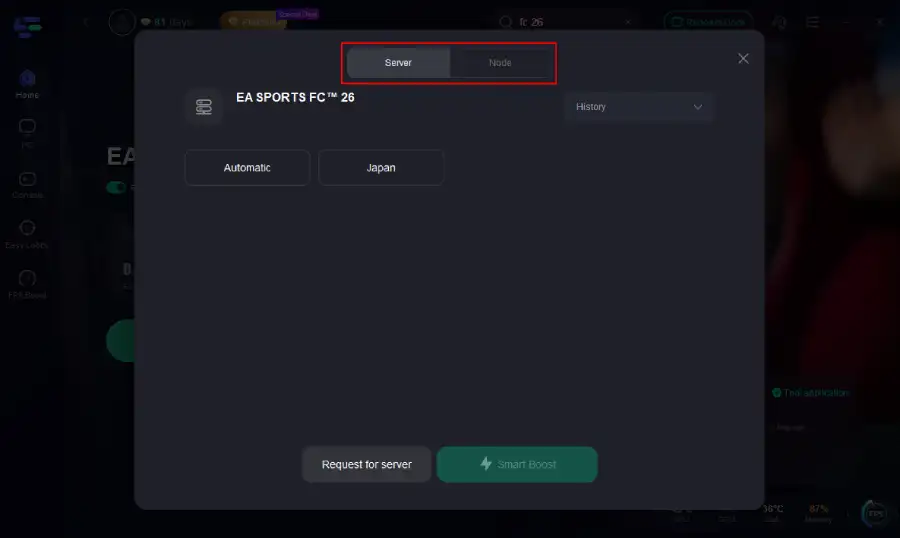
Step 3. Navigate to "Select Server" to choose the most stable server. Follow up by selecting the best Node available on the right to optimize your connection.
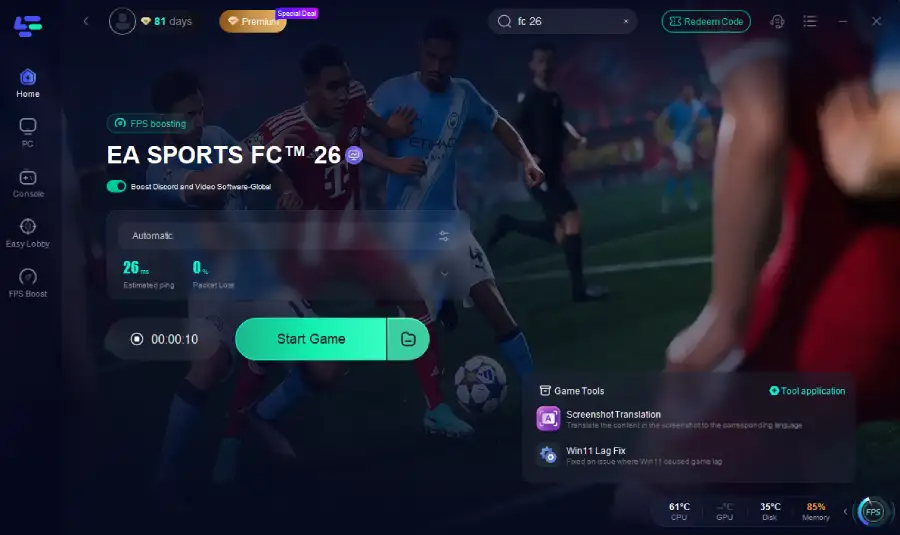
Step 4.Click the "Smart Boost" button to get real-time data on your game's ping, packet loss, and network type, which helps in monitoring and adjusting for optimal performance.
How to Use LagoFast on Console
Console players often face disconnects during FUT or Clubs, especially during high-traffic times. With the LagoFast Box, you can keep your connection stable even when servers are under stress:
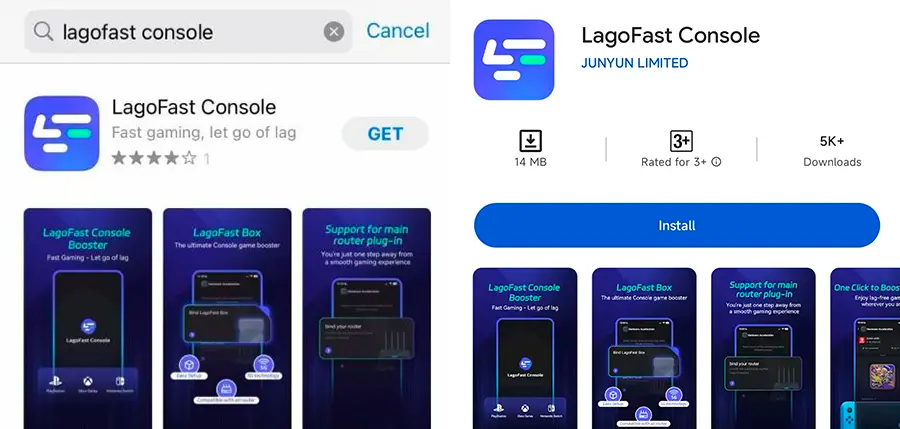
Step 1: Download the LagoFast Console App on your phone to control the LagoFast Box.
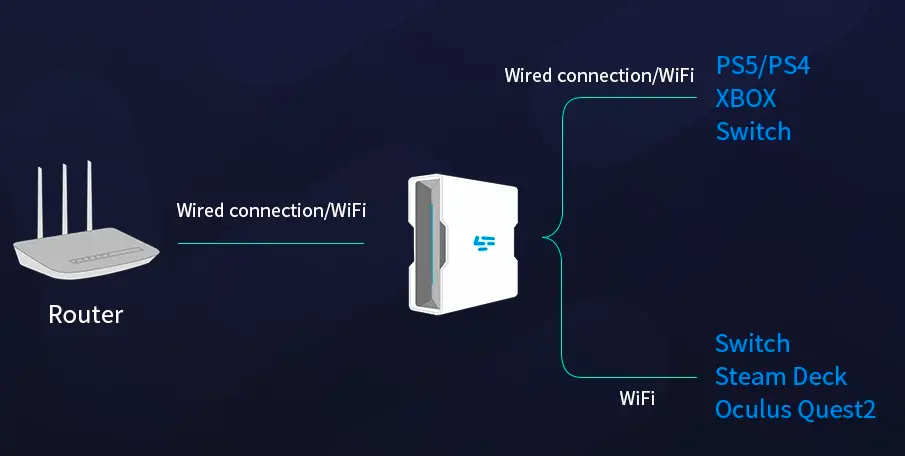
Step 2: Establish a connection between your LagoFast Box, router, and console, choosing between a wired or wireless connection.
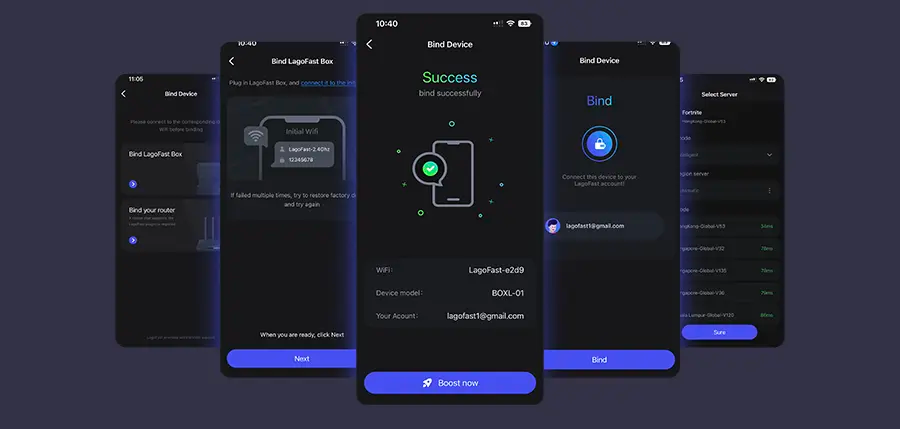
Step 3: Launch the LagoFast Console App and boost FC 26. Once you have completed the binding process with the LagoFast Box, proceed to boost this game within the LagoFast Console App.
LagoFast on Mobile
On FC 26 Mobile, server errors can often be caused by poor Wi-Fi or unstable mobile data. LagoFast helps by:
- Installing the LagoFast Mobile Booster from the App Store or Google Play.
- Searching for FC 26 and selecting the closest stable server.
- Tapping Boost to minimize disconnects and view real-time network stats.
The next time you wonder “Is EA FC 26 server down?”, remember that not all disconnections are caused by EA. Many are routing or stability issues you can fix. With LagoFast, you can bypass unstable connections, avoid false error messages, and keep your matches running smoothly—whether you’re on PC, console, or mobile.
Conclusion
The EA SPORTS FC 26 system requirements are modest compared to many modern games, meaning most gaming PCs from the past few years will run it smoothly. Mobile users will need a device with at least 3–4 GB RAM, while console players can rely on optimization—though next-gen consoles offer the best experience. Before you take to the pitch, check your setup against these specs to avoid lag, stutters, or unexpected crashes. With the right hardware, FC 26 will deliver the smooth, immersive football experience EA Sports fans expect.

Boost Your Game with LagoFast for Epic Speed
Play harder, faster. LagoFast game booster eliminates stutter and lags on PC, mobile, or Mac—win every match!
Quickly Reduce Game Lag and Ping!
Boost FPS for Smoother Gameplay!