
Dragon Sword has officially launched on Korean servers, offering fast-paced combat, epic dungeons, and stunning graphics. While the game promises an unforgettable action RPG experience, its Korean-only text can make quests and menus confusing for international players. This guide will show you how to use translation tools to overcome language barriers and enjoy the game seamlessly.

Part 1: Dragon Sword Release Date, Platforms, and Game Features
Part 2: What Languages Does Dragon Sword Support?
Part 3: The Best Translation Tool to Play Dragon Sword Smoothly
Part 1: Dragon Sword Release Date, Platforms, and Game Features
Dragon Sword officially launched on Korean servers on January 21, 2026, and is available on both PC and mobile devices. Whether you prefer keyboard and mouse or touch controls, the game immerses you in a world full of action, exploration, and epic battles.
Here’s what makes Dragon Sword stand out:
- Epic Dungeons and Quests: Challenging missions with valuable rewards and powerful gear.
- Diverse Characters and Skills: Customize your playstyle by combining abilities for strategic combat.
- Real-time PVP Battles: Compete against players worldwide in fast-paced duels.
- Stunning Graphics and Effects: Smooth animations and skill effects make every fight intense.
Part 2: What Languages Does Dragon Sword Support?
Currently, Dragon Sword only supports Korean. This means that players from other countries—including Thailand, Southeast Asia, and beyond—cannot access the game in their native languages.
For international players who want to enjoy the game fully, using a translation tool becomes essential. With the right tool, you can navigate menus, understand quests, and experience the full story even without Korean language support.
Part 3: The Best Translation Tool to Play Dragon Sword Smoothly
If you’re playing Dragon Sword but don’t understand Korean, navigating the game can be tricky. That’s where LagoFast comes in. Its screenshot translation feature can recognize in-game text and provide real-time translations, making it much easier for players from Thailand, other Southeast Asian countries, and regions without language support to navigate menus, complete quests, and enjoy the story smoothly.
For mobile players, LagoFast also includes an OCR translation tool that instantly captures and translates on-screen text, making it easy to read quests, items, skills, and dialogues without switching apps, so you can enjoy Dragon Sword on the go even if you don’t understand Korean.
How to Use LagoFast for Dragon Sword Translation On PC
Step 1: Click the Free Trial button to download and install LagoFast.
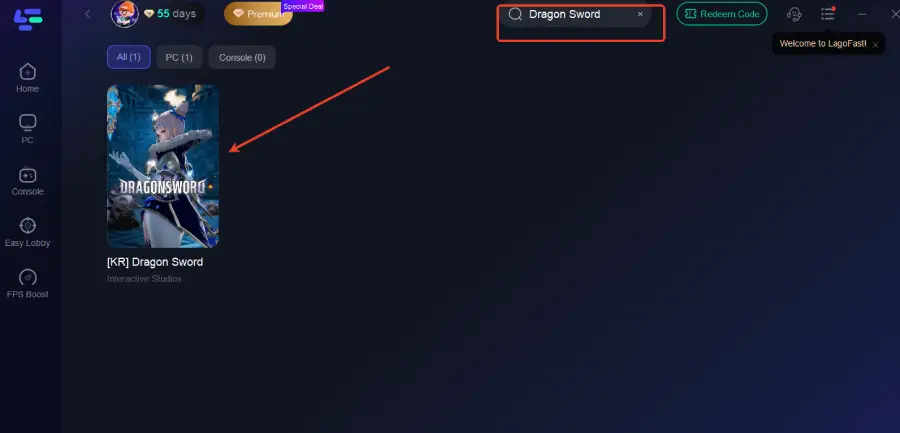
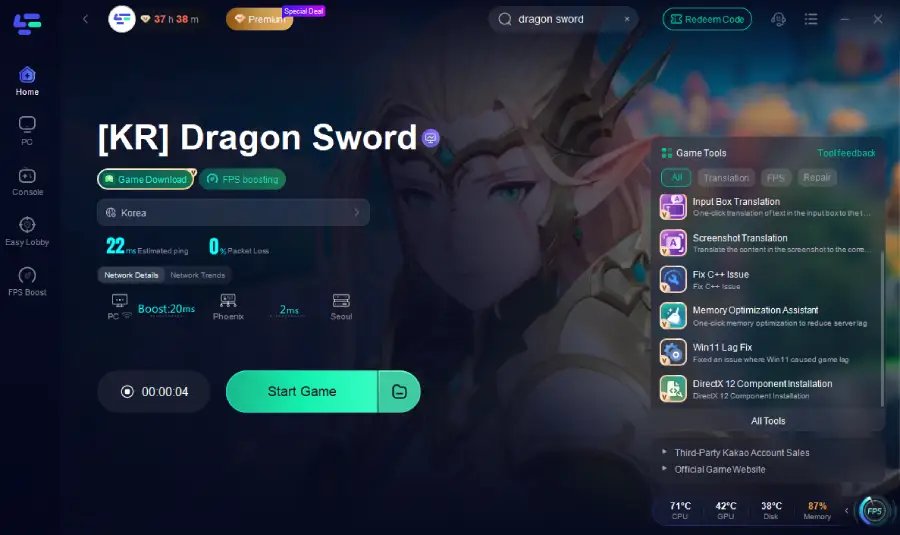
Step 2: After installation, search "Dragon Sword" in the search bar and select the game.
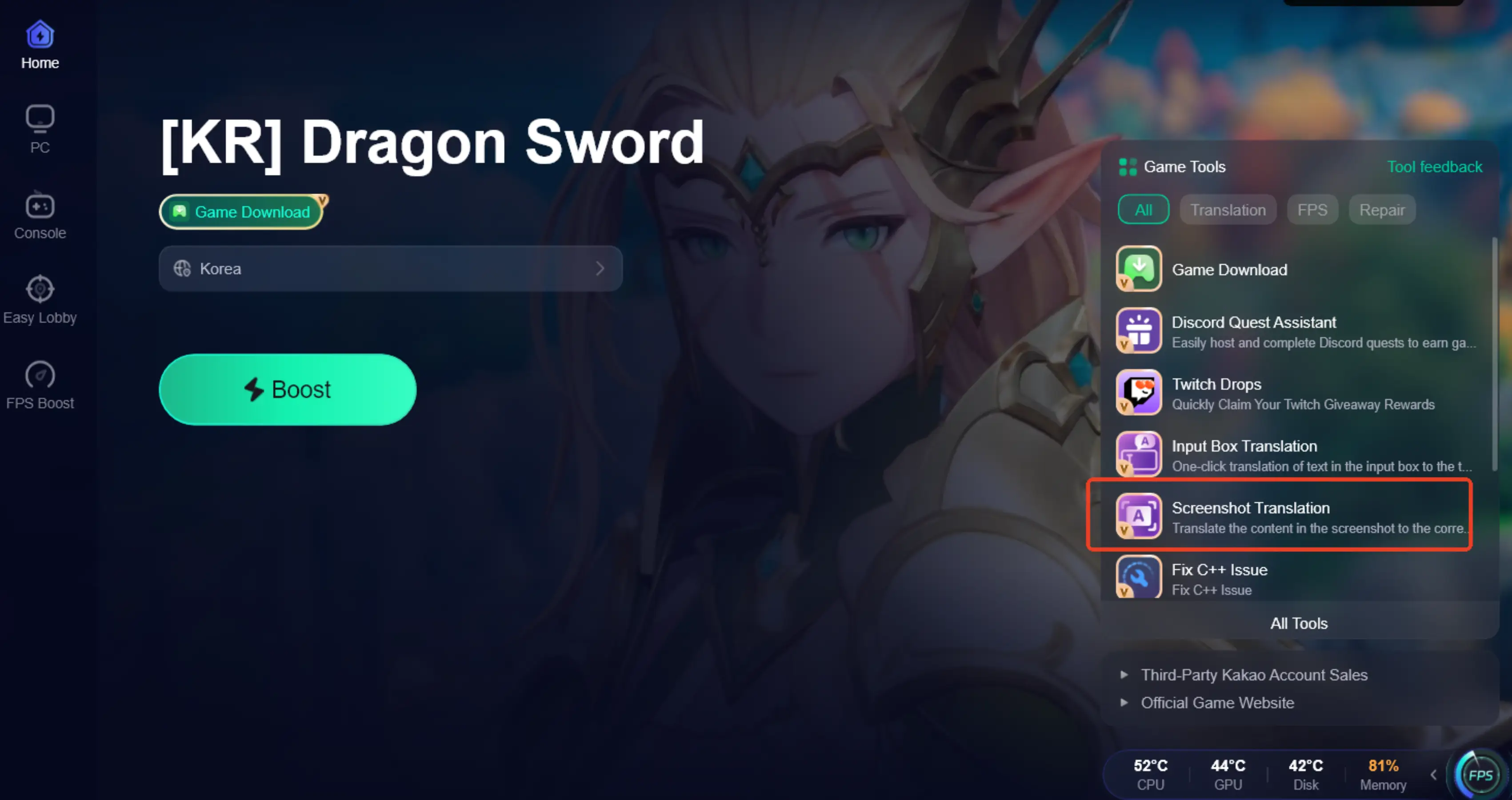
Step 3: Click the Screenshot Translate button on the right side of the screen.
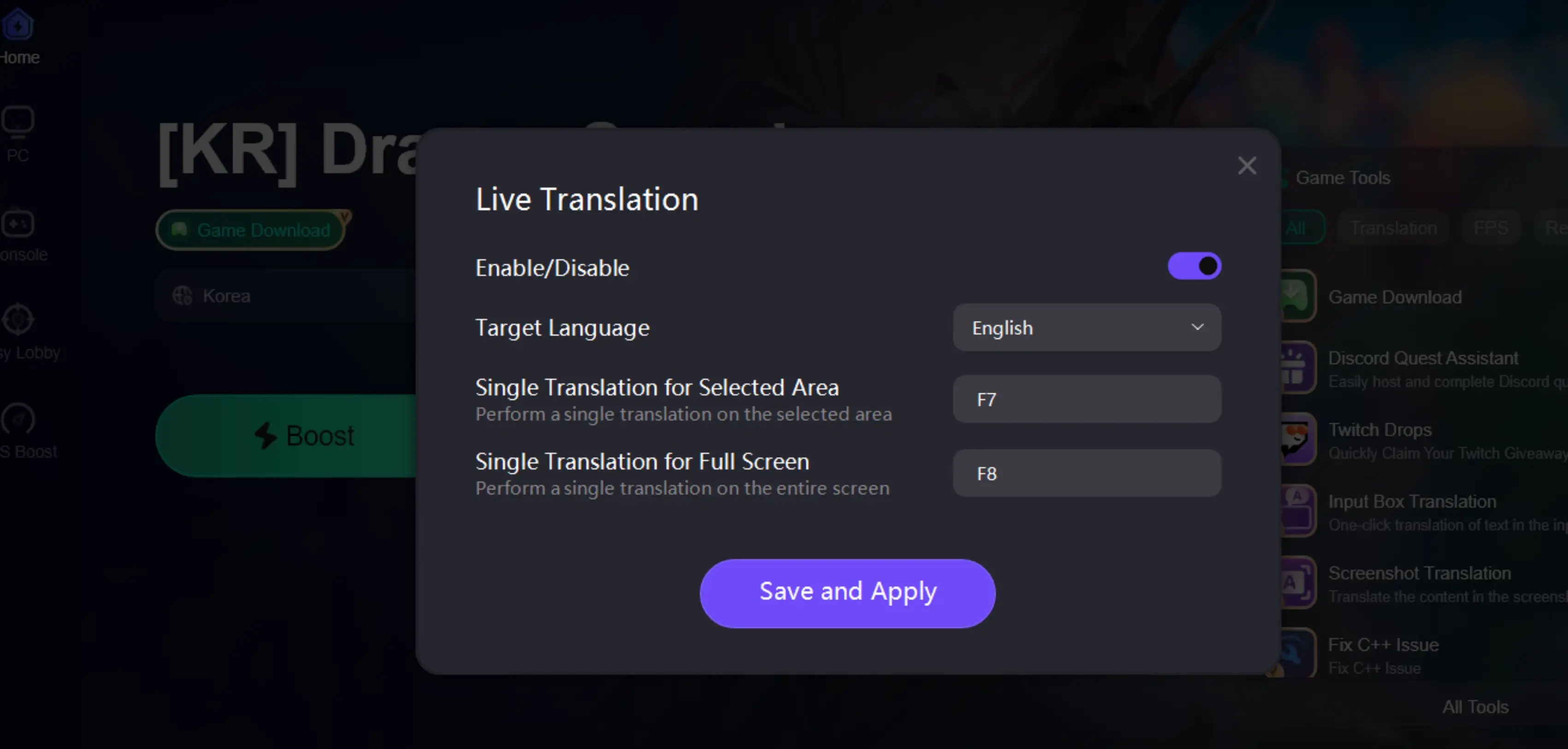
Step 4: Choose your target language and set up your hotkeys for instant translation.
Step 5: Choose your preferred server node and click "Smart Boost" to start optimizing.
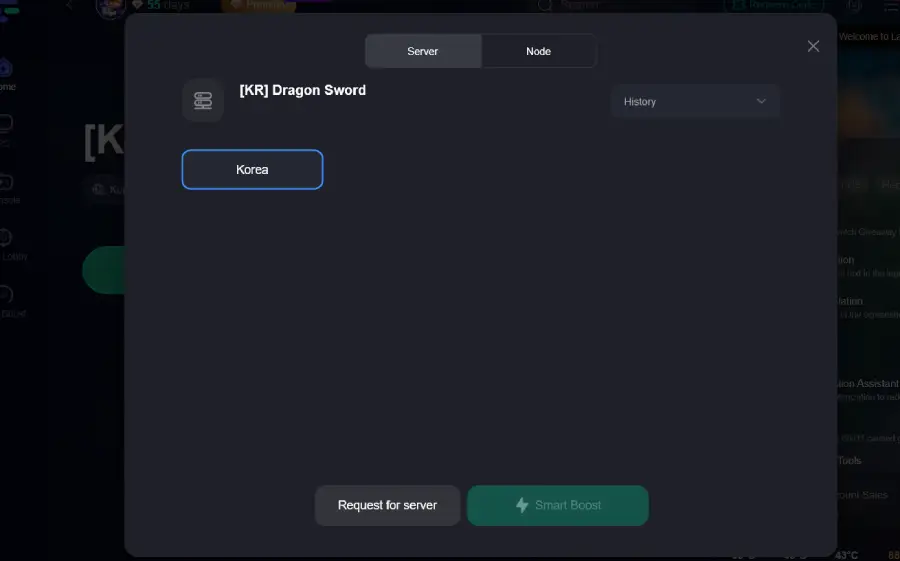
Step 6: Launch your game and enjoy smooth, optimized gameplay with lower ping and no stutter.
How to Use LagoFast for Dragon Sword Translation On Mobile
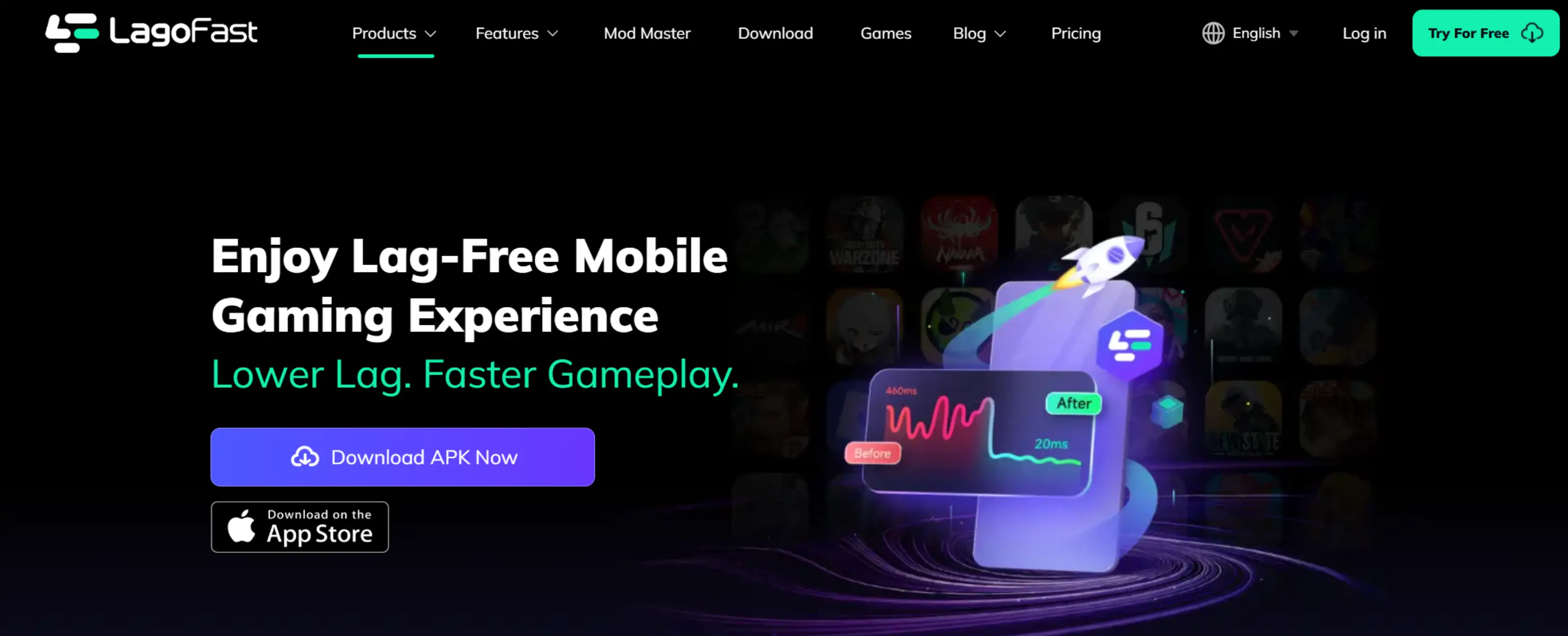
Step 1: Visit LagoFast’s official website to download LagoFast Mobile and install it.
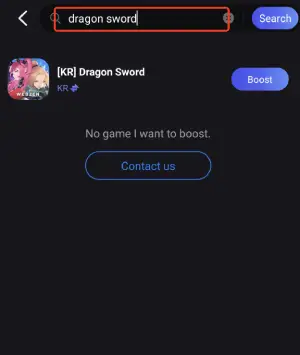
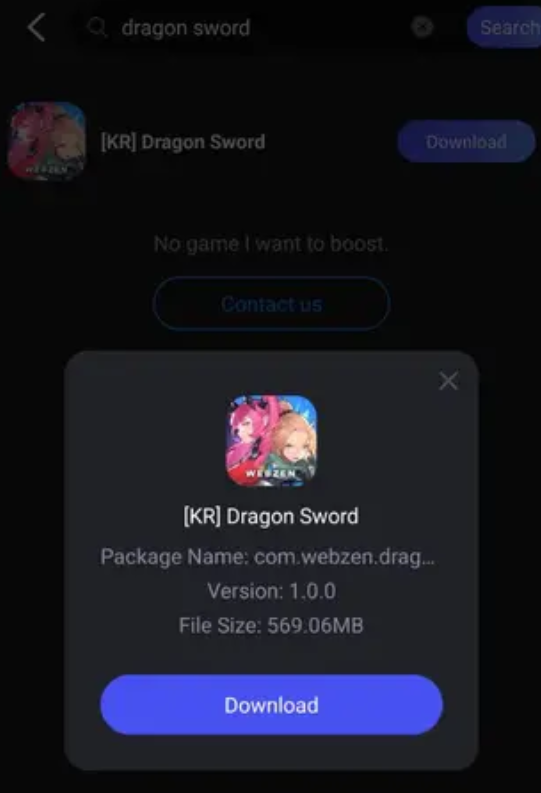
Step 2: Open LagoFast Mobile, search for "Dragon Sword," and tap the download button next to the search result.
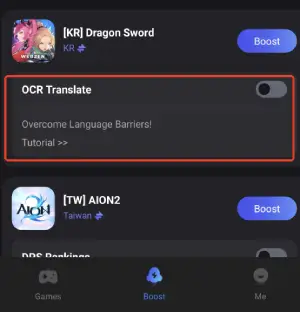
Step 3: Enable the OCR Translate Tool below.
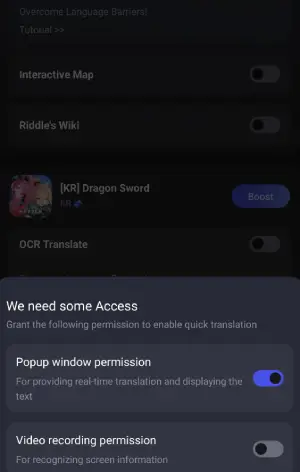
Step 4: Enable the following two permissions.
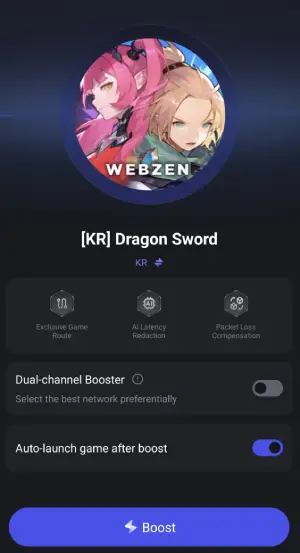
Step 5: Click on “Server” to change to a better server that ensures the gaming experience, then click on “Smart Boost.”
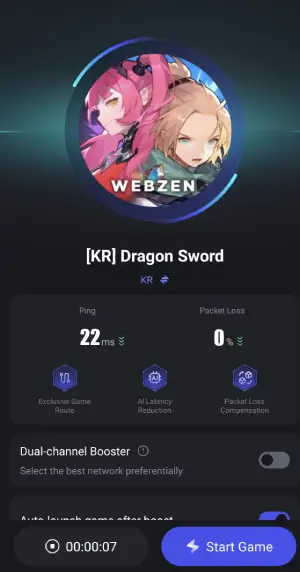
Step 6: Check the specific game ping, packet loss, and multiple path connection on the right side. Finally, click “Start Game” to play the game.
But LagoFast doesn’t just handle translation—it also enhances your overall gaming experience:
- Lower Ping and Stable Connection: Keeps your gameplay smooth with minimal lag, even during intense battles.
- Optimized Server Routing: Automatically finds the fastest path to the game servers, reducing packet loss and disconnections.
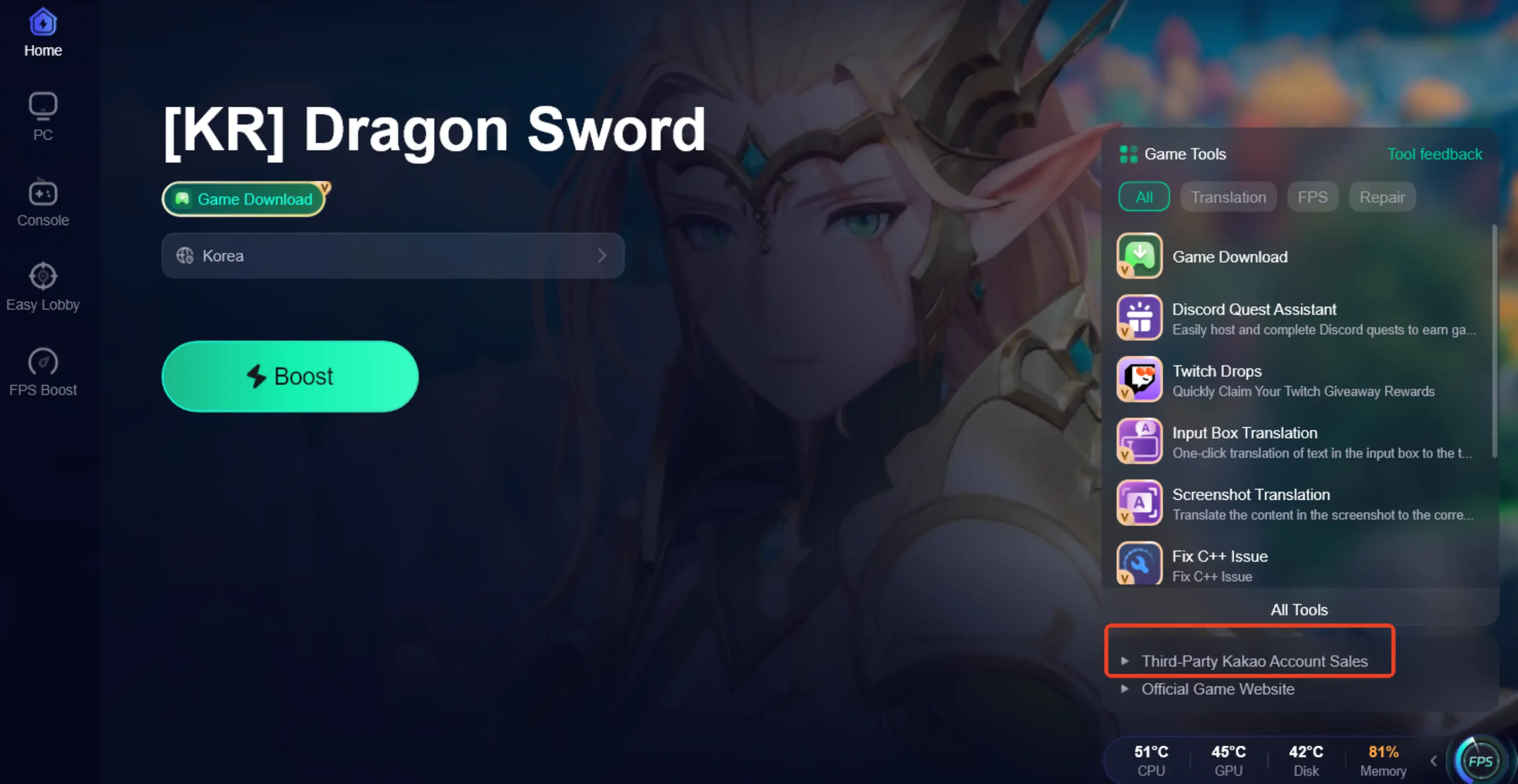
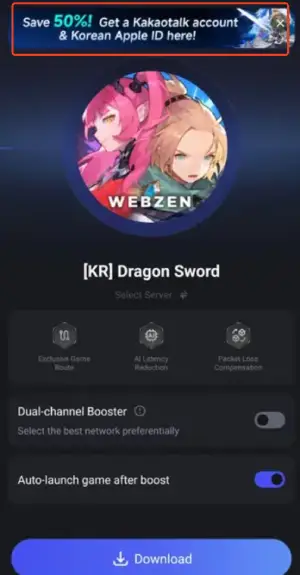
- Game Download and Third-Party Account Access: Players outside Korea can download Dragon Sword for PC and mobile through LagoFast. For login, LagoFast provides links to purchase third-party accounts, such as a Kakao Talk “white account.” After purchase, you can log in and play, but real-name verification still needs to be completed by the user.
- Other Useful Features: Includes FPS boosts, network monitoring, and extra tools to help your game run more reliably and smoothly.
With LagoFast, players not only overcome the language barrier but also enjoy stable connections, optimized performance, and a seamless gaming experience, making Dragon Sword fully accessible and more enjoyable for international players.
How to Use LagoFast to Download Dragon Sword from Anywhere:
For PC Players:
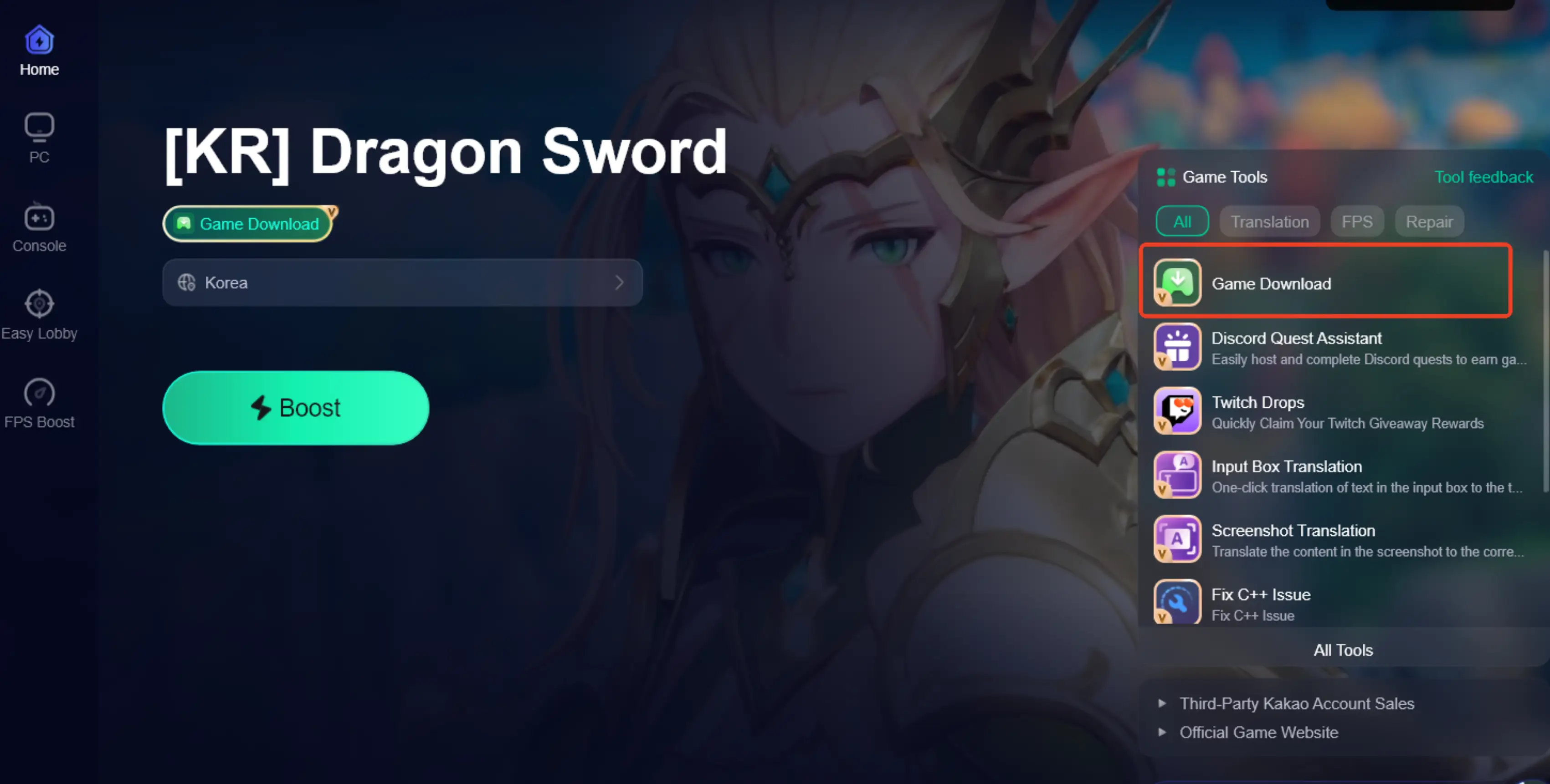
Step 1: Launch LagoFast, type "Dragon Sword" into the search bar, and select the game.
Step 2: Click the "Game Download" button in the bottom-right corner.
Step 3: Click the "Third-Party KaKao Account Sales" button in the bottom-right corner. After purchasing a white account, you can log in to the game.
For Mobile Players:
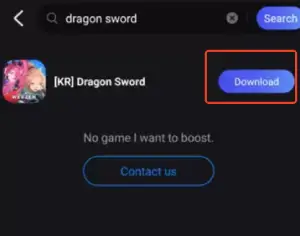
Step 1: Open LagoFast Mobile, search for "Dragon Sword," and tap the download button next to the search result.
Step 2: Tap the "Get a Kakao Account & Korean Apple ID" button at the top of the screen. After purchasing, log in to the game using your White account.
Step 3: After downloading, tap “Install” to safely and quickly install Dragon Sword.
Note: you must still complete real-name verification yourself before you can fully access the game.
Conclusion
Dragon Sword is an exciting action RPG with epic battles, dungeons, and stunning graphics, but its Korean-only interface can be a challenge for international players. With LagoFast, players overcome language barriers, enjoy smooth connections, optimized performance, and easy game access, making Dragon Sword fully playable and enjoyable worldwide.

Boost Your Game with LagoFast for Epic Speed
Play harder, faster. LagoFast game booster eliminates stutter and lags on PC, mobile, or Mac—win every match!
Quickly Reduce Game Lag and Ping!
Boost FPS for Smoother Gameplay!