
Gamers, ready your swords and shields because an epic adventure on 29 April, 2025! "Odin: Valhalla Rising," an open-world MMORPG deeply rooted in Norse mythology, is set to captivate players with its vast, visually stunning world. Developed by Lionheart Studio and published by Kakao Games, this game promises to immerse players in the rich tapestry of Norse legends. In this blog post, we'll provide comprehensive information on how to download "Odin: Valhalla Rising" for PC, its system requirements, and what you can expect from this highly anticipated title.

- ✅ Reduce Lag and High Ping.
- ✅ Boost FPS at the Same Time.
- ✅ Support 2000+ Popular Online Games.
- ✅ Download Games without Any Issues.
Part 1: Odin: Valhalla Rising PC System Requirements overview
Part 2: How to Download Odin: Valhalla Rising PC?
Part 3: Best Method to Download Odin: Valhalla Rising - LagoFast
Part 4: Ensure Odin: Valhalla Rising Gaming Experience with LagoFast
Part 1: Odin: Valhalla Rising PC System Requirements overview
Given its high-quality graphics and expansive open-world design, Odin: Valhalla Rising demands a certain level of hardware performance. Here are the minimum and recommended system requirements for PC:
Minimum Requirements:
- Operating System: Windows 10 or Windows 11
- Processor: Intel Core i5-9600K or AMD Ryzen 5 3600
- Memory (RAM): 16GB
- Graphics Card: NVIDIA GeForce RTX 2060 or AMD Radeon RX 5700 XT
- Storage: At least 50GB of free space
Recommended Requirements:
- Operating System: Windows 11
- Processor: Intel Core i7-10700K or AMD Ryzen 7 3700X
- Memory (RAM): 32GB
- Graphics Card: NVIDIA GeForce RTX 3070 or AMD Radeon RX 6700 XT
- Storage: SSD with at least 100GB of free space
Part 2: How to Download Odin: Valhalla Rising PC?
Starting from April 29, 2025, the Odin: Valhalla Rising Global will be launched simultaneously on PC and mobile platforms. PC Players can access the official website of KaKao Games to initiate the download process:
Step 1: Visit the official webpage of KaKao Games: https://odinvalhallarising.kakaogames.com/
Step 2: Click the "Download PC Verison" button on the screen.
Step 3: You will be automatically redirected to the PC download page to start the download process. After the download is complete, follow the system prompts to complete the installation.
Alternatively, players can also download the game directly through the Google Play Store.
Part 3: Best Method to Download Odin: Valhalla Rising PC - LagoFast
Due to the release of the latest map in Odin: Valhalla Rising Global, eager players rushed to download the update immediately, causing severe congestion and even crashes in download servers. Players are encountering issues such as failed download initiation, interrupted downloads, and installation errors post-download. Additionally, the download process still requires server verification, forcing players in newly launched server regions to navigate complex verification steps before accessing the game download.
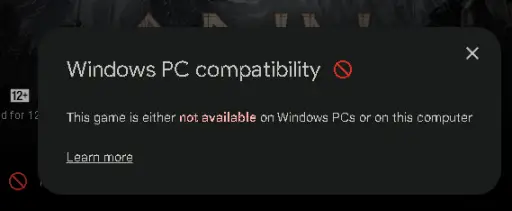
Don’t worry! LagoFast offers a foolproof solution to these problems. With official authorization, LagoFast has introduced a one-click download tool for the Odin: Valhalla Rising Launcher in its system, allowing players to bypass verification, avoid multiple hurdles, and successfully download the game!
How to Download Odin: Valhalla Rising PC via LagoFast:
Click the Free Trial button to install LagoFast on your PC.
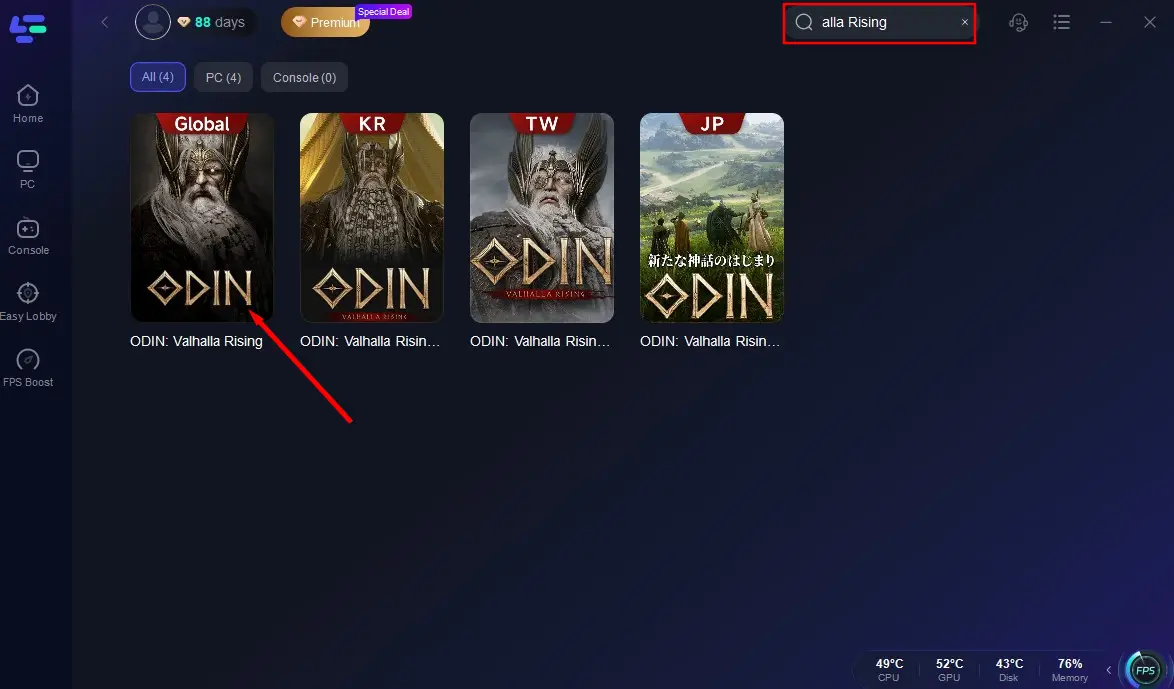
Launch LagoFast, search for Odin: Valhalla Rising Global in the search bar, and select it from the results.
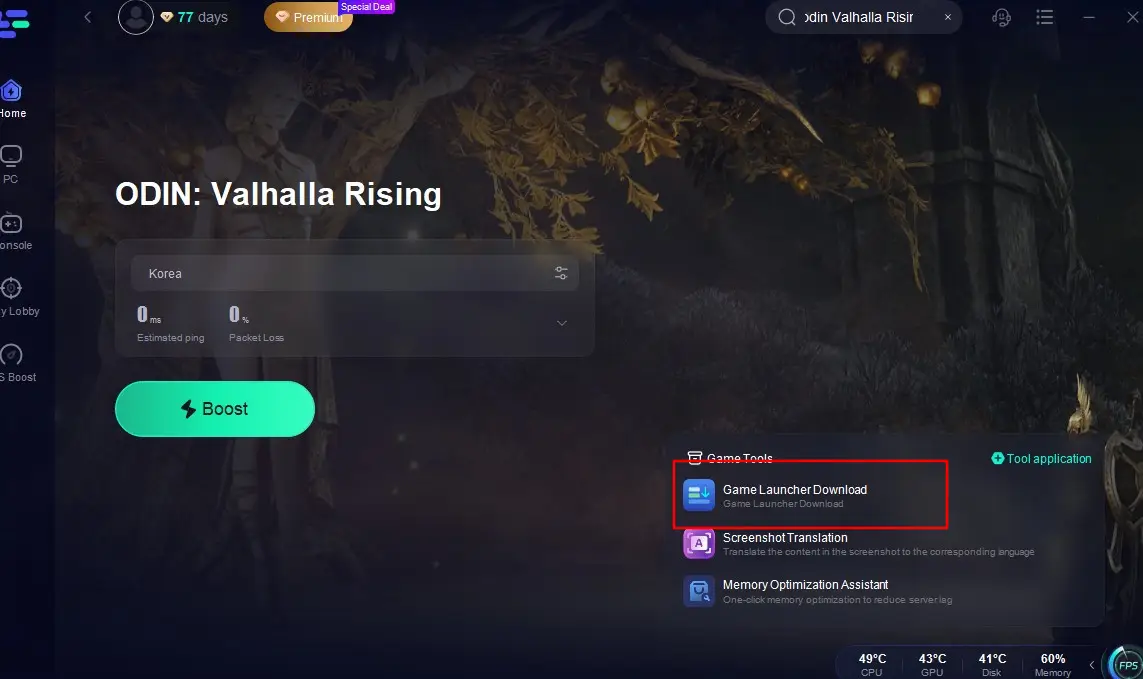
Choose a server to start the acceleration process. After acceleration is active, click the Game Launcher Download tool in the bottom-right corner to begin downloading the Odin: Valhalla Rising Launcher.
Locate the downloaded Launcher file and complete the installation.
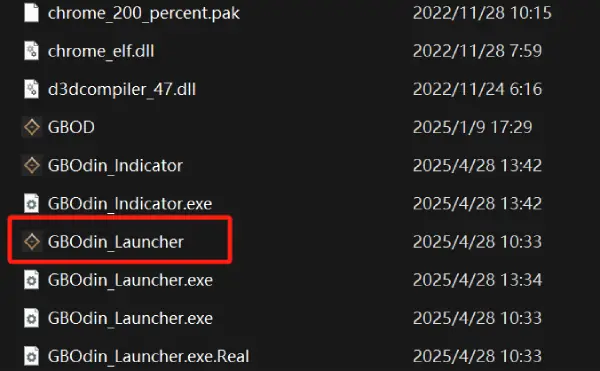
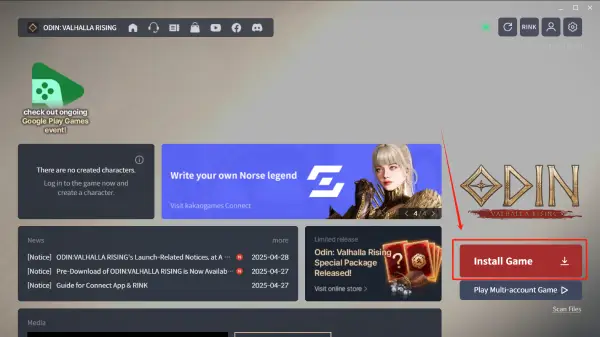
Once the Launcher is installed, log in directly using your Google account. (Important Tip: Keep LagoFast acceleration enabled throughout this process to avoid server errors).

After logging in, the page will redirect to Google Play. Click the Download button in the bottom-right corner, wait for completion, and you’ll successfully install Odin: Valhalla Rising PC to embark on your epic Norse adventure!
Part 4: Ensure Odin: Valhalla Rising Gaming Experience with LagoFast
Now, maybe you've successfully downloaded Odin: Valhalla Rising using the methods mentioned above and have gained the entry ticket to enter the world of ODIN for battles! However, if you want to expand your gaming social circle while playing Odin: Valhalla Rising and explore servers in different languages and regions, you can use LagoFast's one-click translation tool to break through language barriers! Currently, LagoFast supports translating Odin: Valhalla Rising into Russian, French, Portuguese (Brazilian), German, Turkish, and Arabic.
Here's how to use LagoFast's one-click translation tool:
Open LagoFast and search for "Odin: Valhalla Rising Global".
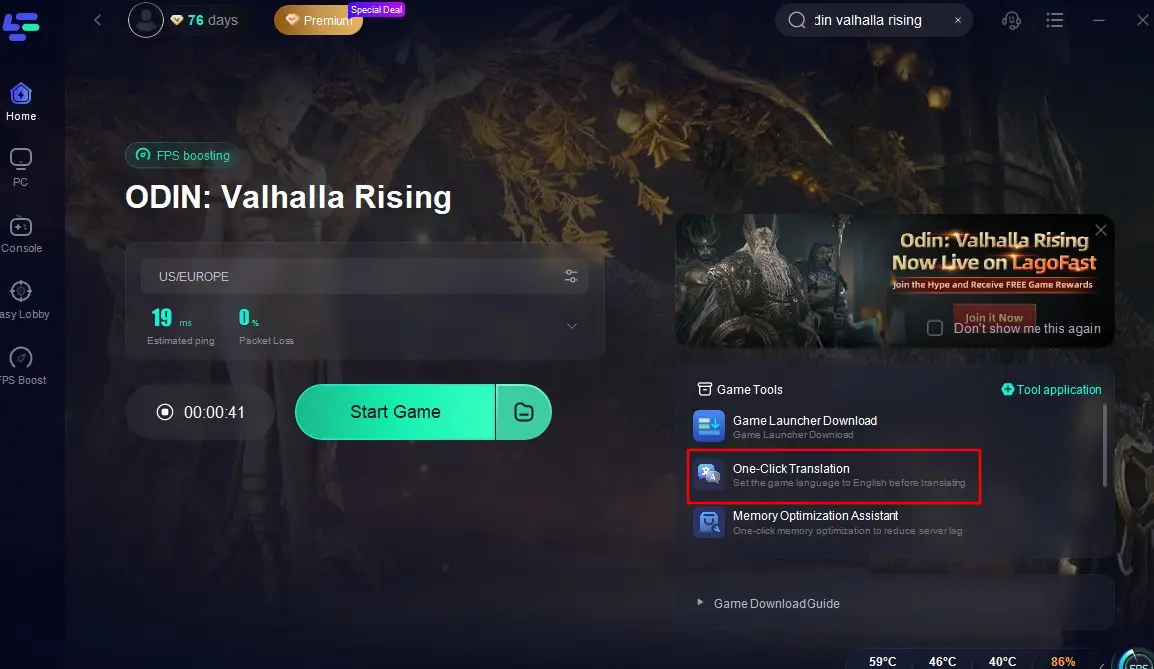
Select a server to start the acceleration. Click the One-Click Translation tool located at the bottom right of the screen, and import the installation path of Odin: Valhalla Rising.
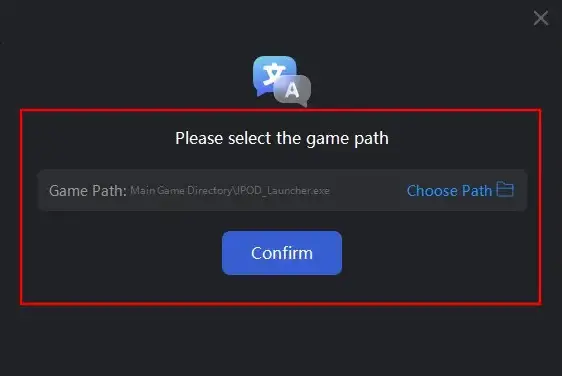
Select your target language for translation and click "Apply Translation".
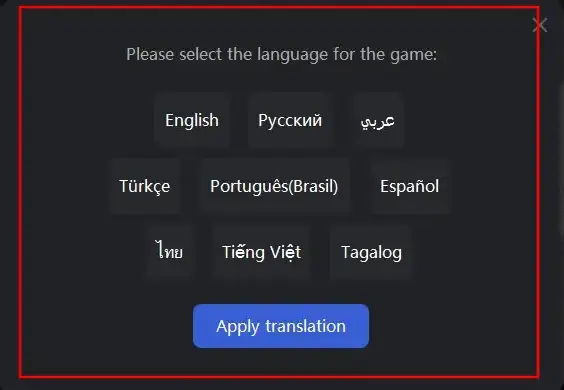
Wait a moment for the translation to complete, and then you can return to the game!
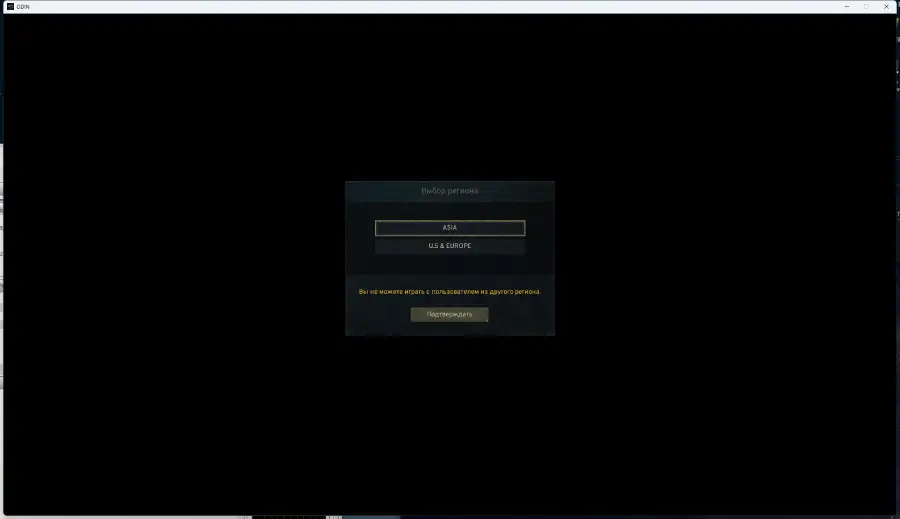
During your gameplay in Odin: Valhalla Rising, you may inevitably encounter issues such as unstable network connections and high latency. Don't miss out on LagoFast's advantage in enhancing players' gaming experiences! LagoFast's server nodes are distributed across more than 60 countries and 150 regions worldwide. Through intelligent detection and selection, it helps players avoid congested routes, reduce latency and ping, and improve the FPS of game graphics, achieving a perfect upgrade in gaming performance and experience. Here's how to use LagoFast for acceleration:
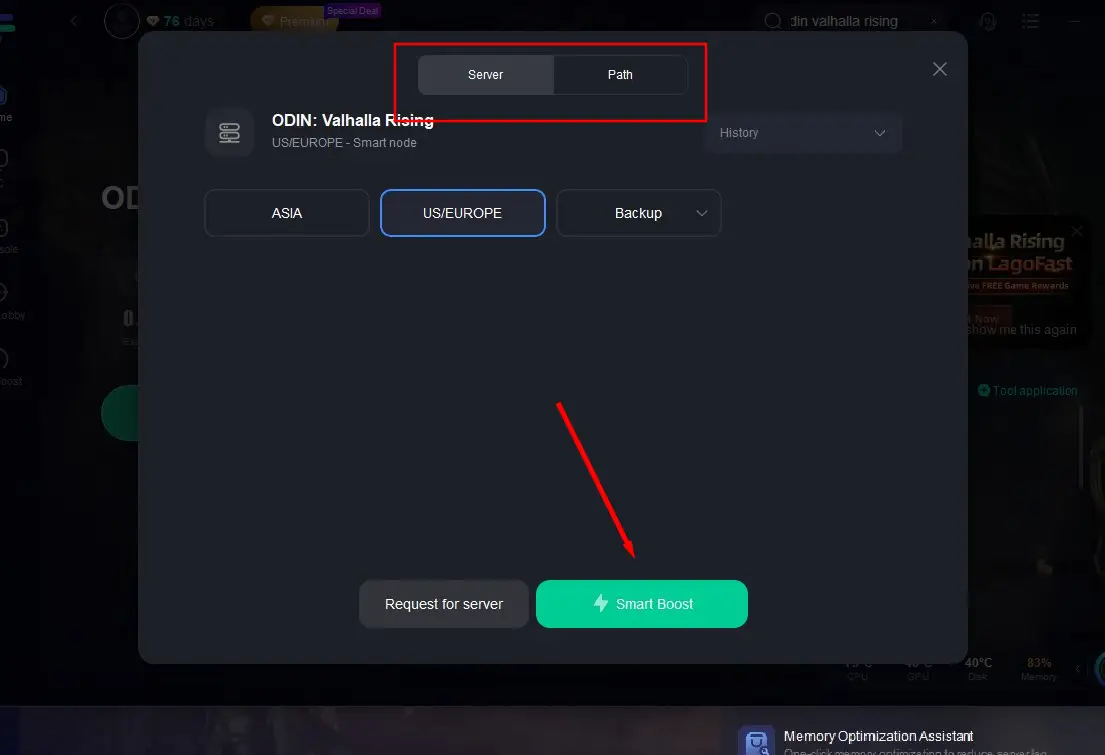
Open LagoFast and search for "Odin: Valhalla Rising".
Select a server path with better performance based on your location, and click "Smart Boost".
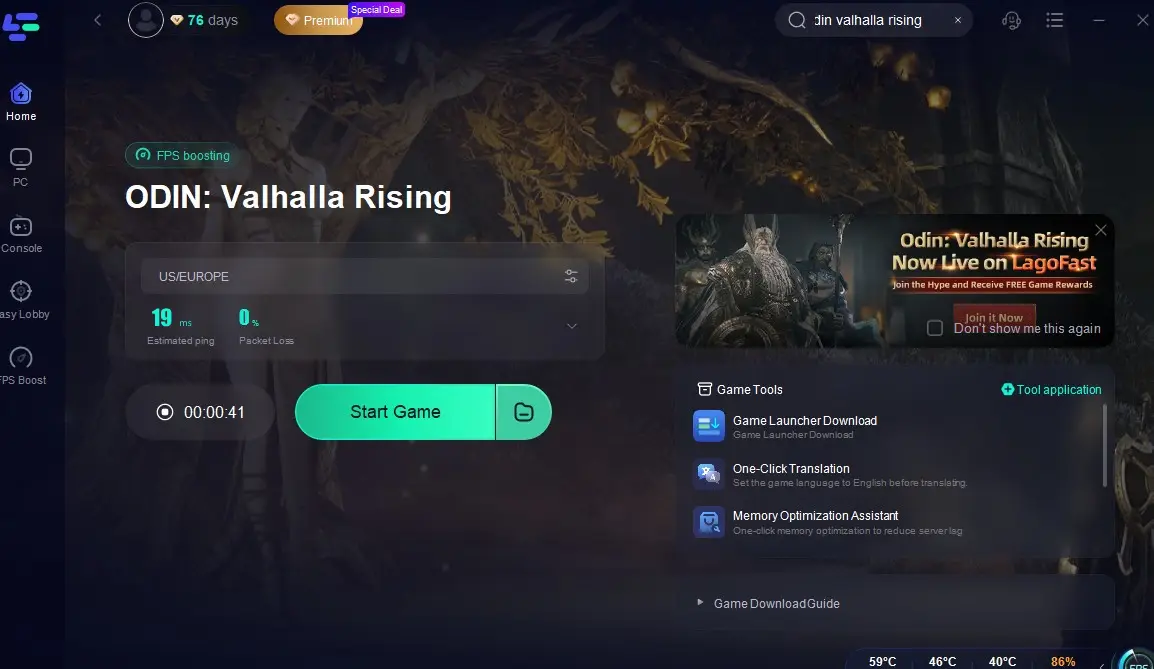
Check the game's rel-time ping and packet loss rate, then return to the game and immerse yourself in a lag-free and stutter-free gaming journey!
Conclusion
Odin: Valhalla Rising promises to be an epic adventure that blends Norse mythology with modern MMORPG mechanics. With its expansive open world, dynamic combat system, and emphasis on community, this game is set to captivate gamers worldwide. By ensuring your PC meets the necessary system requirements and utilizing LagoFast, you can fully immerse yourself in the rich tapestry of Norse legends and experience the grandeur of Valhalla. Don't miss out on this highly anticipated title – download Odin: Valhalla Rising for PC now and embark on an adventure like no other!

Boost Your Game with LagoFast for Epic Speed
Play harder, faster. LagoFast game booster eliminates stutter and lags on PC, mobile, or Mac—win every match!
Quickly Reduce Game Lag and Ping!
Boost FPS for Smoother Gameplay!