
If you’re excited to download and play Where Winds Meet Mobile from any country but the game doesn’t appear in your local store, you’re not alone. The mobile version is still unavailable in several regions, including Vietnam, Russia, India, and the Netherlands. Many players encounter region-lock messages or cannot see download and pre-registration options.
Instead of waiting for a local release, this guide shows the fastest and most beginner-friendly way to download Where Winds Meet Mobile from any country and start playing without restrictions.

Part 1. Where Winds Meet Mobile Release Date & Gameplay Details
Part 2. How to Download and Play Where Winds Meet Mobile from Any Country
Part 3. Enhance Your Gaming Experience with LagoFast
Part 4. How Players in Supported Regions Can Download Normally
Part 1. Where Winds Meet Mobile Release Date & Gameplay Details
Where Winds Meet Mobile officially launches on December 12, 2025, bringing its expansive open-world Wuxia adventure from PC to mobile. The mobile version retains the core features of martial-arts combat, free exploration, and story-driven quests while optimizing controls and UI for handheld play. Players can experience fluid combat, multiple classes with flexible builds, and both PvE challenges and large-scale PvP battles.
The game runs best on a modern Android device (Android 7.0 or later, high-end processor recommended) or an iPhone 11 or newer, with sufficient storage for game assets.
Part 2. How to Download and Play Where Winds Meet Mobile from Any Country
Although the game officially launches worldwide, it is currently unavailable in Vietnam, Russia, India, and the Netherlands.
LagoFast allows players to download and install Where Winds Meet Mobile from any country, bypassing regional restrictions while ensuring faster downloads and a smoother gaming experience.
For LagoFast APK Users: How to Download Where Winds Meet Mobile
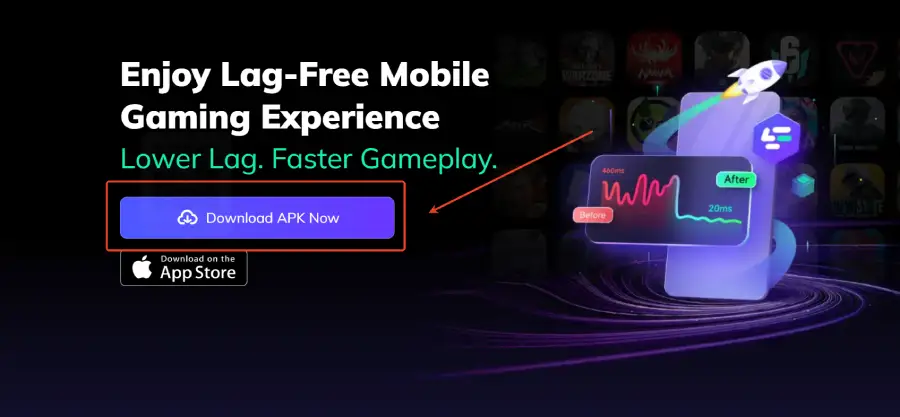
Step 1: Click download and install LagoFast Mobile
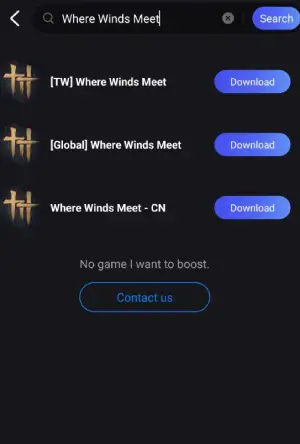
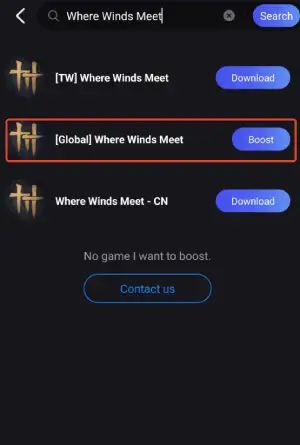
Step 2: Launch LagoFast Mobile, use the search bar to find Where Winds Meet Mobile, and click the download button to begin.
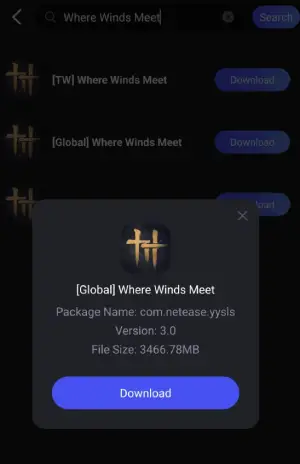
Step 3: After downloading, tap “Install” to safely and quickly install Where Winds Meet Mobile.
For iOS Users in Russia and Vietnam: Accessing the US App Store
To help players enjoy global releases, LagoFast has launched a special activity for iOS users in Russia and Vietnam. Paid members can obtain a US Apple ID for free within the app, allowing you to bypass regional restrictions, access the US App Store, and download Where Winds Meet Mobile.
Follow these steps to install Where Winds Meet Mobile:
Step 1: Click download and install LagoFast Mobile

Step 2. Open LagoFast and tap the event banner promoting the Apple ID giveaway.
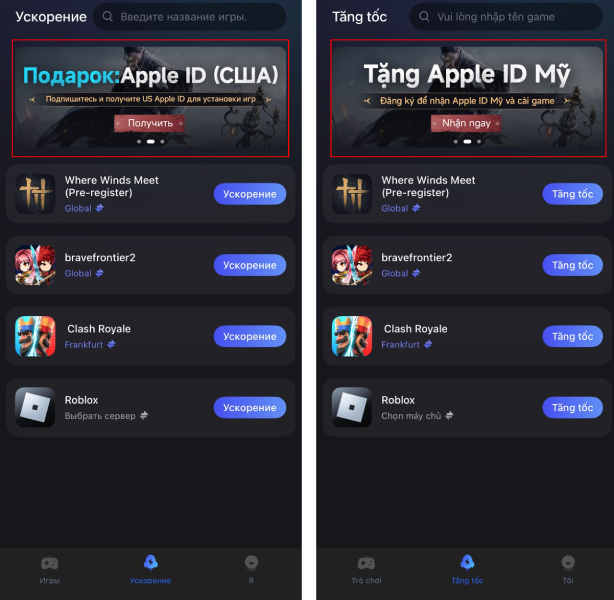
Step 3. Claim your free U.S. Apple ID through the in-app event (membership may be required).
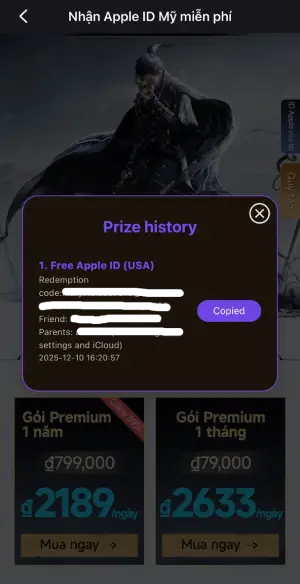
Step 4. Sign in using the U.S. Apple ID you received. Open the App Store again—it will now load the U.S. storefront.
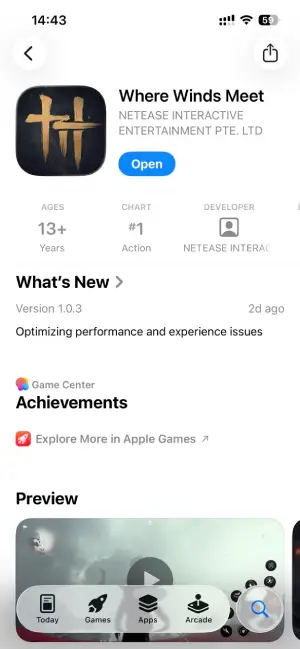
Step 5. Search “Where Winds Meet Mobile” and pre-order or download the game. Once the game completes pre-load and officially releases, it will automatically install.
Related Article: How to Download Where Winds Meet on iOS in Russia & Vietnam with LagoFast
Part 3. Enhance Your Gaming Experience with LagoFast
Downloading the game is just the first step. When playing a cross-region martial-arts RPG like Where Winds Meet Mobile, players may encounter high ping, lag, disconnects, or language barriers. LagoFast speeds up downloads, stabilizes your connection, and reduces delays, making combat, exploration, and PvP smoother.
LagoFast also offers helpful in-game tools:
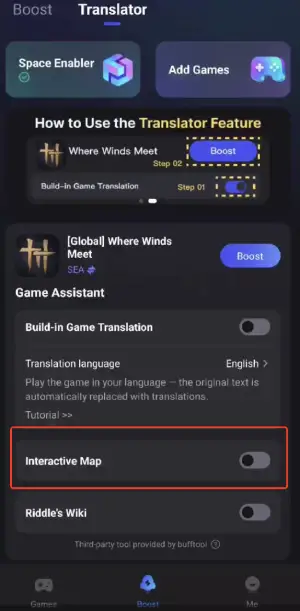
- Build-in Game Translation: Translate quests, UI elements, and skill descriptions, allowing you to enjoy the game without language barriers.
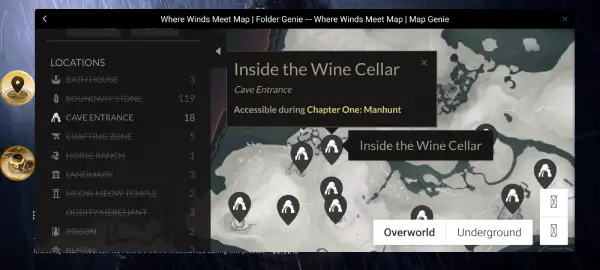
- Interactive Map Tool: A detailed map showing resources, puzzles, chests, boss locations, NPCs, and hidden quests, helping new players navigate the world easily.
These features let international players enjoy the game more smoothly, even across regions.
How to Optimize Gaming Experience with LagoFast Mobile
Step 1: Open LagoFast, then search for Where Winds Meet in LagoFast Mobile.
Step 2: Click the Build-in Game Translation Tool below.
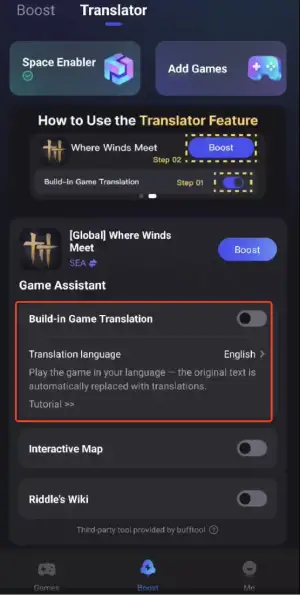
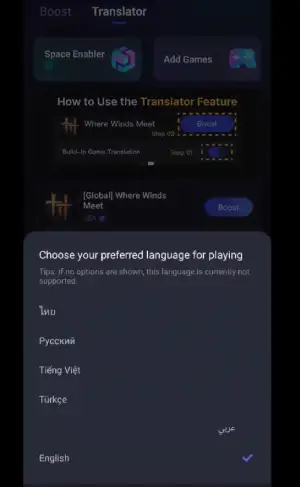
Step 3: Select your preferred language, and you can enjoy the game instantly.
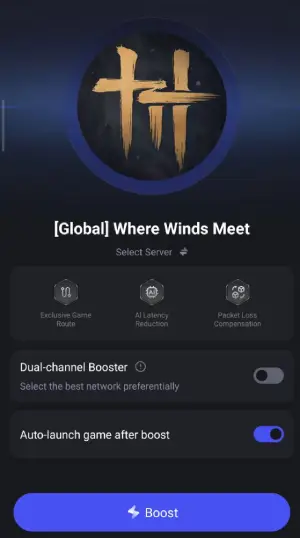
Step 4: Click boost and select your corresponding server region to connect.
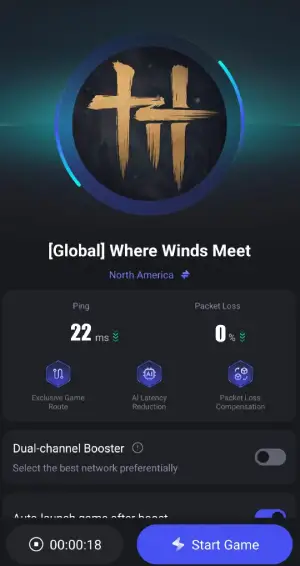
Step 5: Once optimized performance is confirmed, click "Start Game" to launch the game.
Note: Before entering the game, set your device’s system language to English. Otherwise, the game will display Chinese, and the translation feature will not work.
If you already entered the game with a non-English system language, you must reinstall the game inside the space for translation to work.
To switch back to the English version, change the translation language to English inside the space instead of turning off the translation tool.
How to Use the LagoFast Interactive Map Tool:
Step 1: Click the Interactive Map Tool below.
Step 2: Select your preferred language. The map helps you quickly locate resources and items and can be used as an overlay without leaving the game.
Part 4. How Players in Supported Regions Can Download Normally
If your App Store region does support the game, you can follow the standard download process:
- Open the Apple App Store on your iPhone or iPad.
- Search for Where Winds Meet Mobile.
- Tap Pre-Order, Get, or Download depending on release timing.
- Wait for the official release date.
- The game will auto-download or update once it launches.
This method works for regions such as the United States, Canada, Singapore, Australia, and many European countries.
Conclusion
Where Winds Meet Mobile delivers a rich Wuxia experience with martial-arts combat, multiple classes, and large-scale PvP. Even in restricted regions, players can download and play from any country using LagoFast. It ensures faster downloads and stable connections and provides helpful features like translation and interactive maps.
Following these methods and meeting device requirements allows international players to enjoy smooth gameplay and freely explore the world.

Boost Your Game with LagoFast for Epic Speed
Play harder, faster. LagoFast game booster eliminates stutter and lags on PC, mobile, or Mac—win every match!
Quickly Reduce Game Lag and Ping!
Boost FPS for Smoother Gameplay!