

Netmarble has confirmed that its vampire-themed MMORPG VAMPIR will launch on August 26, 2025. This article summarizes release details, system requirements, and how to download and play VAMPIR on PC and mobile.
Russia verison: Как скачать и играть в VAMPIR на ПК и мобильных устройствах?

- ✅ Reduce Lag and High Ping.
- ✅ Boost FPS at the Same Time.
- ✅ Support 1000+ Popular Online Games.
- ✅ Support Easy Lobby in all Cod Games without Lag
Part 1: VAMPIR Release Details
Part 2: VAMPIR System Requirements for Downloading
Part 3: How to Download and Play VAMPIR?
Part 4: How to Play VAMPIR Without Lag?
Part 1: VAMPIR Release Details
Developed with Unreal Engine, VAMPIR is Netmarble's latest gothic MMORPG that blends dark fantasy with a vampire theme. Players can choose from four unique classes, explore haunted castles, and grow their power through a fair “Diamond Farming” system instead of heavy pay-to-win mechanics.
The official schedule is as follows:
- Release date: Tuesday, August 26, 12:00 PM.
- Pre-download: August 25, 12:00 PM ~ August 26, 12:00 PM.
- Pre-character creation: August 25, 12:00 PM ~ August 26, 10:00 AM.
- Pre-registration deadline: August 25, 12:00 PM.
With this timeline, players can pre-register for rewards, download the client in advance, and even customize their characters before launch—ensuring a smooth start when VAMPIR officially opens its dark gates.
Part 2: VAMPIR System Requirements for Downloading
After learning about the official release schedule in Part 1, the next important step is to make sure your device is ready. VAMPIR is built with Unreal Engine and offers high-quality graphics, so checking the system requirements will help you enjoy the game smoothly from day one.
|
OS |
Minimum specifications |
Recommended specifications |
|||
|
Device |
memory |
OS |
Device |
memory |
|
|
AOS |
Galaxy S20 |
8GB |
Android 8.1 |
Galaxy S23 |
8GB |
|
iOS |
iPhone 12 |
4GB |
iOS 15 |
iPhone 14 |
6GB |
PC Minimum/Recommended Specifications
|
division |
Minimum specifications |
Recommended specifications |
|
CPU |
Intel Core i5-10400 AMD Ryzen 5 3600 |
Intel Core i7-11700K AMD Ryzen 7 5700X |
|
memory |
16GB |
16GB |
|
graphics card |
GeForce GTX 1060 Radeon RX 580 Arc A580 |
GeForce RTX 2060 Radeon RX 5700XT Arc A750 |
|
Operating system (64-bit) |
Windows 10 (64bit) |
Windows 10 (64bit) |
|
storage space |
20GB |
20GB / SSD recommended |
|
DirectX |
Version 12 |
Version 12 |
Making sure your device meets at least the minimum requirements will allow you to download and play VAMPIR without major issues. If you aim for the recommended setup, you can experience the dark fantasy world with smoother graphics and faster loading times.
Part 3: How to Download and Play VAMPIR?
To get started with VAMPIR, players can easily access the game through multiple official platforms. This ensures everyone, whether on mobile or PC, can jump in smoothly.
- Official Website: vampir.netmarble.com
- App Store (iOS): Download here
- Google Play (Android): Download here
- Pre-download PC: Download here
With these options, accessing VAMPIR is straightforward. Now that you know how to download and start playing, let's move on to explore the official launcher and the Netmarble Connect service in more detail.
Best Way to Download VAMPIR from Anywhere
If you are not in Korea but still want to download and play this wonderful game, LagoFast can help to bypass the region restriction, allowing you to download it from anywhere:
For PC Players:
Step 1: Download LagoFast on your PC via button below
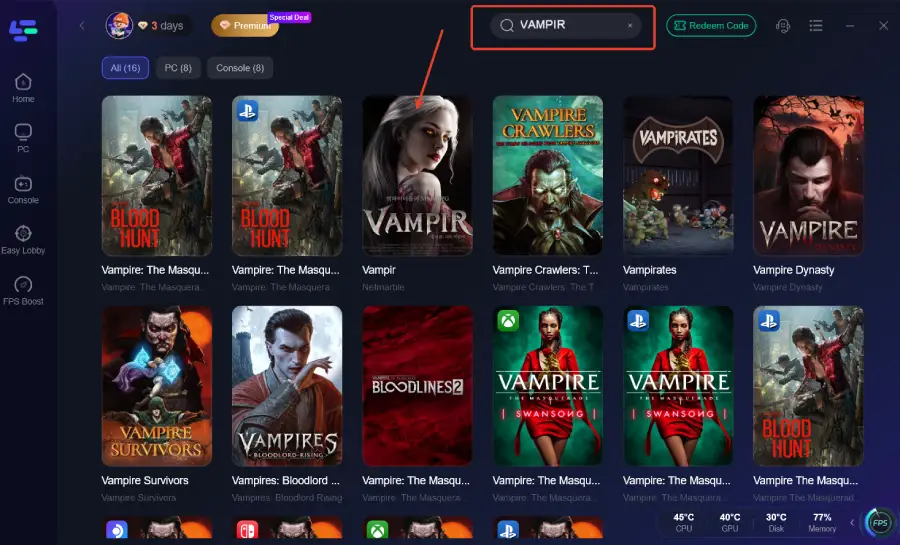
Step 2: Search for VAMPIR in LagoFast's search bar and click the result.
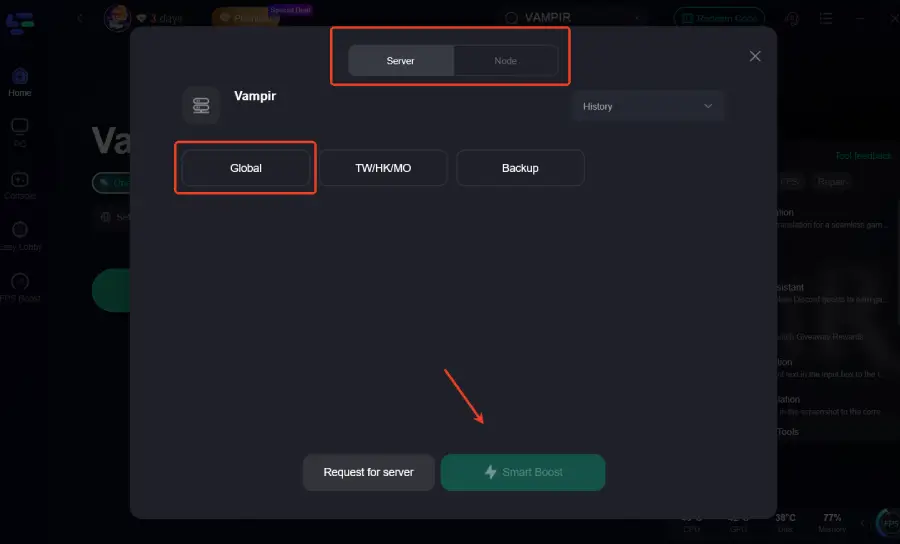
Step 4: Choose the Korea server and start boost.
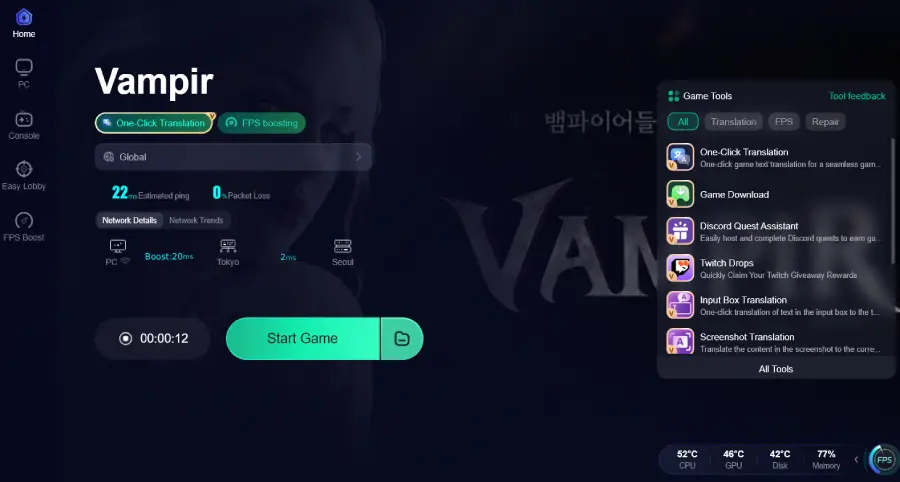
Step 5: Click the Game Download tool on the interface.
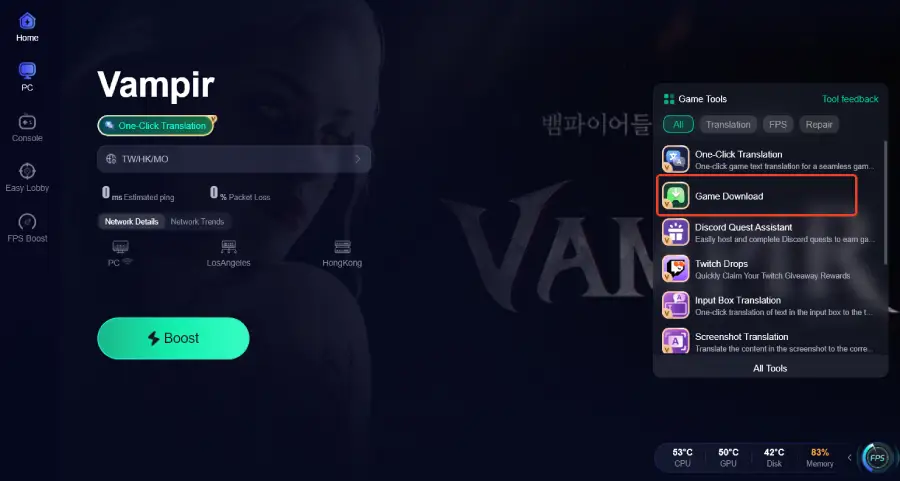
Step 6: Keep the connection to the Korea server, and follow the system prompts to complete installation.
For Mobile Players:
Step 1: Visit the official website of LagoFast, download the LagoFast Mobile APK file, and follow the prompts to complete the installation. (Note: The download feature is only available for Android players who installed LagoFast via APK file.)

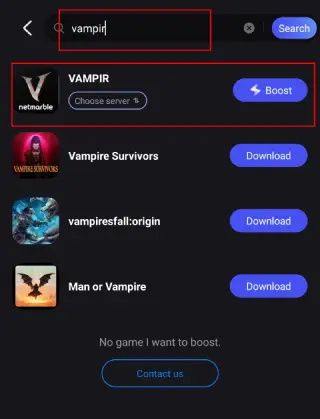
Step 2. Search for VAMPIR: Open LagoFast, type the game’s name in the search bar, and select the first one.
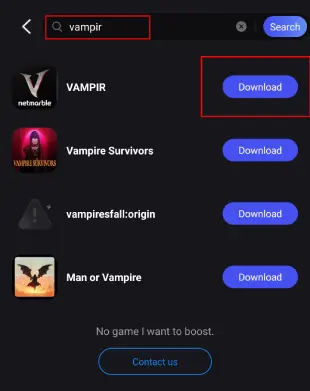
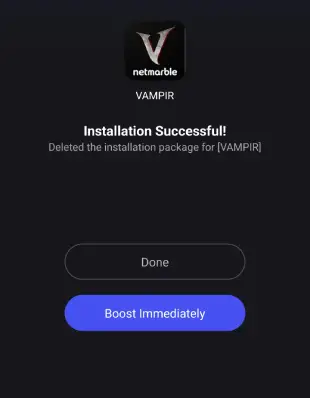
Step 3. One-Click Download: LagoFast will handle the game file download and installation, ensuring compatibility with your device.
Once installed, launch the game through LagoFast to enjoy optimized performance and reduced lag.
Part 4: How to Play VAMPIR Without Lag?
Smooth gameplay is key to enjoying VAMPIR, especially with its fast-paced combat and large-scale multiplayer elements. However, network issues like high ping or packet loss can ruin the experience. To avoid this, players can use a professional game booster such as LagoFast.
LagoFast optimizes network routes and reduces latency, allowing you to enjoy stable connections even during peak hours. With its one-click acceleration, players can minimize lag and focus fully on battles in VAMPIR.
Step 1: Download LagoFast by clicking the button below and activate your free trial.
Step 2: Search for VAMPIR in the LagoFast client.
Step 3: Select the server with the best connection and choose the optimal Node. Click "Smart Boost" to start optimizing your network.
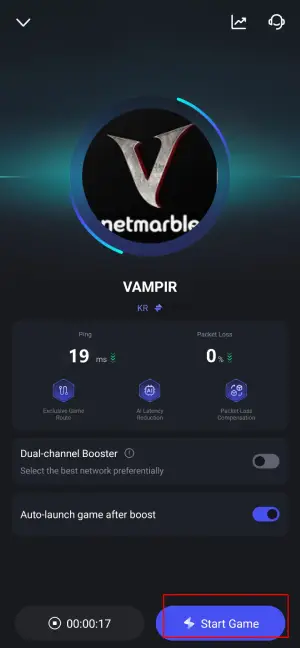
Step 4: Check real-time stats such as ping, packet loss, and network performance, then click the "Start Game" to play VAMPIR without any lag!
1. iOS and Android players can download LagoFast from the App Store or Google Play Store, or simply scan the QR code below to get it instantly!

2. Launch the LagoFast Mobile app and search for VAMPIR in the search bar.
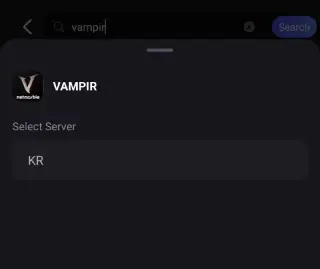
3. Select the best-performing server for VAMPIR to connect.
4. Check real-time game data such as packet loss rate and ping, then click Start Game to begin playing!
Conclusion
VAMPIR marks an exciting new step for Netmarble, combining stunning visuals with deep MMORPG gameplay. From its release schedule and system requirements to download methods and performance tips, this guide helps players prepare for launch day. By ensuring smooth play with tools like LagoFast, you can fully enjoy the world of VAMPIR without interruptions.

Boost Your Game with LagoFast for Epic Speed
Play harder, faster. LagoFast game booster eliminates stutter and lags on PC, mobile, or Mac—win every match!
Quickly Reduce Game Lag and Ping!
Boost FPS for Smoother Gameplay!